Communicating for Results: A Guide for Business and the Professions (Cheryl Hamilton)
cover
After the speeches, discuss the differences between informing and persuading your
audience.
MindTap support materials for Chapter 11 include the following:
Warm-up question activity that introduces chapter topics and concepts
Notetaking capability that enables students to read the chapter, highlight text, and take
notes online
Chapter 11 text, including the Awareness Check Questionnaire
Video
observe in action the impact of choices made in introductions and conclusions so that
they can reflect on, personalize, and apply the concepts learned in the chapter
Flashcards to practice defining key terms
Quiz questions that reinforce student learning and understanding
Case study 4 of a real-life situation and associated questions for Chapter 11 (captured in
Outline Builder, which enables students to construct outlines for speeches, a particularly
relevant tool for this chapter
YouSeeU, which enables recording and submission of speeches, review of rubrics, and
participation in peer reviews, offering a particularly relevant tool for this chapter
Other General MindTap resources cited at the beginning of Part III.
A number of useful webpages can be employed in conjunction with Chapter 11:
Post a sample informative or persuasive speech on your server or use one of the speeches
in the MindTap Speech Video Library (SVL) and have students analyze the speech.
Click the SVL icon in Apps Doc/use Search and Filter functions to find specific the
speech and its video, transcript, outline, and speech-based questions. To assign to
students, click the plus sign (+) on top blue bar or Unit View/select Add Activity/click
SVL/follow steps provided.
Instruct them to critique it by identifying the attention getting strategy, the thesis
statement, the main points and types of supporting material used, the kind of concluding
attention-getter, and the like.
The impromptu speeches discussed in Assignment 11.4 could be assigned via YouSeeU
as a question-and-answer response question for an online class.
Use MindTap to assign students to view and analyze the SVL informative speech,
by Elizabeth Lopez. Click the SVL icon in Apps Doc/use
Communicating for Results: A Guide for Business and the Professions (Cheryl Hamilton)
Search and Filter functions to find specific the speech and its video, transcript, outline,
and speech-based questions. To assign to students, click the plus sign (+) on top blue
bar or Unit View/select Add Activity/click SVL/follow steps provided.
Instruct students to answer the questions that accompany this video and submit their
answers to you.
In addition, online sites provide a number of useful videos that support Chapter 11 topics:
How to Write and Deliver Great Speeches: The Toastmasters International Guide to
Public Speaking, 2006, 35 minutes. This program teaches you how to write and deliver
great speeches. It comes with a guarantee that you will learn skills that will help you
Speaking With Confidence, Clarity, and Charisma, 2002, 23 minutes. This video teaches
viewers the secrets professionals use to present ideas effectively, establish rapport, build
credibility, and sound enthusiastic over the phone. It also explains how to orient oneself
for maximum influence during a meeting and how to project confidence when speaking
face-to-face. Insight Media.
Public Speaking: Dynamic Delivery (Program 2), 2002, 26 minutes. The Standard
Communicating for Results: A Guide for Business and the Professions (Cheryl Hamilton)
Collateral websites also offer supplemental support for Chapter 11 topics:
https://www.tseggleston.com/key-steps/
Colorado State University provides an overview on informative speaking at this site.
http://writing.colostate.edu/guides/guide.cfm?guideid=52
St. Cloud State University offers PHO (presentation help online) on this beneficial site.
It covers a wide variety of topics from sample assignments to examples to support those
assignments.
http://web.stcloudstate.edu/pho/
American Rhetoric has a speech transcript center of the top 100 speeches as well as a
national video bank of a variety of famous and historical speeches. This is great for
classroom analysis assignments.
http://www.americanrhetoric.com/
This website has 10,000+ speech topics, writing tips, how-to guides, and help for
outlining.
http://www.speech-topics-help.com/
wonderful page on preparing speeches. It has links to a variety of topics.
http://www.hawaii.edu/mauispeech/html/preparing_speeches.html
Communicating for Results: A Guide for Business and the Professions (Cheryl Hamilton)
1. A topical pattern is used to organize a topic when no spatial, chronological, or causal
relationship exists between the main points.
2. Impromptu speaking is the preferred delivery for most business speakers.
3. Oral reports usually are longer than oral briefings and are more formal.
4. Blogs as a research tool should be approached with caution because they tend to be more
editorial than factual.
5. Speaking from a manuscript is much more difficult for most people than speaking from
outlined notes.
Communicating for Results: A Guide for Business and the Professions (Cheryl Hamilton)
1. According to this text, the step in preparing an informative presentation after you analyze
the audience should be to:
a. Research the topic c. Determine the topic
b. Determine your speech format d. Organize the main points
2. Which of the following is the best example of an opening sentence for a speech?
a. I want to inform you of the warning
signs of cancer.
c. Some 3 years ago, one of my best
friends a young woman about your
age was told she had cancer.
b. Today we will talk about the warning
signs of cancer, so everyone can know
what to look for.
d. Most of you are unaware of the
warning signs of cancer, but you
should be, so I am going to tell you
about them.
3. If you are thinking of starting your speech with humor, consider that you risk coming
across as less competent if you:
a. Poke fun at your profession c. Poke fun at the topic
b. Use self-disparaging humor d. Use any kind of humor at all
4. A question designed to make the audience think, and for which no answer is required, is
known as:
a. A rhetorical question c. An actual question
b. A paraphrase d. An idealistic question
5. An audience that has already made up their minds but think they are objective is known as:
a. A neutral audience c. An uninterested audience
b. An agreeable audience d. A friendly audience
6. This audience type has a short attention span and are present against their will:
a. Neutral audience c. Uninterested audience
b. Hostile audience d. Friendly audience
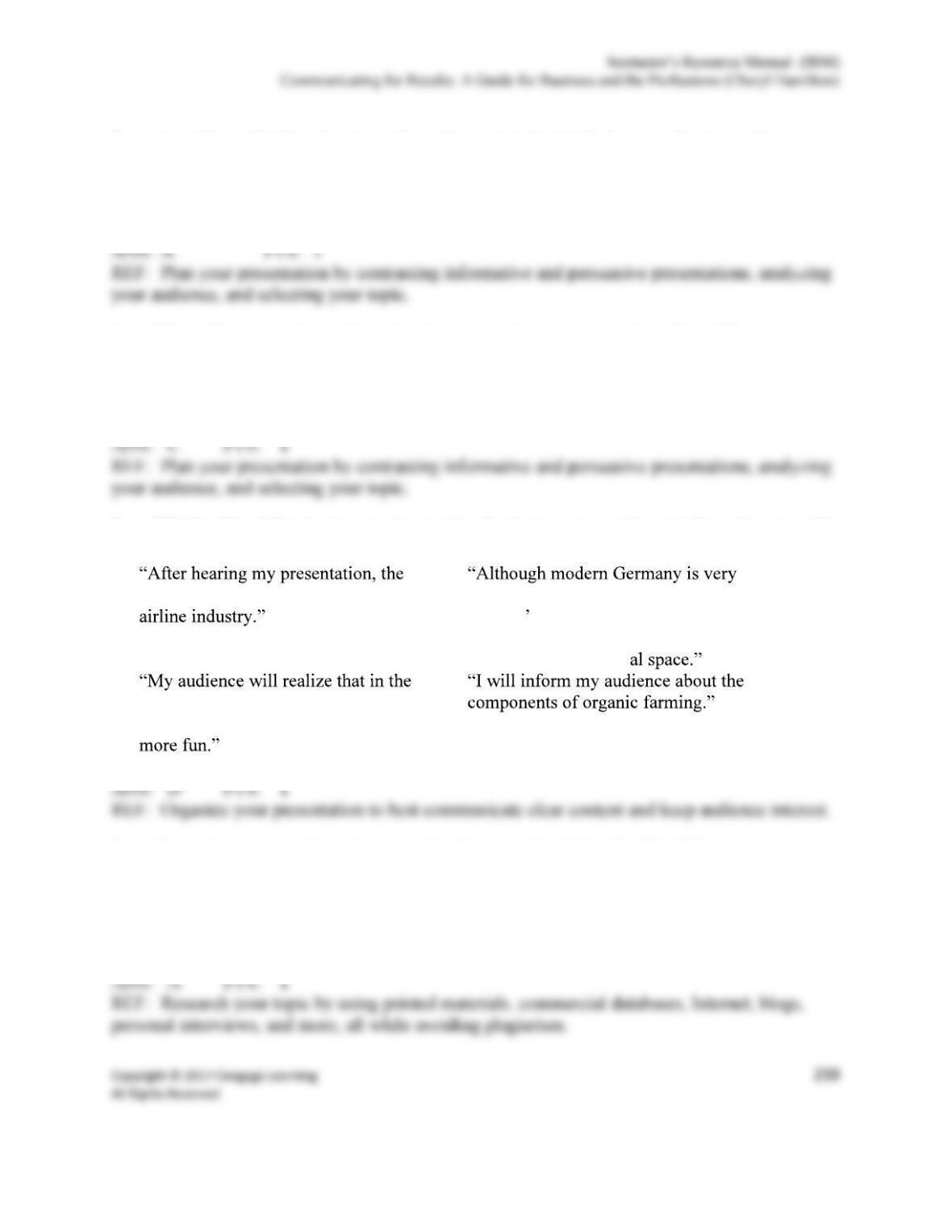
7. Which of the following is a good example of a thesis statement for an informative speech?
a.
audience will know more about the
c.
much like the United States, German
citizens nonverbal communication
differs in their greetings, social
situations, and person
b.
future artificial intelligence will make
our lives easier, more fulfilling, and
d.
8. If your Internet search produces too few hits, you should do all of the following except:
a. Avoid using the Boolean OR c. Check for spelling errors
b. Use the wild card * to search for all
forms of the word
d. Use fewer search words
9. The steps in the preparation of an informative presentation in order are.
a. Pre-writing, writing, revising,
delivering
c. Ethos, pathos, logos
b. Attention, need, satisfaction,
visualization, action
d. Plan, research, organize, deliver
10. If you are being asked to speak during a very strict time limit, the text suggests you might
want to consider this method of delivery.
a. Manuscript. c. Impromptu
b. Extemporaneous d. Memorized
11. If you are being asked to speak without much preparation time and without notes, the text
suggests you might want to consider this method of delivery.
a. Manuscript. c. Impromptu
b. Extemporaneous d. Memorized
12. A speech titled Preparing an Elegant Mincemeat- includes the following main
points: (1) prepare the pastry, (2) prepare the Streusel topping; (3) bake crust 20 minutes at
350 degrees; (4) arrange mincemeat and pears into partially baked crust; (5) add streusel
topping and bake 15 to 20 minutes at425 degrees. This is an example of what type of
organization pattern?
a. Chronological c. Topical
b. Causal d. Spatial
13. A speech titled includes the following main points: (1) yoga
increases flexibility; (2) yoga benefits circulatory and cardio health; (3) yoga protects your
posture and spine; and (4) yoga boost immunity. This is an example of what type of
organization pattern?
a. Chronological c. Topical
b. Causal d. Spatial
14. A speech entitled includes the
following main points: (1) from the Lincoln Memorial to the Washington Monument,
(2) between the Washington Monument and the National Air and Space Museum; and
(3) between the National Air and Space Museum and the U.S. Capitol. This is an example
of what type of organizational pattern?
a. Chronological c. Topical
b. Causal d. Spatial
15. What is true about speaking from a manuscript?
a.
It is easier than speaking from outlined
notes.
c. It is more likely that you will go over
time.
b. It is difficult to respond to listener
feedback.
d. It is more likely that you will sound
and look natural.
Communicating for Results: A Guide for Business and the Professions (Cheryl Hamilton)
1. What are the main differences between informative and persuasive presentations? Give an
example of each.
ANS:
Speakers must know the differences between informative and persuasive presentations.
2. Which gets defined earlier, the exact purpose statement or the thesis statement? Define
each and explain how they are different.
ANS:
The exact purpose statement is a part of topic generation process, and so it comes earlier in the