41
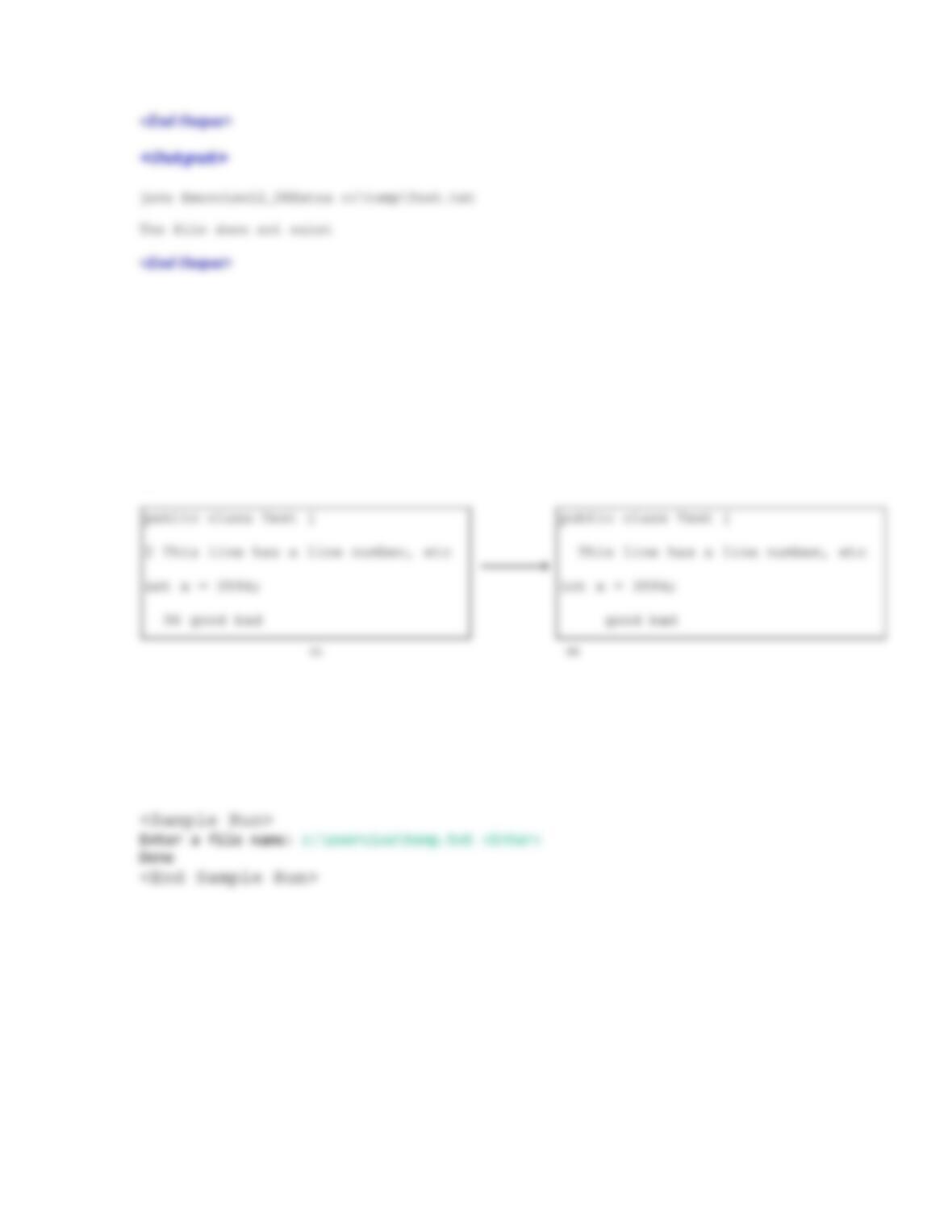
*12.7 (Remove line numbers) Some lines in the file have a line number, as shonw in Figure 12.7. A line
number is the first word in the line. A line number is delimited by one or more whitespace characters. A
line number may also be preceded with one or more whitespace characters. Write a program that prompts
the user to enter a file name and reads the lines from the file and replaces the line number in the file with
spaces. For example, you need to repalace the line number 2 with one space and line number 34 with two
spaces.
Figure 12.7
The file in (a) is converted into the new file in (b).
Here is a sample run:
Extra Exercise for Chapter 13
13.1 Problem Description: (Note that this is quite different from the one given in the text.
So you can safely assign it without concerning that this has been known to the students.).
Define a class named Time for encapsulating a time. The
class contains the following:
1. A data field of the long time that stores the elapsed
time since midnight, Jan 1, 1970.
42
2. A no-arg constructor that constructs a Time for the
current time.
3. A constructor with the specified hour, minute, and
second to create a Time.
4. A constructor with the specified elapsed time since
midnight, Jan 1, 1970.
5. The getHour() method that returns the current hour in
the range 0-23.
6. The getMinute() method that returns the current minute
in the range 0-59.
7. The getSecond() method that returns the current second
in the range 0-59.
8. The getSeconds() method that returns the elapsed total
seconds.
9. The toString() method that returns a string such as “1
hour 2 minutes 1 second” and “14 hours 21 minutes 1
second”.
10. Implement the Comparable<Time> interface to compare
this Time with another one based on their elapse seconds.
The compareTo method returns the difference between this
object’s elapse seconds and the another’s.
11. Implement the Cloneable interface to clone a Time
object.
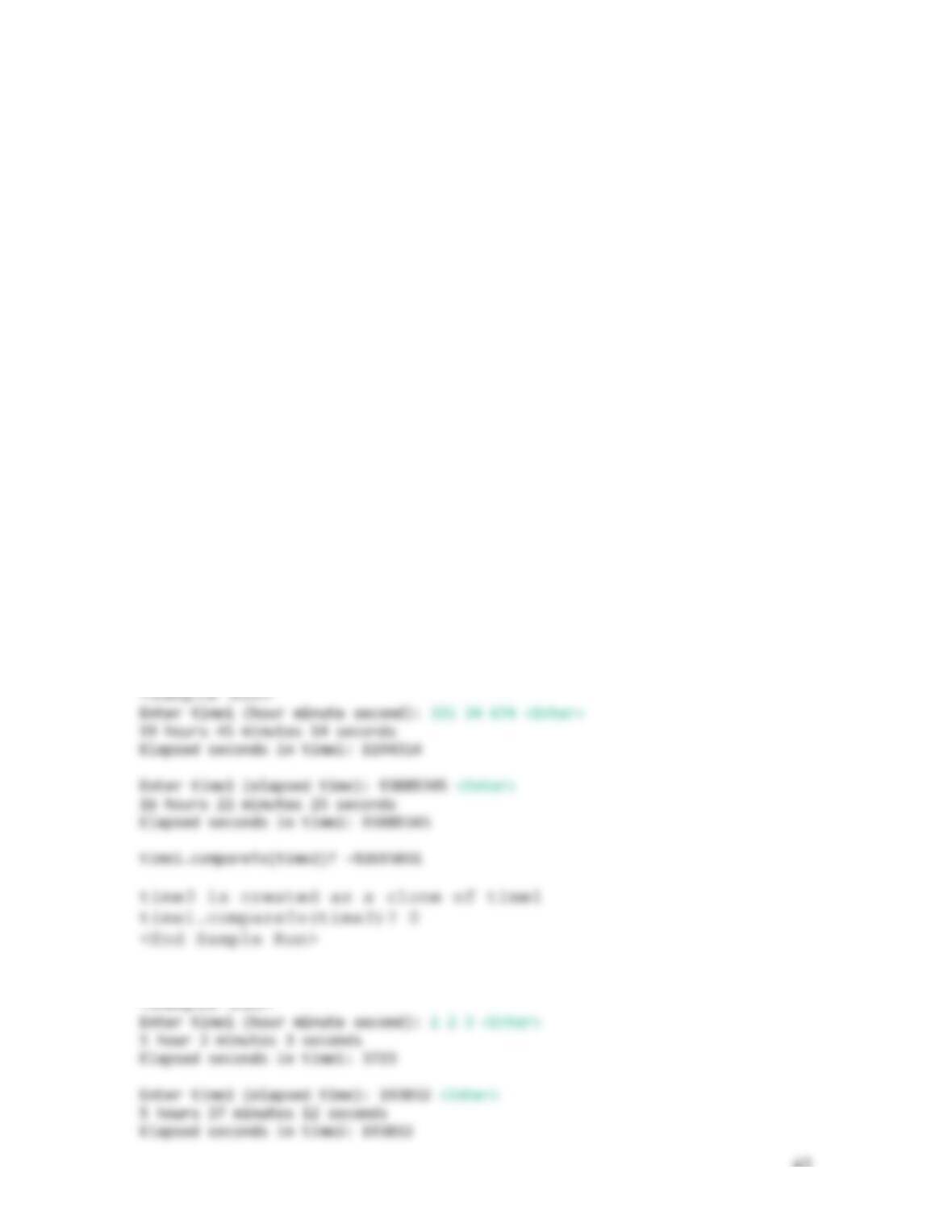
Write a test program that produces the following sample
run:
43
13.2 The Animal class is given in Listing 13.7. Modify this class by implementing the
Comparable interface and Cloneable Interface. Add the weight property in the Animal
class with getter and setter methods. The two animals are compared based on their
weights.
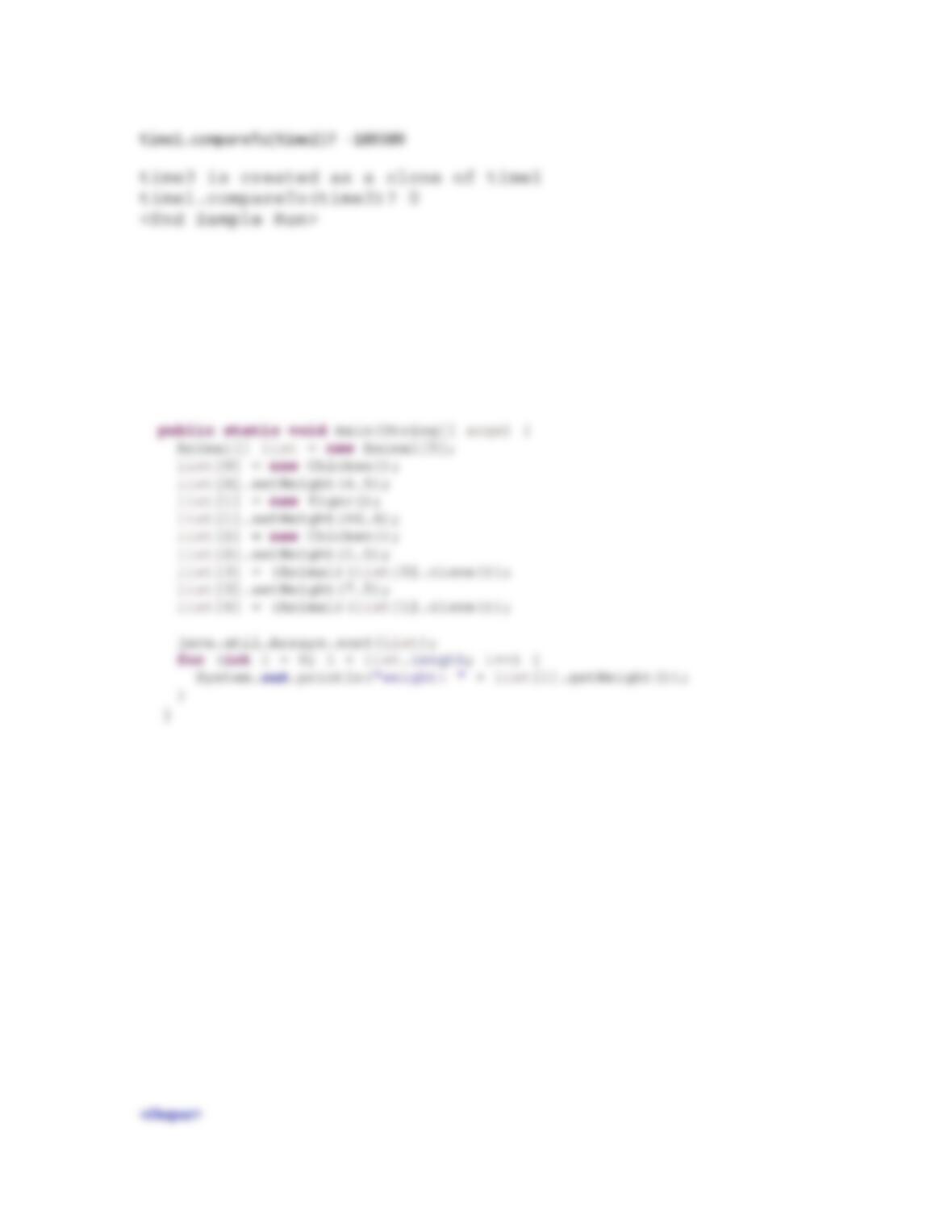
Use the following main method to run your test program.
**13.3 (Parse rational numbers) Add the following method in the Rational class defined in Listing
13.13.
public static Rational parseRationalNumber(String s)
The method returns a Rational object from a string that represents a rational number. Here are some
examples of parsing rational numbers:
Rational r1 = Rational.parseRationalNumber(“3 / 15″);
Rational r1 = Rational.parseRationalNumber(“-3/15″); // This is OK
Rational r2 = Rational.parseRationalNumber(“34“); // Denominator is 1
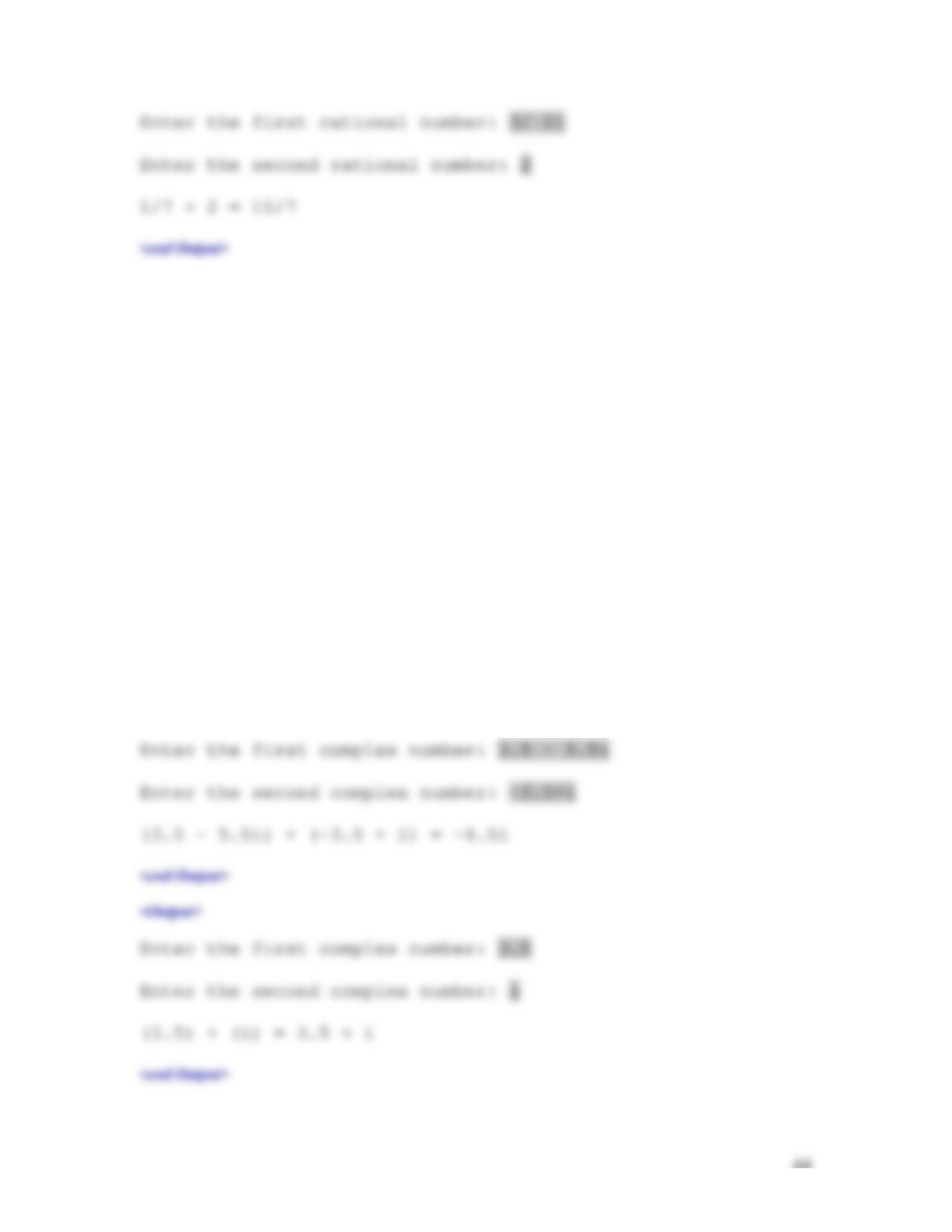
Write a test program that prompts the user to enter two rational numbers as strings and displays their
addition. Here are some sample runs:
44
**13.4 (Parse complex numbers) Add the following nonmember function in the Complex class defined in
Programming Exercise 13.17.
public static Complex parseComplexNumber(String s)
The method returns a Complex object from a string that represents a complex number. Note that if the real
part or imaginary part is 0, it is not displayed. If the imaginary part is 1, the number 1 is not displayed. Here
are some examples of parsing complex numbers:
Complex c1 = parseComplexNumber(“3.5 + 2.23i”);
Complex c2 = parseComplexNumber(“3.5“); // Imaginary part is 0
Complex c3 = parseComplexNumber(“-2.23i”); // Real part is 0
Complex c4 = parseComplexNumber(“3.5–2.23i”); // This is OK
Write a test program that prompts the user to enter two complex numbers as strings and displays their
addition. Here are some sample runs:
<Output>
45
*13.5 (The Point class) Design a class named Point that meets the following requirements:
• Two data fields x and y for representing a point with getter methods.
• A no–arg constructor that constructs a point for (0, 0).
• A constructor that constructs a point with the specified x and y values.
• Override the equals method. Point p1 is said to be greater than point p2 if p1.x == p2.x
and p1.y == p2.y.
• Implement the Comparable<Point> interface and the compareTo method. Point p1 is
said to be greater than point p2 if p1.x > p2.x or if p1.x == p2.x and p1.y > p2.y.
• Override the toString() method to return a string as [x value, y value].
• Implement the Cloneable interface and clone method.
Test your program using the following code:
public class Exercise13_05Extra {
*13.6 (The Dog class and Cow class) The Edible interface and the Animal class are defined in the text.
Define the Dog class that extends the Animal interface and implement the sound method that return
“Woof”. Define the Cow class that implements the Edible interface and extends the Animal class and
implement the sound method that return “Gaga” and the howToEat method to return “Roast”. Use the
followign program to test your code:
46
Extra Exercises for Chapter 14
14.1 (Geometry: two circles) Write a program that prompts the user to enter the center coordinates
and radiusof two circles. The program displays the rectangles and a text indicating whether the
two are overlapping, whether one is contained in the other, or whether they don’t overlap, as
shown in Figure 14.1.
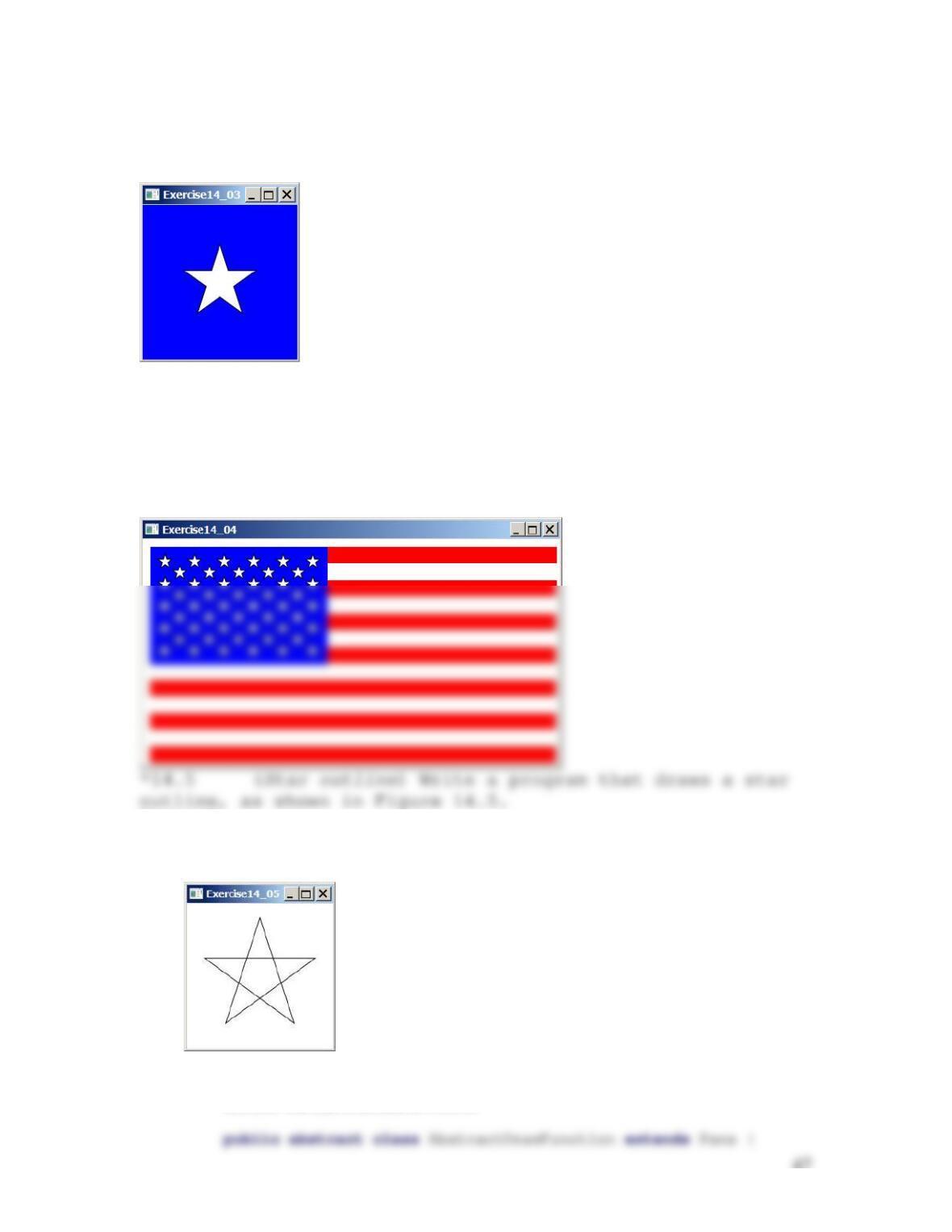
*14.2 (Connect four circles) Write a program that
draws four filled circles with radius 10 pixels, centered
at random locations, with a line connecting every two
circles. The line should not cross inside the circles, as
shown in Figure 14.2. Whenever you resize the window, the
circles are redisplayed in new random locations.
Figure 14.2
Exercise 14.2 connects every two circles from their perimeter.
47
Figure 14.3
Exercise 14.3 draws a star.
***14.4 (US flag) Write a program that draws a US flag, as
shown in Figure 14.4. Note this is not displayed from an
image, rather that it is drawn using polygons and
rectangles.
Figure 14.4
Exercise14.4 draws a US flag.
Figure 14.5
Exercise14.5 draws a star outline.
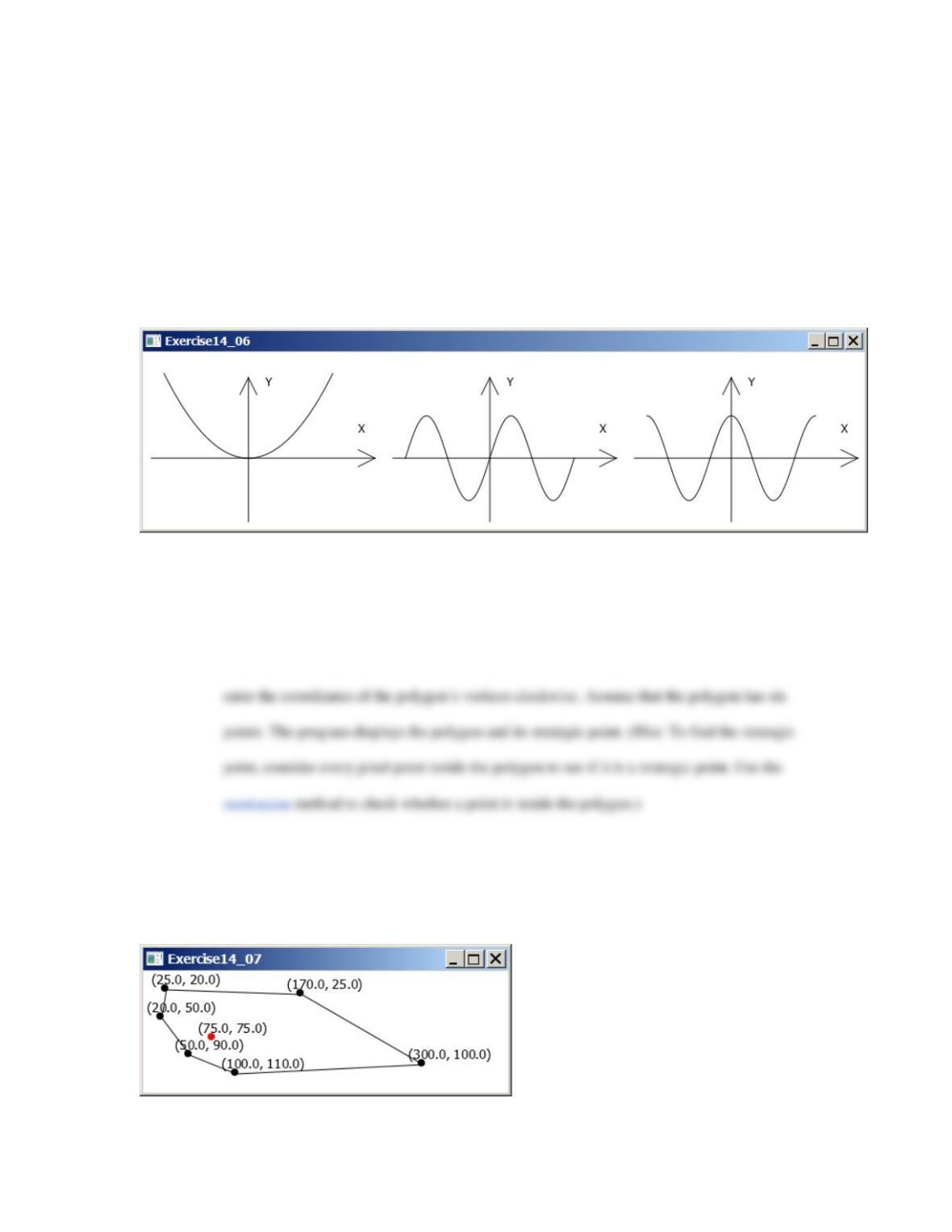
**14.6 (Plot functions using abstract methods) Write an abstract class that draws the diagram for a
function. The class is defined as follows:
48
/** Paint */
private void paint() {
// To be completed by you
}
}
Test the class with the following functions:
a. f(x) = x2;
b. f(x) = sin(x);
49
g. f(x) = log(x) + x2;
For each function, create a class that extends the AbstractDrawFunction class and
implements the f method. Figure 14.6 displays the drawings for the first three functions.
Figure 14.6
Exercise 13.1 draws the square, sine, and cosine functions.
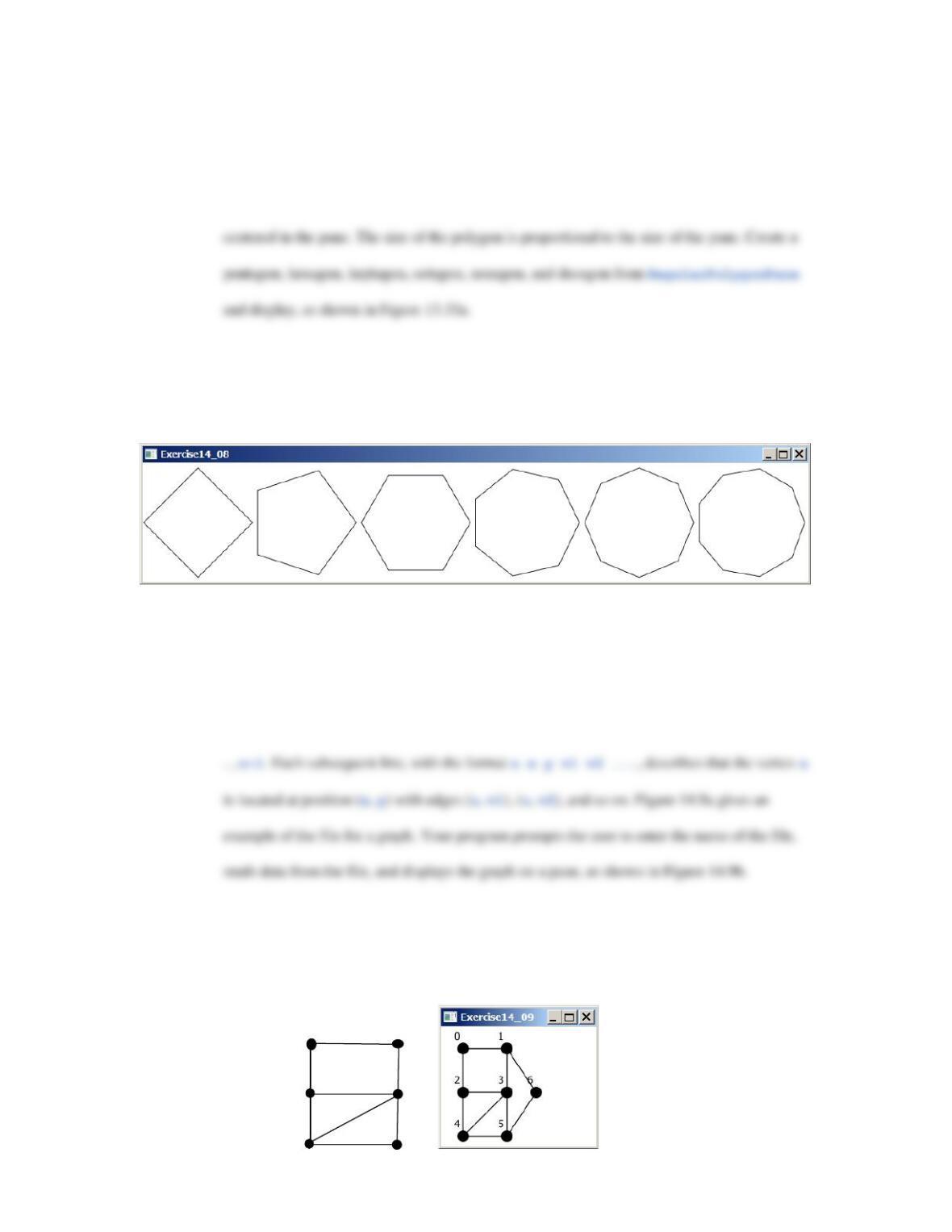
**14.7 (Geometry: strategic point of a polygon) The strategic point of a polygon is a point inside the
polygon that has the shortest total distance to all vertices. Write a program that finds and
displays the strategic point, as shown in Figure 14.7. Your program should prompt the user to
Figure 14.7
The polygon and its strategic point are displayed.
50
**14.8 (Geometry: display an n–sided regular polygon) Define a subclass of StackPane, named
RegularPolygonPane, to paint an n–sided regular polygon. The class contains a property
named numberOfSides, which specifies the number of sides in the polygon. The polygon is
Figure 14.8
Exercise 14.8 displays several n–sided polygons.
**14.9 (Display a graph) A graph consists of vertices and edges that connect vertices. Write a
program that reads a graph from a file and displays it on a pane. The first line in the file
contains a number that indicates the number of vertices (n). The vertices are labeled as 0, 1, . .
Figure 14.9
Exercise 14.9 reads the information about the graph and displays it visually.
File
6
0 30 30 1 2
1 90 30 0 3
2 30 90 0 3 4
3 90 90 1 2 4 5
4 30 150 2 3 5
5 90 150 3 4
0
2
3
1
4
5
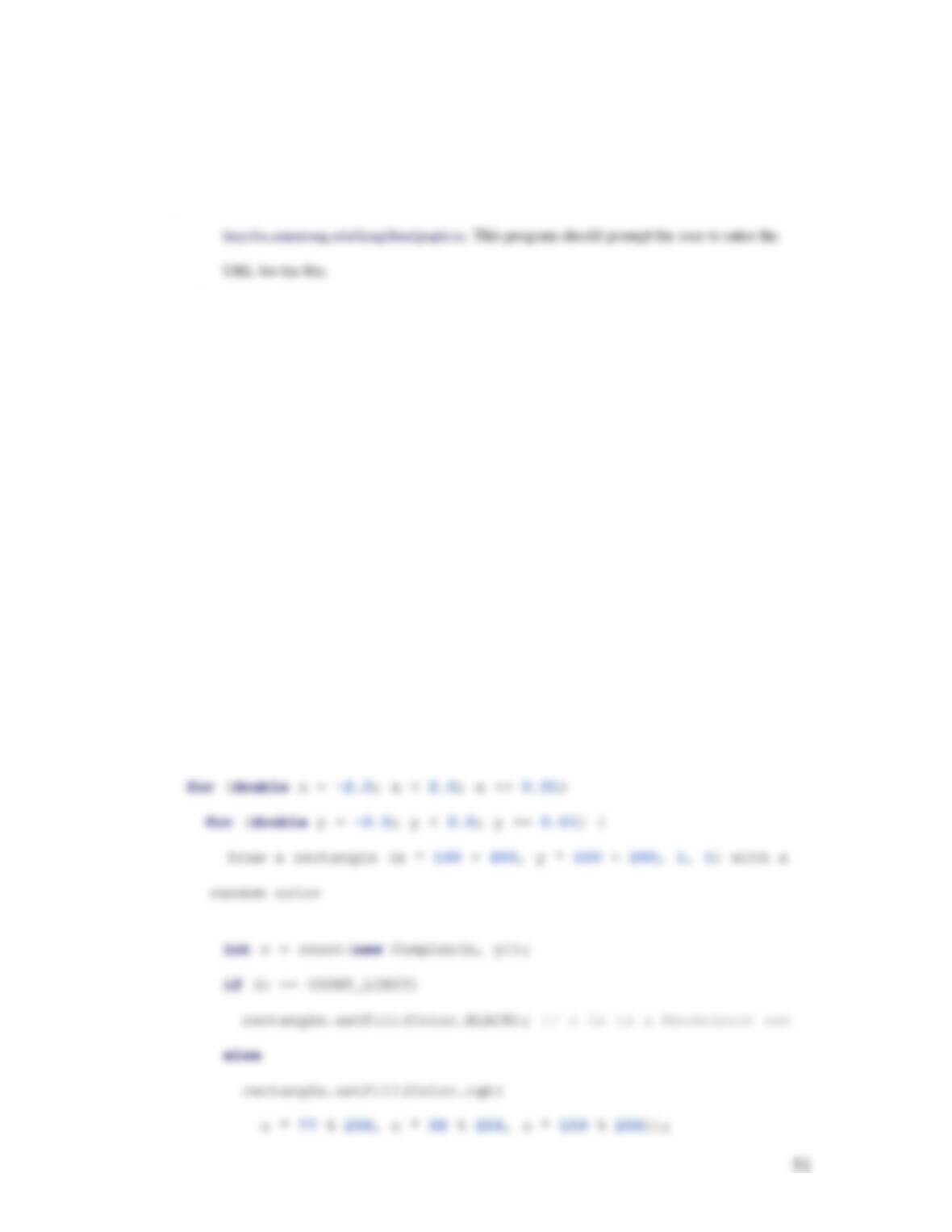
(a) (b)
**14.10 (Display a graph) Rewrite the preceding exercise by reading data from a Web URL such as
**14.11 (Mandelbrot fractal ) Mandelbrot fractal is a well–known image created from a Mandelbrot
set (see Figure 14.9). A Mandelbrot set is defined using the following iteration:
2
1nn
z zc
+= +
c is a complex number and the starting point of iteration is
00.z=
For a given c, the iteration
will produce a sequence of complex numbers:
01
{,, , ,}.
n
zz z
It can be shown that the
sequence either tends to infinity or stays bounded, depending on the value of c. For example,
if c is 0, the sequence is
{0, 0, },
which is bounded. If c is i, the sequence is
{0,, 1 , , 1 ,, },iiiii−+ − −+
which is bounded. If c is
1,i+
the sequence is
{0,1 ,1 3 , },ii++
which is unbounded. It is known that if the absolute value of a complex
value i
z
in the sequence is greater than 2, then the sequence is unbounded. The Mandelbrot
set consists of the c value such that the sequence is bounded. For example, 0 and i are in the
Mandelbrot set. A Mandelbrot image can be created using the following code:
52
}
}
}
The count(Complex c) method computes z1, z2, . . ., z60. If none of their absolute values
exceeds 2, we assume c is in the Mandelbrot set. Of course, there could always be an error, but 60
(COUNT_LIMIT) iterations usually are enough. Once we find that the sequence is unbounded, the
method returns the iteration count. The method returns COUNT_LIMIT if the sequence is bounded.
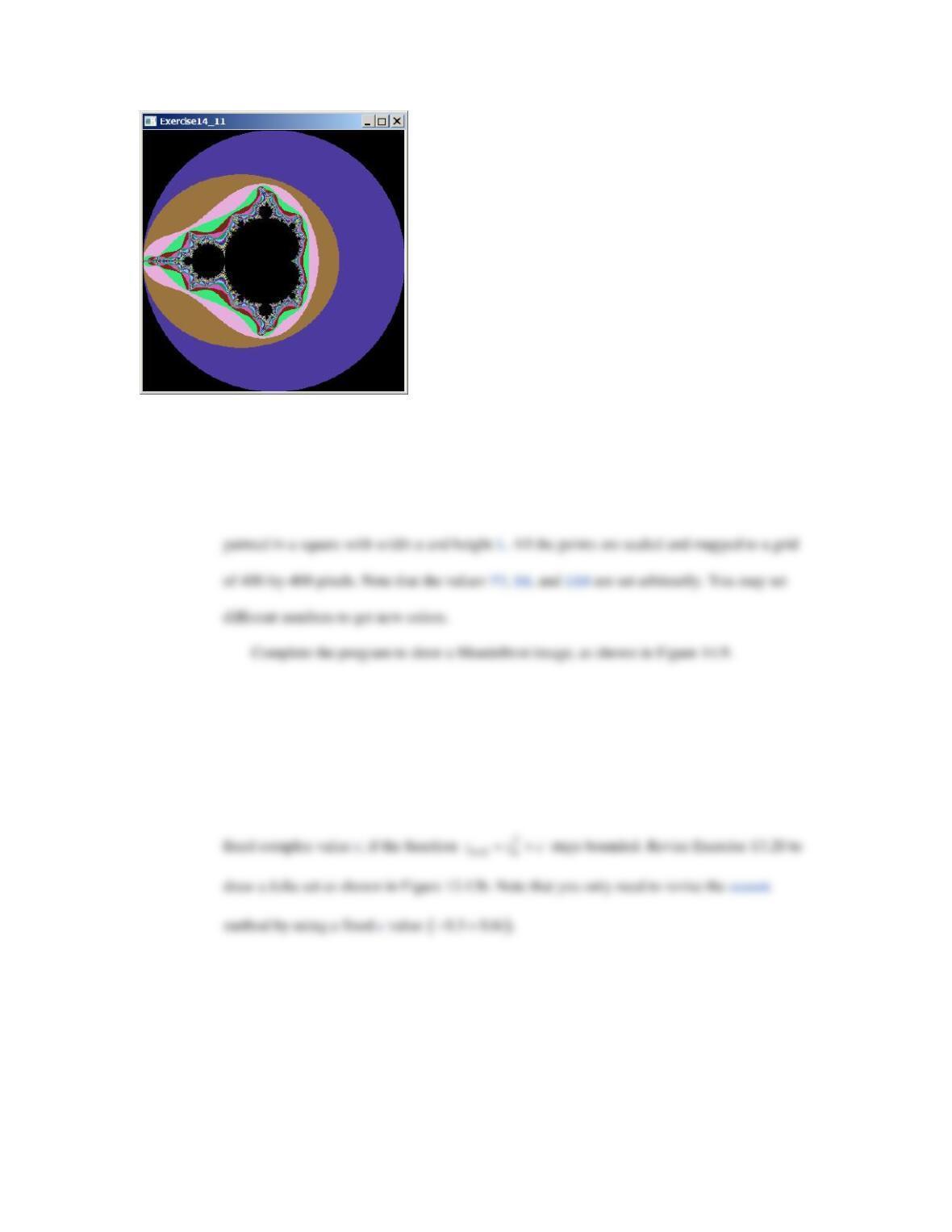
Figure 14.9
The program displays a Mandelbrot image.
53
The loop examines each point (x, y) for
2x2−< <
and
2y2−< <
with interval 0.01 to
see if its corresponding complex number
cxyi= +
is in the Mandelbrot set. If so, paint the
point black. If not, set a color that is dependent on its iteration count. Note that the point is
**14.12 (Julia set) The preceding exercise describes Mandelbrot sets. The Mandelbrot set consists of
the complex c value such that the sequence
2
1nn
z zc
+
= +
is bounded with
0
z
fixed and c
varying. If we fix c and vary
( )
0
,z x yi= +
the point (x, y) is said to be in a Julia set for a
2
1nn
z zc
+
= +
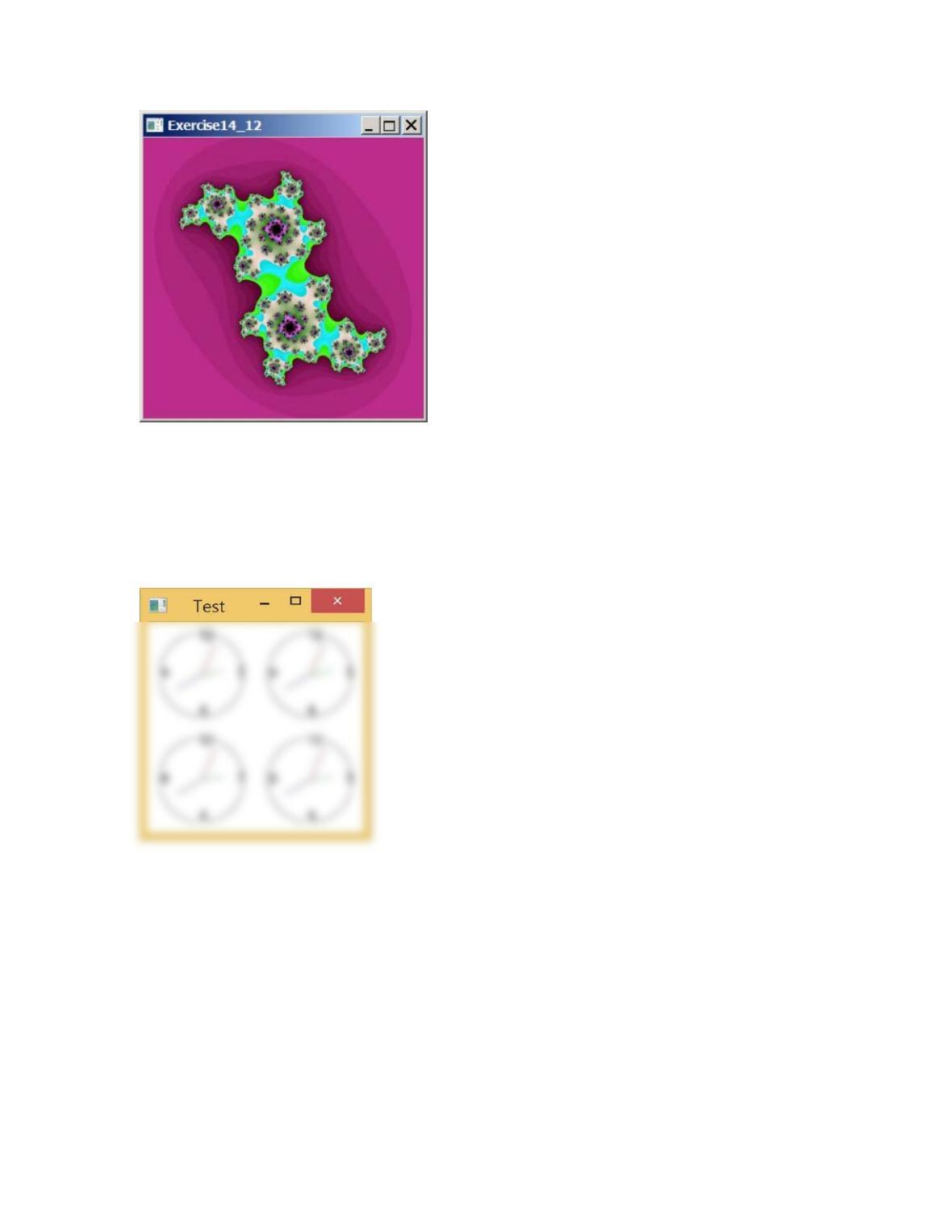
Figure 14.10
The program displays a Julia set image.
54
14.13 (Simple) The ClockPane class presented in Listing 14.24 in text displays a clock. Use this class to
display four clocks as shown in Figure 14.11.
Figure 14.13
The program displays four clocks.
Extra Exercises for Chapter 15
*15.1 (Display random 0 or 1) Write a program that displays a 10–by–10 square matrix, as shown
in Figure 15.1. Each element in the matrix is 0 or 1, randomly generated with a click of the
Refresh button. Display each number centered in a text.
55
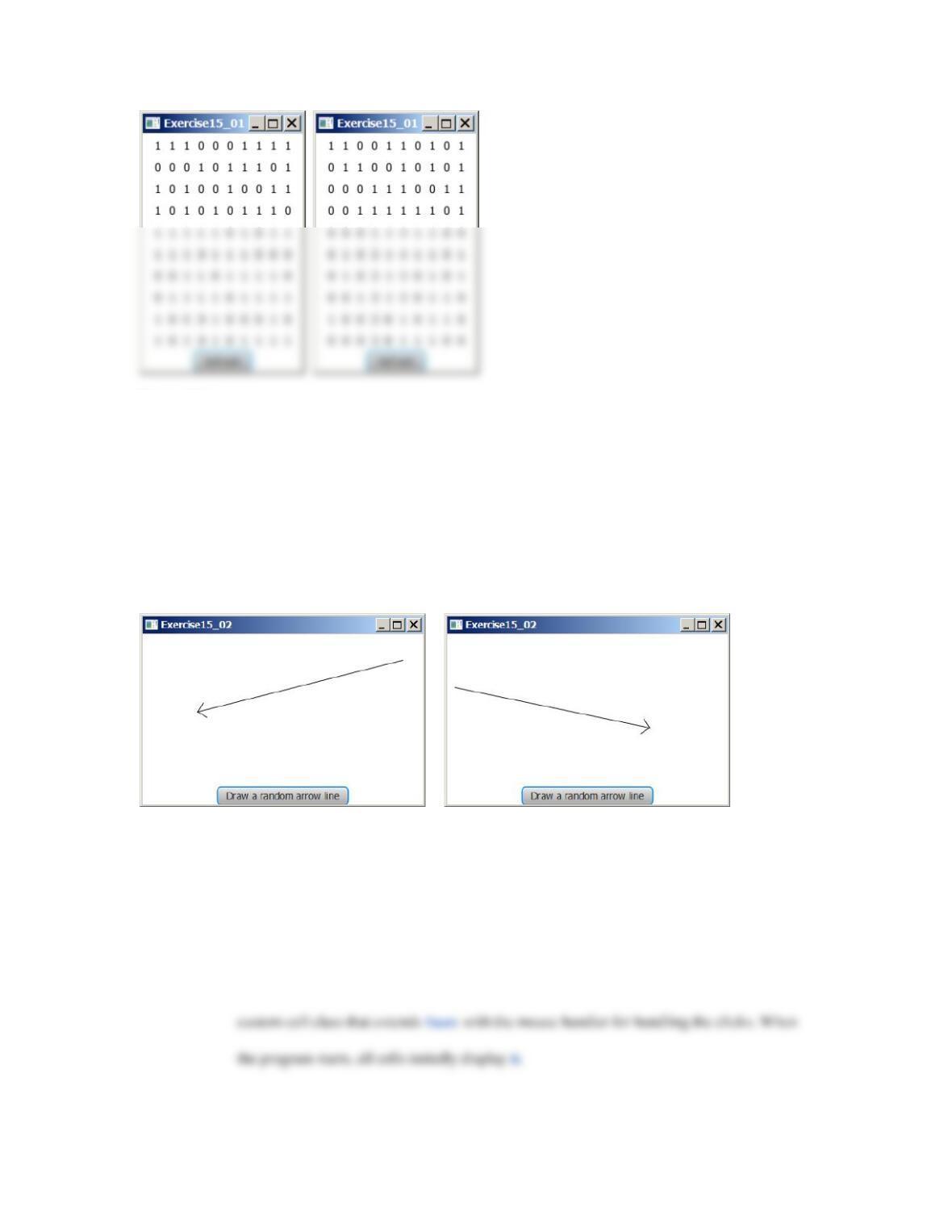
Figure 15.1
The program displays 0s and 1s randomly with a click of the Refresh button.
**15.2 (Draw an arrow line) Write a program that randomly draws an arrow line when the Draw a
Random Arrow Line button is clicked, as shown in Figure 15.. Hint: See Programming
Exercise 14.20 on how to draw an arrow line.
Figure 15.2
The program draws an arrow line randomly.
*15.3 (Flip coins) Write a program that displays heads (H) or tails (T) for each of nine coins, as
shown in Figure 15.3. When a cell is clicked, the coin is flipped. A cell is a Text. Write a
56
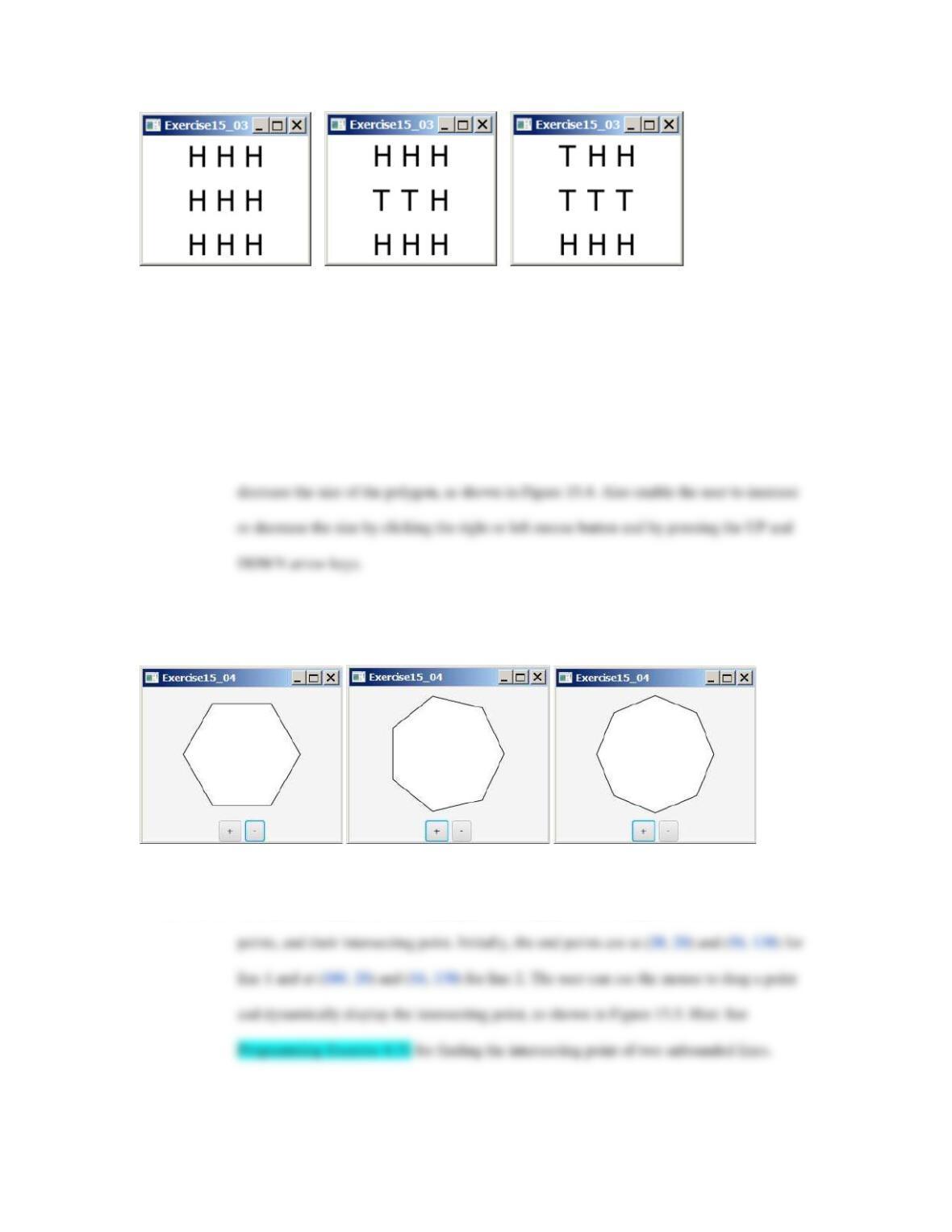
Figure 15.3
The program enables the user to click a cell to flip a coin.
*15.4 (Geometry: display an n–sided regular polygon) Extra Programming Exercise 14.8 created
the RegularPolygonPane for displaying an n–sided regular polygon. Write a program
that displays a regular polygon and uses two buttons named
1+
and
1−
to increase or
Figure 15.4
Clicking the
1+
or
1−
button increases or decreases the number of sides of a regular polygon.
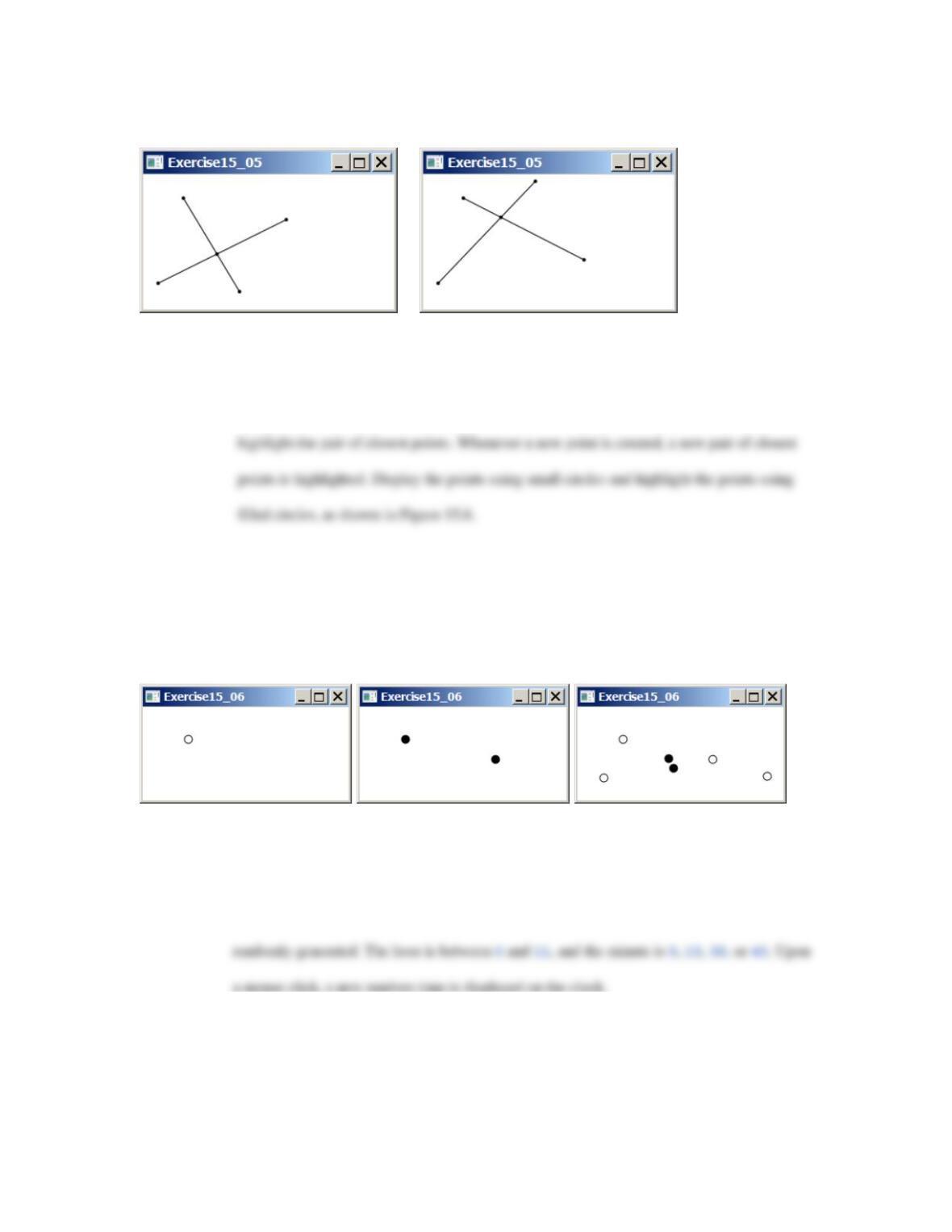
**15.5 (Geometry: intersecting point) Write a program that displays two line segments with their end
Figure 15.5
The program enables the user to drag vertices and displays the lines and their intersecting point
57
dynamically.
***15.6 (Geometry: closest pair of points) Write a program that lets the user click on the pane to
dynamically create points. Initially, the pane is empty. When a pane has two or more points,
Figure 15.6
The program allows the user to create new points with a mouse click and highlights the pair of the closest
points.
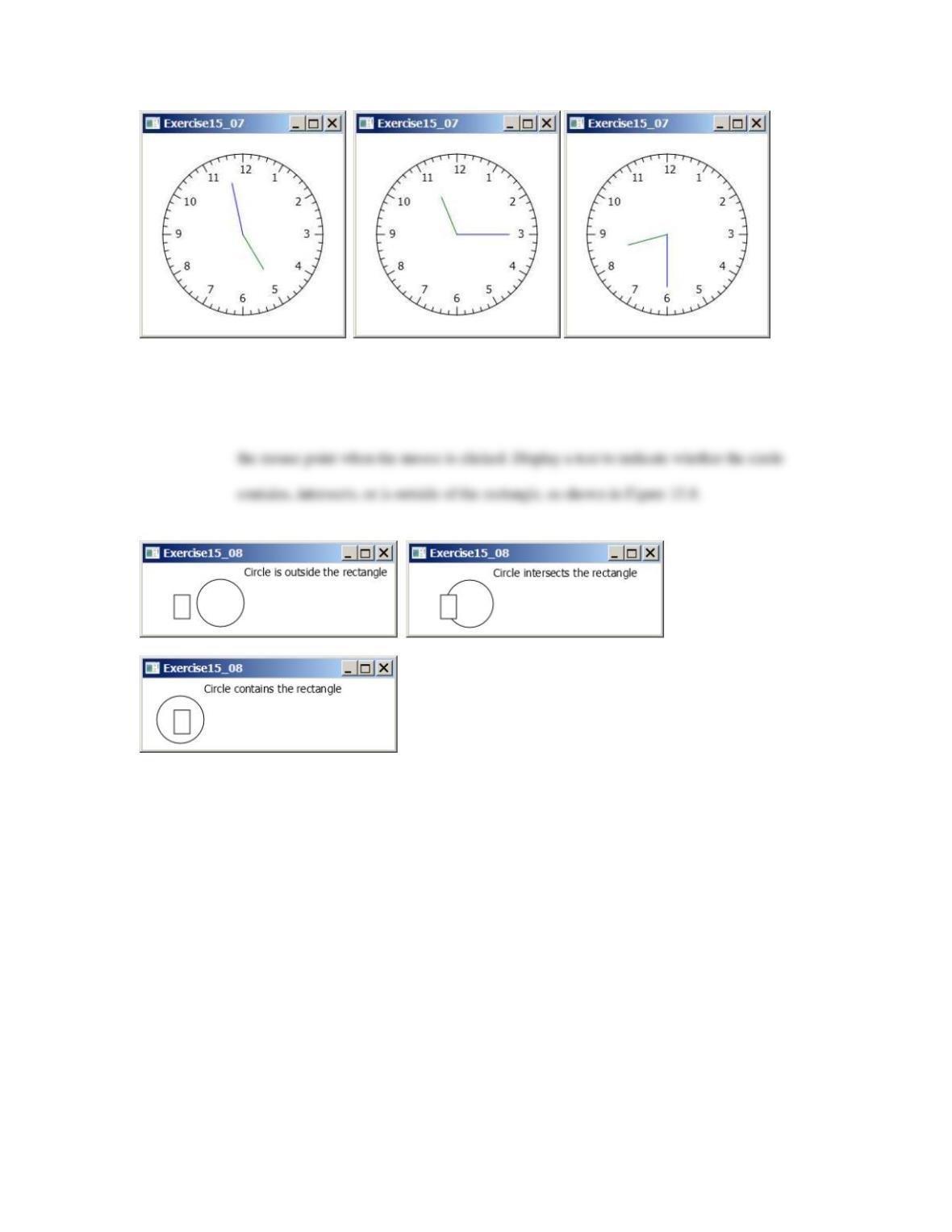
**15.7 (Game: a clock learning tool) Develop a clock to show a first–grade student how to read a
clock. Modify Programming Exercise 14.27 to display a detailed clock with an hour hand
and a minute hand in the clock, as shown in Figure 15.7. The hour and minute values are
a mouse click, a new random time is displayed on the clock.
Figure 15.7
Upon a mouse click on the clock, the clock time is randomly displayed.
58
*15.8 (Contains, intersects, or outside?) Write a program that displays a rectangle with upper–left
corner point at (40, 40), width 40, and height 60. Display a circle with radius 30 centered at
Figure 15.8
The program detects whether a circle contains, intersects, or is outside a rectangle.
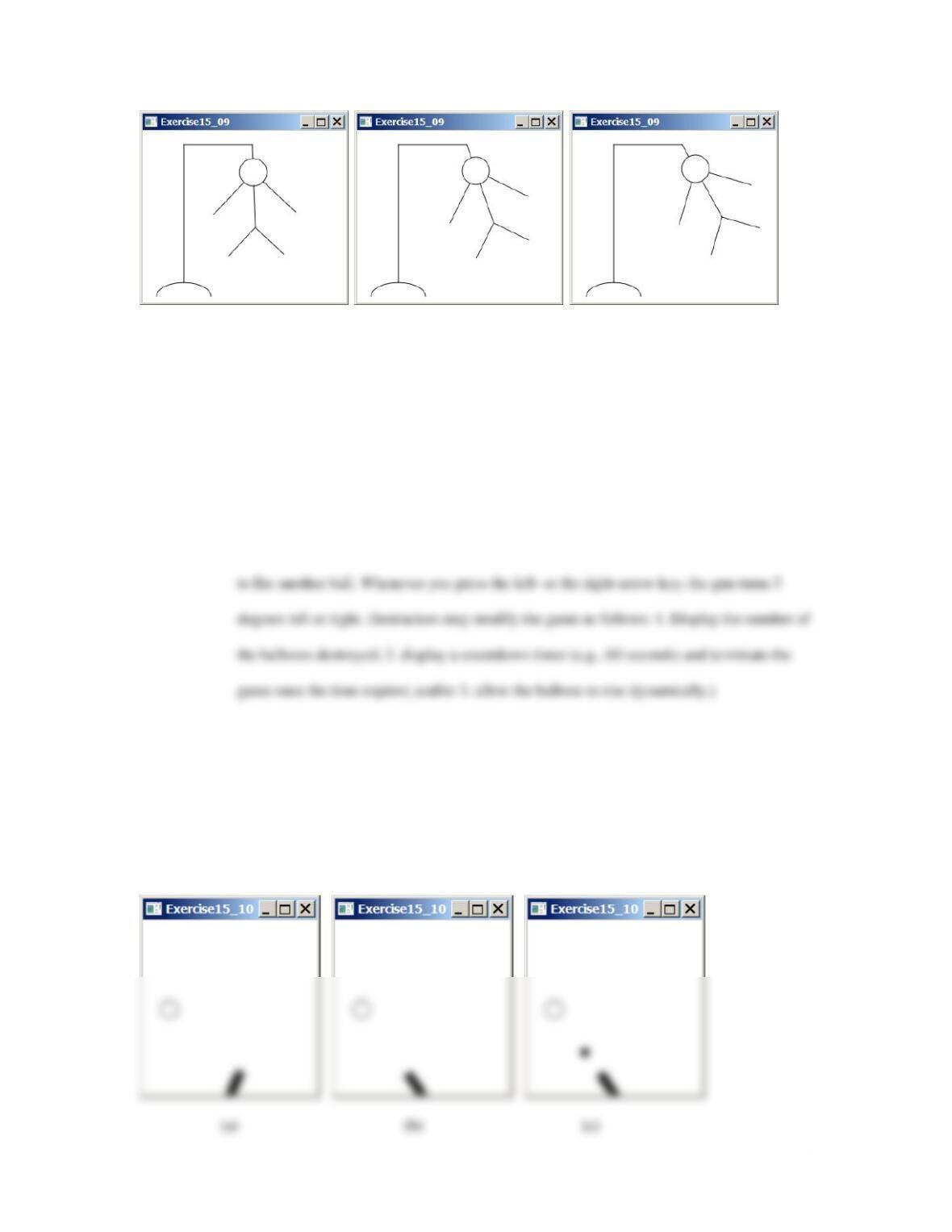
**15.9 (Game: hangman) Write a program that animates a hangman game swinging, as shown in
Figure 15.9. Press the UP arrow key to increase the speed and the DOWN arrow key to
decrease it. Press the S key to stop animation and the R key to resume it.
Figure 15.9
The program animates a hangman game swinging.
59
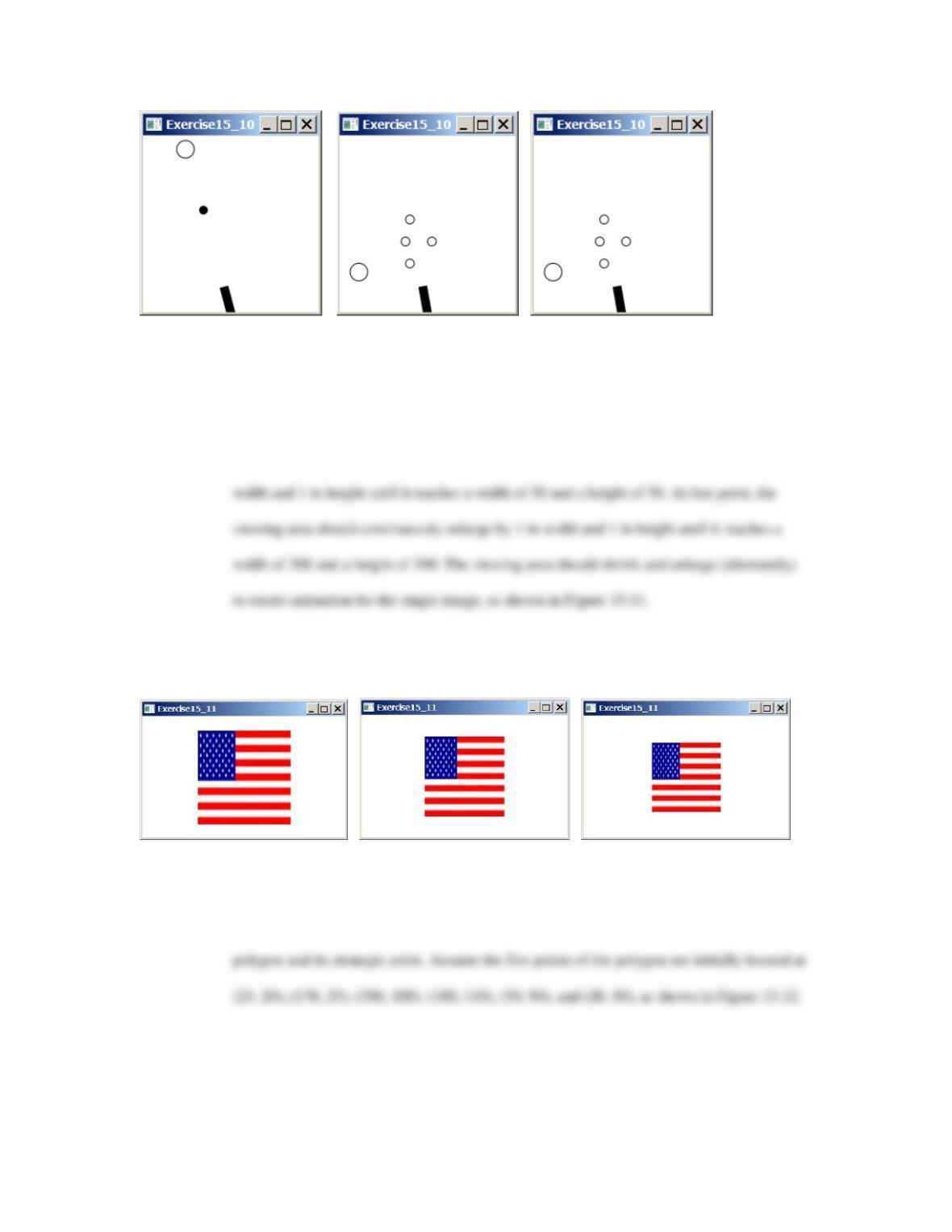
***15.10 (Game: hit balloons) Write a program that displays a balloon in a random position in a pane
(Figure 15.10a). Use the left– and right–arrow keys to point the gun left or right to aim at the
balloon (Figure 15.10b). Press the up–arrow key to fire a small ball from the gun (Figure
15.10c–d). Once the ball hits the balloon, the debris is displayed (Figure 15.10e) and a new
balloon is displayed in a random location (Figure 15.10f). If the ball misses the balloon, the
ball disappears once it hits the boundary of the pane. You can then press the up–arrow key
Figure 15.10
(a) A balloon is displayed in a random location. (b) Press the left–/right–arrow keys to aim at the balloon.
(c) Press the up–arrow key to fire a ball. (d) The ball moves straight toward the balloon. (e) The ball hits
the balloon. (f ) A new balloon is displayed in a random position.
60
(e) (f) (g)
*15.11 (Enlarge and shrink an image) Write a program that will display a sequence of images from
a single image file in different sizes. Initially, the viewing area for this image has a width of
300 and a height of 300. Your program should continuously shrink the viewing area by 1 in
Figure 15.11
The program enlarges and shrinks the image.
** 15.12 (Geometry: strategic point of a polygon) Revise Extra Programming Exercise 14.7 to
enable the user to drag and move the vertices and the program dynamically redisplays the
Figure 15.12
A new strategic point is displayed as the vertices are moved.