These are the additional exercises not printed in the text. These exercises are available
only to the instructors. Solutions for these exercises are named with suffix Extra (e.g.,
Exercise01_01Extra) and can be downloaded along with all other programming exercises
by the instructors from the IR Website. When you download the solutions for
programming exercises, the zip file also contains the solutions for extra exercises.
Extra Exercise for Chapter 1
*1.1 (Simple computation) The formula for computing the
discriminant of a quadratic equation
2
0ax bx c+ +=
is b^2 –
4ac. Write a program that computes the discriminant for
the equation 3x^2 + 4x + 5 = 0.
*1.2 (Physics: acceleration) Average acceleration is
defined as the change of velocity divided by the time taken
to make the change, as shown in the following formula:
10
vv
at
−
=
Here, v0 is the starting velocity in meters/second, v1 is
the ending velocity in meters/second, and t is the time
span in seconds. Assume v0 is 5.6, v1 is 10.5, and t is
0.5, and displays the average acceleration.
*1.3 (Display pattern) Write a program that displays the
following a big sign for 100 as shown in the sample run:
Extra Exercise for Chapter 2
*2.1 (Rectangle perimeter, area, and diagonal length) Write
a program that prompts the user to enter the width and
height of a rectangle and displays the perimeter, area, and
the length of diagonal. Here is a sample run:
<output>

2
*2.2 (Physics: one dimensional motion) By one dimension, we
mean that the object is moving in a straight line. There
are five variables that put together in several equations
for describing this motion:
Eq1:
tavv ×+= 01
Eq2:
tedaverageSped ×=
,
2/)(
10
vvedaverageSpe +=
Eq3:
2/
2
0
tatvd ×+×=
(Eq3 is derived from Eq1 and Eq2)
Eq4:
da
vv ××+= 2
2
0
2
1
(Eq4 is derived from Eq1 and Eq2)
Where
1
v
is the final velocity in meters per second (
sm /
)
0
v
is the initial velocity in meters per second (
sm /
)
t
is the time elapsed in seconds
a
is the object’s acceleration in meters per square second
(
2
/sm
)
d
is the distance traveled in meters
Suppose a ball is released from the top of a building, you
can write a program to find out the height of the building,
given the travel time for the ball to the ground using Eq3.
Note that the acceleration due to gravity is constant 9.8
2
/sm
. Here is a sample run:
<output>
*2.3 (Physics: friction coefficient) The force pushing or
pulling an object is related to the object’s mass,
acceleration, and a coefficient of friction in the
following formula:
amgmuF ×+××=
Where
F
is the force applied to push or pull an object in Newtons
(N)
u
is a coefficient of friction (
k
u
is small for a smooth
surface and large for a rough surface)
m
is the object’s mass in kilograms (kg)
3
g
is the acceleration due to gravity, which is a constant
9.8
2
/sm
(meters per square second)
a
is the object’s acceleration in meters per square second
(
2
/sm
)
Write a program that prompts the user to enter input for
F
,
m
, and
a
, and displays the coefficient of friction. Here
is a sample run:
<output>
*2.5 (Financial application: initial deposit amount)
Suppose you want to deposit a certain amount of money into
a savings account with a fixed annual interest rate. Write
a program that prompts the user to enter the final account
value, the annual interest rate in percent, and the number
of years, and then displays the initial deposit amount. The
initial deposit amount can be obtained using the following
formula:
nthsnumberOfMo
erestRatemonthlyInt
ntValuefinalAccou
ositAmountinitialDep )1( +
=
Here is a sample run:
<output>
4
Extra Exercise for Chapter 3
*3.1 (Reduce fractions) Write a program that prompts the
user to enter the numerator and denominator of a fraction.
The program determines whether the number is a proper
fraction or an improper fraction. If it is a proper
fraction, display the number. If not, reduce it to a mixed
fraction or to an integer. Here are sample runs:
<output>
*3.2 (Slope-intercept form) Write a program that prompts
the user to enter the coordinates of two points (x1, y1)
and (x2, y2), and displays the line equation in the slope-
5
intercept form, i.e., y = mx + b. For a review of line
)/()(
1212
xxyym −−=
11
mxyb −=
Don’t display m if it is 1 and don’t display b if it is 0.
Here are sample runs:
<output>
3.3 (Radom point) Write a program that generates a random
point inside a circle. The circle is centered at (0, 0)
with a radius 5. Display the point and its distance to the
center. Here are sample runs:
<output>
3.4 (Random response message) Modify the subtraction quiz
in Listing 3.3 to display one of the following messages
(excellent, correct, way to go) randomly if the student
gives a correct answer and display one of the following
messages (incorrect, wrong, not right) randomly if the
student gives an incorrect answer. Here is a sample run:
<output>
What is 7 – 0? 7
way to go
6
What is 4 – 2? 2
correct
3.5 (Picking a card) Write a program that simulates the
action of picking a card from a deck of 52 cards. Your
program displays the suit and rank of the card. Here are
sample runs:
<output>
Hint: Consider the cards are random numbers from 0 to 51.
Card numbers 0 to 12, 13 to 25, 26 to 38, and 39 to 51
represent 13 Spades, 13 Hearts, 13 Diamonds, and 13 Clubs,
respectively. cardNumber / 13 determines the suit of the
card and cardNumber % 13 determines the rank of the card.
Obtain a random number from 0 to 51 and display its rank
and suit. (Students can write this program in Chapter 3.
Later in Chapter 7, the program can be simplified using
arrays.)
3.6 (Check temperature) Write a program that prompts the
user to enter a number for temperature. If temperature is
less than 30, display too cold; if temperature is greater
than 100, display too hot; otherwise, displays just right.
7
Extra Exercise for Chapter 4
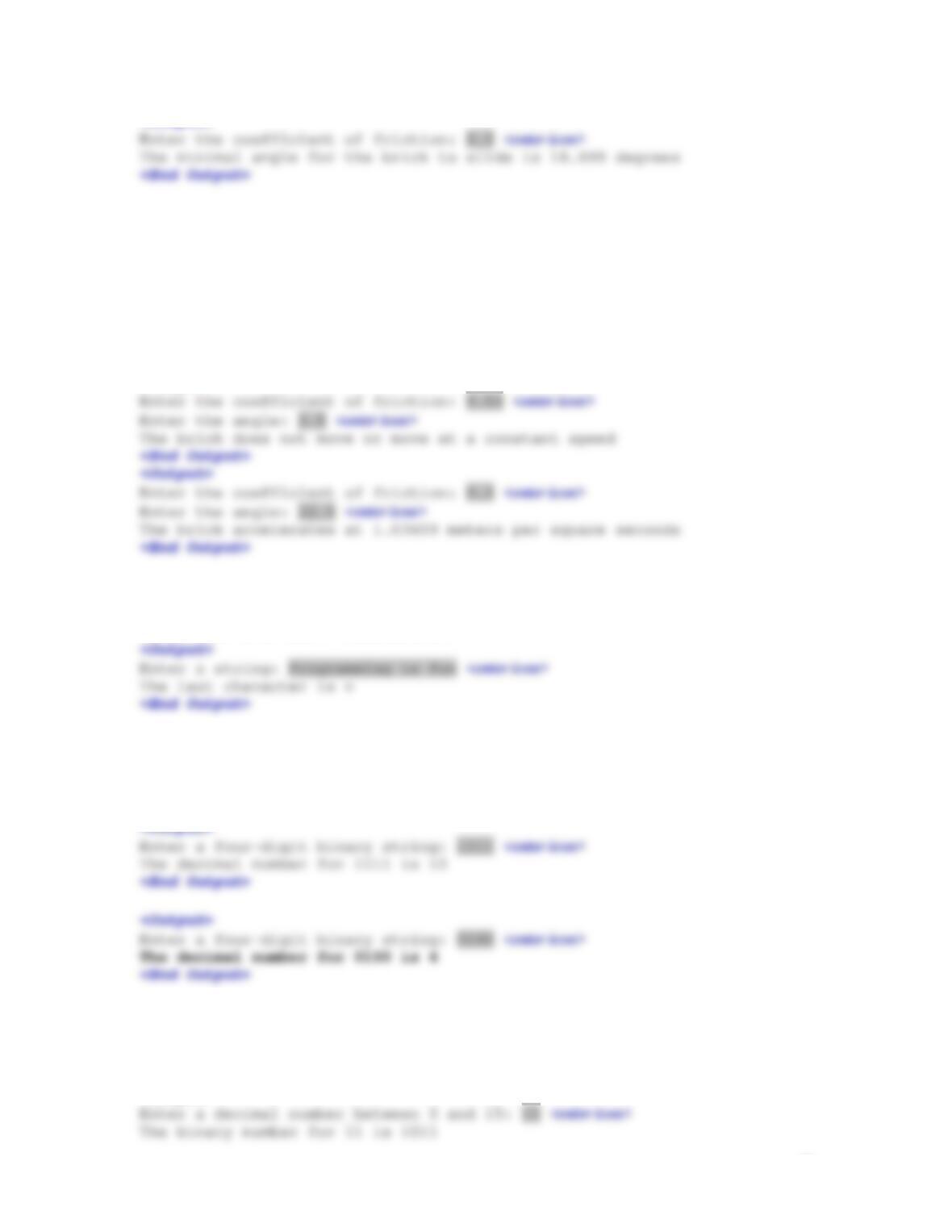
*4.1 (Physics: ramp angle) Suppose you push a cart on a
ramp, as shown in Figure 4.1. Ignoring friction, the cart
mass (m) in kilograms, the force to push the cart (F) in
Newtons, and the ramp angle can be defined using the
following formula:
θ
sin××= gmF
Where
g
is the acceleration due to gravity, which is a
constant 9.8
2
/sm
(meters per square second). Write a
program that prompts the user to enter F and m and
determine the angle in degree. Here is a sample run of the
program:
<Output>
Figure 4.1
(a) A cart is pushed on the ramp. (b) A brick is pushed on a rough surface.
θ
F
θ
(a) (b)
*4.2 (Physics: force to push a cart) For the problem in
preceding exercise, write a program that prompts the user
to enter m and the angle in degree and display the force
needed to push the cart through the ramp. Here is a sample
run of the program:
*4.3 (Physics: maximum angle) Suppose a brick is
placed on a rough surface of a slide, as shown in Figure
4.1b. Whether the brick will slide is dependent on the
coefficient of friction for the surface
u
and the angle
θ
.
If
θθ
cossin u≥
, the brick will slide. Write a program that
prompts the user to enter
u
and display the minimal angle
for the brick to slide. Here is a sample run of the
program:
8
<Output>
*4.4 (Physics: acceleration) For the preceding
exercise, if the angle
θ
is large, the brick will slide
down. You can compute the acceleration of the brick using
the formula
θθ
cossin ugga −=
, where g is the acceleration due
to gravity. Write a program that prompts the user to enter
u
and
θ
and displays the brick’s acceleration if the brick
accelerates.
<Output>
*4.5 (Process strings) Write a program that prompts
the user to enter a string (may contain spaces) and
displays its last character.
*4.6 (Binary to decimal) Write a program that prompts
the user to enter a four binary numbers as a string and
displays its corresponding decimal value. Here are sample
runs:
*4.7 (Decimal to binary) Write a program that prompts
the user to enter a decimal number between 0 and 15 and
displays its corresponding binary value. Here are sample
runs:
<Output>
9
*4.8 (Find the number of digits before the decimal
point) Write a program that prompts the user to enter a
floating point number and displays the number of digits
before the decimal point. Here are sample runs:
<Output>
Extra Exercise for Chapter 5
**5.1 (Monte Carlo simulation) Monte Carlo simulation uses random numbers and probability to solve
problems. This method has a wide range of applications in computational mathematics, physics,
chemistry, and finance. This section gives an example of using Monte Carlo simulation for
estimating
.
π
To estimate
π
using the Monte Carlo method, draw a circle with its bounding
square as shown below.
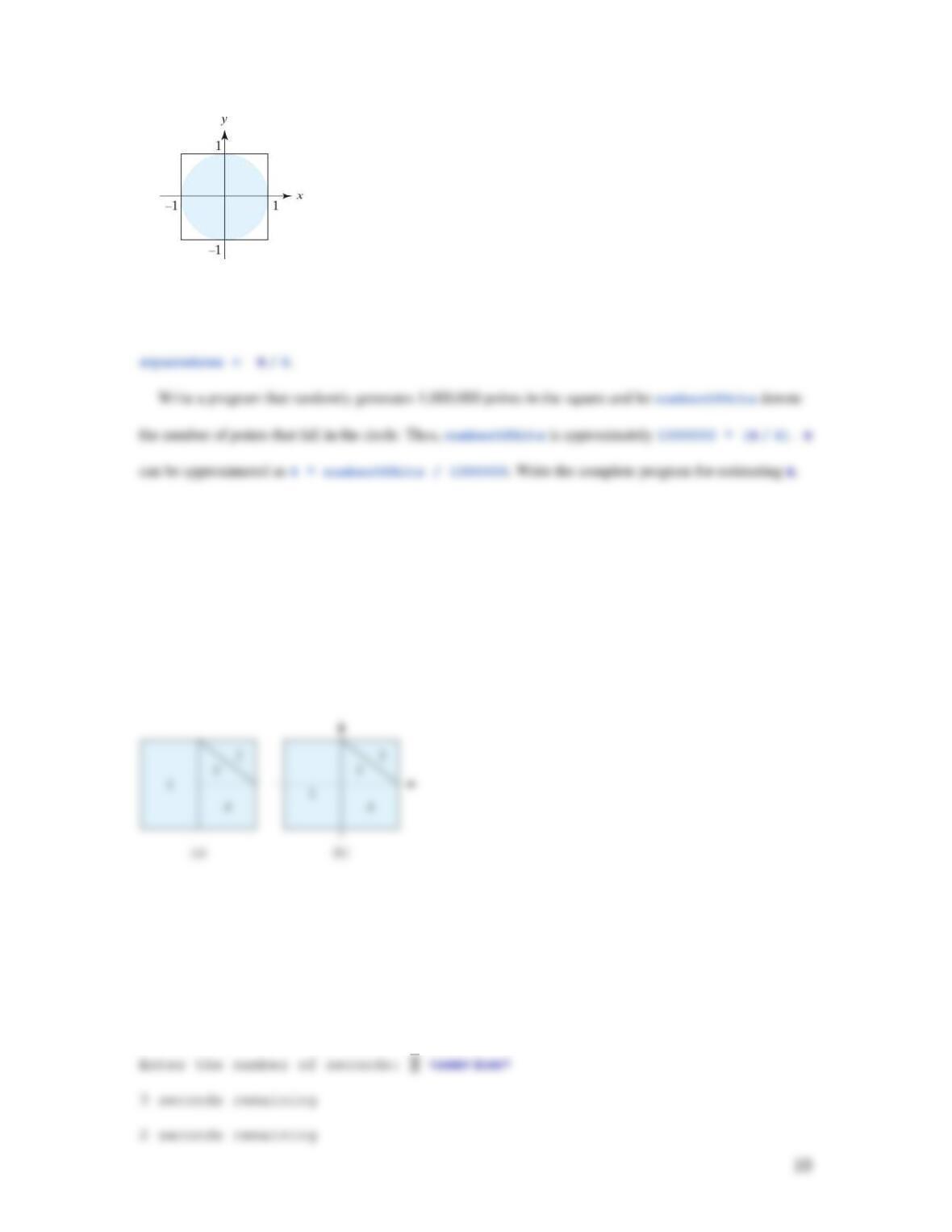
Assume the radius of the circle is 1. Therefore, the circle area is
π
and the square area is 4. Randomly
generate a point in the square. The probability for the point to fall in the circle is circleArea /
**5.2 (Monte Carlo simulation) A square is divided into four smaller regions as shown below in (a). If
you throw a dart into the square 1,000,000 times, what is the probability for a dart to fall into an
odd–numbered region? Write a program to simulate the process and display the result.
(Hint: Place the center of the square in the center of a coordinate system, as shown in (b).
Randomly generate a point in the square and count the number of times for a point to fall into an
odd–numbered region.)
*5.3 (Simulation: clock countdown) Write a program that prompts the user to enter the number of
seconds, displays a message at every second, and terminates when the time expires. Here is a
sample run:
<output>
**5.4 (Math tutor) Write a program that displays a menu
as shown in the sample run. You can enter 1, 2, 3, or 4 for
choosing an addition, subtraction, multiplication, or
division test. After a test is finished, the menu is
redisplayed. You may choose another test or enter 5 to exit
the system. Each test generates two random single-digit
numbers to form a question for addition, subtraction,
multiplication, or division. For a subtraction such as
number1 – number2, number1 is greater than or equal to
number2. For a division question such as number1 /
number2, number2 is not zero.
<Output>
Main menu
1: Addition
2: Subtraction
Main menu
1: Addition
2: Subtraction
3: Multiplication
12
What is 4 + 0? 5<enter icon>
Your answer is wrong. The correct answer is 4
Main menu
1: Addition
2: Subtraction
Main menu
1: Addition
2: Subtraction
*5.5 (Corner point coordinates) Suppose an n-sided regular
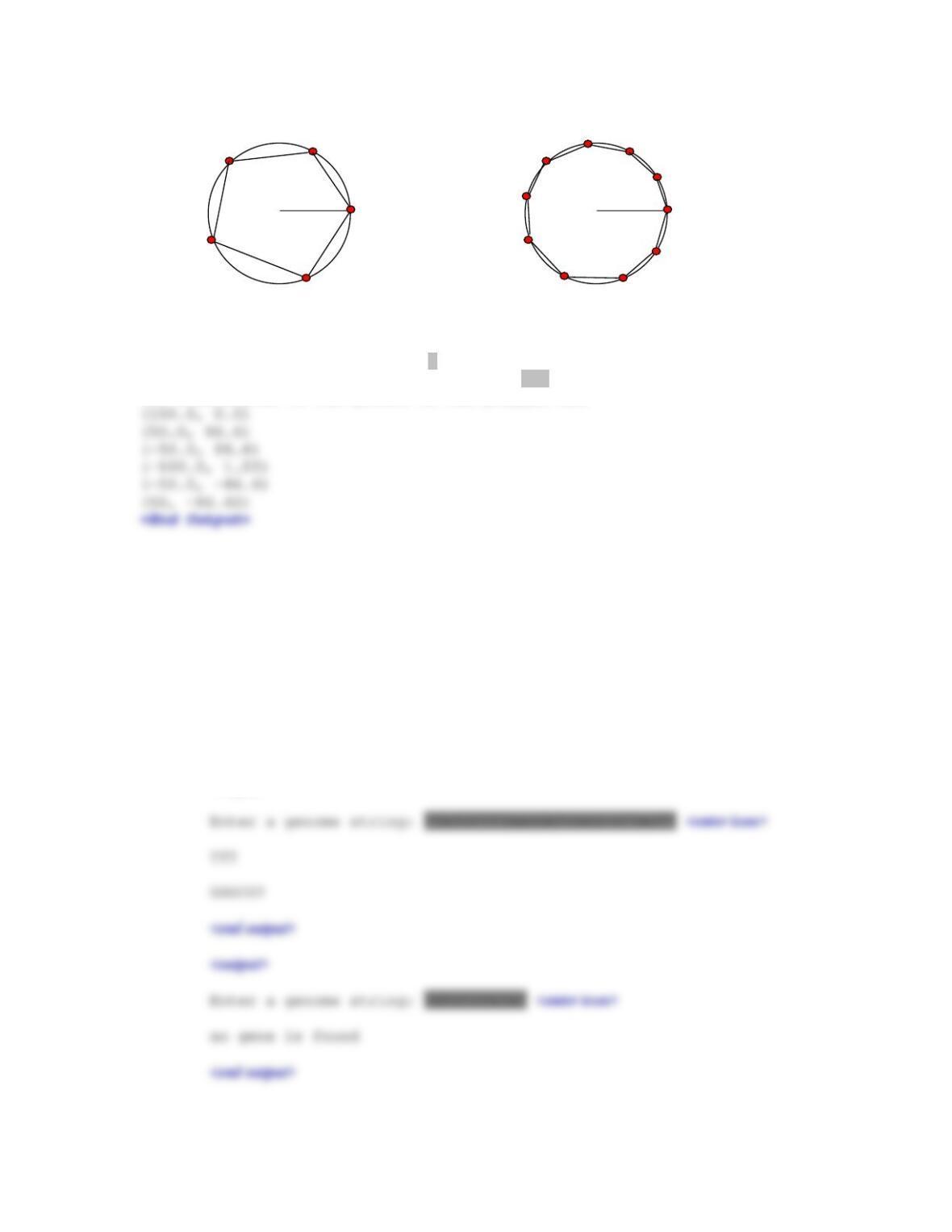
polygon is centered at (0, 0) with one point at the 3
o’clock position, as shown in Figure 5.4. Write a program
that prompts the user to enter the number of the sides, the
radius of the bounding circle of a polygon, and displays
the coordinates of the corner points on the polygon.
Figure 5.4
An n–sided polygon is centered at (0, 0) with one point at the 3 o’clock position.
13
r
(0, 0)
3 o’clock position
r
(0, 0)
3 o’clock position
Here is a sample run:
<Output>
Enter the number of the sides: 6 <enter icon>
Enter the radius of the bounding circle: 100 <enter icon>
The coordinates of the points on the polygon are
*5.6 (Bioinformatics: find genes) Biologists use a sequence of the letters A, C, G, and T to model a
genome. A gene is a substring of a genome that starts after a triplet ATG and ends before a
triplet TAG, TAA, or TGA. Furthermore, the length of a gene string is a multiple of 3, and the
gene does not contain any of the triplets ATG, TAG, TAA, or TGA. Write a program that
prompts the user to enter a genome and displays all genes in the genome. If no gene is found in
the input sequence, display “no gene is found”. Here are the sample runs:
<output>
14
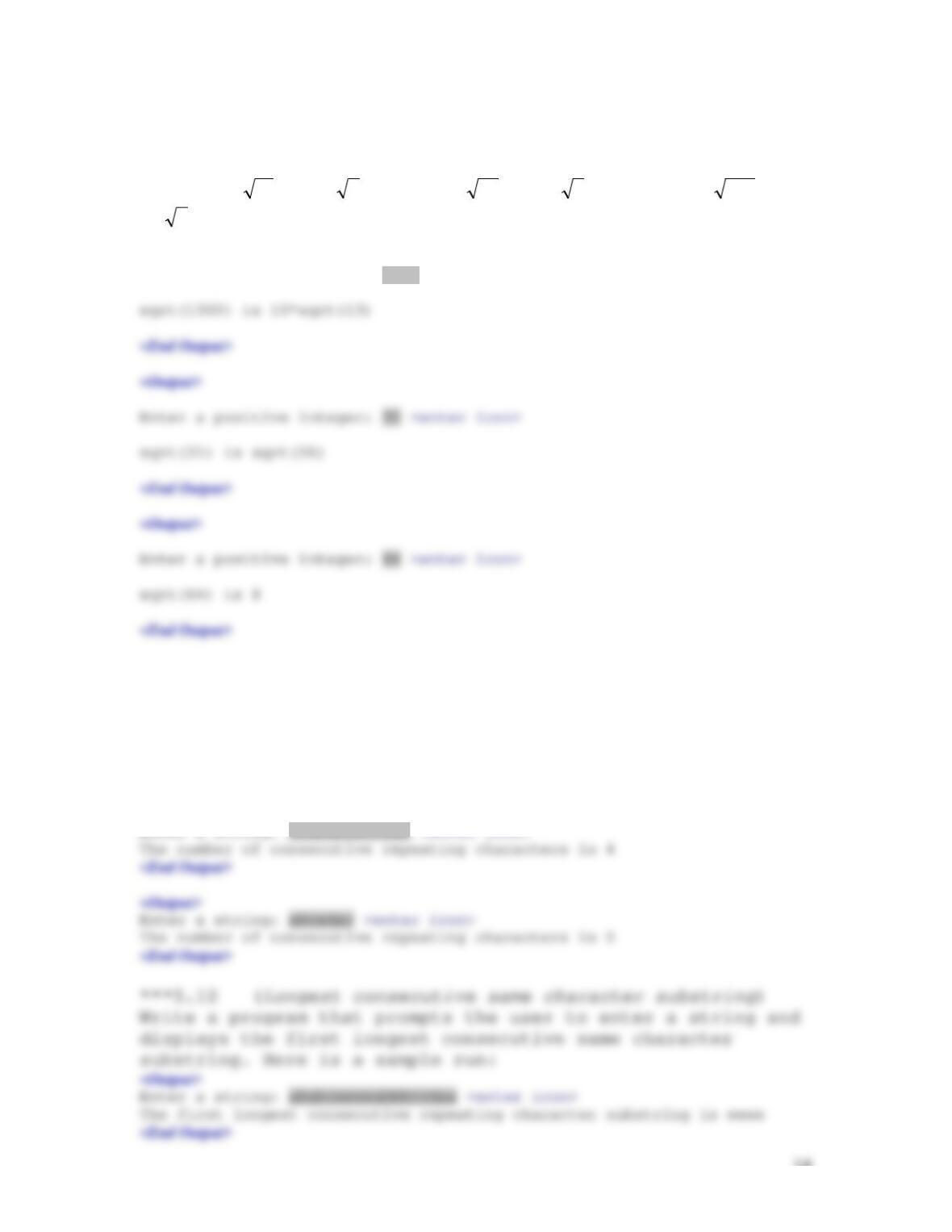
**5.7 (Reduce square root) Write a program that
prompts the user to enter a positive integer and obtains
its square root in simplest form. For example, the simplest
form for
18
is 3
2
is, for
28
is 2
7
, and for 3
648
is
18
2
. Here are some sample runs:
<Output>
Enter a positive integer: 1300 <enter icon>
*5.8 (Generate vehicle plate numbers) Assume a vehicle
plate number consists of seven uppercase letters or digits.
Write a program to generate a plate number.
*5.9 (Count consecutive repeating characters) Write a
program that prompts the user to enter a string and
displays the number of consecutive repeating characters.
Here is a sample run:
<Output>
Enter a string: abababbbccdaa <enter icon>
15
<Output>
Enter a string: abaabcdefabda <enter icon>
The first longest consecutive repeating character substring is a
<End Output>
5.11 (Print a square root table) Write a program that prints the following table using the sqrt method
in the Math class.
Number SquareRoot
0 0.0000
2 1.4142
5.12 (Print a table for trigonometric methods) Print the following table to display the sin value and
cos value of degrees from 0 to 360 with increments of 10 degrees. Round the value to keep four
digits after the decimal point.
Degree Sin Cos
0 0.0000 1.0000
10 0.1736 0.9848
5.13 (Random numbers) Write a program that displays 10 random integers. Each integer x is 0 <= x <=
100.
5.14 (Random numbers) Write a program that repeatedly displays random double values using
Math.random() until the last value is greater than 0.75. (Note that the last number displayed is >
0.75).
5.15 (Game: scissor, rock, paper) Revise Programming Exercise 5.34 to let the user continuously play
until either the user or the computer wins two consecutive times.
16
5.16 (Game: scissor, rock, paper) Revise Programming Exercise 5.34 to simulate two players with
computer answers. Play 1000000 games and count the number of times that each player has won.
A player wins a game if it wins more than one time. Post a YouTube video to present your result.
Enter Liang CSCI 1301 Fall 2014 SRP Game (team member: your names) as the subject. This
is team project. Form a tem with 2 or 3 people in a team.
Extra Exercise for Chapter 6
***6.1 (Current year, month, and day) Write a program that displays the current year, month, and day
using the System.currentTimeMillis() method. Here is a sample run of the program:
<Output>
**6.3 (Decimal to binary) Write a method that parses a decimal number into a binary number as a
string. The method header is:
<video note>Number conversion
*6.4 (Binary to decimal) Write a method that parses a binary number as a string into a decimal
integer. The method header is:
public static int binaryToDecimal(String binaryString)
For example, binary string 10001 is 17
432
(12 02 02 02× +× +× +×
1 17).+=
Therefore,
binaryToDecimal(“10001”) returns 17. Note that Integer.parseInt(“10001”, 2)
*6.5 (Capitalize first letter of each word) Write the following method that returns a new string in
which the first letter in each word is capitalized.
public static void title(String s)
Write a test program that prompts the user to enter a string and invokes this method, and
displays the return value from this method. Here is a sample run:
**6.6 (Financial: credit card number validation) Rewrite Programming Exercise 6.31 using a string
input for the credit card number. Redesign the program using the following methods:
/** Return true if the card number is valid */

18
*6.7 (Swap case) Write the following method that returns a new string in which the uppercase letters
are changed to lowercase and lowercase letters are changed to uppercase.
public static String swapCase(String s)
Write a test program that prompts the user to enter a string and invokes this method, and
displays the return value from this method. Here is a sample run:
*6.8 (Hash code) Each object may be assigned a hash code.
Hash code has many important applications. The hash code
for a string s is defined as follows:
hashCode(s) =s0*b(n–1) + s1* b (n–2) + … + sn-1
where si is s.charAt(i) and b is an integer. Using Horner’s algorithm for polynomial evaluation (see
Section 6.7), the hash code can be calculated efficiently as follows:
(…((s0*b + s1)b + s2)b + … + sn-2)b + sn-1
This computation can cause an overflow for long strings,
but arithmetic overflow is ignored in Java. Write the
following method header to return the numeric code for the
string:
public static int hasCode(string s, int b)
Write a test program that reads a string s and an integer for b and displays its hash code. Here is a sample
run:
19
*6.9 (Hours, minutes, and seconds) Write a method that
returns a string in the form of hour:minute:second for a
given total seconds using the following header:
public static String format(long seconds)
Here is a sample run:
<Output>
*6.10 (Pascal triangle) Write a program that displays a
Pascal triangle. The program prompts the user to enter the
number of rows and displays the triangle. Here is a sample
run:
<Output>
*6.11 (Reduce fractions) Revise Extra Exercise 3.1 to
reduce the fraction to an integer or a mixed proper
fraction. Here are sample runs:
<output>
*6.12 (Compute loan) Write the following methods for
computing monthly payment and total payment of a loan:
public static double getMonthlyPayment(double annualInterestRate,
double numberOfYears, double loanAmount)
public static double getTotalPayment(double annualInterestRate,
double numberOfYears, double loanAmount)
Write a test program that prompts the user to enter annual
interest rate, number of years, and loan amount, and
displays the monthly payment and total payment. Here is a
sample run:
<output>