
Guide to Networking Essentials, Eighth Edition 11-1
Chapter 11
Network Operating System Fundamentals
At a Glance
Instructor’s Manual Table of Contents
• Overview
• Objectives
• Teaching Tips
• Quick Quizzes
• Class Discussion Topics
• Additional Projects
• Additional Resources
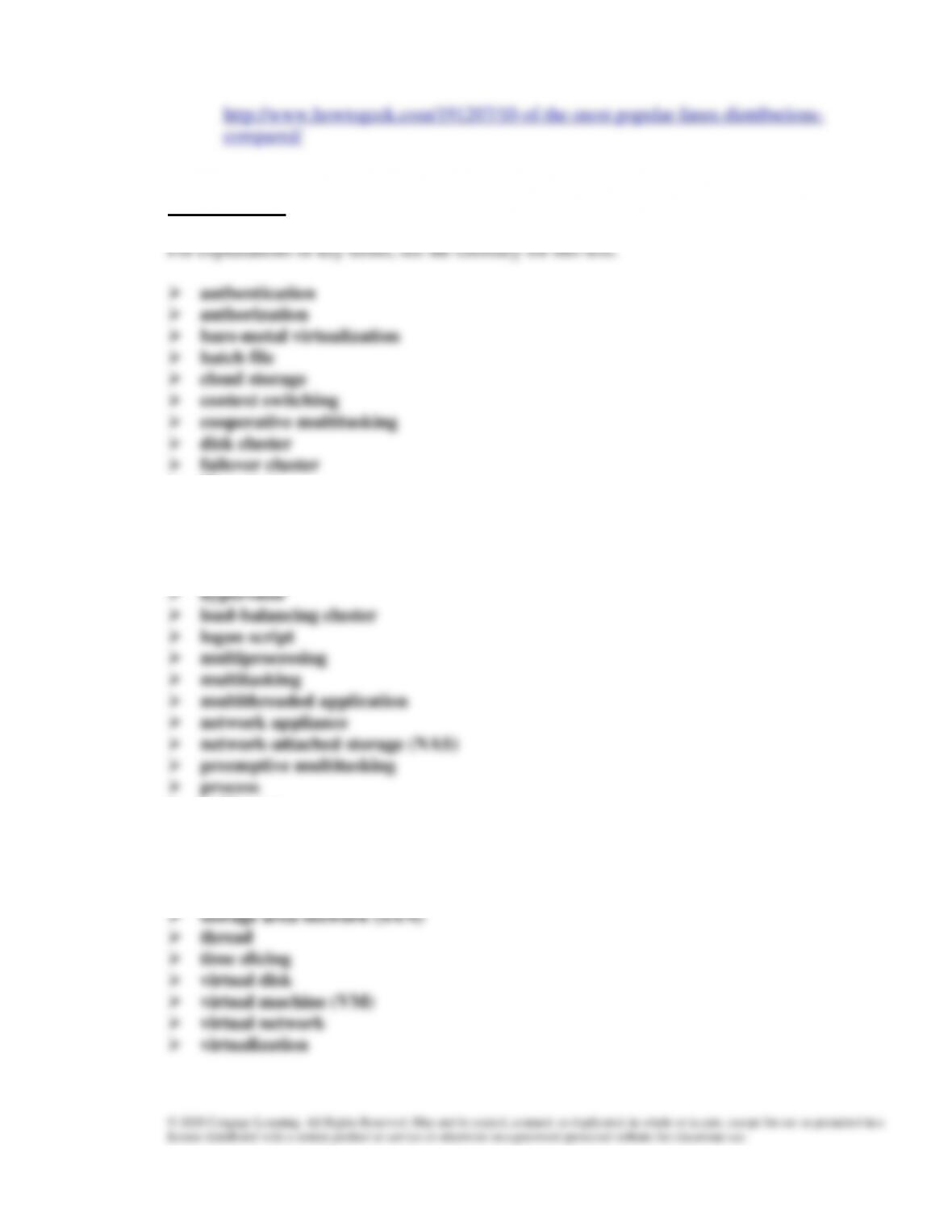
• Key Terms
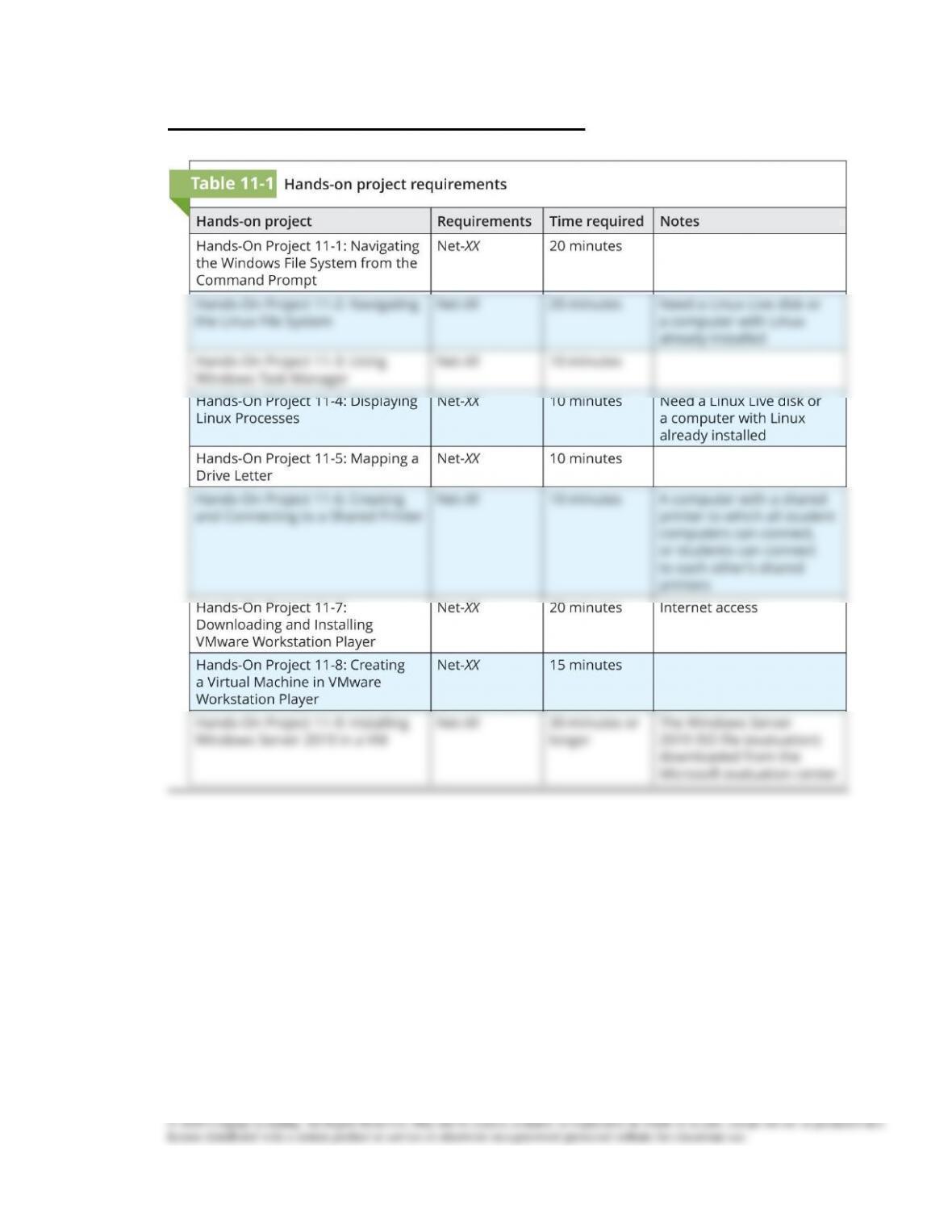
• Technical Notes for Hands-On Projects
Guide to Networking Essentials, Eighth Edition 11-2
Lecture Notes
Overview
Chapter 11 will introduce students to the major components of an OS. They also learn
about the features of common network operating systems and the differences between
client and server OSs. Finally, at the end of the chapter, students will be able to plan for
the installation of an operating system and ensure its proper operation.
Objectives
• Explain the major components of an OS, including file system, processes, and the
kernel
• Describe client and server operating systems and compare client and server OSs
• Describe the components of virtualization and virtualization products
• Plan for an OS installation and perform postinstallation tasks
Teaching Tips
Operating System Fundamentals
1. Simplify and describe what an operating system does for users and applications by
The File System
2. List the goals / objectives of a functional filesystem.
4. Describe how space on a drive is divided into sectors, each sector usually being 512
5. Show students the most common method of organization for filesystems, the
6. Briefly mention the ability of some filesystems to index their own contents for
7. Introduce the concept of secure file access using permissions. Mention some of the
Teaching
Tip
Emphasize that filesystems are logical; they do not segment the hard drive any
way physically for a file. If possible, demonstrate this by doing a hexdump of a
hard drive on Linux as an extra side project to demonstrate this.
Processes and Services
1. Define the word process, and explain the different types of processes.
2. Discuss how processes can be multitasked, using time slicing to divide CPU computing
3. Describe the two different types of multitasking, and how each manages the CPU:
4. Introduce the concept of threads, and multi-threaded applications that are designed to be
run on multiprocessing systems.
The Kernel
1. Explain the role of the kernel in managing and controlling the operating system.
a. Direct students to figure 11-2 in the book and discuss the layered model for
Guide to Networking Essentials, Eighth Edition 11-4
Quick Quiz 1
1. The method by which an OS stores, organizes, and manages access to files on a storage
device is known as which of the following?
a. process
b. kernel
c. service
d. file system
2. In the hierarchical filing method, what is the top of the hierarchy called?
3. Which of the following is a program that’s loaded into memory and run by the CPU?
a. Thread
b. Process
c. Service
d. File
4. Name at least 2 important tasks performed by the kernel.
5. Which method do CPU’s use in order to accomplish multi-tasking?
a. Time slicing
b. Multi-processing
c. Context switching
d. Pre-emptive multitasking
Client and Server Operating System Overview
1. Point out that computers on a network usually play one of two roles: client or server.
The Role of a Client Operating System
1. Students should already understand the client-server relationship, so you should explain
what kind of client software might be present on a client operating system, such as:
1. Describe authentication and authorization, and explain why the two are separate.
2. Go into detail about how account management works for a domain versus a workgroup
3. Explain to students how Active Directory gives the ability to enforce policies for
Centralized Storage
1. Elaborate on the different kinds of centralized storage available:
2. Discuss where you might see some of these storage types used, whether it be on campus
networks or large data centers.
a. Network-attached storage involves a dedicated server for sharing storage,
Server and Network Fault Tolerance
1. Give examples of some features that are normally only available for server OSs, such as
a. Support for hot-swappable devices—Devices that can be removed while the
Additional Server Features
1. Briefly discuss some additional features available on the server side:
a. Remote access
b. Database server
Guide to Networking Essentials, Eighth Edition 11-7
Teaching
Tip
Take a look at https://www.networkworld.com/article/3265052/top-6-features-in–
windows-server-2019.html to see the top 6 features in Windows Server 2019.
Quick Quiz 2
1. The Client for Microsoft Networks is designed to access shared folders and files on
servers by using which protocol?
2. When a user or an application requests a resource, which of the following intercepts the
request and then examines it to determine whether the resource is local (on the
computer) or remote (on the network)?
a. failover
b. redirector
c. RAID
d. kernel
3. The process of granting or denying an authenticated user’s access to network resources
is called what?
4. Which of the following terms best describes two or more servers configured to operate
as a single unit in order to spread the workload among multiple computers?
a. Dual core server
b. Fault-tolerant cluster
c. Load balancing cluster
d. Multimode cluster
5. Which of the following is dedicated server device designed solely for providing shared
storage for network users?
a. Storage area network (SAN)
b. Server cluster
c. RAID
d. Network-attached storage (NAS)
Operating System Virtualization
1. Explain how virtualization works, allowing for the use of multiple operating systems on
a single machine. Define some of the basic components involved with virtualization:
a. Virtual machines (VMs)
Guide to Networking Essentials, Eighth Edition 11-8
b. Host computers
c. Virtualization software
2. Students should understand the basics of virtualization, and how much of a physical
Hosted Virtualization
1. Introduce students to the idea of hosted virtualization, and discuss the requirements of
running hosted virtualization software.
2. Give some examples as to how hosted virtualization can be useful, and how it can be
3. Discuss some of the following common applications:
• OS training
• Software training
4. List some of the virtualization products available for students, and give special attention
to the free versions of these products, as these will be the ones students are most
interested in.
• VMware Workstation Pro
5. Demonstrate some basic usage of VMware Workstation Pro, if students haven’t already
6. Tie in the usage of VMware player as VMware’s stripped-down version of VMware
Workstation. Point out that VMware Workstation Player offers many of the same
7. Show Oracle’s VirtualBox software, and give some comparisons to the other software
8. Review Table 11-2 to compare features of hosted virtualization software discussed in
Bare-Metal Virtualization
1. Explain that bare-metal virtualization products (type 1 hypervisors) are targeted mainly
2. Discuss the following bare-metal applications:
• Consolidate servers
3. Discuss some of the options available for bare-metal virtualization hypervisors:
4. Review the management tools that might be available for controlling these hypervisors,
Installing an OS
1. Explain the task of installing an OS, and discuss what planning needs to be done, how
Planning for and Installing Windows
2. Students should know what factors to consider when installing Windows Server.
Guide to Networking Essentials, Eighth Edition 11-10
a. When selecting hardware, students should keep in mind the bare minimum
hardware requirements of the OS, as well as the requirements for a stable server.
Discuss the following considerations:
i. CPU architecture
b. Students should also be aware of licensing constraints when using Windows,
such as memory limitations for specific versions, or CPU limitations.
c. Discuss the different editions of Windows Server 2019, and describe what
d. Talk with students about the pre-installation decisions that should be made, such
as the server name or IP address. It is important that students be aware of what
e. Make students aware of the post-installation tasks, such as server license
Planning for and Installing Linux
1. Students should understand the need for checking hardware compatibility lists when
installing Linux.
2. The success of a Linux install on hardware is often dependent on what distribution is
4. Cover some of the installation tasks on Linux, and how they differ from Windows. The
Quick Quiz 3
1. What is the name of the OS installed on a virtual machine?
2. What are the two main types of virtualization?
Guide to Networking Essentials, Eighth Edition 11-11
3. True or false: Bare-metal virtualization uses type 1 hypervisors.
4. What is a partial copy of a VM made at a particular moment, used to restore the VM to
its original state called?
5. What is the minimum memory requirement for running Windows Server?
Class Discussion Topics
1. Have the class discuss why they think virtualization has become so popular. Students
2. One of the great debates of desktop computing has been “is Linux a good solution as a
general-purpose desktop computer” like Windows and Mac? From your knowledge of
Additional Projects
1. Assign students the task of researching the various free applications for virtual
machines. Have them try out several different unique features for each one, and then
Additional Resources
1. Hyper-V on Windows 10
2. Oracle VM VirtualBox
3. Hyper-V 2019 vs VMware vSphere 6.7
4. Popular Linux distributions compared
Guide to Networking Essentials, Eighth Edition 11-12
Guide to Networking Essentials, Eighth Edition 11-13
Technical Notes for Hands-On Projects