Lab: HTML Basics #2
Required Application Program: Text editor, such as Notepad (Windows) or TextEdit (Mac OS).
Objectives:
1. Hand–code HTML for basic tables and embedding images.
2. Determine relative file path for links and images.
Pre-lab:
Complete the review questions 12, and 15 – 18 at the end of Chapter 14.
Review of tags that you will use in this lab:
II. Table
Example:
<table>
III. File Paths
• Absolute path example:
Page 1 of 5
Lab:
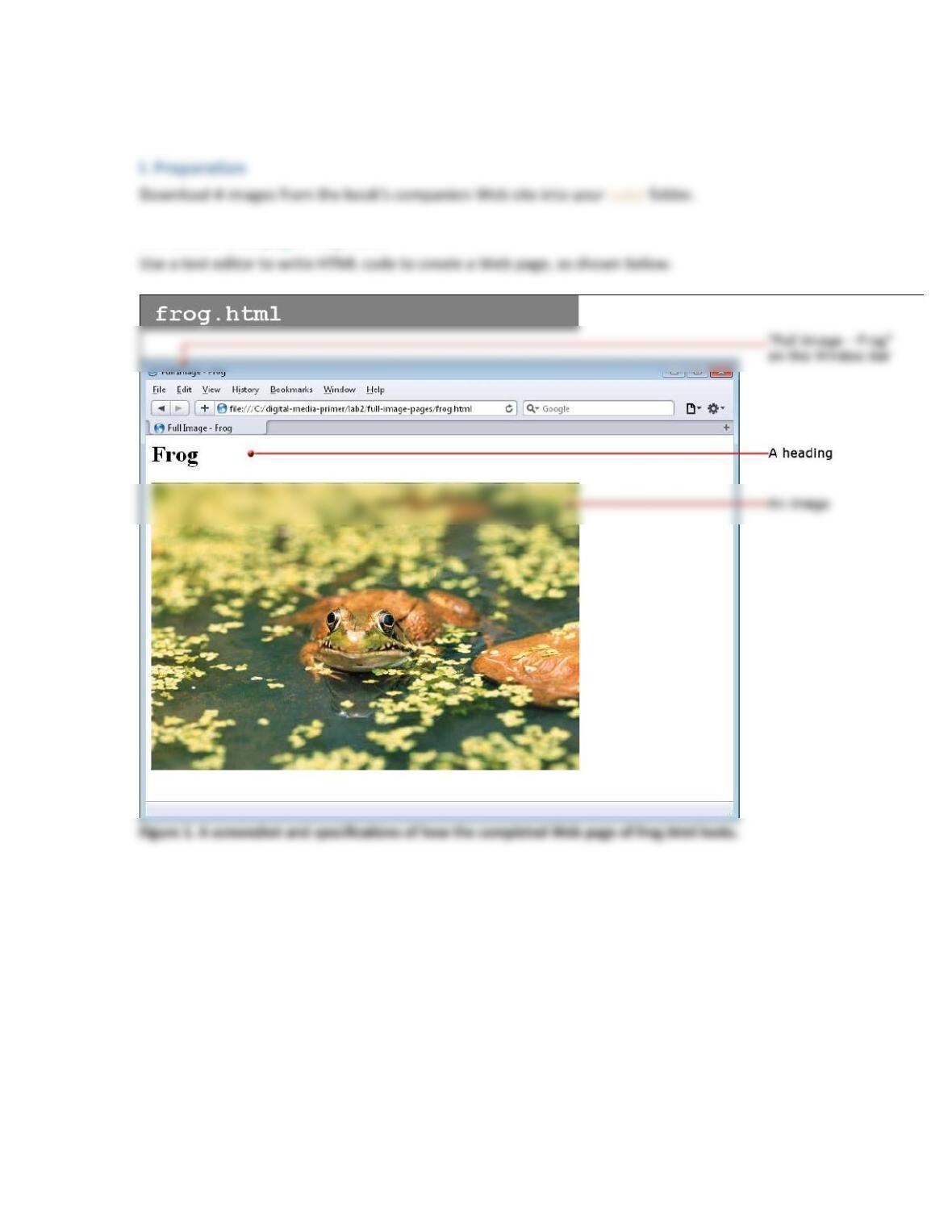
II Create a Web page: frog.html
Page 2 of 5
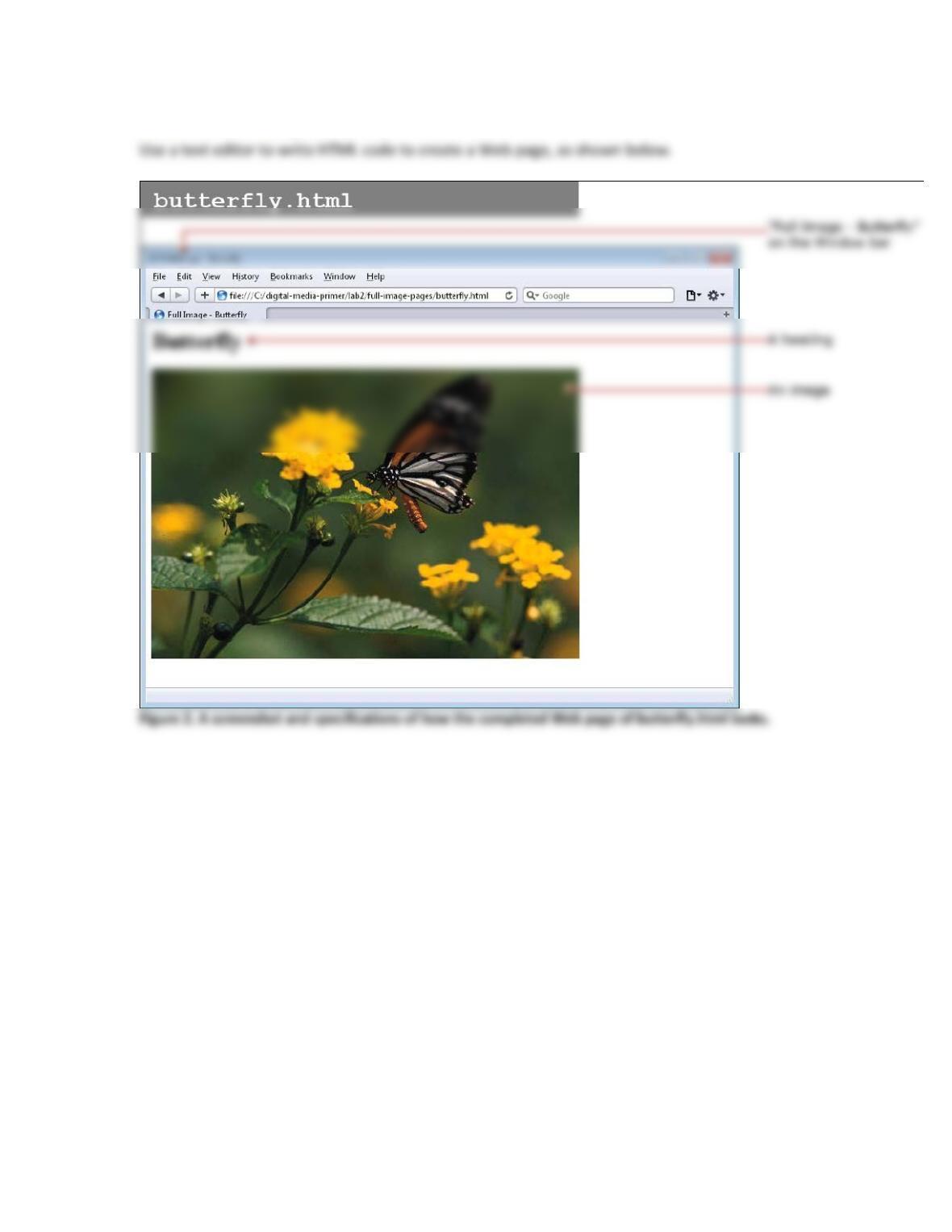
III. Create a Web page: butterfly.html
Page 3 of 5
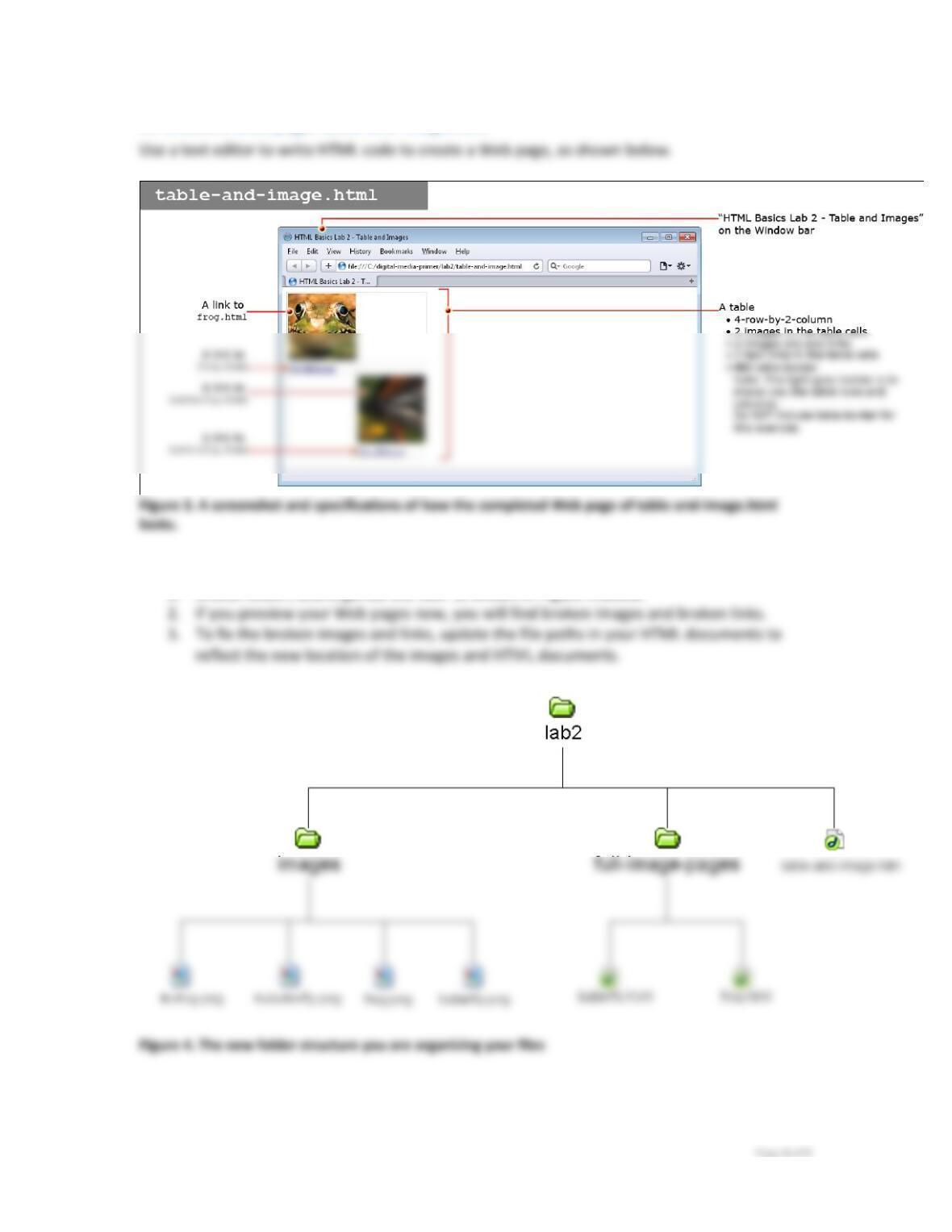
IV. Create a Web page: table–and–image.html
V. Use folders to organize files and rewrite the document–relative file paths
1. Create folders and organize the files as shown in Figure 4 below.
VI. Copy your Web pages onto a Web server
If your school provide you with Web space, find out how to upload Web pages and upload the
Q1. Multiple-choice:
Which of the following statements concerning the images folder is correct about not
producing broken images? D
Q2. What is the abasolute path for the file frog.html?
Q3. Fill in the blank:
If you are using the absolute path or full URL of the image file frog.png in adding the
Page 5 of 5