
Chapter 21 – Implementing Interactive and Multichannel Marketing
21–19
• About 80 percent of online retail sales occur Monday through Friday during
normal work hours; the busiest day is Wednesday.
• 35 percent of retail store sales are registered on the weekend; Saturday is the
busiest.
• 30 percent of online consumers visit websites from work Monday through Friday.
E. How Consumers Shop and Buy Online
• Online shopping has evolved with changing technology.
• 60 percent of online consumers prefer using laptop and desktops; 6 percent prefer
tablets; 5 percent prefer smartphones; 29 percent use multiple devices for
shopping and buying.
• 75 percent of online consumers rely on social media for product ideas, reviews,
and referrals.
• Social commerce is the use of social networks for browsing and buying. Ex:
Facebook, Twitter, Pinterest in the lead in promoting social commerce.
LEARNING REVIEW
21-3. What are the six reasons consumers prefer to shop and buy online?
21-4. What is the eight-second rule?
III. CROSS-CHANNEL CONSUMERS AND
MULTICHANNEL MARKETING [LO 21-4]
Consumer marketspace browsing and buying in the traditional marketplace has led to:
• The cross-channel consumer.
• The importance of multichannel marketing.
A. Who is the Cross-Channel Consumer?
• [Figure 21-4] A cross-channel consumer is an online consumer who shops
online, but buys offline; or shops offline, but buys online.
Chapter 21 – Implementing Interactive and Multichannel Marketing
21–20
• Showrooming is when consumers shop offline, but buy online. The practice
includes examining products in a store, then buying them online for cheaper.
• Webrooming is when consumers shop online, but buy offline. The practice
includes examining products online, and then buying in a store. Influencing
B. Implementing Multichannel Marketing
• Multichannel marketing:
a. Blends different communication and delivery channels.
b. Is mutually reinforcing in attracting, retaining, and building relationships with
consumers.
c. Allows consumers to shop and buy in the traditional marketplace and online—
the cross-channel consumer.
1. Document the Cross-Channel Consumer Journey
a. Marketers have found that consumer journey maps and consumer touchpoints
are invaluable for multichannel marketing to succeed.
b. [Figure 21-5] Generic multichannel consumer journey map.
c. Map identifies the communication and delivery channels; shows the links
between communication and delivery channels; and highlights consumer
touchpoints outside the company’s control.
• Touchpoints can form or change a consumer’s impression about a product,
service, brand, or company.
21–21
2. Employ Channels that are Mutually Reinforcing in Attracting, Retaining,
and Building Relationships with Consumers
a. No one best approach to multichannel marketing. The configuration depends
on the channels used by consumers of a company’s products.
3. Monitor and Measure Multichannel Marketing Performance
• This step has proven difficult for marketers.
• (1) Magnitude of data has made it difficult to assemble and integrate,
c. Multichannel marketers:
• Recently account for 70 percent of U.S. online retail sales.
• Are expected to register over 90 percent of U.S. online retail sales in 2021.
LEARNING REVIEW
21-5. A cross-channel consumer is __________.
21-6. Efforts to implement multichannel marketing involve what three steps?
Chapter 21 – Implementing Interactive and Multichannel Marketing
21–22
APPLYING MARKETING KNOWLEDGE
1. Have you made an online purchase? If so, why do you think so many people who
have access to the Internet are not also online buyers? If not, why are you reluctant
to do so? Do you think that electronic commerce benefits consumers even if they
don’t make a purchase?
Answer: Students will most likely refer to concerns about credit card fraud and invasions of
2. Like the traditional marketplace, the digital marketspace offers marketers
opportunities to create greater time, place, form, and possession utility. How do you
think Internet-enabled technology rates in terms of creating these values? Take a
shopping trip at a virtual retailer of your choice (don’t buy anything unless you really
want to). Then compare the time, place, form, and possession utility provided by the
virtual retailer to that provided by a traditional retailer in the same product category.
Answer: The utilities created by the websites students choose to visit will vary. Each site,
however, will be an example of how the marketspace allows creation of incremental value
3. Visit Amazon.com (www.amazon.com) or Barnes & Noble
(www.barnesandnoble.com). As you tour the website, think about how shopping for
books online compares with a trip to your university bookstore to buy books.
Specifically, compare and contrast your shopping experiences with respect to
convenience, choice, customization, communication, cost, and control.
Chapter 21 – Implementing Interactive and Multichannel Marketing
21–23
a. Convenience. Online book shopping means that customers don’t have to fight traffic,
find a parking space, or wait in line at checkout.
4. You are planning to buy a new car so you decide to visit www.edmunds.com. Based
on your experience visiting that site, do you think you would enjoy more or less
control in negotiating with the dealer when you actually purchase your vehicle?
Answer: Edmunds.com is a comparison shopping service that provides car buyers with a
5. Visit the website for your university or college. Based on your visit, would you
conclude that the site is a transactional site or a promotional site? Why? How would
you rate the site in terms of the six website design elements that affect customer
experience?
Answer: The websites maintained by most universities and colleges are promotional
Chapter 21 – Implementing Interactive and Multichannel Marketing
21–24
BUILDING YOUR MARKETING PLAN
Does your marketing plan involve a marketspace presence for your product or
service? If the answer is “no,” read no further and do not include this element in your
plan. If the answer is “yes,” then attention must be given to developing a website in your
marketing plan. A useful starting point is to:
1. Describe how each website element—context, content, community, customization,
communication, connection, and commerce—will be used to create a customer
experience.
2. Identify a company’s website that best reflects your website conceptualization.
Answer: If marketspace presence is important for the product or service in the student
Helping with Common Student Problems
Perhaps 20 or 30 percent of the students in your class have outstanding computer and
Internet sophistication. And they may have selected a marketing plan tied to some kind of
Internet marketing activity. For these students, the instructor’s challenge is to keep the
“marketplace” portion of their marketing plan in balance with the entire plan and not have the
plan be 80 percent Internet activities or website design.
Chapter 21 – Implementing Interactive and Multichannel Marketing
21–25
TEACHING NOTE FOR VIDEO CASE VC-21
Pizza Hut and imc2: Becoming a Multichannel Marketer
Synopsis
Show Slide 21-29 and Slide 21-30. Pizza Hut is the world’s largest pizza chain with
more than 10,000 restaurants in 100 countries. It was also one of the top 35 U.S. Internet
retailers.
This case describes Pizza Hut’s online business initiative that produces hundreds of
millions of dollars in annual revenue. Specific emphasis is placed on Pizza Hut’s multichannel
marketing approach to creating a unique customer experience and customer engagement
platform.
Teaching Suggestions
This video case provides a behind-the-scene look at how a market leader in the quick
serve restaurant industry revolutionized interactive marketing. When assigning this case for
discussion, an instructor might ask students if they order pizza online, with which pizza
restaurant, and then their experience. Some instructors might ask for a show of hands as to
which pizza restaurant offers the best online experience.
Answers to Questions
1. What kind of website is PizzaHut.com?
Answer:
2. How does PizzaHut.com incorporate the seven website design elements?
Answers:
PizzaHut.com incorporates five of the seven website design elements.
Chapter 21 – Implementing Interactive and Multichannel Marketing
21–26
3. How are choiceboard and personalization systems used in the PizzaHut.com website?
Epilogue
The U.S. pizza industry grew at a rate of 1 percent to a record $37 billion last year. Pizza
Hut was the market leader with about 15 percent market share, followed by Dominos, Papa
John’s, and Little Caesars with 9, 6, and 4 percent market share, respectively. In addition to the
three other large chains, Pizza Hut competes with small chains and independent stores. There
are more than 71,000 pizza stores in the United States and about 53 percent of those are
independently owned. “Fast casual” pizza, based on the Chipotle Mexican grill model, is the
new format for many pizzerias such as Mod Pizza, Blaze Pizza, and Live Basil.
Pizza Hut continues to be innovative in its products and its interactive marketing. It
recently announced a new 3-Cheese Stuffed Crust Pizza. In addition, Pizza Hut has created a
partnership with Xbox to offer a first-of-its-kind ordering app that allows user to purchase pizza,
pasta, wings, and breadsticks using Xbox controllers or Kinect navigation hand gestures. Other
marketing innovations include the “Hut, Hut, Hut” contest that challenged consumers to submit a
15-second video with the word “hut” in it for a chance to be part of a Super Bowl ad, and the use
of text messages sent to consumers on their phones when they are close to a Pizza Hut store. The
company continues to improve its platform as it recently introduced completely new versions of
its website and its mobile ordering app. Mobile sales have grown by 4,000 percent in the past
three years, and now 30 percent of Pizza Hut’s customers rely on mobile ordering.
Chapter 21 – Implementing Interactive and Multichannel Marketing
21–27
TEACHING NOTE FOR APPENDIX D CASE D-21
Crate and Barrel: Multichannel Marketing1
Synopsis
Crate and Barrel has successfully utilized an interactive and multichannel approach—
retail stores, catalogs, and its website—to reach its customers. Competing in the retail home
furnishings and housewares industry with companies such as Pottery Barn, Williams and
Sonoma, IKEA, and Restoration Hardware, Crate and Barrel is challenged with differentiating
itself from competitors that also utilize similar multichannel approaches.
Teaching Suggestions
Ask students whether they have shopped Crate and Barrel. Those that have had direct
experience with Crate and Barrel can offer their opinions from those experiences. It is also
interesting to solicit input from students about online shopping habits generally and perceptions
about the importance or benefits of having multiple channels from their own shopping
experiences.
Increasingly, traditional retailers are using a multichannel approach in response to
competitive pressures and customer demands. Consequently, this case also fits in with material
in Chapter 15 (Marketing Channels) and Chapter 16 (Retailing).
Answers to Questions
1. How does Crate and Barrel facilitate consumer purchases with its multichannel
strategy?
Answer:
1 Case and teaching note was prepared by Linda Rochford, Associate Professor of Marketing at the University of Minnesota
Duluth.
21–28
2. What are the six “Cs” of e-commerce, and how does Crate and Barrel address each of
these?
Answers:
3. Given that all of its major competitors also attempt to utilize multiple channels, in
what ways could Crate and Barrel create a competitive advantage for itself with its
multichannel strategy?
Chapter 21 – Implementing Interactive and Multichannel Marketing
21–29
ICA 21-1: IN-CLASS ACTIVITY
Buying an Automobile: Marketplace vs. Marketspace
Learning Objectives. To have students compare the traditional “marketplace” channel
with the new “marketspace” channel.
Nature of the Activity. To have students compare the traditional marketplace channel
for buying an automobile from a dealership with the new marketspace channel for buying the
vehicle at the manufacturer’s website using the Six “C” Framework.
Estimated Class Time and Teaching Suggestions. About 20 minutes, taught in class in
4-person teams.
Materials Needed. Copies for each student of the:
a. “Using the Six “C” Framework for Buying an Automobile” handout.
b. “Using the Six “C” Framework for Buying an Automobile Answers” handout.
Steps to Teach this ICA.
1. OPTIONAL: Bookmark the BMW Z4 Video on your classroom computer to view
2. Show Slide 21-35. Click the Internet icon “BMW Z4 Video” to play the video clip
[TRT = 1:18] and give the following mini-lecture:
“To generate awareness and motivate prospective buyers to go to a dealership, most
of us see a TV ad, print ad, or video clip in a news broadcast about a particular
21–30
3. Give students the following mini-lecture on the “marketplace” channel for cars:
“Like other firms, automobile manufacturers pursue a multichannel marketing
strategy to sell their vehicles to target customers, which consists of the marketplace
channel and the marketspace channel. The ‘marketplace’ channel is the traditional
4. Conclude this background mini-lecture:
“Consumers choose to use interactive marketing websites to purchase products
5. Show Slide 21-37 and pass out copies of the Using the Six “C” Framework for
Buying an Automobile Handout to each student.
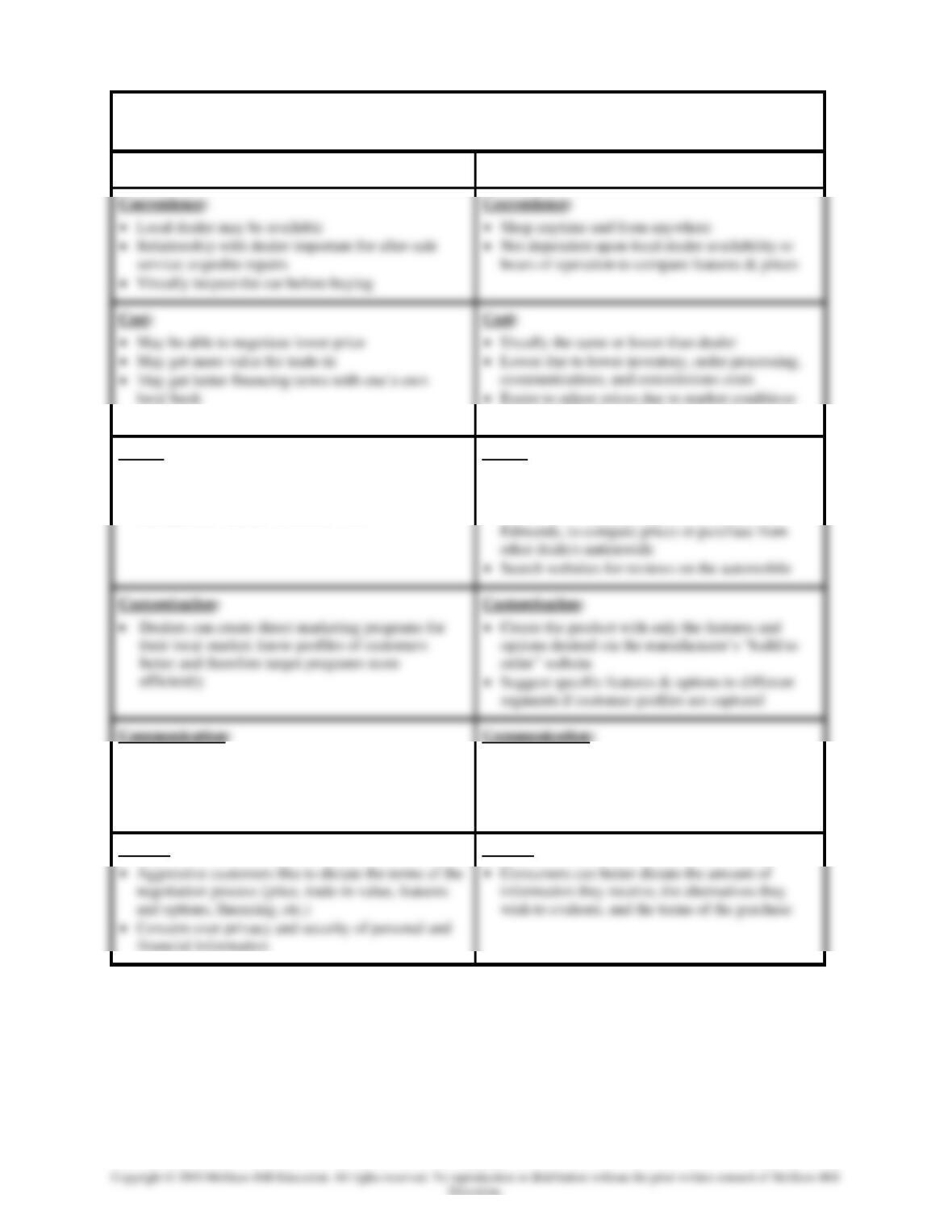
6. Using the Six “C” Framework for Buying an Automobile Handout as a guide, ask
students to write down specific reasons why consumers would (a) choose the
7. Show Slide 21-37 and pass out copies the Six “C” Framework for Buying an
Automobile Answers handout to each student.
Chapter 21 – Implementing Interactive and Multichannel Marketing
21–31
USING THE SIX “C” FRAMEWORK FOR BUYING AN
AUTOMOBILE ANSWERS HANDOUT
Traditional “Marketplace” Channel
New “Marketspace” Channel
• Search costs lower (save time = money)
Choice:
• May have good selection of cars on dealer lot
• May have more than one dealer in larger
metropolitan markets to choose from
Choice:
• Compare the dealership(s) with the
manufacturer’s “build to order” website
• Search other websites, such as Autobytel or
• IMC approach to generate awareness, trial, and
purchase
• Knowledgeable salespeople can be invaluable
• Can request e-mail or telephone response for
additional information from an online salesperson
• Can receive e-mail notices of product news,
special offers, etc. automatically
• Concern over privacy and security of personal and
financial information
Control:
Control:
Chapter 21 – Implementing Interactive and Multichannel Marketing
21–32
USING THE SIX “C” FRAMEWORK FOR
BUYING AN AUTOMOBILE HANDOUT
Traditional “Marketplace” Channel
New “Marketspace” Channel
• Convenience
• Cost
• Choice
• Customization
• Communication
• Control
• Convenience
• Cost
• Choice
• Customization
• Communication
• Control
Chapter 21 – Implementing Interactive and Multichannel Marketing
21–33
Connect Application Exercises
Application Exercise 1: Creating Customer Value in Marketspace
Activity Summary: In this click and drag activity, students evaluate the face-to-screen
interactions between consumers and firms, focusing on the ways firms create customer value in
the marketspace. Students are given the four utility types as drop areas (time, place, form,
possession) and eight examples of online consumer-firm interactions (night nurse, double
trouble, Midwest Meijer, no place like home, baby shower, create cleats, cheap sleep, multiple
methods). As students mouse over the draggable items, they receive a description of the
customer-firm interaction.
Tagging (Topic, Learning Objectives, AACSB, Bloom’s, Difficulty)
Topic: Product Value Creation
Learning Objective: LO 20-01 Describe what interactive marketing is and how it creates
customer value, customer relationships, and customer experiences.
AACSB: Analytical Thinking
Blooms: Apply
Difficulty Level: 2 Medium
Follow-Up Activity: Instructors could ask students to visit some of their favorite online retailers
and locate their own examples of time, place, form, and possession utility. As students share
Application Exercise 2: Why Consumers Shop and Buy Online
Activity Summary: In this click and drag activity, students evaluate the motivations for
consumers to shop online over offline. Students are given six reasons consumers buy online as
drop areas (convenience, choice, customization, communication, cost, control) and six online
shopping scenarios (mySimon, from Nana, just for me, treat tower, room for tonight, smart
shopper). As students mouse over each scenario, they see a description of online shopping that
highlights one online shopping motivation.
Tagging (Topic, Learning Objectives, AACSB, Bloom’s, Difficulty)
Topic: Electronic Marketing Channels
Learning Objective: LO 21-03 Describe why consumers shop and buy online and how
marketers influence online purchasing behavior.
AACSB: Knowledge Application
Blooms: Understand
Difficulty Level: 2 Medium
Follow-Up Activity: Instructors could ask students to perform a website analysis in groups,
Chapter 21 – Implementing Interactive and Multichannel Marketing
21–34
Application Exercise 3: Creating the Online Customer Experience
Activity Summary: In this click and drag activity, students evaluate the consumer’s online
experience by identifying seven website design elements. The seven website design elements
(context, content, customization, connection, communication, community, commerce) are
provided as drop areas. Seven website scenarios are the draggable items which provide hints to
the students as they mouse over (Barbie pink, camp Cabelas, just for you, Facebook finds,
vacation time, sharing advice, good Apples). Students then match the website scenario to the
design element it exemplifies.
Tagging (Topic, Learning Objectives, AACSB, Bloom’s, Difficulty)
Topic: Electronic Marketing Channels
Learning Objective: LO 21-01 Describe what interactive marketing is and how it creates
customer value, customer relationships, and customer experiences.
AACSB: Knowledge Application
Blooms: Understand
Difficulty Level: 2 Medium
Follow-Up Activity: Instructors could ask students to perform a website design analysis.
Instructors could allow students to evaluate a website of their choice, ideally one that the student
Application Exercise 4: Multichannel Marketing at Pizza Hut
Activity Summary: In this 6-minute video case, students learn about the implementation of
multichannel marketing at Pizza Hut and focus on brand engagement through social media. After
watching the video, students answer five questions covering website applications, brand
engagement, and marketing metrics.
Tagging (Topic, Learning Objectives, AACSB, Bloom’s, Difficulty)
Topic: Electronic Marketing Channels, Social Media as Part of the Marketing Plan
Learning Objective: LO 21-01 Describe what interactive marketing is and how it creates
customer value, customer relationships, and customer experiences.
LO 21-02 Explain why certain types of products and services are
particularly suited for interactive marketing.
LO 21-03 Describe why consumers shop and buy online and how
marketers influence online purchasing behavior.
LO 21-04 Define cross-channel consumers and the role of multichannel
marketing in reaching these consumers.
Chapter 21 – Implementing Interactive and Multichannel Marketing
21–35
AACSB: Knowledge Application
Blooms: Apply
Difficulty Level: 2 Medium
Follow-Up Activity: Instructors could ask students to perform a website analysis for Pizza Hut’s
Analytics Exercise 5: Marketing Analytics: Web Design
Activity Summary: In this analytics activity, students read a mini-case about an online sporting
goods company that sells an assortment of specialty sporting goods. The owner would like to
increase her web traffic to 1,000 visits per month and has decided to run a series of A/B test on
her website to determine which element to update. In addition to increasing web traffic, she
would also like to increase customer engagement and profitability Students use a number of
marketing metrics such as sessions, unique monthly visitors, page views, bounce rate, and
conversion rate to evaluate the results of her A/B testing. Using the spreadsheet data, students
answer five multiple choice questions to determine whether she should update the featured
product, call to action, headline, or color scheme.
Tagging (Topic, Learning Objectives, AACSB, Bloom’s, Difficulty)
Topic: Marketing Analytics
Learning Objective: LO 21-01 Describe what interactive marketing is and how it creates
customer value, customer relationships, and customer experiences.
AACSB: Analytical Thinking
Blooms: Analyze
Difficulty Level: 2 Medium, 3 Hard
Follow-Up Activity: Instructors could ask students to complete a website audit for the seven
website design elements (context, commerce, connection, communication, customization,