Extended Learning Module F – Building a Web Page with Html
Mod F-1
EXTENDED LEARNING MODULE F
BUILDING A WEB PAGE WITH HTML
JUMP TO THE SUPPORT YOU WANT
STUDENT LEARNING OUTCOMES
2. Describe the purpose of tags in hypertext markup language (HTML).
4. Describe the use of basic formatting tags and heading tags.
6. Describe how to change the background of a Web site.
8. Describe how to insert and manipulate images in a Web site.
9. Demonstrate how to insert lists in a Web site.
MODULE SUMMARY
This Extended Learning Module teaches your students how to create a Web page by writing and
editing the actual HTML code.
The primary sections of this module include:
2. Basic Text Formatting
4. Adjusting Text Color
6. Changing the Background Color
8. Adding Images
9. Creating and Using Lists
Extended Learning Module F – Building a Web Page with Html
Mod F-2
LECTURE OUTLINE
INTRODUCTION (p. F.2)
HYPERTEXT MARKUP LANGUAGE (p. F.3)
1. Working with and Viewing Your Web Site Locally
BASIC TEXT FORMATTING (p. F.5)
ADDING LINKS TO A WEB SITE (p. F.10)
2. Links to Downloadable Files
ADDING IMAGES (p. F.12)
USING A TEXTURED BACKGROUND (p. F.14)
CREATING AND USING LISTS (p. F.15)
2. Unnumbered Lists
END OF MODULE (p. F.18)
2. Key Terms and Concepts
Back to Jump List

Extended Learning Module F – Building a Web Page with Html
Mod F-3
MODULES, PROJECTS, AND DATA FILES
Extended Learning Module F – Building a Web Page with Html
Mod F-4
• These are the Student Learning Outcomes for the module.
• These are the Student Learning Outcomes for the module.
• These are the Student Learning Outcomes for the module.
• This slide provides a general introduction to the module.
• This slide provides a general introduction to the module.
Mod F-5
• This slide presents the organization for the module.
• It identifies the major sections and the learning outcomes associated
• This slide presents the organization for the module.
• It identifies the major sections and the learning outcomes associated
with each.
• This slide provides a basic introduction to HTML (Student Learning
Outcomes #1, #2, and #3)
• This slide defines HTML document
• It also provides the relationships among Web site/page and an HTML
• This slide provides the steps for creating a basic Web site using
Extended Learning Module F – Building a Web Page with Html
Mod F-6
• This slide covers the basic concepts of HTML tags, structure tags, and
HTML document sections
• This slide provides Figure F.1 on page 3
• It shows an HTML document and points out the body section and
• This slide covers the fact that most HTML tags have a beginning tag
and ending tag
• This slide provides Figure F.1 on page 3
• Use it to point out numerous HTML tags
• This slide presents Figure F.2 on page 4
• It is the resulting displayed Web page created from the HTML
Extended Learning Module F – Building a Web Page with Html
Mod F-7
• This slide covers how to build a Web site locally
• It also defines Web space
• This slide presents the actual steps for viewing a local Web site
• These three slides cover basic text formatting (Student Learning
Outcome #4)
• This slide presents Figure F.3 on page 5 which shows an HTML
SLIDE 21
• This slide presents Figure F.4 on page 6 which shows the resulting
displayed Web page from the HTML document in Figure F.3
Extended Learning Module F – Building a Web Page with Html
Mod F-8
• These three slides cover creating headings
• This slide presents Figure F.3 on page 5 which shows an HTML
• This slide presents Figure F.4 on page 6 which shows the resulting
displayed Web page from the HTML document in Figure F.3
• These three slides cover how to adjust text color (Student Learning
Outcome #5)
• This slide presents Figure F.5 on page 7 which shows an HTML
Extended Learning Module F – Building a Web Page with Html
Mod F-9
• This slide presents Figure F.6 on page 8 which shows the resulting
displayed Web page from the HTML document in Figure F.5
SLIDE 28
• These three slides cover how to adjust text size
• The larger the font size, the larger the text
SLIDE 29
• This slide presents Figure F.5 on page 7 which shows an HTML
document with numerous different font sizes
SLIDE 30
• This slide presents Figure F.6 on page 8 which shows the resulting
displayed Web page from the HTML document in Figure F.5
• These two slides illustrate how to change the color of the background
(Student Learning Outcome #6)
SLIDE 27
Extended Learning Module F – Building a Web Page with Html
Mod F-10
• This slide presents Figure F.7 on page 9 and illustrates the changing of
• These next 8 slides cover the specifics of adding links to a Web site
(Student Learning Outcome #7)
• The next three slides cover inserting a link into a Web page that goes
to another site or page
• This slide presents Figure F.8 on page 11, an HTML document with link
tags in it
• This slide presents Figure F.9 on page 12, which is the displayed Web
page of the HTML document in Figure F.8 on page 11
the background color
Extended Learning Module F – Building a Web Page with Html
Mod F-11
• This slide presents how to create a link to a downloadable file
• This slide presents how to create a link to e-mail
• This slide presents Figure F.8 on page 11, an HTML document with link
tags in it
• This slide presents Figure F.9 on page 12, which is the displayed Web
page of the HTML document in Figure F.8 on page 11
• These next 8 slides cover the specifics of adding images to a Web site
(Student Learning Outcome #8)
Extended Learning Module F – Building a Web Page with Html
Mod F-12
SLIDE 42
• This slide presents Figure F.10 on page 13, an HTML document that
SLIDE 43
• This slide presents Figure F.11 on page 14, which is the displayed Web
page of the HTML document in Figure F.10 on page 13
SLIDE 44
• This demonstrates how to add the height and width parameters to the
SLIDE 45
• This demonstrates how to add adjust the location of an image
SLIDE 46
demonstrates the use of the img src statement
• This slide presents Figure F.10 on page 13, an HTML document that
Mod F-13
• This slide presents Figure F.11 on page 14, which is the displayed Web
page of the HTML document in Figure F.10 on page 13
• These two slides demonstrate how to add a textured background to a
Web site
• This slide presents Figure F.12 on page 16, which includes both an
• These four slides demonstrate how to add lists to a Web page
• This slide shows the format for an unnumbered list
Extended Learning Module F – Building a Web Page with Html
Mod F-14
• This slide presents Figure F.13 on page 17, an HTML document that
demonstrates the use of lists
• This slide presents Figure F.14 on page 18, which is the displayed Web
Back to Jump List
Extended Learning Module F – Building a Web Page with Html
Mod F-15
SHORT-ANSWER QUESTIONS (p. F.19)
1. What two things does HTML allow you to do?
2. What is the relationship between an HTML document and a Web site?
3. What are the purposes of structure tags?
(2) sets up the necessary sections.
4. What are the two sections of an HTML document?
5. What is Web space?
6. What steps are involved in viewing a Web site locally?
7. How do you insert a solid horizontal line in a Web site?
8. What is the format of the heading tag?
9. What guidelines do you need to consider when adjusting text size and color?
Mod F-16
10. Why is it important to consider the theme of your Web site when adjusting the background
color?
11. How do you add an image to a Web site?
12. How do you right justify an image?
13. What are the two types of lists you can create in a Web site?
Extended Learning Module F – Building a Web Page with Html
Mod F-17
ASSIGNMENTS & EXERCISES (p. F.19)
1. FINDING FREE IMAGES AND BACKGROUNDS ON THE WEB To insert and use images and
backgrounds, you don’t necessarily need to scan them yourself. Literally thousands of
Web sites provide free images and backgrounds. Connect to the any sites that provide
free images and answer the following questions: A – how do you download an image? B –
Do you have to register at the site first before downloading images? C – What categories
of images can you find? D – Because there are so many sites offering free images, why
would anyone want to scan their own?
2. BUILDING A NUMBERED LIST OF LINKS In this module, we demonstrated to you how to
combine various HTML tags such as bolding and underlining. There are many ways in
which you can combine HTML tags to create a powerful presentation. One such way is to
create a list (either numbered or unnumbered) of useful links. Go to the Web site and find
five job databases (Monster.com is one). Now create a small Web site that provides the
links to those five Web sites. You are to present those links in the form of a list.
DISCUSSION
• We won’t show an entire Web site here.
3. MAKING MODIFICATIONS TO FIGURE F.1 Figure F.1 on page 3 contains some very
interesting information, but it does not include any links to other related Web sites and it
contains only one image. You have two tasks here. First, connect to NASA’s Web site,
download another astronomy image, and insert it into Figure F.1. Your second task is to
provide links to the main Web site for each of the six listed states. So, the state names
should all be links that will take the person viewing your site to each state’s respective
Web site.
Extended Learning Module F – Building a Web Page with Html
DISCUSSION
• Inserting another image will not be a difficult task for your students.
4. BUILDING A WEB SITE WITH MICROSOFT WORD You can build a Web site in a variety of
ways. You can use a simple text editor, such as Notepad, as we did in this module. You
can use powerful Web authoring tools such as Microsoft FrontPage. And you can also use
Microsoft Word. To use Microsoft Word, you create a Word document, insert images, and
provide all the necessary formatting just as if you were creating a standard Word
document. Then, you save the Word document as a Web page. Go through this process
for creating a simple Web site with at least one image, some text, and one list (either
numbered or unnumbered). How do you save the Word document as a Web page? Is this
easier than using something like Notepad to actually write the HTML code? Why or why
not? How do you go about changing a Web site you created in Word?
DISCUSSION
• You can create a Web site with Word in one of two ways. First, when you start Word,
5. BUILDING A TABLE IN HTML On the Web site that supports this text
build a Web site that contains the following table.
NAME
JOB
SENIORITY
Did you find it easy or difficult to build a table? Is this perhaps one of those instances
when using a Web authoring tool or Word to create Web site content is much easier than
actually writing the HTML code? Why or why not?
Extended Learning Module F – Building a Web Page with Html
Mod F-19
DISCUSSION
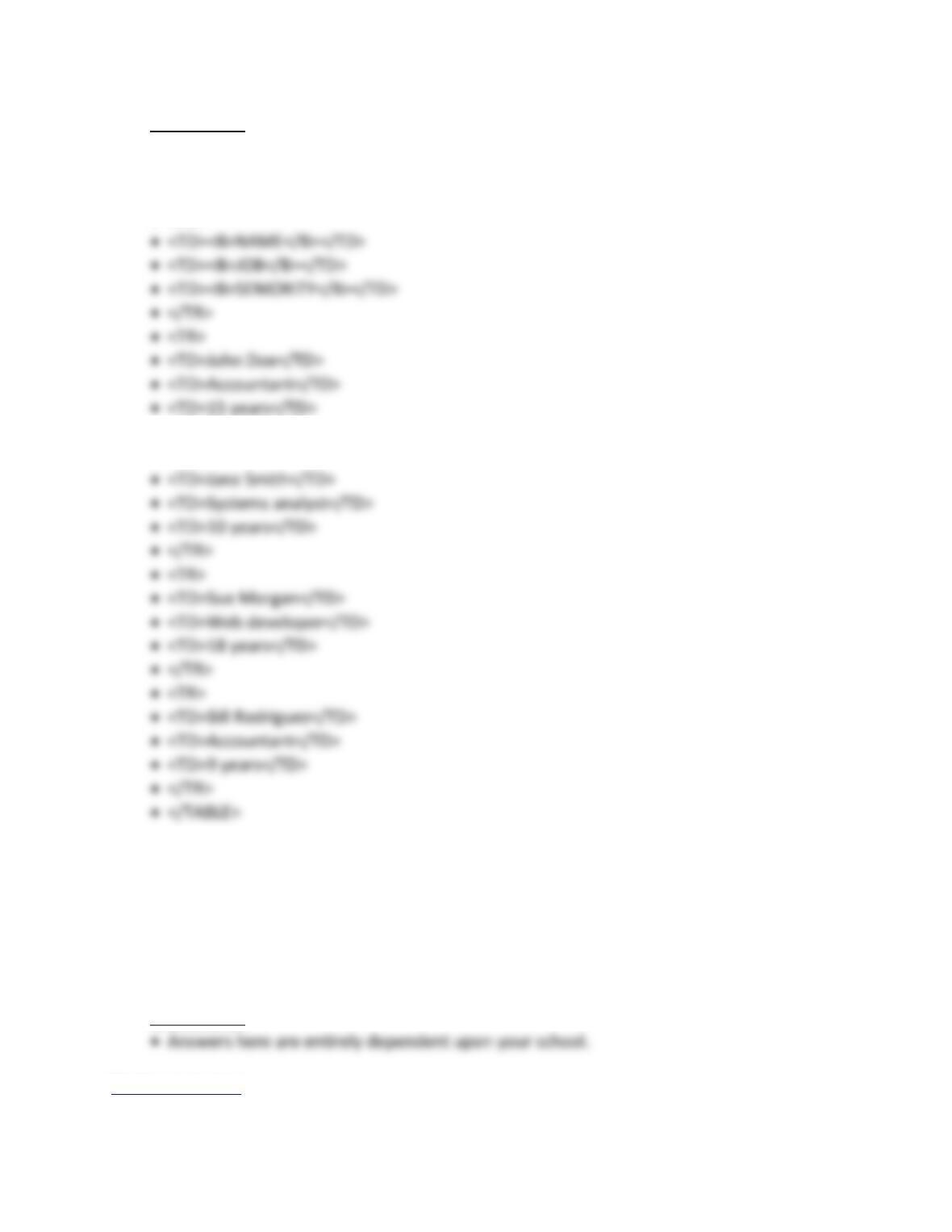
• The table HTML code is given below. Most students will prefer to build tables using a
Web authoring tool or Word instead of writing the HTML code.
• <TABLE>
• <TR>
• </TR>
• <TR>
6. WEB SPACE AT YOUR SCHOOL Most schools offer their students Web space for building
and posting Web sites. Check to see what your school offers. Does it offer Web space?
How much storage memory are you provided? What sort of restrictions does your school
have for what can and cannot be on your Web site? How long do you get to continue to
use your school’s Web space after you graduate?
DISCUSSION
Back to Jump List