5-1
Management Information Systems, 13E, Global Edition
Laudon & Laudon
Lecture Files by Barbara J. Ellestad
Chapter 5 IT Infrastructure and Emerging Technologies
As information becomes a valuable resource of a digital firm, the infrastructure used to
care for it takes on added importance. We’ll examine all of the components that comprise
today’s and tomorrow’s IT infrastructure and how best to manage it.
5.1 IT Infrastructure
When you mention the phrase “information technology infrastructure,” most people
immediately think of just hardware and software. However, there is more to it than just
Defining IT Infrastructure
If you define a firm’s IT infrastructure in terms of technology you limit the discussion to
the hardware and software components. By broadening the definition to that of service-
To round out the list of IT infrastructure components you need to add the following
services to computing hardware and software:
• Computing services: Provide platforms that ensure a coherent digital environment
• Telecommunications services: Determine appropriate data, voice, and video that
telecommunications, and data management services
5-2
Evolution of IT Infrastructure
Reviewing the evolution of corporate IT infrastructure offers some insight into where we
may be headed.
• General-purpose mainframe and minicomputer era (1959 to present): The
mainframe era began with highly centralized computing with networks of
terminals concentrated in the computing department. While early models
• Personal computer era (1981 to present): It’s interesting to note that the
advances developed for personal computers in the home have given rise to much
of the advances in corporate computing in the last 25 years. As the home user
became more comfortable with using computers, and more applications were
developed for personal computers, employees demanded increased use of
computers in the workplace. While the Wintel PC standard has dominated this
era, open-source software is starting to put a big dent into that stronghold.
• Client/server era (1983 to present): As the desktop and laptop personal
computers became more powerful and cheaper, businesses began using them to
replace mini-computers and some mainframe computers by networking them
5-3
servers allows faster, more efficient responses that cost a business less to process
than a mainframe would or one computer trying to do it all.
• Enterprise computing era (1992 to present): Perhaps no other era has seen the
explosive growth in functionality and popularity as this era. The problems created
• Cloud and mobile computing era (2000 to Present): It almost seems as though
we’ve come full circle with the concept of cloud computing. This model of
As you realize that each era built upon previous advances made in hardware, software,
and services, let your imagination drift for a moment to the possibilities that the future
holds. It truly is an exciting time to be involved in technology.
Technology Drivers of Infrastructure Evolution
Here are some of the reasons why we’ve evolved so much in the last 20 years.
• Moore’s Law and Microprocessing Power: Perhaps no other law holds as much
weight in the evolution of computers as Moore’s Law. Take a moment to visit the
5-4
find something to do with it or, I now have all these new applications therefore I
need more storage. One thing is certain, users will demand more storage and the
technologists will develop it.
• Metcalfe’s Law and Network economics: If you build a network for ten users,
you’ll spend the necessary money for the basic equipment. If you already have the
• Standards and network effects: Nothing has helped grow the Internet more than
having technology standards in place allowing suppliers to create and build
products that work seamlessly with each other. Users have come to rely on the
interoperability of products.
Table 5-1 explains the standards that have laid the groundwork for services we now enjoy
in technology.
Bottom Line: We’ve come so far so quickly in the evolution of technology. From
massive, expensive mainframe computers to inexpensive, hand-held devices, the
evolution and revolution continues.
5.2 Infrastructure Components
What if you bought a car that didn’t include tires, a steering wheel, a radio, or a heater?
After purchasing this vehicle, you had to shop around for the missing parts. When you
entered a store, you are confronted with eight different steering wheels, six different
radios, and nine different heaters. You quickly realize how incompatible the parts are
5-5
Computer Hardware Platforms
The microprocessor is the heart of any computing device no matter how small or large.
Two companies produce most microprocessing chips, Intel and Advanced Micro Devices
(AMD).
Although the network is becoming commonplace and the heart of computing, network
Operating System Platforms
Operating systems tell computers what to do, when to do it, and how. Operations such
as logging on, file management, and network connectivity are controlled by the operating
system. By far the most prolific operating system is Microsoft Windows in various
“Google Chrome OS is arriving just in time to take advantage of the
perfect storm of cloud services, cheap hardware, and a new generation of
platform-agnostic users. Unlike other Linux-based OSs, Chrome has brand
recognition that even the biggest neophyte could get comfortable with.
Chrome is also arriving just in time to take advantage of dirt-cheap
hardware and super-broke consumers. The future for Chrome based
netbooks is in the $200 and under space. At this price level, Microsoft
would have to virtually give away Windows. Within a year or two,
5-6
The Google Chrome OS makes it easy for users to access cloud computing services
through wireless networking. Almost all the software and data are stored on servers and
accessed through a Web browser.
Enterprise Software Applications
Integrating applications into seamless processes across the organization is the goal of
enterprise software applications. Customer relationship management and supply chain
Data Management and Storage
Businesses and organizations are gathering more and more data on customers,
employees, and even the business itself. Managing and storing the data so they are easily
Networking/Telecommunications Platforms
As we continue the march toward convergence of all things digital, networking and
telecommunications platforms will merge into one. Rather than having one platform for
Internet Platforms
The Internet and its technology standards continue to expand the services businesses are
able to provide their employees, customers, suppliers, and business partners. Intranets
5-7
Consulting and System Integration Services
Systems used in many medium- and large-sized companies and organizations are so
complex that most businesses simply can’t manage all of them on their own. Integration
services provided by the likes of IBM and Hewlett-Packard are necessary to simply keep
Bottom Line: There are seven major components of a modern IT infrastructure:
Hardware platforms, operating system platforms, enterprise software applications,
data management and storage, networking/telecommunications platforms, Internet
platforms, and consulting and system integration services. Melding them into a
cohesive system that adequately serves the digital corporation is difficult but the
rewards are many.
5.3 Contemporary Hardware Platform Trends
If some of these IT infrastructure components like storage and telecommunications have
gotten so cheap, why does it seem like companies are spending more and more money on
The Emerging Mobile Digital Platform
Anytime, anywhere, 24/7, 365. That’s what computer users now expect. Technology
manufacturers are meeting the demand with a host of new communication devices like
cell phones and smartphones. The newest gadgets on the market are tablets and e-book
readers like the Kindle from Amazon.com or Barnes & Noble’s Nook reader.
5-8
Consumerization of IT and BYOD
In the past, computing devices and software were developed specifically for business
applications. Very seldom did the hardware and software spill over into the consumer
market. On the flip side, hardware and software created for consumer use saw very little
application in the business world. That has changed in the last few years as the two have
Interactive Session: Management: Should You Use Your iPhone for Work (see page
212 of the text), explores total cost of ownership issues companies face when they
allow employees to use their personal smartphones and other digital devices on
company-owned networks.
Grid Computing
Take a moment and think about how much time you don’t use your personal computer.
It’s actually quite a lot. In fact, most computers are idle more time than not. What if you
could combine all the idle time of hundreds or thousands of computers into a continuous,
connected computing capacity to capture, process, manage, store, and retrieve data? You
wouldn’t have to purchase mammoth, super computers to realize this capability and
capacity. You just have to turn to grid computing.
Three reasons why grid computing is appealing to companies include:
• Cost savings
5-9
Virtualization
Server computer hardware prices have fallen over the years to the point where they’re
relatively cheap. Hence, the problem. Rather than increase the efficiency and utilization
of existing hardware, many companies just buy more of it and stick it on the shelf. Not
Enter virtualization. It’s the process of running multiple operating systems and
application programs on one machine and increasing the overall utilization rates of the
device. Instead of having ten servers running ten different applications, virtualization
consolidates the programs onto one or two servers.
Here’s a list of the benefits businesses enjoy from using virtualization:
• Increase equipment utilization rates
Cloud Computing
Most companies don’t build their own electrical generating plants or their own water
treatment facilities. They purchase only the utilities they need, even in peak demand
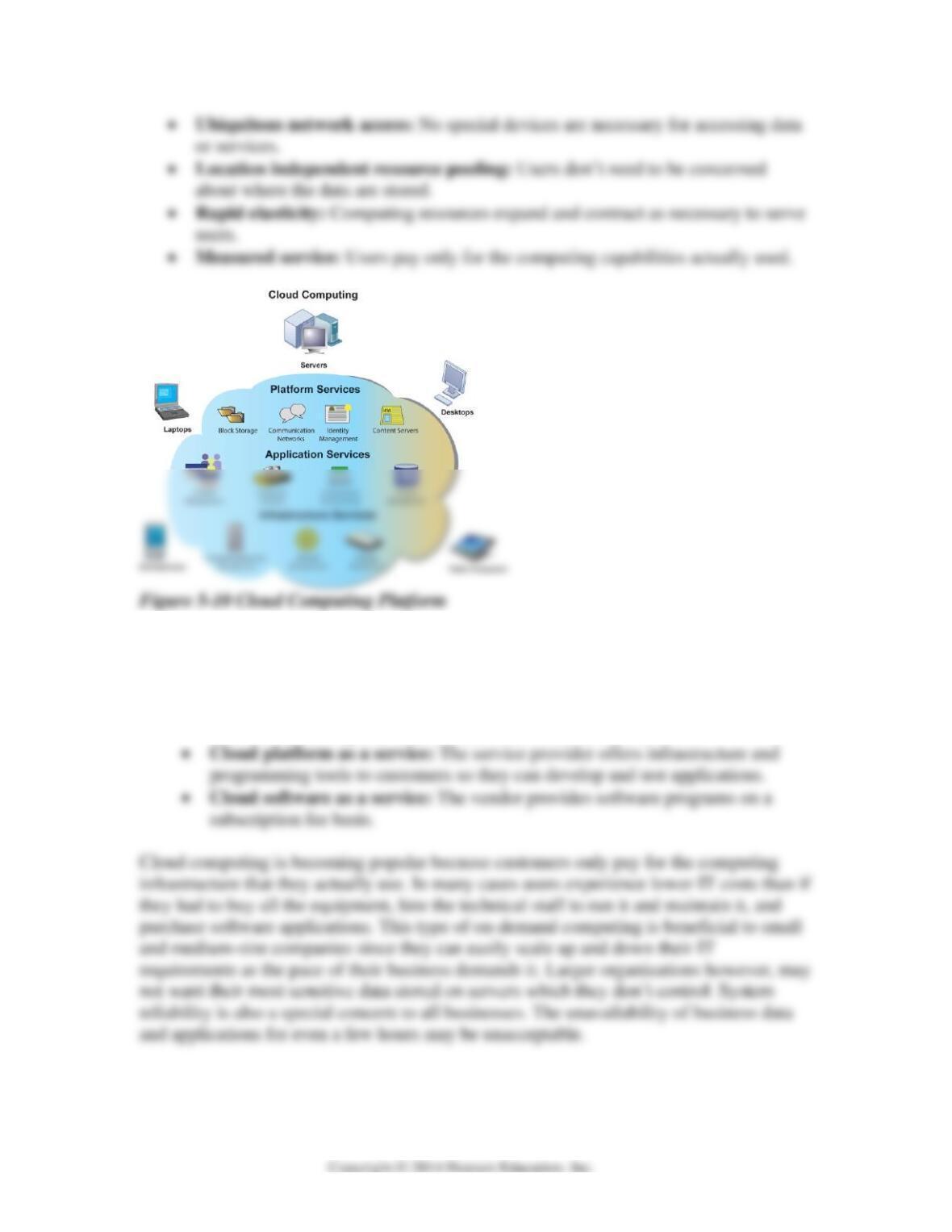
Cloud computing is defined by five characteristics:
• On-demand self-service: Users can access computing capabilities whenever and
wherever they are.
5-10
Almost any type of computing device can access data and applications from these clouds
through three types of services:
• Cloud infrastructure as a service: Allows customers to process and store data,
and use networking and other resources available from the cloud.
“Amazon.com Inc.’s Internet-based computing services, used by
thousands of business customers to run their Web pages and store data,
crashed this morning and knocked sites across the U.S. offline.
“Customers need to start asking tough questions and not assume
everything will be taken care of in the cloud, because it will not,” Alvarez
said. ‘They shouldn’t be counting on a cloud service provider like Amazon
to provide disaster recovery.’ ” (BusinessWeek.com, Amazon Web
Services Disruption Knocks Customer Sites Offline, Galante, Joseph, April
21, 2011)
Three kinds of clouds are available:
• Public cloud: Owned and operated by external service providers; accessed
through the Internet; available to anyone; generally used for non-sensitive data.
On-demand computing, another term for cloud computing, mirrors other utilities that
provide necessary infrastructure from centralized sources. It’s cheaper and helps
Green Computing
Virtualization that we discussed earlier makes the concept of green computing more of a
reality. It allows businesses to reduce their total cost of ownership of hardware through