
Lab Exercise – ICMP
Objective
To see how ICMP (Internet Control Message Protocol) is used. ICMP is a companion protocol to IP that
helps IP to perform its functions by handling various error and test cases. It is covered in §5.6.4 of your
text. Review that section before doing this lab.
Requirements
Wireshark: This lab uses the Wireshark software tool to capture and examine a packet trace. A packet
trace is a record of traffic at a location on the network, as if a snapshot was taken of all the bits that
passed across a particular wire. The packet trace records a timestamp for each packet, along with the
bits that make up the packet, from the lower–layer headers to the higher–layer contents. Wireshark runs
on most operating systems, including Windows, Mac and Linux. It provides a graphical UI that shows the
traceroute / tracert: This lab uses “traceroute” to find the router level path from your computer to a
remote Internet host. traceroute is a standard command–line utility for discovering the Internet paths
ping: This lab uses “ping” to send and receive messages. ping is a standard command–line utility for
checking that another computer is responsive. It is widely used for network troubleshooting and comes
Step 1: Capture a Trace
Proceed as follows to capture a trace of ICMP traffic that results from ping and traceroute; alterna-
tively, you may use a supplied trace.
1. Pick a remote computer such as a server as a target, e.g., www.cs.vu.nl, and check that you can
successfully ping it. To run ping, simply bring up a command line and type, e.g., “ping
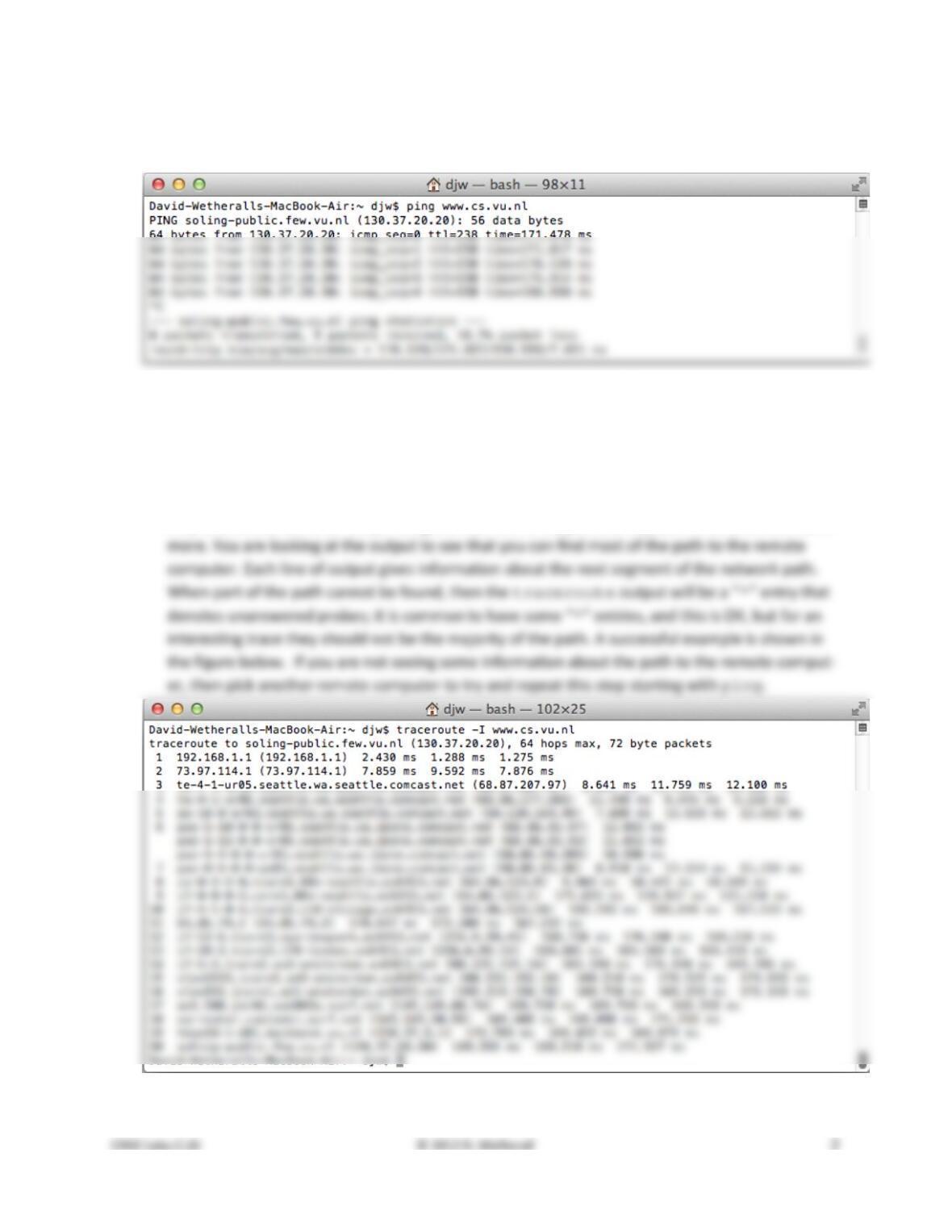
mote computer replies to your ping requests. A successful example is shown in the figure below.
If you are not seeing ping replies then pick another remote computer to try.
Figure 1: Pinging a remote computer (on Mac)
2. Check to see that you can traceroute to the same computer while invoking traceroute
with options to send ICMP traffic rather than other traffic such as UDP. To do this, run it as
“tracert www.cs.vu.nl” (Windows, uses ICMP) or “traceroute –I www.cs.vu.nl”
(Mac/Linux). That was a “minus capital i” option, which tells traceroute to send ICMP probes. It
may take a little while to run, printing the next line of output after a pause of several seconds or
Figure 2: Traceroute, with ICMP probes, to a remote computer (Mac)
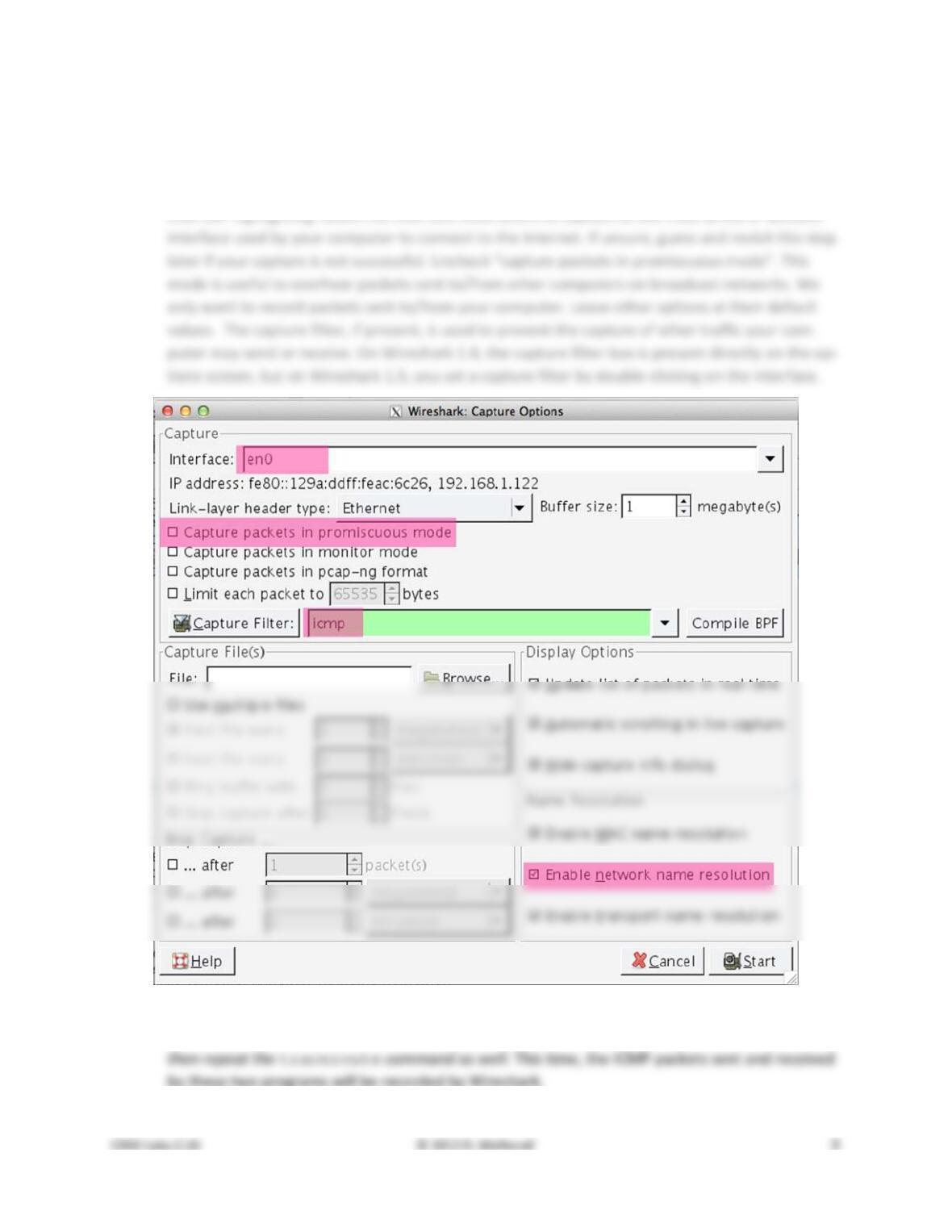
3. Launch Wireshark and start a capture with a filter of “icmp“. Make sure to check “enable net-
work name resolution”. This will translate the IP addresses of the computers and routers sending
packets into names, which will help you to recognize the organizations on the network path tak-
en by your packets. Your capture window should be similar to the one pictured below, other
Figure 3: Setting up the capture options
4. When the capture is started, repeat the ping command you tested, wait a few seconds, and
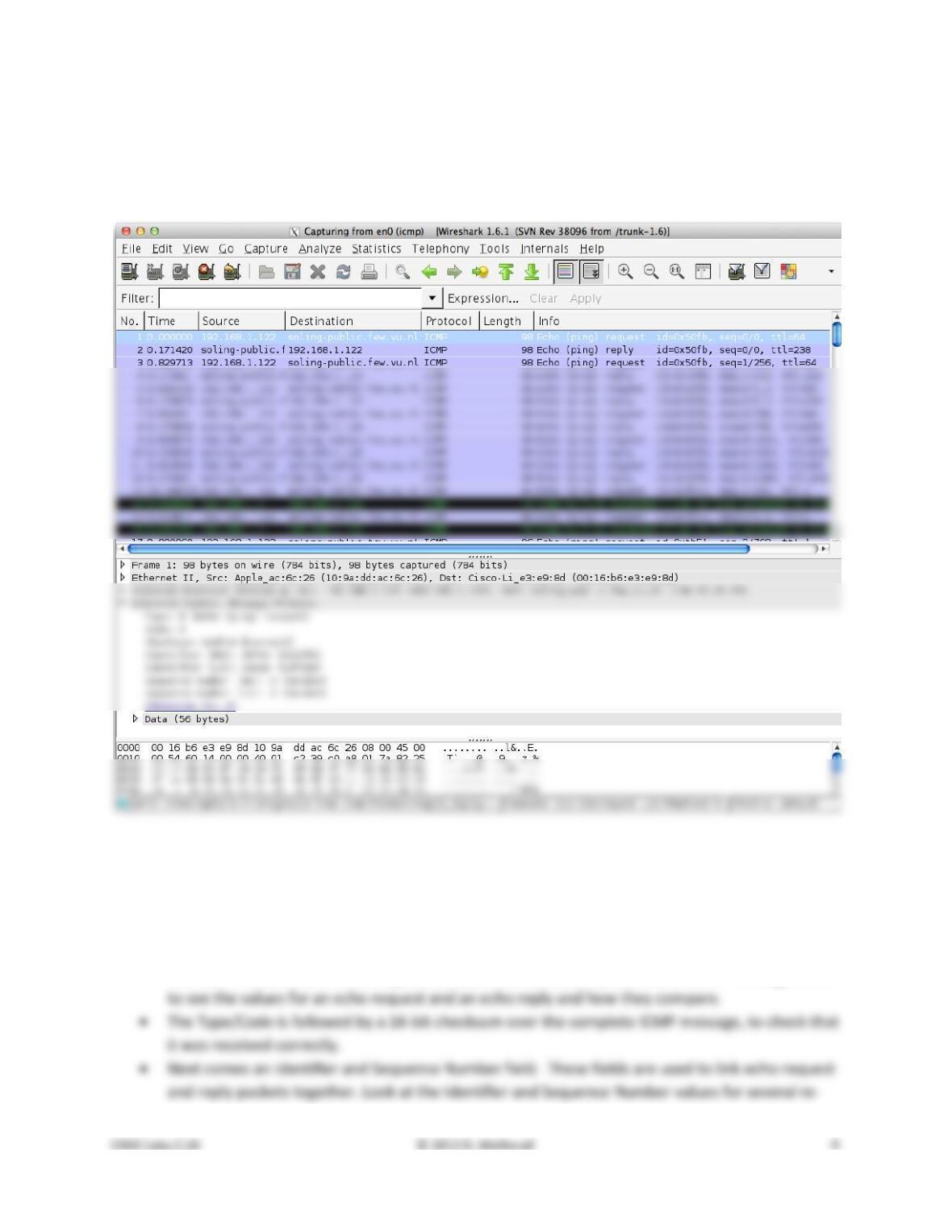
5. After the commands are complete, return to Wireshark and use the menus or buttons to stop the
trace. You should have a short trace similar to that shown in the figure below. We have ex-
panded the detail of the ICMP header for a ping request packet in our view. Be sure to save the
output from the ping and traceroute commands. You will need it for the later steps.
Figure 4: Trace of ping/traceroute traffic showing details of the ICMP header for a ping request.
Step 2: Echo (ping) Packets
Start your exploration by selecting an echo (ping) request and reply packet at the start of the trace. Ex-
pand the ICMP block (by using the “+” expander or icon) to see the ICMP header and payload details:
• The ICMP header starts with a Type and Code field that identify the kind of ICMP message. Look
quests and replies. Compare the values of a request and matching reply, and of successive re-
Answer the following questions to demonstrate your understanding of ICMP echo messages:
1. What are the Type/Code values for an ICMP echo request and echo reply packet, respectively?
2. How do the Identifier and Sequence Number compare for an echo request and the corresponding
echo reply?
Turn–in: Hand in your answers to the above questions.
Step 3: TTL Exceeded (traceroute) Packets
Next, explore traceroute traffic by selecting any Time Exceeded ICMP packet in your trace. Expand
the ICMP block (by using the “+” expander or icon) to see the ICMP header and payload details:
• The ICMP header starts with a Type and Code field that identify the kind of ICMP message, just
as for echo packets. Look to see the values for a TTL Exceeded packet and how they compare to
the echo packets.
Draw a picture of one ICMP TTL Exceeded packet to make sure that you understand its nested structure.
On your figure, show the position and size in bytes of the IP header, ICMP header with details of the
Type/Code and checksum subfields, and the ICMP payload. Within the ICMP payload, draw another rec-
tangle that shows the overall structure of the contents of the payload. As usual, your figure can simply
Answer the following questions:
1. What is the Type/Code value for an ICMP TTL Exceeded packet?
2. Say how the receiver can safely find and process all the ICMP fields if it does not know ahead of
time what kind of ICMP message to expect. The potential issue, as you have probably noticed, is
that different ICMP messages can have different formats. For instance, Echo has Sequence and
Identifier fields while TTL Exceeded does not.
3. How long is the ICMP header of a TTL Exceeded packet? Select different parts of the header in
4. The ICMP payload contains an IP header. What is the TTL value in this header? Explain why it has
this value. Guess what it will be before you look!
Turn–in: Hand in your drawing of an ICMP TTL Exceeded packet and the answers to the questions above.
Step 4: Internet Paths
The source and destination IP addresses in an IP packet denote the endpoints of an Internet path, not
the IP routers on the network path the packet travels from the source to the destination. traceroute
is a utility for discovering this path. It works by eliciting ICMP TTL Exceeded responses from the router 1
hop away from the source towards the destination, then 2 hops away from the source, then 3 hops, and
so forth until the destination is reached. The responses will identify the IP address of the router. The
output from traceroute normally prints the information for one hop per line, including the meas-
By looking at the details of the packets, answer the following questions:
1. How does your computer (the source) learn the IP address of a router along the path from a TTL
exceeded packet? Say where on this packet the IP address is found. You might proceed by look-
2. How many times is each router along the path probed by traceroute? Look at the TTL Ex-
3. How does your computer (the source) craft an echo request packet to find (by eliciting a TTL Ex-
ceeded response) the router N hops along the path towards the destination? Describe the key at-

Now that you have an understanding of the ICMP packets involved, let us look at the output of the
traceroute program. If you are using the supplied trace, note that we have provided the correspond-
ing traceroute output as a separate file. The output describes the path from your computer to the
remote destination using information gleaned from the TTL Exceeded responses.
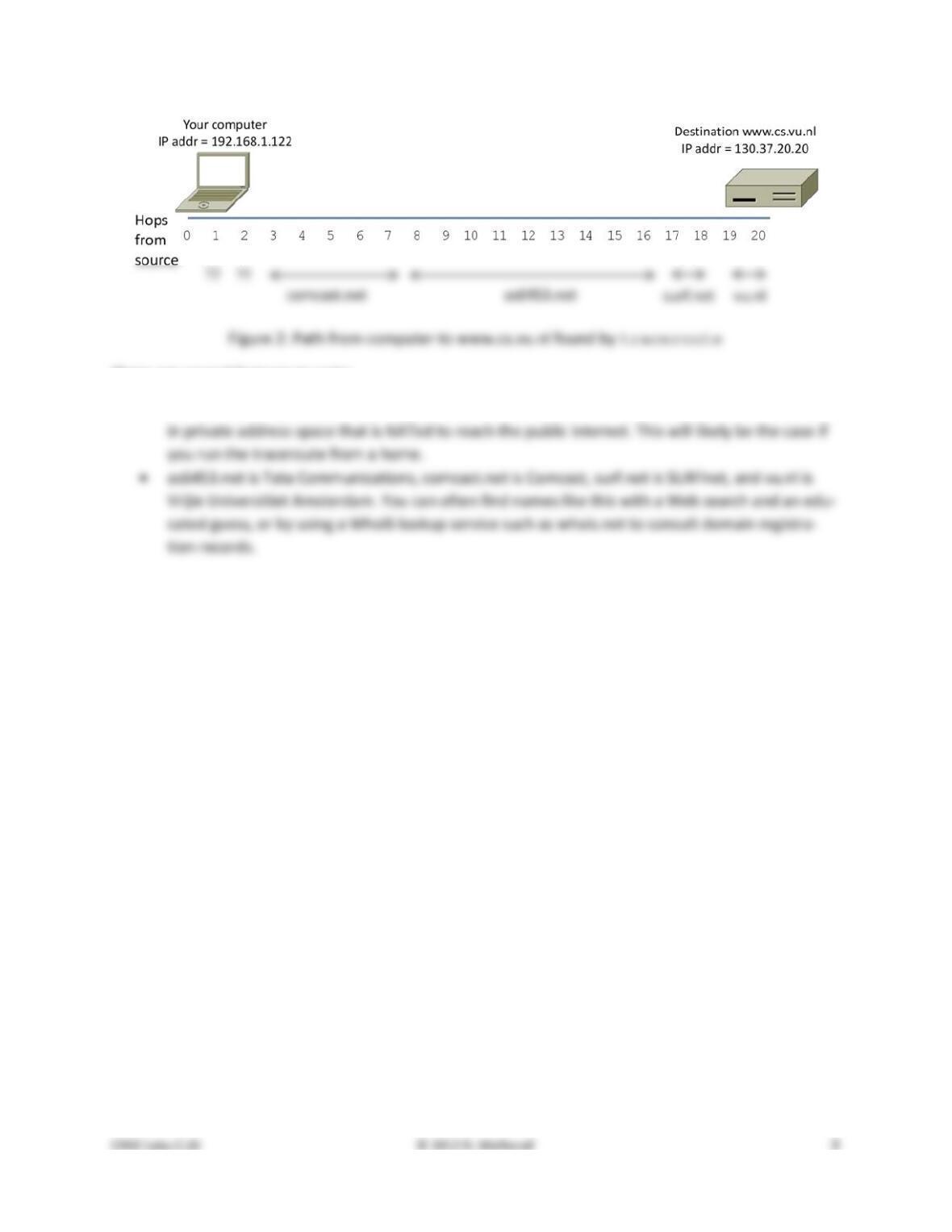
Using the traceroute output, sketch a drawing of the network path. Show your computer (lefthand
side) and the remote server (righthand side), both with IP addresses, as well as the routers along the
path between them numbered by their distance on hops from the start of the path. You can find the IP
address of your computer and the remote server on the echo packets in the trace that you captured.
The output of traceroute will tell you the hop number for each router.
To finish your drawing, label the routers along the path with the name of the real–world organization to
which they belong. To do this, you will need to interpret the domain names of the routers given by
traceroute. If you are unsure, label the routers with the domain name of what you take to be the or-
ganization. Ignore or leave blank any routers for which there is no domain name (or no IP address).
This is not an exact science, so we will give some examples. Suppose that traceroute identifies a
router along the path by the domain name arouter.cac.washington.edu. Normally, we can ig-
nore at least the first part of the name, since it identifies different computers in the same organization
Turn–in: Hand in your answers to the above questions and your drawing of the path, plus traceroute
output if it was not supplied to you.
Explore on your own
We encourage you to explore ICMP on your own once you have completed this lab and also the IP lab,
since IP and ICMP are strongly related. Some ideas:
• traceroute comes in several versions with many options. Explore them; we recommend that
you try Paris traceroute. Often, they will send and receive different kinds of traffic, including
ICMP traffic, to reason about network structure.
Solutions – ICMP
The solutions below are based on our capture and use of tools. Your answers will differ in the details if
they are based on your own capture and use of tools in a different network setting. Nonetheless, we ex-
pect our solutions to help you understand whether your answers are correct.
Step 2: Echo (ping) Packets
Answers to the questions:
2. Each echo request and corresponding echo reply have the same Identifier value and the same
Sequence Number value. The values are used to match the echo request to the right echo reply.
3. Typically, the Identifier is kept the same and the Sequence Number is incremented. This ensures
Step 3: TTL Exceeded (traceroute) Packets
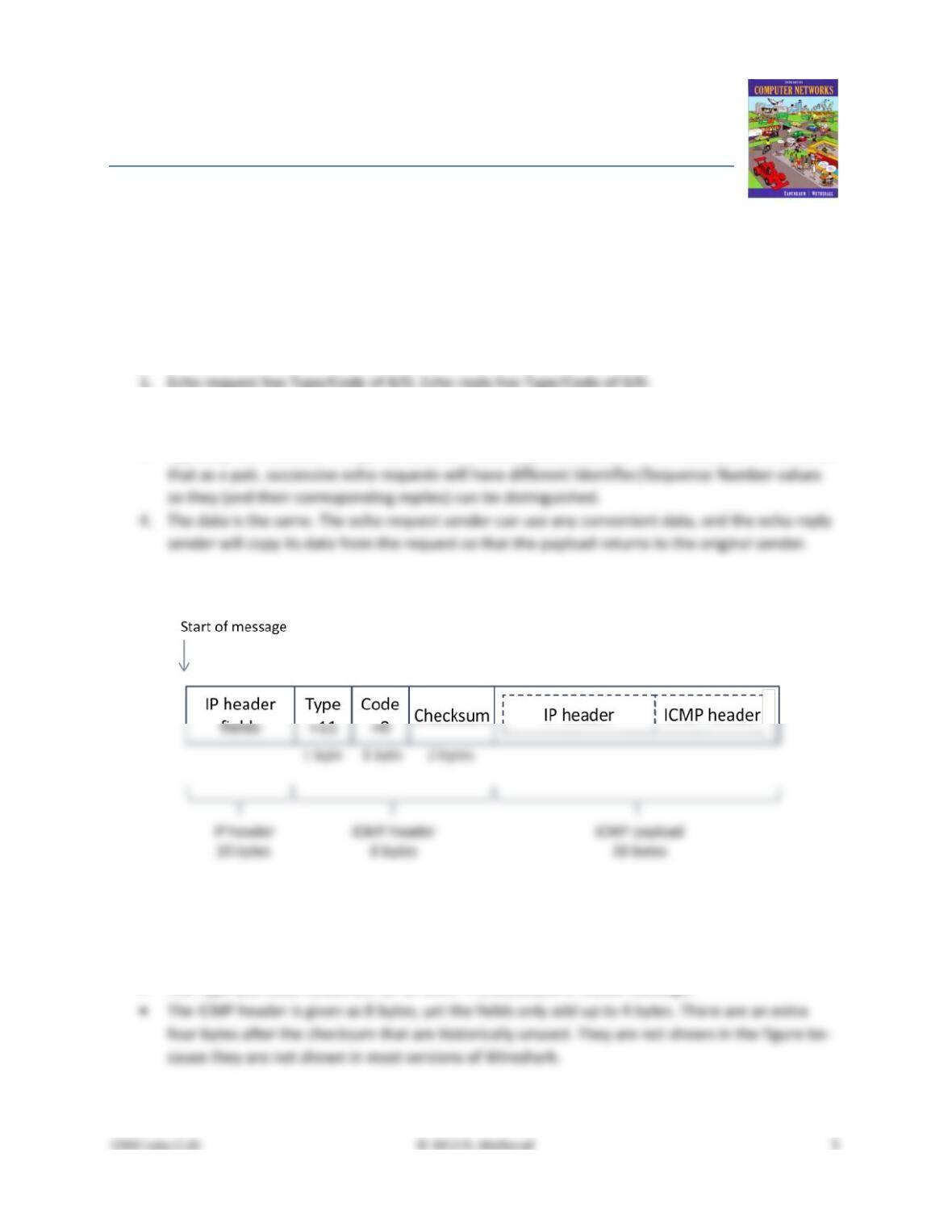
Figure 1: Format of an ICMP TTL Exceeded Message
There are several features to note:
• The length of 20 bytes is for a typical IPv4 header with no IP option fields.
• The Type and Code values are for an ICMP TTL Exceeded in transit message.
• The size of the ICMP payload depends on the router implementation. The value of 28 bytes is
Answers to the questions:
2. All ICMP messages start with the same Type/Code (and Checksum) fields, so the receiver can
3. The Type/Code and Checksum fields take up 4 bytes. However, the ICMP header is actually 8
4. The inner IP packet has TTL=1 in our case, but depending on the router implementation it is pos-
Step 4: Internet Paths
Answers to the questions:
1. The IP source address of the TTL Exceeded packet is the IP address of the router. This is because
the router created the TTL Exceeded packet, putting its own IP address in the source field.
2. Traceroute probes each hop along the path more than once, in case of packet loss. Typically it
probes three times, in which case you will see a pattern of triples of echo / TTL exceeded from a
3. The echo request packet should have an IP source of your computer, an IP destination of the far
end of the path, and a TTL value set to N. The last part is the key; routers will decrement the TTL
and it will reach zero N hops away from the source towards the destination. The ICMP TTL Ex-
There are several features to note:
• The start of the path is not named because it starts within a home; the address 192.168.xx.xx is
[END]