Lab Exercise – DHCP
Objective
To see how DHCP (Dynamic Host Configuration Protocol) works. DHCP is an essential glue protocol that
is used to configure your computer with an IP address, as well as other information. It is covered in
§5.6.4 of your text. Review those sections before doing this lab.
Requirements
Wireshark: This lab uses the Wireshark software tool to capture and examine a packet trace. A packet
trace is a record of traffic at a location on the network, as if a snapshot was taken of all the bits that
passed across a particular wire. The packet trace records a timestamp for each packet, along with the
bits that make up the packet, from the lower–layer headers to the higher–layer contents. Wireshark runs
on most operating systems, including Windows, Mac and Linux. It provides a graphical UI that shows the
sequence of packets and the meaning of the bits when interpreted as protocol headers and data. It col-
or–codes packets by their type, and has various ways to filter and analyze packets to let you investigate
ipconfig (windows) / ifconfig (mac) / dhclient (linux): This lab uses a command–line utility to cause the
Network Setup
Recall that DHCP is normally used to assign a computer its IP address, as well as other parameters such
as the address of the local router. Your computer, the client, uses the DHCP protocol to communicate
with a DHCP server on the local network. Other computers on the local network also interact with the
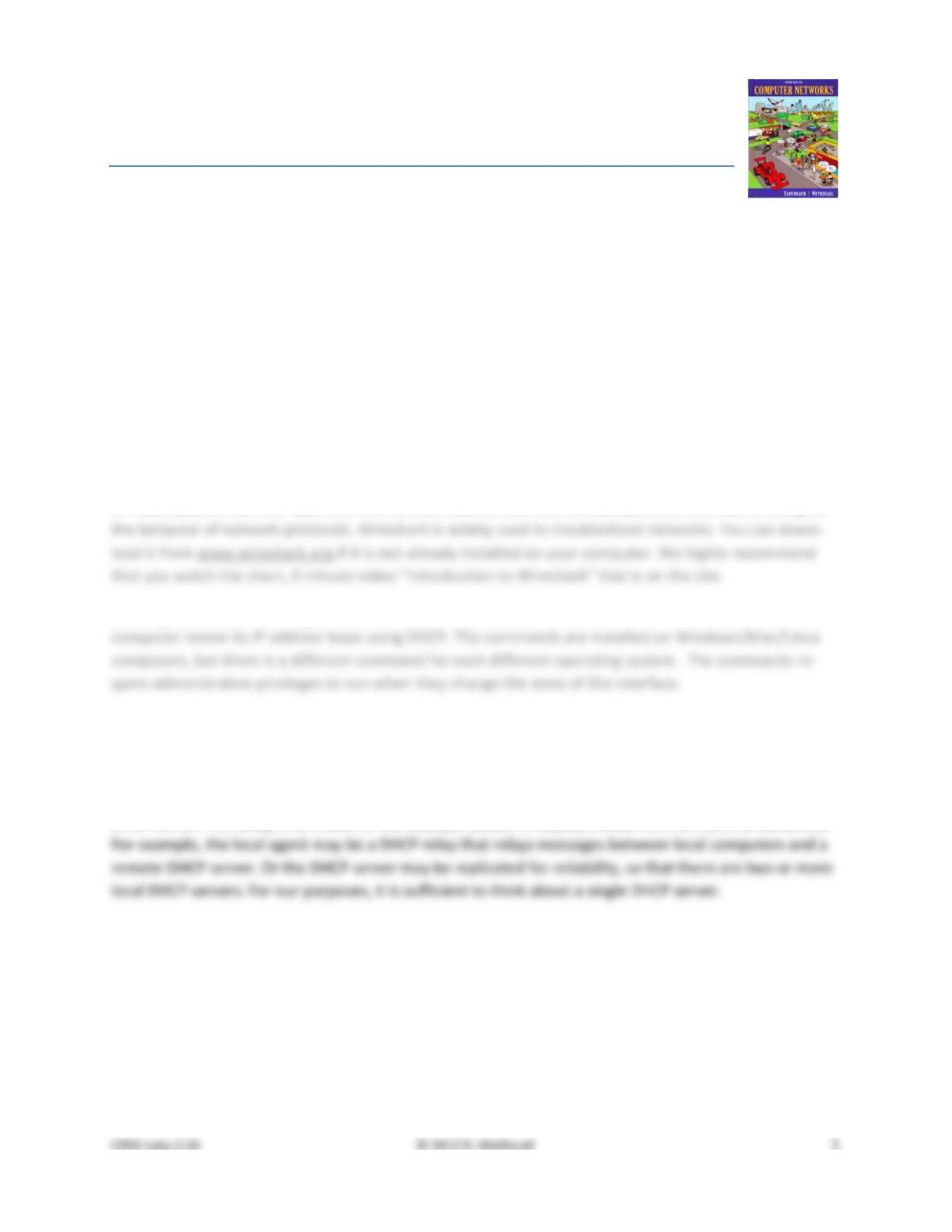
DHCP server. The setup is as shown in the example below. In deployments, there are several variations.
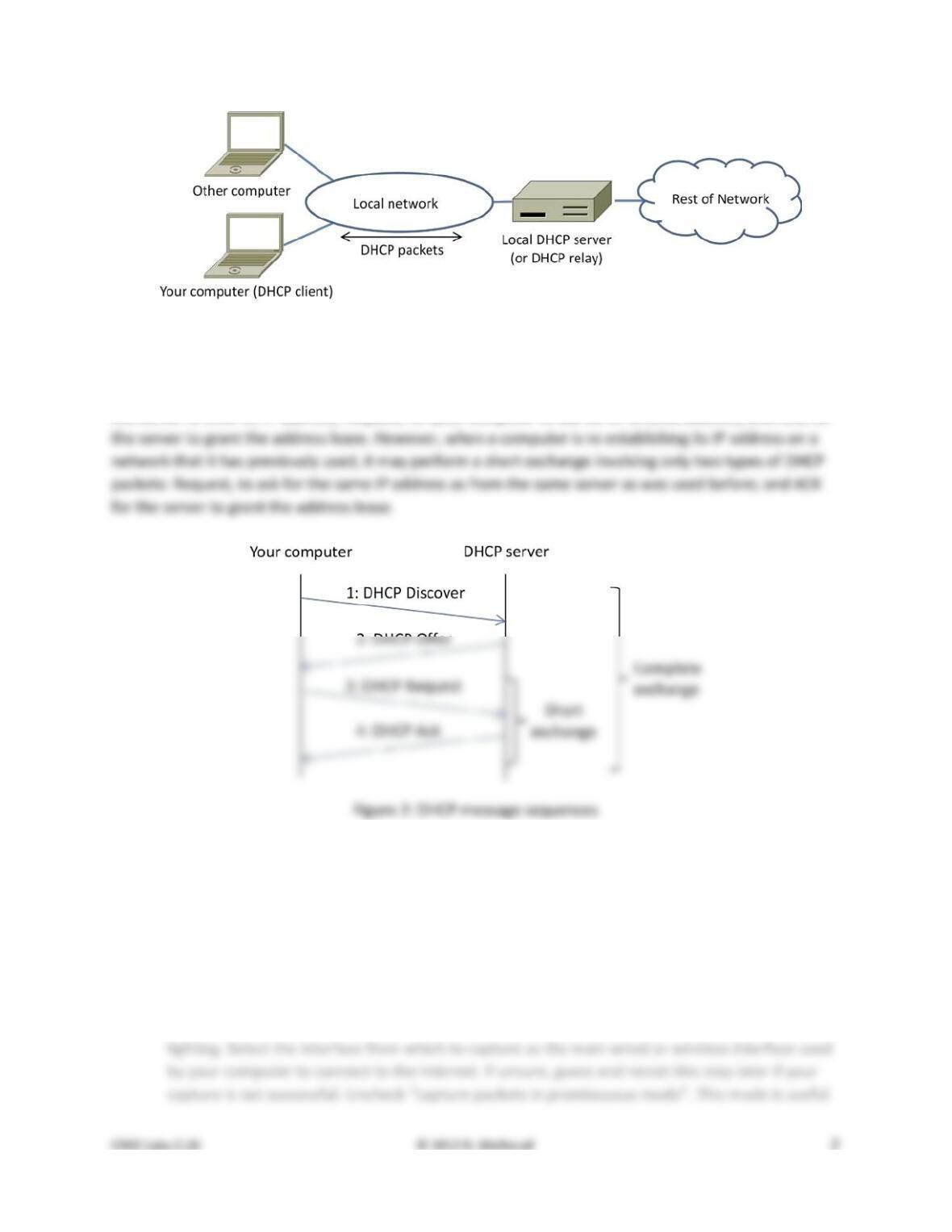
Figure 1: Network setup under which we will study DHCP
The complete DHCP exchange for your computer to lease an IP address from a DHCP server is shown be-
low. It involves four types of packets: Discover, for your computer to locate the DHCP server; Offer, for
the server to offer an IP address; Request, for your computer to ask for an offered address; and Ack, for
Step 1: Capture a Trace
Proceed as follows to renew your IP address and gather a trace of DHCP traffic. Note, however, that the
following procedure will not work in the unlikely case that your computer’s IP address is statically as-
signed. Alternatively, you may use a supplied trace. Take care not to perform this lab remotely, since
when you tell your computer to shut down and restart its network interface you will lose connectivity!
1. Launch Wireshark and start a capture with a filter of “(udp port 67) or (udp port 68)”.
There is no shorthand to indicate DHCP, so we filter traffic using the UDP ports reserved for
DHCP. Your capture window should be similar to the one pictured below, other than our high-
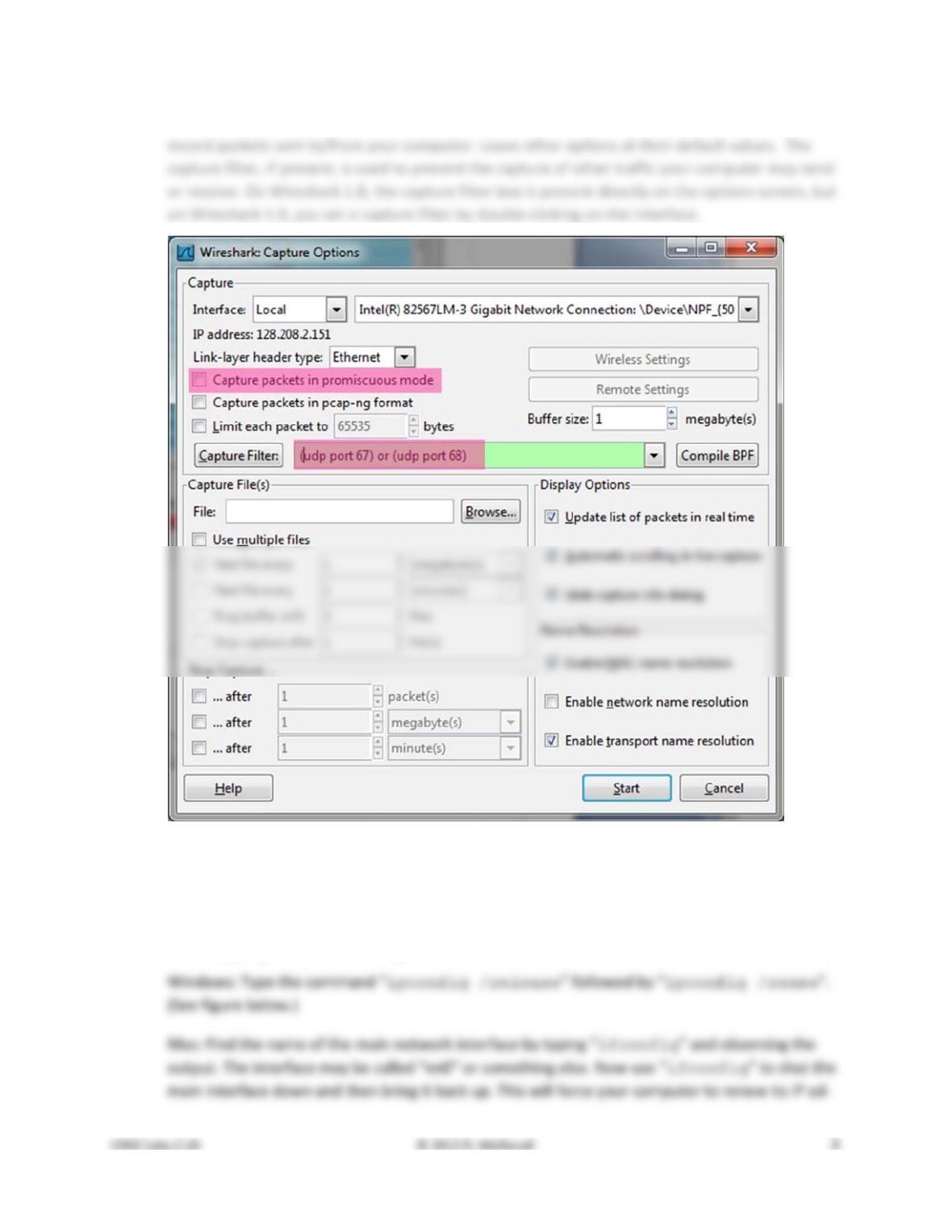
to overhear packets sent to/from other computers on broadcast networks. We only want to
Figure 3: Setting up the capture options
2. When the capture is started, release and renew your IP address with the command given below.
This procedure may cause your computer to lose network connectivity temporarily, and depend-
ing on the operating system it may disrupt network connections. To minimize the disruption,
close any programs that are using remote servers and enter the commands into a local window.
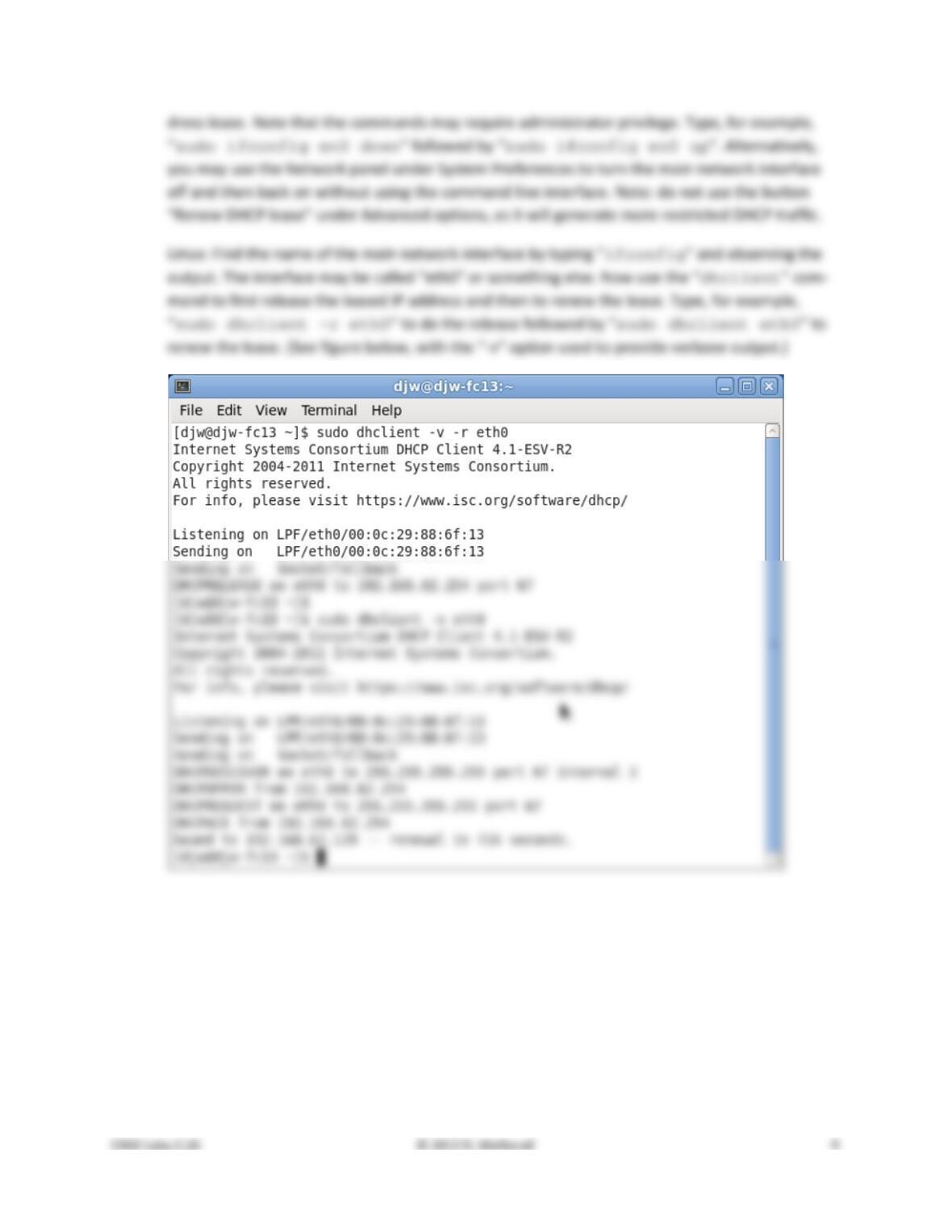
Figure 4: Releasing and renewing the IP address on Linux
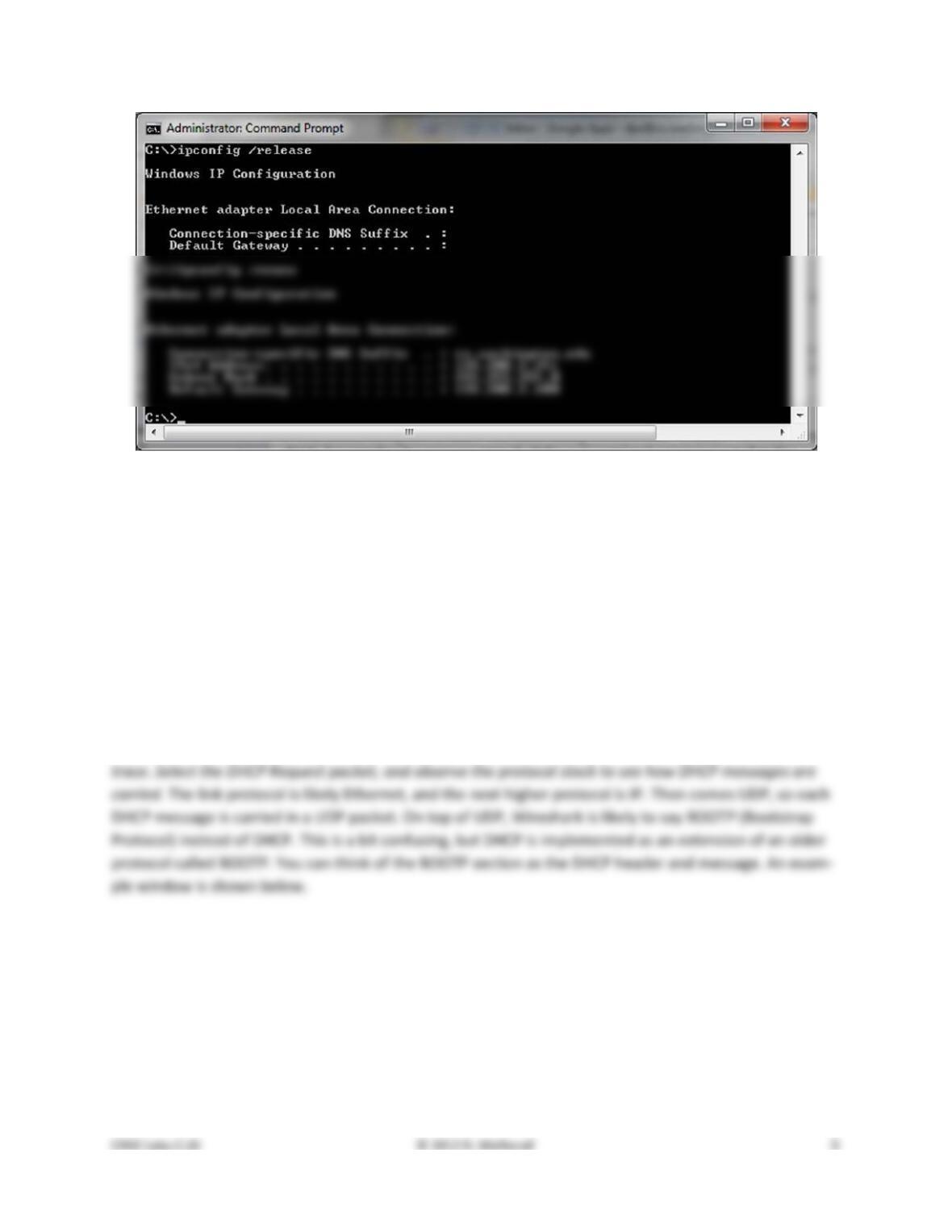
Figure 5: Releasing and renewing the IP address on Windows
3. Once you have captured some DHCP traffic, stop the capture.
Step 2: Inspect the Trace
In this step and the steps that follow, we will inspect only the short DHCP exchange described above.
This is because the traffic you have captured can vary widely across settings. You may have as few as
two DHCP packets on a quiet network or many DHCP packets on a busy network (especially if a class is
running this lab!). The details of DHCP packets may vary depending on how the computers implement
DHCP. There may be multiple packets of a single kind in an exchange due to replicated servers, and dif-
ferent types of DHCP packets too.
Look for the short DHCP exchange (of a DHCP Request packet followed by a DHCP Ack packet) in your
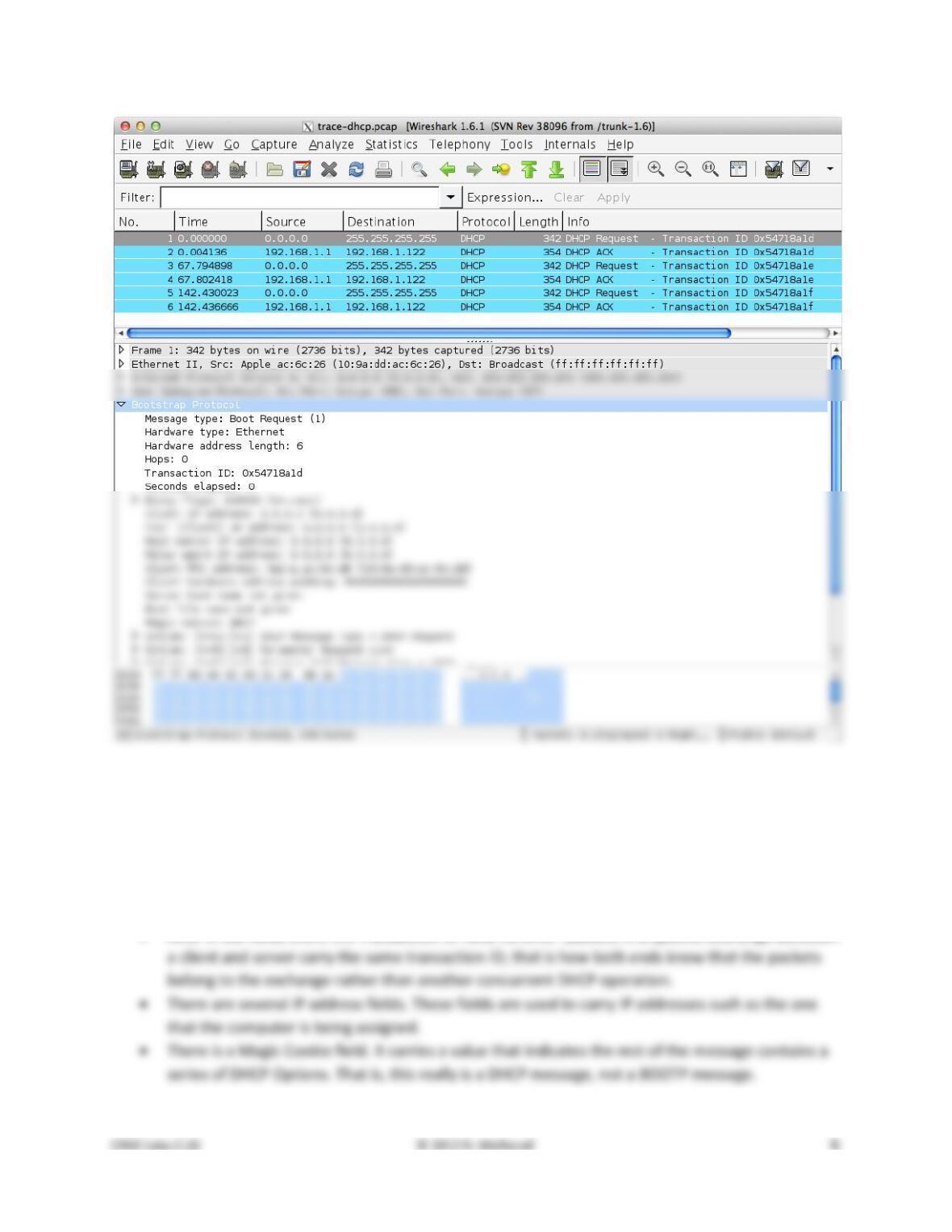
Figure 4: Capture of DHCP packets, showing details of a DHCP Request
Expand the BOOTP (DHCP) section (using the “+” expander or icon) to look at the details of a DHCP Re-
quest message. There are many fields, and we will only point out a few rather than cover them all. These
fields are carried in all DHCP messages, though they have different values in different messages.
• The message begins with a Message Type. It is a Boot Request, which is used for all DHCP mes-
sages sent from your computer to a DHCP server.
• After a few fields there is a Transaction ID field. All DHCP packets in a specific exchange between
Now select a DHCP Ack packet and compare the BOOTP fields. We will ask questions about these fields in
the next section, but for now want you to observe that the DHCP Ack has the same overall format, but
Step 3: Details of DHCP Messages
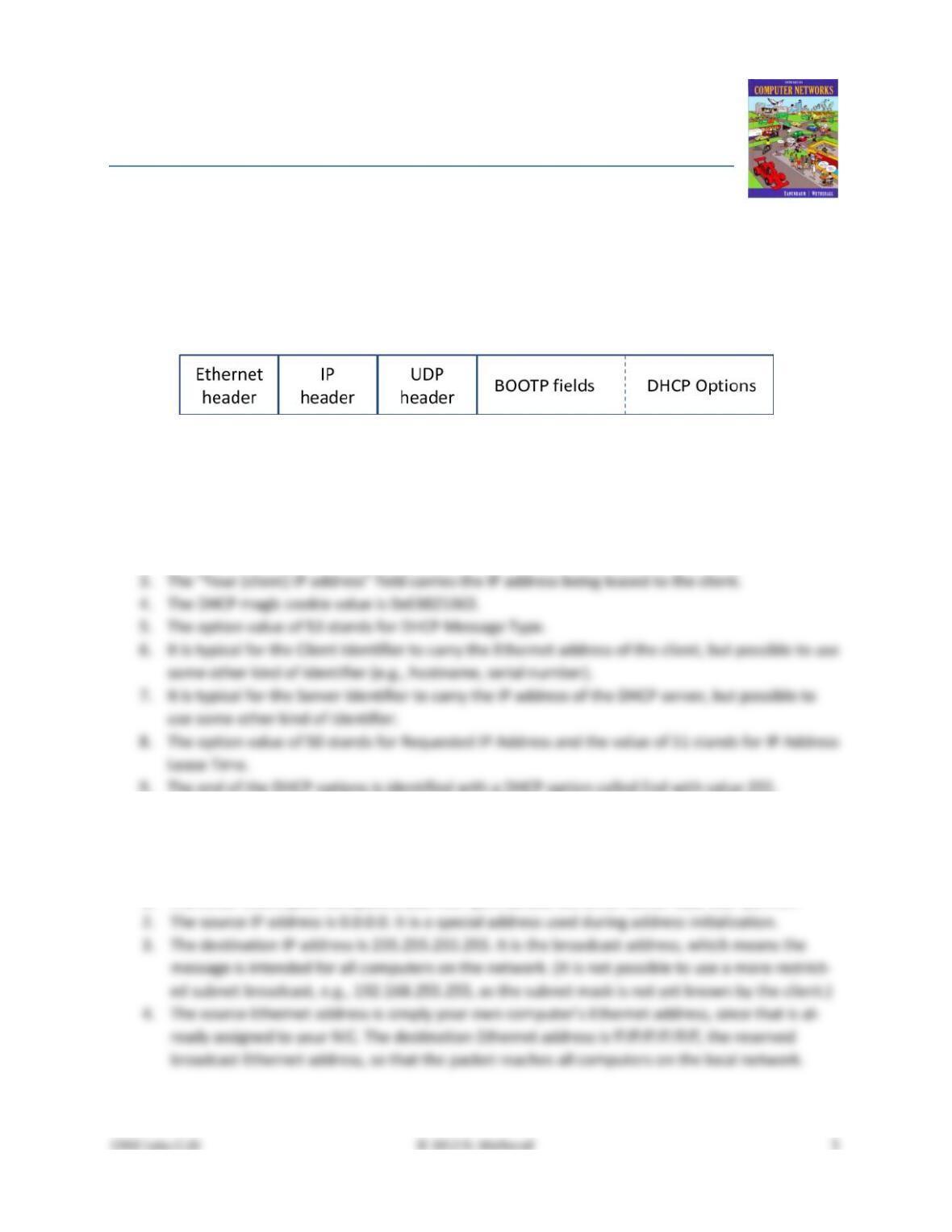
To show your understanding of DHCP, draw a figure that shows a DHCP message. Show the position of
the Ethernet, IP, UDP, and BOOTP protocol blocks, but divide the BOOTP protocol block into BOOTP fields
(the initial part) and DHCP options (the last part). As usual, you can draw this message as a long thin rec-
tangle, with the fields that are sent first over the network to the left.
Answer the following questions based on your examination of the BOOTP/DHCP fields for both the DHCP
Request and DHCP Ack:
1. What are the two values of the BOOTP Message Type field?
2. How long is the Transaction ID field? Say whether it is likely that concurrent DHCP operations
3. What is the name of the field that carries the IP address that is being assigned to the client? You
4. What is the value of the Magic Cookie that stands for DHCP?
5. The first DHCP option is DHCP Message Type. What option value stands for this type?
6. DHCP Requests will typically have a Client Identifier option. Look at the value of this option. How
does it identify the client? Take a guess.
7. DHCP Acks will typically have a Server Identifier option. Look at the value of this option. How
does it identify the server? Take a guess.
8. What option value stands for the Requested IP Address option? And for the IP Address Lease
Time option?
9. How does the recipient of a DHCP message know that it has reached the last option?
Step 4: DHCP Message Addressing
Now we will look at how DHCP messages are addressed to computers at the UDP, IP and Ethernet layers.
This is interesting because DHCP is used to assign IP addresses – a computer requesting a DHCP address
may neither have its own IP address nor know the IP address of the DHCP server!
Start by selecting a DHCP Request packet and looking at its UDP details in the middle Wireshark panel.
We will only look at the DHCP Request message to keep things simple, as the details of addressing differ
for other DHCP messages.
1. What port number does the DHCP client use, and what port number does the DHCP server use?
Ports matter because UDP messages are addressed using ports. Both of these port numbers are
on the Request in the source and destination port fields (and you will also see them on the Ack).
Now look at the IP addresses in the IP protocol header of the packet for the next question. Do not look
2. What source IP address is put on the Request message? It is a special value meaning “this host
3. What destination IP address is put on the Request message? It is also a reserved value designed
to reach the DHCP server wherever it is on the local network.
Finally, look at the Ethernet addresses for the next question.
4. What source Ethernet address is put on the Request message, and what destination Ethernet
address is put on the Request message? One of these addresses is a reserved address.
Looking at the addressing should help you to understand why your computer may record the DHCP traf-
5. How does a computer work out whether a DHCP message it receives is intended as a reply to its
DHCP Request message, and not a reply to another computer? Hint: if you are not sure then go
over the fields you inspected previously in Step 2 above.
Turn–in: Your answers to the above questions.
Explore on your own
We encourage you to explore DHCP on your own once you have completed this lab. Some ideas:
• Identify where your DHCP server is on your network, e.g., your AP, or a computer in your ISP?
• Look to see if you can work out the DHCP sequence used by your computer. It is likely to be
Solutions – DHCP
The solutions below are based on our capture and use of tools. Your answers will differ in the details if
they are based on your own capture and use of tools in a different network setting. Nonetheless, we ex-
pect our solutions to help you understand whether your answers are correct.
Step 3: Details of DHCP Messages
Figure 1: Structure of a DHCP message
Answers to the questions:
1. The two values are Boot Request (1) and Boot Reply (2).
2. The Transaction ID is 4 bytes long. Thus it is very unlikely that there will be collisions in a rela-
tively small number of concurrent DHCP operations (until that number approaches 216!)
9. The end of the DHCP options is identified with a DHCP option called End with value 255.
Step 4: DHCP Message Addressing
Answers to the questions:
1. The DHCP client (your computer) uses UDP port 68 and the DHCP server uses UDP port 67.

5. The DHCP messages in a single exchange carry the same Transaction ID. Thus a computer looks