Lab Exercise – UDP
Objective
To look at the details of UDP (User Datagram Protocol). UDP is a transport protocol used throughout the
Internet as an alternative to TCP when reliability is not required. It is covered in §6.4 of your text. Re-
view that section before doing this lab.
Requirements
Wireshark: This lab uses the Wireshark software tool to capture and examine a packet trace. A packet
trace is a record of traffic at a location on the network, as if a snapshot was taken of all the bits that
passed across a particular wire. The packet trace records a timestamp for each packet, along with the
ifconfig / ipconfig: This lab uses the “ipconfig” (Windows) or “ifconfig” (Mac/Linux) command–
Browser: This lab uses a web browser to find or fetch pages as a workload. Any web browser will do.
Step 1: Capture a Trace
There are many ways to cause your computer to send and receive UDP messages since UDP is widely
used as a transport protocol. The easiest options are to:
Proceed as follows to capture a trace of UDP traffic; alternatively, you may use a supplied trace:
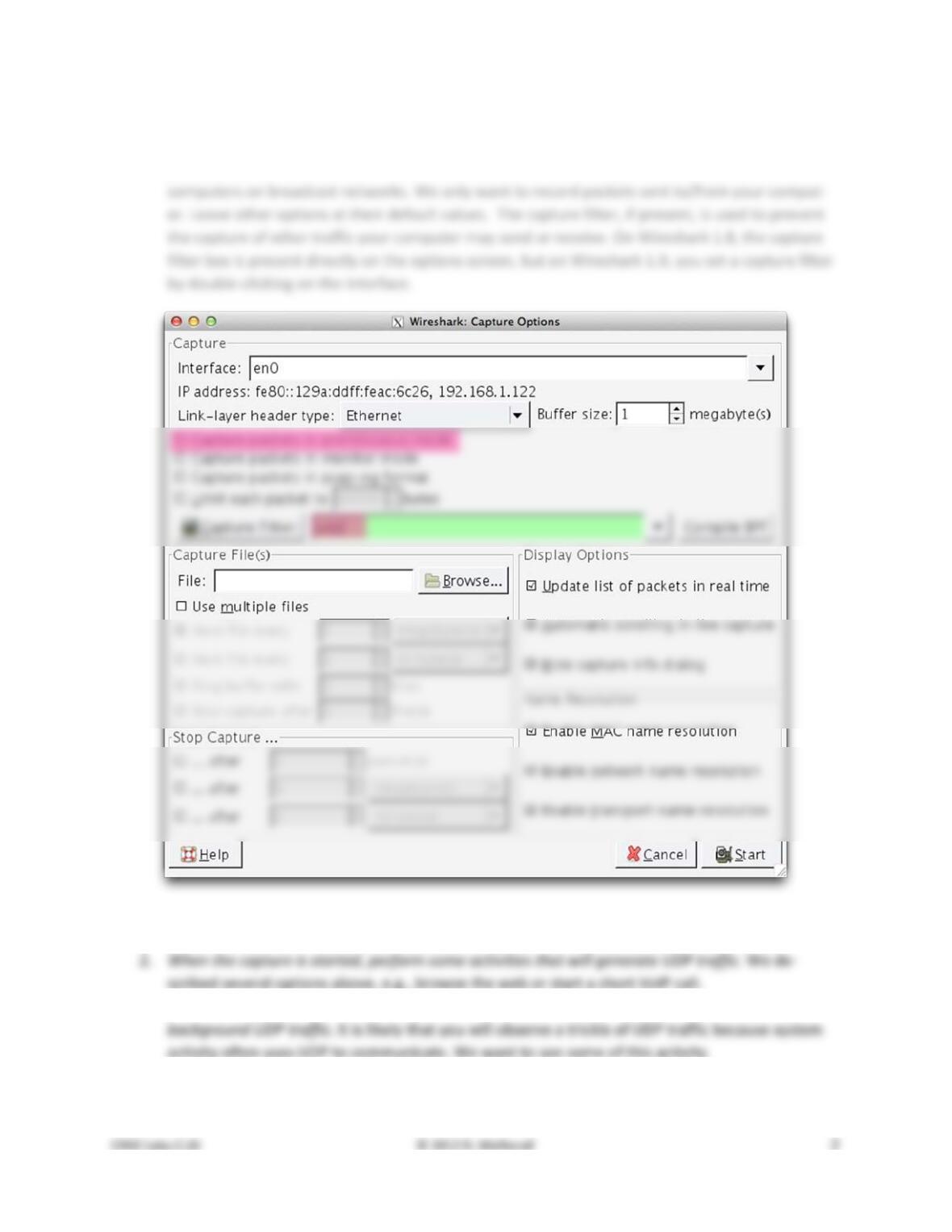
capture as the main wired or wireless interface used by your computer to connect to the Inter-
net. If unsure, guess and revisit this step later if your capture is not successful. Uncheck “capture
packets in promiscuous mode”. This mode is useful to overhear packets sent to/from other
Figure 1: Setting up the capture options
3. Wait a little while (say 60 seconds) after you have stopped your activity to also observe any
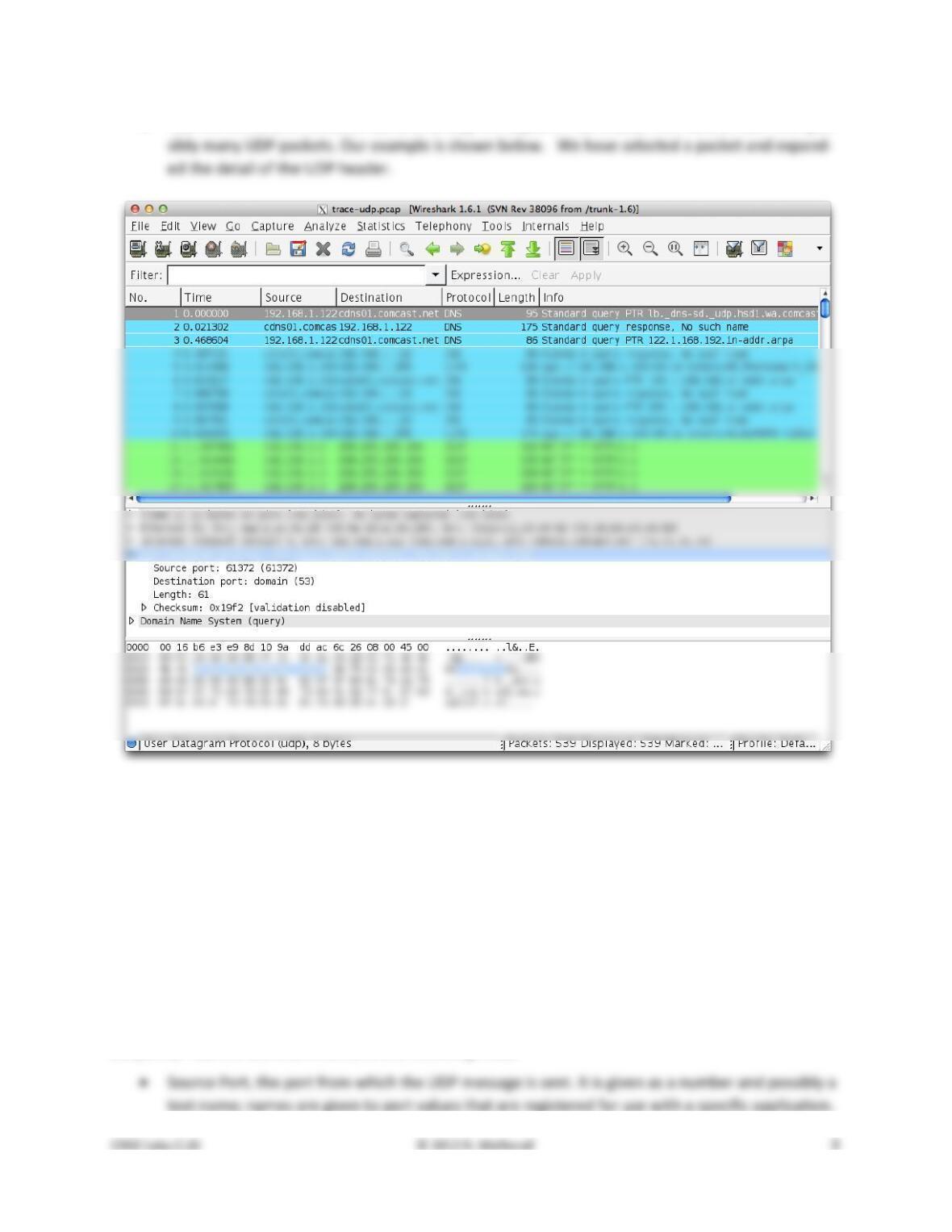
4. Use the Wireshark menus or buttons to stop the capture. You should now have a trace with pos-
Figure 2: Trace of UDP traffic showing the details of the UDP header
Step 2: Inspect the Trace
Different computers are likely to capture different kinds of UDP traffic depending on the network setup
and local activity. Observe that the protocol column is likely to show multiple protocols, none of which is
UDP. This is because the listed protocol is an application protocol layered on top of UDP. Wireshark
gives the name of the application protocol, not the (UDP) transport protocol unless Wireshark cannot
determine the application protocol. However, even if the packets are listed as an application protocol,
they will have a UDP protocol header for us to study, following the IP and lower–layer protocol headers.
Select different packets in the trace (in the top panel) and browse the expanded UDP header (in the mid-
dle panel). You will see that it contains the following fields:
• Checksum. A checksum over the message that is used to validate its contents. Is your checksum
carrying 0 and flagged as incorrect for UDP messages sent from your computer? On some com-
puters, the operating system software leaves the checksum blank (zero) for the NIC to compute
Step 3: UDP Message Structure
To check your understanding of UDP, sketch a figure of the UDP message structure as you observed. It
should show the position of the IP header, UDP header, and UDP payload. Within the UDP header, show
the position and size of each UDP field you can observe using Wireshark. Your figure can simply show the
message as a long, thin rectangle.
Try not to look at the figure of a UDP segment in your text; check it afterwards to note and investigate
By looking at the details of the UDP messages in your trace, answer these questions:
1. What does the Length field include? The UDP payload, UDP payload and UDP header, or UDP
payload, UDP header, and lower layer headers?
Step 4: UDP Usage
To complete our understanding of UDP, we will look at how UDP is used in practice as a transport by ap-
plications. Beginning with IP, the next lower protocol layer, there are several issues we can consider. A
first issue is how IP knows that the next higher protocol layer is UDP. The answer is that there is a Proto-
col field in the IP header that contains this information.
1. Give the value of the IP Protocol field that identifies the upper layer protocol as UDP.
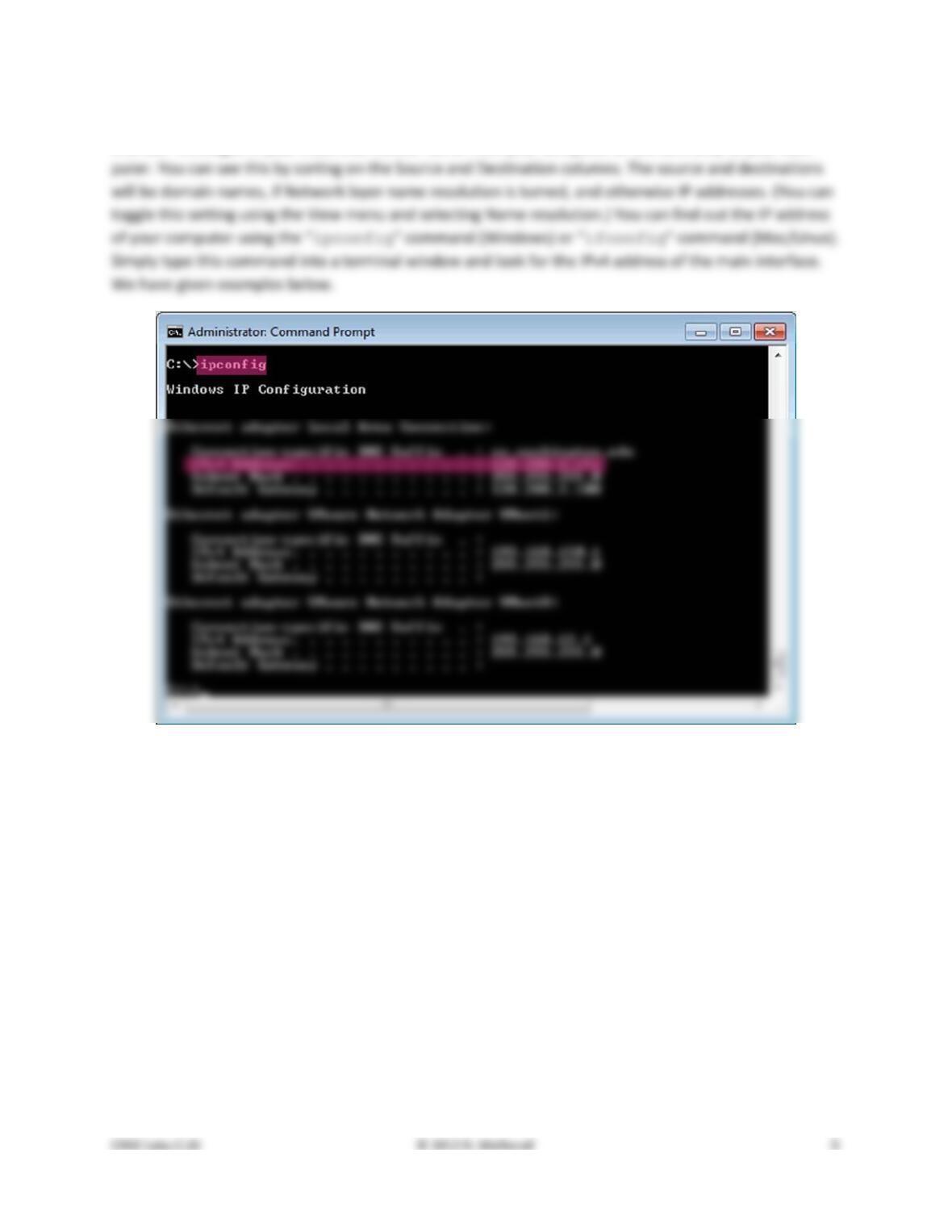
A second issue is how UDP messages are typically addressed at the IP layer. You might be surprised to
find UDP messages in your trace that neither come from your computer or are sent only to your com-
Figure 3: Finding the computer’s IP address (Windows)
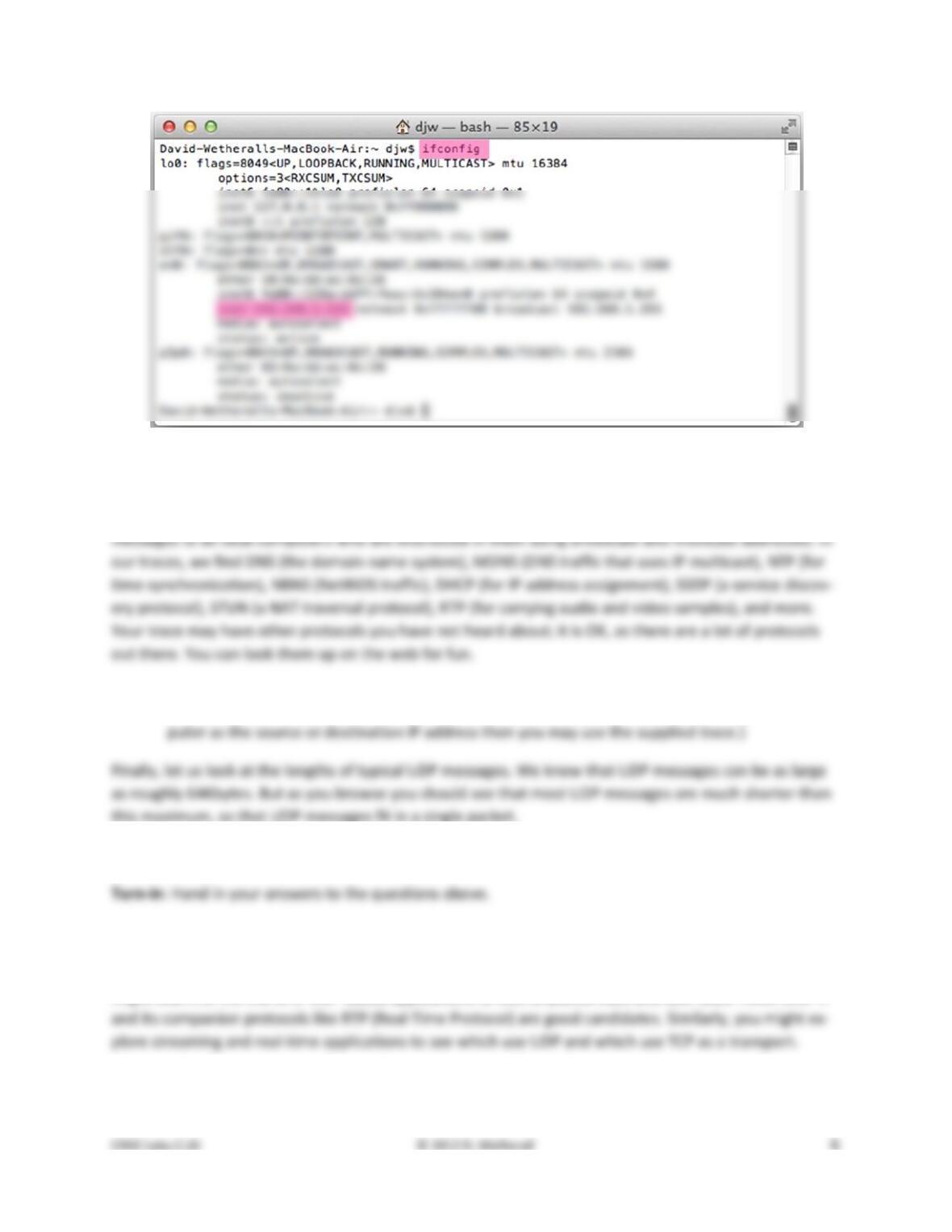
Figure 4: Finding the computer’s IP address (Mac)
The reason you may find UDP messages without your computer’s IP address as either the source or des-
tination IP address is that UDP is widely used as part of system protocols. These protocols often send
2. Examine the UDP messages and give the destination IP addresses that are used when your com-
puter is neither the source IP address nor the destination IP address. (If you have only your com-
3. What is the typical size of UDP messages in your trace?
Explore on your own
We encourage you to keep exploring on your own, but there is not much more to UDP. Instead, you
might examine the traffic of UDP-based applications to look at packet sizes and loss rates. Voice-over-IP
[END]
Solutions – UDP
The solutions below are based on our capture and use of tools. Your answers will differ in the details if
they are based on your own capture and use of tools in a different network setting. Nonetheless, we ex-
pect our solutions to help you understand whether your answers are correct.
Step 3: UDP Message Structure
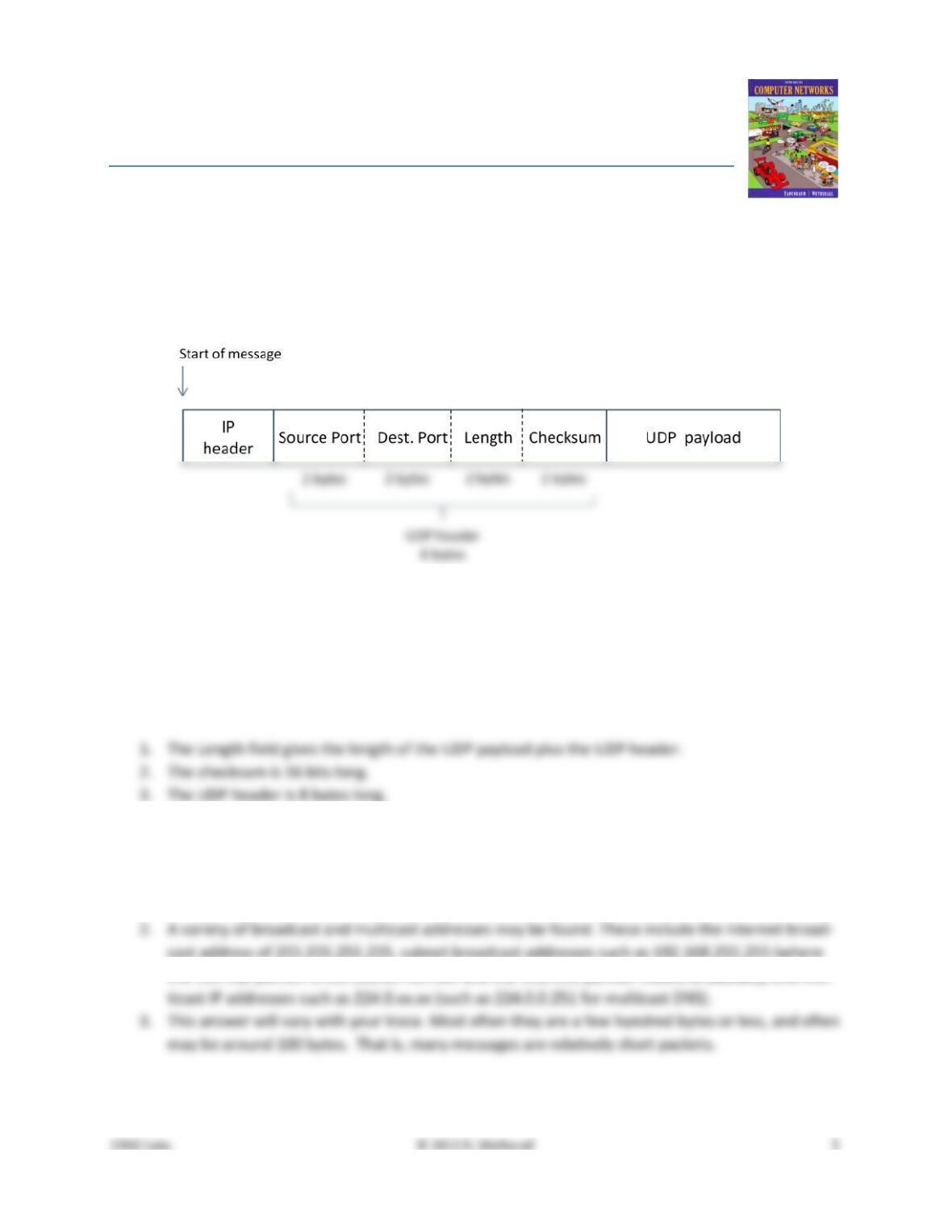
Figure 1: Structure of a UDP message
This drawing shows the same UDP header fields as in Fig. 6–27 in a slightly different format and with
lengths given in bytes, not bits. It also shows the relation of the IP header and UDP payload to the UDP
header.
The answers to the questions are:
Step 4: UDP Usage
The answers to the questions are:
1. The IP Protocol field value of 17 indicates UDP.
the 192.168 portion is the subnet number and the .255.255 portion means broadcast), and mul-
[END]