Lab Exercise – TCP
Objective
To see the details of TCP (Transmission Control Protocol). TCP is the main transport layer protocol used
in the Internet. It is covered in §6.5 of your text. Review that section before doing this lab.
Requirements
Wireshark: This lab uses Wireshark to capture or examine a packet trace. A packet trace is a record of
traffic at some location on the network, as if a snapshot was taken of all the bits that passed across a
particular wire. The packet trace records a timestamp for each packet, along with the bits that make up
wget / curl: This lab uses wget (Linux and Windows) and curl (Mac) to fetch web resources. wget
and curl are command–line programs that let you fetch a URL. Unlike a web browser, which fetches
Step 1: Capture a Trace
Proceed as follows to capture a trace of a single TCP connection that sends a moderate amount of data;
alternatively, you may use a supplied trace. Many applications use TCP as a transport, including web
browsers. So we will simply perform a web download to exercise a TCP connection. However, note that
TCP is able to transfer data in both directions at the same time, but with a download content is only sent
from the remote server the local computer (after the initial request).
1. Find a URL of a single moderately–sized resource, and that you can download using HTTP (rather
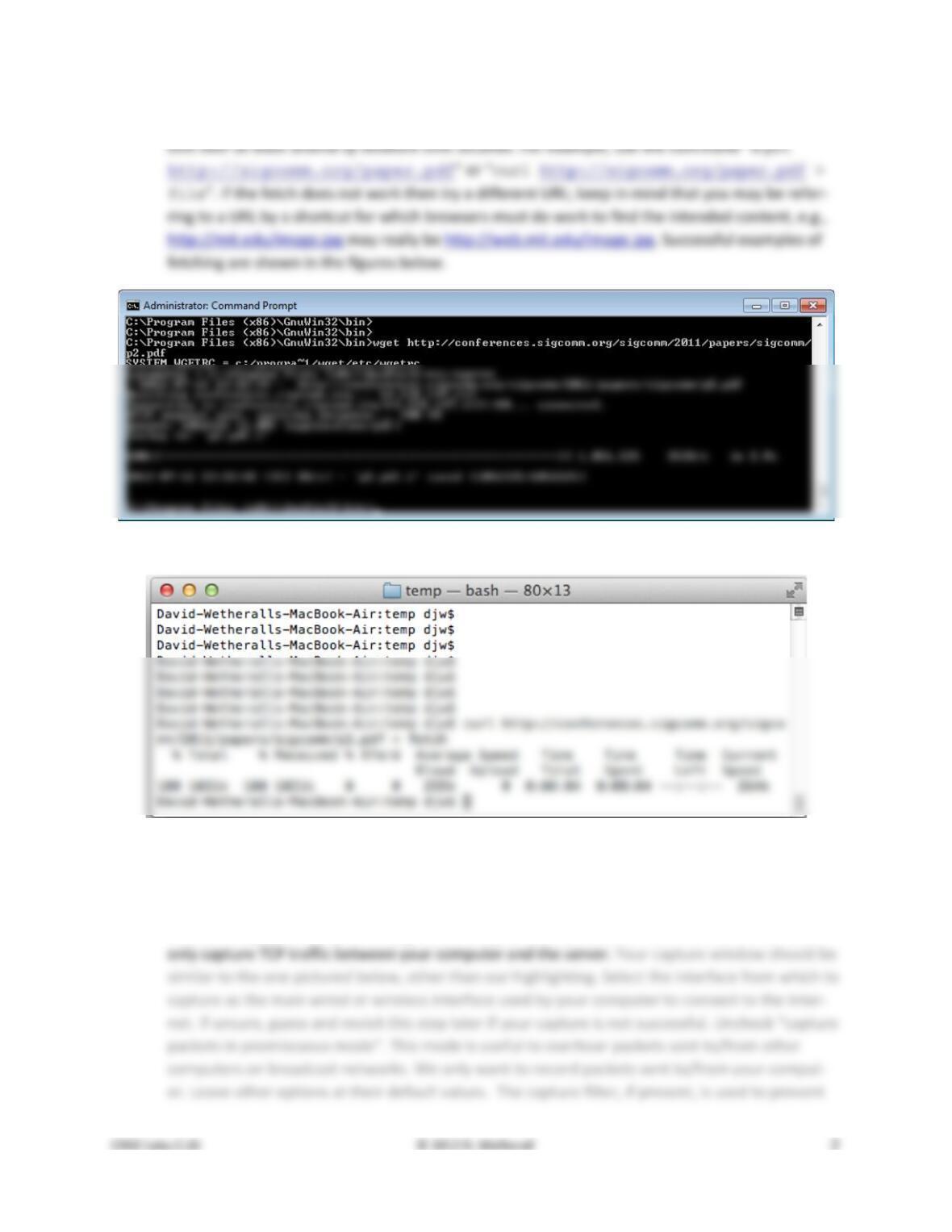
2. Fetch the URL with wget or curl to check that you are able to retrieve at least 500 KB of con-
Figure 1: A successful fetch of a web resource with wget (Windows)
Figure 2: A successful fetch of a web resource with curl (Mac)
3. Launch Wireshark and start a capture with a filter of “tcp and host xx.xx.xx”, where
xx.xx.xx is the name of the remote server from which you will fetch content, e.g., “confer-
ences.sigcomm.org” in the figure showing our example below. The idea of the filter is to
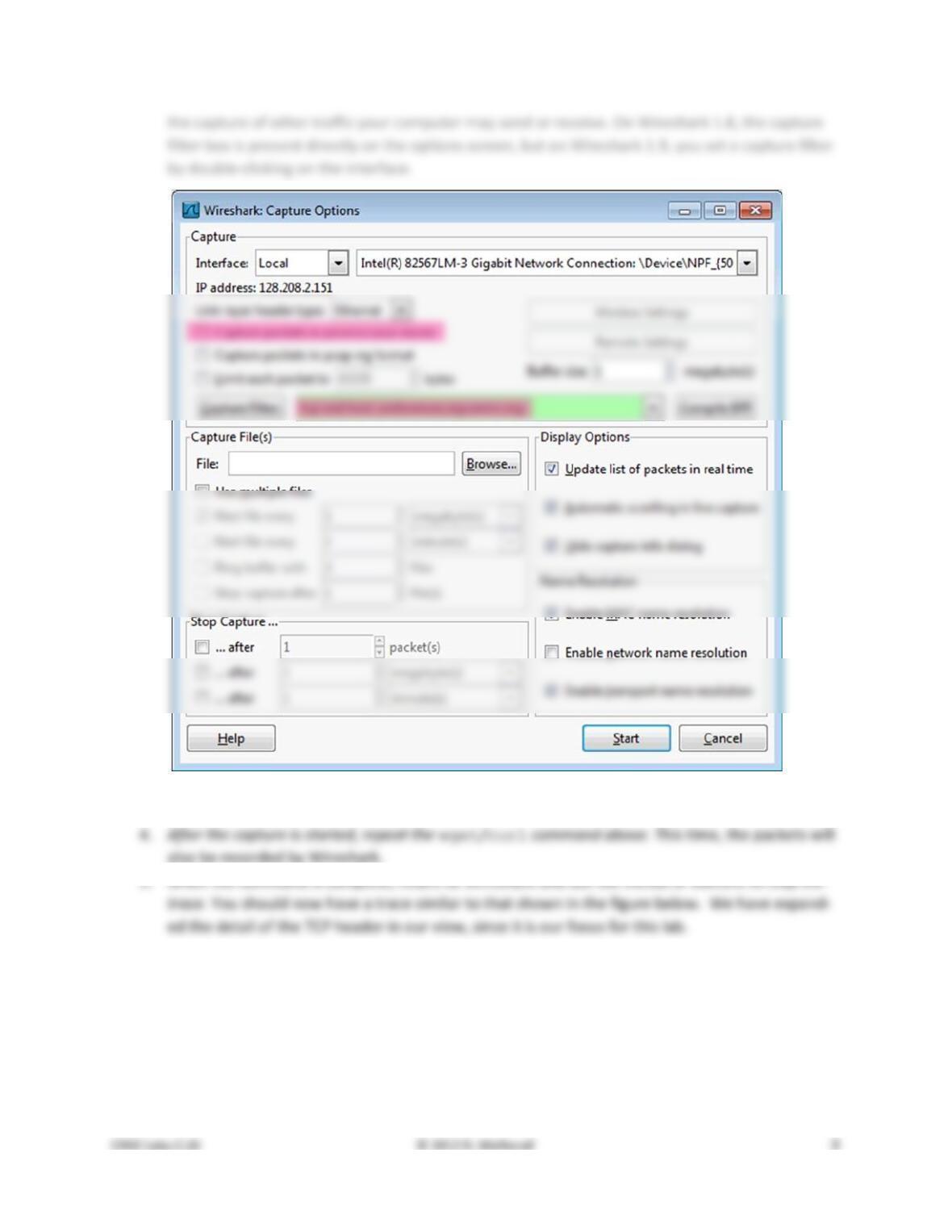
Figure 3: Setting up the capture options
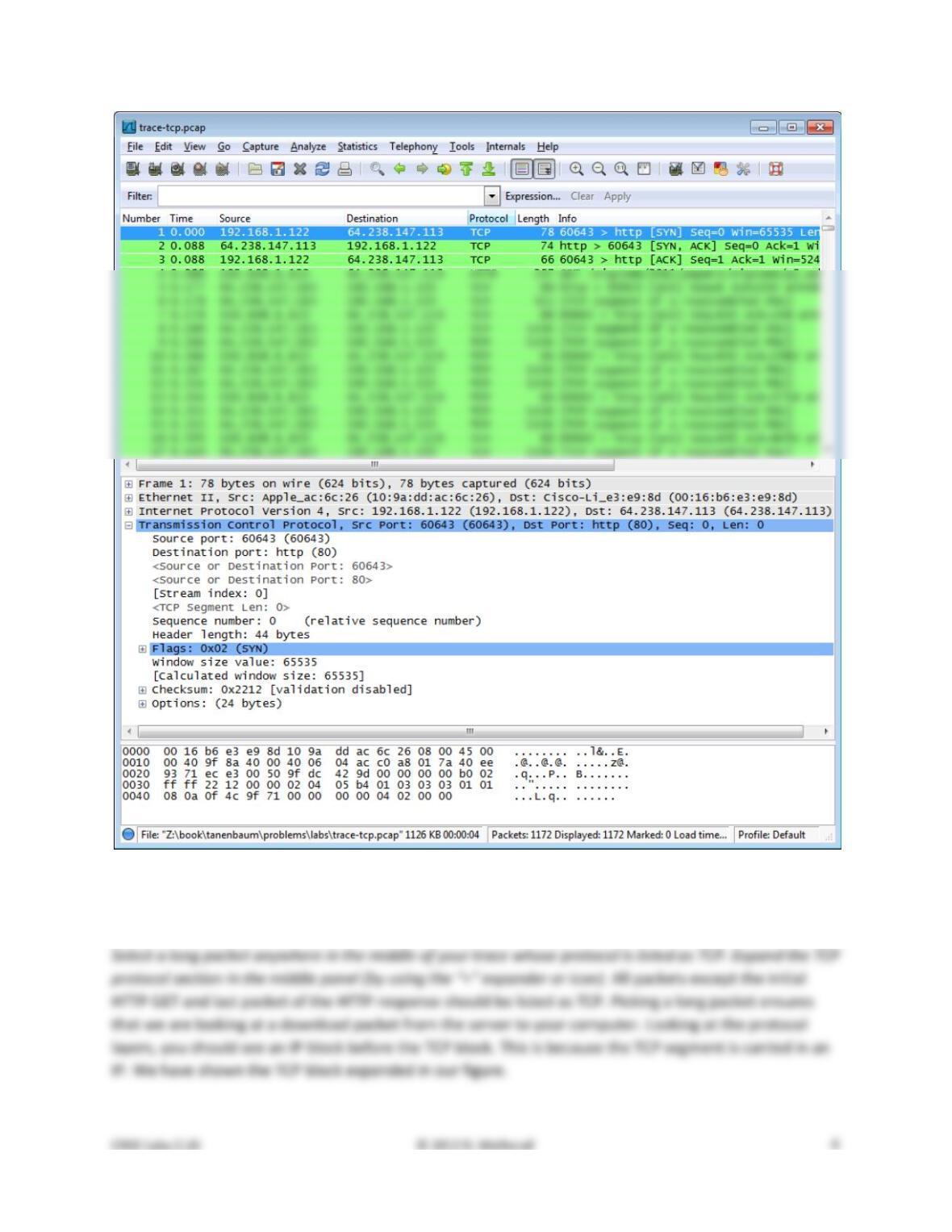
Figure 4: Trace of TCP traffic showing the details of the TCP header
Step 2: Inspect the Trace
• Then there is the sequence number field. It gives the position in the bytestream of the first pay-
load byte.
• Next is the acknowledgement field. It tells the last received position in the reverse byte stream.
Step 3: TCP Segment Structure
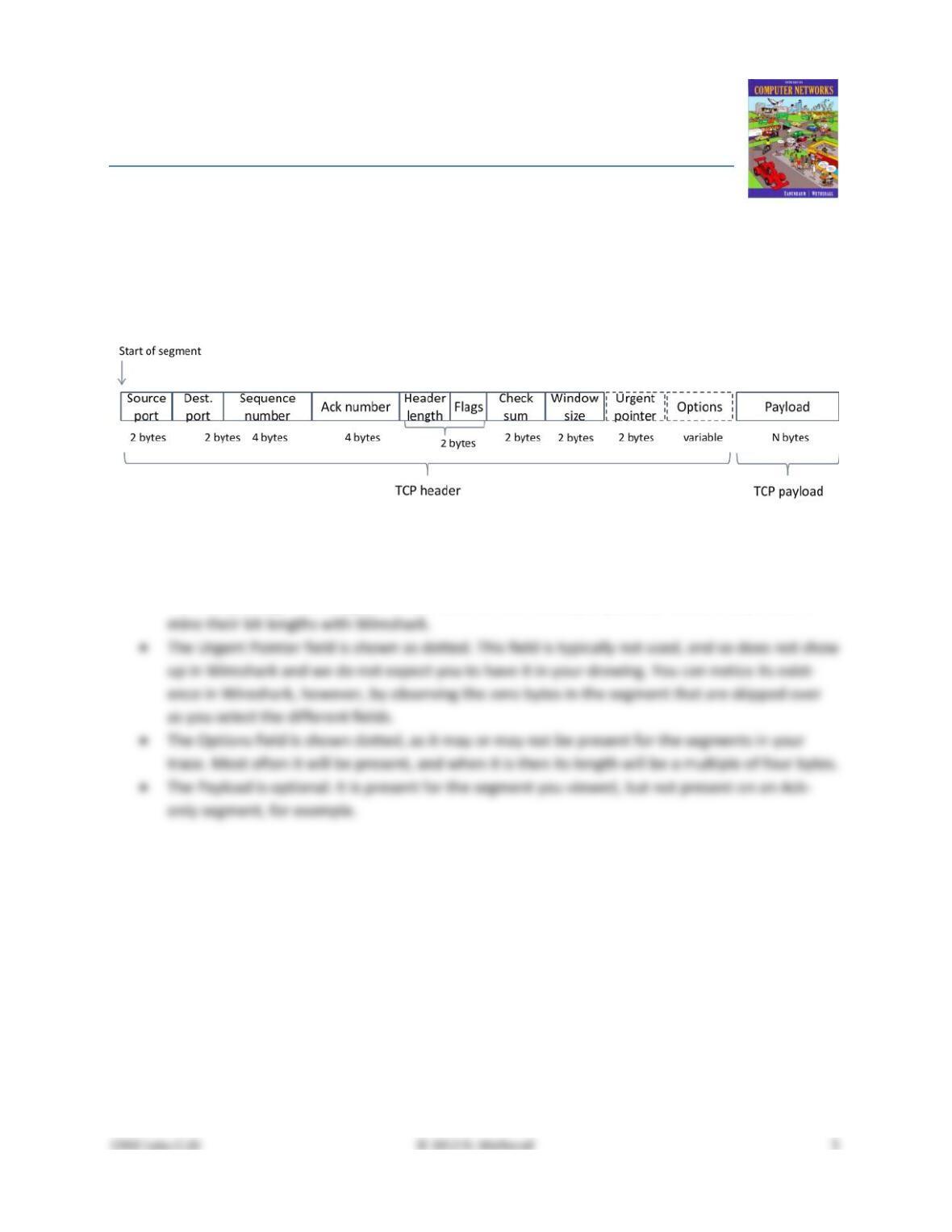
To show your understanding of TCP, sketch a figure of the TCP segment you studied. It should show the
position and size in bytes of the TCP header fields you can observe using Wireshark. Do not break down
the Flags field, or any Options field, and if you find that some TCP fields share a byte then group them. As
usual, your figure can simply show the frame as a long, thin rectangle. Try not to look at the figure of a
TCP segment in your text; check it afterwards to note and investigate any differences.
Step 4: TCP Connection Setup/Teardown
Three–Way Handshake
To see the “three way handshake” in action, look for a TCP segment with the SYN flag on, most likely at
the beginning of your trace, and the packets that follow it. The SYN flag is noted in the Info column. You
can also search for packets with the SYN flag on using the filter expression “tcp.flags.syn==1”. A
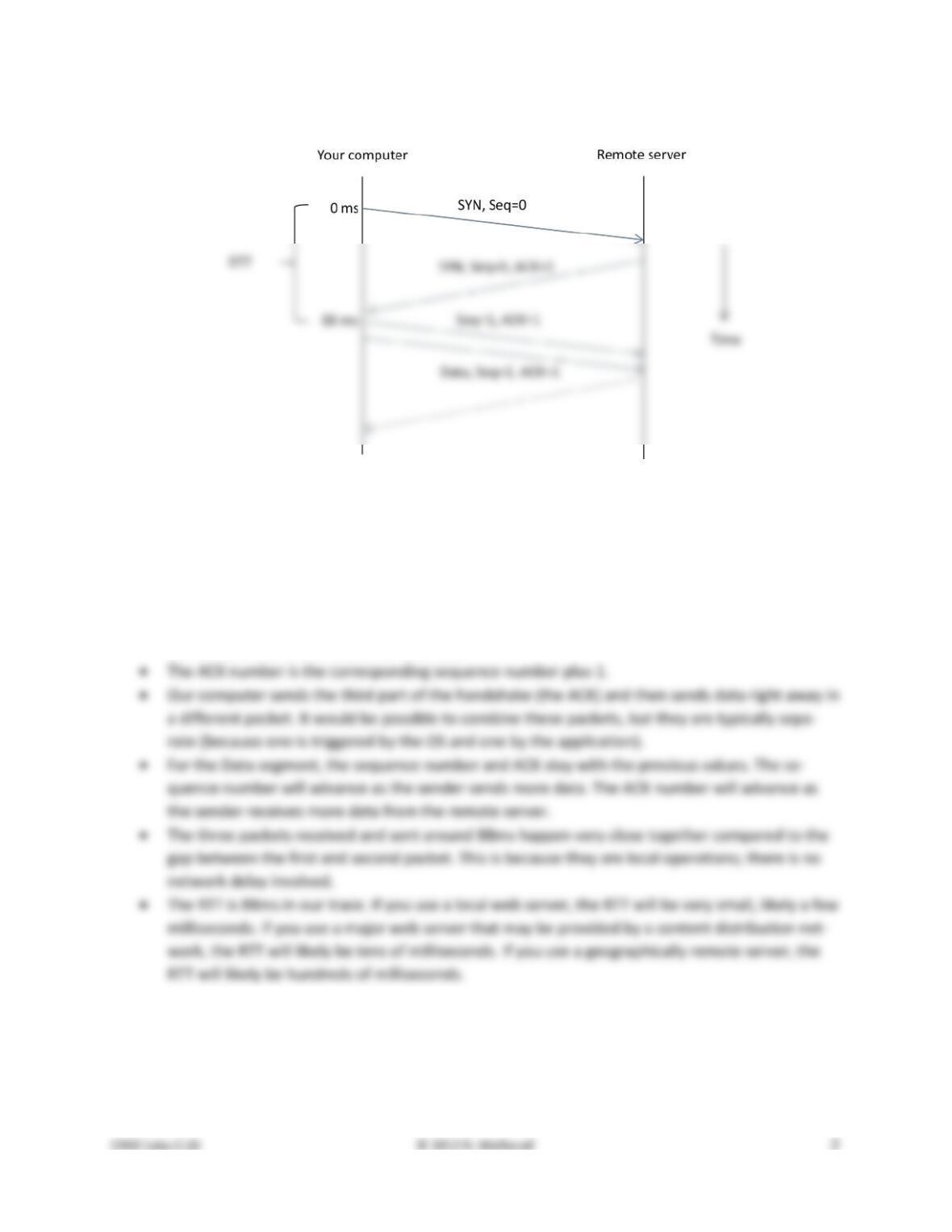
Draw a time sequence diagram of the three–way handshake in your trace, up to and including the first
data packet (the HTTP GET request) sent by your computer when the connection is established Put your
computer on the left side and the remote server on the right side. As usual, time runs down the page,
and lines across the page indicate segments. The result will be similar to diagrams such as Fig. 6–37.
Include the following features on your diagram:
Connection Options
As well as setting up a connection, the TCP SYN packets negotiate parameters between the two ends us-
ing Options. Each end describes its capabilities, if any, to the other end by including the appropriate Op-
tions on its SYN. Often both ends must support the behavior for it to be used during data transfer.
Answer the following question:
1. What TCP Options are carried on the SYN packets for your trace?
Common Options include Maximum Segment Size (MSS) to tell the other side the largest segment that
can be received, and Timestamps to include information on segments for estimating the round trip time.
FIN/RST Teardown
Finally, the TCP connection is taken down after the download is complete. This is typically done with FIN
(Finalize) segments. Each side sends a FIN to the other and acknowledges the FIN they receive; it is simi-
lar to the three–way handshake. Alternatively, the connection may be torn down abruptly when one end
sends a RST (Reset). This packet does not need to be acknowledged by the other side.
Step 5: TCP Data Transfer
The middle portion of the TCP connection is the data transfer, or download, in our trace. This is the main
event. To get an overall sense of it, we will first look at the download rate over time.
Under the Statistics menu select an “IO Graph”. By default, this graph shows the rate of packets over
time. Tweak it to show the download rate with the changes given below. You might be tempted to use
the “TCP Stream Graph” tools under the Statistics menu instead. However, these tools are not useful for
our case because they assume the trace is taken near the computer sending the data; our trace is taken
near the computer receiving the data.
Our graph for this procedure is shown in the figure below. From it we can see the sample download rate
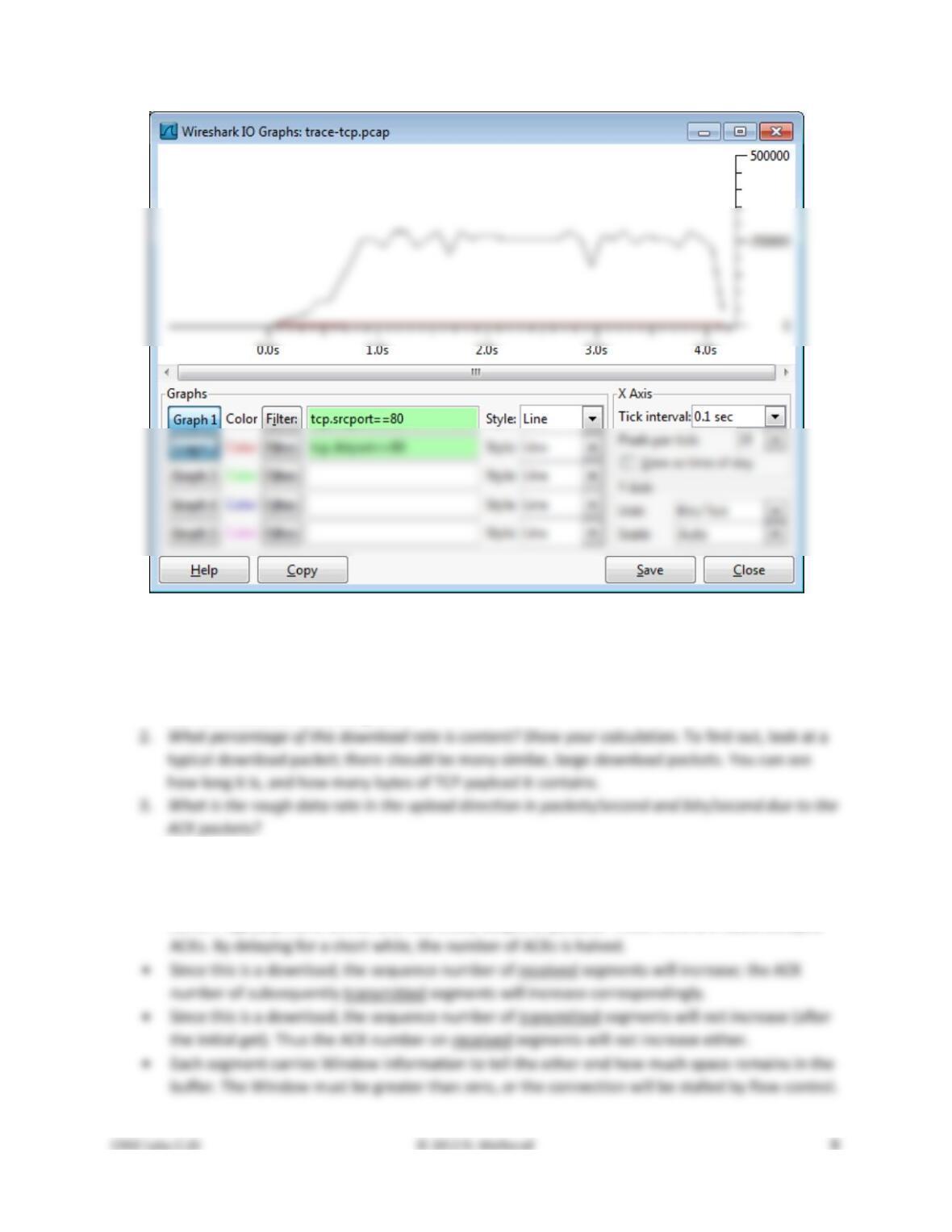
Figure 5: TCP download rate over time via an IO graph
Answer the following questions to show your understanding of the data transfer:
1. What is the rough data rate in the download direction in packets/second and bits/second once
the TCP connection is running well?
Inspect the packets in the download in the middle of your trace for these features:
• You should see a pattern of TCP segments received carrying data and ACKs sent back to the
server. Typically there will be one ACK every couple of packets. These ACKs are called Delayed
4. If the most recently received TCP segment from the server has a sequence number of X, then
what ACK number does the next transmitted TCP segment carry?
As well as regular TCP segments carrying data, you may see a variety of other situations. You can sort
Turn–in: Hand in your answers to the above questions.
Explore on your own
We encourage you to explore TCP on your own once you have completed this lab. Some ideas:
• Explore the congestion control and the classic AIMD behavior of TCP. To do this, you will likely
want to capture a trace while you are sending (not receiving) a moderate amount of data on a
[END]
Solutions – TCP
The solutions below are based on our capture and use of tools. Your answers will differ in the details if
they are based on your own capture and use of tools in a different network setting. Nonetheless, we ex-
pect our solutions to help you understand whether your answers are correct.
Step 3: TCP Segment Structure
Figure 1: Structure of a TCP segment
This drawing differs from the text drawing in Fig. 6-36 in only minor respects:
• The Header length and Flags fields are combined into a 2 byte quantity. It is not easy to deter-
Step 4: TCP Connection Setup/Teardown
Figure 2: Time sequence diagram for the TCP three–way handshake
There are several features to note:
• The initial SYN has no ACK number, only a sequence number. All subsequent packets have ACK
numbers.
• The initial sequence numbers are shown as zero in each direction. This is because our Wireshark
is configured to show relative sequence numbers. The actual sequence number is some large 32–
bit number, and it is different for each end.
Answers to the questions:
1. Our TCP Options are Maximum Segment Size, Window Scale, SACK permitted, and Timestamps.
Each of these Options is used in both directions. There are also the NOP and End of Option List
formatting options.
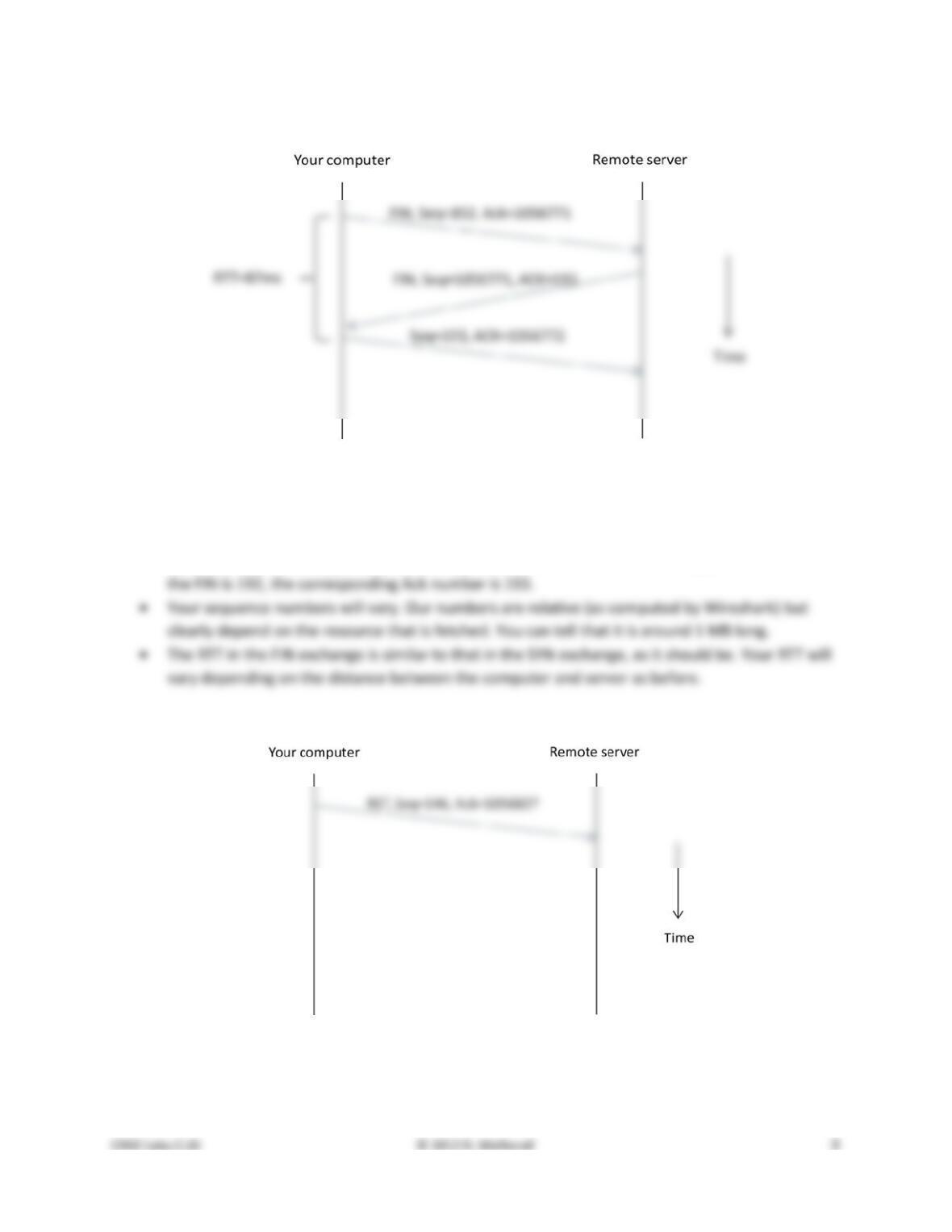
Here is an example of a FIN teardown:
Figure 3: Time sequence diagram for FIN teardown
Points to note:
• The teardown is initiated by the computer; it might also be initiated by the server.
• Like the SYN, the FIN flag occupies one sequence number. Thus when the sequence number of
Here is an example of a RST teardown:
Figure 4: Time sequence diagram for RST teardown
Points to note:
• The teardown is initiated by the computer; it might also be initiated by the server.
Step 5: TCP Data Transfer
Answers to the questions:
1. Our rate is 250 packet/sec and 2.5 Mbps. Your rate will differ, but it is likely that the packet and
2. Our download packets are1434 bytes long, of which 1368 bytes are the TCP payload carrying
3. Our rate is 120 packets/sec and 60,000 bits/sec. Your rate will vary, but we expect the ACK
4. The Ack number tells the next expected sequence number. Thus it will be X plus the number of