Chapter Two – Introduction to Structured Query Language
Page 2-21
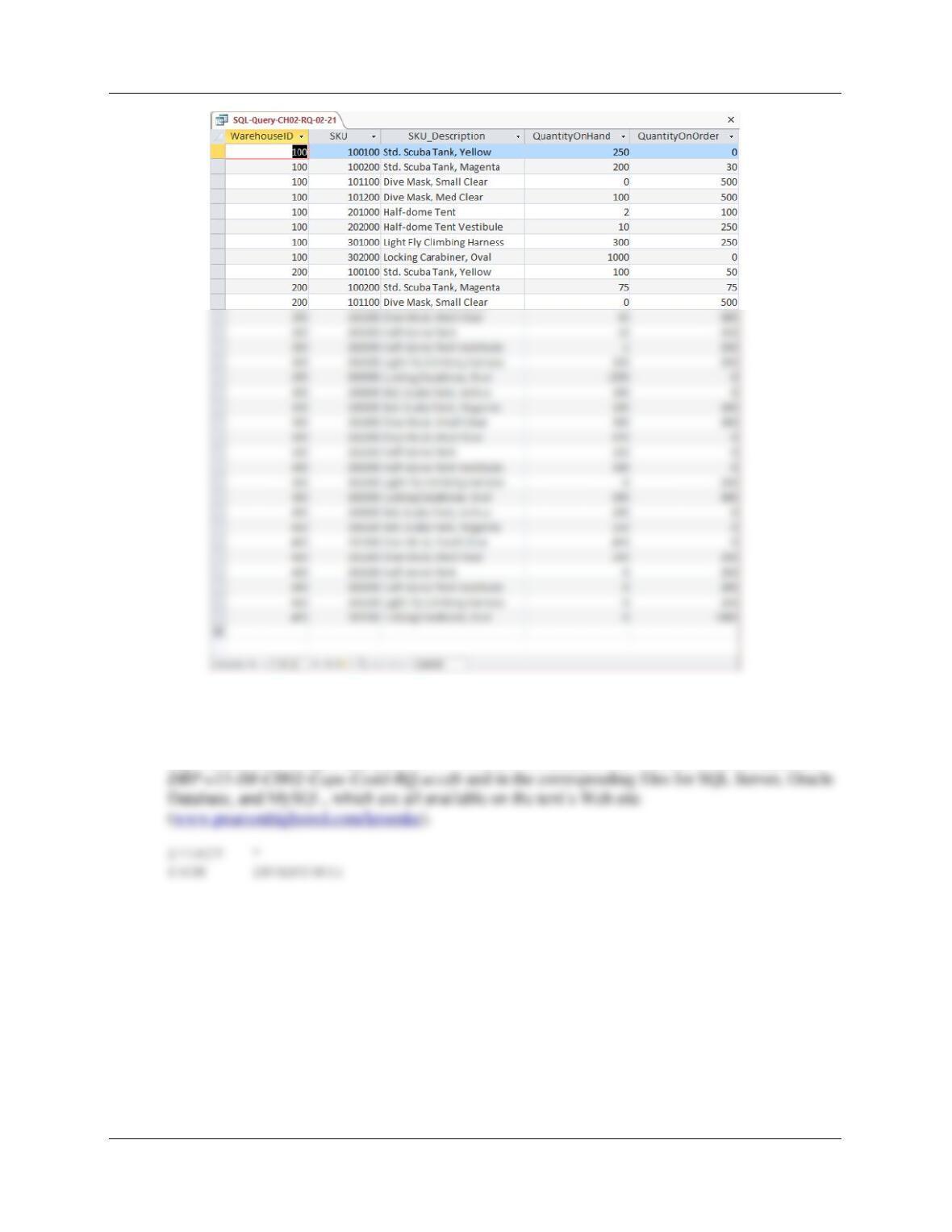
2.22 Write an SQL statement to display all of the columns using the SQL asterisk (*) wildcard
character.
SQL Solutions to Project Questions 2.17 – 2.60 are contained in the Microsoft Access database
Chapter Two – Introduction to Structured Query Language
Page 2-22
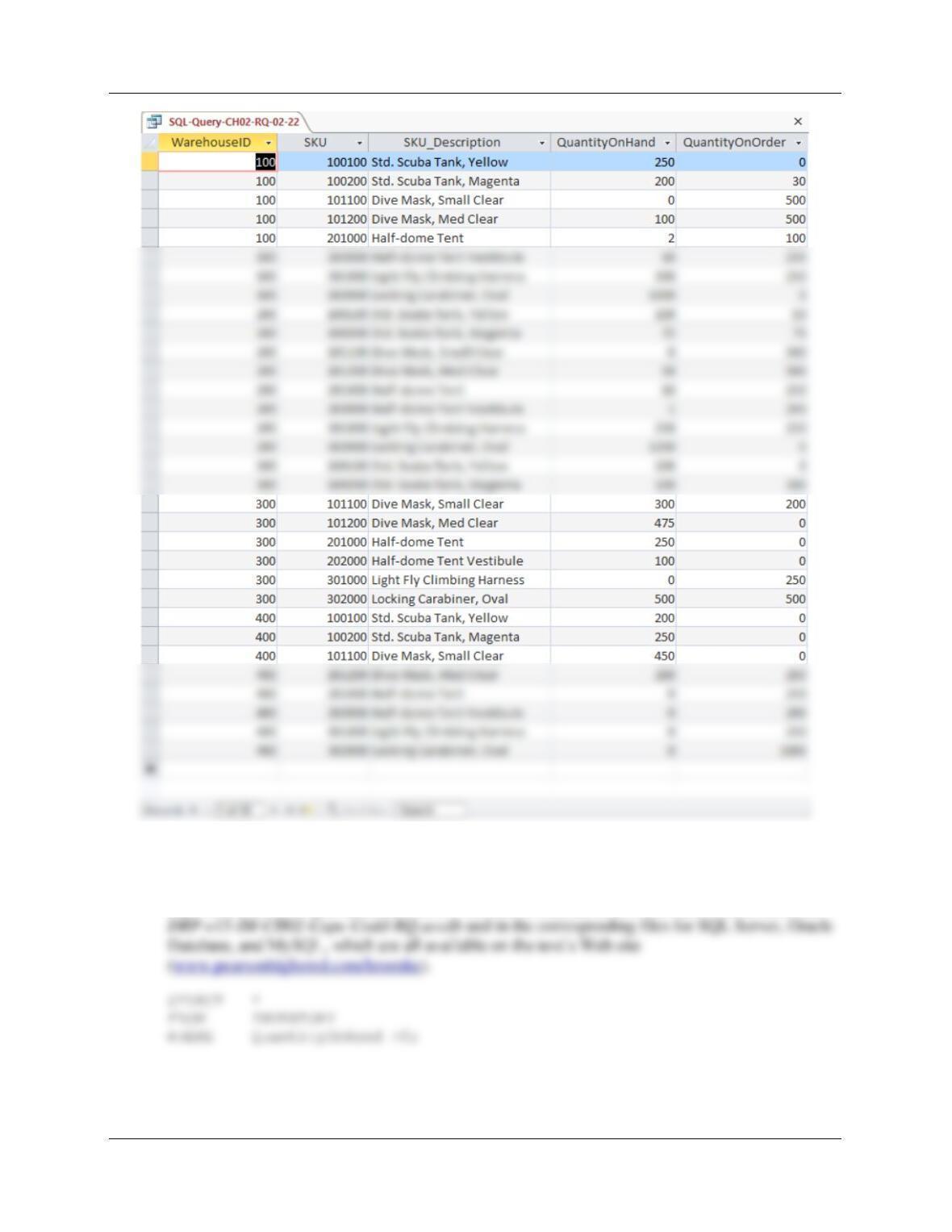
2.23 Write an SQL statement to display all data on products having a QuantityOnHand
greater than 0.
SQL Solutions to Project Questions 2.17 – 2.60 are contained in the Microsoft Access database
Chapter Two – Introduction to Structured Query Language
Page 2-23
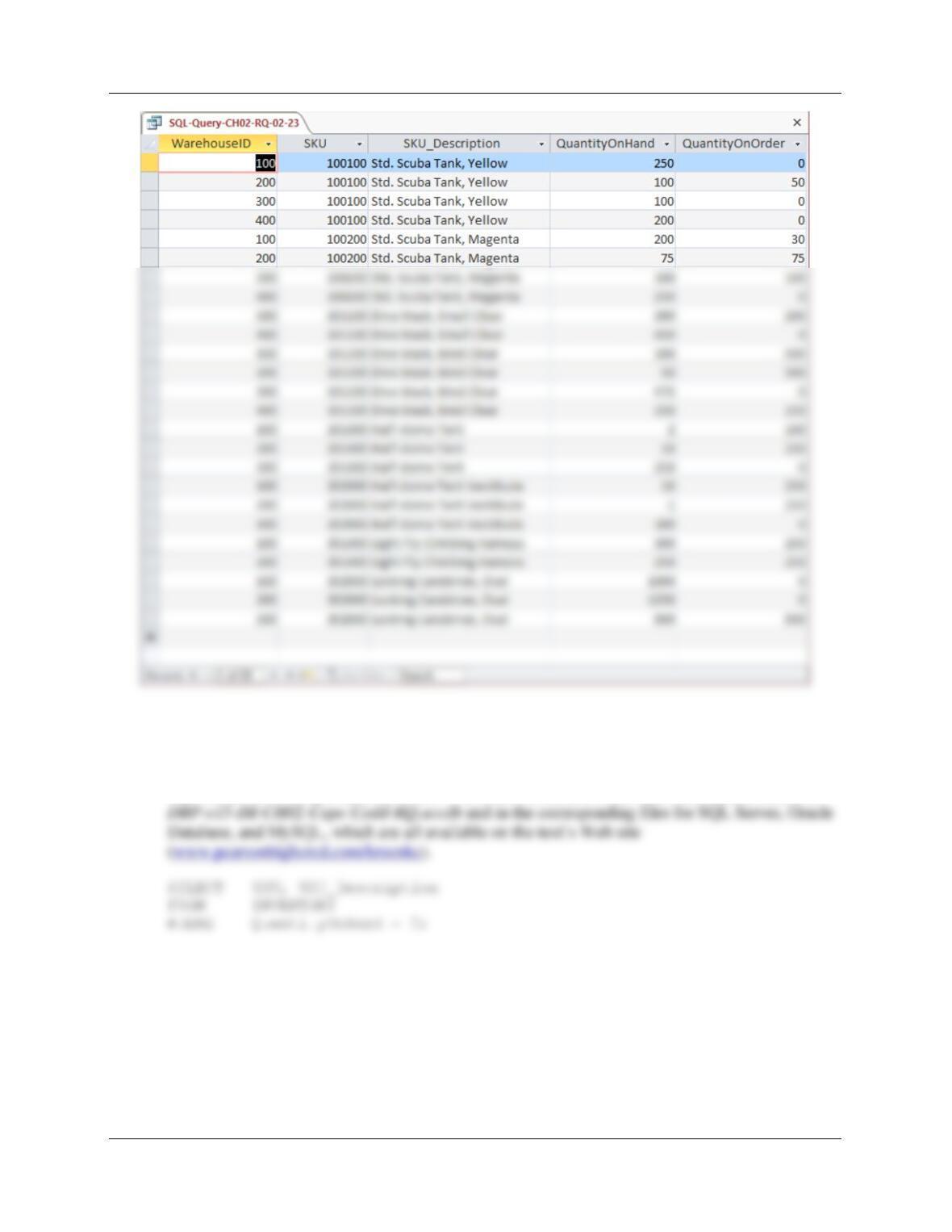
2.24 Write an SQL statement to display the SKU and SKU_Description for products having
QuantityOnHand equal to 0.
SQL Solutions to Project Questions 2.17 – 2.60 are contained in the Microsoft Access database
Chapter Two – Introduction to Structured Query Language
Page 2-24
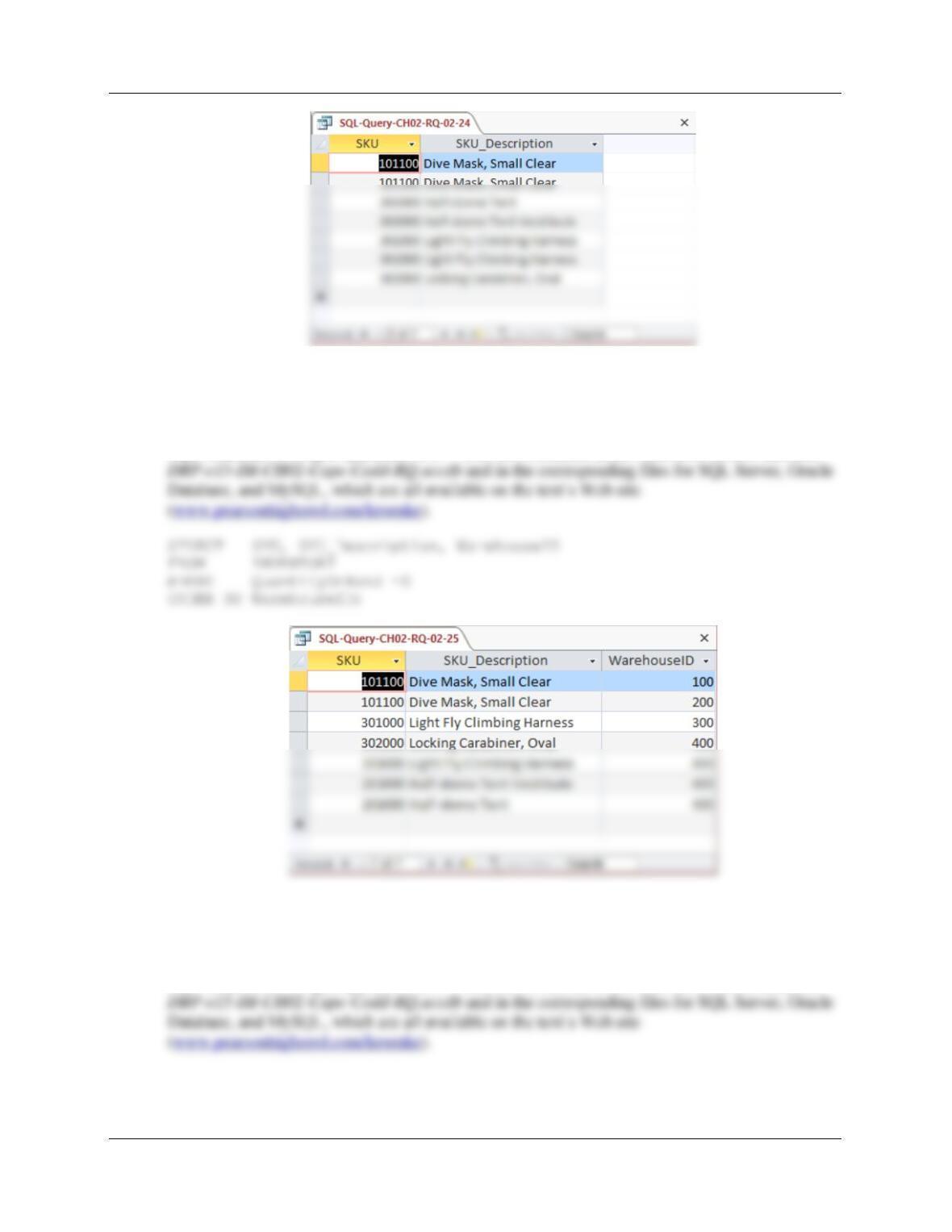
2.25 Write an SQL statement to display the SKU, SKU_Description, and WarehouseID for
products having QuantityOnHand equal to 0. Sort the results in ascending order by
WarehouseID.
SQL Solutions to Project Questions 2.17 – 2.60 are contained in the Microsoft Access database
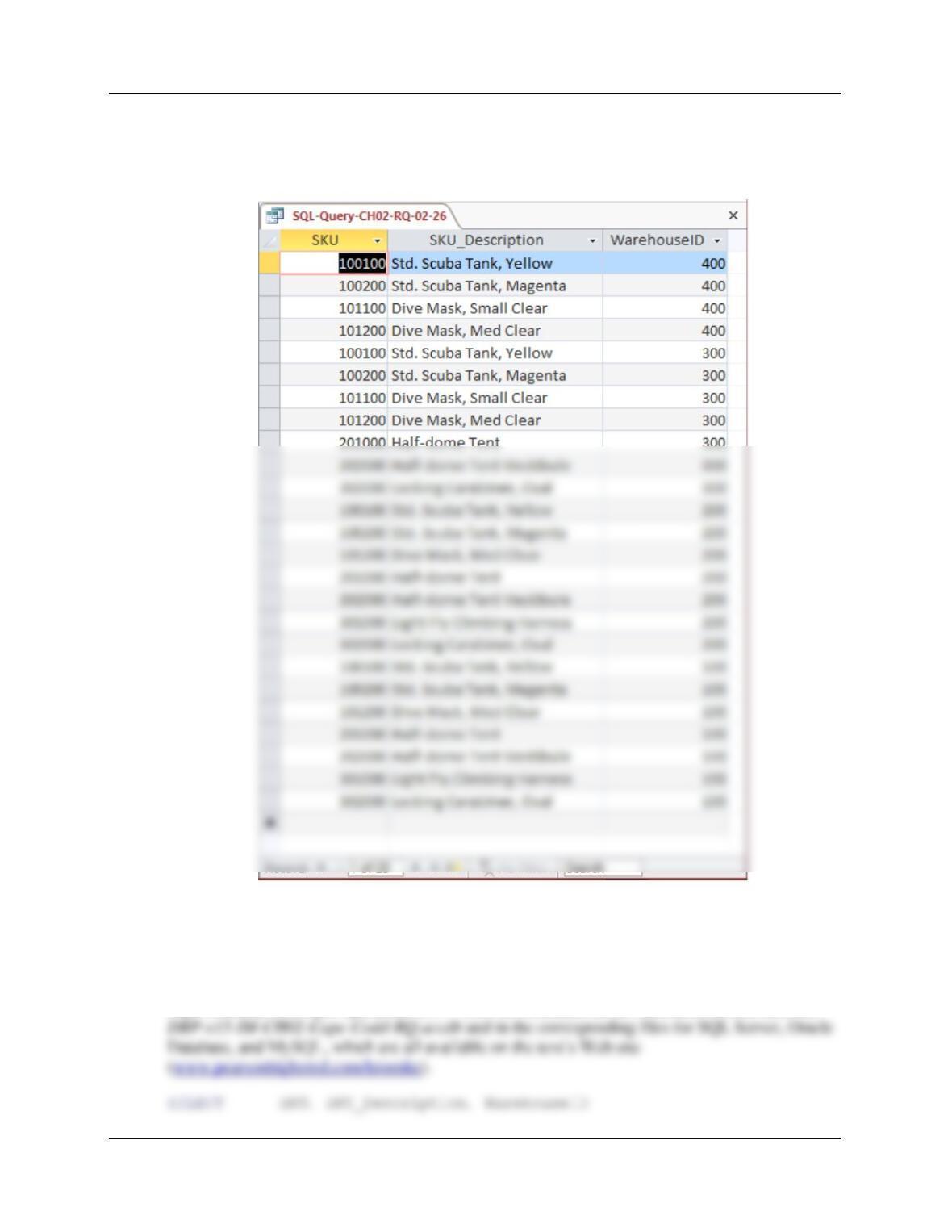
2.26 Write an SQL statement to display the SKU, SKU_Description, and WarehouseID for
products having QuantityOnHand greater than 0. Sort the results in descending order by
WarehouseID and ascending order by SKU.
SQL Solutions to Project Questions 2.17 – 2.60 are contained in the Microsoft Access database
Chapter Two – Introduction to Structured Query Language
Page 2-25
SELECT SKU, SKU_Description, WarehouseID
FROM INVENTORY
WHERE QuantityOnHand > 0
ORDER BY WarehouseID DESC, SKU;
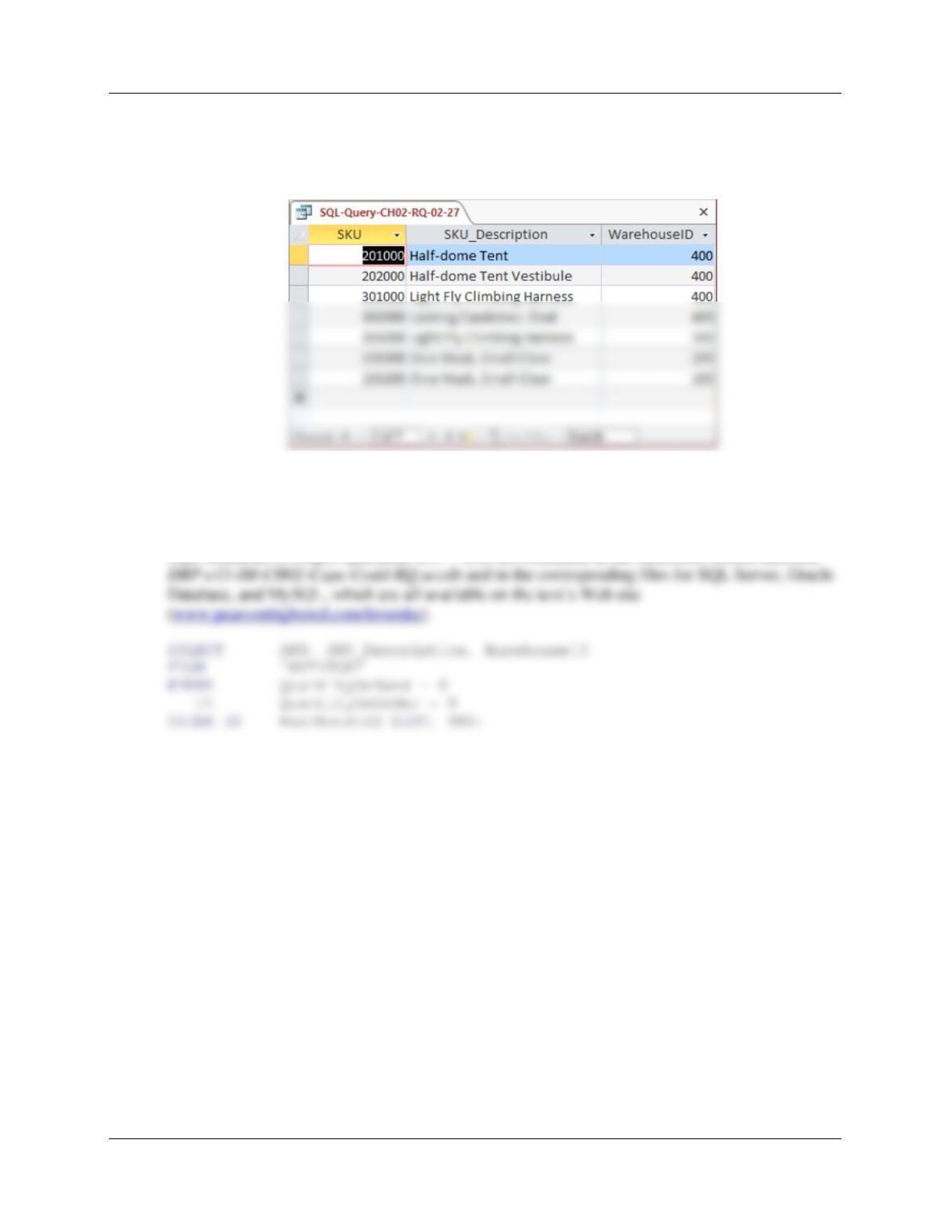
2.27 Write an SQL statement to display SKU, SKU_Description, and WarehouseID for all
products that have a QuantityOnHand equal to 0 and a QuantityOnOrder greater than 0.
Sort the results in descending order by WarehouseID and in ascending order by SKU.
SQL Solutions to Project Questions 2.17 – 2.60 are contained in the Microsoft Access database
Chapter Two – Introduction to Structured Query Language
Page 2-26
FROM INVENTORY
WHERE QuantityOnHand = 0
AND QuantityOnOrder > 0
ORDER BY WarehouseID DESC, SKU;
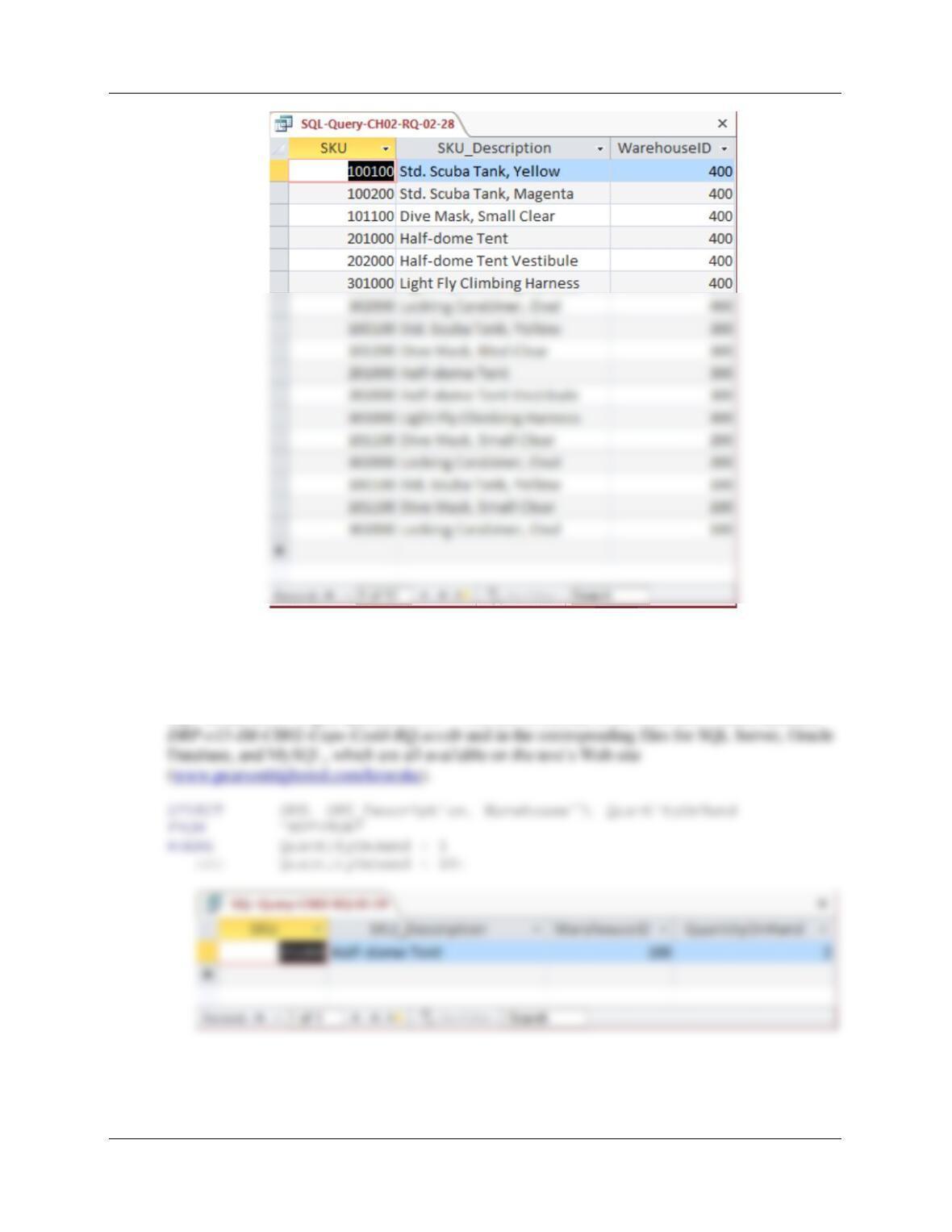
2.28 Write an SQL statement to display SKU, SKU_Description, and WarehouseID for all
products that have a QuantityOnHand equal to 0 or a QuantityOnOrder equal to 0. Sort
the results in descending order by WarehouseID and in ascending order by SKU.
SQL Solutions to Project Questions 2.17 – 2.60 are contained in the Microsoft Access database
Chapter Two – Introduction to Structured Query Language
Page 2-27
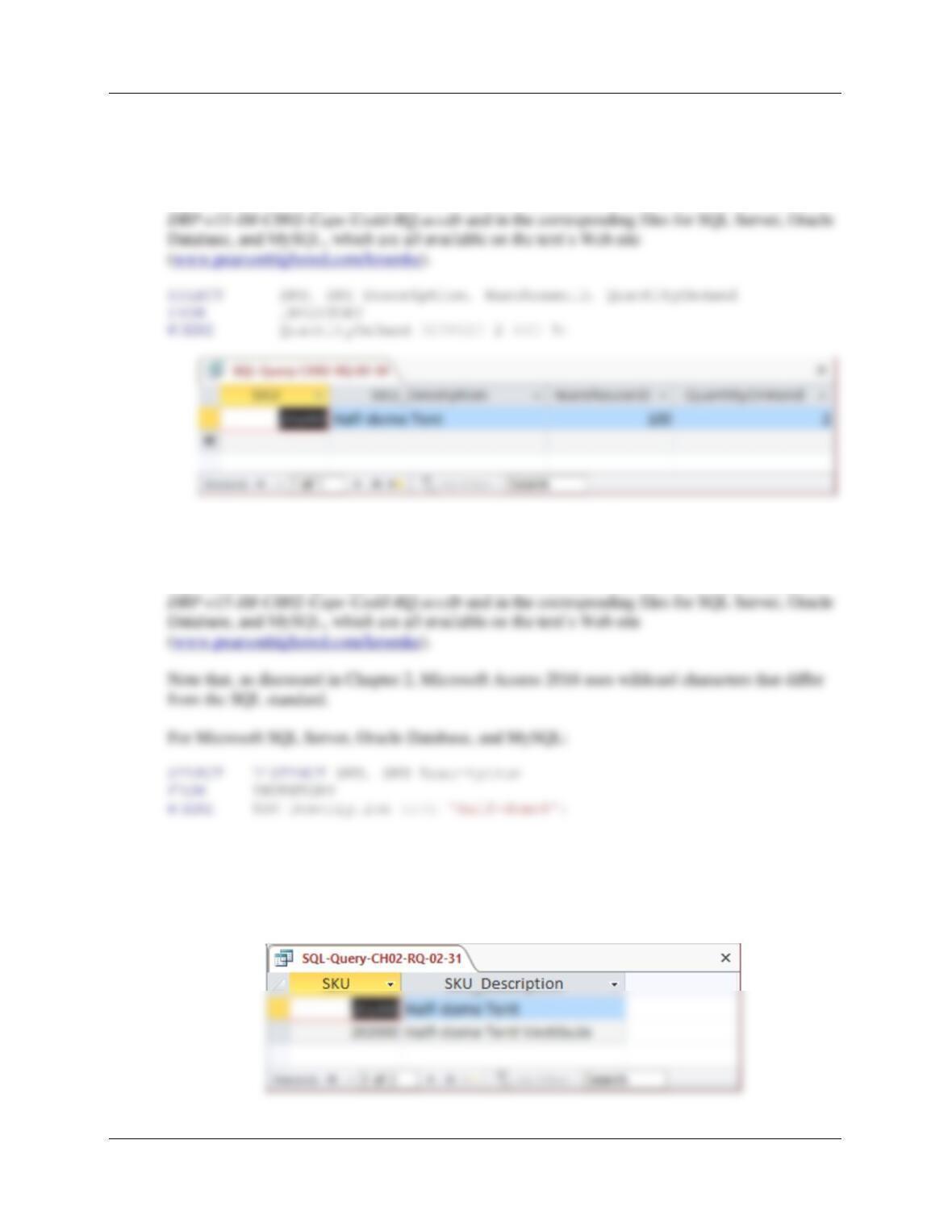
2.29 Write an SQL statement to display the SKU, SKU_Description, WarehouseID, and
QuantityOnHand for all products having a QuantityOnHand greater than 1 and less than
10. Do not use the BETWEEN keyword.
SQL Solutions to Project Questions 2.17 – 2.60 are contained in the Microsoft Access database
Chapter Two – Introduction to Structured Query Language
Page 2-28
2.30 Write an SQL statement to display the SKU, SKU_Description, WarehouseID, and
QuantityOnHand for all products having a QuantityOnHand greater than 1 and less than
10. Use the BETWEEN keyword.
SQL Solutions to Project Questions 2.17 – 2.60 are contained in the Microsoft Access database
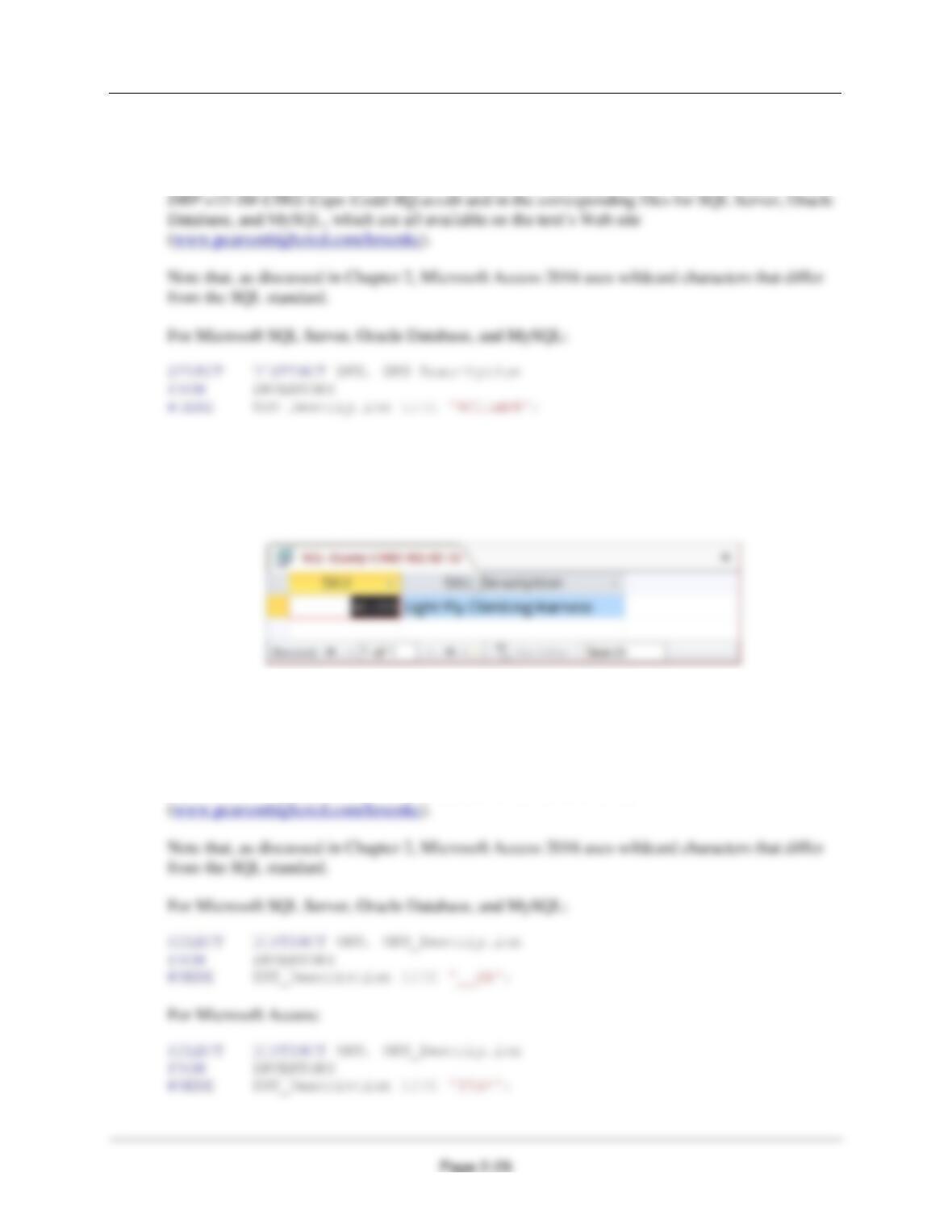
2.31 Write an SQL statement to show a unique SKU and SKU_Description for all products
having an SKU description starting with ‘Half–dome’.
SQL Solutions to Project Questions 2.17 – 2.60 are contained in the Microsoft Access database
For Microsoft Access:
SELECT DISTINCT SKU, SKU_Description
FROM INVENTORY
WHERE SKU_Description LIKE ‘Half–dome*’;
Chapter Two – Introduction to Structured Query Language
2.32 Write an SQL statement to show a unique SKU and SKU_Description for all products
having a description that includes the word ‘Climb’.
SQL Solutions to Project Questions 2.17 – 2.60 are contained in the Microsoft Access database
For Microsoft Access:
SELECT DISTINCT SKU, SKU_Description
FROM INVENTORY
WHERE SKU_Description LIKE ‘*Climb*’;
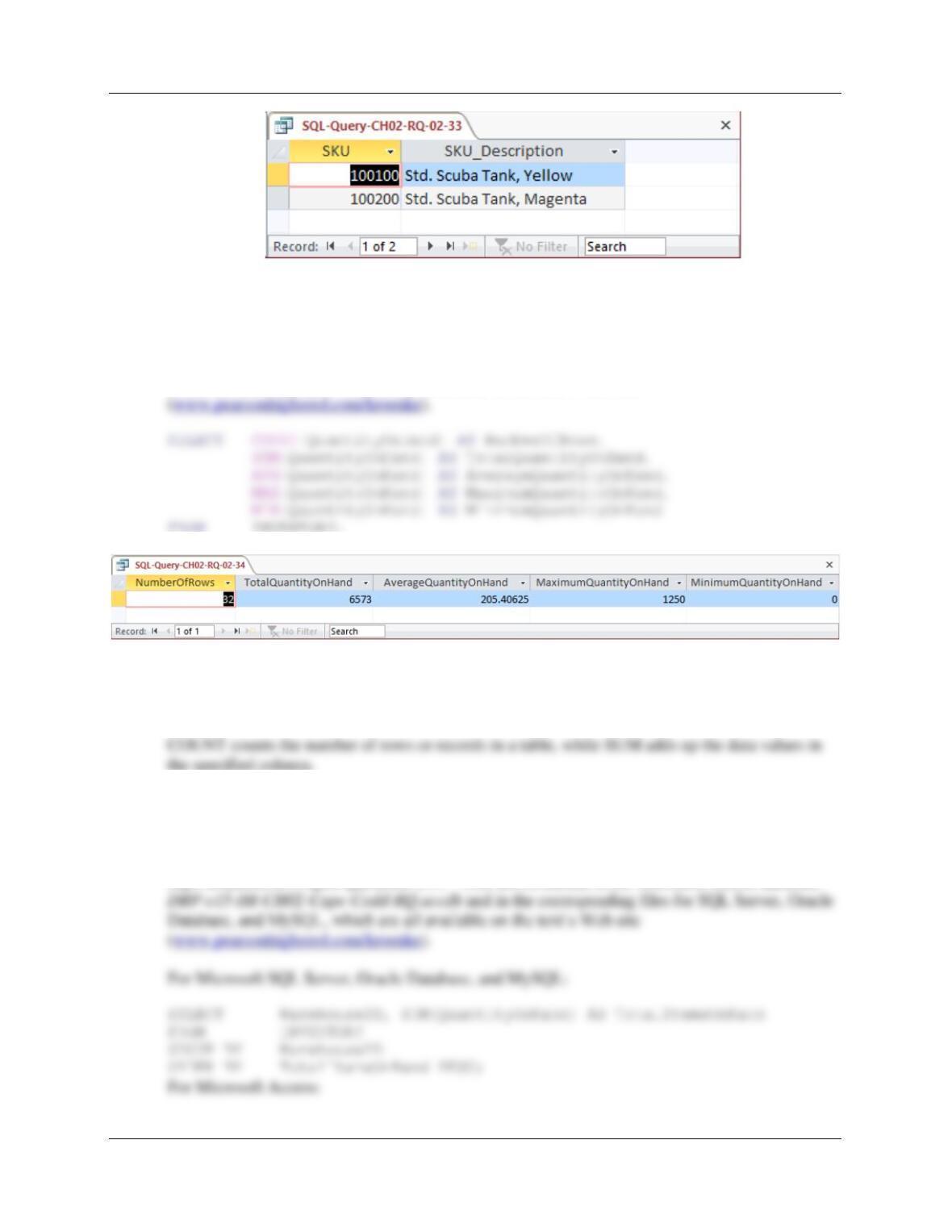
2.33 Write an SQL statement to show a unique SKU and SKU_Description for all products
with a ‘d’ in the third position from the left in SKU_Description.
SQL Solutions to Project Questions 2.17 – 2.60 are contained in the Microsoft Access database
DBP-e15-IM-CH02-Cape-Codd-RQ.accdb and in the corresponding files for SQL Server, Oracle
Database, and MySQL, which are all available on the text’s Web site
Chapter Two – Introduction to Structured Query Language
Page 2-30
2.34 Write an SQL statement that uses all of the SQL built-in functions on the QuantityOn-
Hand column. Include meaningful column names in the result.
SQL Solutions to Project Questions 2.17 – 2.60 are contained in the Microsoft Access database
DBP-e15-IM-CH02-Cape-Codd-RQ.accdb and in the corresponding files for SQL Server, Oracle
Database, and MySQL, which are all available on the text’s Web site
2.35 Explain the difference between the SQL built-in functions COUNT and SUM.
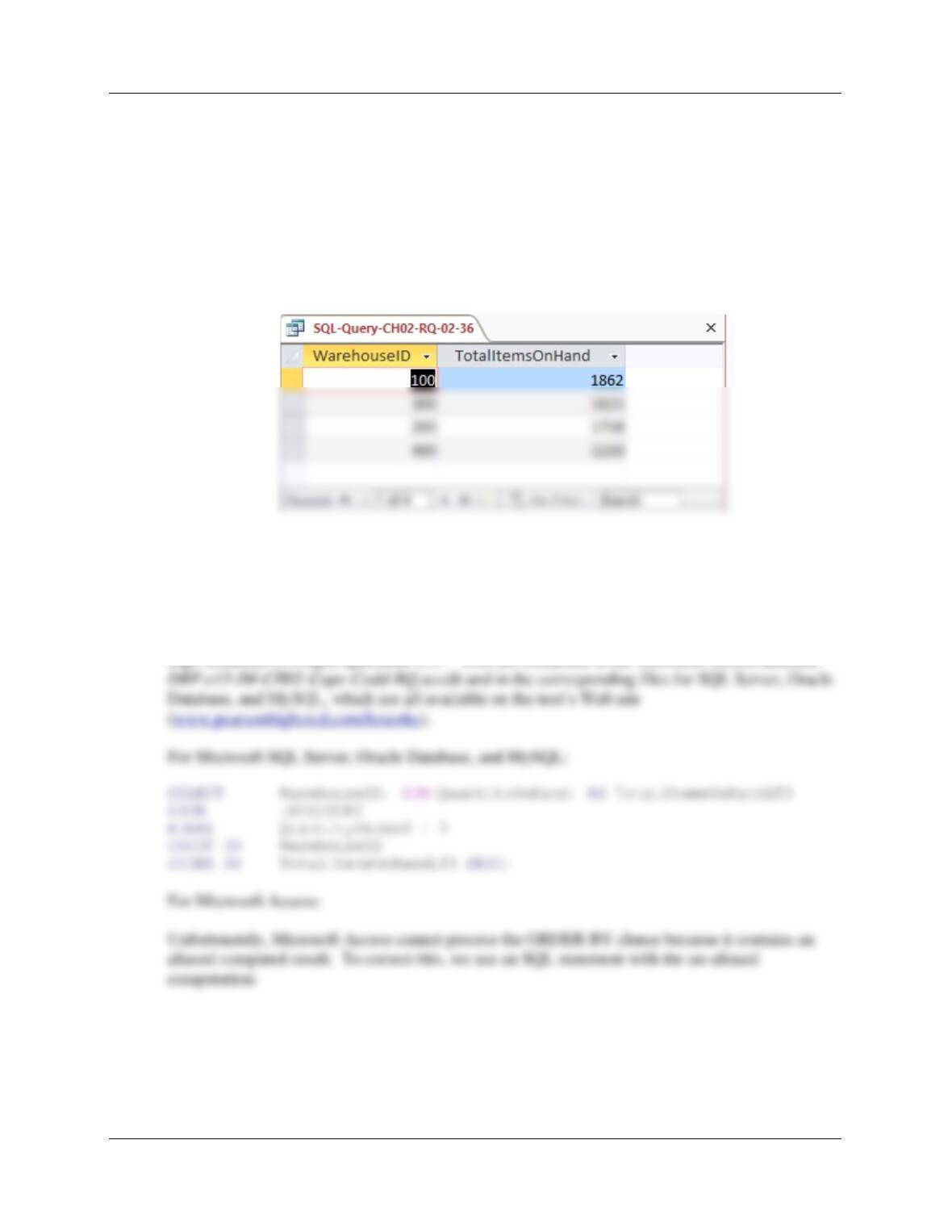
2.36 Write an SQL statement to display the WarehouseID and the sum of QuantityOnHand
grouped by WarehouseID. Name the sum TotalItemsOnHand and display the results in
descending order of TotalItemsOnHand.
SQL Solutions to Project Questions 2.17 – 2.60 are contained in the Microsoft Access database
Chapter Two – Introduction to Structured Query Language
Page 2-31
Unfortunately, Microsoft Access cannot process the ORDER BY clause because it contains an
aliased computed result. To correct this, we use an SQL statement with the un-aliased
computation:
SELECT WarehouseID, SUM(QuantityOnHand) AS TotalItemsOnHand
FROM INVENTORY
GROUP BY WarehouseID
ORDER BY SUM(QuantityOnHand) DESC;
The results, presented below in Access, are identical in all 4 DBMSs:
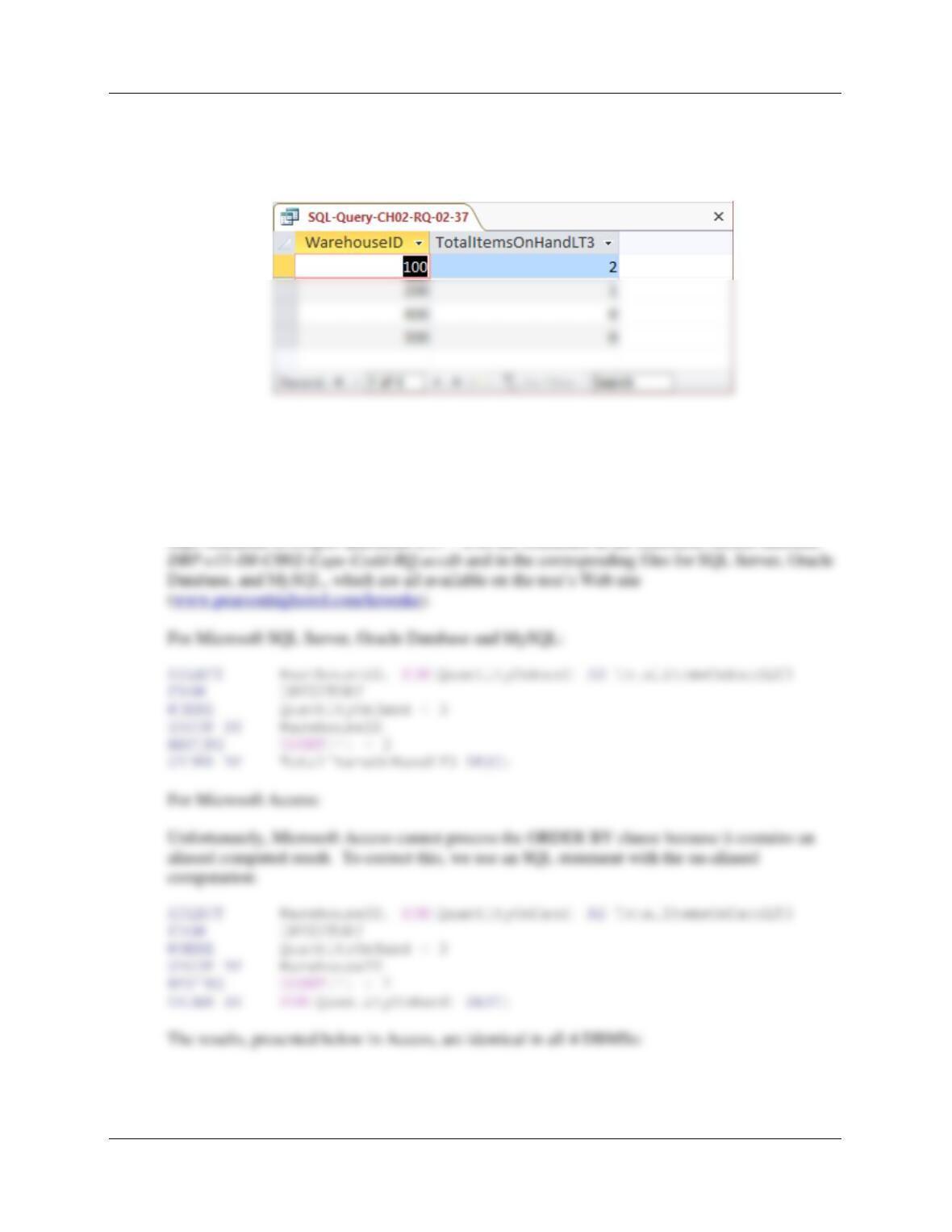
2.37 Write an SQL statement to display the WarehouseID and the sum of QuantityOnHand
grouped by WarehouseID. Omit all SKU items that have three or more items on hand
from the sum, name the sum TotalItemsOnHandLT3, and display the results in
descending order of TotalItemsOnHandLT3.
SELECT WarehouseID, SUM(QuantityOnHand) AS TotalItemsOnHandLT3
FROM INVENTORY
WHERE QuantityOnHand < 3
Chapter Two – Introduction to Structured Query Language
Page 2-32
GROUP BY WarehouseID
ORDER BY SUM(QuantityOnHand) DESC;
The results, presented below in Access, are identical in all 4 DBMSs:
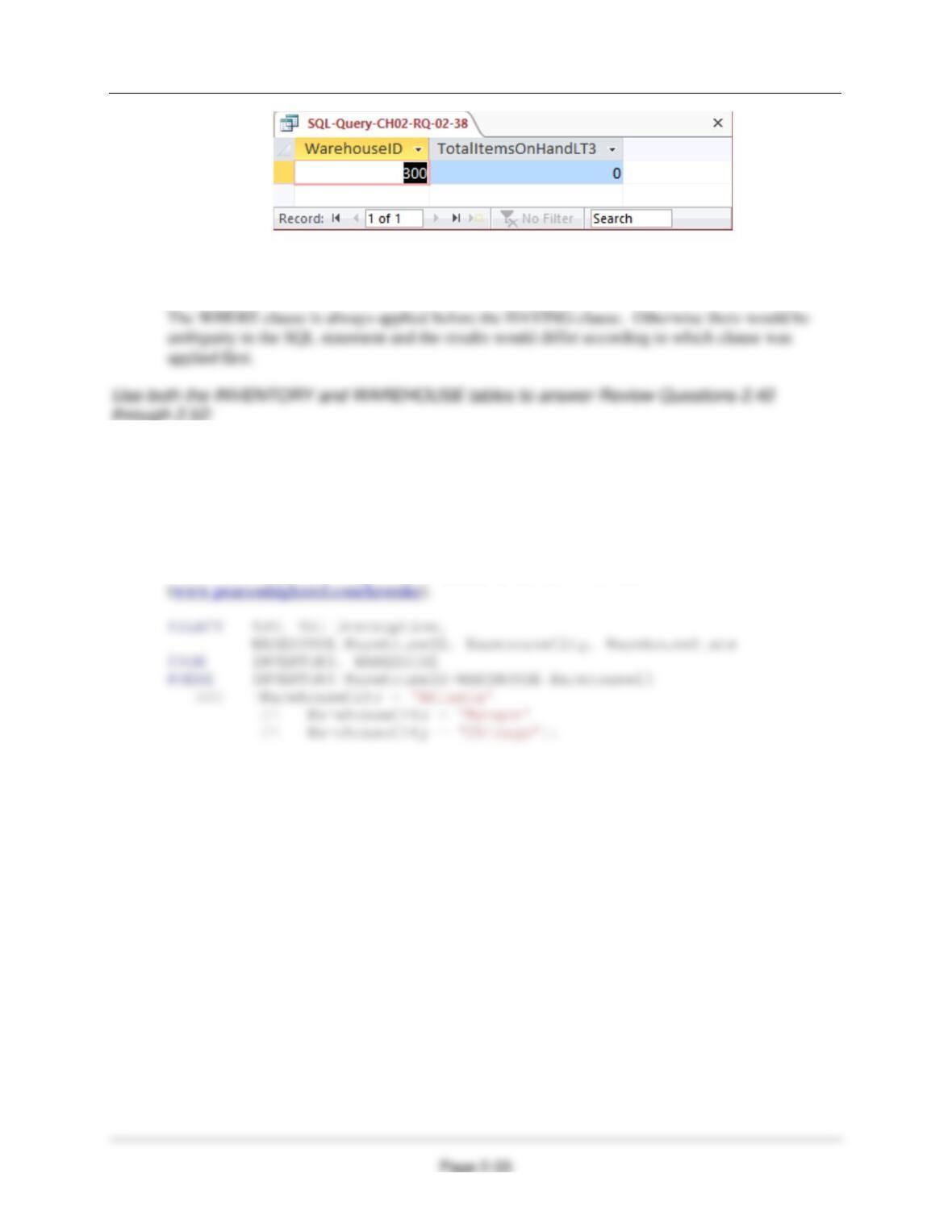
2.38 Write an SQL statement to display the WarehouseID and the sum of QuantityOnHand
grouped by WarehouseID. Omit all SKU items that have three or more items on hand
from the sum, and name the sum TotalItemsOnHandLT3. Show Warehouse ID only for
warehouses having fewer than two SKUs in their TotalItemsOnHandLT3. Display the
results in descending order of TotalItemsOnHandLT3.
SQL Solutions to Project Questions 2.17 – 2.60 are contained in the Microsoft Access database
Chapter Two – Introduction to Structured Query Language
2.39 In your answer to Review Question 2.38, was the WHERE clause or the HAVING clause
applied first? Why?
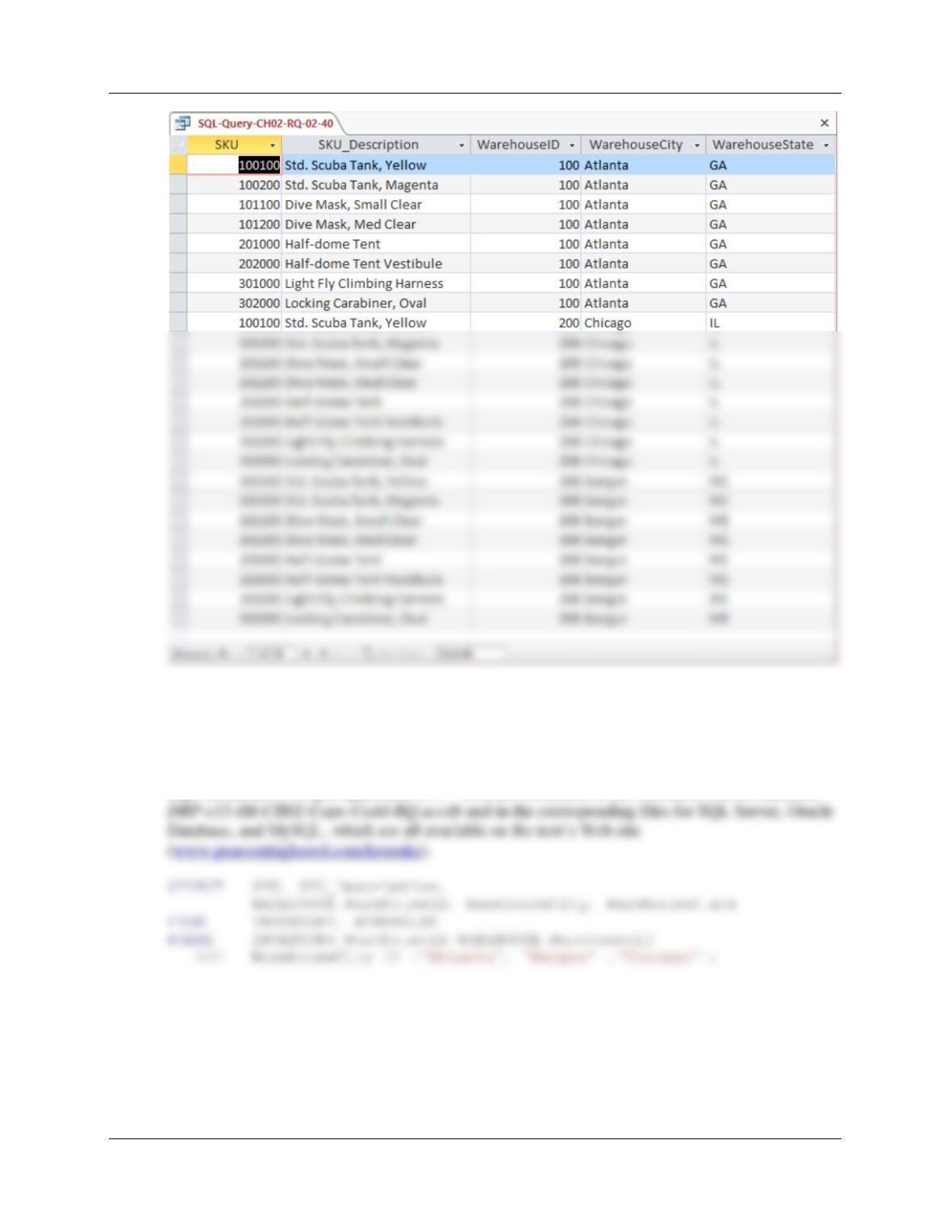
2.40 Write an SQL statement to display the SKU, SKU_Description, WarehouseID,
WarehouseCity, and WarehouseState for all items stored in the Atlanta, Bangor, or
Chicago warehouse. Do not use the IN keyword.
SQL Solutions to Project Questions 2.17 – 2.60 are contained in the Microsoft Access database
DBP-e15-IM-CH02-Cape-Codd-RQ.accdb and in the corresponding files for SQL Server, Oracle
Database, and MySQL, which are all available on the text’s Web site
Chapter Two – Introduction to Structured Query Language
Page 2-34
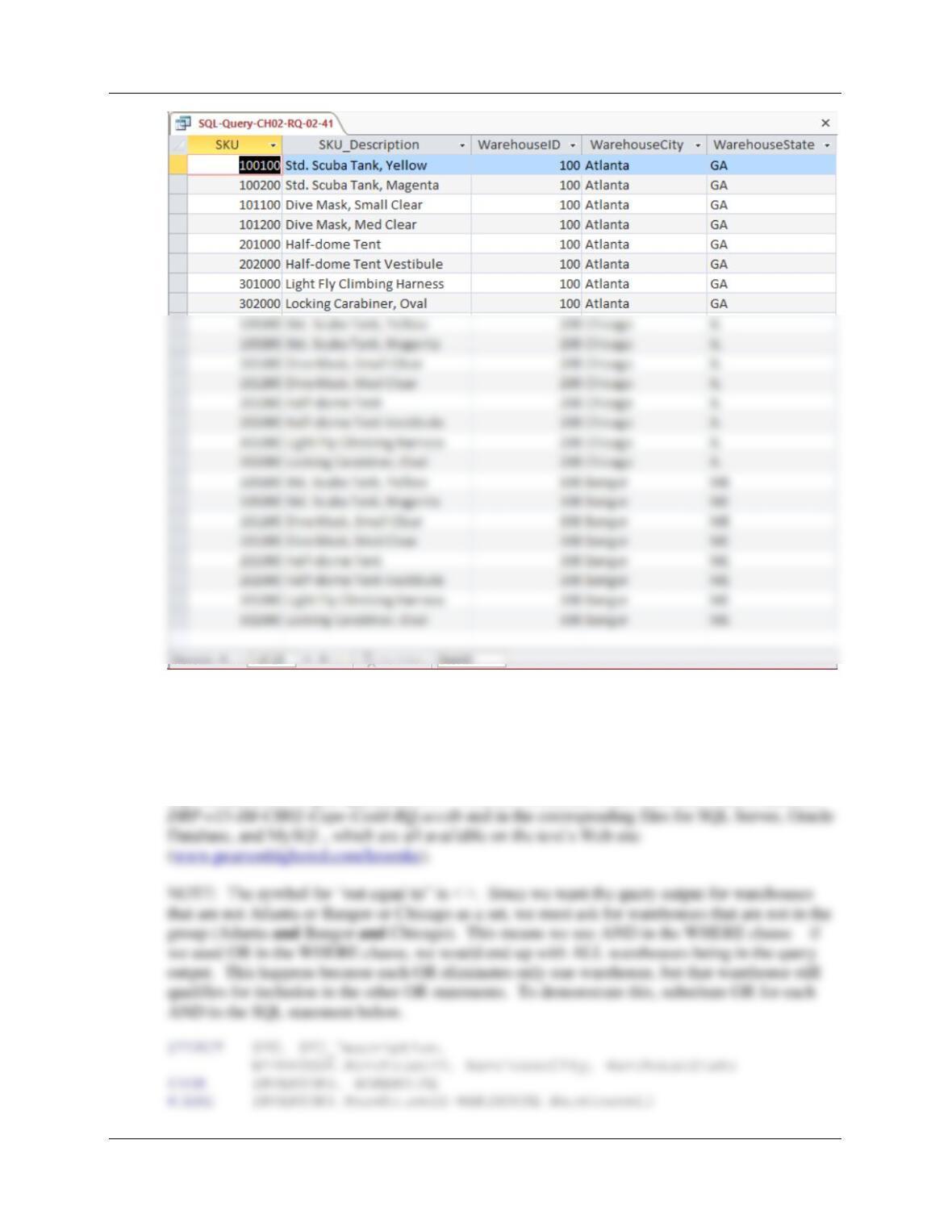
2.41 Write an SQL statement to display the SKU, SKU_Description, WarehouseID,
WarehouseCity, and WarehouseState for all items stored in the Atlanta, Bangor, or
Chicago warehouse. Use the IN keyword.
SQL Solutions to Project Questions 2.17 – 2.60 are contained in the Microsoft Access database
Chapter Two – Introduction to Structured Query Language
Page 2-35
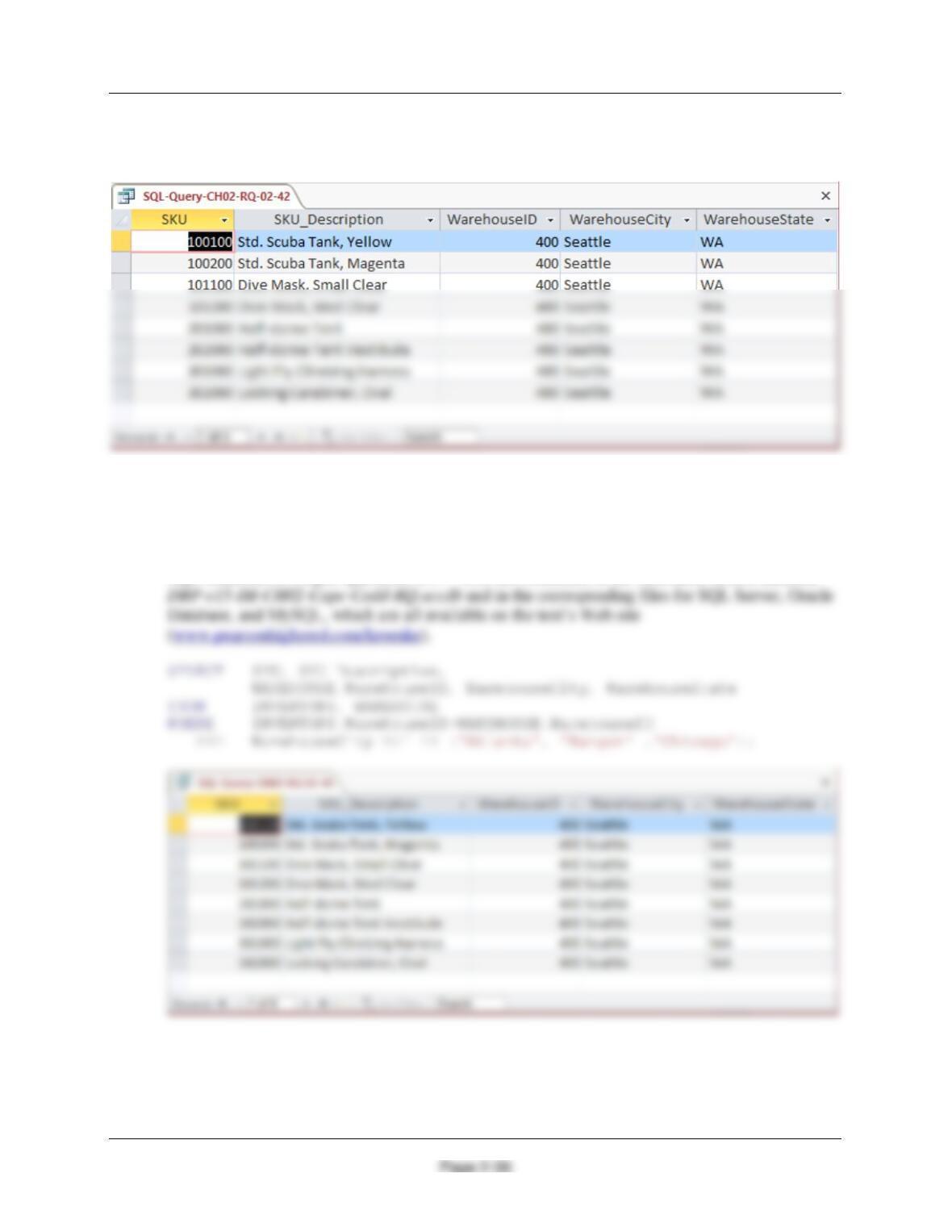
2.42 Write an SQL statement to display the SKU, SKU_Description, WarehouseID,
WarehouseCity, and WarehouseState of all items not stored in the Atlanta, Bangor, or
Chicago warehouse. Do not use the NOT IN keyword.
SQL Solutions to Project Questions 2.17 – 2.60 are contained in the Microsoft Access database
Chapter Two – Introduction to Structured Query Language
AND WarehouseCity <> ‘Atlanta’
AND WarehouseCity <> ‘Bangor’
AND WarehouseCity <> ‘Chicago’;
2.43 Write an SQL statement to display the SKU, SKU_Description, WarehouseID,
WarehouseCity, and WarehouseState of all items not stored in the Atlanta, Bangor, or
Chicago warehouse. Use the NOT IN keyword.
SQL Solutions to Project Questions 2.17 – 2.60 are contained in the Microsoft Access database
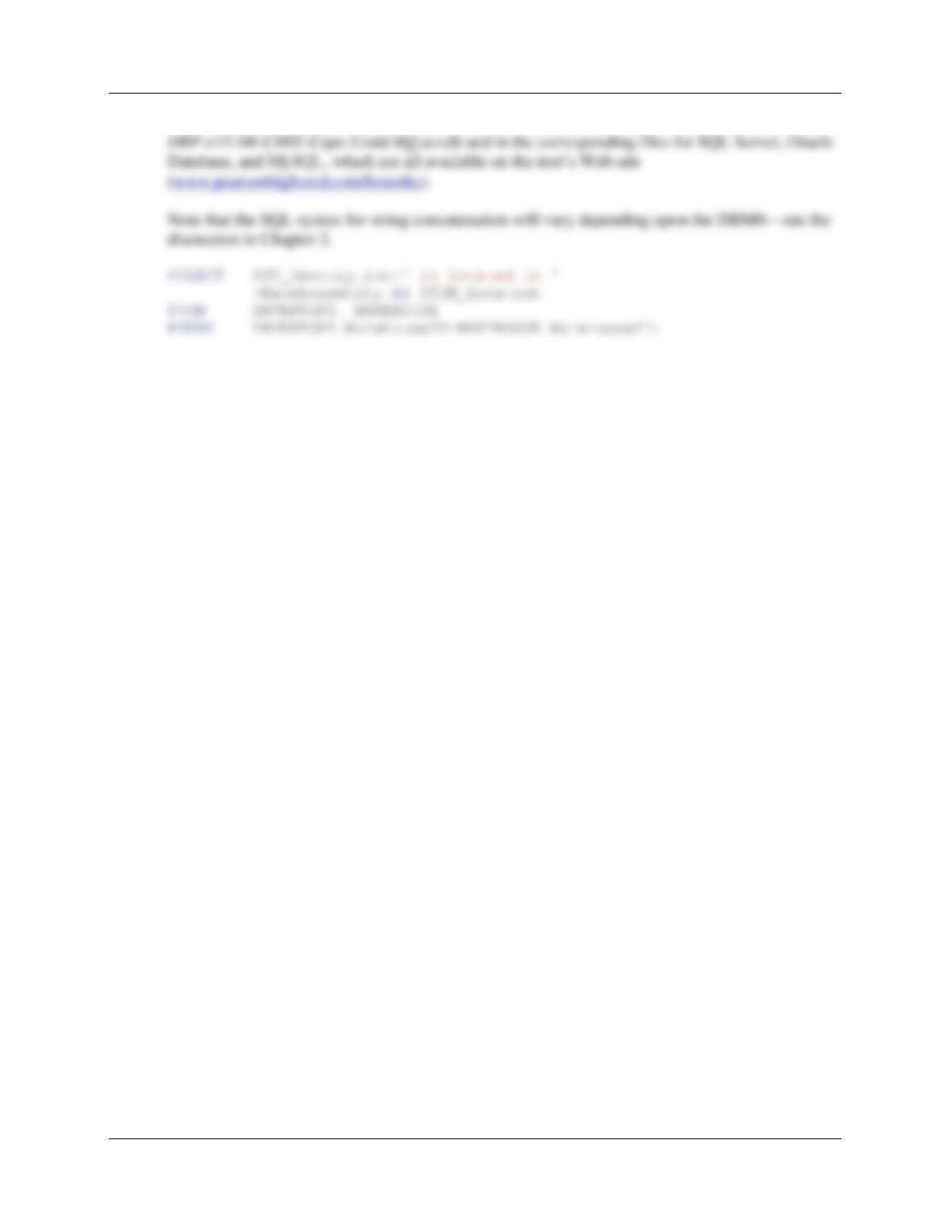
2.44 Write an SQL statement to produce a single column called ItemLocation that combines
the SKU_Description, the phrase “is located in”, and WarehouseCity. Do not be
concerned with removing leading or trailing blanks.
Chapter Two – Introduction to Structured Query Language
Page 2-37
SQL Solutions to Project Questions 2.17 – 2.60 are contained in the Microsoft Access database
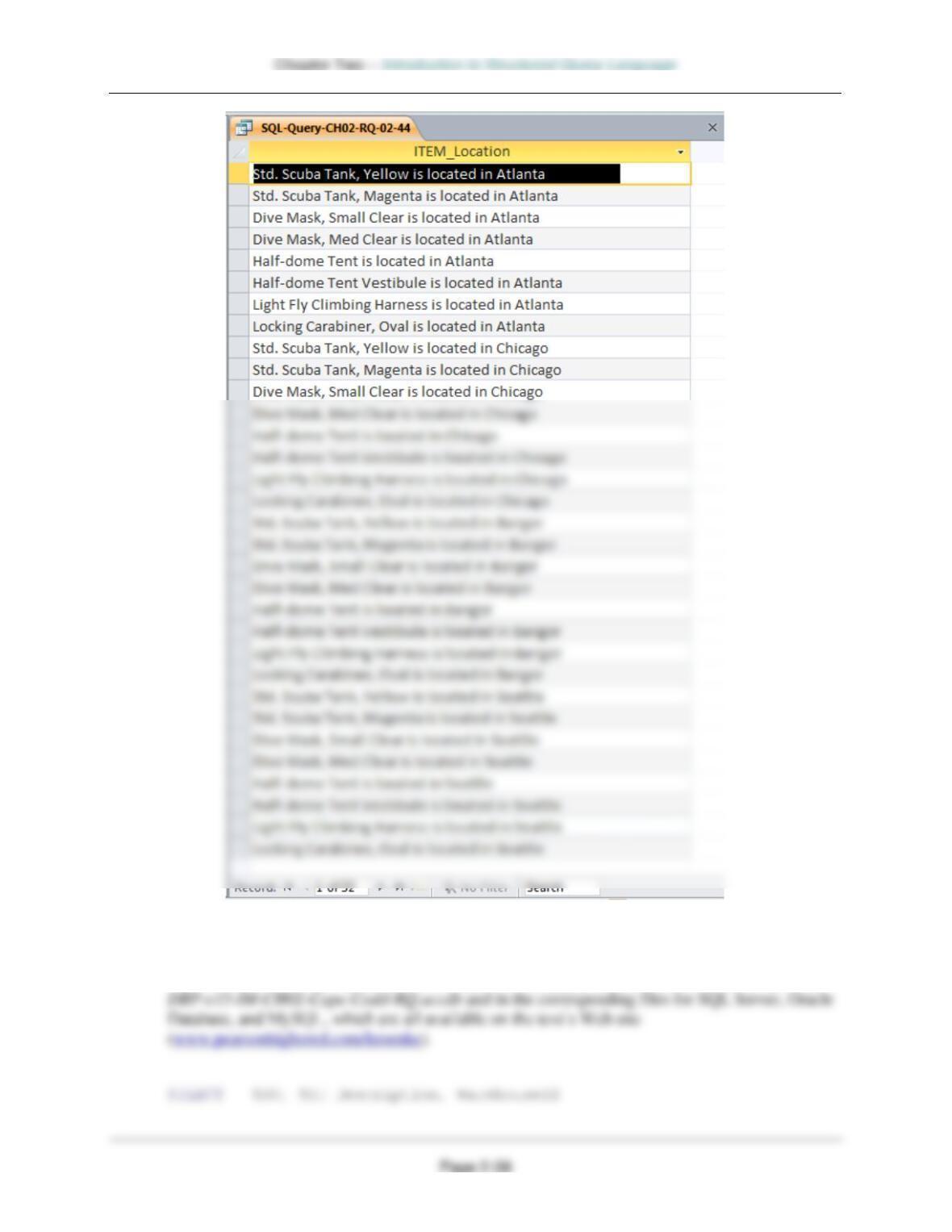
2.45 Write an SQL statement to show the SKU, SKU_Description, and WarehouseID for all
items stored in a warehouse managed by ‘Lucille Smith’. Use a subquery.
SQL Solutions to Project Questions 2.17 – 2.60 are contained in the Microsoft Access database
Chapter Two – Introduction to Structured Query Language
Page 2-39
FROM INVENTORY
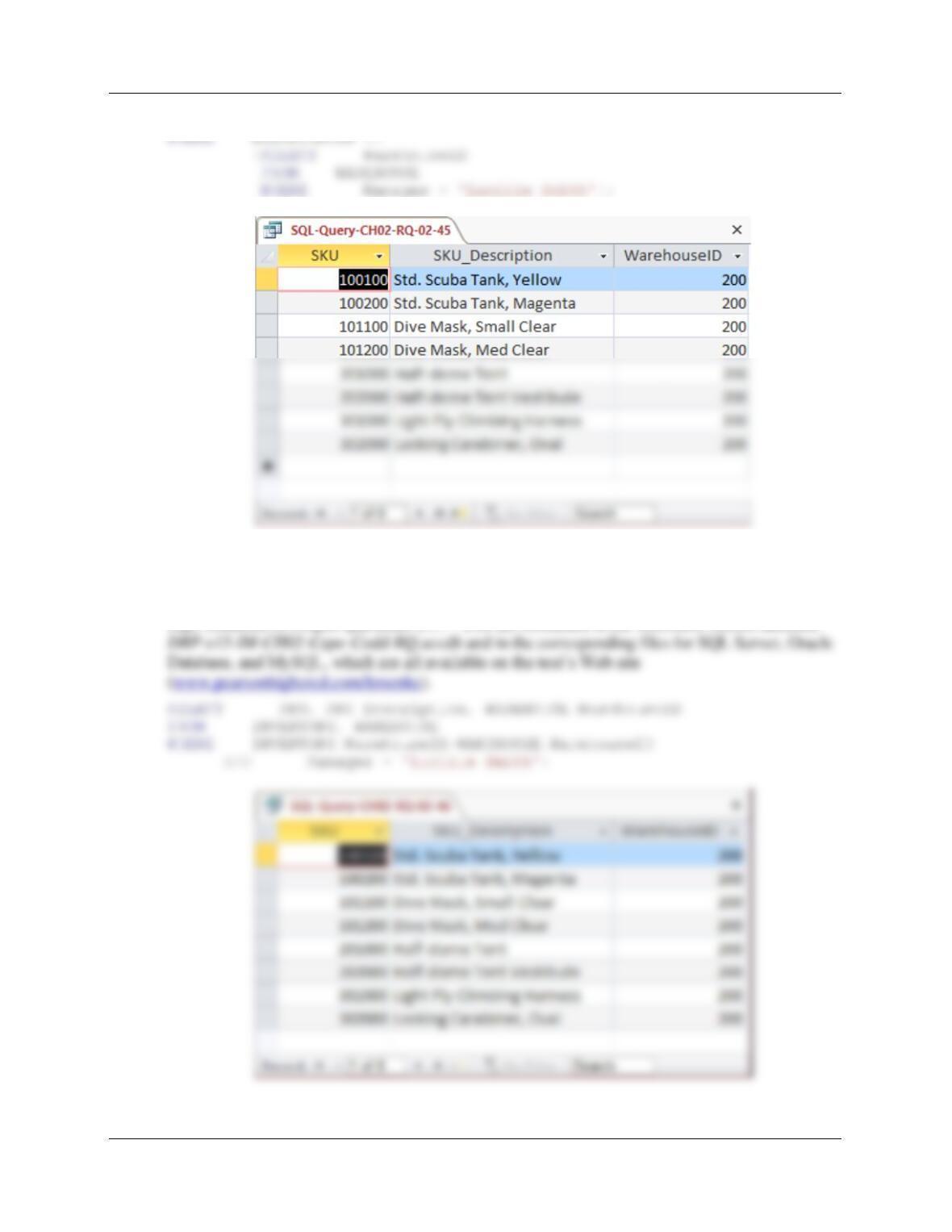
2.46 Write an SQL statement to show the SKU, SKU_Description, and WarehouseID for all
items stored in a warehouse managed by ‘Lucille Smith’. Use a join, but do not use JOIN
ON syntax.
SQL Solutions to Project Questions 2.17 – 2.60 are contained in the Microsoft Access database
Chapter Two – Introduction to Structured Query Language
Page 2-40
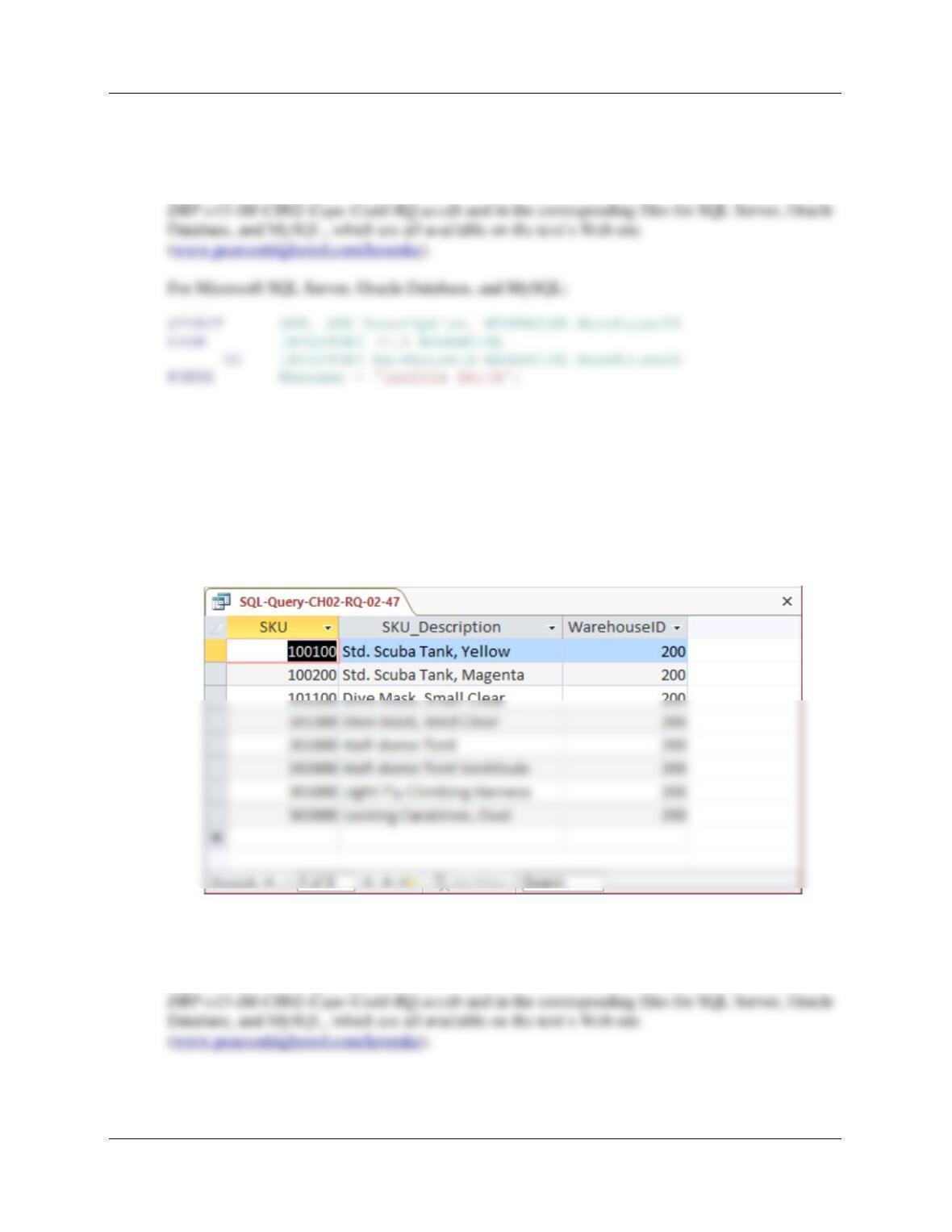
2.47 Write an SQL statement to show the SKU, SKU_Description, and WarehouseID for all
items stored in a warehouse managed by ‘Lucille Smith’. Use a join using JOIN ON
syntax.
SQL Solutions to Project Questions 2.17 – 2.60 are contained in the Microsoft Access database
For Microsoft Access:
Microsoft Access requires the SQL JOIN ON syntax INNER JOIN instead of just JOIN:
SELECT SKU, SKU_Description, WAREHOUSE.WarehouseID
FROM INVENTORY INNER JOIN WAREHOUSE
ON INVENTORY.WarehouseID=WAREHOUSE.WarehouseID
WHERE Manager = ‘Lucille Smith’;
2.48 Write an SQL statement to show the WarehouseID and average QuantityOnHand of all
items stored in a warehouse managed by ‘Lucille Smith’. Use a subquery.
SQL Solutions to Project Questions 2.17 – 2.60 are contained in the Microsoft Access database