Chapter Two – Introduction to Structured Query Language
Page 2-132
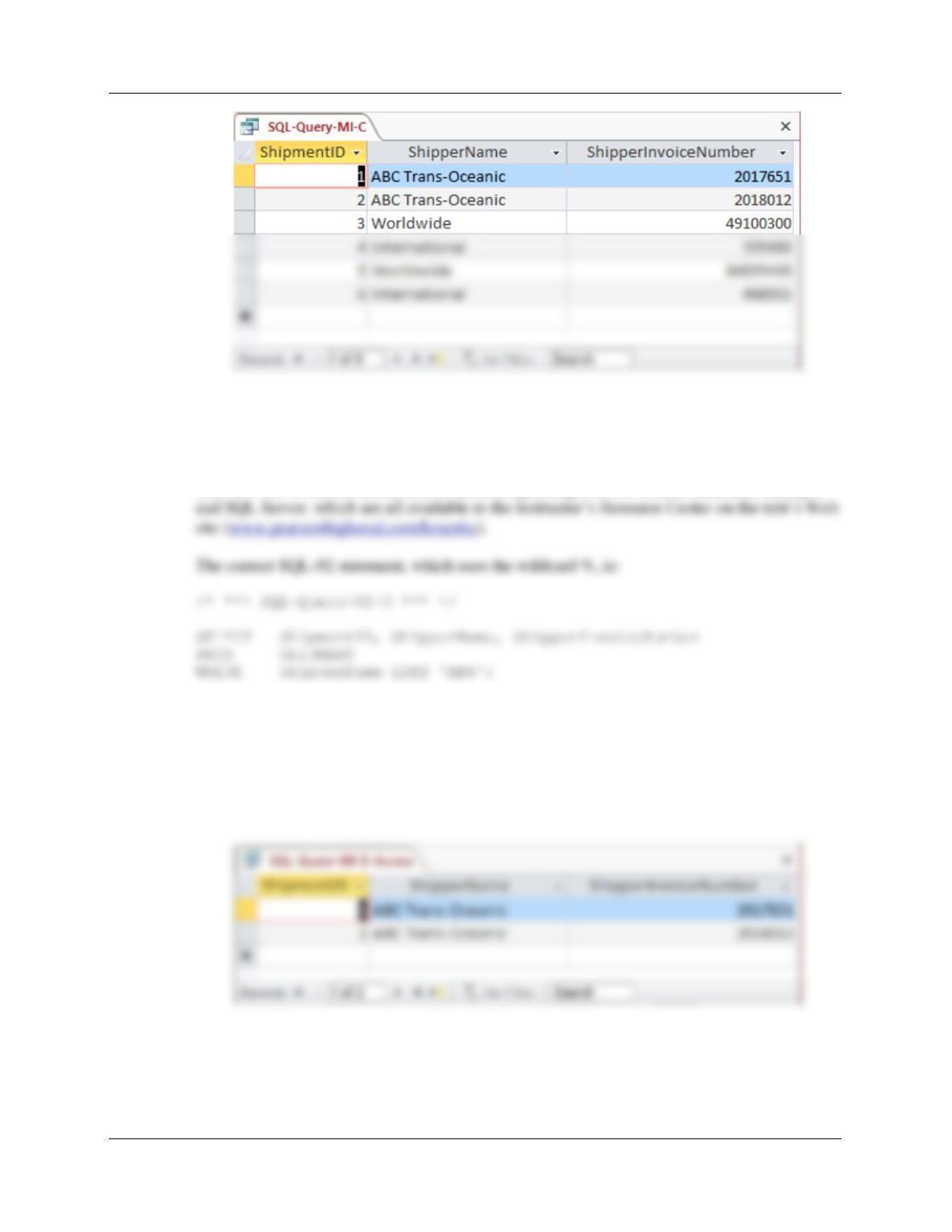
D. List the ShipmentID, ShipperName, and ShipperInvoiceNumber of all shippers
whose name starts with “AB”.
Solutions to Morgan Importing questions are contained in the Microsoft Access database
DBP-e15-IM–CH02-MI.accdb and in the corresponding files for Oracle Database, MySQL,
However, Microsoft Access uses the wildcard *, which gives the following SQL statement:
/* *** SQL-Query-MI-D-Access *** */
SELECT ShipmentID, ShipperName, ShipperInvoiceNumber
FROM SHIPMENT
WHERE ShipperName LIKE ‘AB*’;
Chapter Two – Introduction to Structured Query Language
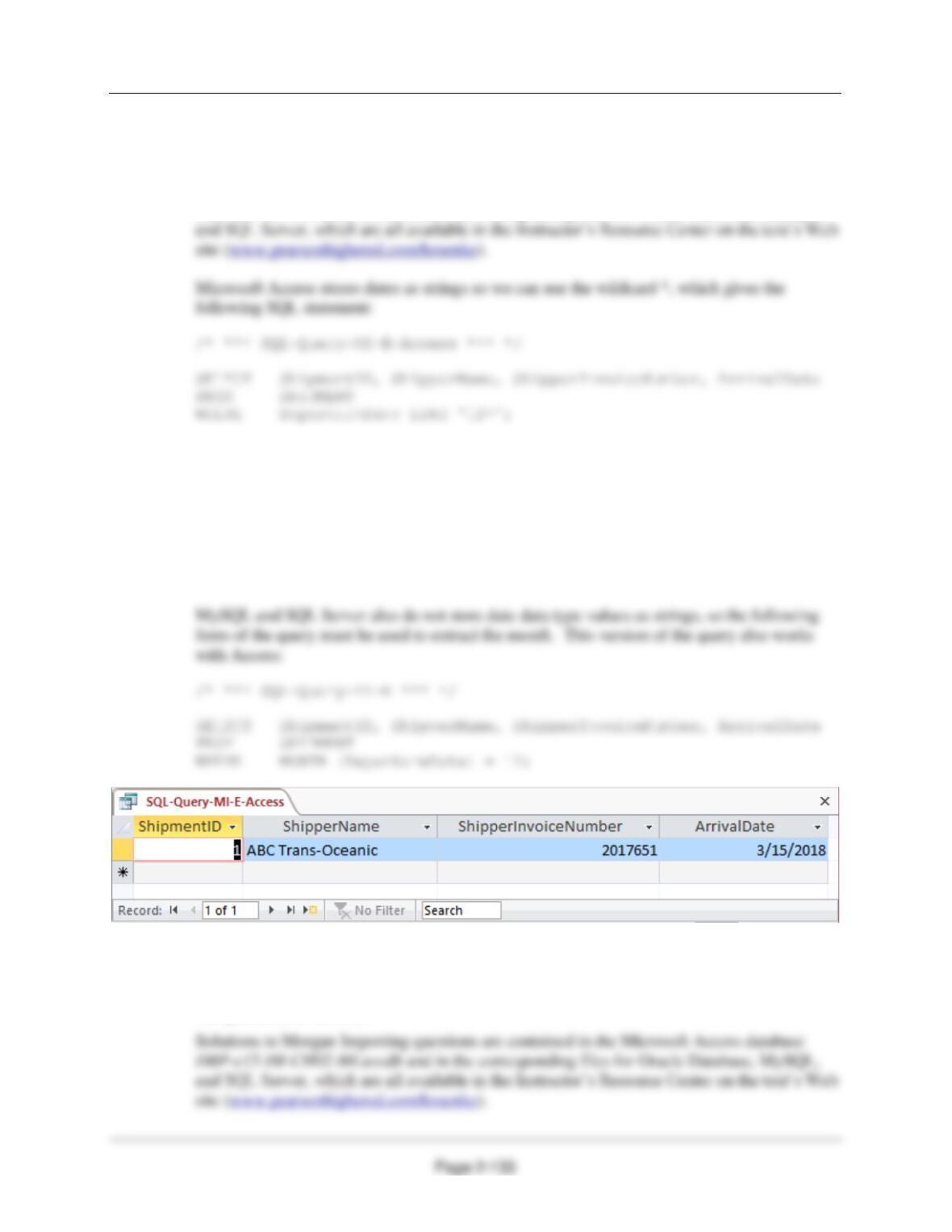
E. List the ShipmentID, ShipperName, ShipperInvoiceNumber, and ArrivalDate of all
shipments that departed in December. HINT: For the DBMS you are using, research
how to extract a month or day from a date value so it can be compared to a number.
Solutions to Morgan Importing questions are contained in the Microsoft Access database
DBP-e15-IM–CH02-MI.accdb and in the corresponding files for Oracle Database, MySQL,
Oracle does not store date data type values as strings, so the following Oracle-specific form
of the query must be used to extract the month:
/* *** SQL-Query-MI-E-Oracle *** */
SELECT ShipmentID, ShipperName, ShipperInvoiceNumber, ArrivalDate
FROM SHIPMENT
WHERE EXTRACT (MONTH FROM DepartureDate) = 12;
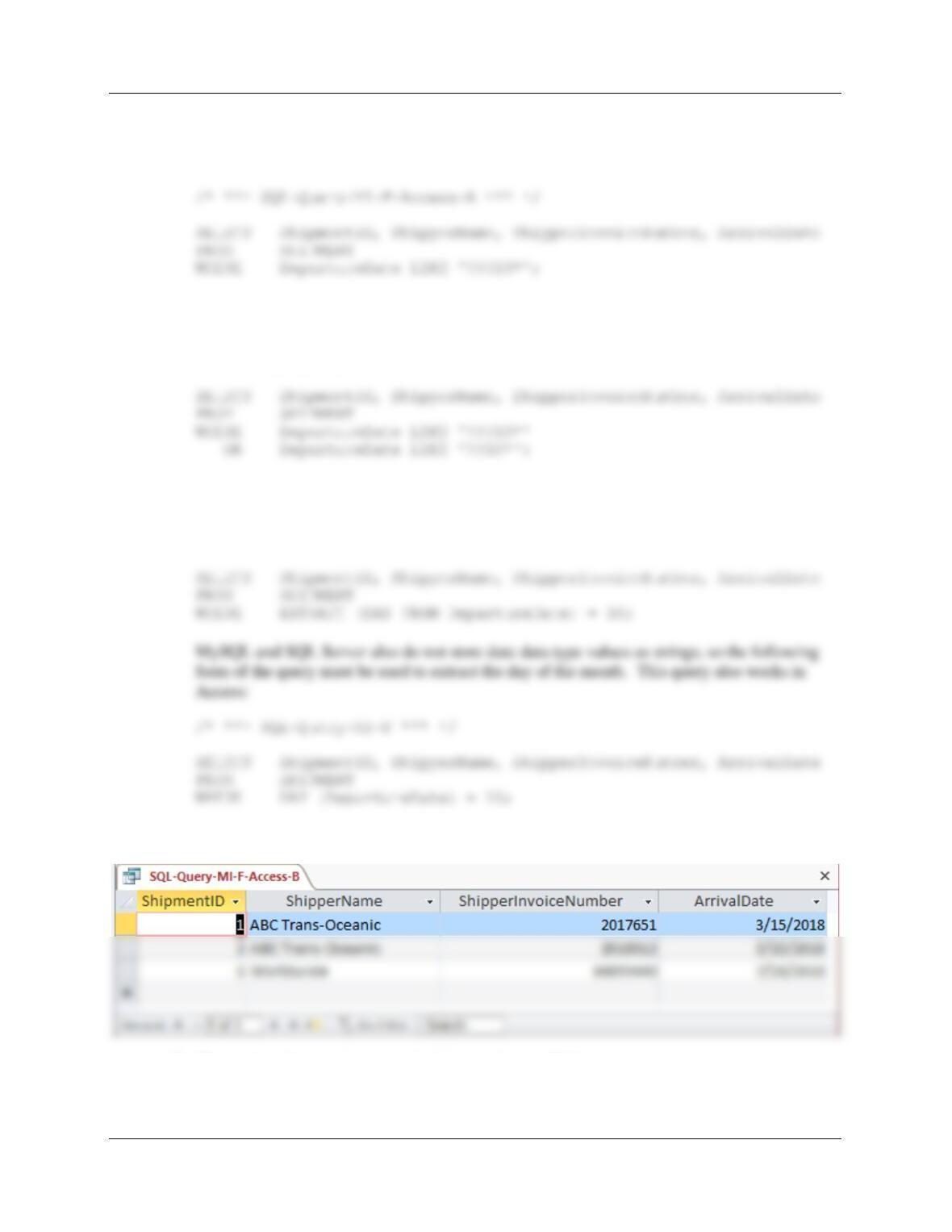
F. List the ShipmentID, ShipperName, ShipperInvoiceNumber, and ArrivalDate of all
shipments that departed on the tenth day of any month. HINT: For the DBMS you are
using, research how to extract a month or day from a date value so it can be
compared to a number.
Chapter Two – Introduction to Structured Query Language
Page 2-134
Microsoft Access stores dates as strings so we can use the wildcards * and ?, which give the
following SQL statement:
Further, Microsoft Access does NOT show the leading zero in MM, so we must add a
compound WHERE clause to get months without the leading zeros:
/* *** SQL-Query-MI-F-Access-B *** */
Oracle does not store date data type values as strings, so the following Oracle-specific form
of the query must be used to extract the day of the month:
/* *** SQL-Query-MI-F-Oracle *** */
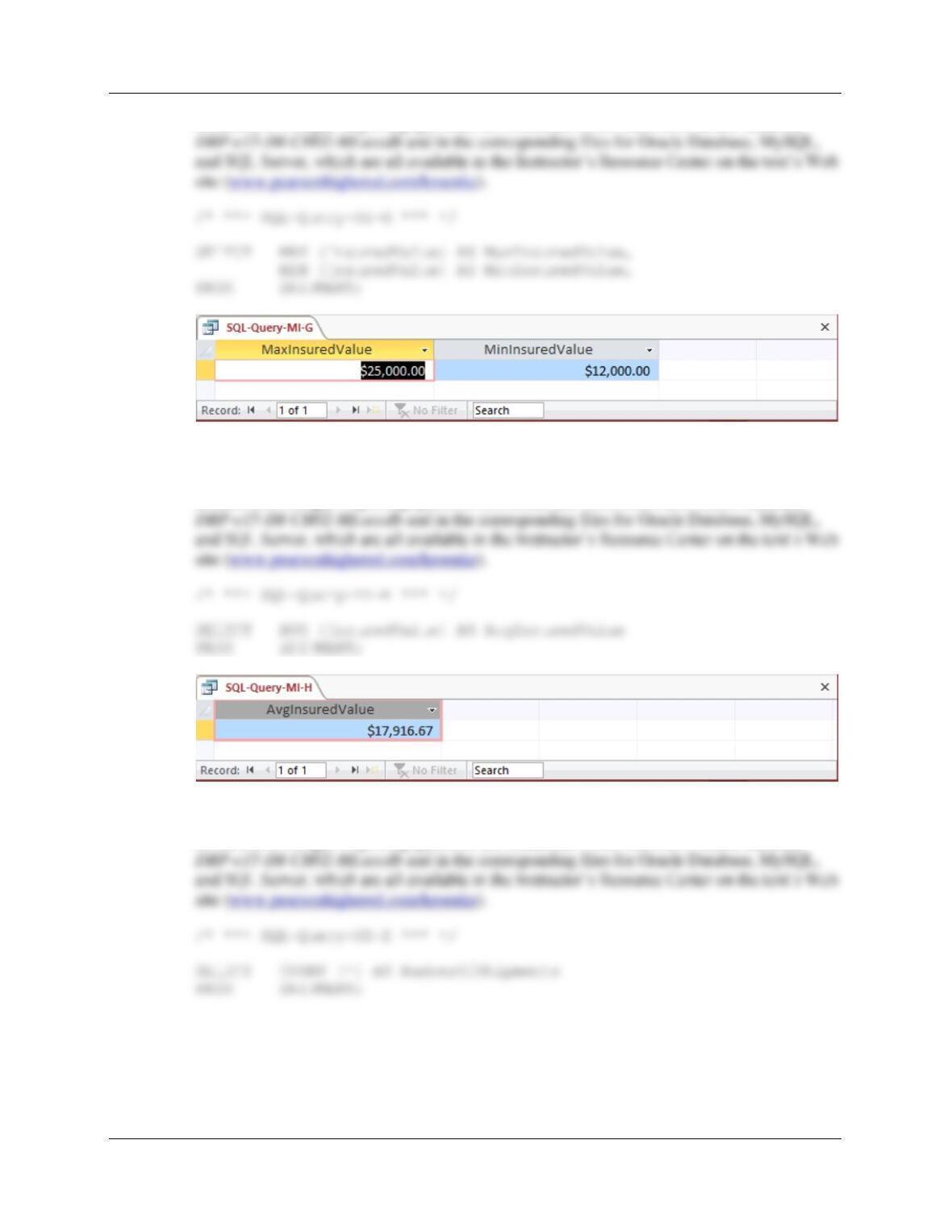
G. Determine the maximum and minimum InsuredValue.
Chapter Two – Introduction to Structured Query Language
Page 2-135
Solutions to Morgan Importing questions are contained in the Microsoft Access database
H. Determine the average InsuredValue.
Solutions to Morgan Importing questions are contained in the Microsoft Access database
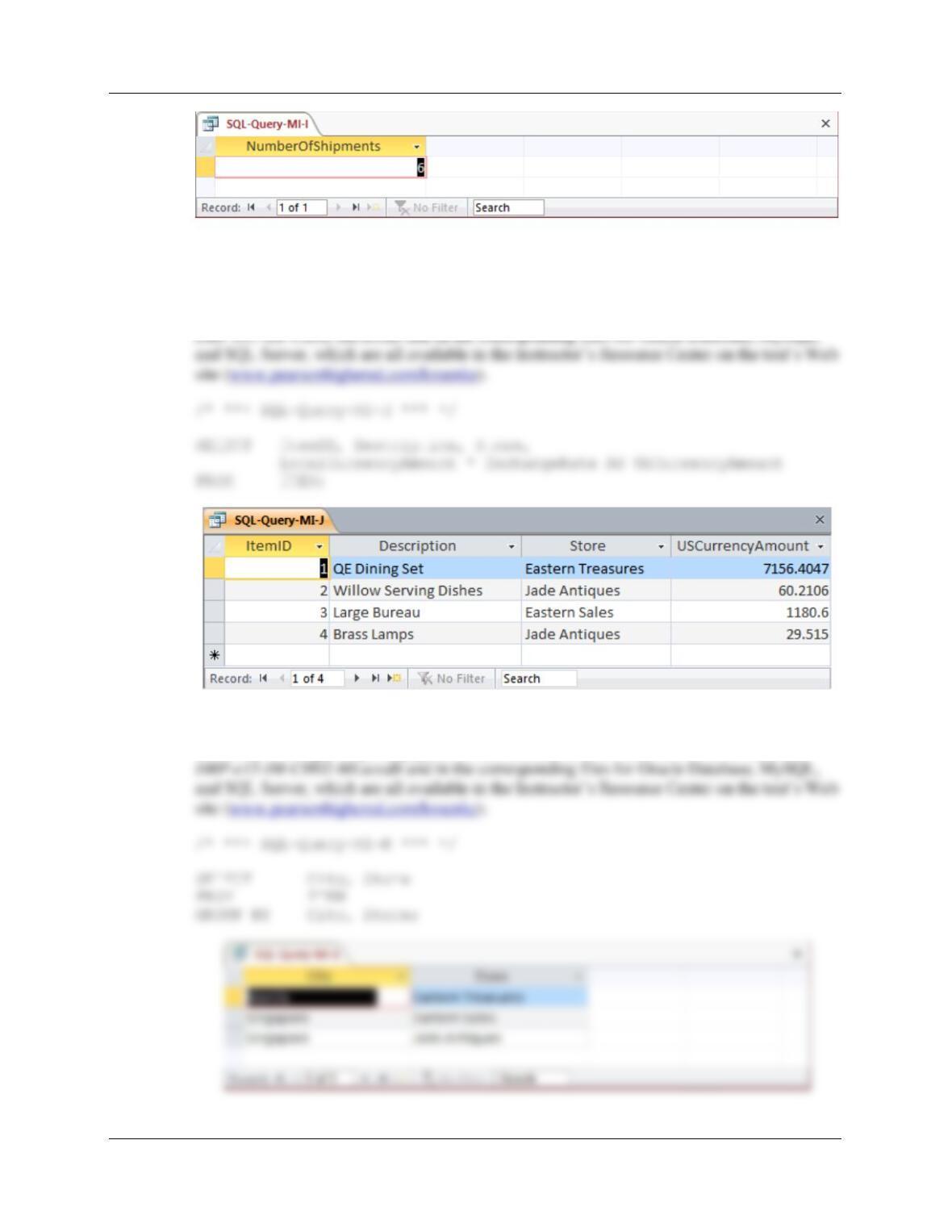
I. Count the number of shipments.
Solutions to Morgan Importing questions are contained in the Microsoft Access database
Chapter Two – Introduction to Structured Query Language
Page 2-136
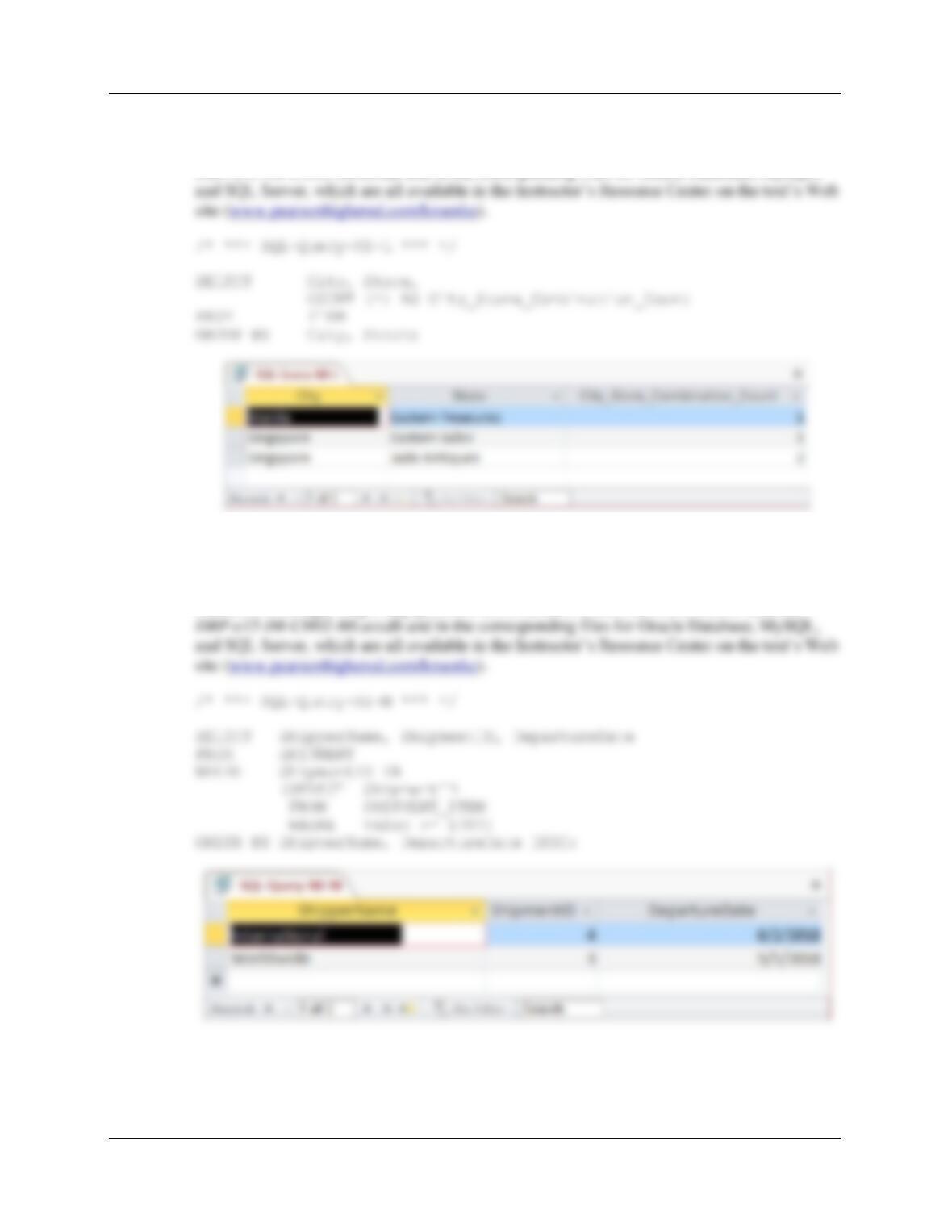
J. Show ItemID, Description, Store, and a calculated column named
USCurrencyAmount that is equal to LocalCurrencyAmount multiplied by the
ExchangeRate for all rows of ITEM.
Solutions to Morgan Importing questions are contained in the Microsoft Access database
K. Group item purchases by City and Store.
Solutions to Morgan Importing questions are contained in the Microsoft Access database
Chapter Two – Introduction to Structured Query Language
Page 2-137
L. Count the number of purchases having each combination of City and Store.
Solutions to Morgan Importing questions are contained in the Microsoft Access database
DBP-e15-IM–CH02-MI.accdb and in the corresponding files for Oracle Database, MySQL,
M. Show the ShipperName, ShipmentID and DepartureDate of all shipments that have
an item with a value of $1,000.00 or more. Use a subquery. Present results sorted
by ShipperName in ascending order and then DepartureDate in descending order.
Solutions to Morgan Importing questions are contained in the Microsoft Access database
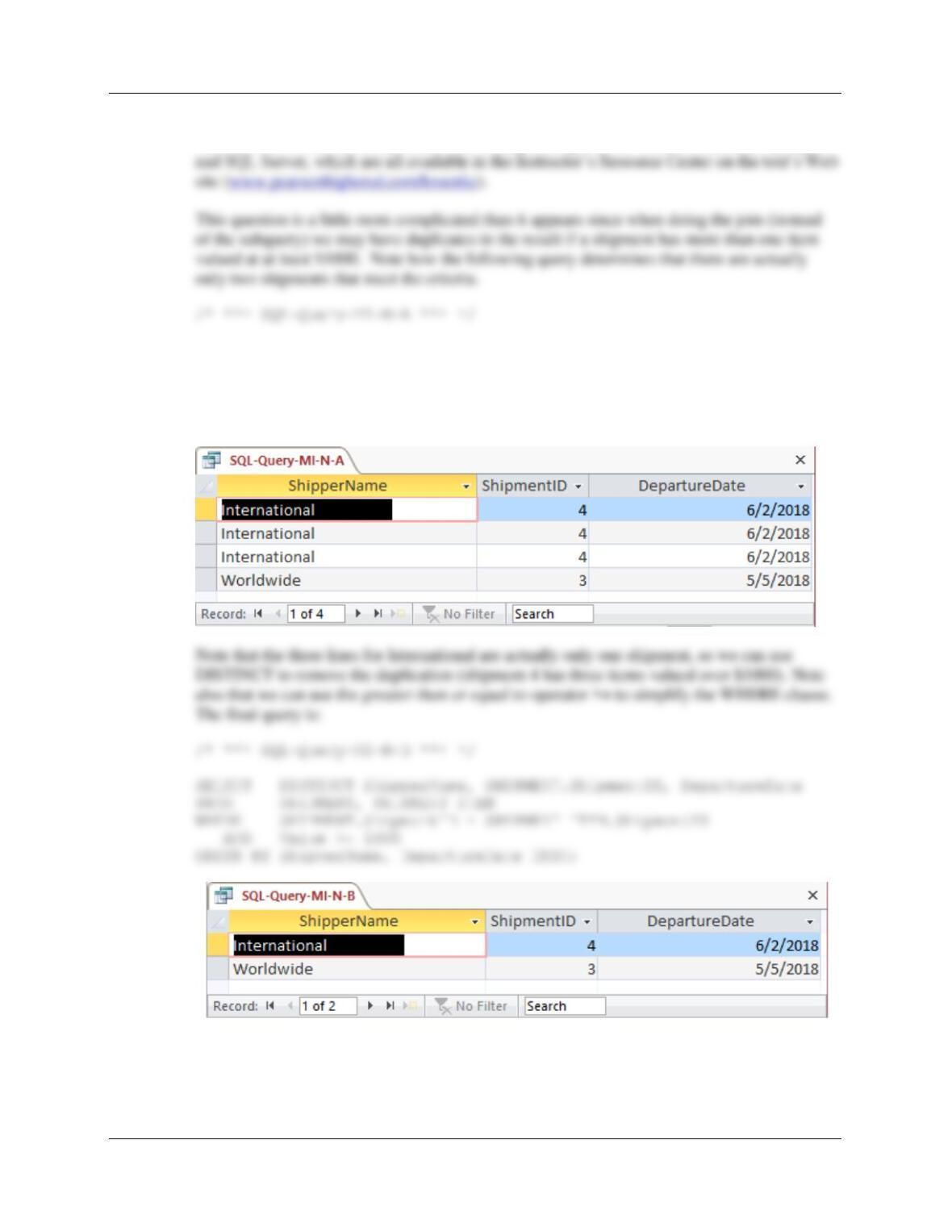
N. Show the ShipperName, ShipmentID, and DepartureDate of all shipments that have
an item with a value of $1000.00 or more. Use a join. Present results sorted by
ShipperName in ascending order and then DepartureDate in descending order.
Chapter Two – Introduction to Structured Query Language
Page 2-138
Solutions to Morgan Importing questions are contained in the Microsoft Access database
DBP-e15-IM–CH02-MI.accdb and in the corresponding files for Oracle Database, MySQL,
SELECT ShipperName, SHIPMENT.ShipmentID, DepartureDate
FROM SHIPMENT, SHIPMENT_ITEM
WHERE SHIPMENT.ShipmentID = SHIPMENT_ITEM.ShipmentID
AND (Value = 1000 OR Value > 1000)
ORDER BY ShipperName, DepartureDate DESC;
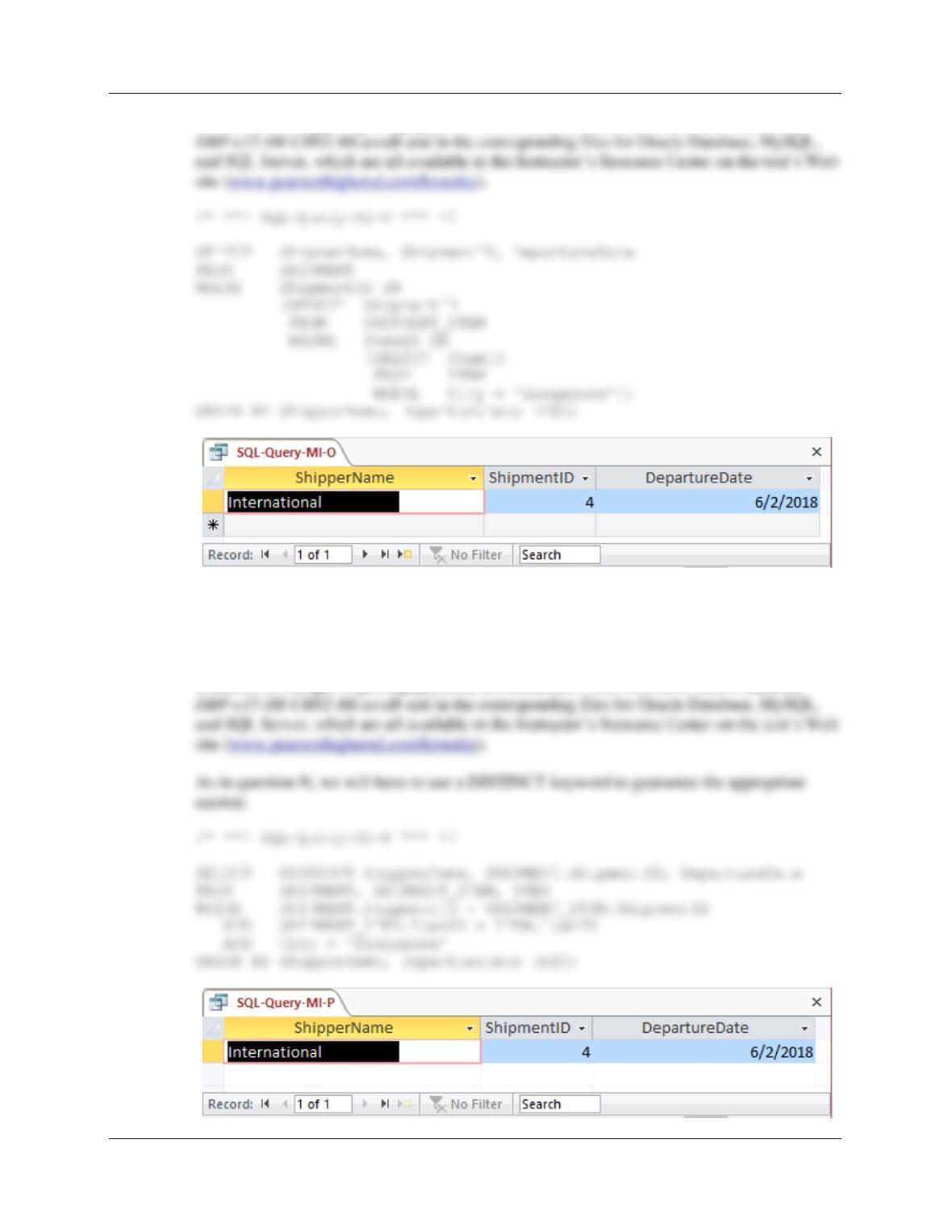
O. Show the ShipperName, ShipmentID, and DepartureDate of the shipments for items
that were purchased in Singapore. Use a subquery. Present results sorted by
ShipperName in ascending order and then DepartureDate in descending order.
Chapter Two – Introduction to Structured Query Language
Page 2-139
Solutions to Morgan Importing questions are contained in the Microsoft Access database
P. Show the ShipperName, ShipmentID, and DepartureDate of all shipments that have
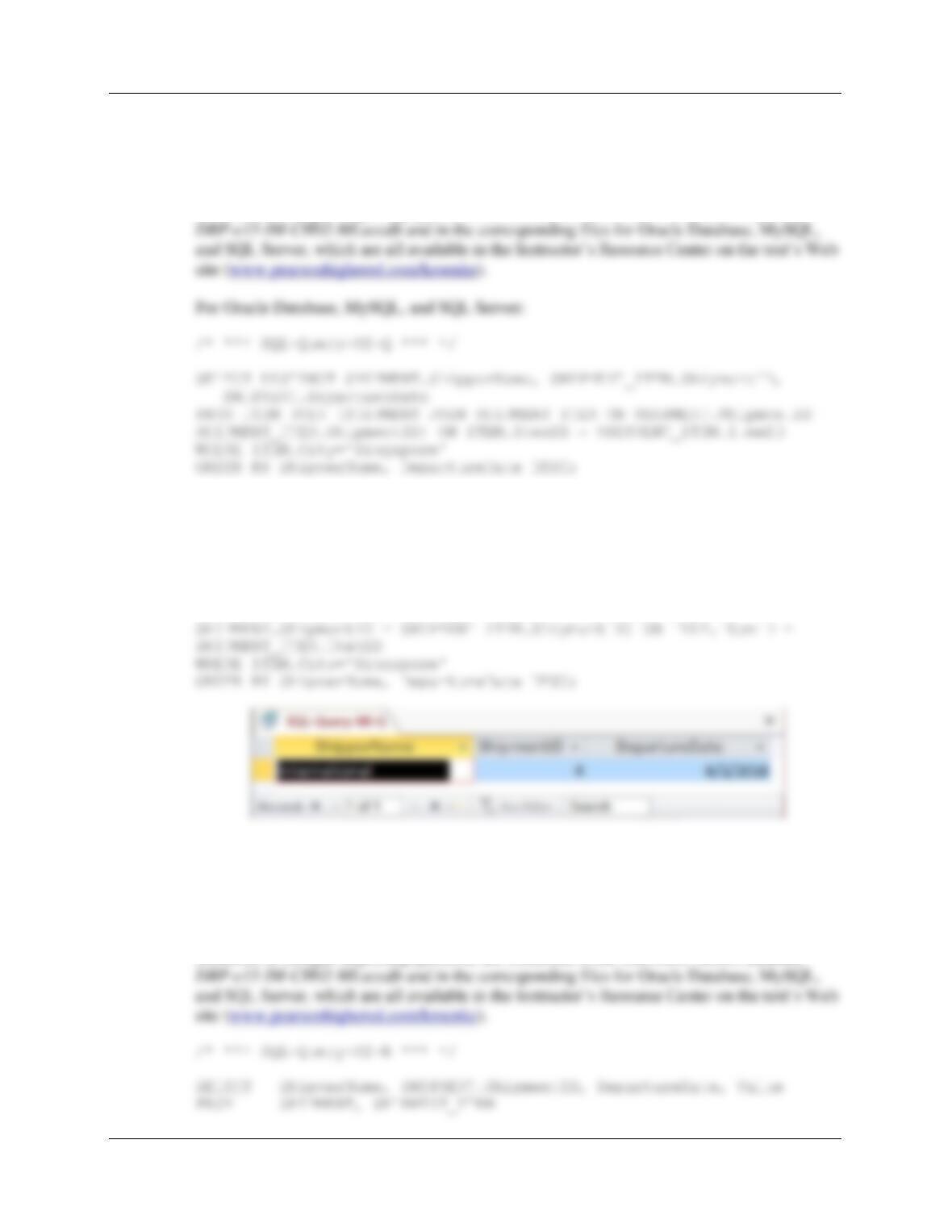
an item that was purchased in Singapore. Use a join, but do not use JOIN ON
syntax. Present results sorted by ShipperName in ascending order and then
DepartureDate in descending order.
Solutions to Morgan Importing questions are contained in the Microsoft Access database
Chapter Two – Introduction to Structured Query Language
Page 2-140
Q. Show the ShipperName, ShipmentID, and DepartureDate of all shipments that have
an item that was purchased in Singapore. Use a join using JOIN ON syntax.
Present results sorted by ShipperName in ascending order and then DepartureDate
in descending order.
Solutions to Morgan Importing questions are contained in the Microsoft Access database
Note that for Microsoft Access, we must use the INNER JOIN syntax:
/* *** SQL-Query-MI-Q *** */
SELECT DISTINCT SHIPMENT.ShipperName, SHIPMENT_ITEM.ShipmentID,
SHIPMENT.DepartureDate
FROM ITEM INNER JOIN (SHIPMENT INNER JOIN SHIPMENT_ITEM ON
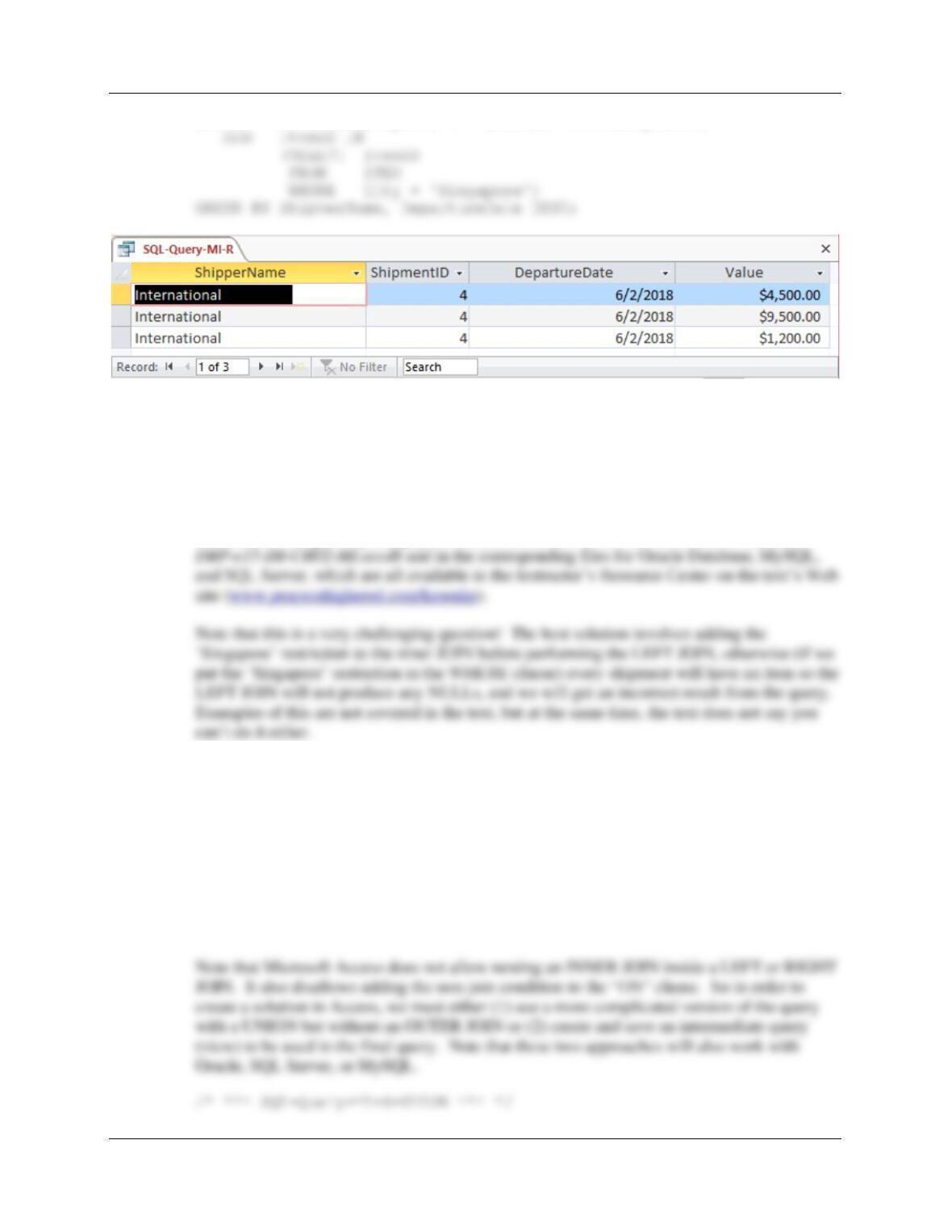
R. Show the ShipperName, ShipmentID, the DepartureDate of the shipment, and Value
for items that were purchased in Singapore. Use a combination of a join and a
subquery. Present results sorted by ShipperName in ascending order and then
DepartureDate in descending order.
Solutions to Morgan Importing questions are contained in the Microsoft Access database
Chapter Two – Introduction to Structured Query Language
Page 2-141
WHERE SHIPMENT.ShipmentID = SHIPMENT_ITEM.ShipmentID
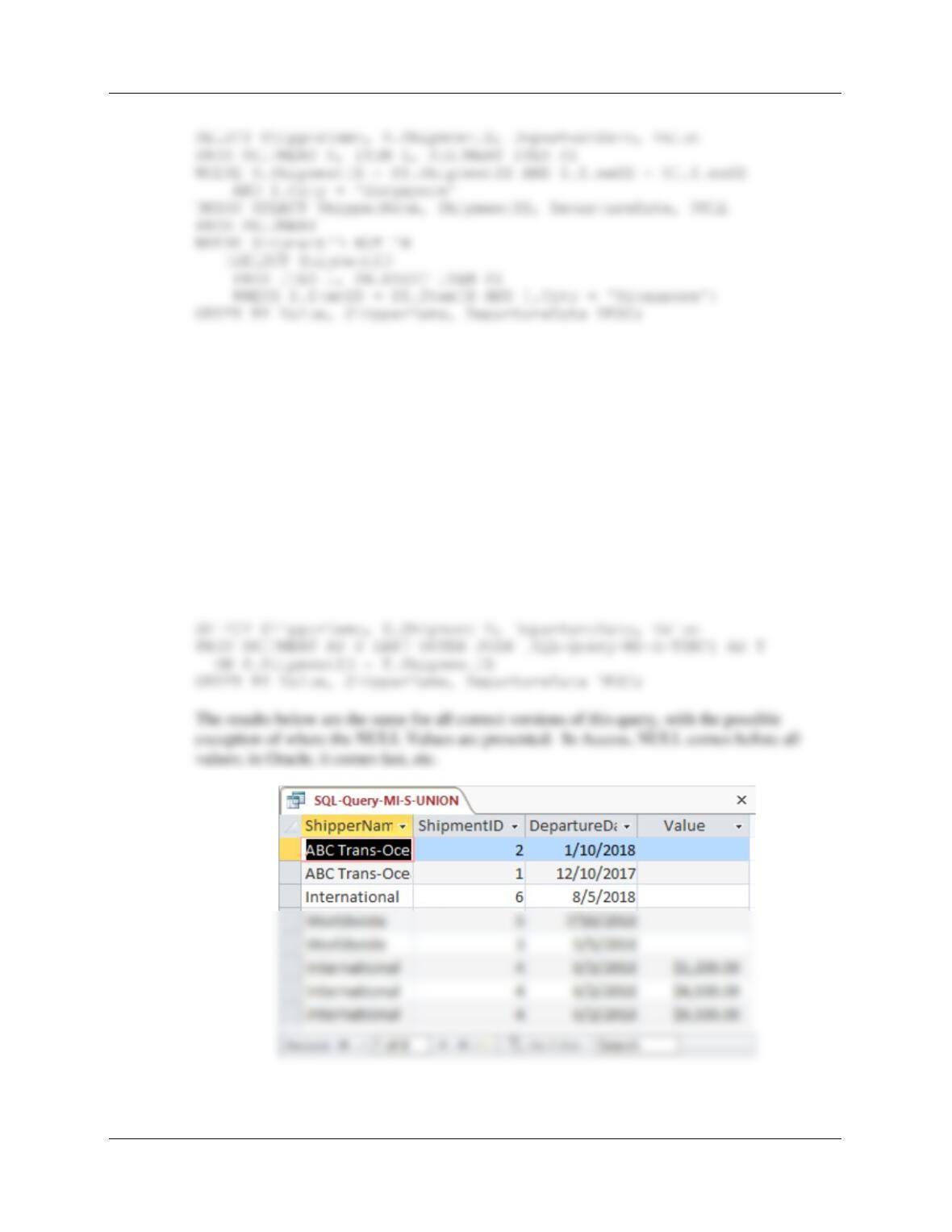
S. Show the ShipperName, ShipmentID, the DepartureDate of the shipment, and Value
for items that were purchased in Singapore. Also show the ShipperName,
ShipmentID, and DepartureDate for all other shipments. Present results sorted by
Value in ascending order, then ShipperName in ascending order, and then
DepartureDate in descending order.
Solutions to Morgan Importing questions are contained in the Microsoft Access database
The LEFT JOIN solution for Oracle Database, MySQL, and SQL Server:
/* *** SQL-Query-MI-S *** */
SELECT ShipperName, SHIPMENT.ShipmentID, DepartureDate, Value
FROM SHIPMENT LEFT JOIN (ITEM JOIN SHIPMENT_ITEM
ON ITEM.ItemID = SHIPMENT_ITEM.ItemID AND
ITEM.City = ‘Singapore’)
ON SHIPMENT.ShipmentID = SHIPMENT_ITEM.ShipmentID
ORDER BY Value, ShipperName, DepartureDate DESC;
Chapter Two – Introduction to Structured Query Language
Page 2-142
The other approach using Access involves writing and saving an intermediate query (also
called a “view”; see Chapter 7). We first write and save a query that produces the
ShipmentID and Value for all shipments involving an item from Singapore:
/* *** SQL-Query-MI-S-Temp *** */
SELECT ShipmentID, Value
FROM ITEM I, SHIPMENT_ITEM SI
WHERE I.ItemID = SI.ItemID AND I.City = ‘Singapore’;
Now we can use that temporary query as if it were just another table to produce the final
result:
/* *** SQL-Query-MI-S-Final *** */