Chapter Two – Introduction to Structured Query Language
Note that the “GROUP BY” clause is necessary here since warehouse manager names are not
necessarily unique: since the question asks for warehouse ID, there should be one result for each
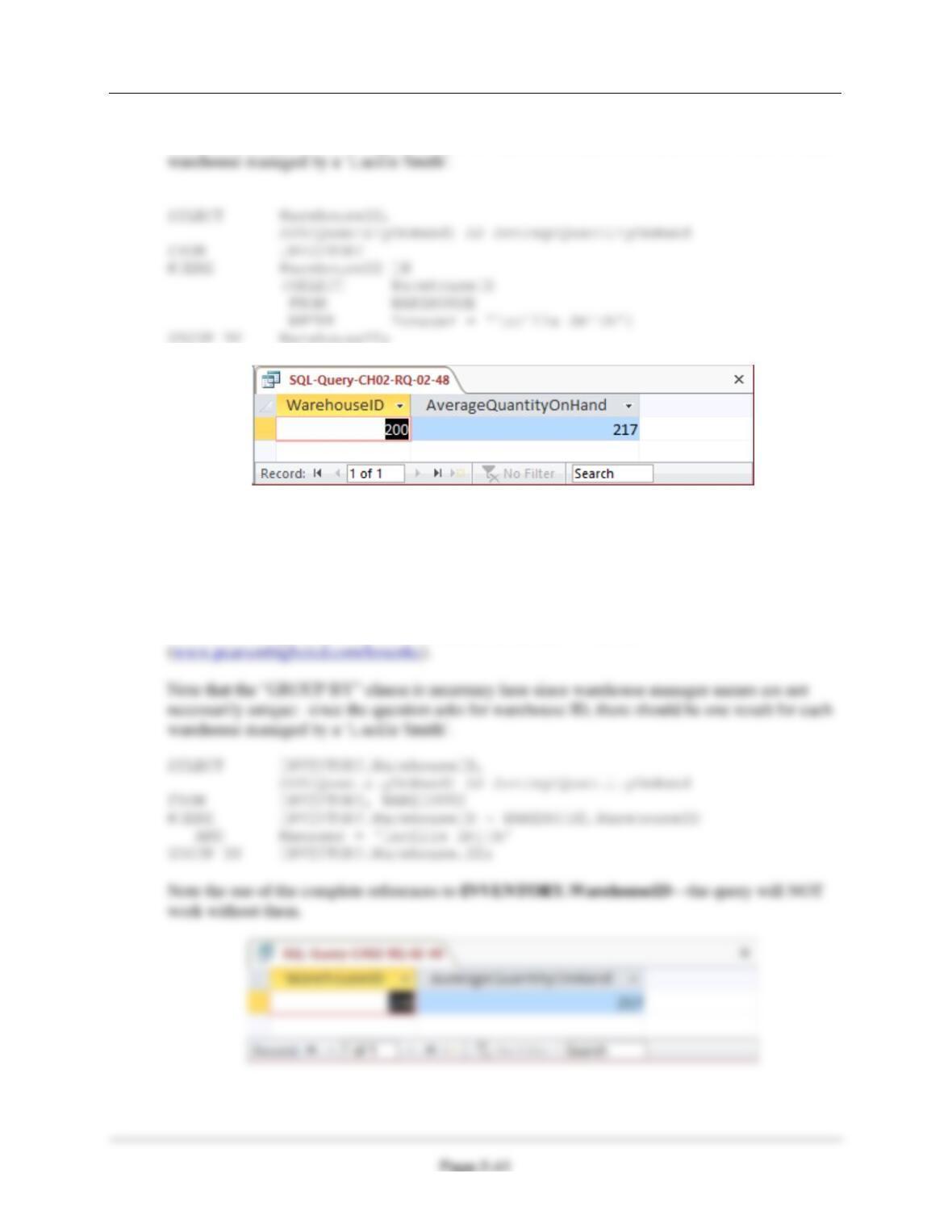
2.49 Write an SQL statement to show the WarehouseID and average QuantityOnHand of all
items stored in a warehouse managed by ‘Lucille Smith’. Use a join, but do not use
JOIN ON syntax.
SQL Solutions to Project Questions 2.17 – 2.60 are contained in the Microsoft Access database
DBP-e15-IM-CH02-Cape-Codd-RQ.accdb and in the corresponding files for SQL Server, Oracle
Database, and MySQL, which are all available on the text’s Web site
Chapter Two – Introduction to Structured Query Language
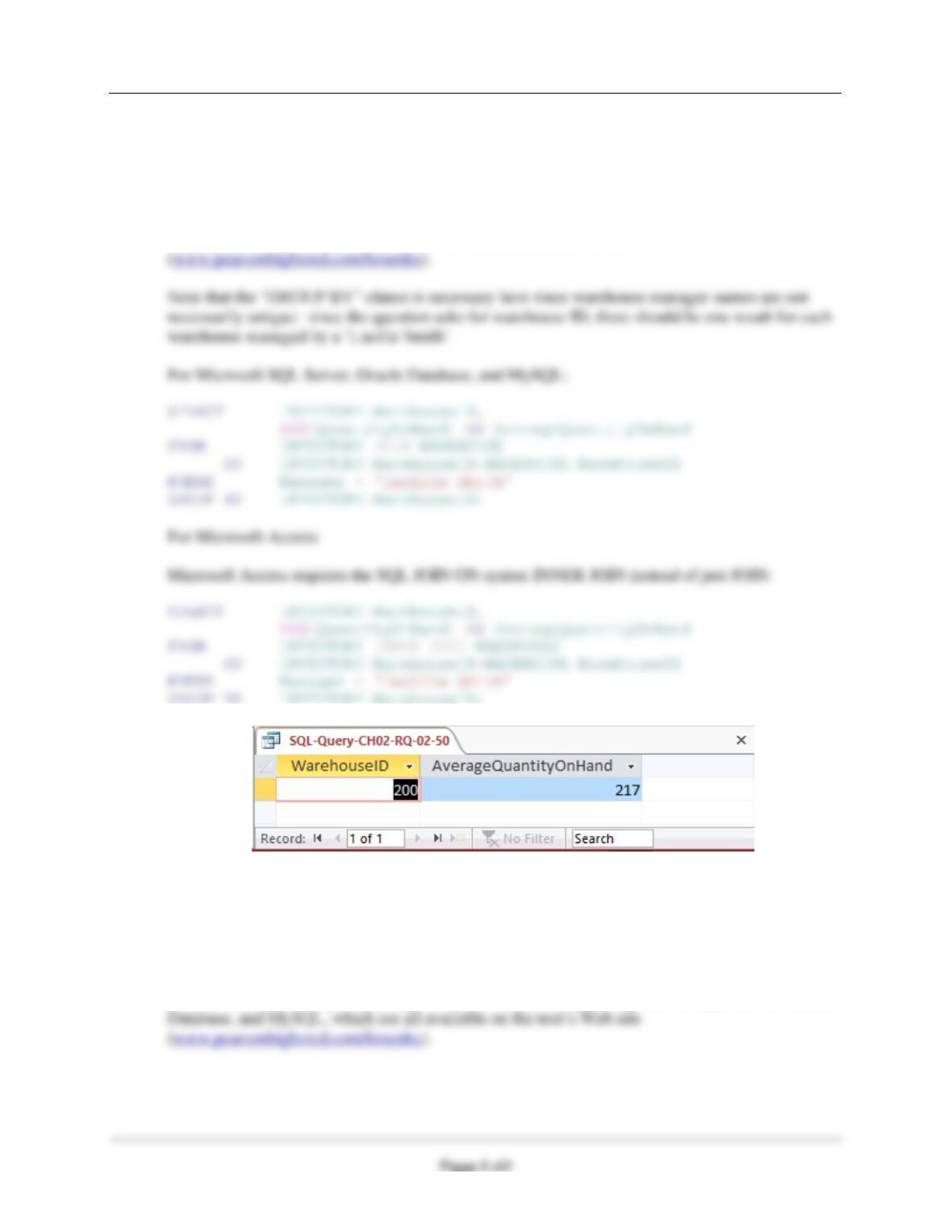
2.50 Write an SQL statement to show the WarehouseID and average QuantityOnHand of all
items stored in a warehouse managed by ‘Lucille Smith’. Use a join using JOIN ON
syntax.
SQL Solutions to Project Questions 2.17 – 2.60 are contained in the Microsoft Access database
DBP-e15-IM-CH02-Cape-Codd-RQ.accdb and in the corresponding files for SQL Server, Oracle
Database, and MySQL, which are all available on the text’s Web site
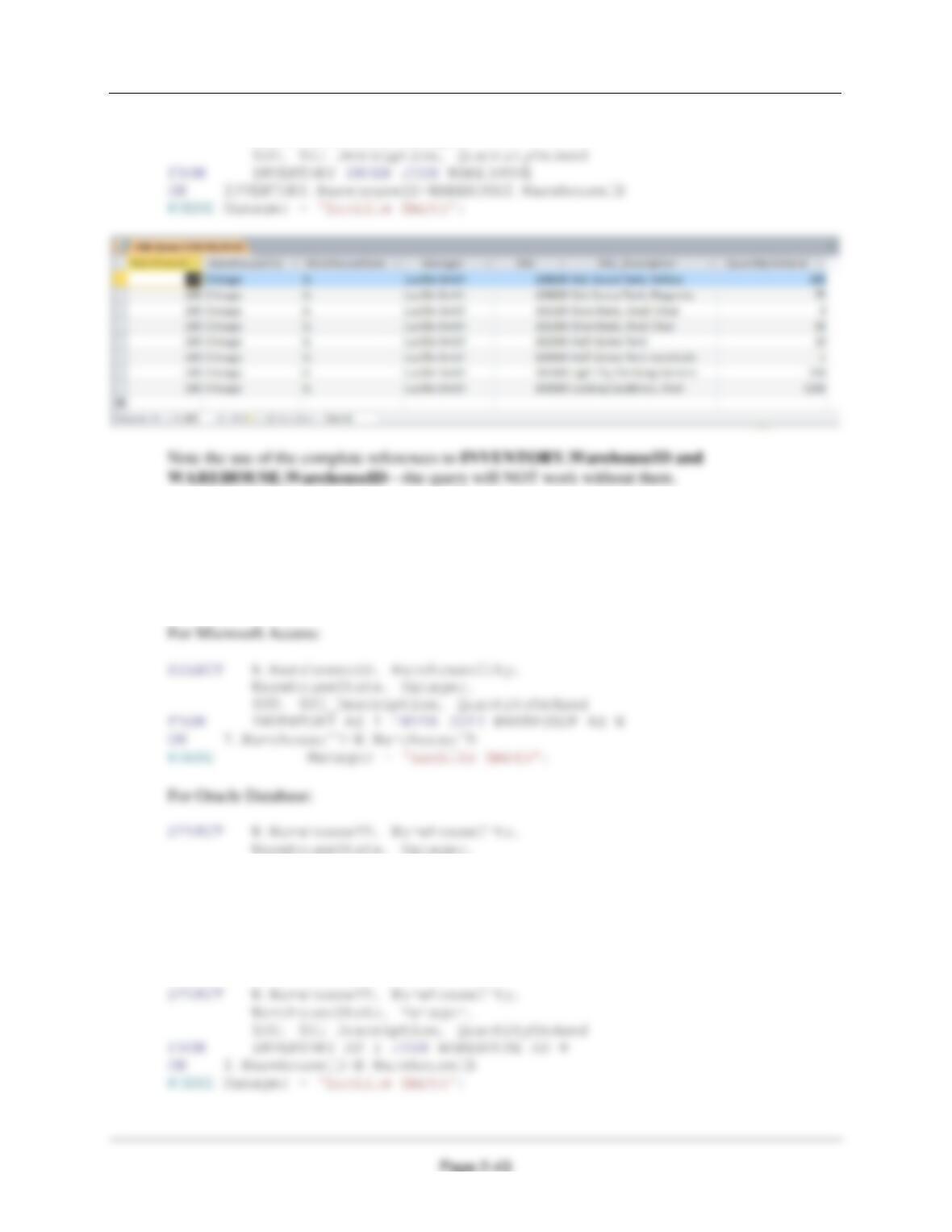
2.51 Write an SQL statement to show the WarehouseID, WarehouseCity, WarehouseState,
Manager, SKU, SKU_Description, and QuantityOnHand of all items stored in a
warehouse managed by ‘Lucille Smith’. Use a join using JOIN ON syntax.
SQL Solutions to Project Questions 2.17 – 2.60 are contained in the Microsoft Access database
DBP-e15-IM-CH02-Cape-Codd-RQ.accdb and in the corresponding files for SQL Server, Oracle
Chapter Two – Introduction to Structured Query Language
SELECT WAREHOUSE.WarehouseID, WarehouseCity,
WarehouseState, Manager,
The above version of the query works in Access, SQL Server, Oracle Database, and MySQL.
The “INNER” keyword is required in Access, but is optional in SQL Server, Oracle, and MySQL.
In addition, this query could benefit from aliasing (range variables) for readability, but that syntax
is slightly different in Oracle than in the other three systems (the “AS” keyword is not allowed in
Oracle). Thus the most typical, preferred solutions for each system are as follows:
SKU, SKU_Description, QuantityOnHand
FROM INVENTORY I INNER JOIN WAREHOUSE W
ON I.WarehouseID=W.WarehouseID
WHERE Manager = ‘Lucille Smith’;
For SQL Server and MySQL:
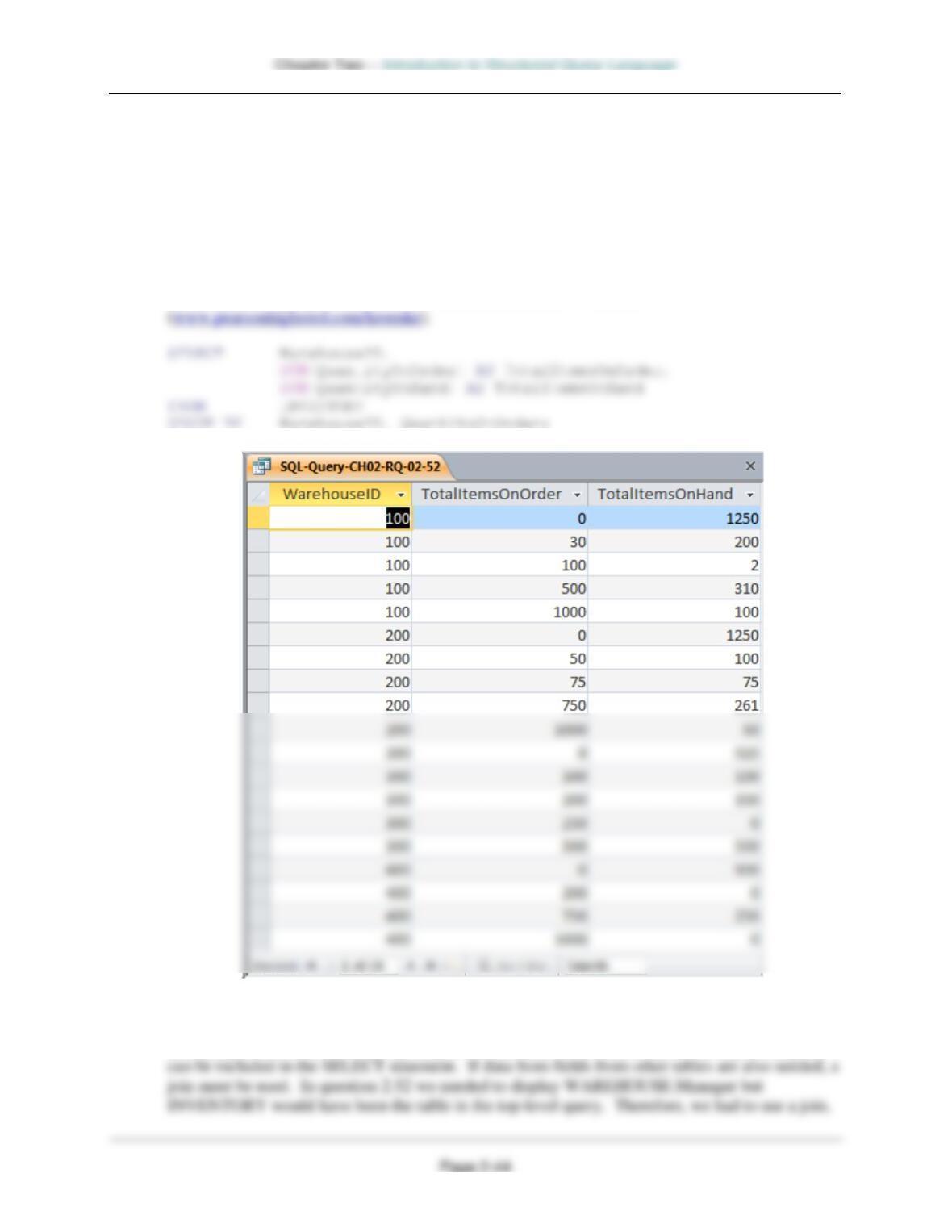
2.52 Write an SQL statement to display the WarehouseID, the sum of QuantityOnOrder, and
sum of QuantityOnHand, grouped by WarehouseID and QuantityOnOrder. Name the
sum of QuantityOnOrder as TotalItemsOnOrder and the sum of QuantityOnHand as
TotalItemsOnHand. Use only the INVENTORY table in your SQL statement.
SQL Solutions to Project Questions 2.17 – 2.60 are contained in the Microsoft Access database
DBP-e15-IM-CH02-Cape-Codd-RQ.accdb and in the corresponding files for SQL Server, Oracle
Database, and MySQL, which are all available on the text’s Web site
2.53 Explain why you cannot use a subquery in your answer to Review Question 2.52.
In a query that contains a subquery, only data from fields in the table used in the top-level query
Chapter Two – Introduction to Structured Query Language
Page 2-45
2.54 Explain how subqueries and joins differ.
(1) In a query that contains a subquery, only data from fields in the table used in the top-level
(2) The subqueries in this chapter are non-correlated subqueries, which have an equivalent join
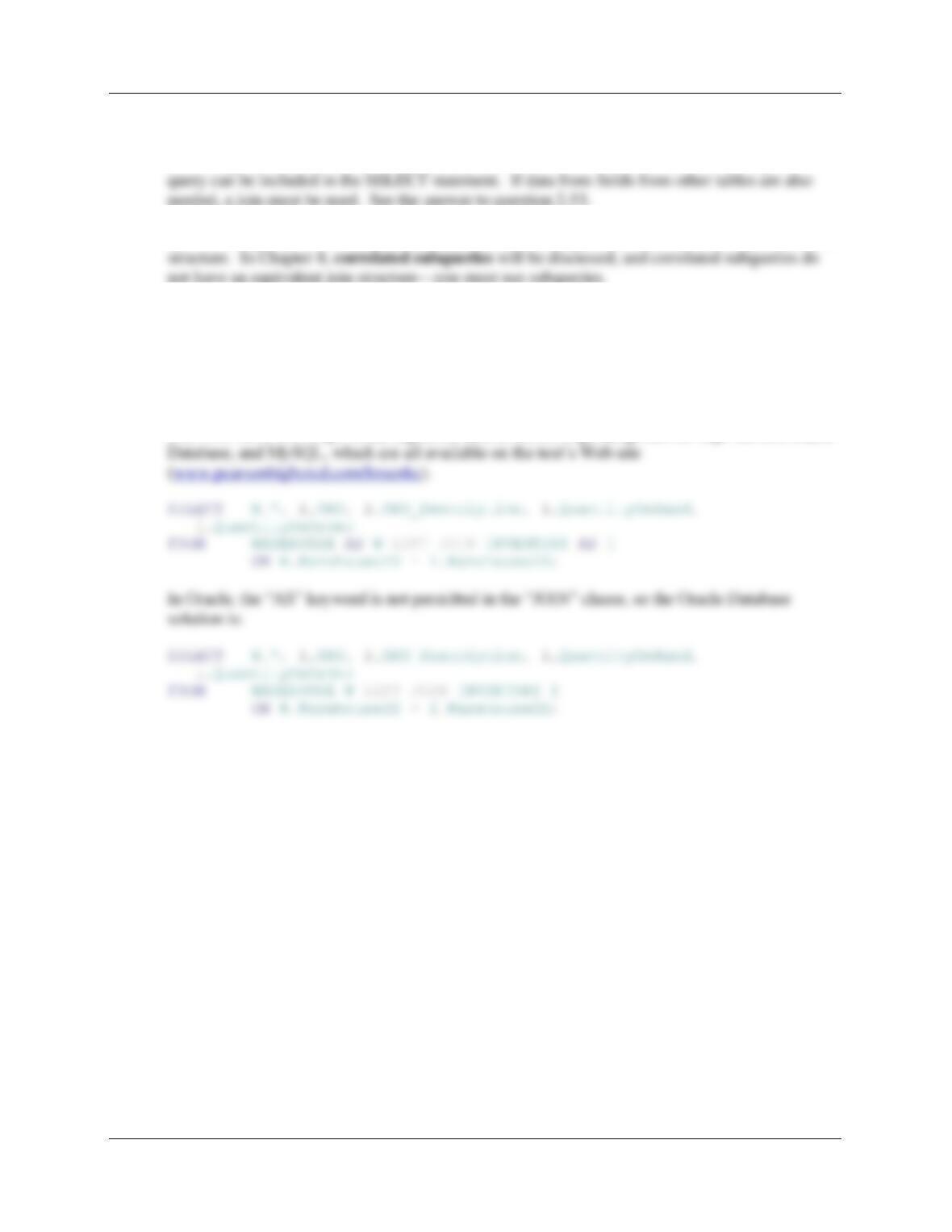
2.55 Write an SQL statement to join WAREHOUSE and INVENTORY and include all rows of
WAREHOUSE in your answer, regardless of whether they have any INVENTORY.
Include all columns of both tables, but do not repeat the join columns.
SQL Solutions to Project Questions 2.17 – 2.60 are contained in the Microsoft Access database
DBP-e15-IM-CH02-Cape-Codd-RQ.accdb and in the corresponding files for SQL Server, Oracle
Chapter Two – Introduction to Structured Query Language
Page 2-46
Use both the CATALOG_SKU_2016 and CATALOG_SKU_2017 tables to answer Review
Questions 2.56 through 2.60 (for Microsoft Access 2016 and MySQL 5.7, 2.56 and 2.57 only):
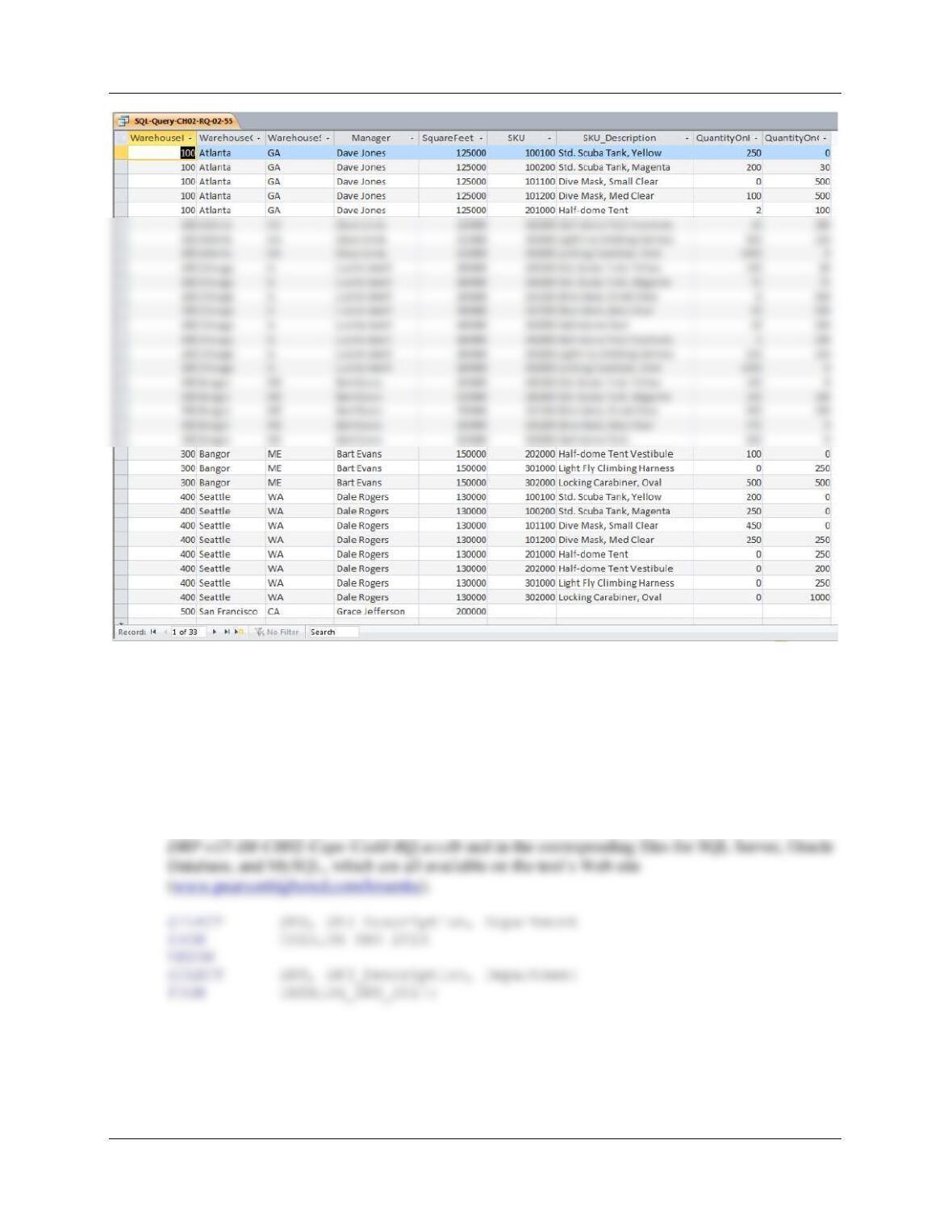
2.56 Write an SQL statement to display the SKU, SKU_Description, and Department of all
SKUs that appear in either the Cape Codd 2016 Catalog (either in the printed catalog or
on the Web site) or the Cape Codd 2017 catalog (either in the printed catalog or on the
Web site) or both.
SQL Solutions to Project Questions 2.17 – 2.60 are contained in the Microsoft Access database
Chapter Two – Introduction to Structured Query Language
Page 2-47
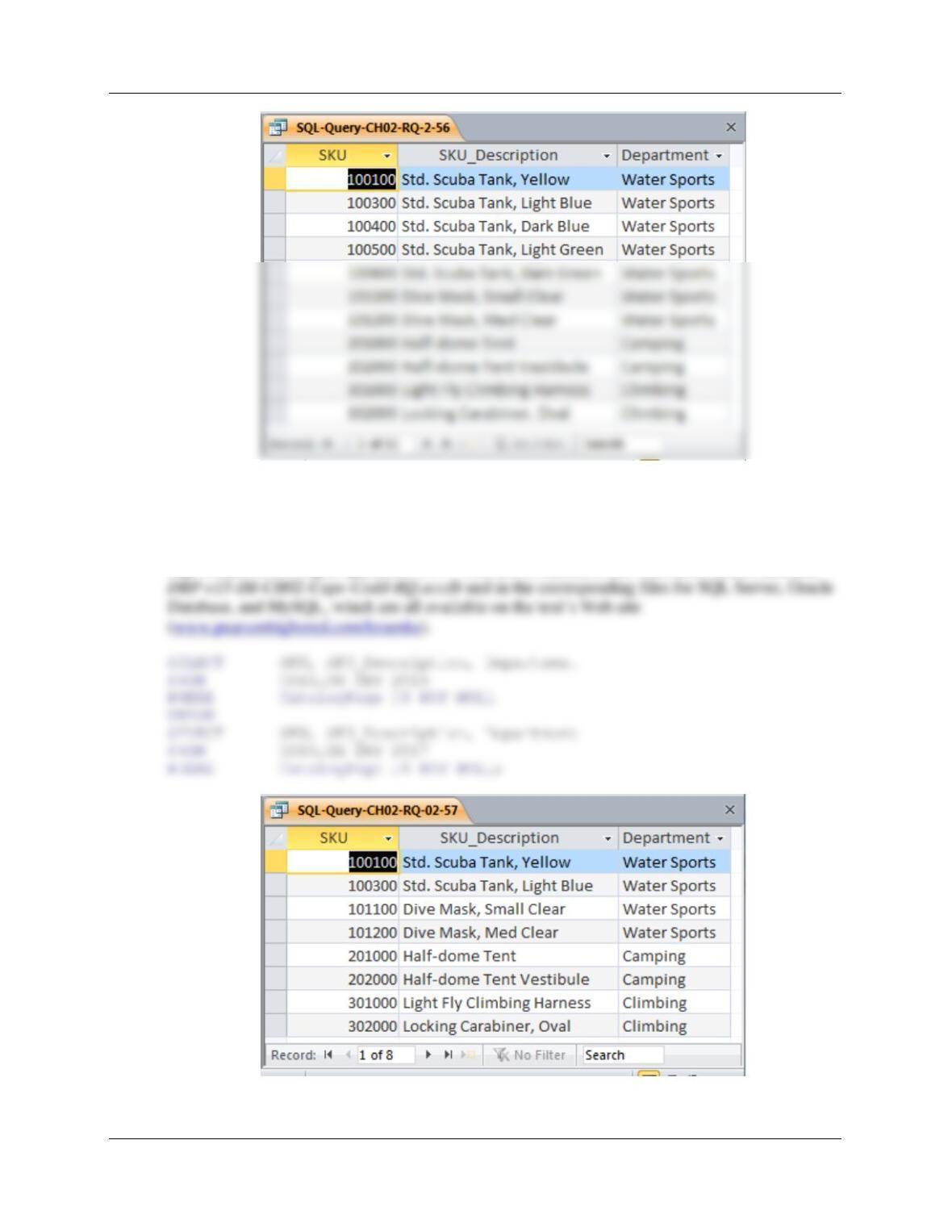
2.57 Write an SQL statement to display the SKU, SKU_Description, and Department of all
SKUs that appear in either the Cape Codd 2016 Catalog (only in the printed catalog
itself) or the Cape Codd 2017 catalog (only in the printed catalog itself) or both.
SQL Solutions to Project Questions 2.17 – 2.60 are contained in the Microsoft Access database
Chapter Two – Introduction to Structured Query Language
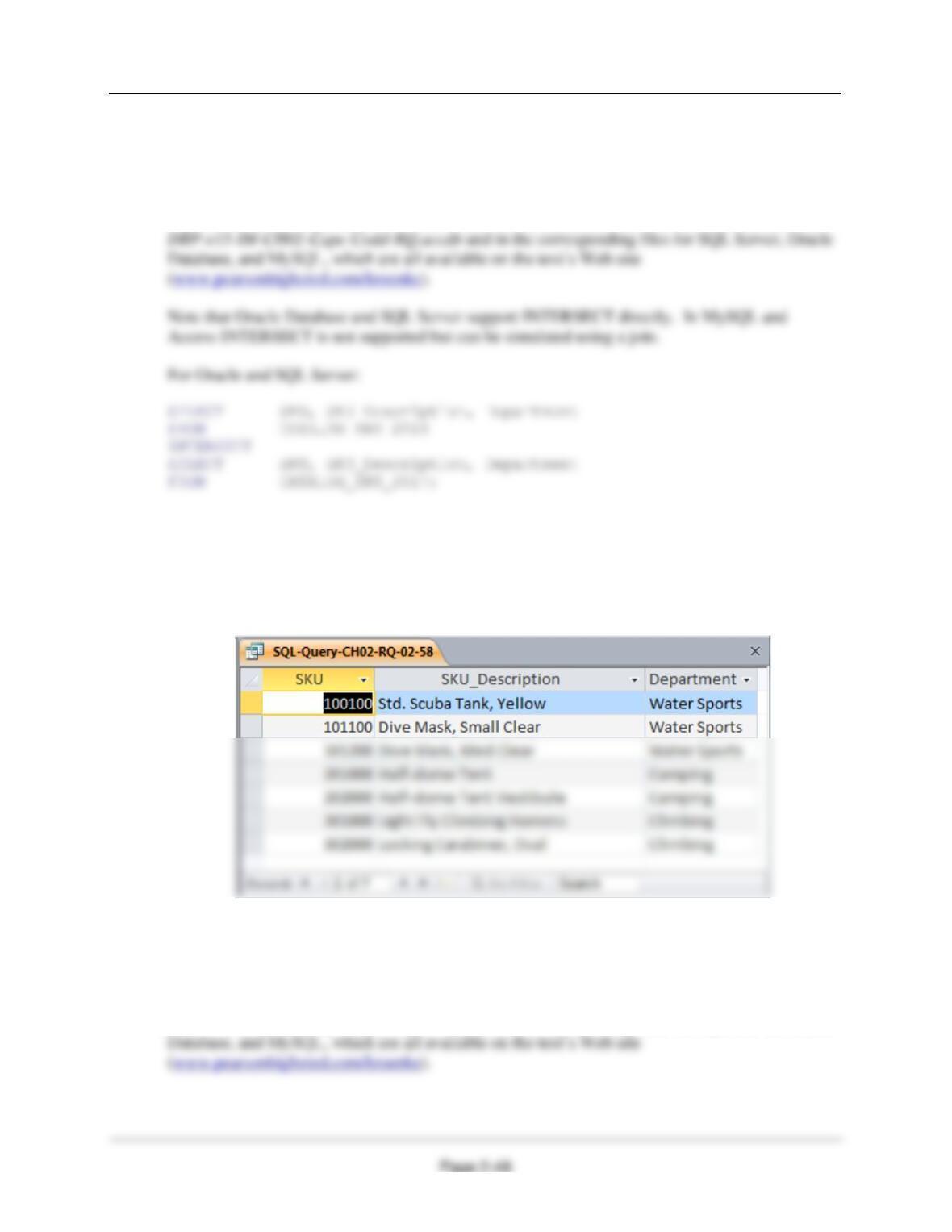
2.58 Write an SQL statement to display the SKU, SKU_Description, and Department of all
SKUs that appear in both the Cape Codd 2016 Catalog (either in the printed catalog or
on the Web site) and the Cape Codd 2017 catalog (either in the printed catalog or on the
Web site).
SQL Solutions to Project Questions 2.17 – 2.60 are contained in the Microsoft Access database
For MySQL and Access:
SELECT DISTINCT CS16.SKU, CS16.SKU_Description, CS16.Department
FROM CATALOG_SKU_2016 AS CS16
INNER JOIN CATALOG_SKU_2017 AS CS17
ON CS16.SKU = CS17.SKU;
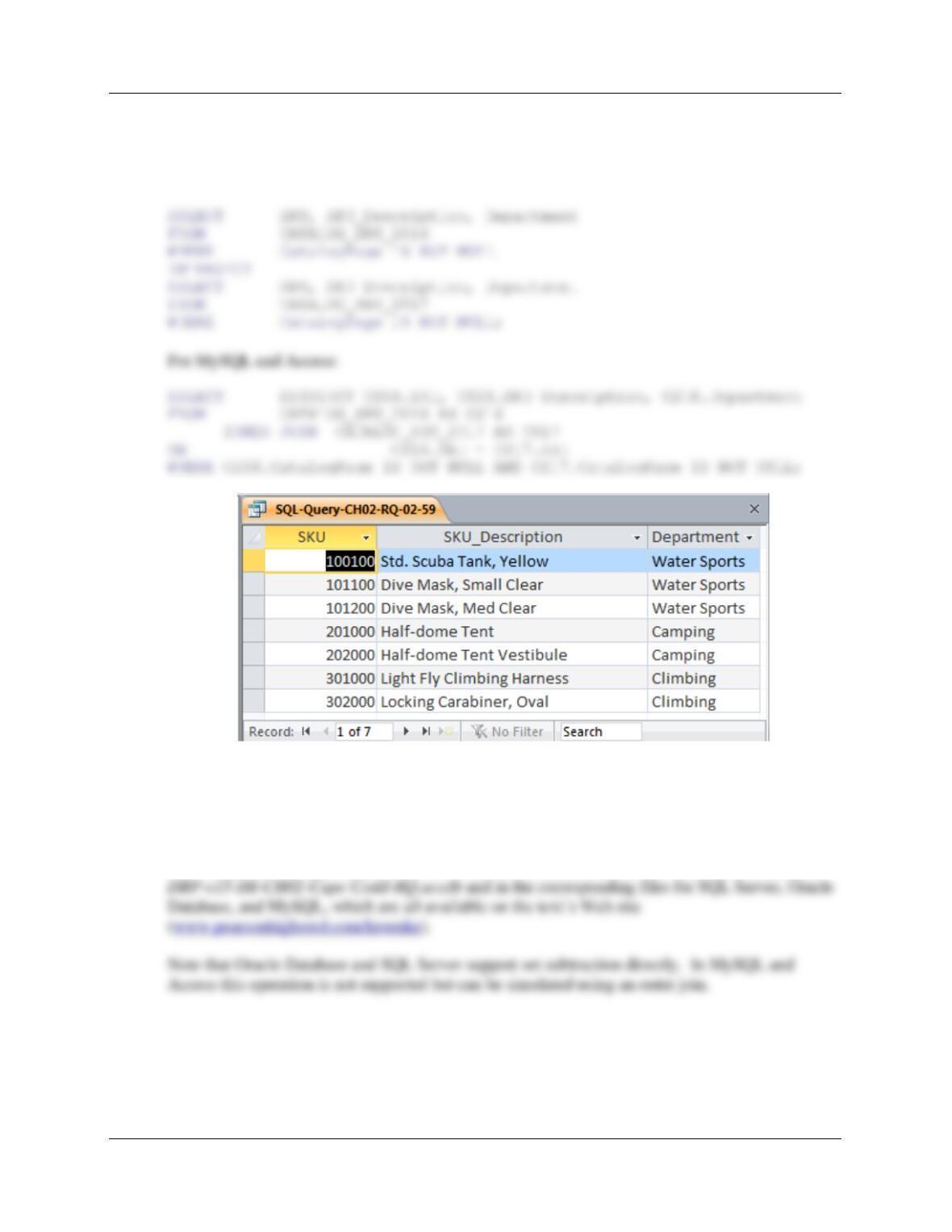
2.59 Write an SQL statement to display the SKU, SKU_Description, and Department of all
SKUs that appear in both the Cape Codd 2016 Catalog (only in the printed catalog itself)
and the Cape Codd 2017 catalog (only in the printed catalog itself).
SQL Solutions to Project Questions 2.17 – 2.60 are contained in the Microsoft Access database
DBP-e15-IM-CH02-Cape-Codd-RQ.accdb and in the corresponding files for SQL Server, Oracle
Chapter Two – Introduction to Structured Query Language
Page 2-49
Note that Oracle Database and SQL Server support INTERSECT directly. In MySQL and
Access INTERSECT is not supported but can be simulated using a join.
For Oracle and SQL Server:
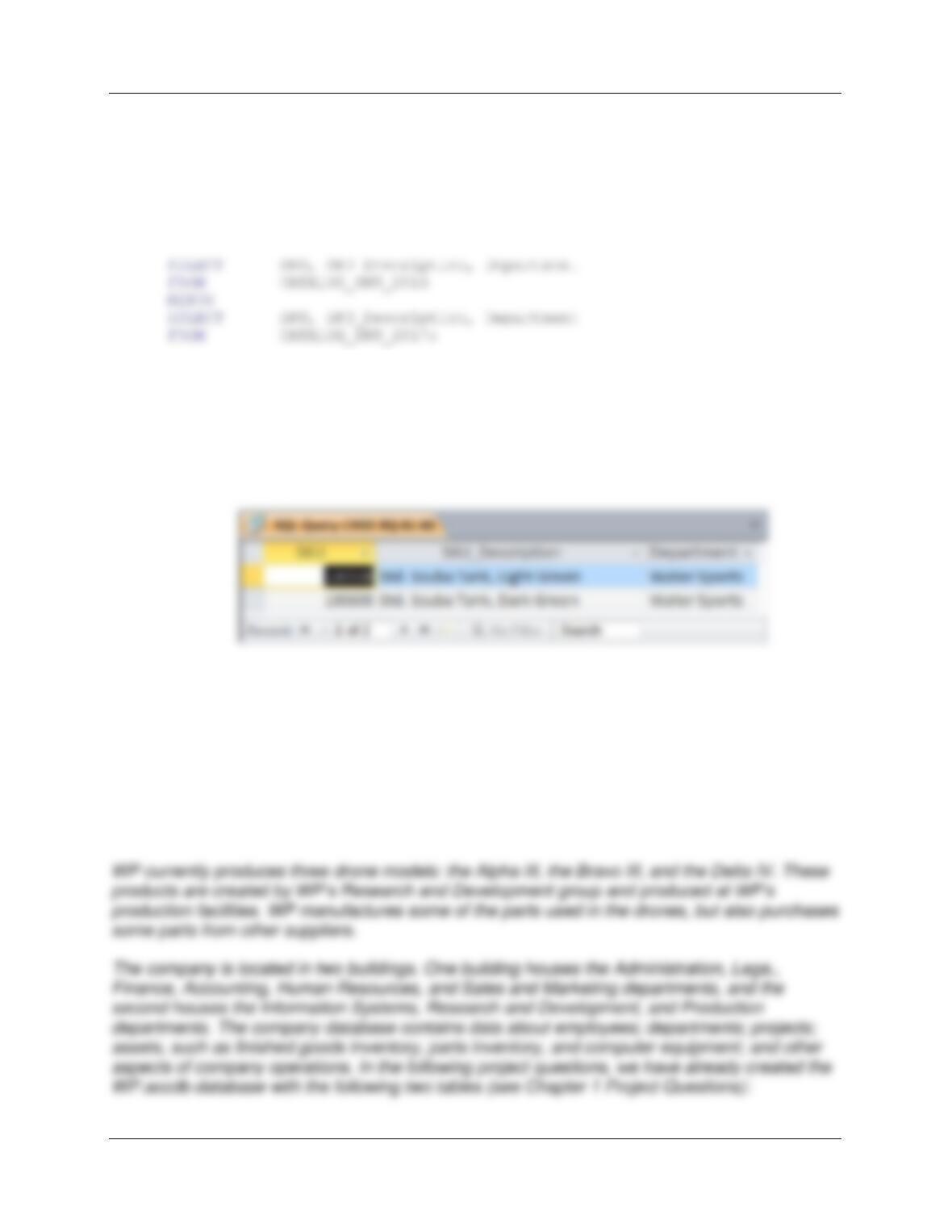
2.60 Write an SQL statement to display the SKU, SKU_Description, and Department of all
SKUs that appear in only the Cape Codd 2016 Catalog (either in the printed catalog or
on the Web site) and not in the Cape Codd 2017 catalog (either in the printed catalog or
on the Web site).
SQL Solutions to Project Questions 2.17 – 2.60 are contained in the Microsoft Access database
For SQL Server:
Chapter Two – Introduction to Structured Query Language
Page 2-50
SELECT SKU, SKU_Description, Department
FROM CATALOG_SKU_2016
EXCEPT
SELECT SKU, SKU_Description, Department
FROM CATALOG_SKU_2017;
For Oracle:
For MySQL and Access:
SELECT DISTINCT CS16.SKU, CS16.SKU_Description, CS16.Department
FROM CATALOG_SKU_2016 AS CS16
LEFT OUTER JOIN CATALOG_SKU_2017 AS CS17
ON CS16.SKU = CS17.SKU
WHERE CS17.SKU IS NULL;
❖ ANSWERS TO EXERCISES
For this set of project questions, we will extend the Microsoft Access 2016 database for
Wedgewood Pacific (WP) that we created in Chapter 1. Founded in 1987 in Seattle,
Washington, this company manufactures and sells consumer drone aircraft. This is an
innovative and rapidly expanding market. In January 2016, the FAA said that 181,000 drones
(out of the approximately 700,000 drones that may have been sold during the 2015 Christmas
season) had been registered under the new FAA drone registration rules.
Chapter Two – Introduction to Structured Query Language
Page 2-51
Now we will add in the following two tables:
PROJECT (ProjectID, Name, Department, MaxHours, StartDate, EndDate)
ASSIGNMENT (ProjectID, EmployeeNumber, HoursWorked)
Where
Department in EMPLOYEE must exist in DepartmentName in DEPARTMENT
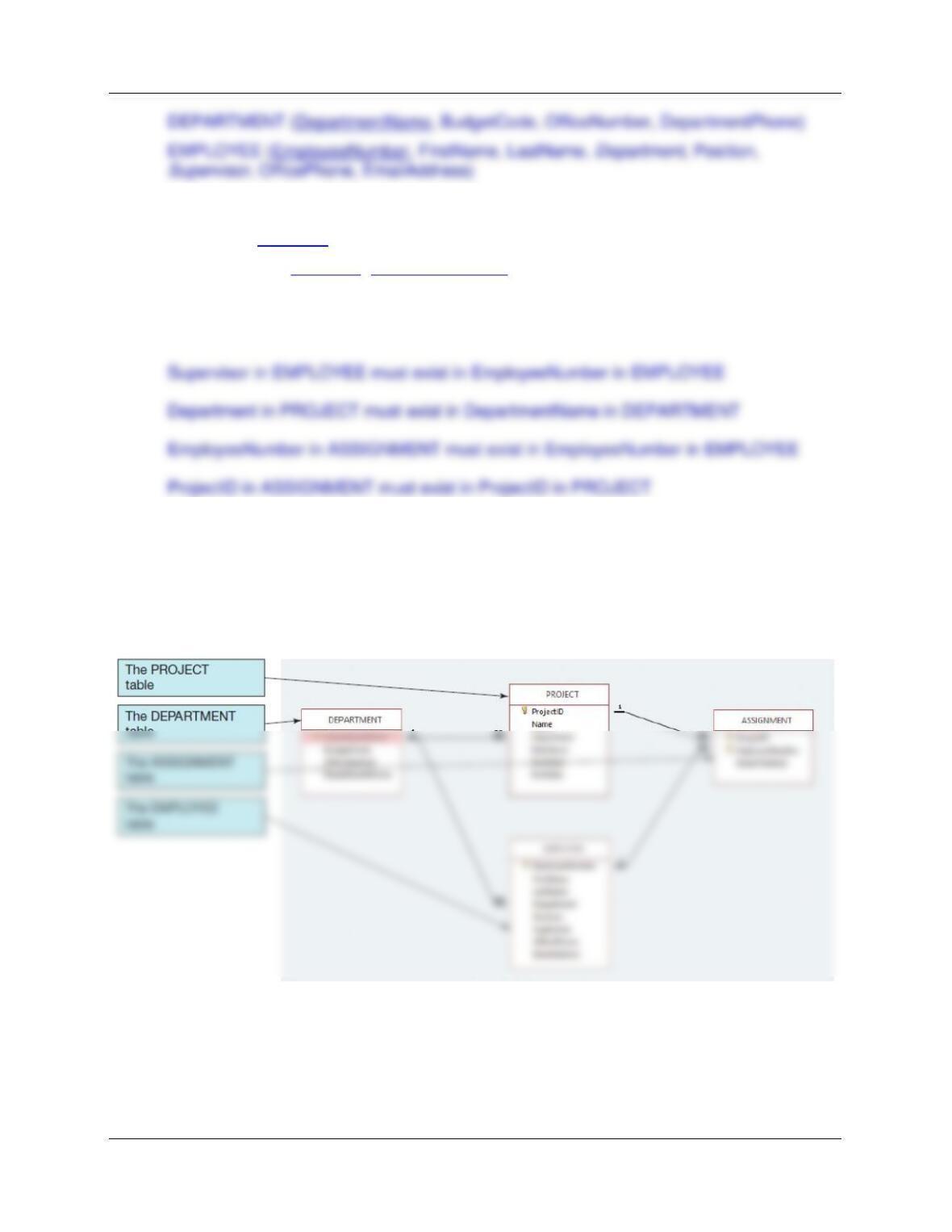
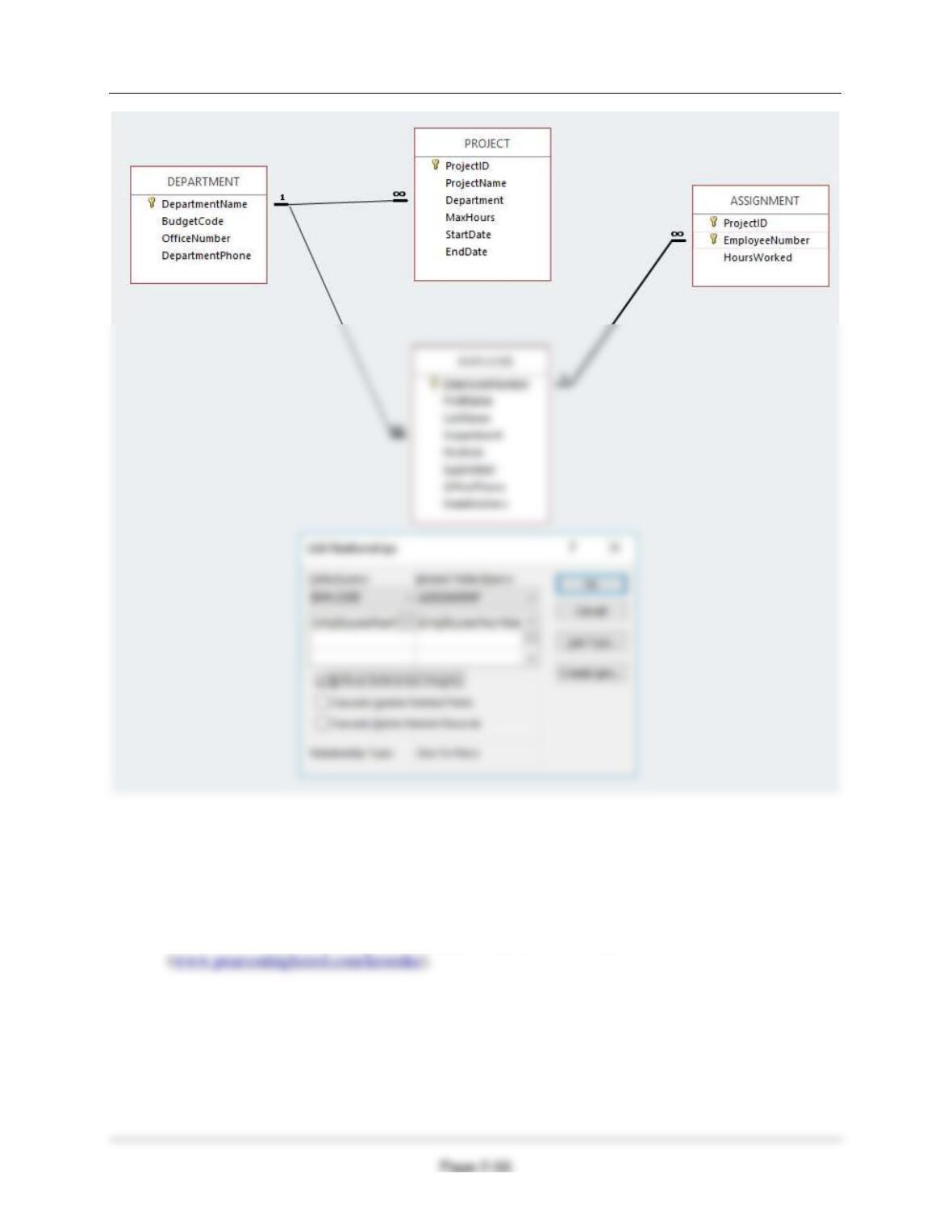
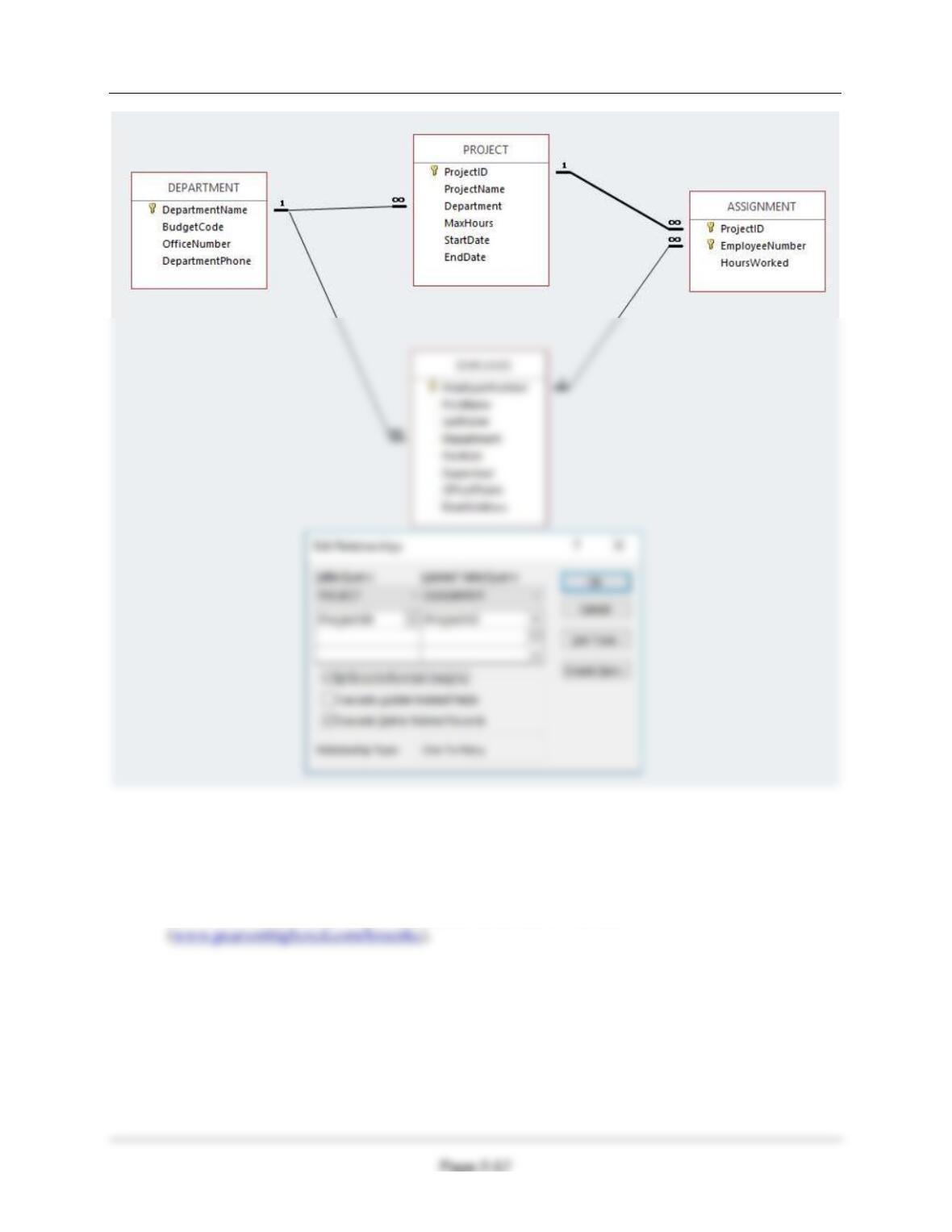
The four tables in the revised WP database schema are shown in Figure 2-42 without the
recursive relationship in the EMPLOYEE table (which we will add in the following exercise
questions). The column characteristics for the PROJECT table are shown in Figure 2-43, and
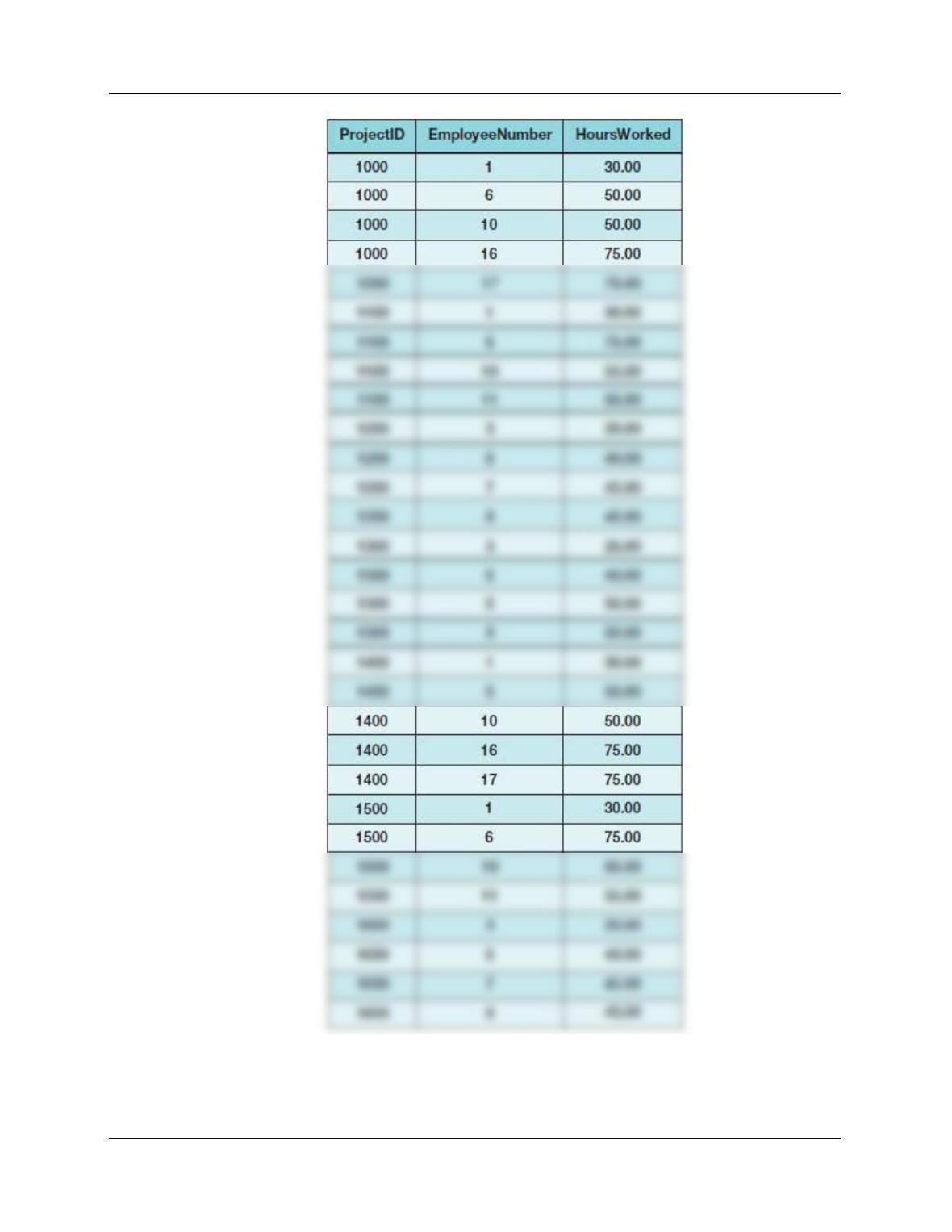
the column characteristics for the ASSIGNMENT table are shown in Figure 2-45. Data for the
PROJECT table are shown in Figure 2-44, and the data for the ASSIGNMENT table are shown
in Figure 2-46.
Figure 2-42 – The WP Database with the PROJECT and ASSIGNMENT Tables
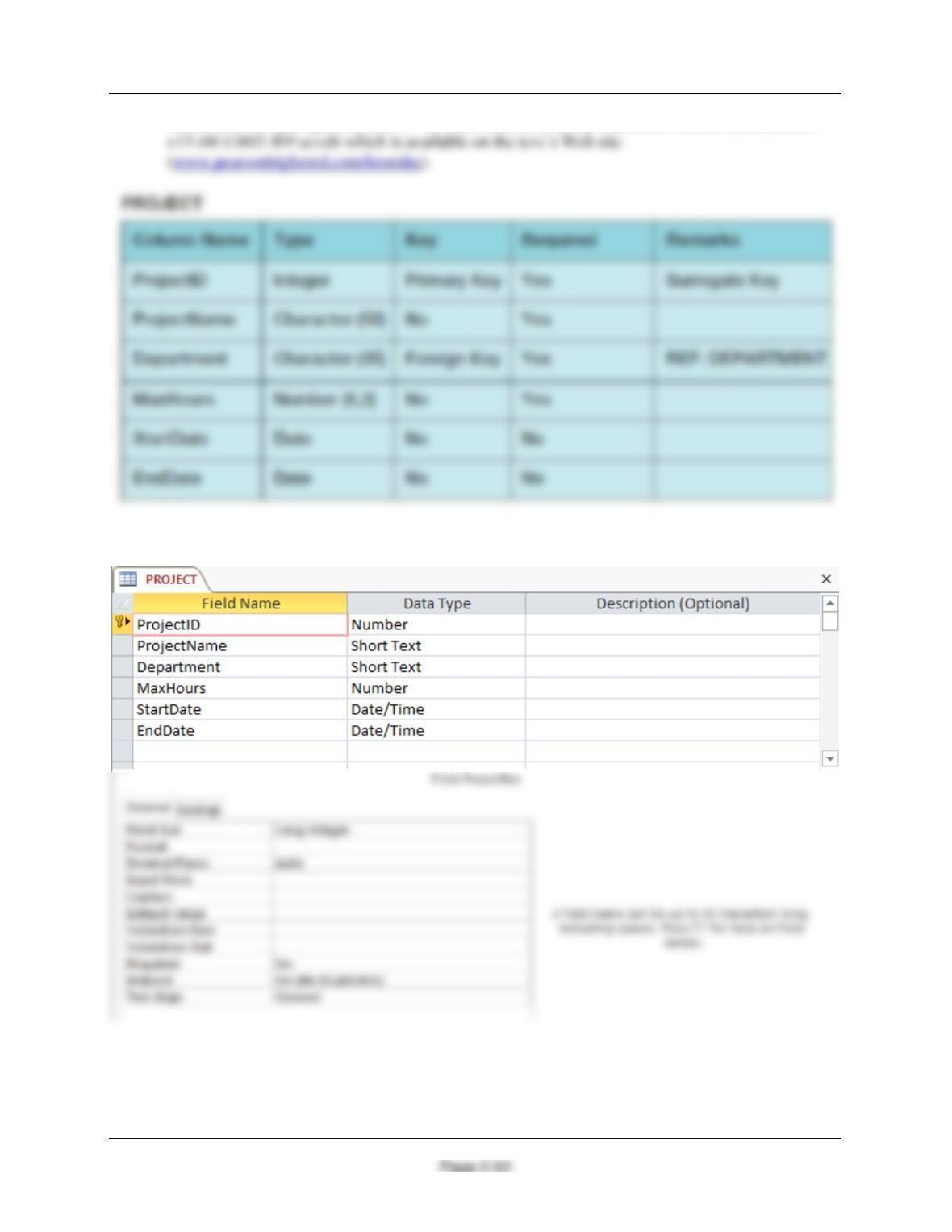
2.61 Figure 2-43 shows the column characteristics for the WP PROJECT table. Using the
column characteristics, create the PROJECT table in the WP.accdb database.
Chapter Two – Introduction to Structured Query Language
Solutions to Project Questions 2.61 – 2.70 are contained in the Microsoft Access database DBP-
Figure 2-43 – Column Characteristics for the PROJECT Table
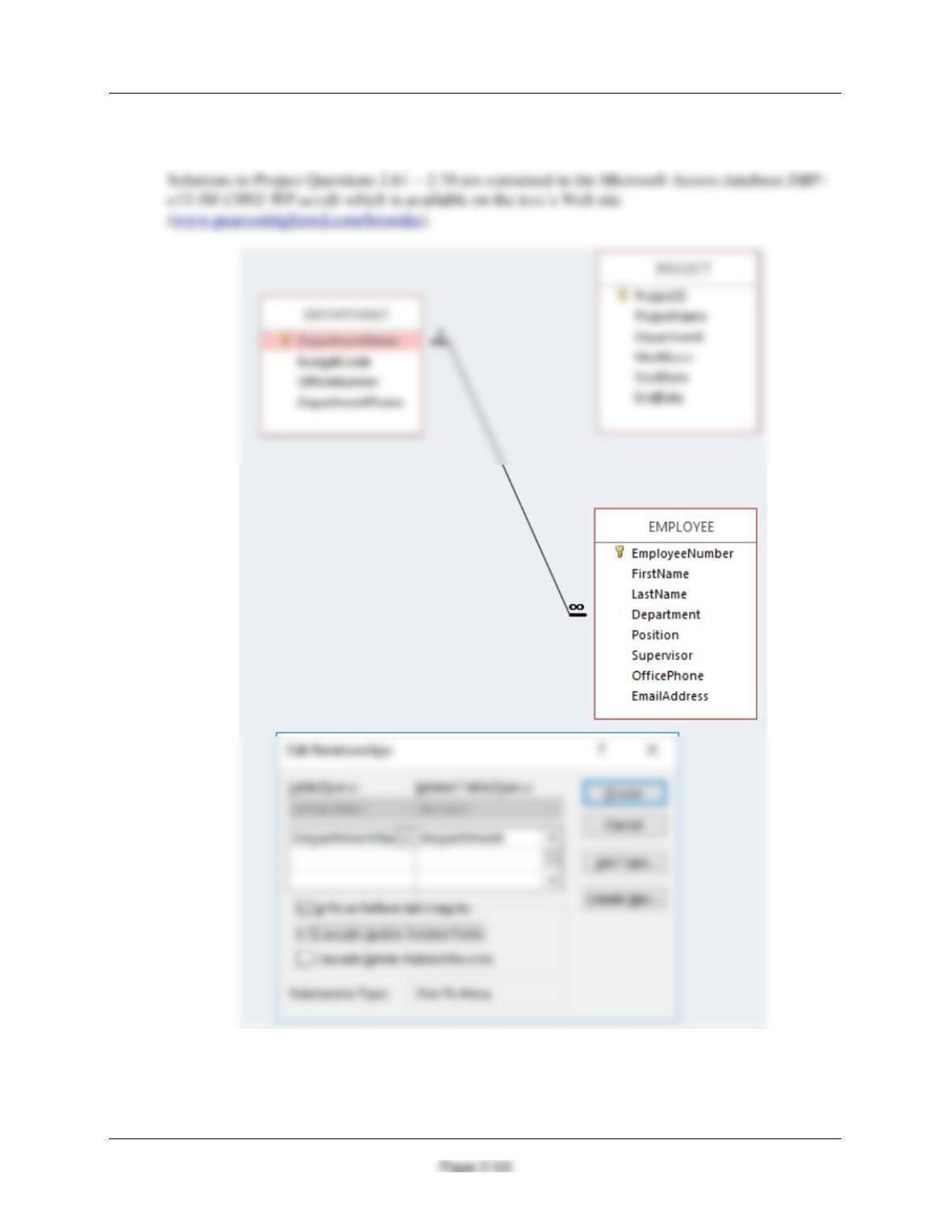
2.62 Create the relationship and referential integrity constraint between PROJECT and
DEPARTMENT. In the Edit Relationship dialog box, enable enforcing of referential
Chapter Two – Introduction to Structured Query Language
integrity and cascading of data updates, but do not enable cascading of data from
deleted records. We will define cascading actions in Chapter 6.
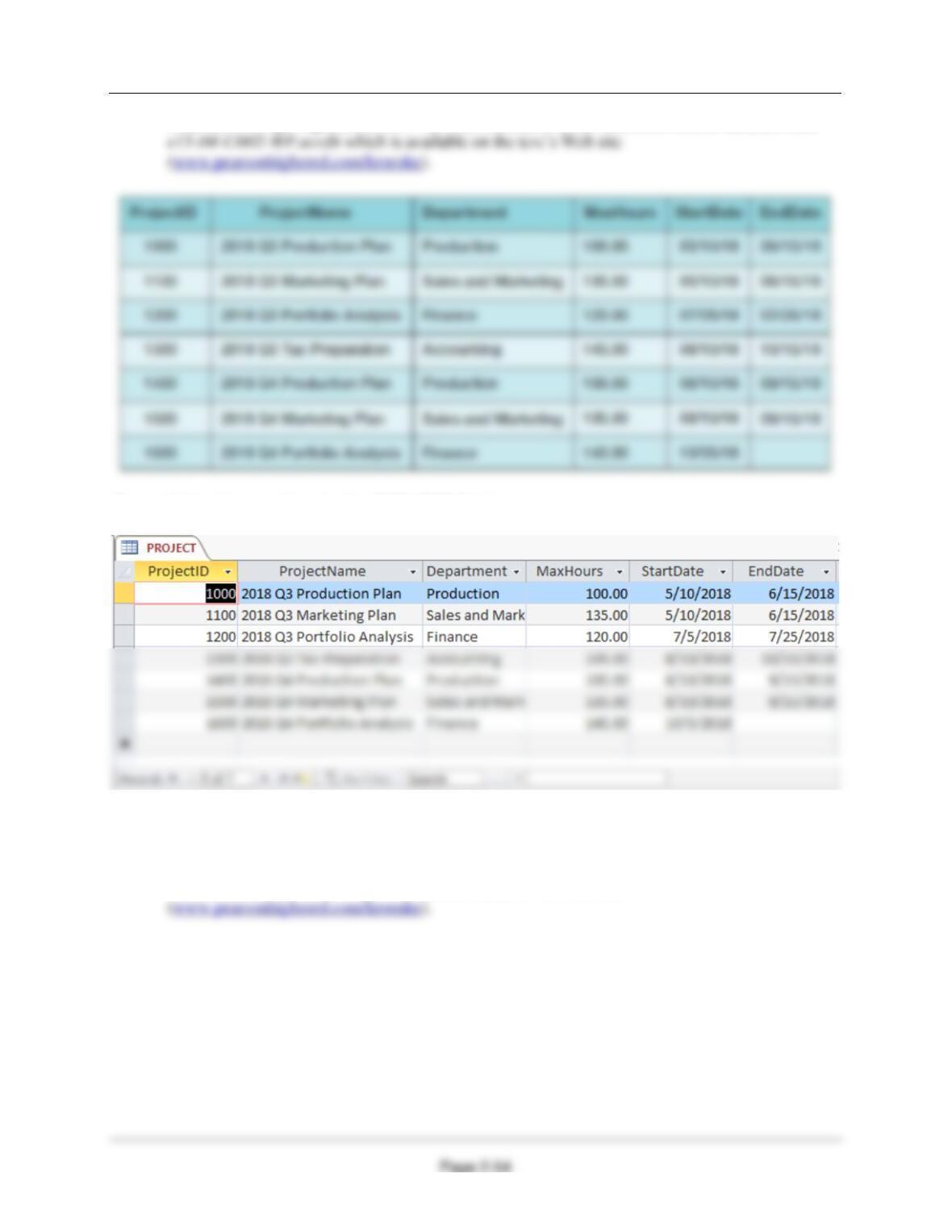
2.63 Figure 2-44 shows the data for the WP PROJECT table. Using the Datasheet view, enter
the data shown in Figure 2-44 into your PROJECT table.
Chapter Two – Introduction to Structured Query Language
Solutions to Project Questions 2.61 – 2.70 are contained in the Microsoft Access database DBP-
Figure 2-44 – Sample Data for the PROJECT Table
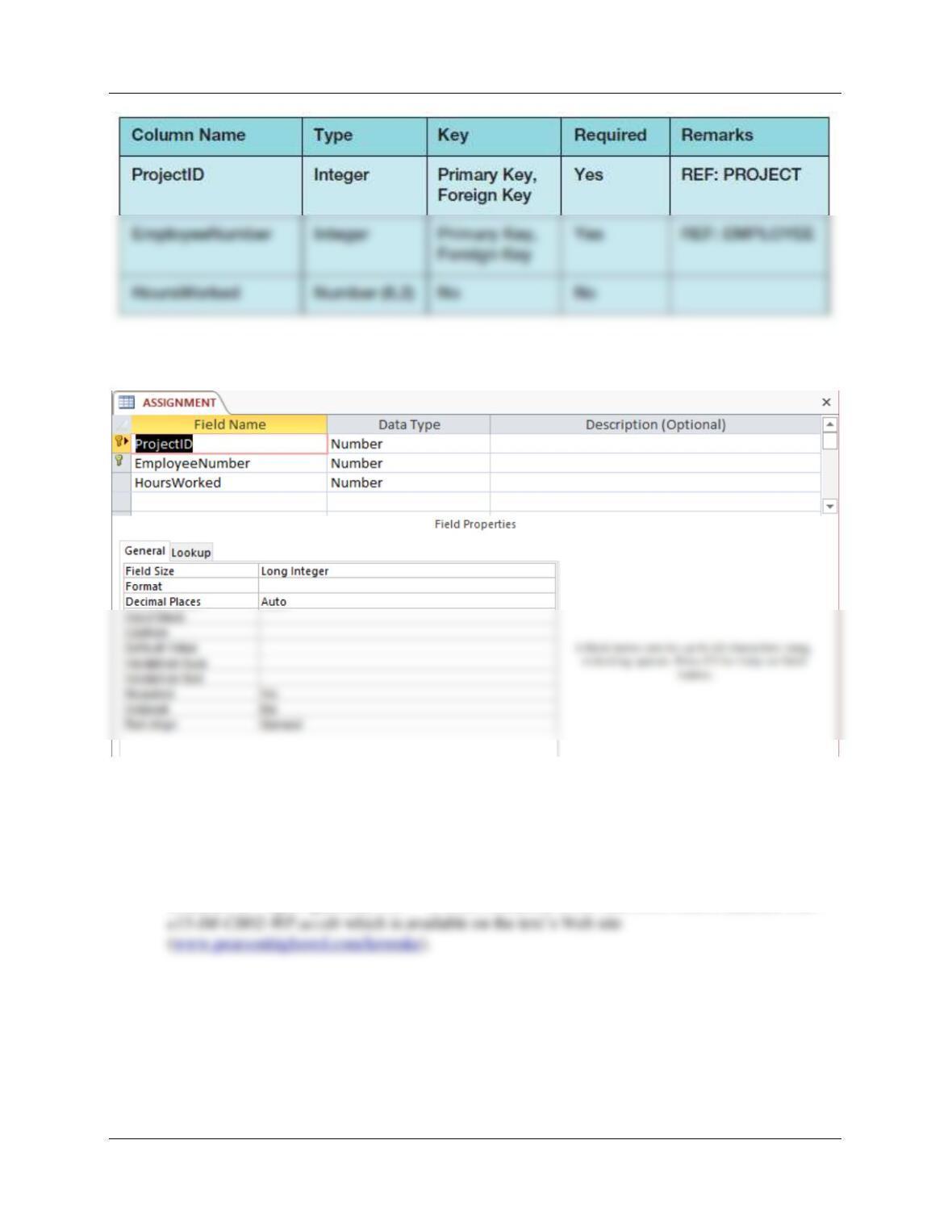
2.64 Figure 2-45 shows the column characteristics for the WP ASSIGNMENT table. Using the
column characteristics, create the ASSIGNMENT table in the WP.accdb database.
Solutions to Project Questions 2.61 – 2.70 are contained in the Microsoft Access database DBP-
e15-IM-CH02-WP.accdb which is available on the text’s Web site
Chapter Two – Introduction to Structured Query Language
Page 2-55
Figure 2-45 – Column Characteristics for the ASSIGNMENT Table
2.65 Create the relationship and referential integrity constraint between ASSIGNMENT and
EMPLOYEE. In the Edit Relationship dialog box, enable enforcing of referential integrity,
but do not enable either cascading updates or the cascading of data from deleted
records.
Solutions to Project Questions 2.61 – 2.70 are contained in the Microsoft Access database DBP-
Chapter Two – Introduction to Structured Query Language
2.66 Create the relationship and referential integrity constraint between ASSIGNMENT and
PROJECT. In the Edit Relationship dialog box, enable enforcing of referential integrity
and cascading of deletes, but do not enable cascading updates.
Solutions to Project Questions 2.61 – 2.70 are contained in the Microsoft Access database DBP-
e15-IM-CH02-WP.accdb which is available on the text’s Web site
Chapter Two – Introduction to Structured Query Language
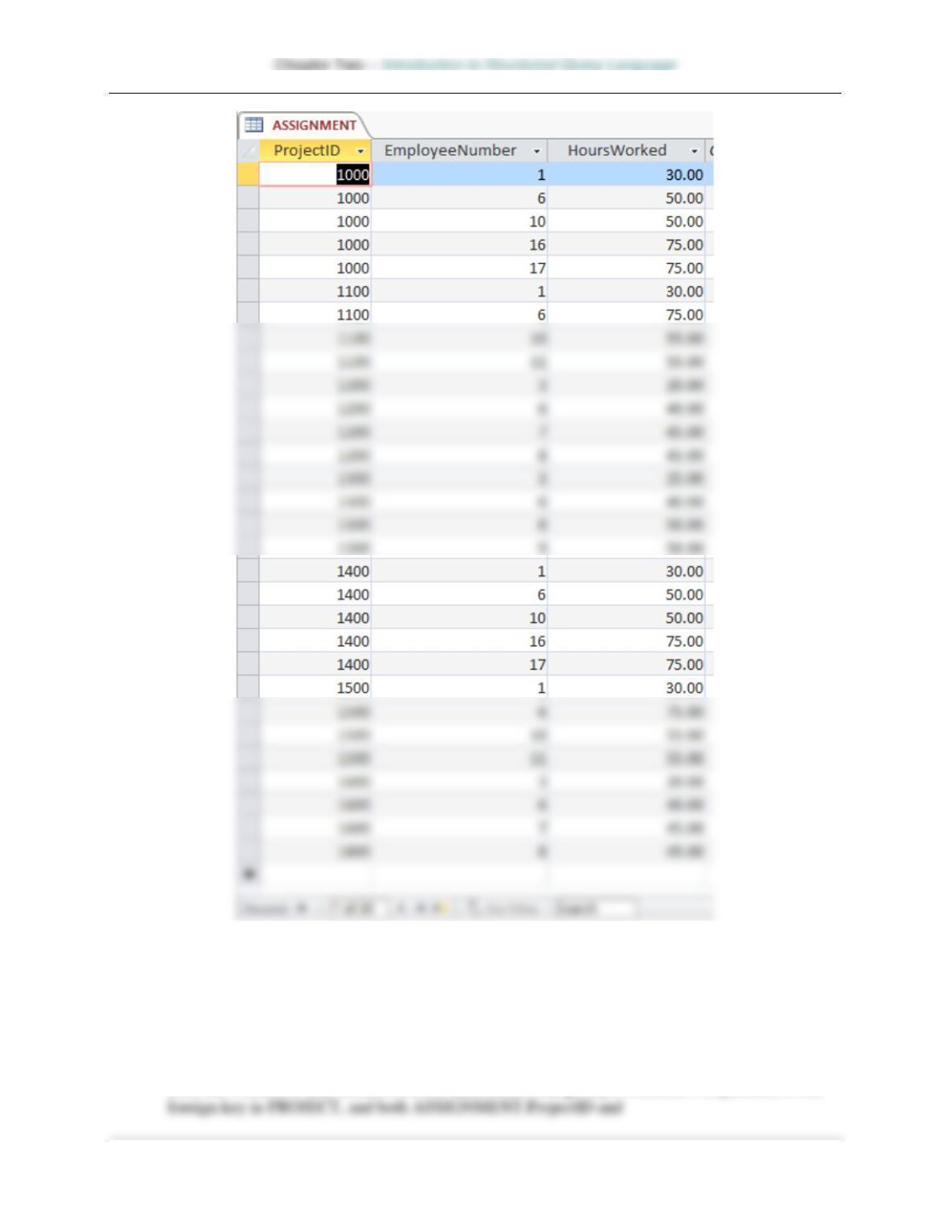
2.67 Figure 2-46 shows the data for the WP ASSIGNMENT table. Using the Datasheet view,
enter the data shown in Figure 2-46 into your ASSIGNMENT table.
Solutions to Project Questions 2.61 – 2.70 are contained in the Microsoft Access database DBP-
e15-IM-CH02-WP.accdb which is available on the text’s Web site
Chapter Two – Introduction to Structured Query Language
Page 2-58
Figure 2-46 – Sample Data for the WP Database ASSIGNMENT Table
Page 2-59
2.68 In Exercise 2.63, the table data was entered after referential integrity constraints were
created in Exercise 2.62. In Exercise 2.67, the table data was entered after referential
integrity constraints were created in Exercises 2.65 and 2.66. Why was the data entered
after the referential integrity constraints were created instead of before the constraints
were created?
Both the PROJECT and ASSIGNMENT tables have foreign keys. PROJECT.Department is the
Chapter Two – Introduction to Structured Query Language
Page 2-60
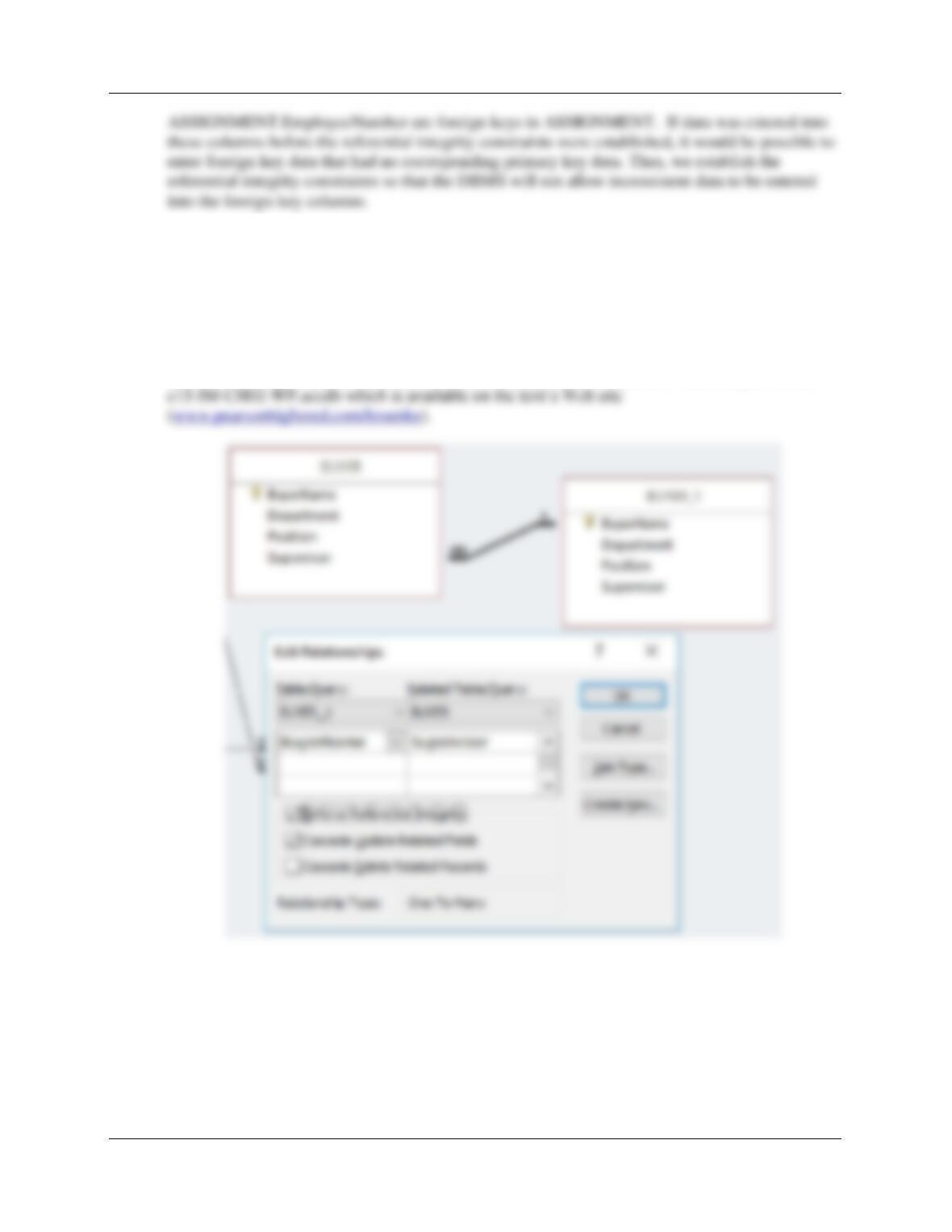
2.69 Using Figure 2-31 for reference, create the recursive relationship and referential integrity
constraint between Supervisor and BuyerName in BUYER. In the Edit Relationship
dialog box, enable enforcing of referential integrity and cascading up data updates, but
do not enable cascading of data from deleted records. HINT: to create a recursive
relationship, add another copy of the BUYER table to the relationships window by right-
clicking in that window and selecting Show Table.
Solutions to Project Questions 2.61 – 2.70 are contained in the Microsoft Access database DBP-
2.70 Using Microsoft Access SQL, create and run queries to answer the following questions.
Save each query using the query name format SQL-Query-02-##, where the ## sign is
replaced by the letter designator of the question. For example, the first query will be
saved as SQL-Query-02–A.