Chapter Two – Introduction to Structured Query Language
Page 2-101
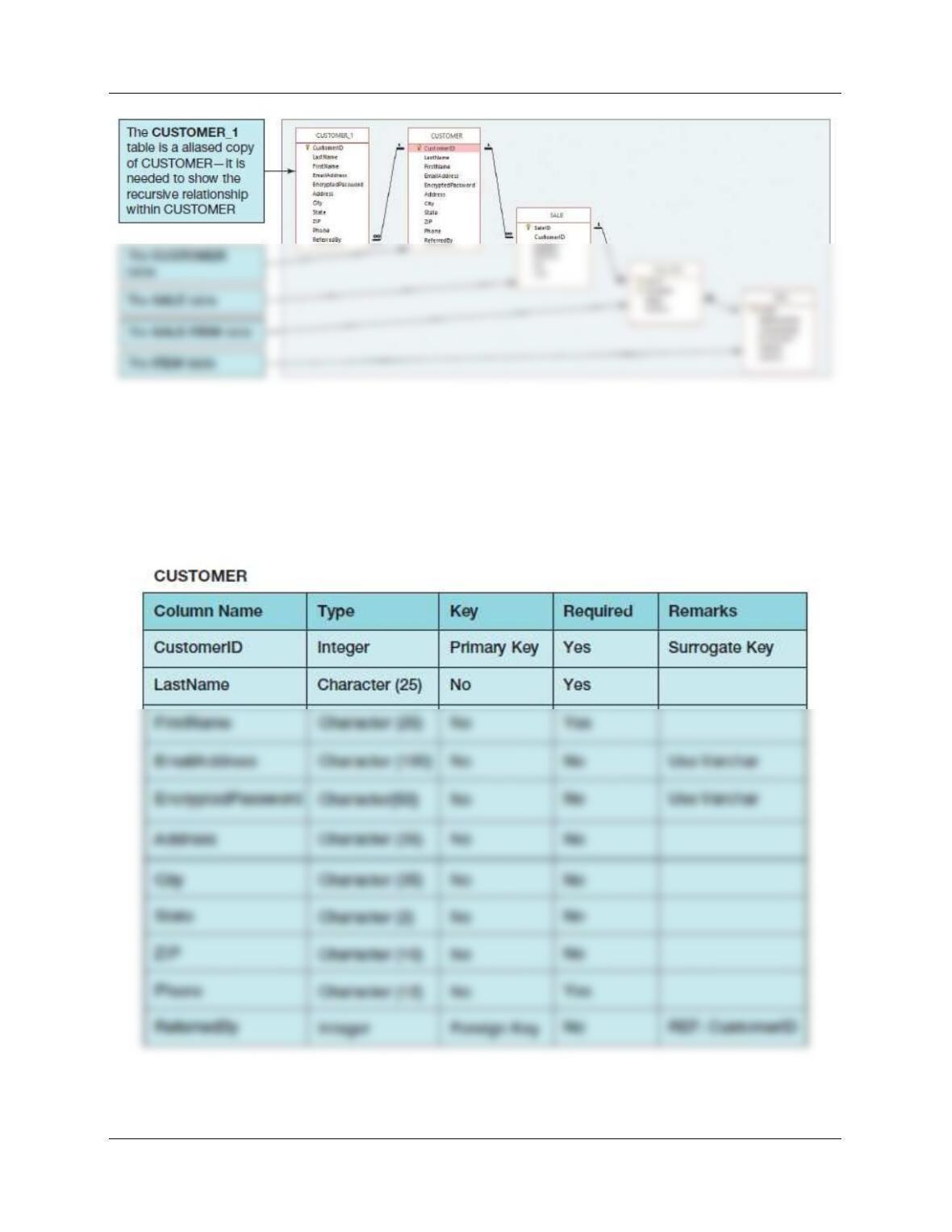
Figure 2-54 – The QACS Database
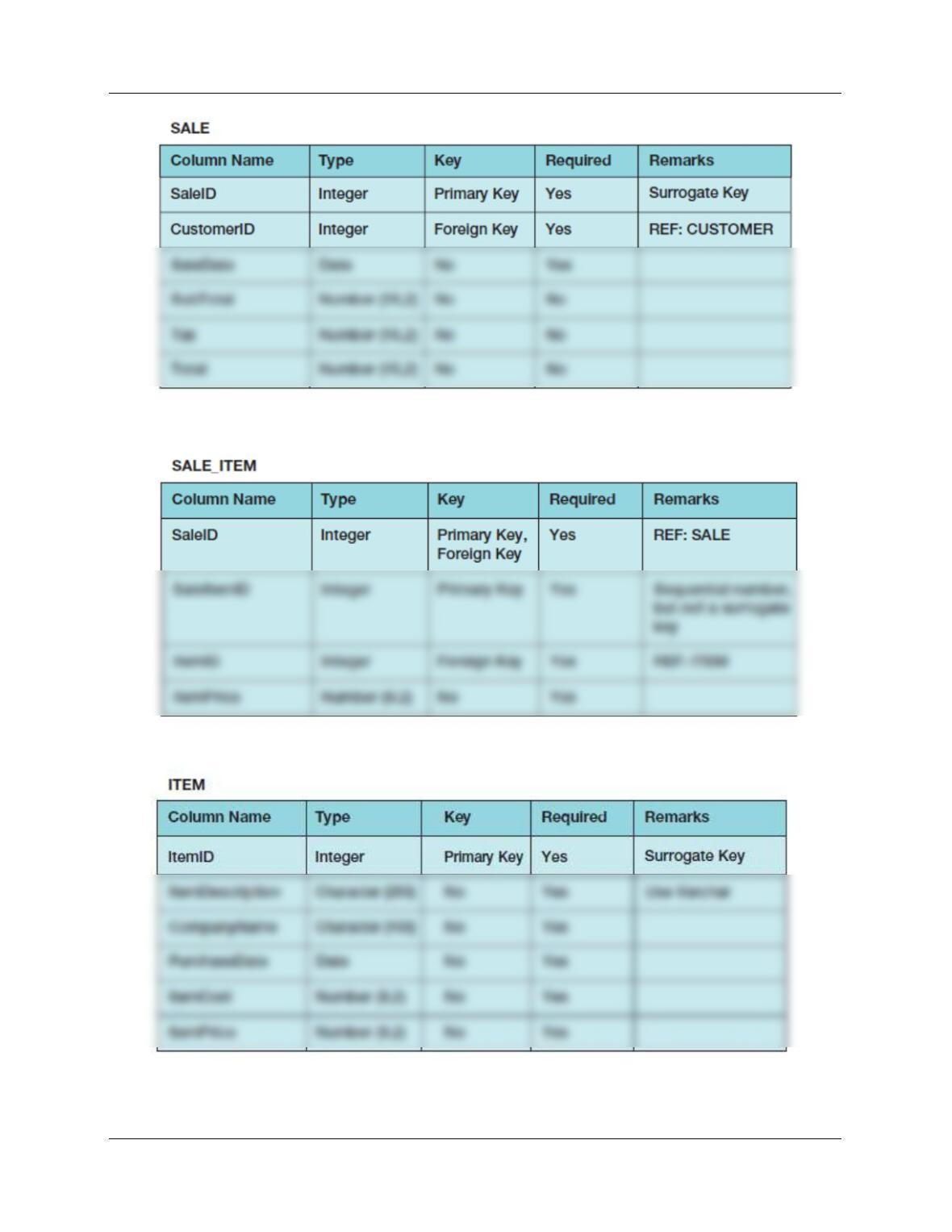
The column characteristics for the tables are shown in Figures 2-55, 2-56, 2-57, and 2-58. The
relationships CUSTOMER-to-SALE and ITEM-to–SALE_ITEM should enforce referential
integrity, but not cascade updates or deletions, whereas the relationship between SALE and
SALE_ITEM should enforce referential integrity and cascade both updates and deletions. The
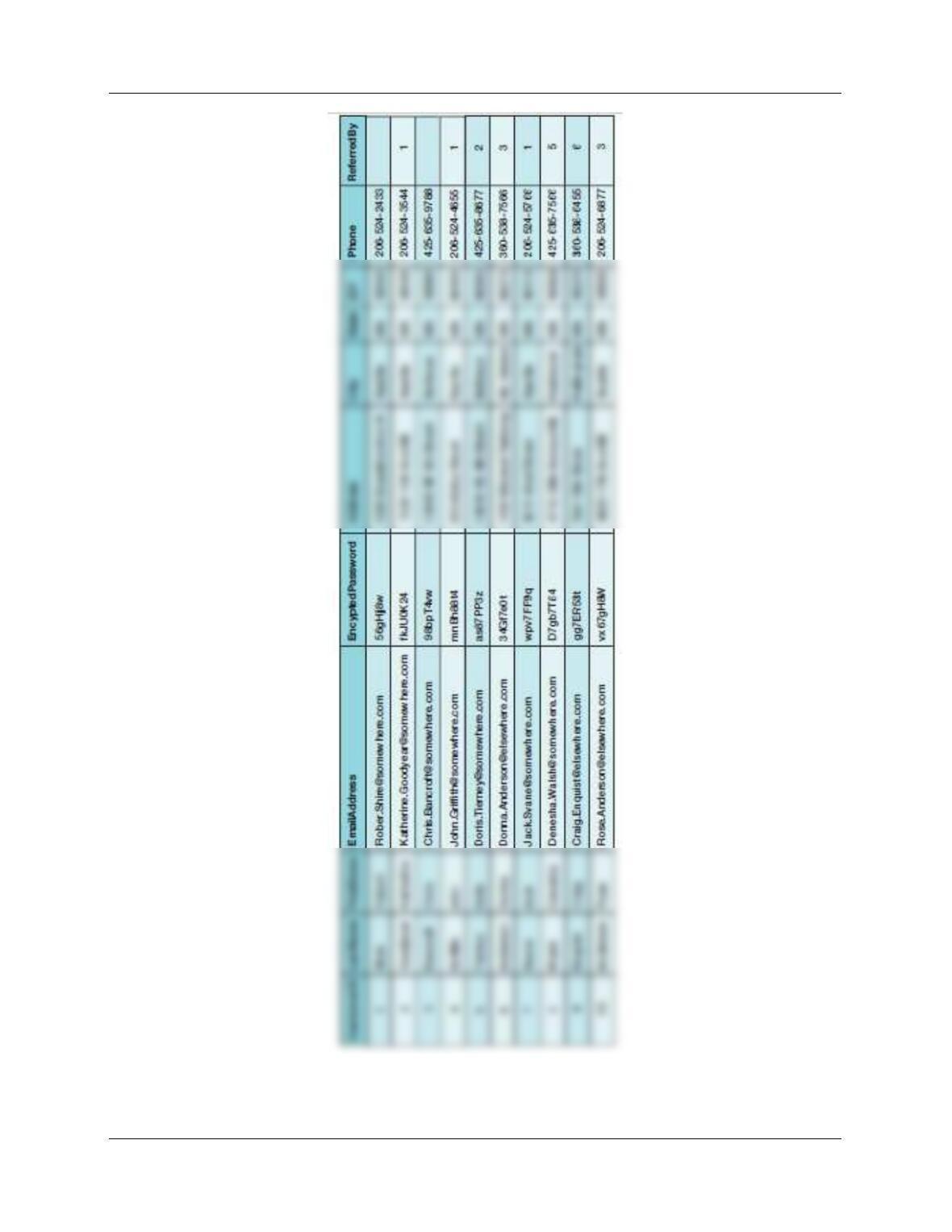
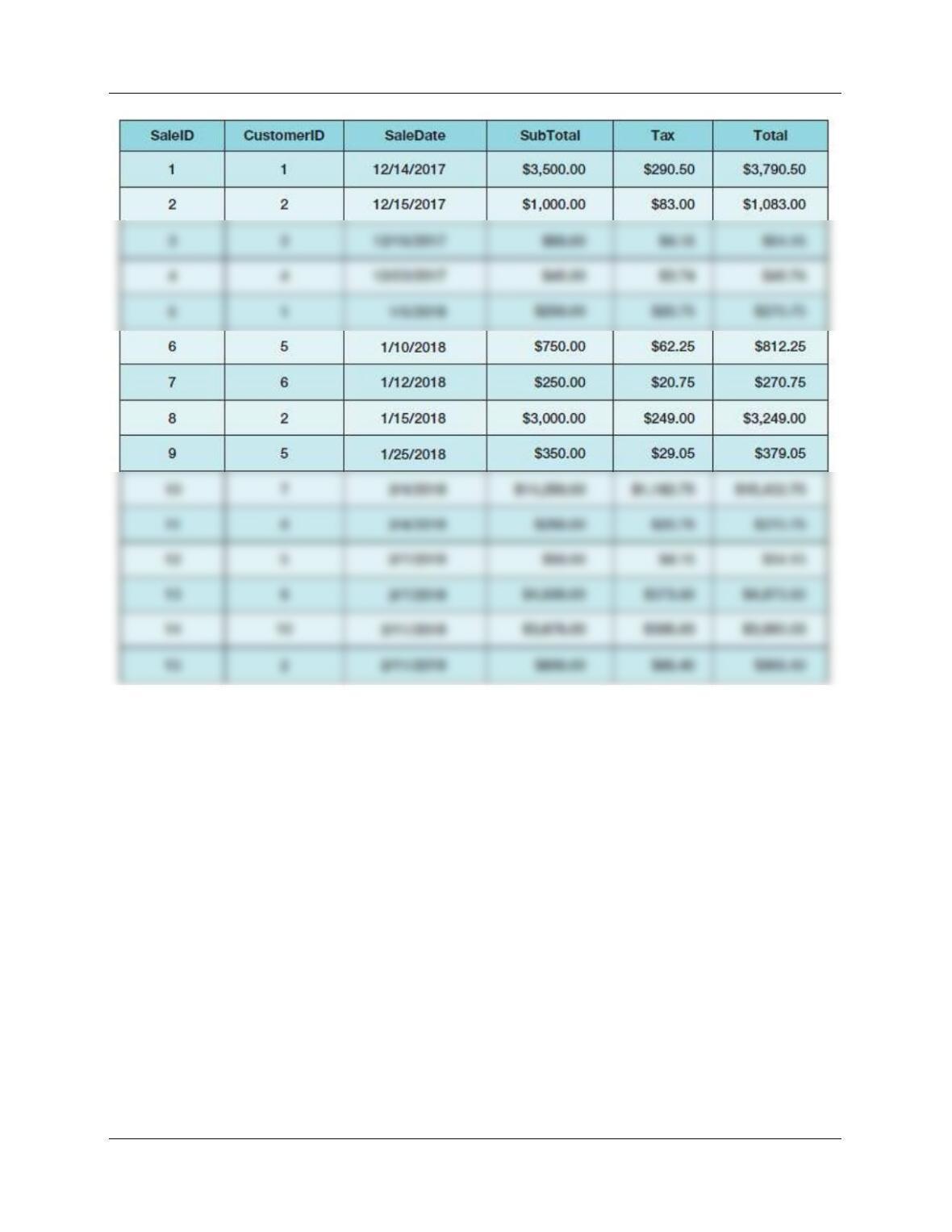
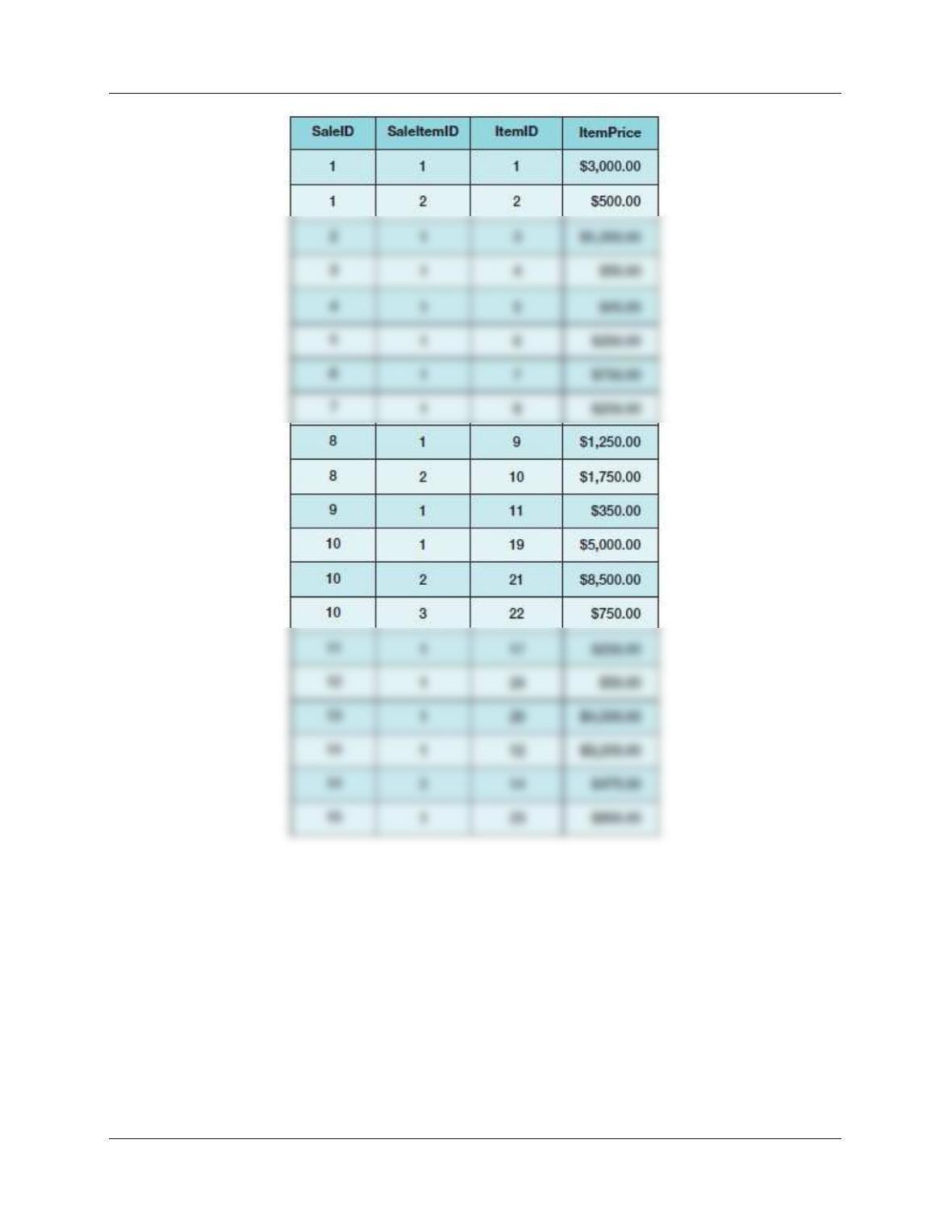
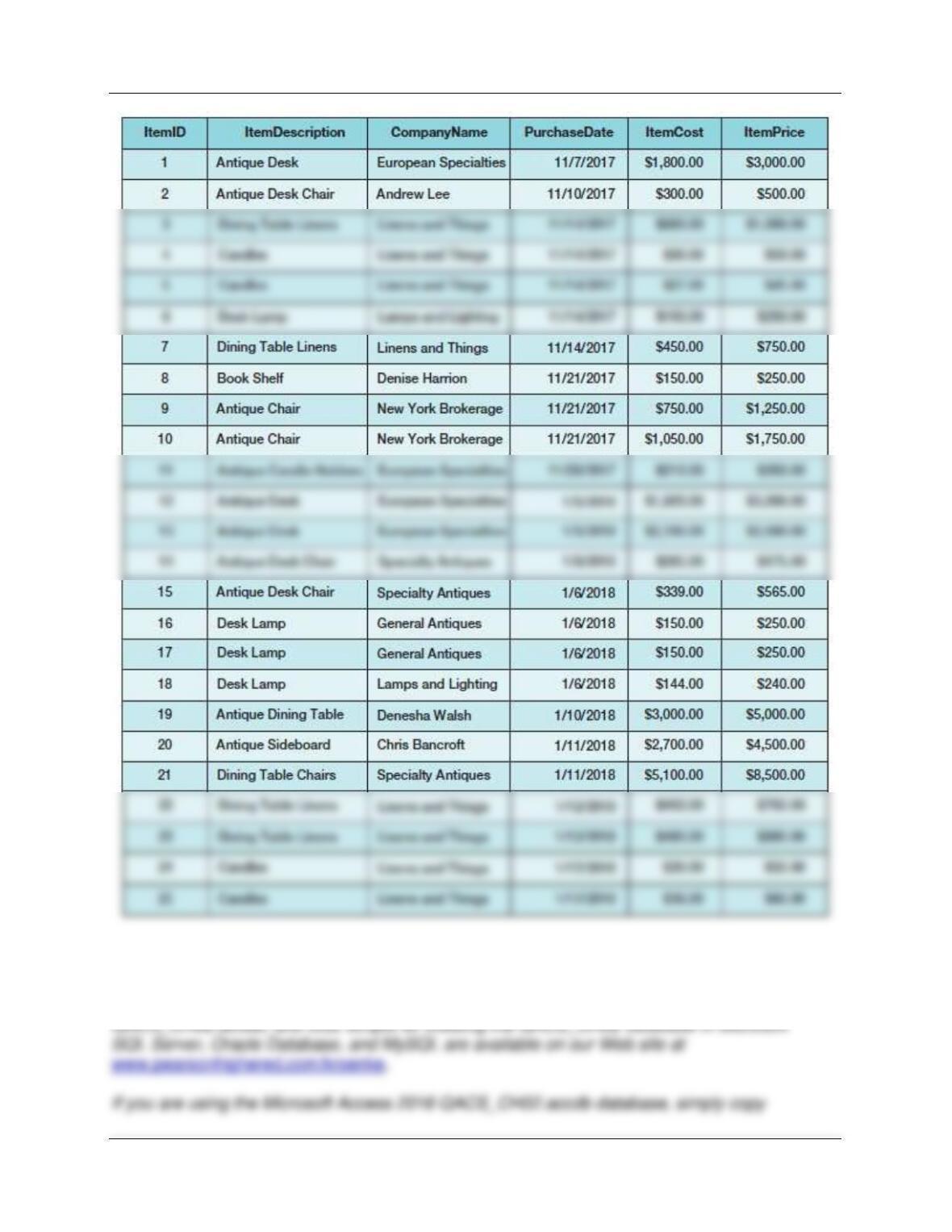
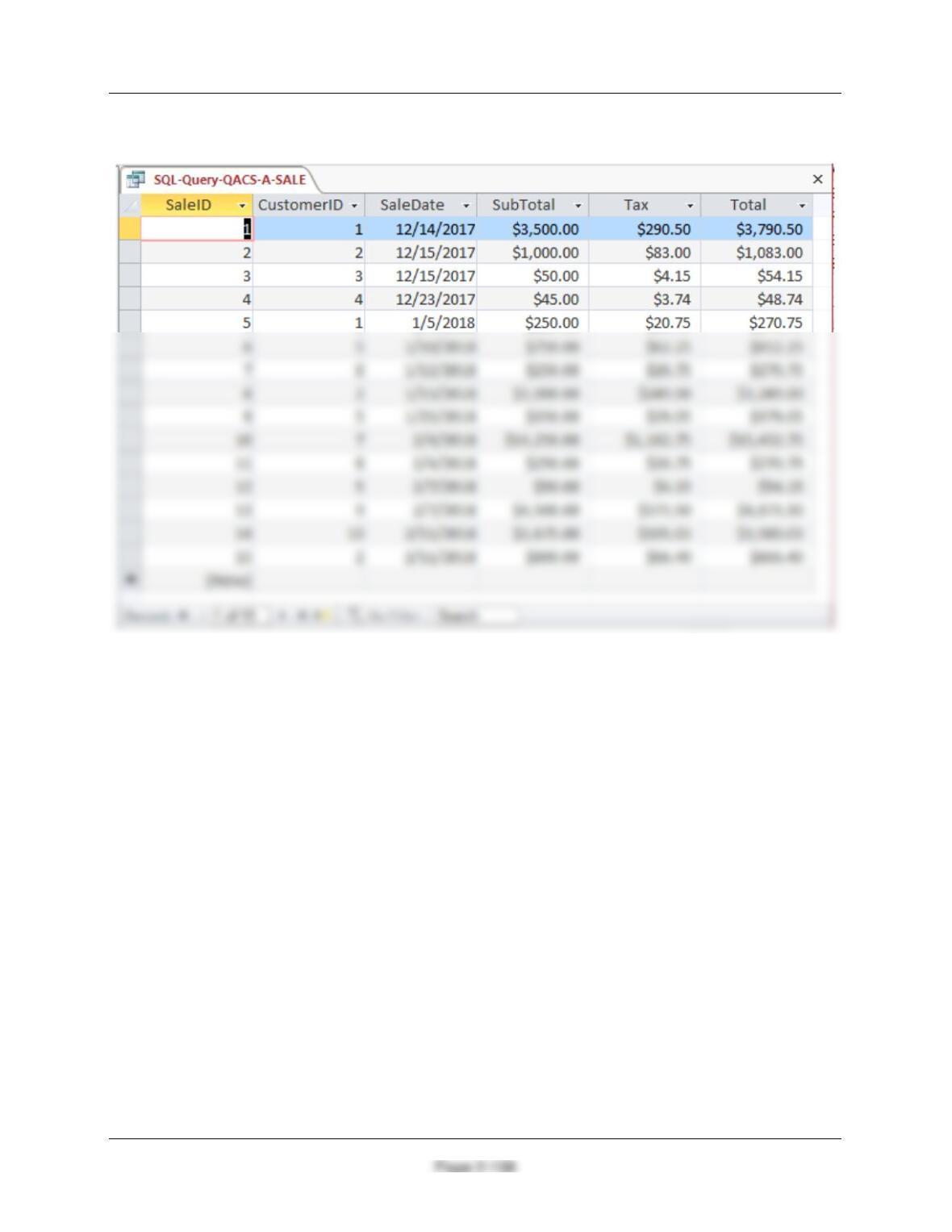
data for these tables are shown in Figures 2-59, 2–60, 2-61, and 2-62.
Figure 2-55 – Column Characteristics for the QACS Database CUSTOMER Table
Chapter Two – Introduction to Structured Query Language
Page 2-102
Figure 2-56 – Column Characteristics for the QACS Database SALE Table
Figure 2-57 – Column Characteristics for the QACS Database SALE_ITEM Table
Figure 2-58 – Column Characteristics for the QACS Database ITEM Table
Chapter Two – Introduction to Structured Query Language
Page 2-103
Figure 2-59 – Sample Data for the QACS Database CUSTOMER Table
Chapter Two – Introduction to Structured Query Language
Page 2-104
Figure 2-60 – Sample Data for the QACS Database SALE Table
Chapter Two – Introduction to Structured Query Language
Page 2-105
Figure 2-61 – Sample Data for the QACS Database SALE_ITEM Table
Chapter Two – Introduction to Structured Query Language
Page 2-106
Figure 2-62 – Sample Data for the QACS Database ITEM Table
You will need to create and set up a database named QACS_CH02 for use with The
Queen Anne Curiosity Shop project questions. A Microsoft Access 2016 database named
Chapter Two – Introduction to Structured Query Language
Page 2-107
it to an appropriate location in your Documents folder. Otherwise, you will need to use the
discussion and instructions necessary for setting up the QACS_CH02 database in the DBMS
product you are using:
Once you have set up your QACS_CH02 database, create an SQL script named QACSCH02-
PQ.sql, and use it to record and store SQL statements that answer each of the following
questions (if the question requires a written answer, use an SQL comment to record your
answer):
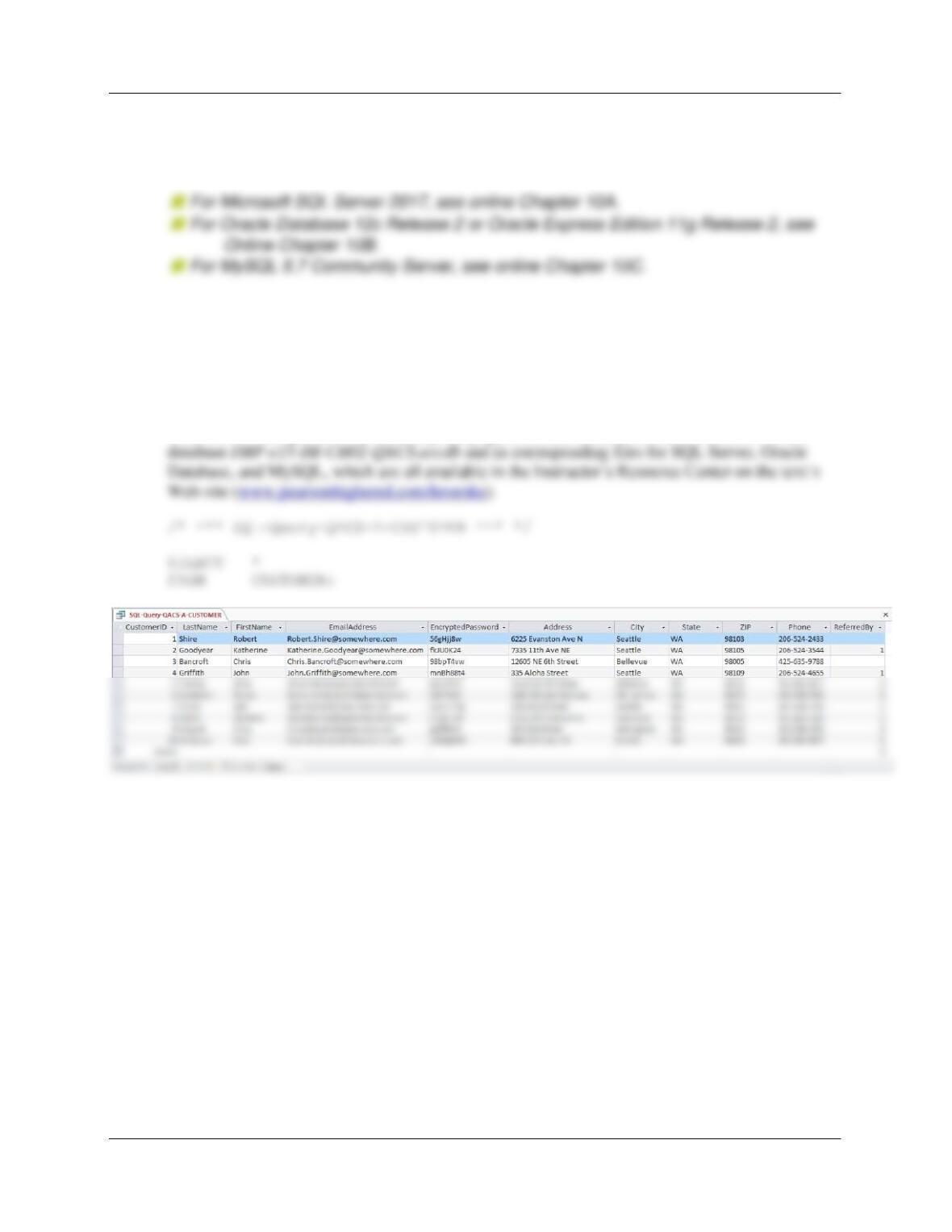
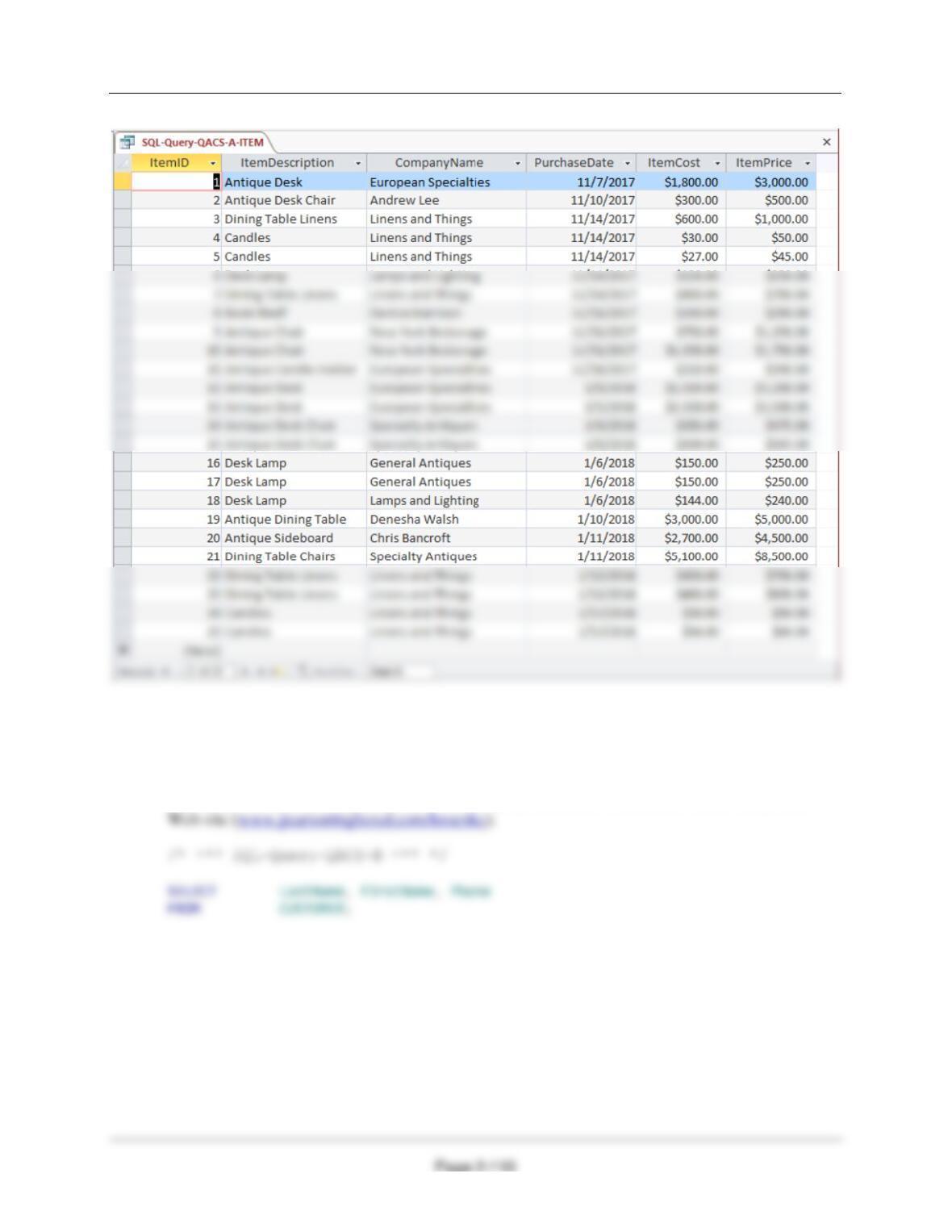
A. Show all data in each of the tables.
Solutions to The Queen Anne Curiosity Shop questions are contained in the Microsoft Access
/* *** SQL-Query-QACS-A-SALE *** */
Chapter Two – Introduction to Structured Query Language
SELECT *
FROM SALE;
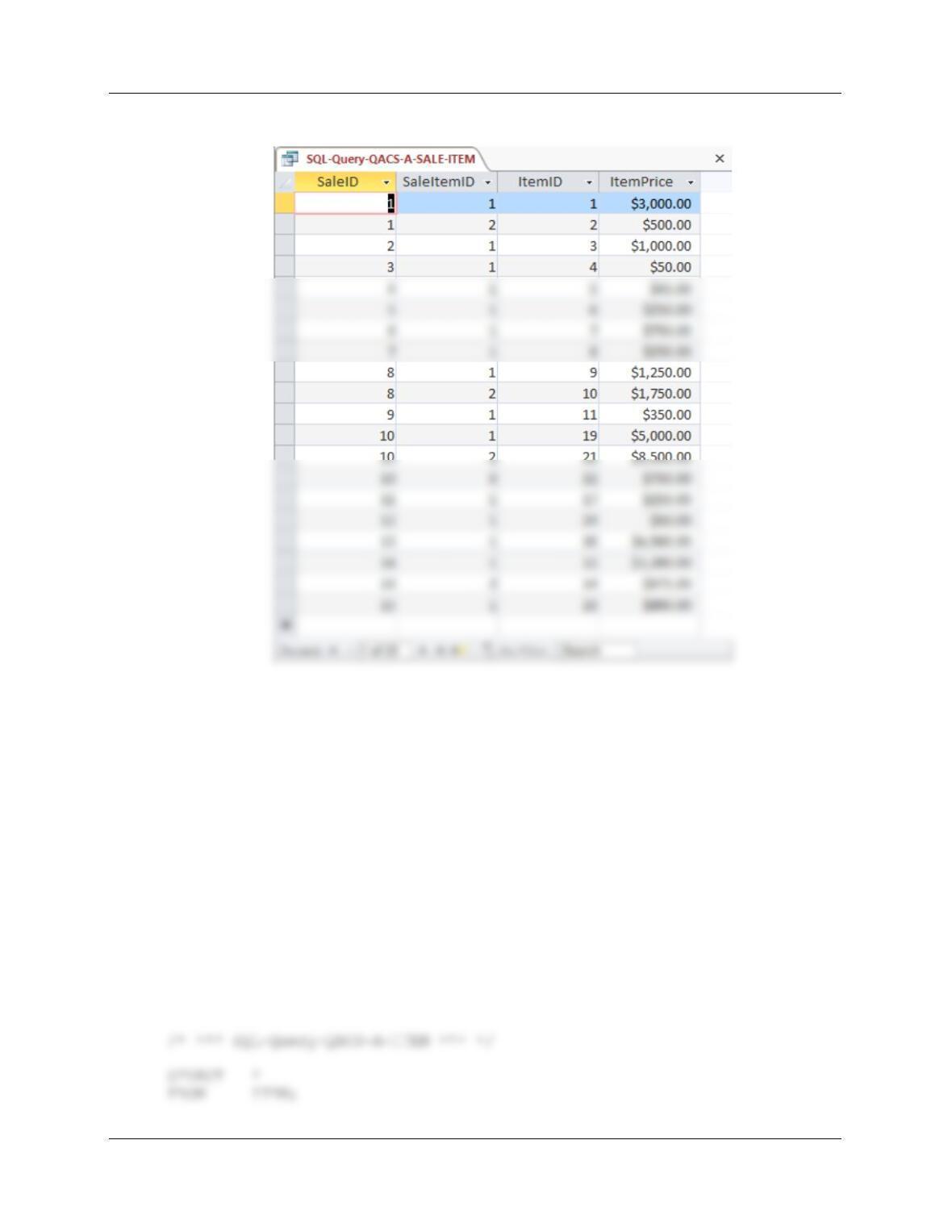
/* *** SQL-Query-QACS-A-SALE-ITEM *** */
SELECT *
Chapter Two – Introduction to Structured Query Language
Page 2-109
FROM SALE_ITEM;
Chapter Two – Introduction to Structured Query Language
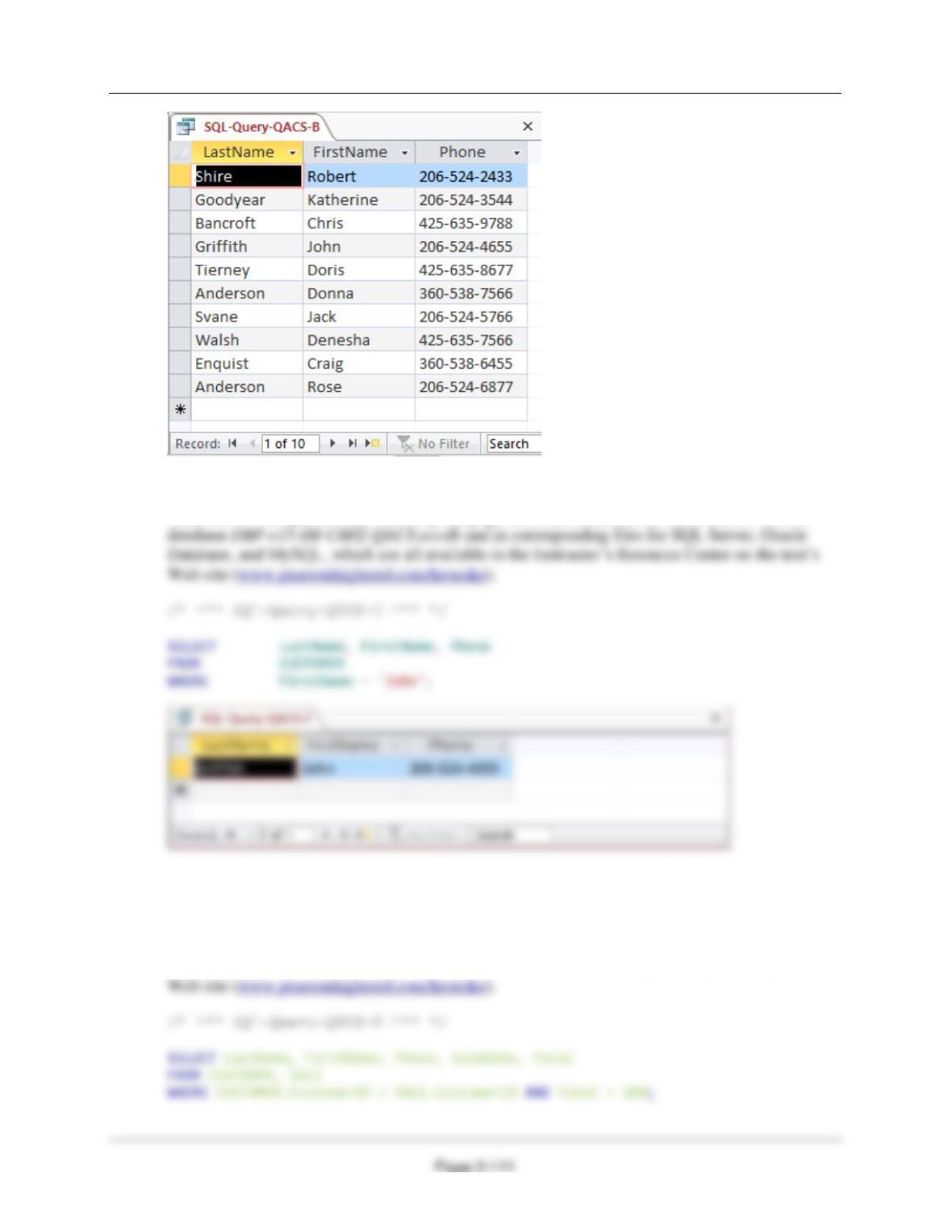
B. List the LastName, FirstName, and Phone of all customers.
Solutions to The Queen Anne Curiosity Shop questions are contained in the Microsoft Access
database DBP-e15–IM–CH02-QACS.accdb and in corresponding files for SQL Server, Oracle
Database, and MySQL, which are all available in the Instructor’s Resource Center on the text’s
Chapter Two – Introduction to Structured Query Language
C. List the LastName, FirstName, and Phone for all customers with a FirstName of ‘John’.
Solutions to The Queen Anne Curiosity Shop questions are contained in the Microsoft Access
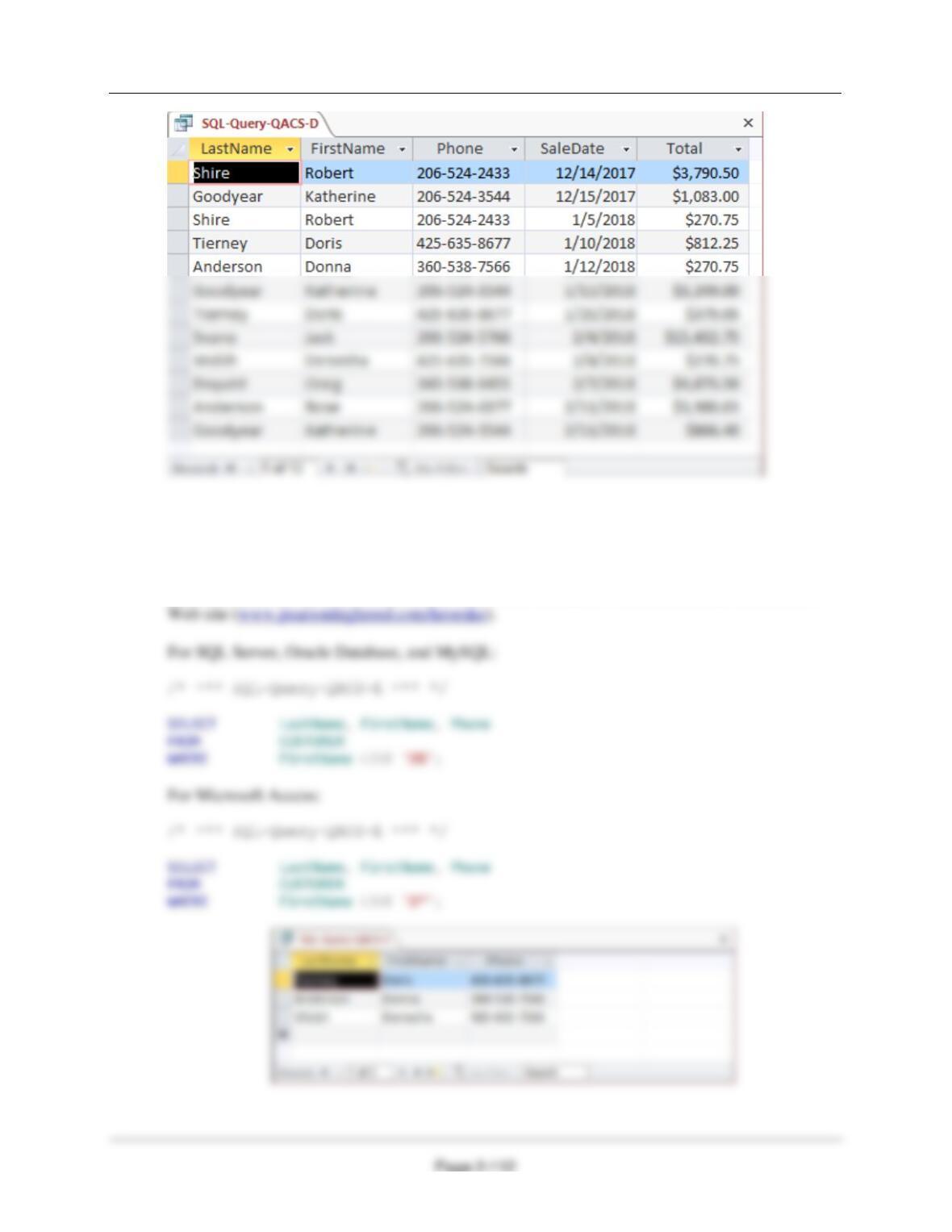
D. List the LastName, FirstName, Phone, SaleDate, and Total of all sales in excess of
$100.00.
Solutions to The Queen Anne Curiosity Shop questions are contained in the Microsoft Access
database DBP-e15–IM–CH02-QACS.accdb and in corresponding files for SQL Server, Oracle
Database, and MySQL, which are all available in the Instructor’s Resource Center on the text’s
Chapter Two – Introduction to Structured Query Language
E. List the LastName, FirstName, and Phone of all customers whose first name starts
with ‘D’.
Solutions to The Queen Anne Curiosity Shop questions are contained in the Microsoft Access
database DBP-e15-IM–CH02-QACS.accdb and in corresponding files for SQL Server, Oracle
Database, and MySQL, which are all available in the Instructor’s Resource Center on the text’s
Chapter Two – Introduction to Structured Query Language
Page 2-113
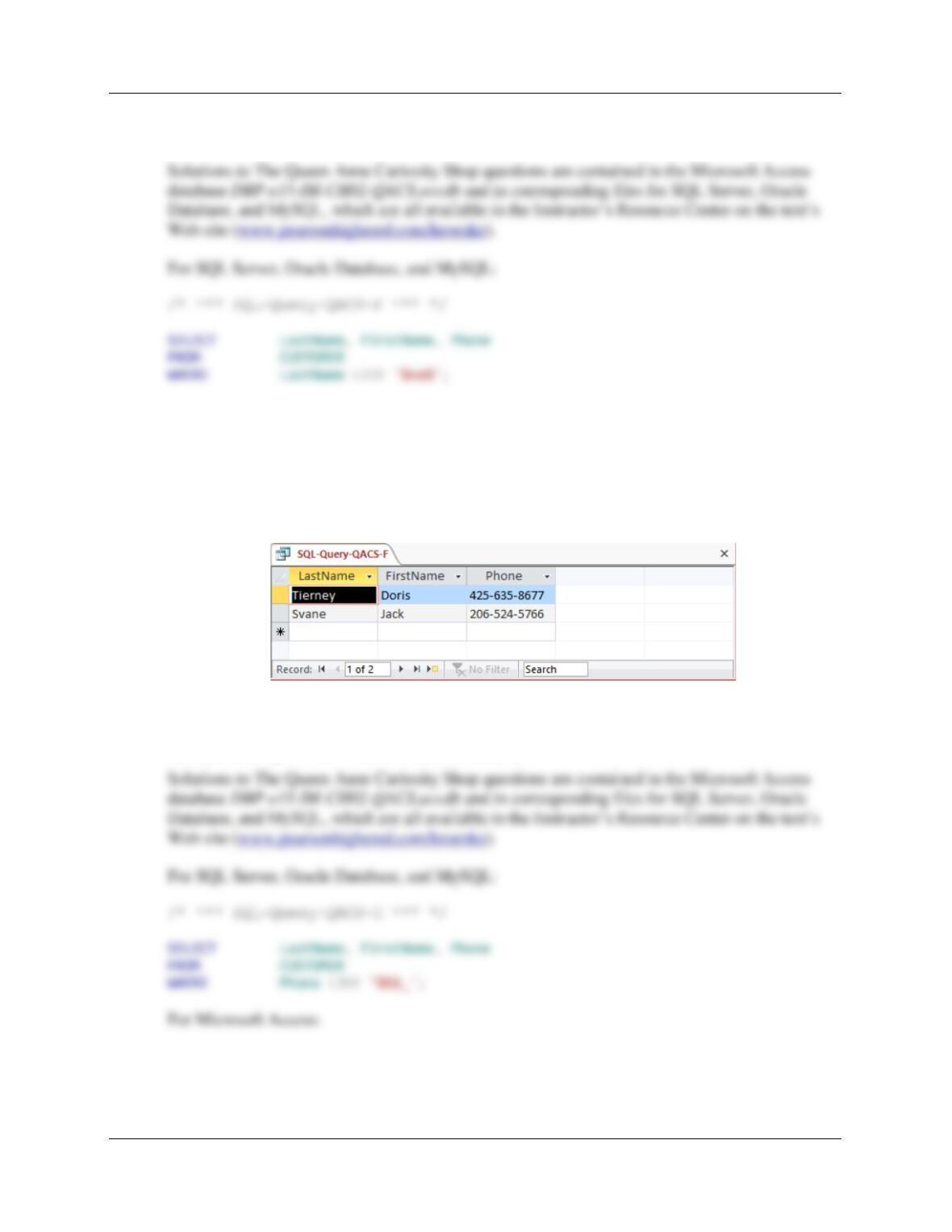
F. List the LastName, FirstName, and Phone of all customers whose last name includes
the characters ‘ne’.
For Microsoft Access:
/* *** SQL-Query-QACS-F *** */
SELECT LastName, FirstName, Phone
FROM CUSTOMER
WHERE LastName LIKE ‘*ne*’;
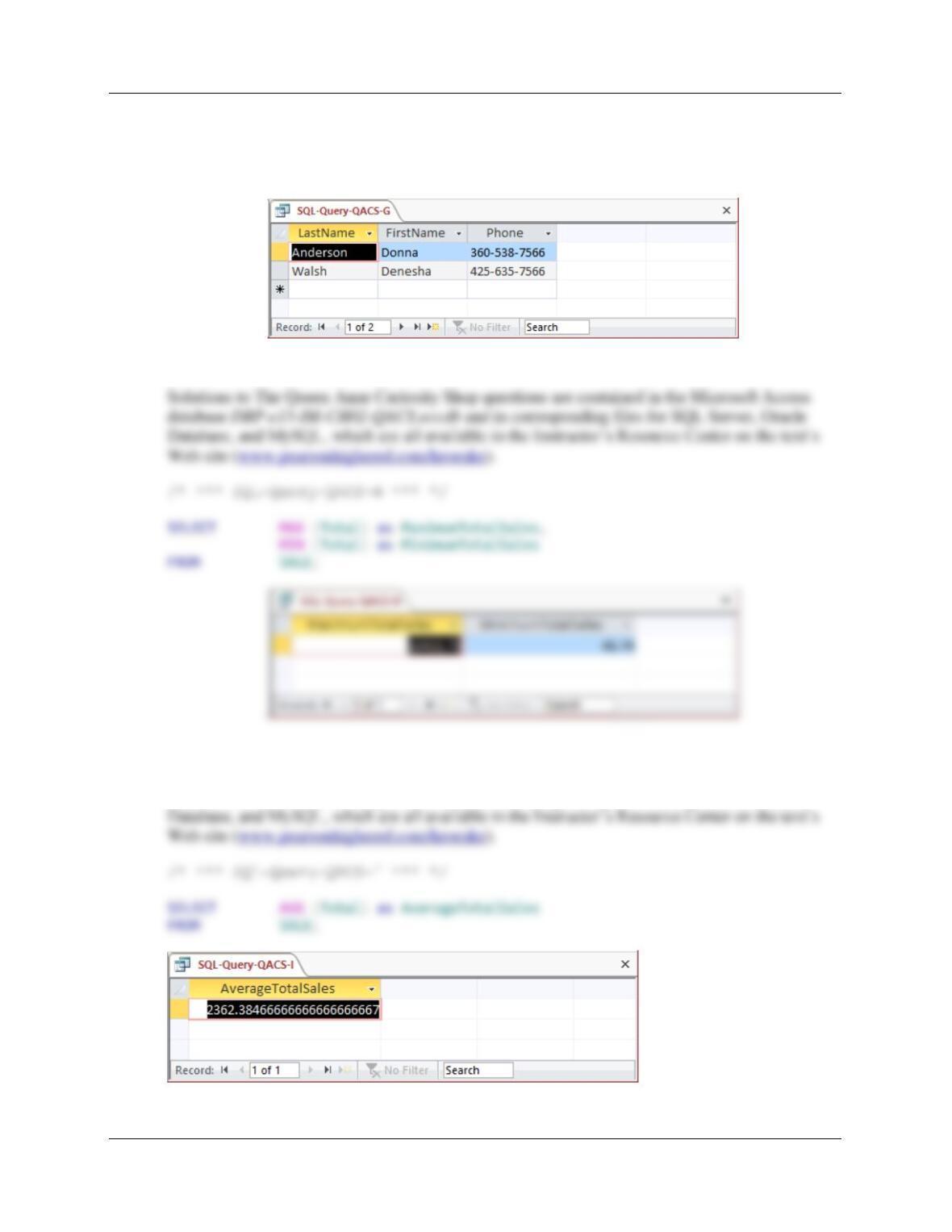
G. List the LastName, FirstName, and Phone for all customers whose eighth and ninth
digits (starting from the left) of their phone number are 56. For example, a phone
number ending in “567” would meet the criteria.
/* *** SQL-Query-QACS-G *** */
Chapter Two – Introduction to Structured Query Language
Page 2-114
SELECT LastName, FirstName, Phone
FROM CUSTOMER
WHERE Phone LIKE ‘*56?’;
H. Determine the maximum and minimum sales Total.
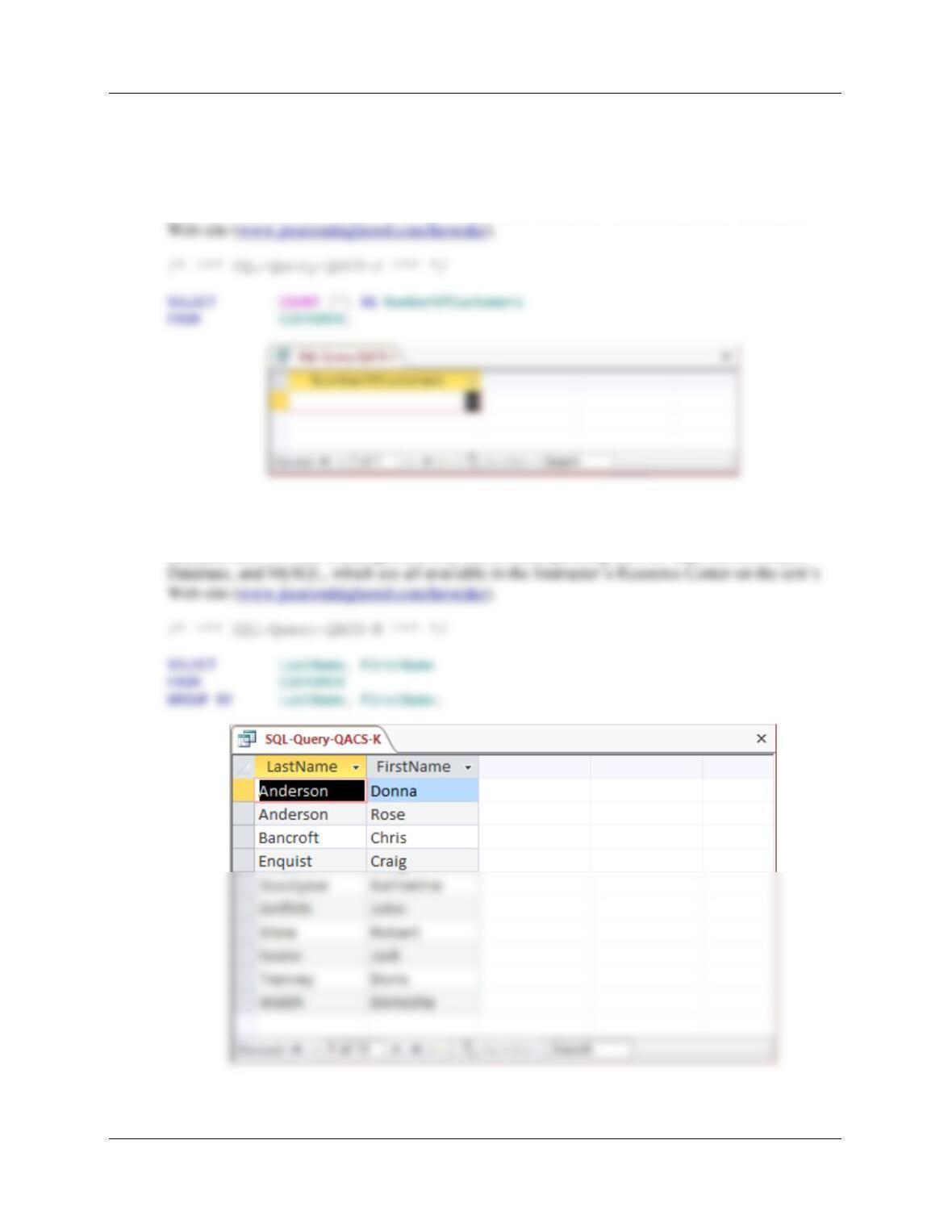
I. Determine the average sales Total.
Solutions to The Queen Anne Curiosity Shop questions are contained in the Microsoft Access
database DBP-e15–IM–CH02-QACS.accdb and in corresponding files for SQL Server, Oracle
Chapter Two – Introduction to Structured Query Language
Page 2-115
J. Count the number of customers.
Solutions to The Queen Anne Curiosity Shop questions are contained in the Microsoft Access
database DBP-e15–IM–CH02-QACS.accdb and in corresponding files for SQL Server, Oracle
Database, and MySQL, which are all available in the Instructor’s Resource Center on the text’s
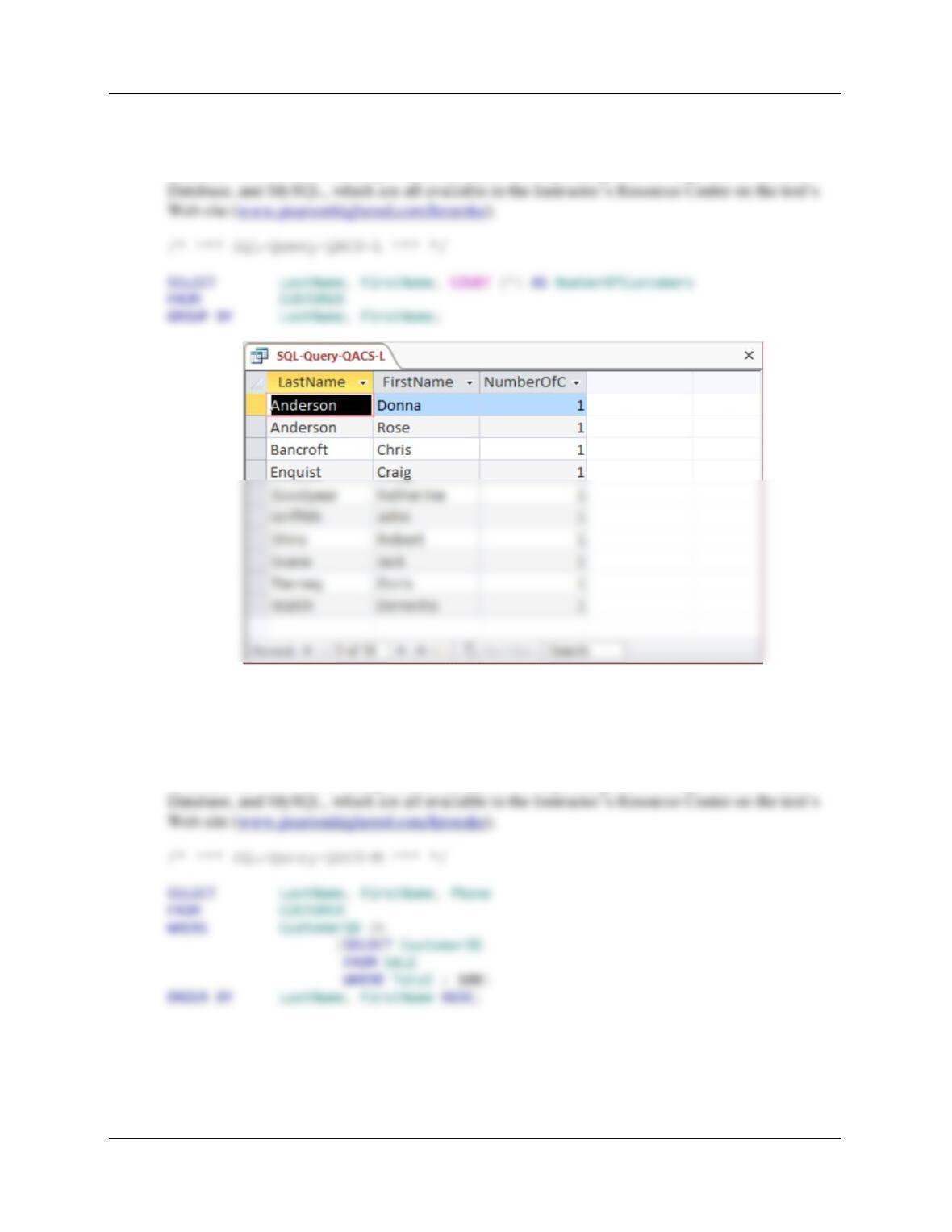
K. Group customers by LastName and then by FirstName.
Solutions to The Queen Anne Curiosity Shop questions are contained in the Microsoft Access
database DBP-e15–IM–CH02-QACS.accdb and in corresponding files for SQL Server, Oracle
Chapter Two – Introduction to Structured Query Language
Page 2-116
L. Count the number of customers having each combination of LastName and FirstName.
Solutions to The Queen Anne Curiosity Shop questions are contained in the Microsoft Access
database DBP-e15–IM–CH02-QACS.accdb and in corresponding files for SQL Server, Oracle
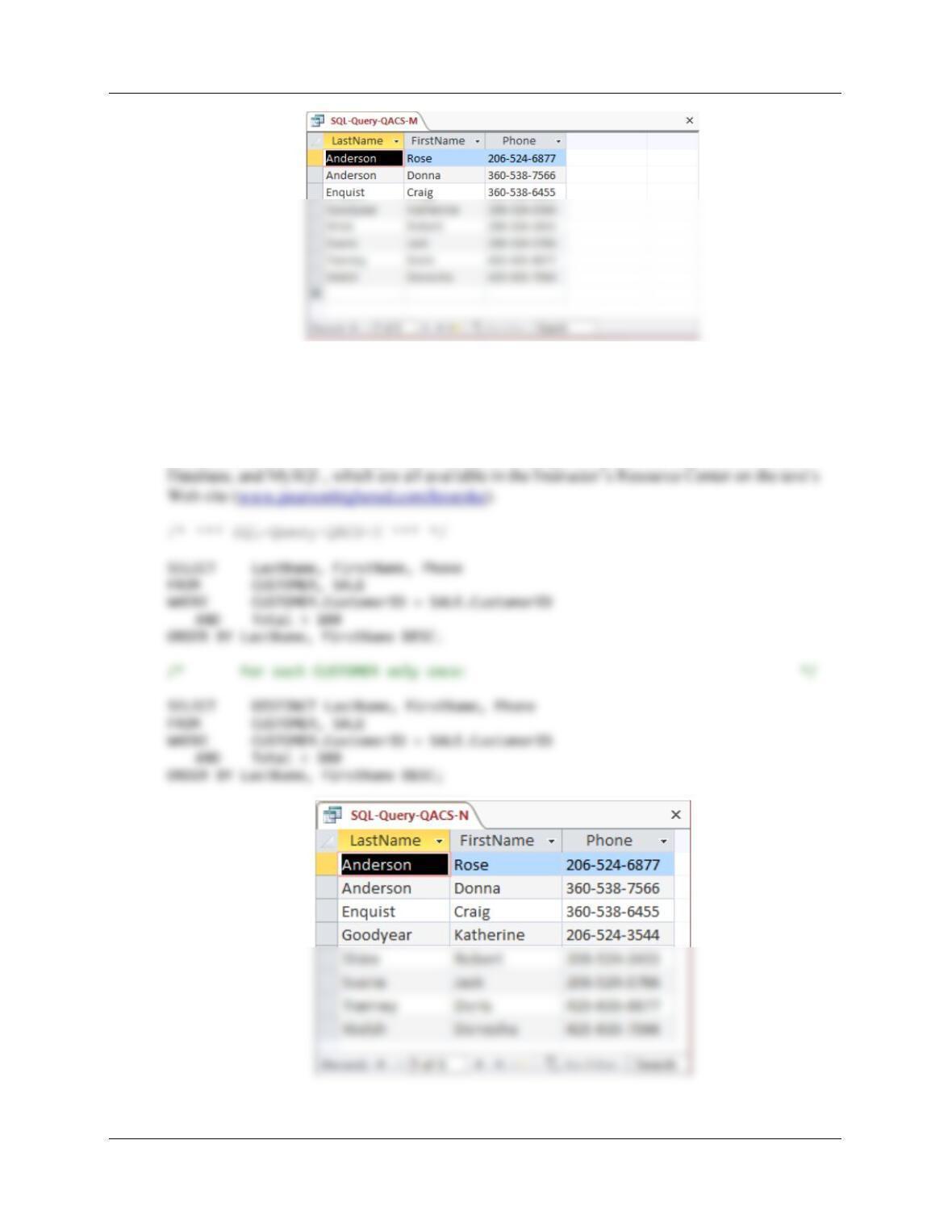
M. Show the LastName, FirstName, and Phone of all customers who have had an order
with Total greater than $100.00. Use a subquery. Present the results sorted by
LastName in ascending order and then FirstName in descending order.
Solutions to The Queen Anne Curiosity Shop questions are contained in the Microsoft Access
database DBP-e15–IM–CH02-QACS.accdb and in corresponding files for SQL Server, Oracle
Chapter Two – Introduction to Structured Query Language
Page 2-117
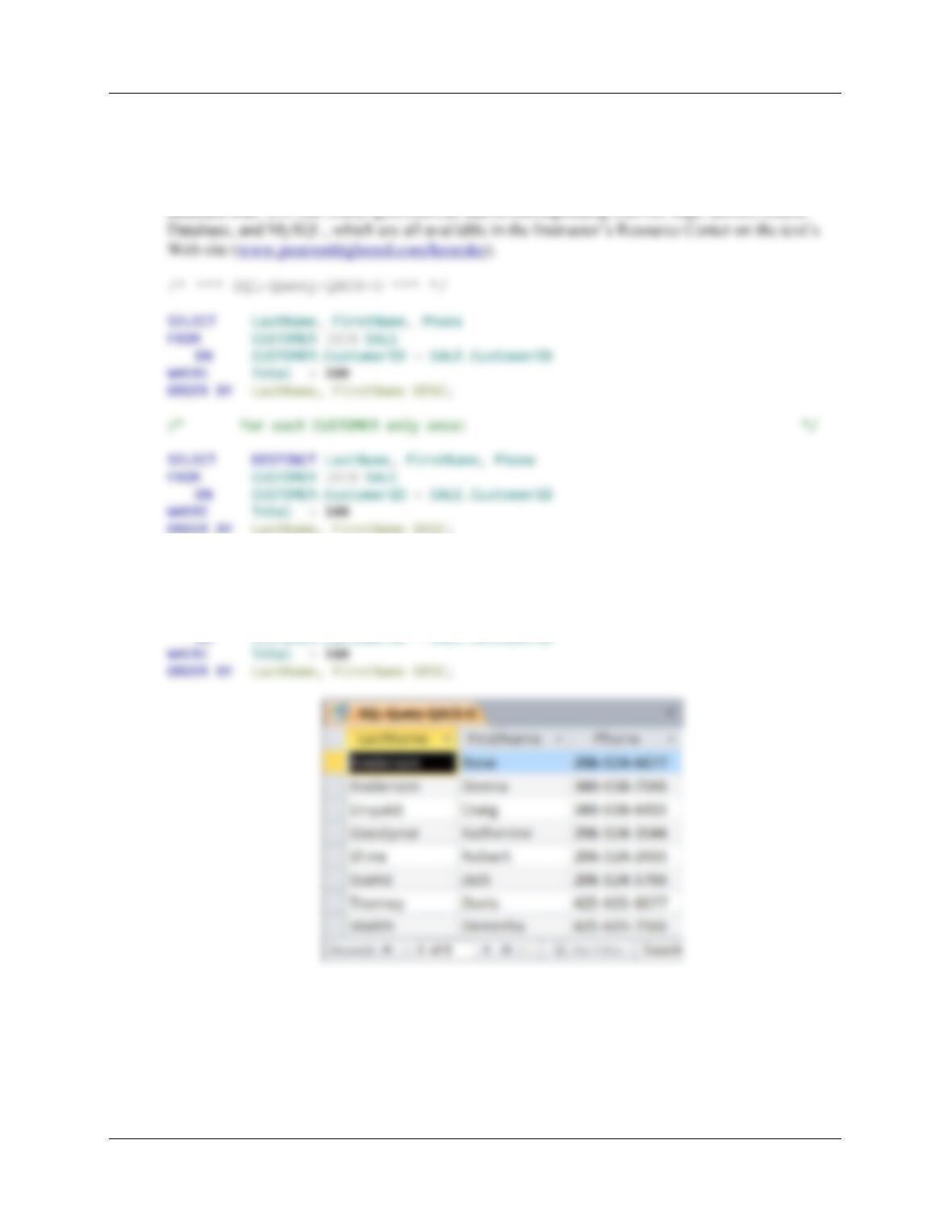
N. Show the LastName, FirstName, and Phone of all customers who have had an order
with Total greater than $100.00. Use a join, but do not use JOIN ON syntax. Present
results sorted by LastName in ascending order and then FirstName in descending order.
Solutions to The Queen Anne Curiosity Shop questions are contained in the Microsoft Access
database DBP-e15–IM–CH02-QACS.accdb and in corresponding files for SQL Server, Oracle
Chapter Two – Introduction to Structured Query Language
Page 2-118
O. Show the LastName, FirstName, and Phone of all customers who have had an order
with Total greater than $100.00. Use a join using JOIN ON syntax. Present results
sorted by LastName in ascending order and then FirstName in descending order.
Solutions to The Queen Anne Curiosity Shop questions are contained in the Microsoft Access
ORDER BY LastName, FirstName DESC;
Note that for Microsoft Access, we must use the INNER JOIN syntax:
SELECT DISTINCT LastName, FirstName, Phone
FROM CUSTOMER INNER JOIN SALE
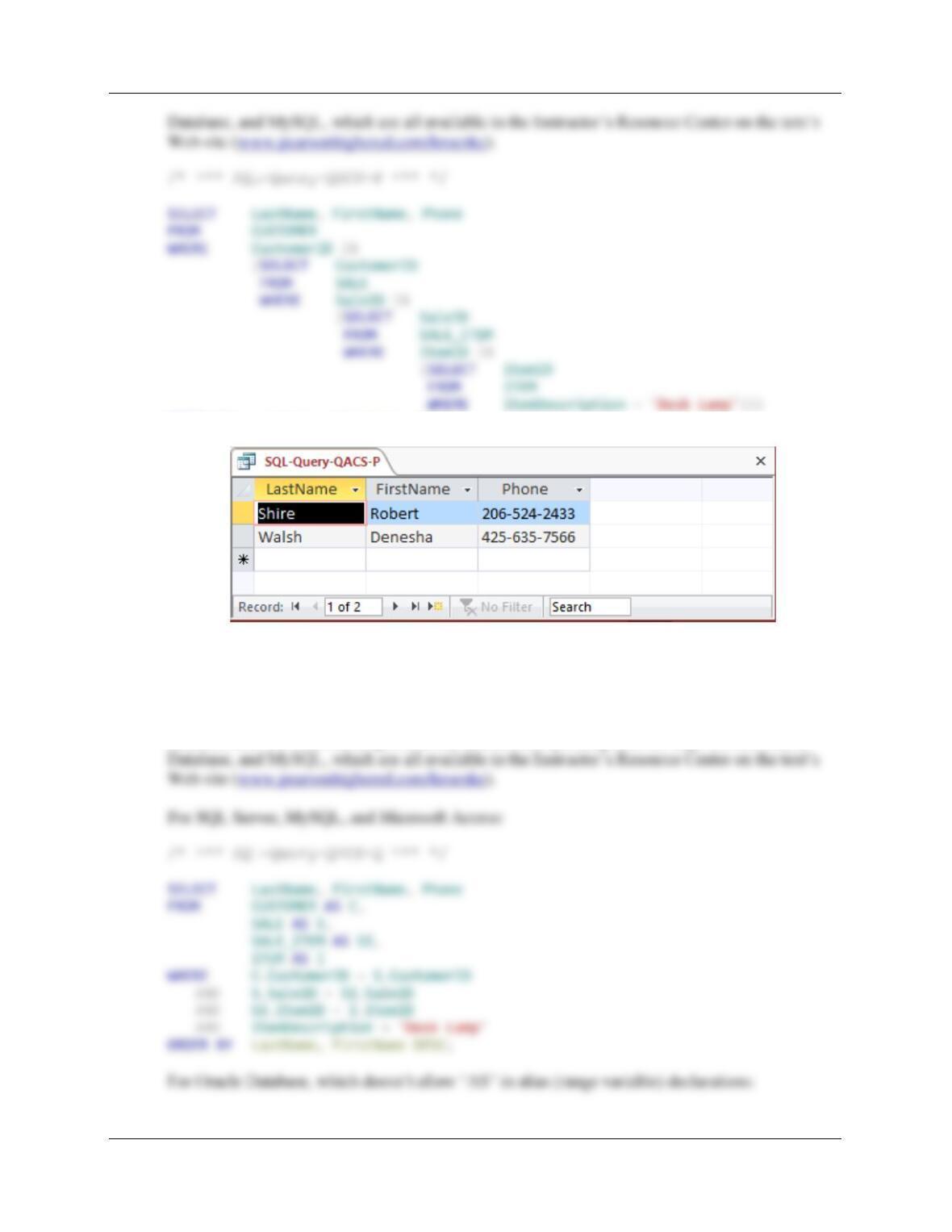
P. Show the LastName, FirstName, and Phone of all customers who who have bought an
Item named ‘Desk Lamp’. Use a subquery. Present results sorted by LastName in
ascending order and then FirstName in descending order.
Solutions to The Queen Anne Curiosity Shop questions are contained in the Microsoft Access
database DBP-e15–IM–CH02-QACS.accdb and in corresponding files for SQL Server, Oracle
Chapter Two – Introduction to Structured Query Language
Page 2-119
ORDER BY LastName, FirstName DESC;
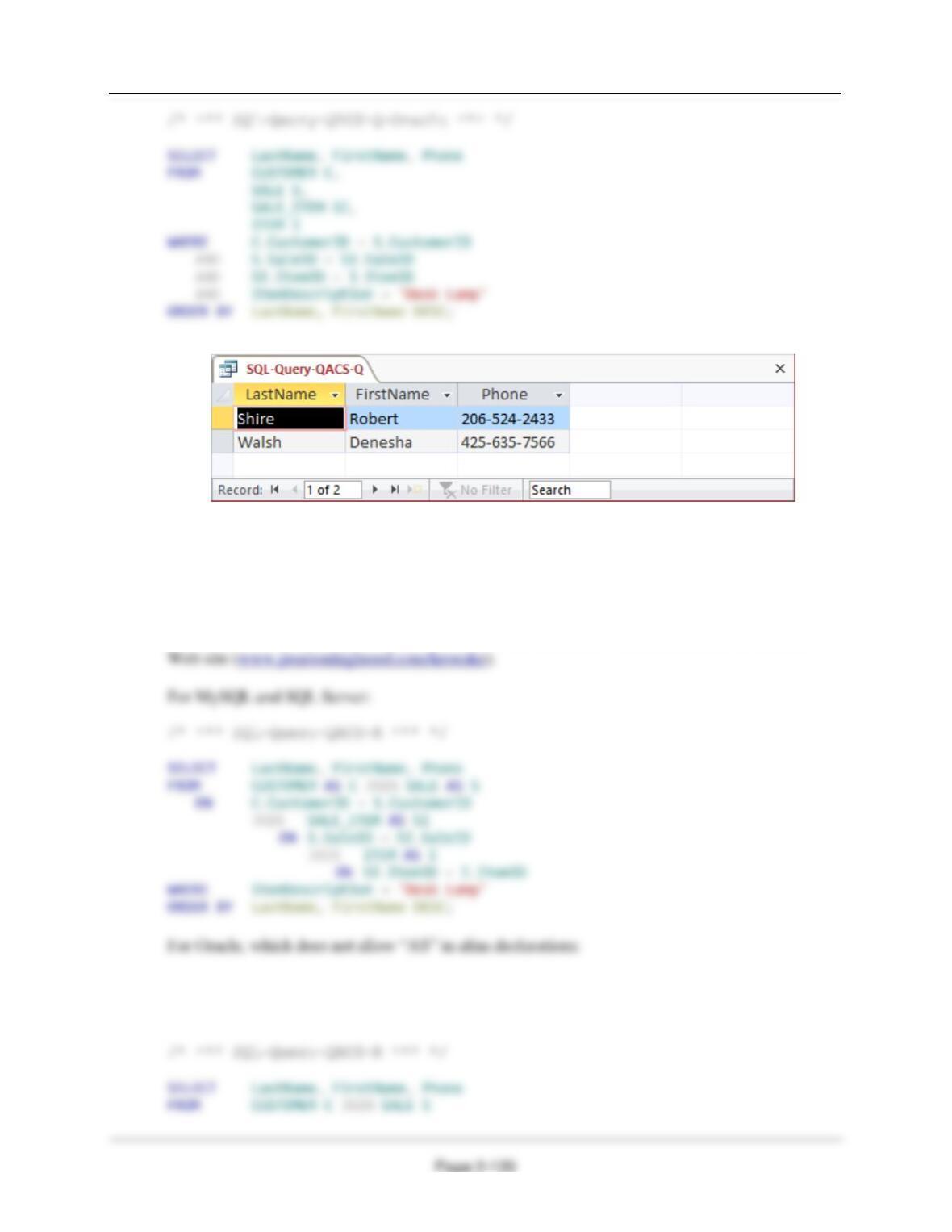
Q. Show the LastName, FirstName, and Phone of all customers who have bought an Item
named ‘Desk Lamp‘. Use a join, but do not use JOIN ON syntax. Present results sorted
by LastName in ascending order and then FirstName in descending order.
Solutions to The Queen Anne Curiosity Shop questions are contained in the Microsoft Access
database DBP-e15–IM–CH02-QACS.accdb and in corresponding files for SQL Server, Oracle
Chapter Two – Introduction to Structured Query Language
R. Show the LastName, FirstName, and Phone of all customers who have bought an Item
named ‘Desk Lamp‘. Use a join using JOIN ON syntax. Present results sorted by
LastName in ascending order and then FirstName in descending order.
Solutions to The Queen Anne Curiosity Shop questions are contained in the Microsoft Access
database DBP-e15–IM–CH02-QACS.accdb and in corresponding files for SQL Server, Oracle
Database, and MySQL, which are all available in the Instructor’s Resource Center on the text’s