Chapter Twelve – Data Warehouses, Business Intelligence Systems, and Big Data
Page 12-21
Chapter Twelve – Data Warehouses, Business Intelligence Systems, and Big Data
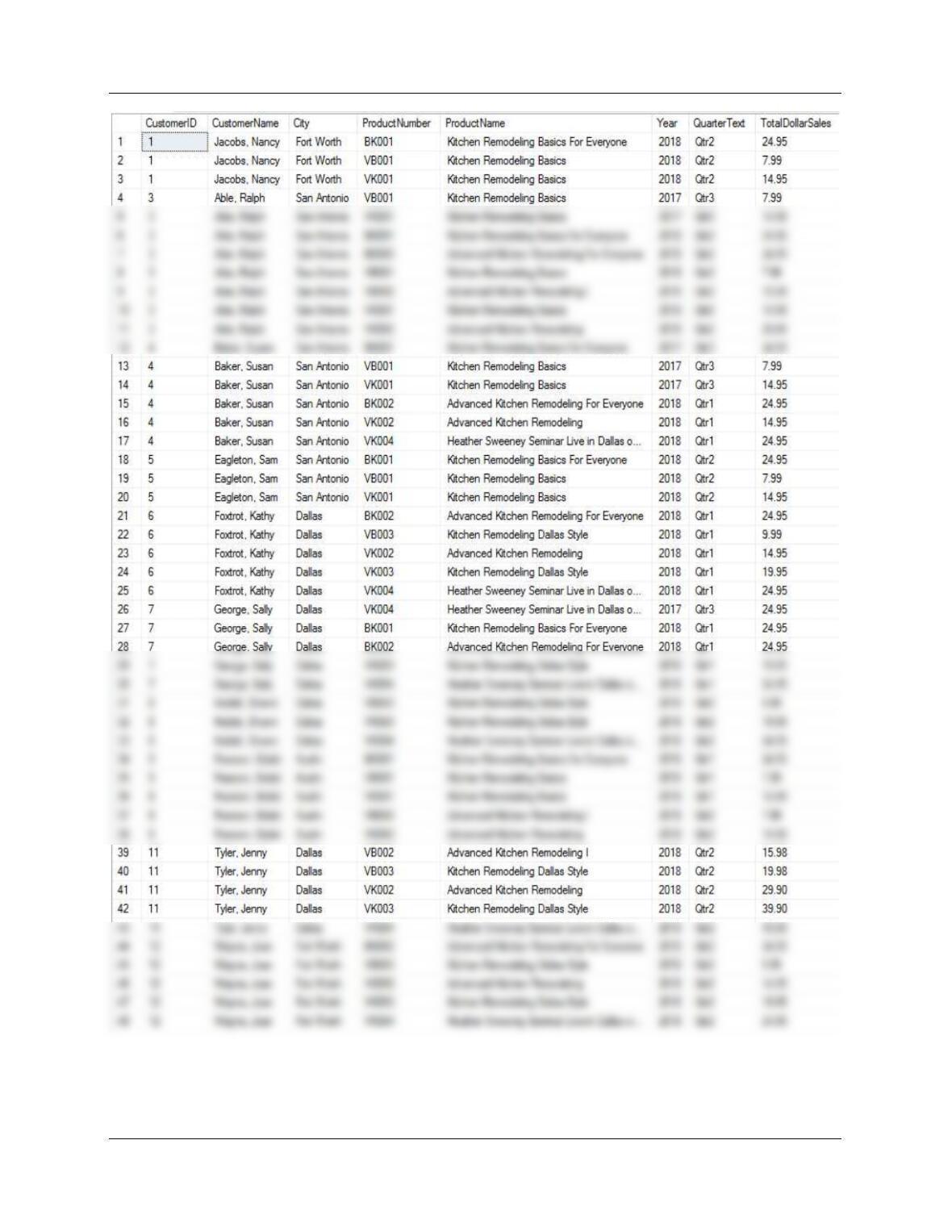
H. Write the SQL view equivalent of the SQL query you wrote to answer part G.
SQL Server solution is in file DBP-e15-MSSQL-HSD–DW-PQ.sql:
P.ProductNumber, P.ProductName,
T.QuarterText, T.Year;
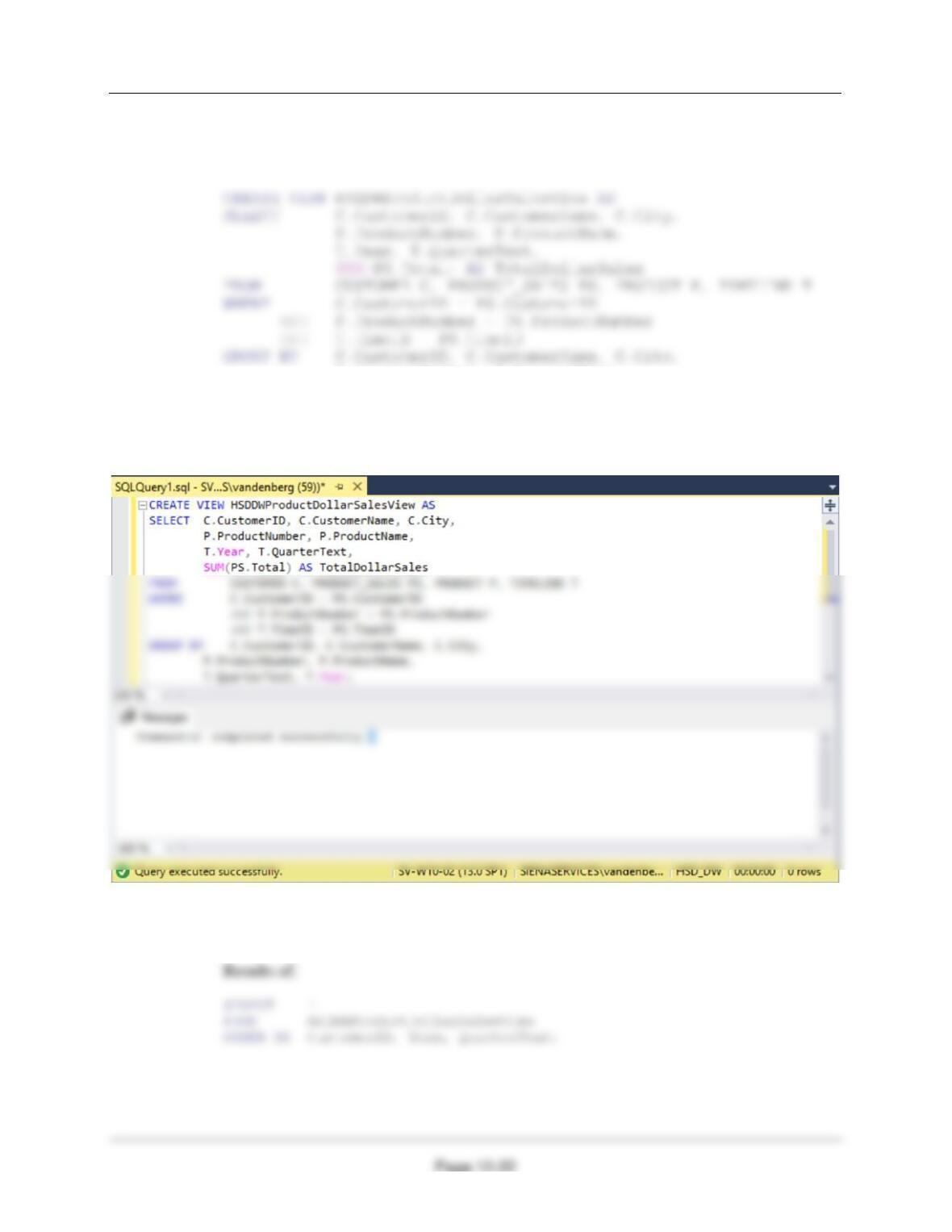
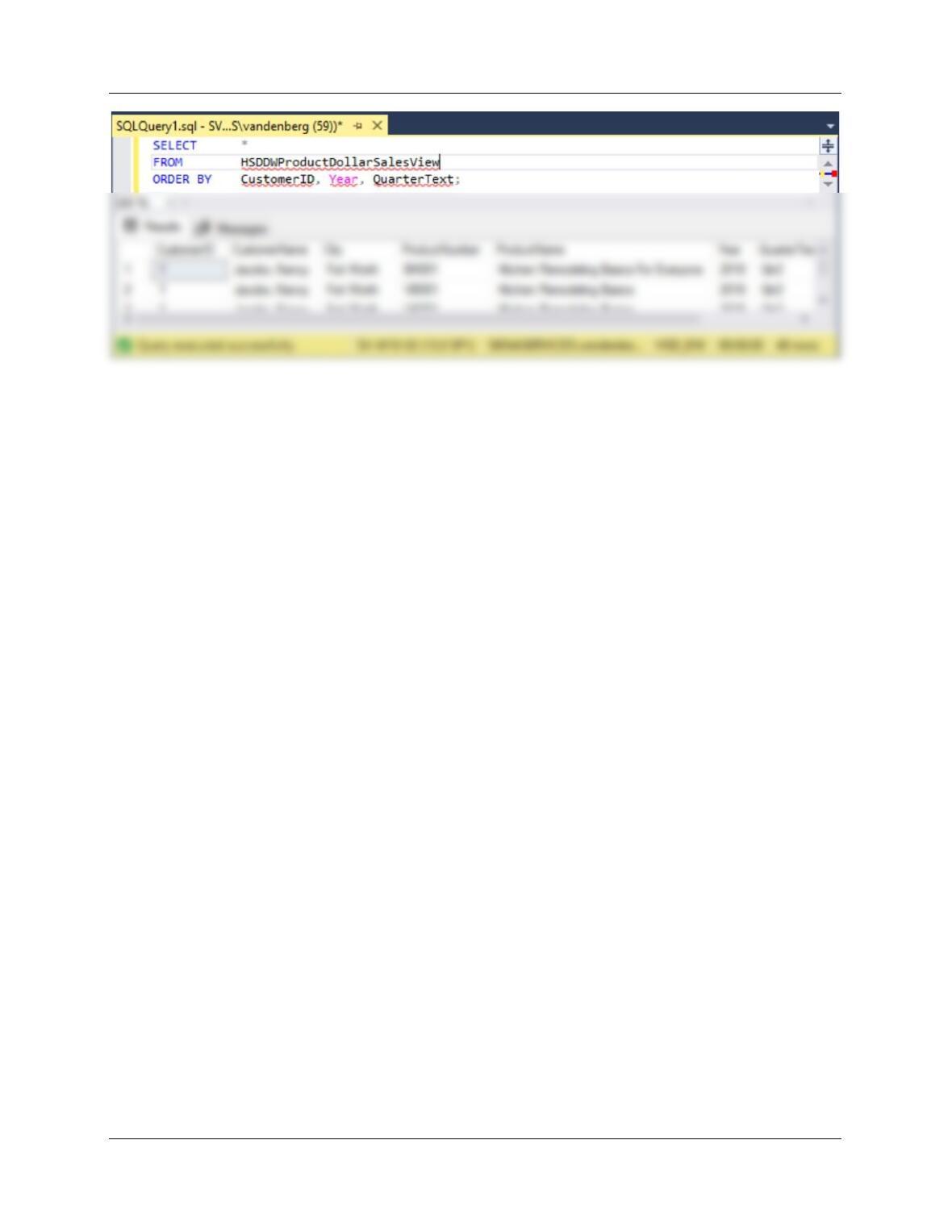
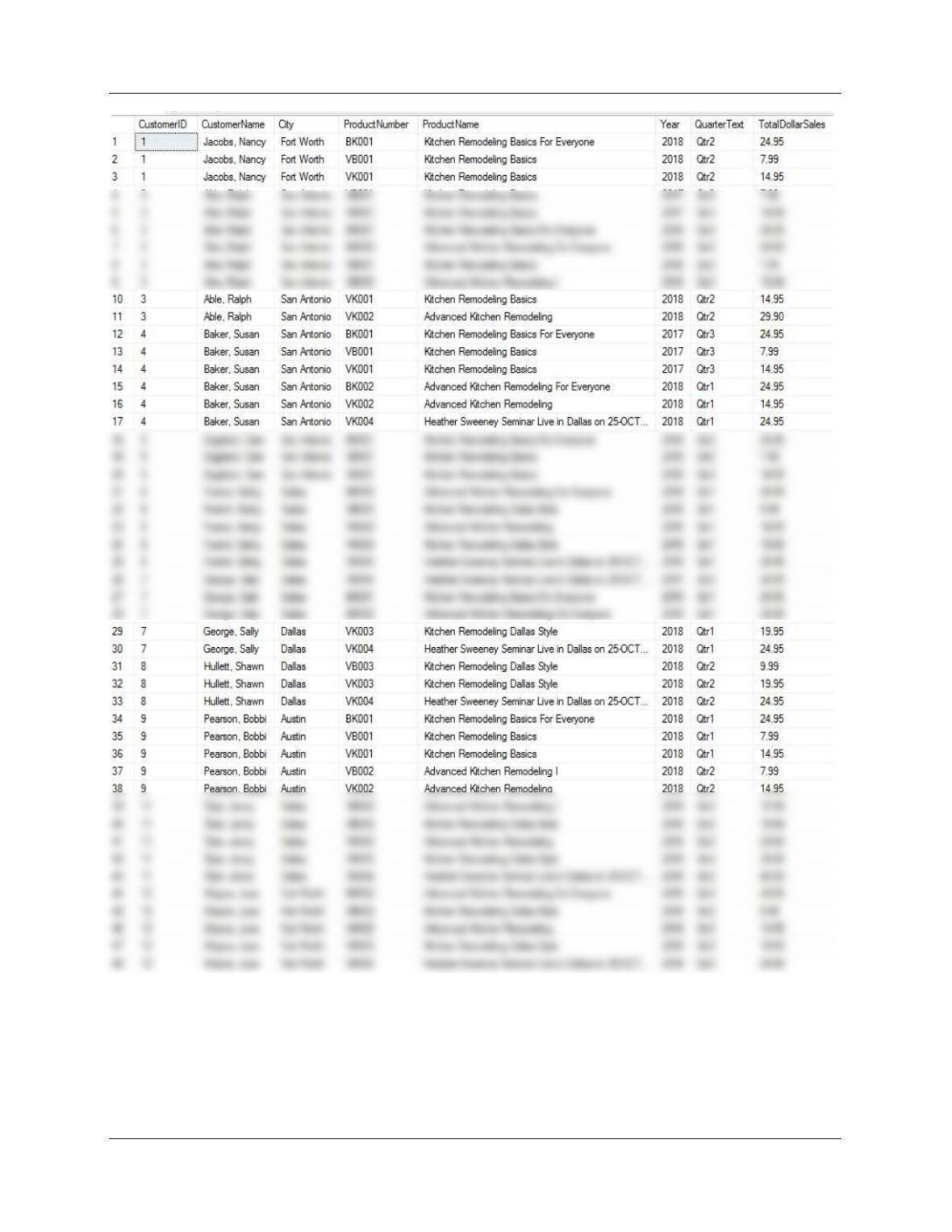
I. Create the SQL view you wrote to answer part H in your HSD_DW database.
See SQL query results below. SQL Server solution is in file DBP-e15-MSSQL-HSD-DW–
PQ.sql:
Chapter Twelve – Data Warehouses, Business Intelligence Systems, and Big Data
Page 12-23
Chapter Twelve – Data Warehouses, Business Intelligence Systems, and Big Data
Page 12-24
J. Create a Microsoft Excel 2016 workbook named HSD-DW–BI-Exercises.xlsx.
See the file DBP-e15-HSD-DW–BI–Exercises.xlsx.
K. Using either the results of your SQL query from part G (copy the results of the
query into a worksheet in the HSD-DW–BI-Exercises.xlsx workbook and then
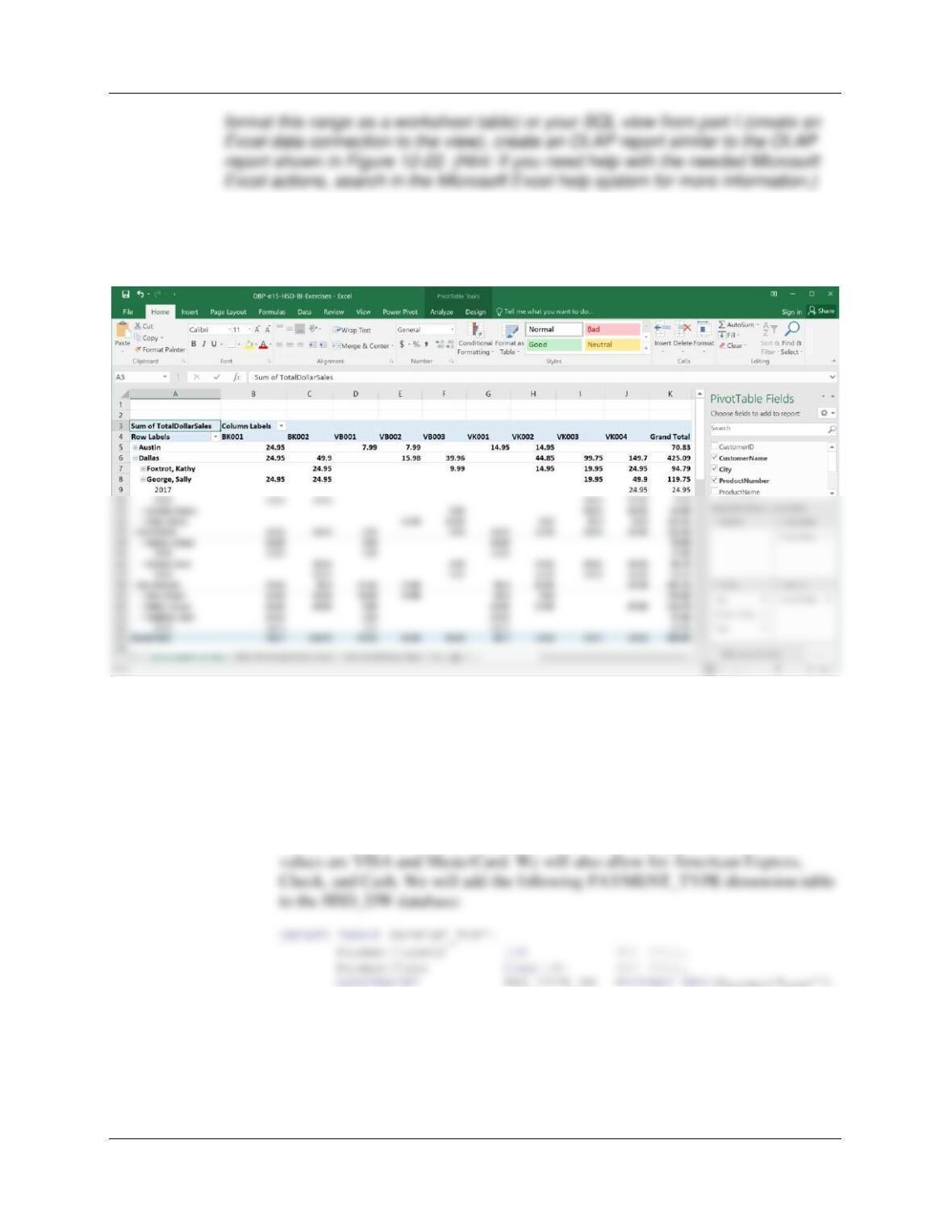
Chapter Twelve – Data Warehouses, Business Intelligence Systems, and Big Data
Page 12-25
See the file DBP-e15-HSD-DW–BI–Exercises.xlsx. Also see the Teaching Suggestions
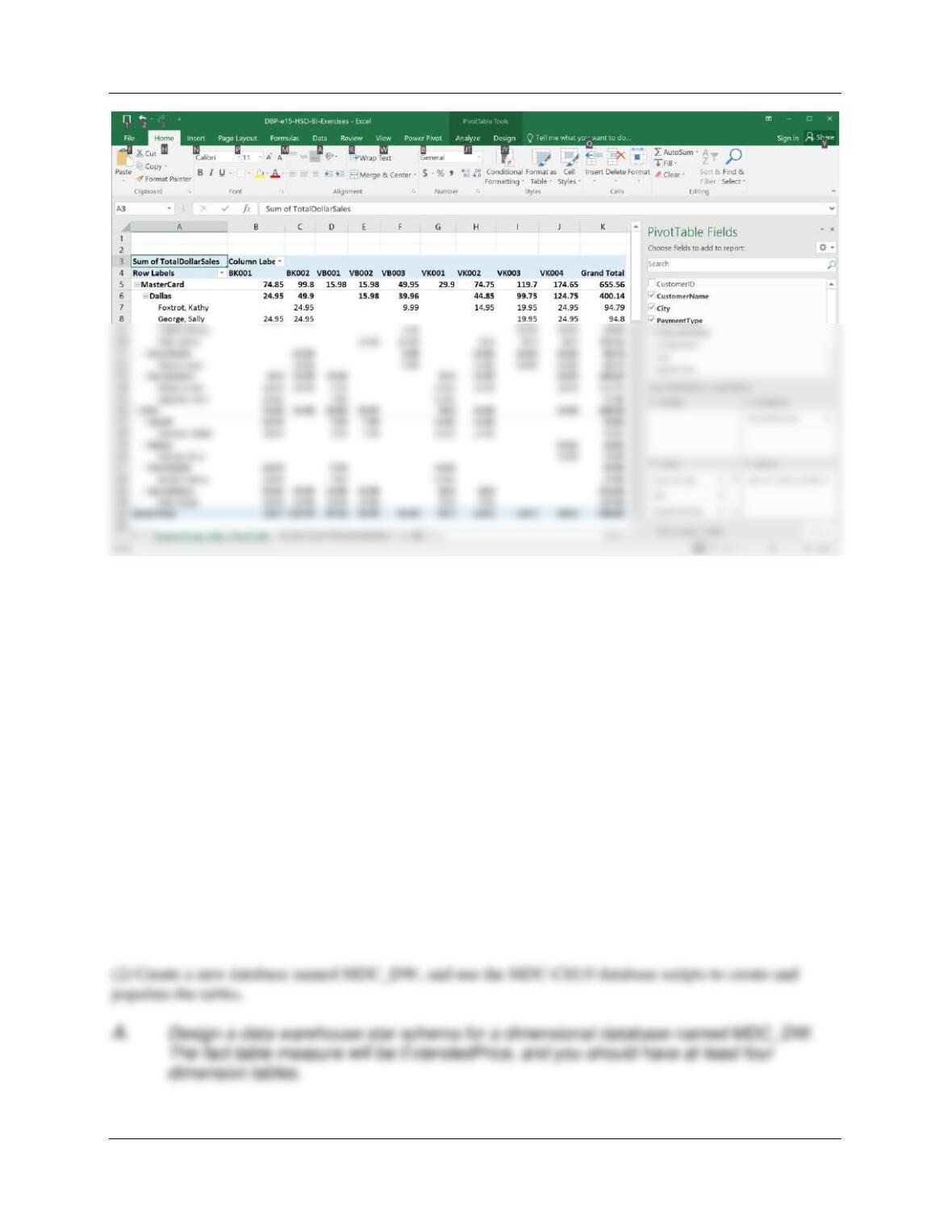
for some pivot table tips. Follow the instructions on Page 595 to create the pivot table
pictured below:
L. Heather Sweeney is interested in the effects of payment type on sales in dollars.
SQL Server solutions are in file DBP-e15-MSSQL-HSD-DW-PQ.sql:
(1) In the HSD_DW dimensional database, create a PAYMENT_TYPE
dimension table.
The HSD database INVOICE table includes a PaymentType column. Current
);
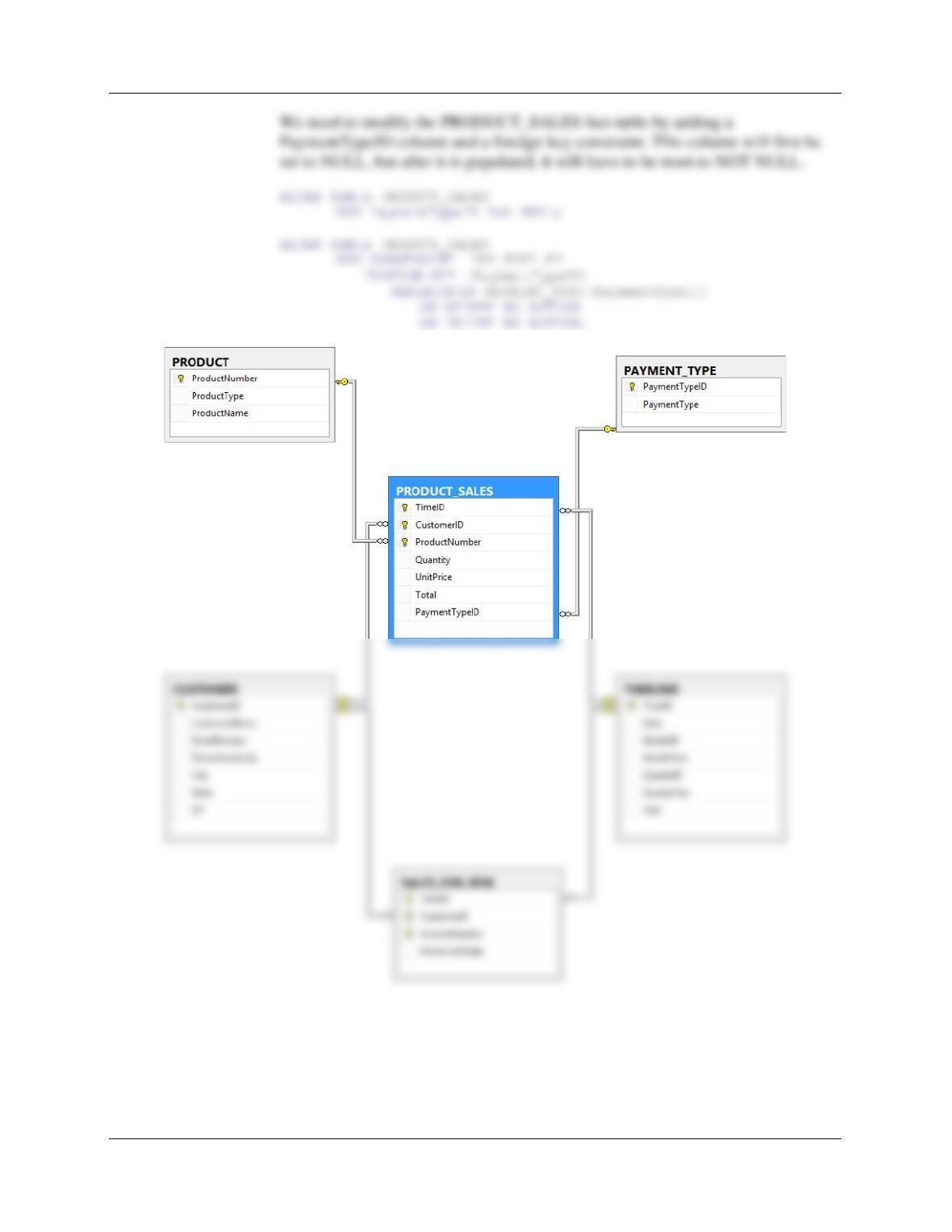
(2) Modify the HSD_DW database to add a PAYMENT_TYPE_ID column to
the fact table.
Chapter Twelve – Data Warehouses, Business Intelligence Systems, and Big Data
Page 12-26
Chapter Twelve – Data Warehouses, Business Intelligence Systems, and Big Data
Page 12-27
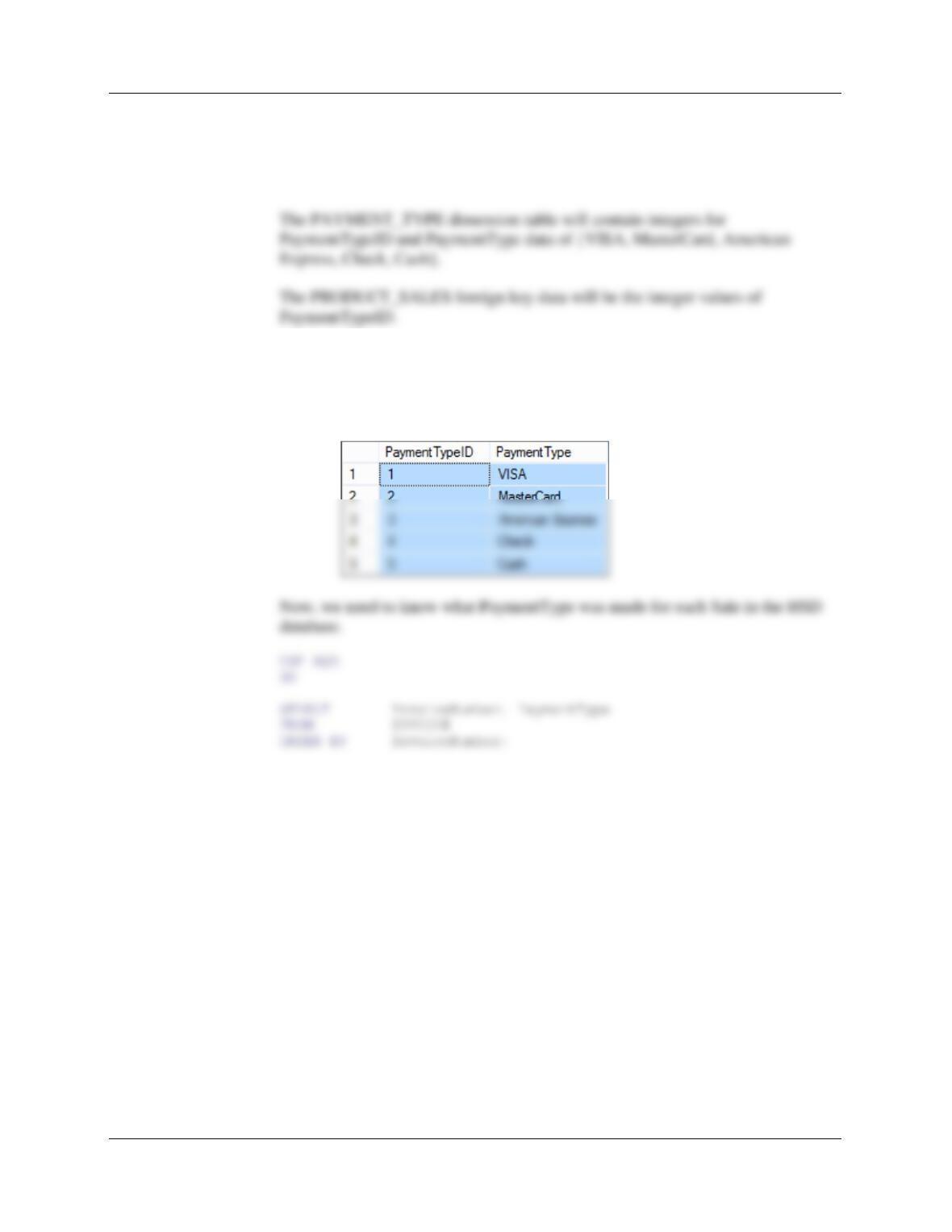
(3) What data will be used to load the PAYMENT_TYPE dimension table?
What data will be used to load foreign key data into the
PRODUCT_SALES fact table? Write the complete set of SQL statements
necessary to load these data.
INSERT INTO PAYMENT_TYPE VALUES(1, ‘VISA’);
INSERT INTO PAYMENT_TYPE VALUES(2, ‘MasterCard’);
INSERT INTO PAYMENT_TYPE VALUES(3, ‘American Express’);
INSERT INTO PAYMENT_TYPE VALUES(4, ‘Check’);
INSERT INTO PAYMENT_TYPE VALUES(5, ‘Cash’);
Chapter Twelve – Data Warehouses, Business Intelligence Systems, and Big Data
Page 12-28
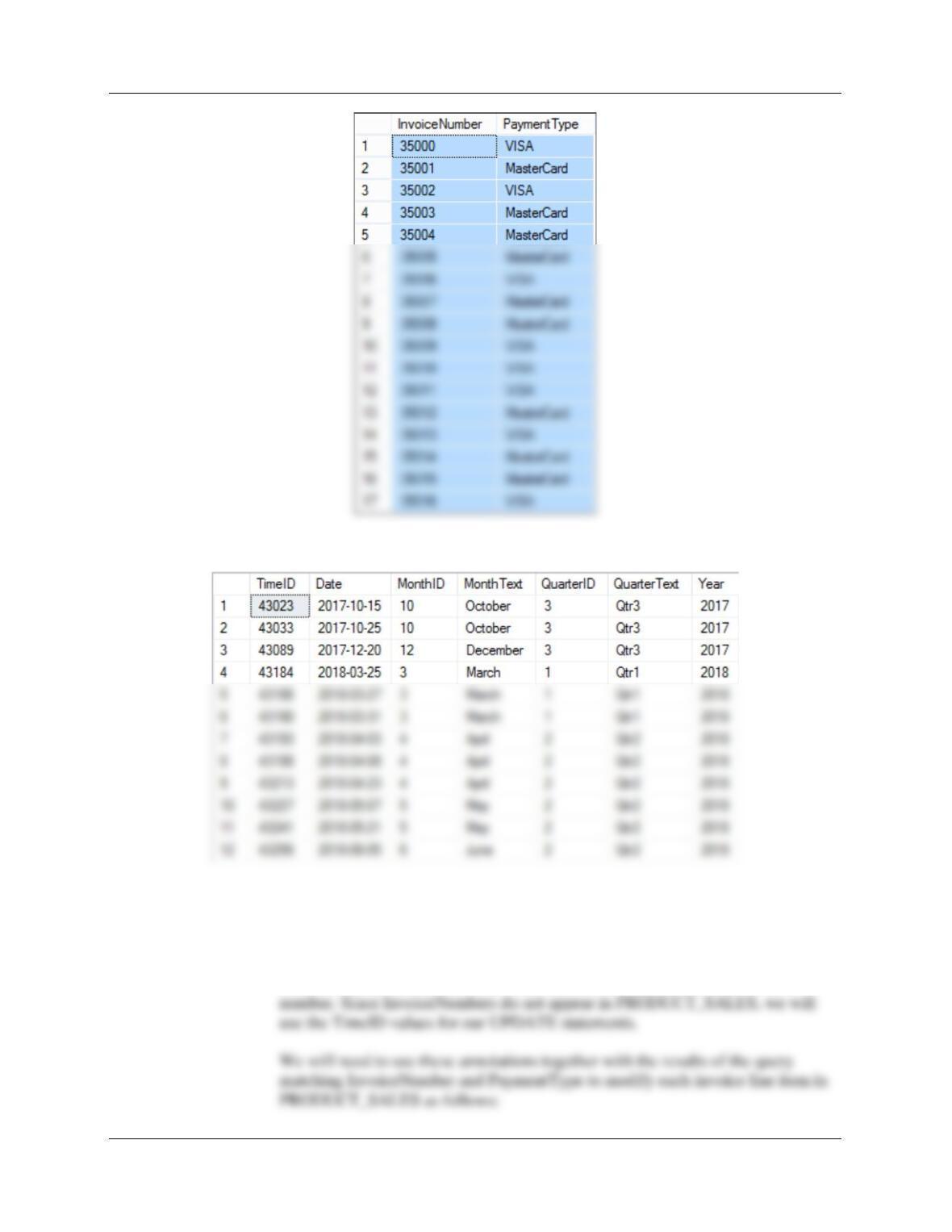
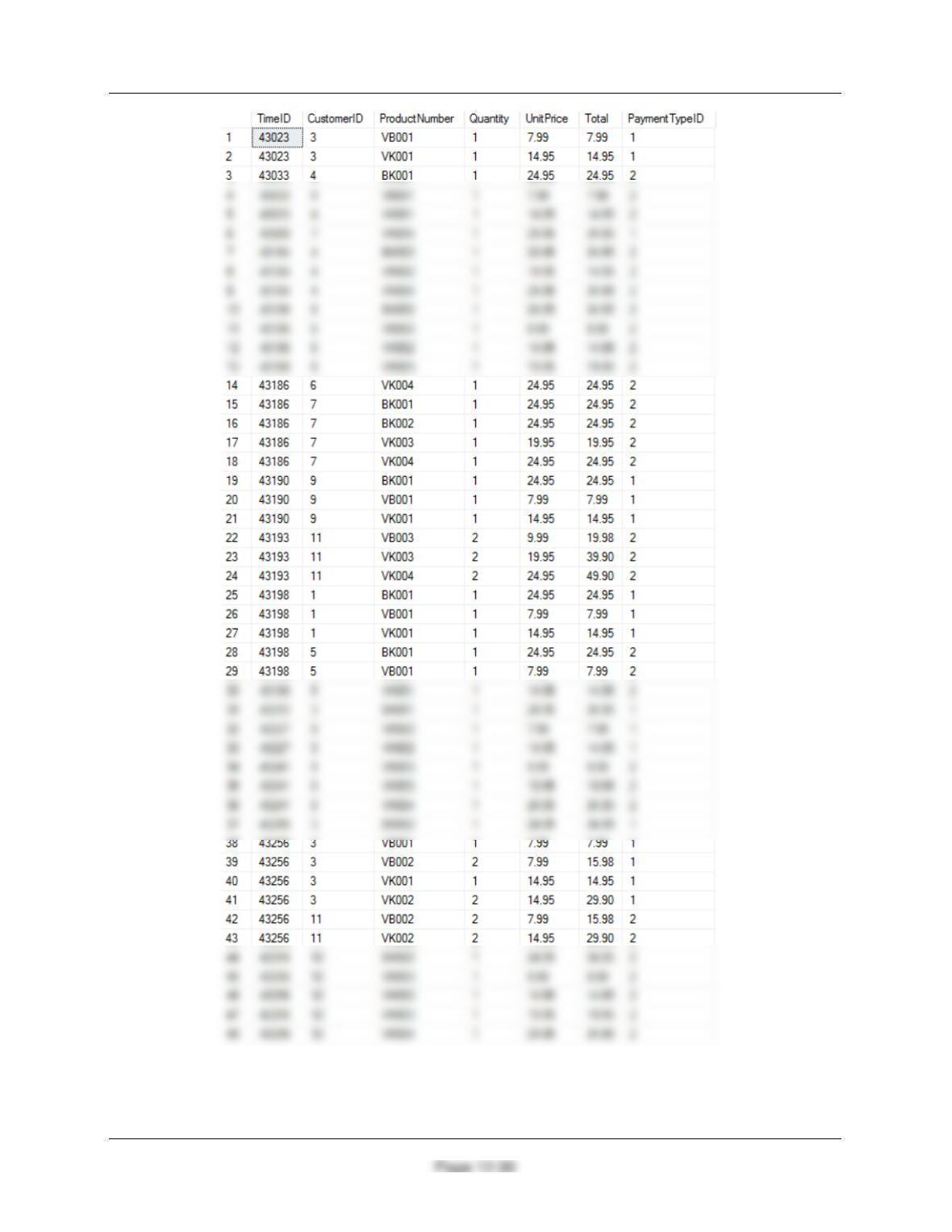
Here are the TIMELINE data:
The data file DBP-e15-MSSQL-HSD-DW-Insert-Data-PAYMENT-TYPE.sql is
annotated with InvoiceNumber data in comments:
/***** Invoice 35000 – ’15-Oct-17′ = 43023 ‘Ralph.Able@somewhere.com’ = 3 ***/
Note that each comment included both the InvoiceNumber and the TimeID
Chapter Twelve – Data Warehouses, Business Intelligence Systems, and Big Data
Page 12-29
/***** Invoice 35000 – ’15-Oct-17′ = 43023 ‘Ralph.Able@somewhere.com’ = 3 ***/
Becomes:
UPDATE PRODUCT_SALES SET PaymentTypeID = 1
WHERE TimeID = 43203
AND CustomerID = 3
AND ProductNumber = ‘VK001’;
Chapter Twelve – Data Warehouses, Business Intelligence Systems, and Big Data
(4) Populate the PAYMENT_TYPE and PRODUCT_SALES tables using the
SQL statements you wrote to answer part 3.
Chapter Twelve – Data Warehouses, Business Intelligence Systems, and Big Data
Page 12-31
(5) Create the SQL queries or SQL views needed to incorporate the
PaymentType attribute into a query or view that can make use of
PaymentType in an OLAP report.
Note the PaymentType attribute is already in the database; there are many ways to also
incorporate it into various queries on the dimensional database, so there are many correct answers
here. One possibility is to simply add it to the view from part H to create a new view:
CREATE VIEW HSDDWProductDollarSalesPaymentTypeView AS
SELECT C.CustomerID, C.CustomerName, C.City,
PT.PaymentType,
P.ProductNumber, P.ProductName,
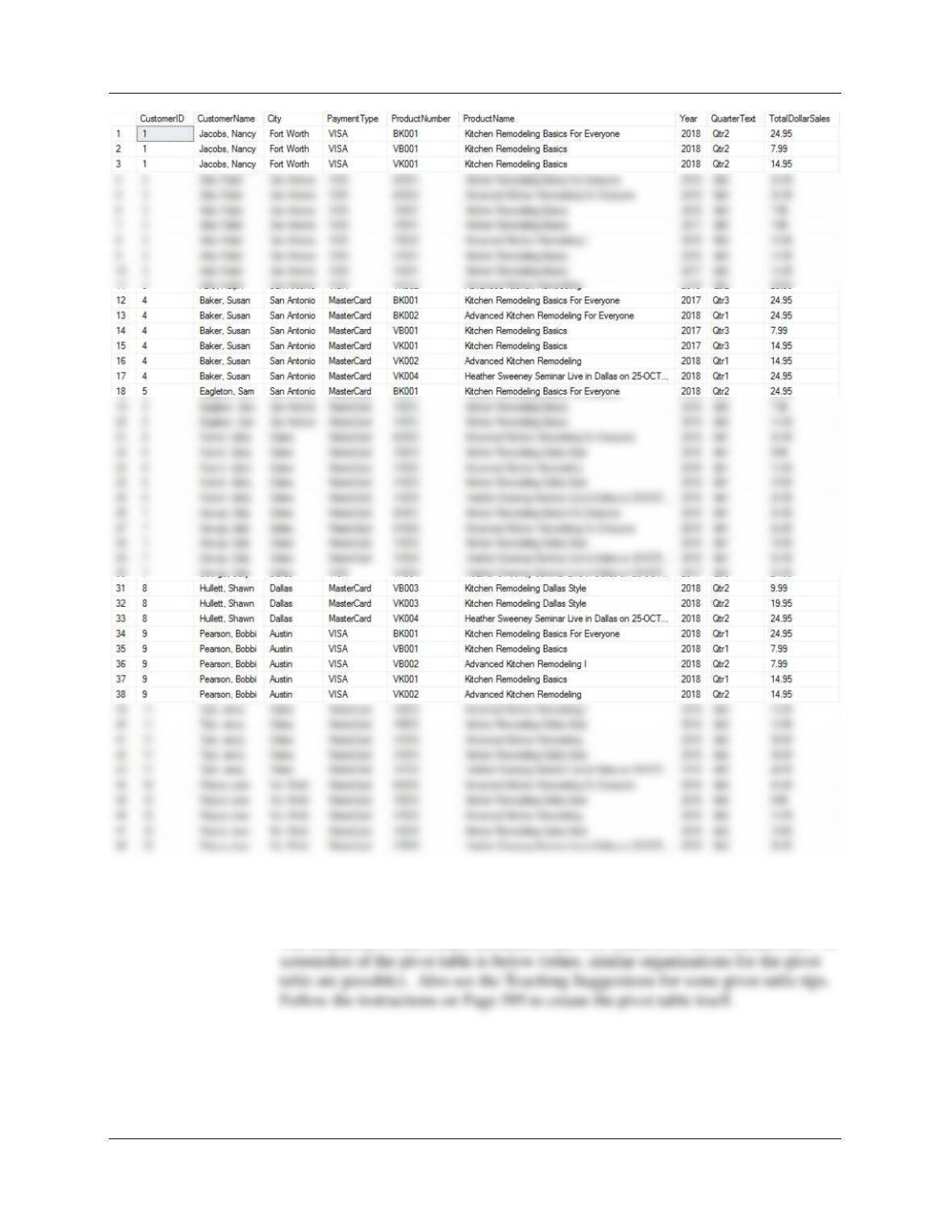
SELECT * FROM HSDDWProductDollarSalesPaymentTypeView;
The results of the SELECT query are:
Chapter Twelve – Data Warehouses, Business Intelligence Systems, and Big Data
Page 12-32
(6) Create a Microsoft Excel 2016 OLAP report to show the effect of payment
type on product sales in dollars.
The results are in the Excel workbook DBP-e15-HSD–DW–BI-Exercises.xlsx. A
Chapter Twelve – Data Warehouses, Business Intelligence Systems, and Big Data
Page 12-33
❖ MARCIA’S DRY CLEANING CASE QUESTIONS
If you have not already done so, implement the Marcia’s Dry Cleaning (MDC) database for
the DBMS you are using as described in:
● Chapter 10A for Microsoft SQL Server 2017
● Chapter 10B for Oracle Database
● Chapter 10C Oracle MySQL 5.7
The solutions will be shown here in Microsoft SQL Server 2017.
NOTES [These apply to all projects]:
(1) You should have created the necessary and appropriate DBMS security accounts in the MDC Project
Questions for Chapter 10A, Chapter 10B, or Chapter 10C. That user name and password will be used to
authenticate to the database.
Chapter Twelve – Data Warehouses, Business Intelligence Systems, and Big Data
Page 12-34
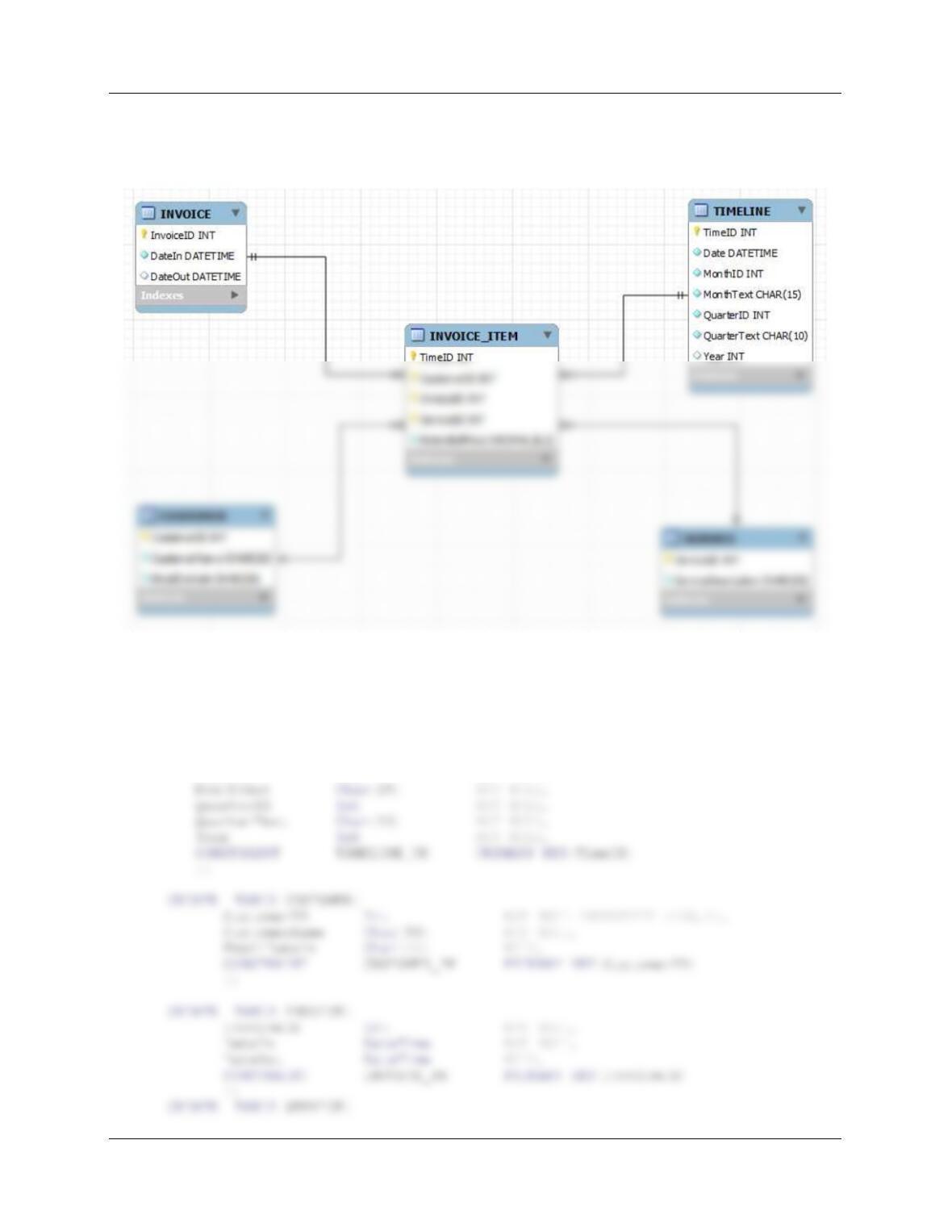
We’ll do a fairly simple dimensional database. We’ll use a fact table named INVOICE_ITEM, a
TIMELINE dimension table, a CUSTOMER dimension table, an INVOICE dimension table, and
a SERVICE dimension table. The database design as seen in the MySQL Workbench is:
B. Create the MDC_DW database in your DBMS product.
This was done in SQL Server. See file DBP-e15-MSSQL-MDC-DW-Create-Tables.sql.
CREATE TABLE TIMELINE(
TimeID Int NOT NULL,
Date DateTime NOT NULL,
MonthID Int NOT NULL,
Chapter Twelve – Data Warehouses, Business Intelligence Systems, and Big Data
Page 12-35
ServiceID Int NOT NULL,
ServiceDescription Char(50) NOT NULL,
CONSTRAINT SERVICE_PK PRIMARY KEY(ServiceID)
);
CONSTRAINT II_CUSTOMER_FK FOREIGN KEY (CustomerID)
REFERENCES CUSTOMER(CustomerID)
ON UPDATE NO ACTION
ON DELETE NO ACTION,
CONSTRAINT II_INVOICE_FK FOREIGN KEY (InvoiceID)
REFERENCES INVOICE(InvoiceID)
ON UPDATE NO ACTION
ON DELETE NO ACTION
);
C. What transformations of data will need to be made before the MDC_DW database can
be loaded with data? List all the transformations, showing the original format of the MDC
data and how it appears in the MDC_DW database.
D. Write the complete set of SQL statements necessary to load the transformed data into
the MDC_DW database.
See file DBP-e15-MSSQL-MDC-DW-Insert-Date.sql.
/***** CUSTOMER Data *********************************************************/
Chapter Twelve – Data Warehouses, Business Intelligence Systems, and Big Data
Page 12-36
/***** SERVICE Data **********************************************************/
/***** INVOICE Data ************************************************************/
INSERT INTO INVOICE VALUES(2018001, ’04-Oct-18′, ’06-Oct-18′);
INSERT INTO INVOICE VALUES(2018002, ’04-Oct-18′, ’06-Oct-18′);
INSERT INTO INVOICE VALUES(2018003, ’06-Oct-18′, ’08-Oct-18′);
/***** TIMELINE Data ************************************************************/
INSERT INTO TIMELINE VALUES(
43377, ’10/04/2018′, 10, ‘October’, 3, ‘Qtr3’, 2018);
INSERT INTO TIMELINE VALUES(
Chapter Twelve – Data Warehouses, Business Intelligence Systems, and Big Data
Page 12-37
/***** INVOICE_ITEM Data ********************************************************/
INSERT INTO INVOICE_ITEM VALUES(
43377, 100, 2018001, 40, 9.00);
INSERT INTO INVOICE_ITEM VALUES(
43377, 101, 2018002, 11, 25.00);
INSERT INTO INVOICE_ITEM VALUES(
43379, 100, 2018003, 20, 25.00);
INSERT INTO INVOICE_ITEM VALUES(
43379, 100, 2018003, 25, 24.00);
INSERT INTO INVOICE_ITEM VALUES(
43379, 103, 2018004, 11, 7.50);
INSERT INTO INVOICE_ITEM VALUES(
43380, 105, 2018005, 16, 7.00);
INSERT INTO INVOICE_ITEM VALUES(
43380, 105, 2018005, 11, 5.00);
INSERT INTO INVOICE_ITEM VALUES(
/*********************************************************************************/
E. Populate the MDC_DW database using the appropriate MDC data or transformations of
that data.
Run the statements you wrote for part ED above.
F. Write an SQL query similar to SQL-Query-CH12-02 on page 589 that uses the
ExtendedPrice as the measure.