Chapter 10B – Managing Databases with Oracle Database
Page 10B-101
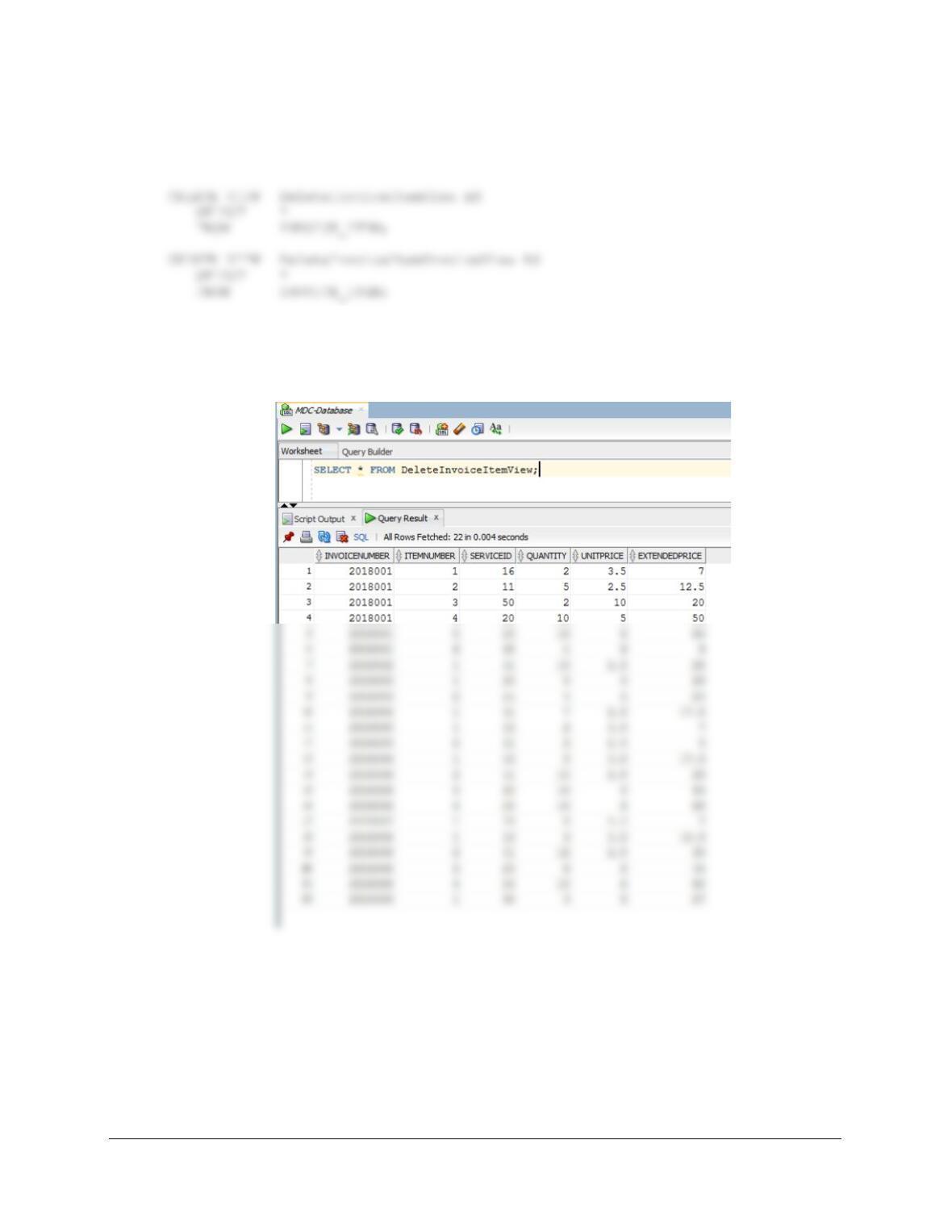
We will need to use views to allow us to successfully handle this problem in Oracle. This will
allow us to use an INSTEAD OF DELETE trigger. We will create the views DeleteInvoiceItem
and DeleteInvoice as:
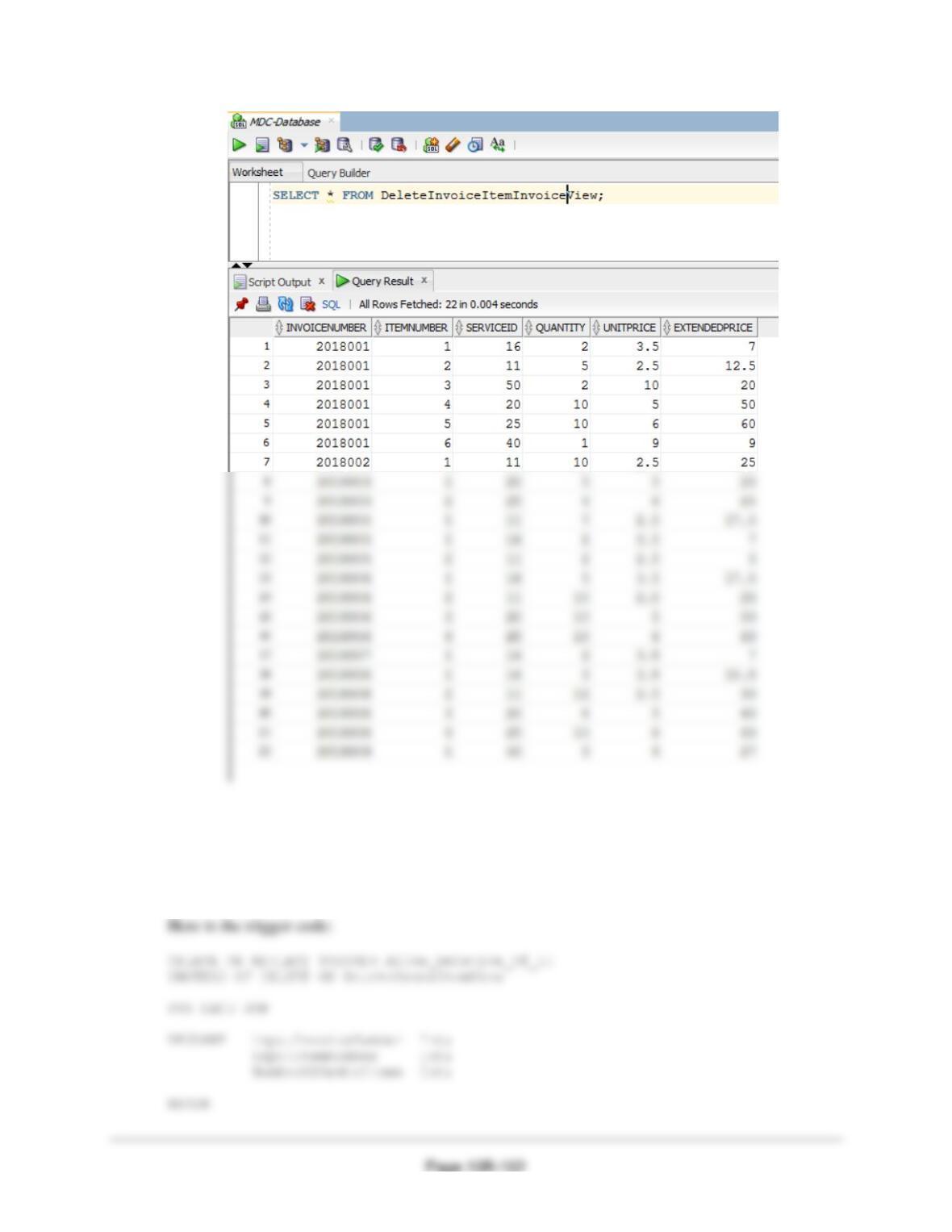
To test these, run the following commands:
SELECT * FROM DeleteInvoiceItemView;
SELECT * FROM DeleteInvoiceItemInvoiceView;
Chapter 10B – Managing Databases with Oracle Database
Figure 7-28 contains the logic to delete all but the last INVOICE_ITEM. The trigger requires us
to check the number of INVOICE_ITEMs in an INVOICE. If the number of INVOICE_ITEMS
is greater than one, we allow the deletion. If the number of INVOICE_ITEMS is exactly one, we
will not allow the deletion and then send an error message to the user, because presumably this is
a user without permission to delete an INVOICE.
Chapter 10B – Managing Databases with Oracle Database
Page 10B-103
IF NumberOfOrderItems = 1 THEN
/* Last INVOICE_ITEM, so we do not delete the INVOICE_ITEM. */
/* Print the error message */
DBMS_OUTPUT.PUT_LINE
(‘ Order Invoice Number = ‘|| inputInvoiceNumber);
DBMS_OUTPUT.PUT_LINE
(‘ Order Item Number = ‘|| inputItemNumber);
DBMS_OUTPUT.PUT_LINE (‘ ‘);
DBMS_OUTPUT.PUT_LINE
(‘********************************************************************’);
DBMS_OUTPUT.PUT_LINE
(‘ Company policy does not allow such a deletion.’);
DBMS_OUTPUT.PUT_LINE (‘ ‘);
DBMS_OUTPUT.PUT_LINE
(‘ Please contact your manager immediately.’);
DBMS_OUTPUT.PUT_LINE (‘ ‘);
DBMS_OUTPUT.PUT_LINE
(‘********************************************************************’);
DBMS_OUTPUT.PUT_LINE (‘ ‘);
DBMS_OUTPUT.PUT_LINE
(‘ Trigger Allow_Deletion_of_II’);
DBMS_OUTPUT.PUT_LINE (‘ ‘);
DBMS_OUTPUT.PUT_LINE
Chapter 10B – Managing Databases with Oracle Database
Page 10B-104
END IF;
END;
/
To test this, run the following commands:
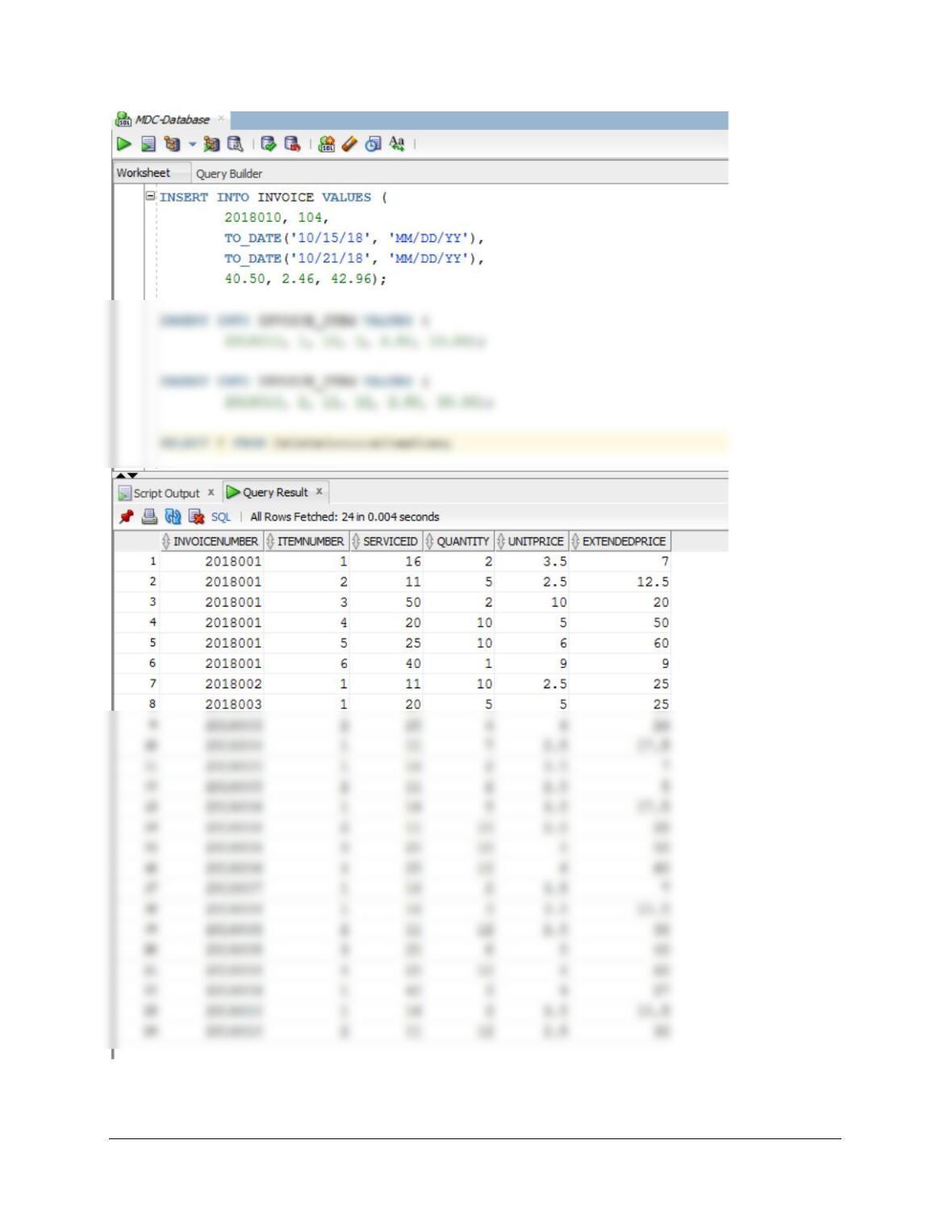
INSERT INTO INVOICE VALUES (
2018010, 104,
TO_DATE(’10/15/18′, ‘MM/DD/YY’),
TO_DATE(’10/21/18′, ‘MM/DD/YY’),
40.50, 2.46, 42.96);
Chapter 10B – Managing Databases with Oracle Database
Page 10B-105
SET SERVEROUTPUT ON;
Chapter 10B – Managing Databases with Oracle Database
Page 10B-106
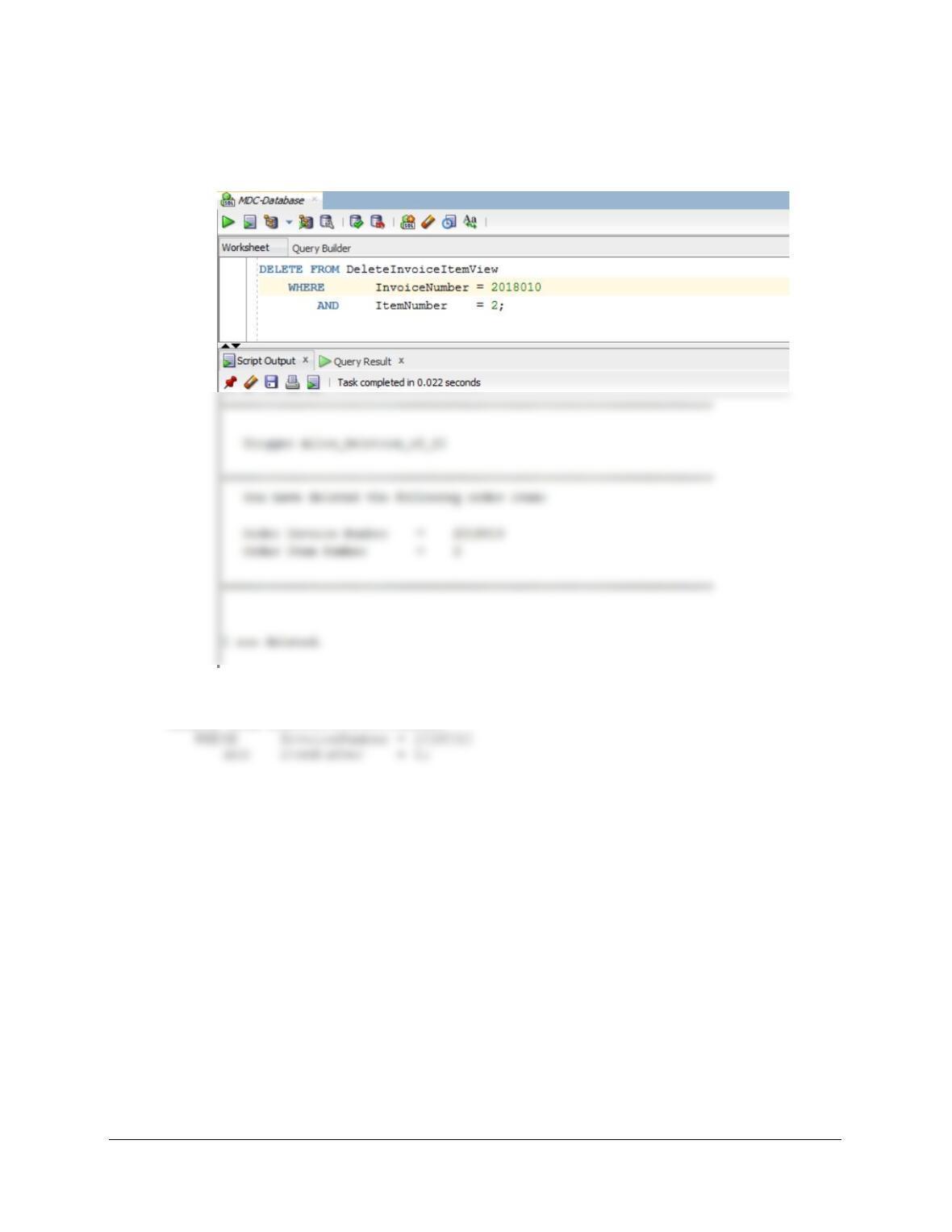
DELETE FROM DeleteInvoiceItemView
WHERE InvoiceNumber = 2018010
AND ItemNumber = 2;
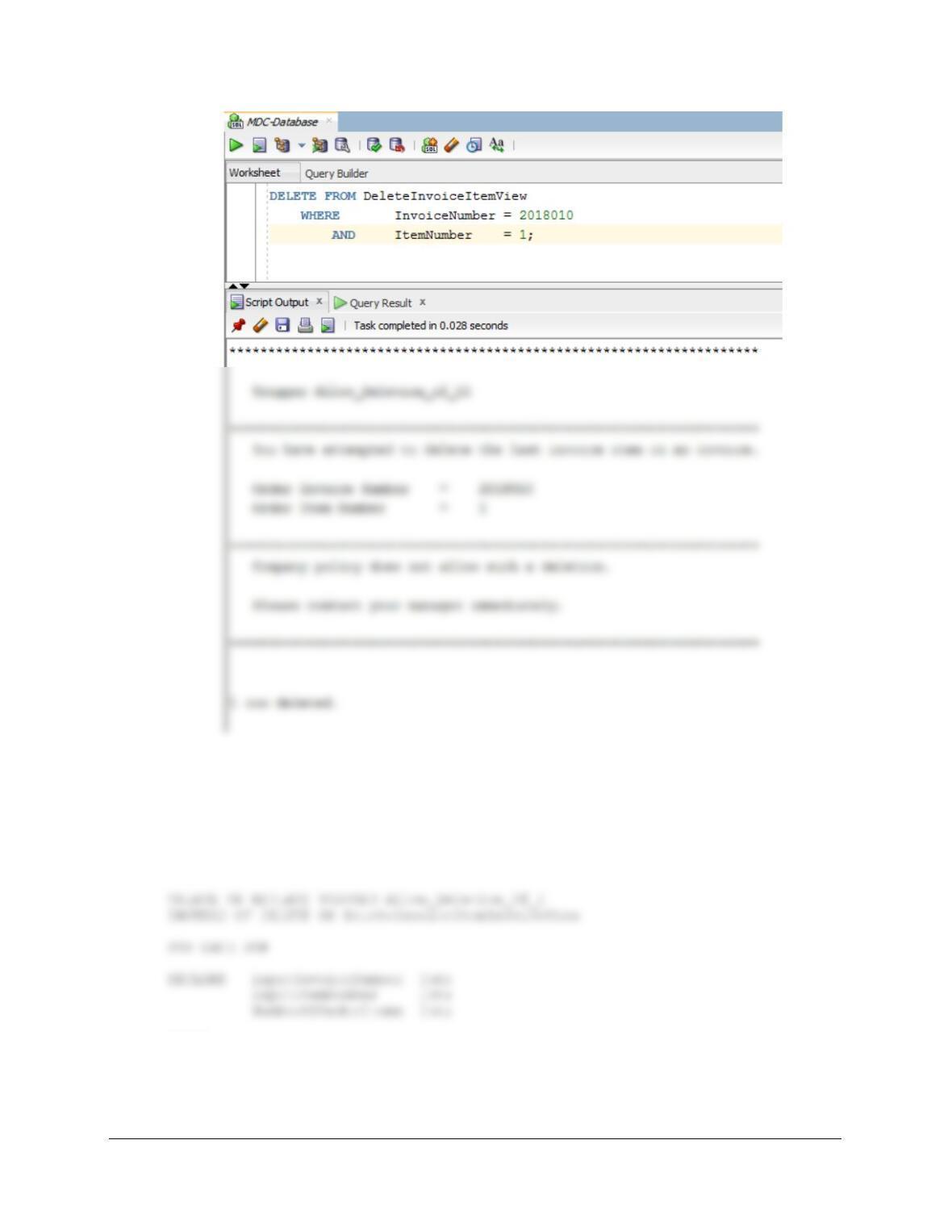
SET SERVEROUTPUT ON;
DELETE FROM DeleteInvoiceItemView
Chapter 10B – Managing Databases with Oracle Database
Page 10B-107
Run this command to clean up the database:
DELETE FROM INVOICE
WHERE InvoiceNumber = 2018010;
Figure 7-29 contains the logic to delete the last INVOICE_ITEM and the INVOICE. Here is the
trigger code, to be used by users authorized to delete both INVOICE_ITEMs and INVOICEs:
BEGIN
/* Determine if this is the last INVOICE_ITEM in the INVOICE */
inputInvoiceNumber := :OLD.InvoiceNumber;
Chapter 10B – Managing Databases with Oracle Database
Page 10B-108
inputItemNumber := :OLD.ItemNumber;
DBMS_OUTPUT.PUT_LINE
(‘********************************************************************’);
DBMS_OUTPUT.PUT_LINE (‘ ‘);
DBMS_OUTPUT.PUT_LINE
(‘ Trigger Allow_Deletion_of_I’);
DBMS_OUTPUT.PUT_LINE (‘ ‘);
DBMS_OUTPUT.PUT_LINE
(‘********************************************************************’);
END IF;
IF NumberOfOrderItems > 1 THEN
/* Deletion of INVOICE_ITEM. */
DELETE FROM INVOICE_ITEM
WHERE InvoiceNumber = inputInvoiceNumber
AND ItemNumber = inputItemNumber;
DBMS_OUTPUT.PUT_LINE
Chapter 10B – Managing Databases with Oracle Database
Page 10B-109
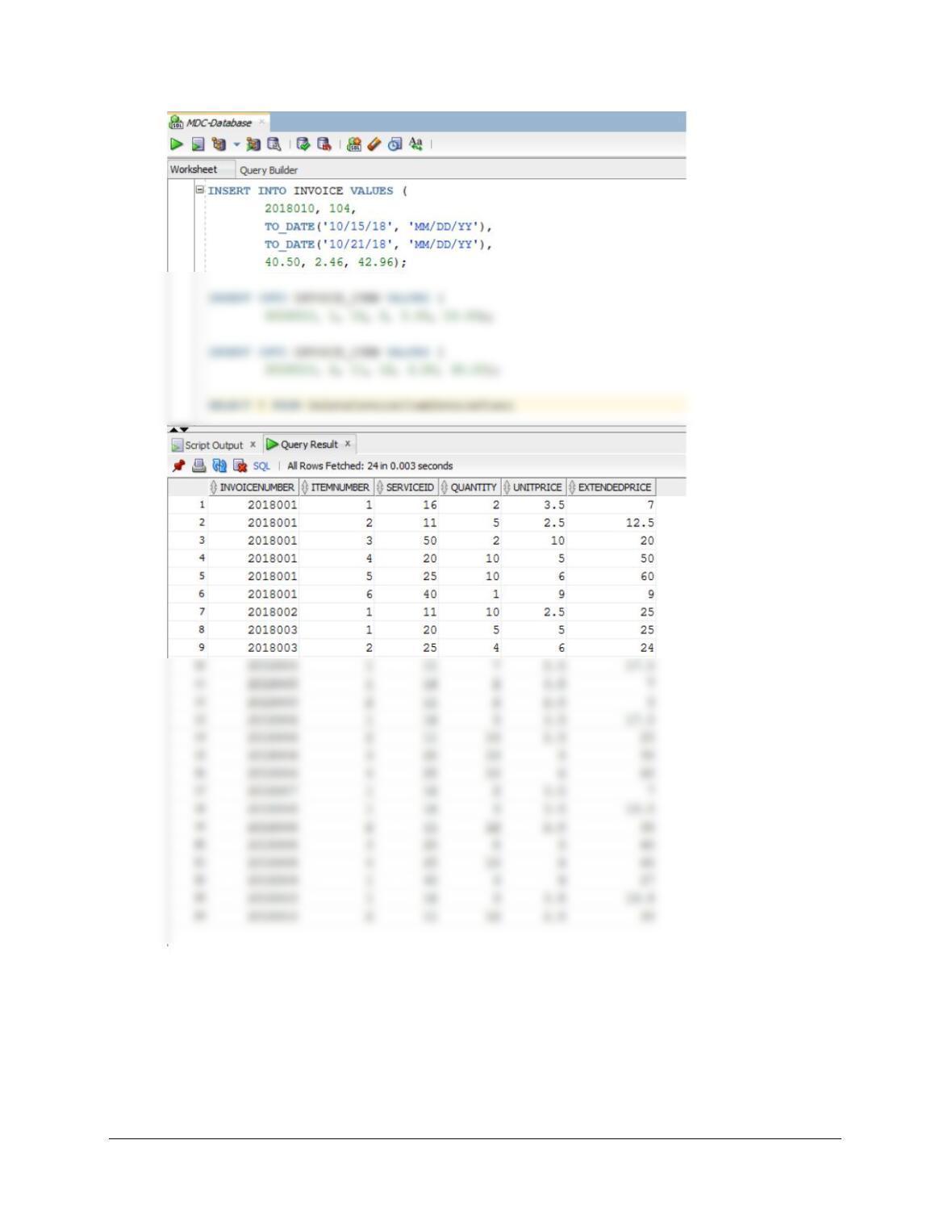
To test this, run the following commands:
INSERT INTO INVOICE VALUES (
2018010, 104,
TO_DATE(’10/15/18′, ‘MM/DD/YY’),
TO_DATE(’10/21/18′, ‘MM/DD/YY’),
40.50, 2.46, 42.96);
Chapter 10B – Managing Databases with Oracle Database
Page 10B-110
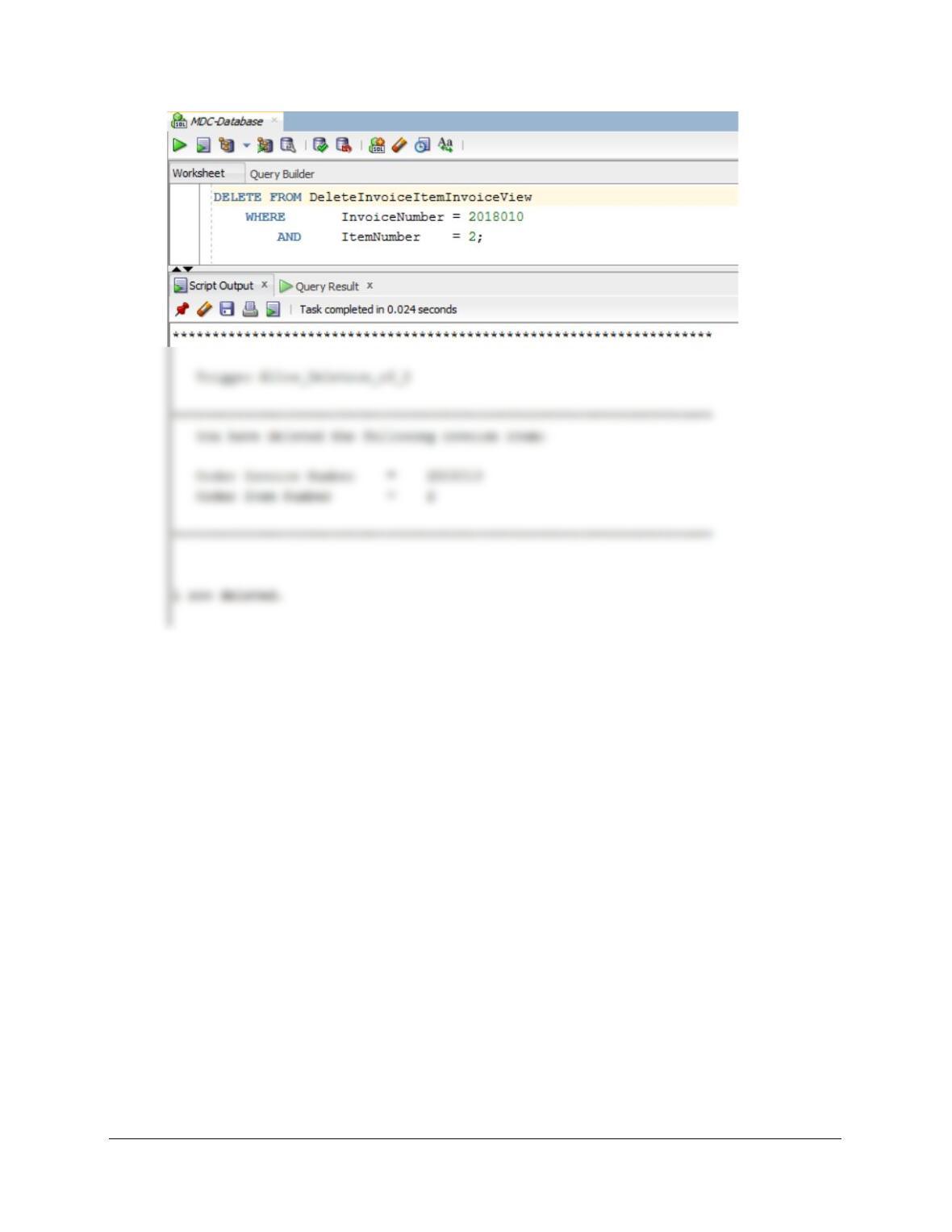
SET SERVEROUTPUT ON;
DELETE FROM DeleteInvoiceItemInvoiceView
WHERE InvoiceNumber = 2018011
AND ItemNumber = 2;
Chapter 10B – Managing Databases with Oracle Database
Page 10B-111
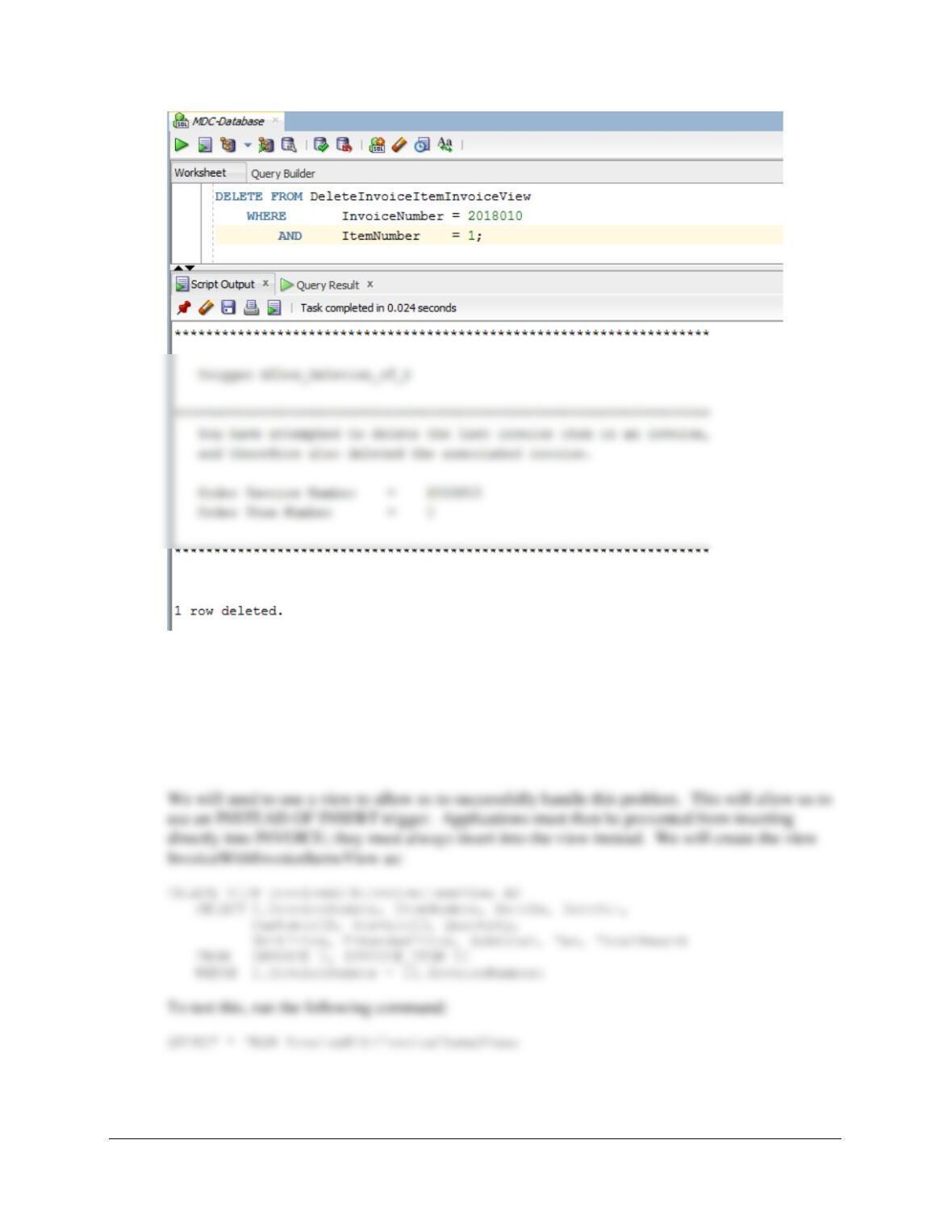
SET SERVEROUTPUT ON;
DELETE FROM DeleteInvoiceItemInvoiceView
WHERE InvoiceNumber = 2018011
AND ItemNumber = 1;
Chapter 10B – Managing Databases with Oracle Database
Page 10B-112
(3) Adding a required INVOICE_ITEM when an INVOICE is created.
This solution is similar to the one we did for Project Question 10B.70, which used the discussion
of this topic in Chapter 10B and Figure 10B-73 as a model for the trigger. We will again use this
model. First, we note that the requirement that INVOICE_ITEM have an associated INVOICE is
automatically enforced by the NOT NULL constraint on the foreign key referential integrity
constraint in INVOICE_ITEM.
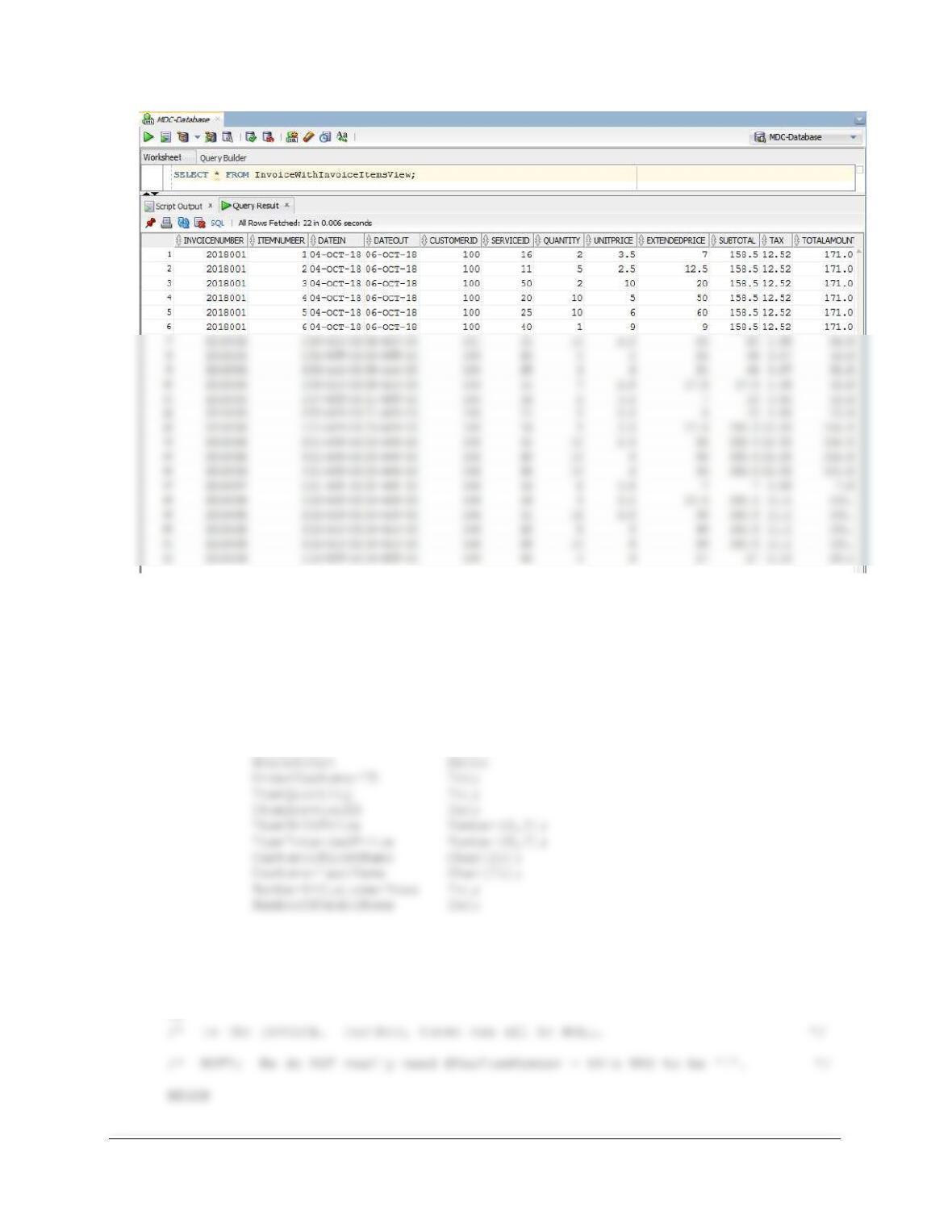
Chapter 10B – Managing Databases with Oracle Database
Page 10B-113
Here is the trigger code:
CREATE OR REPLACE TRIGGER Insert_INVOICE_INVOICE_ITEM
INSTEAD OF INSERT ON InvoiceWithInvoiceItemsView
FOR EACH ROW
DECLARE NewOrderNumber Int;
NewItemNumber Int;
NewDateIn Date;
/* There is no need for this trigger to input or calculate the following: */
/* INVOICE.Subtotal, INVOICE.Tax, and INVOICE.TotalAmount.
*/
/* These should be calculated separately after all INVOICE_ITEMs are added
Chapter 10B – Managing Databases with Oracle Database
Page 10B-114
/* Get the values provided for the INSERT on the view */
/* NOTE: We do NOT really need NewItemNumber – this HAS to be ‘1’. */
/* but we CANNOT input a NULL VALUE for this field! */
/* This is a new INVOICE combined with the first INVOICE_ITEM. */
/* Neither the INVOICE nor the INVOICE_ITEM exist.
*/
/* CHECK for valid OrderCustomerID. */
SELECT Count(*) INTO NumberOfCustomerRows
FROM CUSTOMER
WHERE CUSTOMER.CustomerID = OrderCustomerID;
(‘********************************************************************’);
DBMS_OUTPUT.PUT_LINE (‘ ‘);
DBMS_OUTPUT.PUT_LINE
(‘ Trigger Insert_INVOICE_INVOICE_ITEM’);
DBMS_OUTPUT.PUT_LINE (‘ ‘);
DBMS_OUTPUT.PUT_LINE
(‘********************************************************************’);
DBMS_OUTPUT.PUT_LINE
(‘ The CUSTOMER ID Number that you have entered does NOT exist.’);
DBMS_OUTPUT.PUT_LINE (‘ ‘);
END IF;
IF NumberOfCustomerRows = 1 THEN
SELECT FirstName INTO CustomerFirstName
FROM CUSTOMER
WHERE CUSTOMER.CustomerID = OrderCustomerID;
SELECT LastName INTO CustomerLastName
Chapter 10B – Managing Databases with Oracle Database
Page 10B-115
(‘********************************************************************’);
DBMS_OUTPUT.PUT_LINE
(‘ The CUSTOMER ID Number that you have entered exists.’);
DBMS_OUTPUT.PUT_LINE (‘ ‘);
DBMS_OUTPUT.PUT_LINE
(‘ CUSTOMER First Name = ‘|| CustomerFirstName);
DBMS_OUTPUT.PUT_LINE
(‘ CUSTOMER Last Name = ‘|| CustomerLastName);
DBMS_OUTPUT.PUT_LINE (‘ ‘);
DBMS_OUTPUT.PUT_LINE
(‘********************************************************************’);
DBMS_OUTPUT.PUT_LINE
(‘ The INVOICE Number you have assigned already exists.’);
DBMS_OUTPUT.PUT_LINE (‘ ‘);
DBMS_OUTPUT.PUT_LINE
(‘ INVOICE Number = ‘|| NewOrderNumber);
DBMS_OUTPUT.PUT_LINE (‘ ‘);
DBMS_OUTPUT.PUT_LINE
INSERT INTO INVOICE (InvoiceNumber, CustomerID, DateIn, DateOut)
VALUES(
NewOrderNumber, OrderCustomerID, NewDateIn, NewDateOut);
DBMS_OUTPUT.PUT_LINE
(‘ Invoice Number = ‘ || NewOrderNumber);
DBMS_OUTPUT.PUT_LINE (‘ ‘);
DBMS_OUTPUT.PUT_LINE
Chapter 10B – Managing Databases with Oracle Database
Page 10B-116
DBMS_OUTPUT.PUT_LINE
(‘ Order Date = ‘|| NewDateIn);
/* Create the INVOICE_ITEM. */
/* NewItemNumber HAS to be 1 – this is the first item. */
INSERT INTO INVOICE_ITEM VALUES(
NewOrderNumber, NewItemNumber, ItemQuantity, ItemServiceID,
ItemUnitPrice, ItemExtendedPrice);
(‘ Customer = ‘|| OrderCustomerID);
DBMS_OUTPUT.PUT_LINE
(‘ InvoiceNumber = ‘|| NewOrderNumber);
DBMS_OUTPUT.PUT_LINE
(‘ ServiceID = ‘|| ItemServiceID);
DBMS_OUTPUT.PUT_LINE
/
To test this trigger, use:
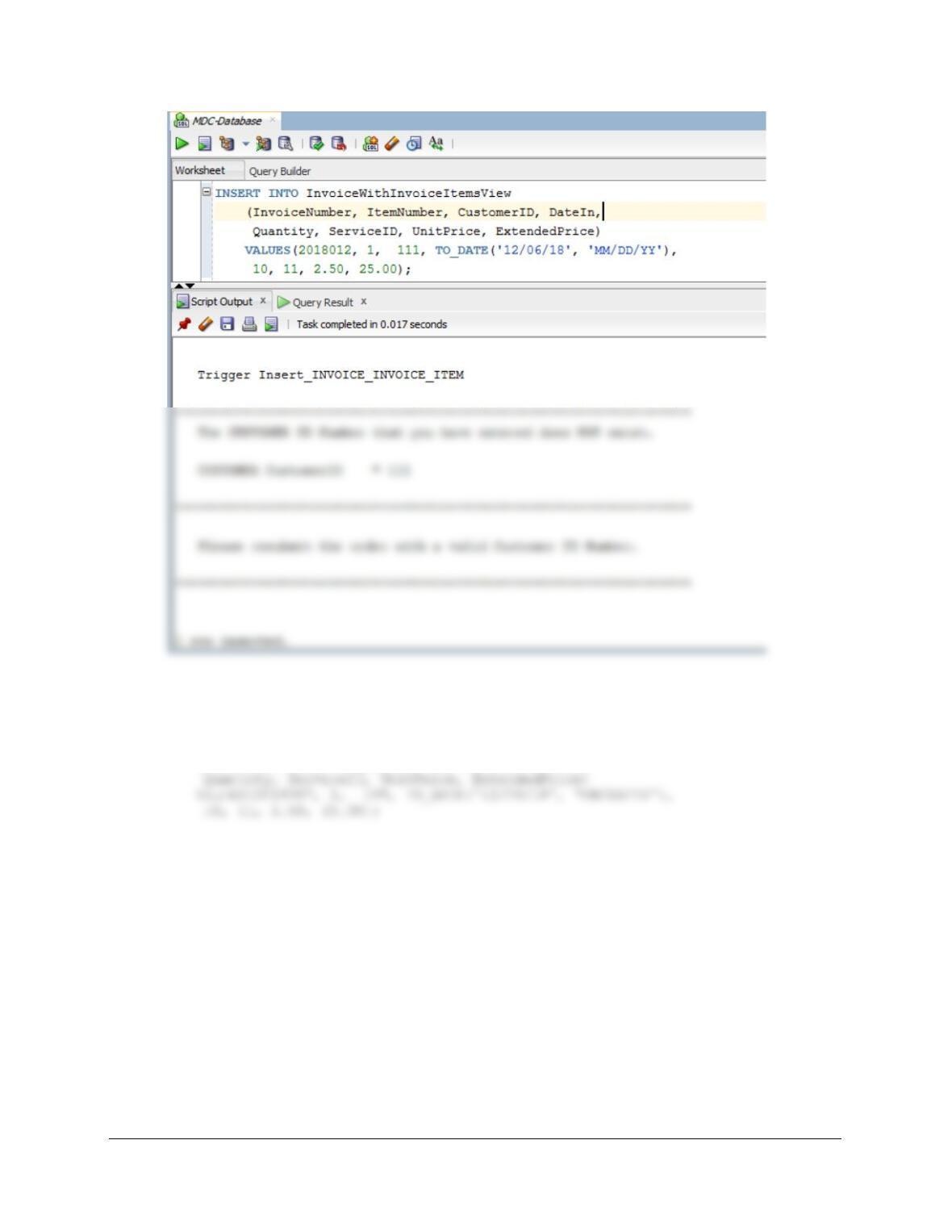
(1) To attempt adding an INVOICE for a non-existing CUSTOMER:
SET SERVEROUTPUT ON;
INSERT INTO InvoiceWithInvoiceItemsView
(InvoiceNumber, ItemNumber, CustomerID, DateIn,
Chapter 10B – Managing Databases with Oracle Database
Page 10B-117
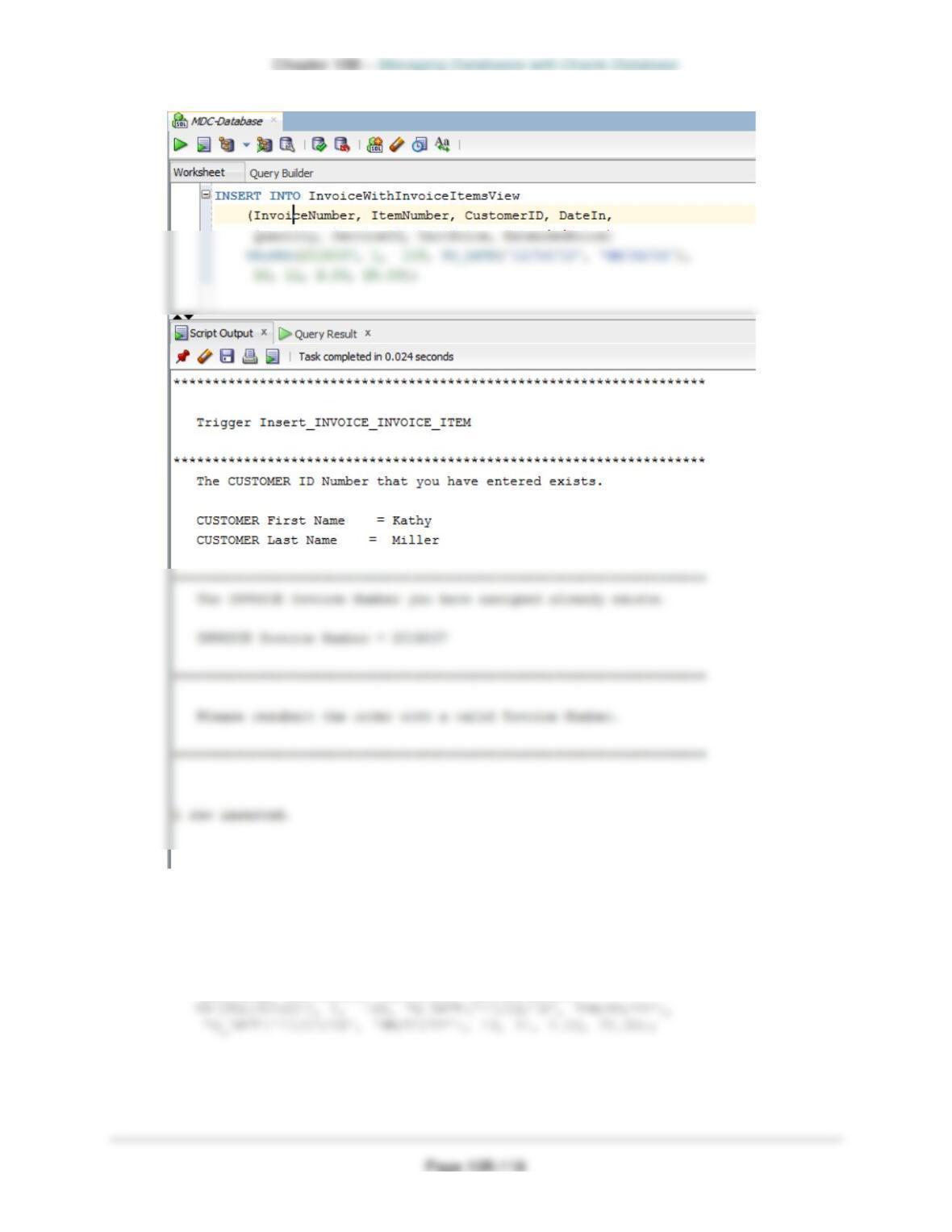
(2) To attempt adding an INVOICE with a pre-existing InvoiceNumber:
SET SERVEROUTPUT ON;
INSERT INTO InvoiceWithInvoiceItemsView
(InvoiceNumber, ItemNumber, CustomerID, DateIn,
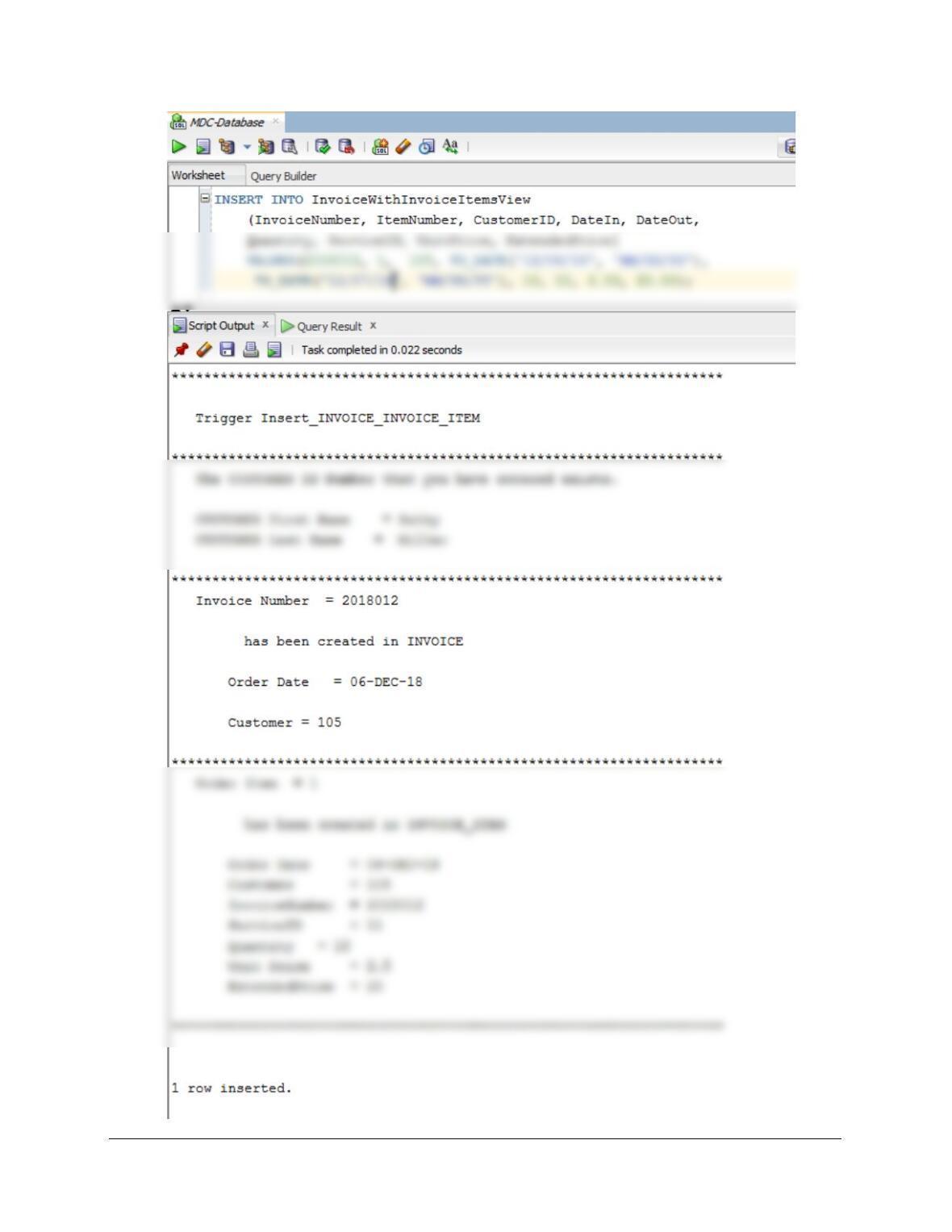
(3) To add a valid INVOICE and INVOICE_ITEM:
SET SERVEROUTPUT ON;
INSERT INTO InvoiceWithInvoiceItemsView
(InvoiceNumber, ItemNumber, CustomerID, DateIn, DateOut,
Quantity, ServiceID, UnitPrice, ExtendedPrice)
Chapter 10B – Managing Databases with Oracle Database
Page 10B-119
Chapter 10B – Managing Databases with Oracle Database
Page 10B-120
Marcia’s Dry Cleaning tracks which employees have worked on specific dry cleaning
jobs. This is somewhat complicated by the fact that more than one employee may have
helped a customer with a particular order. So far, the company has kept their insurance
Solutions to the SQL parts of W-AI are below and in the file DBP-e15-Oracle-MDC-
Import-Excel-Data.sql.
W. Duplicate the EMPLOYEE worksheet in Figure 10B-87 in a worksheet (or
spreadsheet) in Microsoft Excel 2016 (or another tool such as Apache
OpenOffice Calc).
X. Import the data in the EMPLOYEE worksheet into a table in the MDC database
named EMPOYEE_TEMP. As mentioned in this chapter, be careful with data
types to make your job easier in subsequent questions!
Follow the instructions on pages 10B-81 to 10B-88 to complete this task. Be careful to
Y. Create the GetLastNameCommaSeparated user-defined function shown in
Figure 10B-57.
CREATE OR REPLACE FUNCTION GetLastNameCommaSeparated
— These are the input parameters
(
varName Varchar2