Chapter 1 – Introduction
The development of the first database technology was driven by the need for data integration. In
1.51 What are Data Language/I and CODASYL DBTG?
Data Language/I (DL/I) was an early method of using hierarchies or trees to represent data
1.52 Who was E.F. Codd?
1.53 What were the early objections to the relational model?
1.54 Name two early relational DBMS products.
1.55 What are some of the reasons for the success of Oracle Database?
1.56 Name three early personal computer DBMS products.
Three early personal computer DBMS products were dBase, R:base and Paradox.
1.57 What happened to the products in your answer to Review Question 1.56?
Chapter 1 – Introduction
Page 1-15
1.58 What was the purpose of OODBMS products? Describe two reasons that OODBMS
products were not successful.
The purpose of object-oriented DBMS (OODBMS) products is to easily store data encapsulated
1.59 What characteristic of HTTP was a problem for some database processing applications?
1.60 What is an open source DBMS product? Which of the five DBMS products that you
named in answering Review Question 1.39 is historically an open source DBMS
product?
The source code of open source DBMS products are generally made widely available so that a
1.61 What has been the response of companies that sell proprietary DBMS products to the
open source DBMS products? Include two examples in your answer.
1.62 What is XML? What comment did Bill Gates make regarding XML?
XML is a variant of HTML designed to overcome problems inherent in the use of HTML to
1.63 What is the NoSQL movement? Name two applications that rely on NoSQL databases.
The NoSQL movement is really a “not only relational database” movement, because it advocates
1.64 What is a document database?
1.65 What is JSON?
JSON is JavaScript Object Notation, a structured way to store related data.

Chapter 1 – Introduction
Page 1-16
ANSWERS TO EXERCISES
To perform the following projects you will need a computer that has Microsoft Access installed.
If you have no experience working with Access, read Appendix A before you proceed.
under the new FAA drone registration rules.
WP currently produces three drone models: the Alpha III, the Bravo III, and the Delta IV. These
products are created by WP’s Research and Development group and produced at WP’s
production facilities. WP manufactures some of the parts used in the drones, but also purchases
some parts from other suppliers.
The company is located in two buildings. One building houses the Administration, Legal,
Finance, Accounting, Human Resources, and Sales and Marketing departments, and the second
houses the Information Systems, Research and Development, and Production departments. The
company database contains data about employees, departments, projects, assets (such as finished
goods inventory, parts inventory, and computer equipment), and other aspects of company
operations.
Department in EMPLOYEE must exist in DepartmentName in DEPARTMENT
Supervisor in EMPLOYEE must exist in EmployeeNumber in EMPLOYEE
Note the second referential integrity constraint shows two columns in the EMPLOYEE table. This
indicates that this is a recursive relationship. Recursive relationships are discussed in Chapters 2, 5
and 6.
1.66 Create a Microsoft Access database named WP.accdb.
Answers to the Project Questions 1.66– 1.75 are contained in the database DBP-e15-IM–
Chapter 1 – Introduction
Page 1-17
where an underlined column name indicates the table key (primary key) of the table, and an
italicized column indicates a foreign key linking two tables.
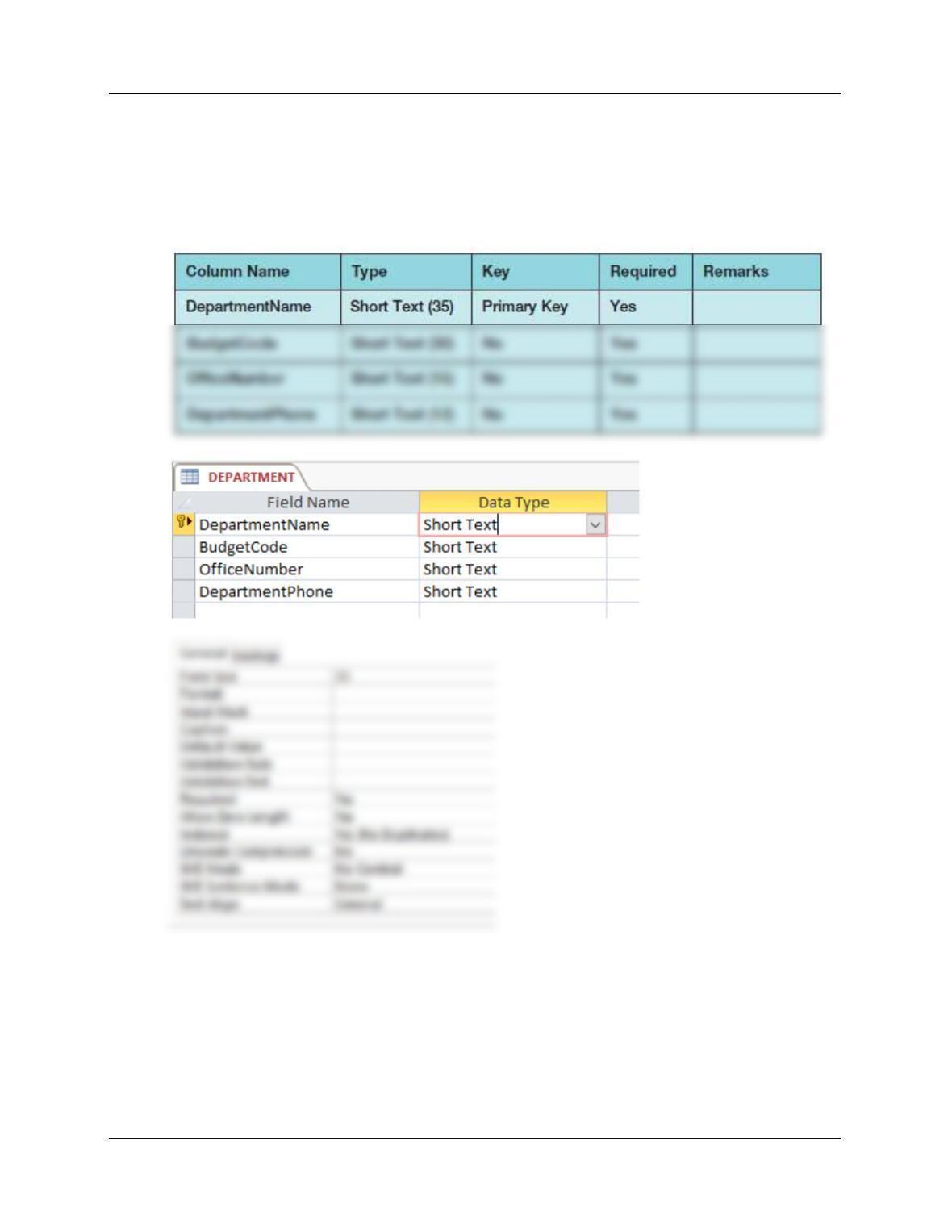
1.67 Figure 1-28 shows the column characteristics for the WP DEPARTMENT
table. Using the column characteristics, create the DEPARTMENT table in the
WP.accdb database.
Chapter 1 – Introduction
Page 1-18
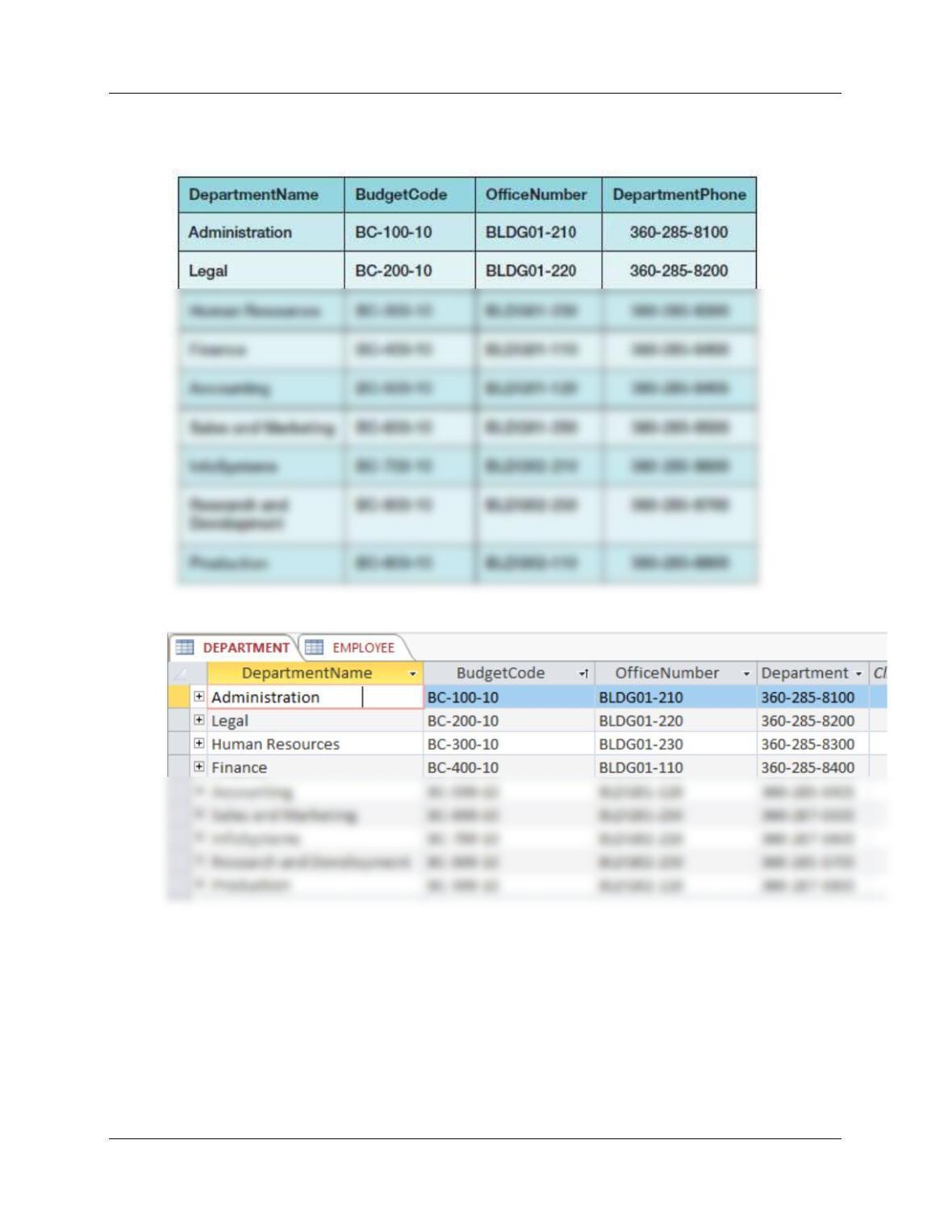
1.68 Figure 1-29 shows the data for the WP DEPARTMENT table. Using Datasheet
view, enter the data shown in Figure 1-29 into your DEPARTMENT table.
Chapter 1 – Introduction
Page 1-19
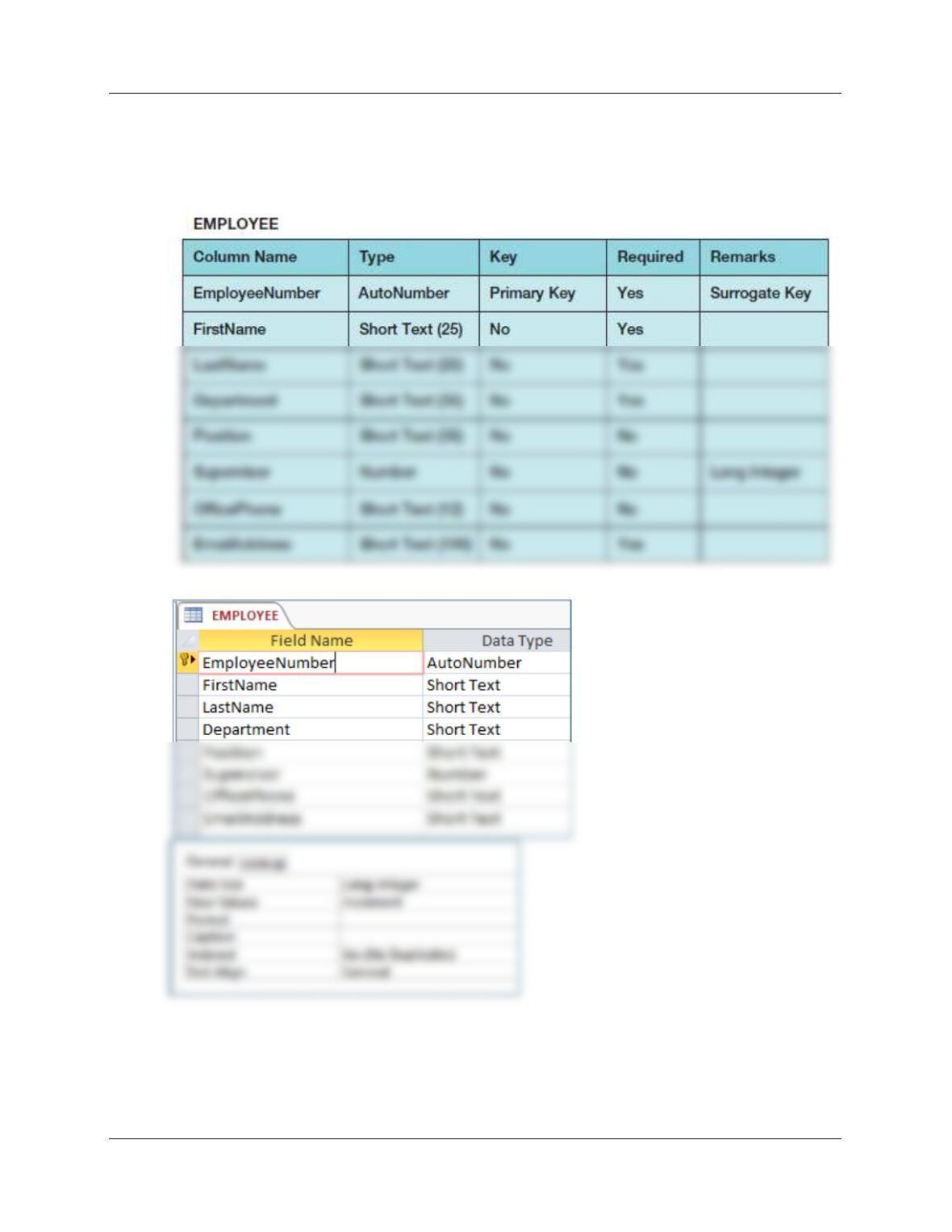
1.69 Figure 1-30 shows the column characteristics for the WP EMPLOYEE table.
Using the column characteristics, create the EMPLOYEE table in the
WP.accdb database.
Chapter 1 – Introduction
Page 1-20
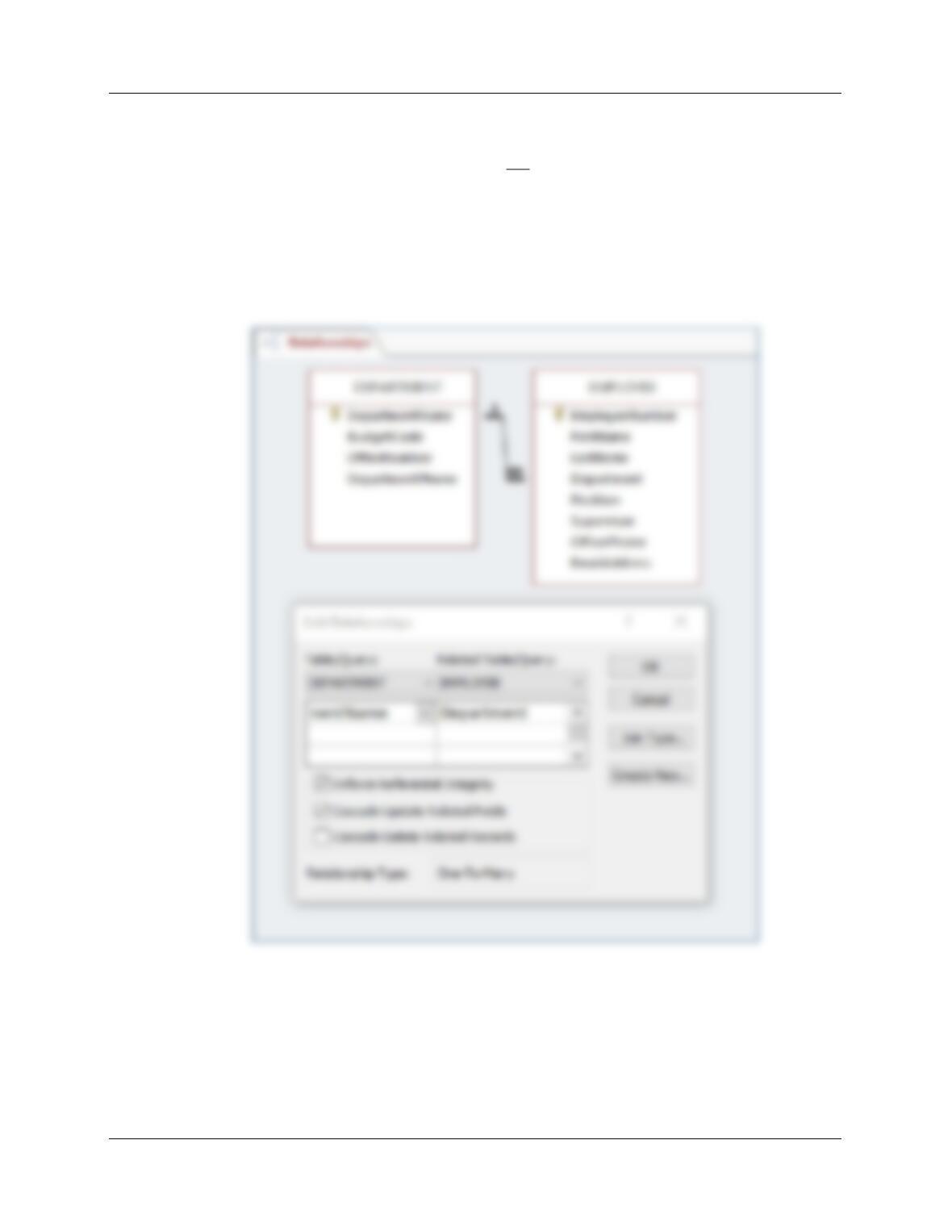
1.70 Create the relationship and referential integrity constraint between
DEPARTMENT and EMPLOYEE. Enable enforcing of referential integrity and
cascading of data updates, but do not enable cascading of data from deleted
records.
■■ NOTE: We will not create the recursive relationship and referential integrity
constraint between Supervisor and EmployeeNumber in EMPLOYEE at this time.
We will do this in the Chapter 2 Wedgewood Pacific Exercises after we have
discussed queries on recursive relationships.
Chapter 1 – Introduction
Page 1-21
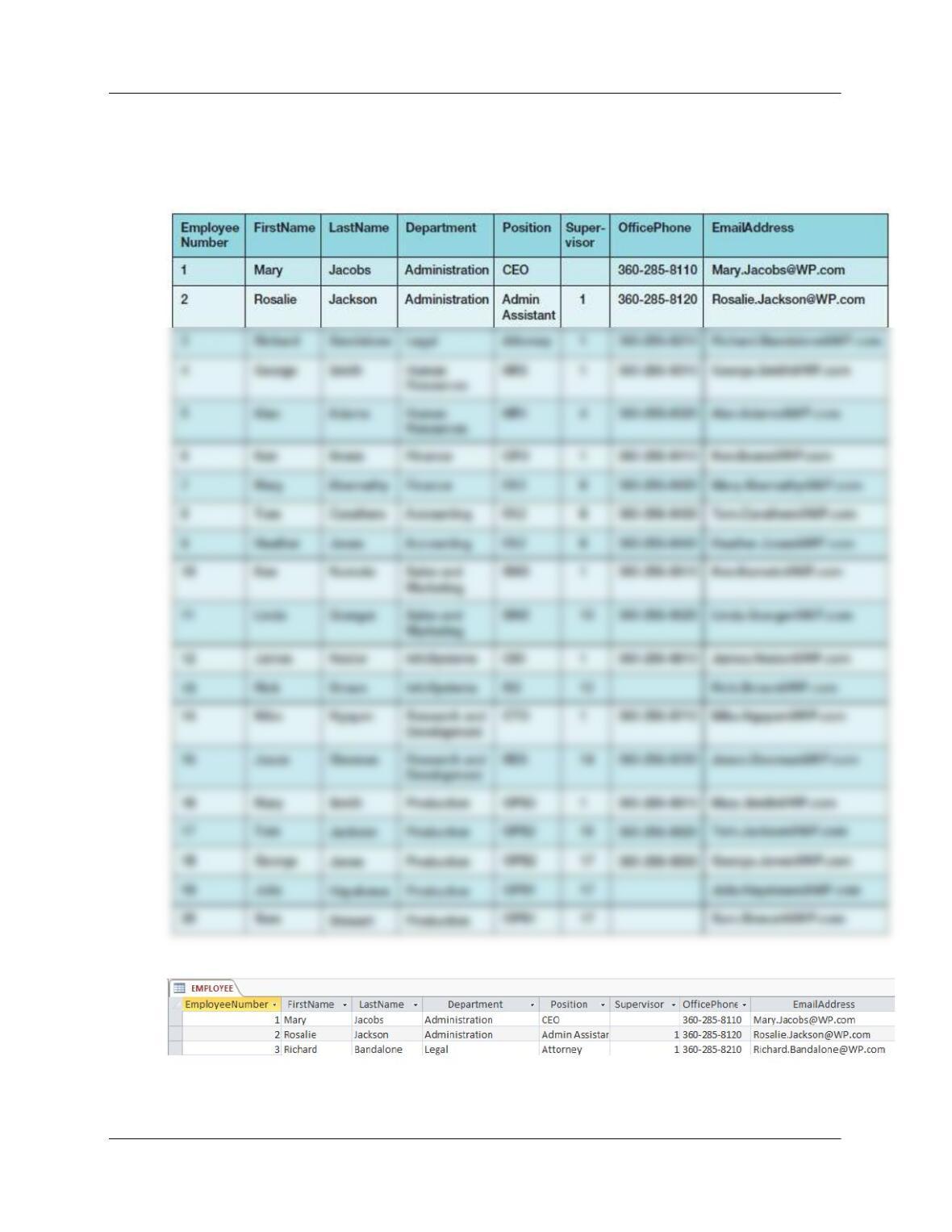
1.71 Figure 1-31 shows the data for the WP EMPLOYEE table. Using Datasheet
view, enter the first three rows of the data shown in Figure 1-31 into your
EMPLOYEE table.
Chapter 1 – Introduction
Page 1-22
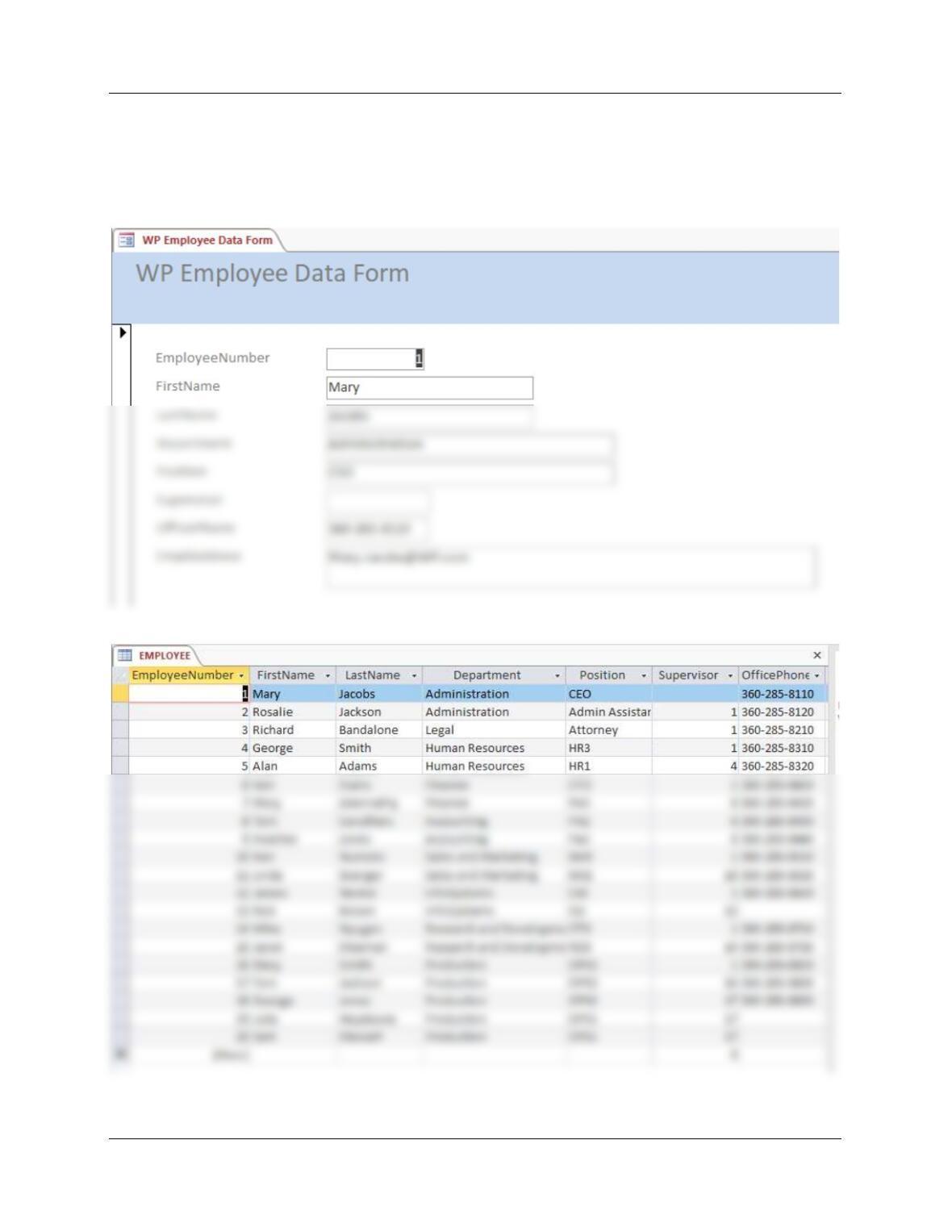
1.72 Using the Microsoft Access form wizard, create a data input form for the
EMPLOYEE table and name it WP Employee Data Form. Make any
adjustments necessary to the form so that all data display properly. Use this
form to enter the rest of the data in the EMPLOYEE table shown in Figure 1-
31 into your EMPLOYEE table.
Chapter 1 – Introduction
Page 1-23
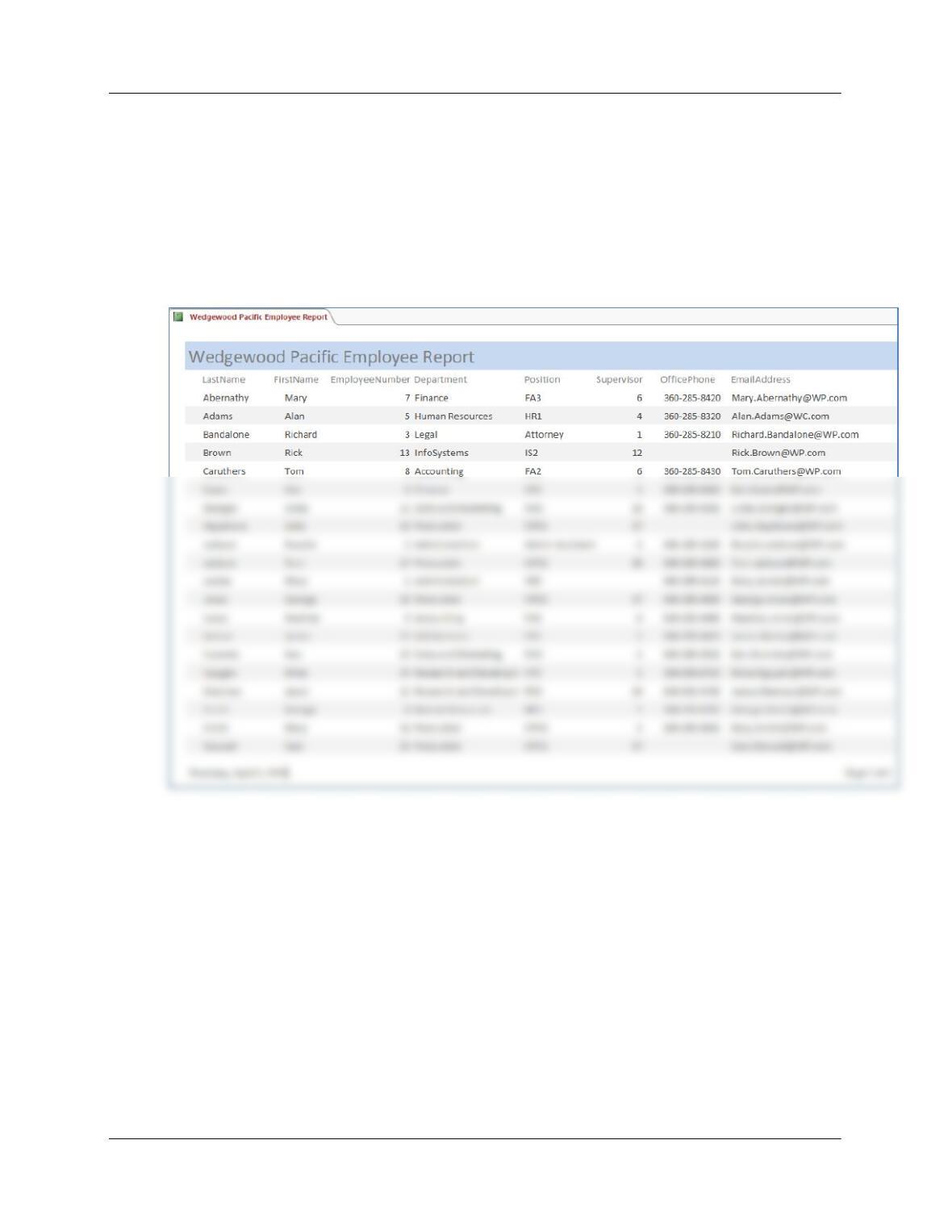
1.73 Using the Microsoft Access report wizard, create a report named Wedgewood
Pacific Employee Report that presents the data contained in your EMPLOYEE
table sorted first by employee last name and then by employee first name.
Make any adjustments necessary to the report so that all headings and data
display properly. Print a copy of this report.
To produce the report as shown below, some work may be necessary: you may need to unselect a
grouping level, set to landscape, and adjust the widths of fields in Layout View.
Chapter 1 – Introduction
Page 1-24
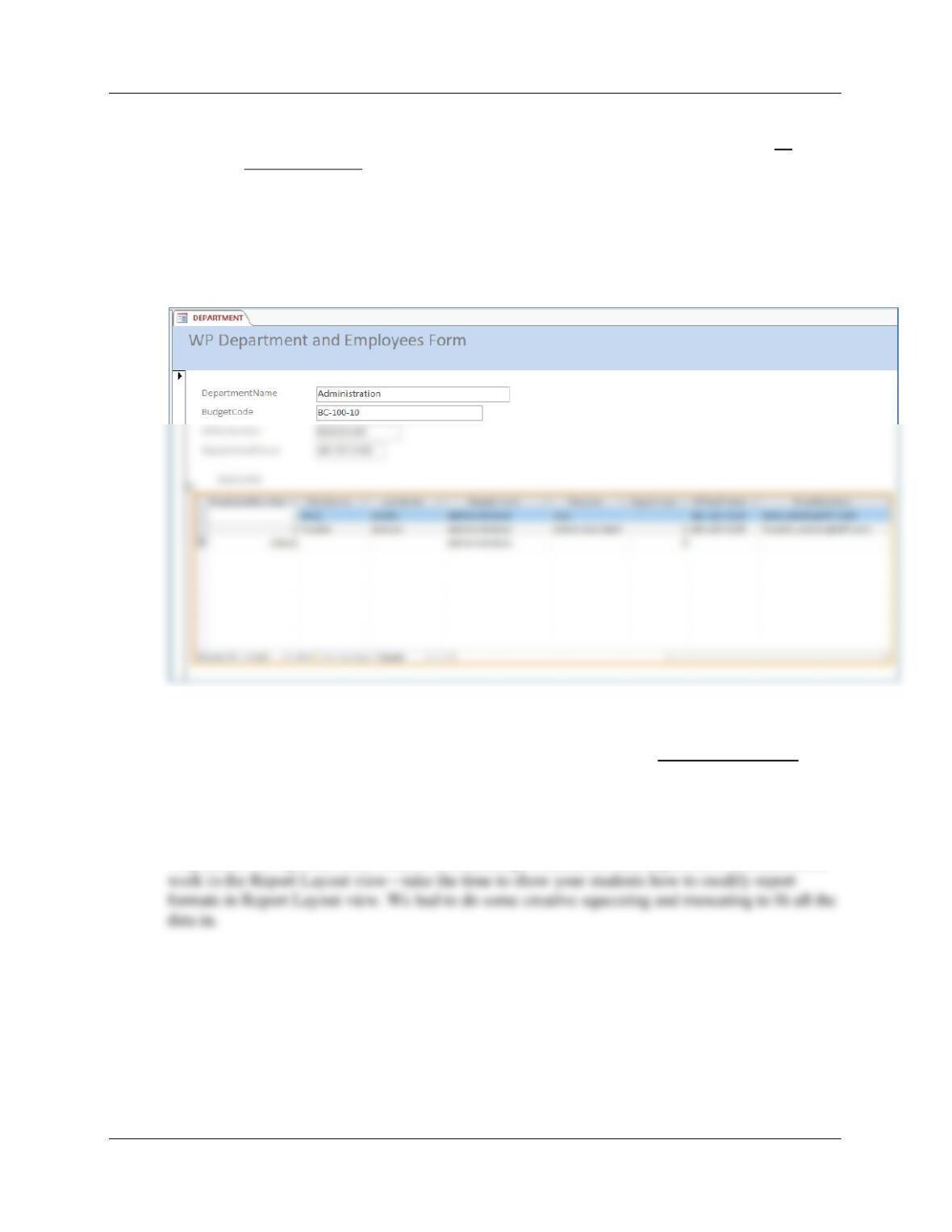
1.74 Using the Microsoft Access form wizard, create a form that has all of the data
from both tables. When asked how you want to view your data, select by
DEPARTMENT. Choose the default options for other questions that the wizard
asks. Open your form and page through your departments.
To produce the report as shown below, some work in the Form Layout view is necessary—take
the time to show your students how to modify forms and reports in Layout view. In this case, we
used Layout view to edit the title and to adjust the fields sizes so they would all display.
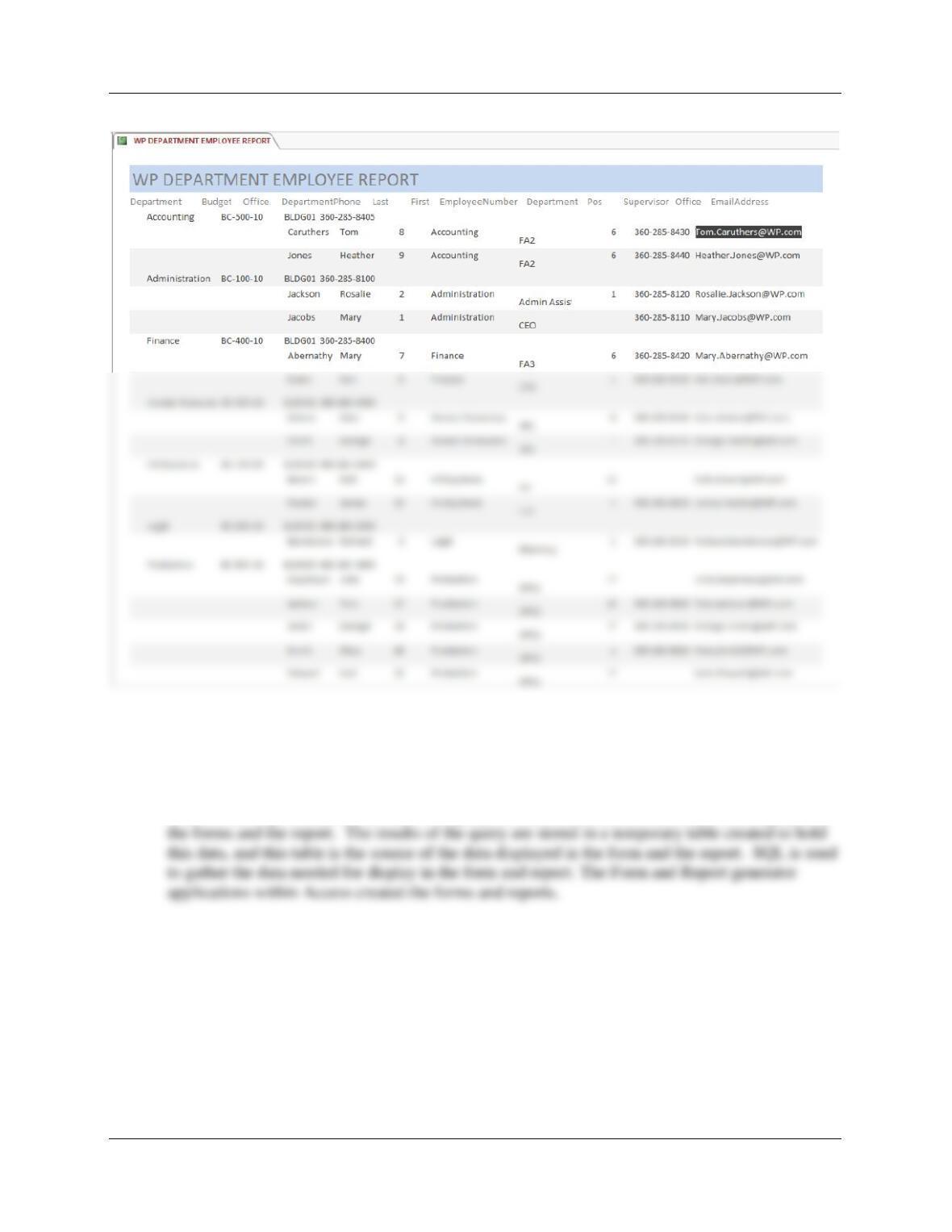
1.75 Using the Microsoft Access report wizard, create a report that has all of the data from
both tables. When asked how you want to view your data, select by DEPARTMENT. For
the data contained in your EMPLOYEE table in the report, specify that it will be sorted
first by employee last name and then by employee first name. Make any adjustments
necessary to the report so that all headings and data display properly. Print a copy of
this report.
To produce the report as shown below use landscape orientation, add department first, and some
Chapter 1 – Introduction
Page 1-25
1.76 Explain, to the level of detail in this chapter, what is going on within Microsoft
Access in Project Questions 1.70, 1.71, 1.72, and 1.73. What subcomponent
created the form and report? Where is the data stored? What role do you think
SQL is playing?
Access uses SQL SELECT statements to query the database tables for the data to be displayed in