For use with McGraw-Hill Education
Accounting for Governmental & Nonprofit Entities
18th Edition
By Jacqueline L. Reck, Suzanne L. Lowensohn, and Daniel G. Neely
Instructions
City of Bingham
Computerized Cumulative Problem

2
Table of Contents
Completing Chapters 2 through 11 of the City of Bingham ………………………………………. 3
Chapter 3 Recording the Annual Budget ……………………………………………………………….. 8
Chapter 4 Recording Operating Transactions Affecting the General Fund and
Governmental Activities at the Government-wide Level………………………….. 10
Chapter 5 Recording Capital Asset and Capital Project Transactions ……………………….. 18
Chapter 6 Transactions Affecting General Long-Term Liabilities and Debt Service …… 22
Chapter 7 Recording Transactions Affecting the Enterprise Fund and Business-Type
Activities …………………………………………………………………………………………. 27
Chapter 8 Recording Fiduciary Fund Transactions—An Investment Trust Fund ………… 31
Chapter 9 Adjusting and Closing Entries for Governmental Activities, Government-Wide
Level; Preparation of Government-Wide and Major Fund Financial Statements
………………………………………………………………………………………………………. 34
Chapter 10 Analysis of Financial Condition…………………………………………………………. 36
Chapter 11 Preparation of Audit Report ……………………………………………………….……… 36

3
Completing Chapters 2 through 11 of the City of Bingham
This version of a cumulative problem written for the computer presents a series of
transactions, covering activities of the City of Bingham, assuming the city utilizes the
dual-track accounting approach to the GASB governmental reporting model described in
Reck, Lowensohn and Neely, Accounting for Governmental and Nonprofit Entities, 18th
Edition. The transactions presented relate to the city’s General, capital projects, debt
service, enterprise, and fiduciary funds, as well as to an additional accounting entity,
Governmental Activities at the government-wide level. The transactions and instructions
in this series are designated Chapter 2, Chapter 3, etc., corresponding to the chapters of
Reck, Lowensohn and Neely, Accounting for Governmental and Nonprofit Entities,
18thEdition.
You should begin the project with Chapter 2 of the instructions as you complete Chapter
2 of the textbook. Some problems require you to print trial balances or other documents.
Other problems require the preparation of financial statements or other documents. The
specified documents can either be turned in chapter by chapter or retained in a cumulative
folder until the end of the project, depending on your instructor’s preference and
instructions. Some instructors may prefer that you electronically submit your project data
file and either Excel or PDF files containing your trial balances, financial statements, and
other, rather than submitting printed copies.
To minimize errors, you should read and follow all instructions carefully. Students find
that this computerized cumulative problem significantly enhances their learning if they
complete each City of Bingham chapter as the corresponding chapter of the textbook is
covered. Conversely, students who procrastinate often find that the project takes much
more time than they expected and that it is harder to recall how to make the journal
entries covered in the earlier chapters. Thus, delaying until the deadline for your project
is nearly due may increase the total time it takes you to do the project and leave you little
time for anything else that week. So, our advice is to stay current with the project.
Chapter 2 Opening the Books
The City of Bingham has installed a new computerized accounting system, which
provides files for general journal entries and posting to appropriate general
ledger/subsidiary ledger accounts. Budgetary, operating statement, and balance sheet
accounts are provided for the General Fund and the other governmental fund types.
Operating statement accounts and balance sheet accounts are also provided for
governmental activities at the government-wide level and the proprietary and fiduciary
funds used by the City of Bingham that you will use in Chapters 5-9 of the problem. To
begin this case, you must enter the city’s initial accounting information as of December
31, 2019, so that all transactions can be recorded for the next fiscal year beginning
January 1, 2020.

4
Required
Open the City of Bingham software by clicking on the MHECitiesSmithvilleBingham
program. Access the instructions for the City of Bingham project by clicking on
[Instructions] in the opening screen of the application and then select [Bingham] which
appears at the top of the window.
If creating a new project, click “Create New Project,” when the “Create New Project”
window appears choose the “Bingham” icon. In addition, in the “Your name” field
type in your first and last name so that your name will appear on all printable reports and
click [Create] button. This will create the project and provide access to all of the funds
and accounts that you will need to complete the “City of Bingham” cumulative problem.
To protect yourself from possible hard drive failure or corruption of your project data
file, we recommended that you save your file to not only your hard drive but also another
location (e.g., flash drive or the cloud), creating a dated backup file for your project at the
end of each session.
To open an existing project, click on “Open Project” in the opening window or select
the project from the “Recent projects” list.
a. If it is not already displayed, select [General Fund] in the “Current accounting
entity” window and the [Accounts] tab. Clicking on the [Accounts] tab allows you
to see the chart of accounts that will be used for the [General Fund]. A different
chart of accounts is provided for each of the accounting entities. Next, select the
[Journal] tab and click the [Add new entry] button. Click on [Select account or
search by account name or number] in the [Account] column. You should see the
same general ledger accounts that were listed when you clicked on the [Accounts]
tab. (Note: For purposes of this exercise, date suffixes are omitted from the
Expenditures and Encumbrances accounts as expenditures occur only from a single
year’s appropriations.)
b. The trial balance for the General Fund of the City of Bingham as of December 31,
2019, is shown on the following page. Select the [Journal] tab and create a journal
entry to enter the balance sheet accounts and amounts shown in the trial balance. To
create an entry start by clicking on [Add new entry]. Select the desired account
name from the drop down [Account] window. Be sure to enter 2019 from the drop-
down [Year] menu and enter the paragraph number from these instructions in the
[Add description] box of the [Journal]. For this entry you should enter 2b. Select
the appropriate accounts individually and insert the appropriate amounts. (Note:
Enter all dollar amounts without dollar signs, commas, and decimal points. All
amounts in this project should be rounded to the nearest whole dollar. For all
entries, it is vitally important that the correct year be selected.)
You enter each account and amount one line at a time by clicking [Add]. The [Add]
button will not be active if information for the entry is missing (e.g., the transaction
description is missing.)
5
The year and transaction description need only be entered for the first line of the
journal entry; it should remain in the boxes for the rest of the accounts. When you
have completed entering all account data and amounts, verify the accuracy of all your
entries, including date and paragraph numbers. When you are sure that your entries
are correct, click [Post entries] to post the items to the general ledger of the General
Fund.
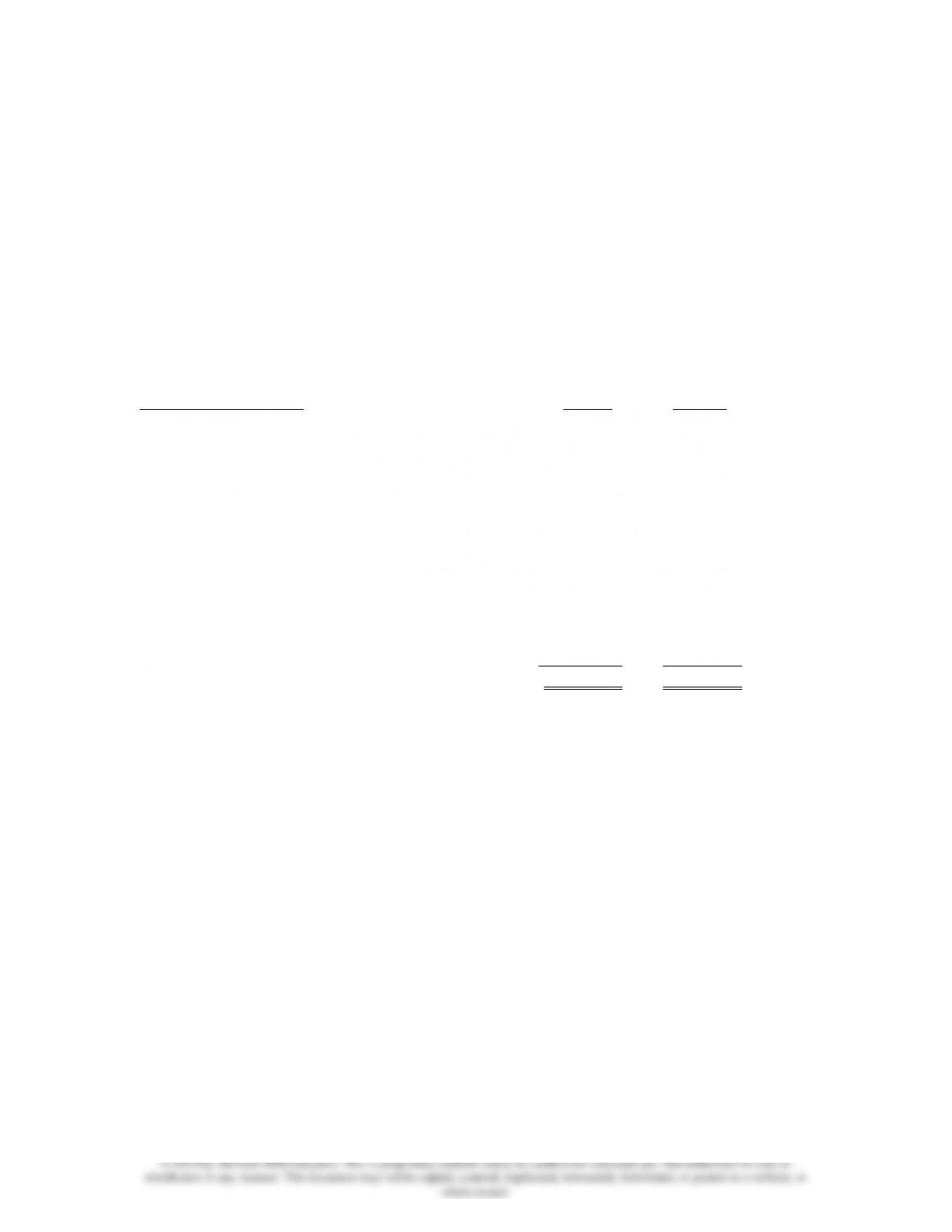
CITY OF BINGHAM
General Fund
Post-closing Trial Balance
As of December 31, 2019
Account Title Debits Credits
Cash $ 381,000
Taxes Receivable—Delinquent 387,750
Allowance for Uncollectible Delinquent Taxes $ 36,795
Interest and Penalties Receivable on Taxes 26,059
Allowance for Uncollectible Interest and Penalties 1,434
Vouchers Payable 168,556
Due to Other Funds 22,400
Deferred Inflows of Resources 405,580
Fund Balance—Committed—Public Safety 16,750
Fund Balance—Committed—Public Works 32,640
Fund Balance—Assigned—Health and Welfare 24,682
Fund Balance—Unassigned 85,972
Totals $ 794,809 $ 794,809
Unpost capability. As mentioned in the “User Guide” page, the City of Bingham
software program permits students to “unpost” a particular batch of posted
transactions. Unposted entries then can be edited and reposted. In addition, any
omitted entries can be inserted above a selected journal line in any unposted batch of
entries. Prior to unposting a batch all batches must be posted.
Select [Reports>Trial Balances>Post-Closing Trial Balance] and print or save as
a .pdf file the post-closing trial balance for year 2019. Retain the printed trial balance
in your personal cumulative folder until the due date assigned by your instructor for
the project, or submit a saved version of the trial balance electronically if directed to
do so by your instructor.
c. Select [Governmental Activities—Government-Wide] in the [Current
Accounting Entity] drop-down menu and the [Accounts] tab. You will see all of
the accounts included in the trial balance below, plus many other accounts that will
be used in the various chapters of the City of Bingham project.

6
d. Select the [Journal] tab and create a journal entry to enter the statement of net
position (i.e., balance sheet) accounts and amounts shown in the following trial
balance. It is necessary to enter these items in the accounts of the governmental
activities category at the government-wide level as the general journal and general
ledger for governmental activities comprise a separate “set of books” from those for
the General Fund. Be sure to enter 2019 from the dropdown menu in the [Year]
column and enter 2d in the [Add description] field in the [Description] column.
Select each account individually and insert the appropriate debit or credit amount for
each account. When you have completed entering the initial data, verify the
accuracy of all entries and click [Post entries] to post the entries to the
governmental activities, government-wide general ledger.
CITY OF BINGHAM
Governmental Activities, Government-wide Level
Post-closing Trial Balance
As of December 31, 2019
Account Title Debits Credits
Cash $ 1,331,000
Taxes Receivable—Delinquent 472,750
Allowance for Uncollectible Delinquent Taxes $ 90,795
Interest and Penalties Receivable on Taxes 35,659
Allowance for Uncollectible Interest and Penalties 2,394
Land 1,210,000
Improvements Other than Buildings 9,900,000
Accumulated Depreciation—Improvements
Other Than Buildings 2,310,000
Infrastructure 32,109,000
Accumulated Depreciation—Infrastructure 12,408,000
Buildings 11,020,000
Accumulated Depreciation—Buildings 3,100,000
Equipment 8,360,000
Accumulated Depreciation—Equipment 4,030,400
Vouchers Payable 168,556
Accrued Interest Payable on Long-term Debt 50,000
Internal Payables to Business-type Activities 22,400
Current Portion of Long-term Debt 500,000
Serial Bonds Payable—2% 9,500,000
Deferred Inflows of Resources 30,000
Net Position—Net Investment in Capital Assets 30,750,600
Net Position—Restricted for Debt Service 900,000
Net Position—Unrestricted 575,264
Totals $64,438,409 $64,438,409

7
e. Select [Reports>Trial Balances>Post-Closing Trial Balance] and print the trial
balance for 2019, or submit a saved .pdf version of the trial balance electronically if
directed to do so by your instructor. Retain in your cumulative file until the due date
for your project or the time specified by your instructor.
Before closing the City of Bingham it is recommended that you save a backup copy of
your work to another location by clicking on [File] and [Save As] for Windows and Mac.
Click on “Export my Project” if you are using the Chromebook version.
8
Chapter 3 Recording the Annual Budget
The following budget for the General Fund of the City of Bingham was legally adopted
for the fiscal year ending December 31, 2020.
Estimated Revenues:
Real Property Taxes $6,792,000
Sales Taxes 775,000
Interest and Penalties on Taxes 49,000
Licenses and Permits 485,000
Fines and Forfeits 515,000
Intergovernmental Revenue 535,000
Charges for Services 350,000
Miscellaneous Revenues 220,000
Total Estimated Revenues $9,721,000
Appropriations:
General Government $1,905,000
Public Safety 3,675,000
Public Works 1,775,000
Health and Welfare 1,065,000
Culture and Recreation 1,080,000
Miscellaneous 105,000
Total Appropriations $9,605,000
Estimated Other Financing Uses:
Interfund Transfers Out $ 50,000
Required
a. After opening the data file you created for Chapter 2 of this project, record the
budget in the general journal, providing entries in the Detail Journal when directed.
Begin by selecting [General Fund] in the “Current accounting entity” dropdown
menu from the [Journal] tab. Click on the [Add new entry] to start your entry. In
the [Year] field, be sure to select the year 2020. Enter 3a in the [Add description]
field. Select “Estimated Revenues” in the drop down [Account] window. Click
[Add subsidiary] to go to the Detail Journal where you will enter the detail for each
estimated revenue source. In the Detail Journal, select “Budget Authorization” from
the dropdown menu for [Description].
When you have finished entering the estimated revenue detail information, verify
that the correct balance is shown in the Detail Journal, then click on [Add entry and
return to Journal] and the total estimated revenues will be entered in the general
journal Estimated Revenues control account. Follow the same procedure to record
the budget detail for Appropriations. To complete the budgetary entry credit

9
Estimated Other Financing Uses—Interfund Transfer Out and debit or credit
Budgetary Fund Balance as appropriate to balance the budgetary entry. Note that
budgetary entries have no effect on governmental activities at the government-wide
level and thus the budget information is only recorded in the General Fund.
When you are satisfied you have made the entries correctly, post them to the General
Ledger by clicking on [Post entries]. Before posting, or after unposting as
described previously, you can edit your journal entries by placing the cursor in the
line you want to edit, then right-clicking and selecting “Edit.” After unposting, any
entry can be edited or deleted, and any omitted entry can be inserted above or below
a highlighted entry. Note that the “Insert Entry” function will work if you are
inserting an entry prior to a balance sheet account. However, it will not work when
inserting an entry prior to any account that has an associated subsidiary ledger (e.g.,
estimated revenues, expenditures).
b. Go to [Reports], print the pre-closing subsidiary ledgers and pre-closing trial
balance for year 2020 from the “Reports” window for retention in your cumulative
file until directed by your instructor to submit them, or save and submit these
documents electronically if directed to do so by your instructor. (As of this time,
only the budget has been recorded.) This is your last opportunity to print or
export these documents with budget information only. After operating
transactions have been journalized and posted in Chapter 4, subsidiary ledgers and
trial balances will contain both budgetary and operating accounts and balances.
Before closing the City of Bingham it is recommended that you save a backup copy of
your work to another location by clicking on [File] and [Save As] for Windows and Mac.
Click on “Export my Project” if you are using the Chromebook version.

10
Chapter 4 Recording Operating Transactions Affecting the General
Fund and Governmental Activities at the Government-wide
Level
Presented below are a number of transactions for the City of Bingham that occurred
during the 2020 fiscal year; the year for which the budget given in Chapter 3 was
recorded. Read all instructions carefully.
a. After opening the data file containing your data from Chapters 2 and 3 of this project,
record the following transactions in the general journal for the General Fund and, if
applicable, in the general journal for governmental activities at the government-wide
level. For all entries, the date selected should be year 2020. For each of the
paragraphs that requires entries in both the General Fund and governmental activities
journals, you can either record them in both journals on a paragraph-by-paragraph
basis or, alternatively, record all the General Fund journal entries first for all
paragraphs, then complete the governmental activities journal entries for all
paragraphs. If you choose the latter method, it might be useful to print the General
Fund general journal entries to assist in making the entries in the governmental
activities journal. Regardless of the method you choose, we recommend that you
refer to the illustrative journal entries in Chapter 4 of the Reck Lowensohn, and Neely
textbook (18th edition) for guidance in making all entries.
For each entry affecting budgetary accounts or operating statement accounts, the
Detail Journal will automatically open to allow you to record the appropriate amounts
in the detail budgetary or actual accounts, as was the case in Chapter 3.
1. [Para. 4a-1] Property taxes were levied in the amount of $7,075,000. It is
estimated that 4 percent of the tax will be uncollectible.
Required: Record this transaction in both the General Fund and governmental
activities journal. Record the tax levy as a revenue in both journals; you will
adjust for unavailable revenues at year end. (Note: Type 4a-1 as the paragraph
number in the [Add description] box for this entry; 4a-2 for the next transaction,
etc. Careful referencing by paragraph number is very helpful should you need to
determine where you may have omitted a required journal entry or made an error.)
Select “Accrued Revenue” in the drop down [Description] menu in the Detail
Journal related to the General Fund entry.
2. [Para. 4a-2] Tax anticipation notes were issued in the amount of $500,000.
Required: Record the issuance of this note in both the General Fund and
governmental activities general journals.
3. [Para. 4a-3] Purchase orders, contracts, and other commitment documents were
issued in the following amounts for the following functions:

11
General Government $ 395,000
Public Safety 1,095,000
Public Works 985,750
Health and Welfare 665,725
Culture and Recreation 625,125
Miscellaneous 98,000
Total $3,864,600
Required: Record the encumbrances in the General Fund general journal and
Detail Journal as appropriate. In the Detail Journal, select “Purchase Orders”
from the drop down [Description] menu.
4. [Para. 4a-4] Grant funds of $30,000 recorded as Deferred Inflows of Resources at
the end of FY 2019 were recognized as revenue when timing requirements were
met.
Required: Record the revenue in both the General Fund and governmental
activities general journals by debiting Deferred Inflows of Resources and
crediting Revenue. Select “Previous Deferral” in the drop down [Description]
menu in the Detail Journal. (This amount was included in the budget as
Intergovernmental Revenue in the General Fund.) At the government-wide level
the grant funds can be recognized as a revenue now that all eligibility
requirements have been met (see Chapter 4 Appendix A) and should be classified
as Program Revenues-Culture and Recreation-Operating Grants and
Contributions.
5. [Para. 4a-5] The General Fund paid $165,000 on the vouchers payable that were
outstanding at the end of FY 2019.
Required: Record the payment of this amount in both the General Fund and
governmental activities general journals.
6. [Para. 4a-6] The General Fund collected the following amounts in cash:
Current year Real Property Taxes $6,484,000
Delinquent Taxes 348,000
Interest and Penalties Receivable on Taxes 23,860
Sales Taxes 748,000
Licenses and Permits 479,000
Fines and Forfeits 519,000
Intergovernmental Revenues 515,000
Charges for Services 361,000
Miscellaneous Revenues 226,500
Total $9,704,360

12
Required: Record the receipt of cash and the related credits to receivables and
revenues accounts, as applicable, in both the General Fund and governmental
activities journals. (Select “Received in Cash” in the drop down [Description]
menu in the Detail Journal related to the General Fund revenue entries.) For
governmental activities at the government-wide level, all Licenses and Permits
and Charges for Services were attributable to the General Government function as
Program Revenue-Charges for Services. Fines and forfeits were collected by
General Government departments in the amount of $200,000 and by Public Safety
departments in the amount of $319,000. Intergovernmental Revenues should be
credited to “Program Revenues—General Government—Operating Grants and
Contributions.” (In addition to the cash collection, remember to recognize
revenue in the General Fund for the delinquent taxes and interest and penalties
collected by reducing the deferred inflows of resources balance. These revenues
were not expected to be collected within 60 days of year end, thus they were not
considered “available” under the modified accrual basis of accounting and were
classified as Deferred Inflows of Resources in the General Fund. Select
“Previous Deferral” in the drop down [Description] menu in the Detail Journal.)
7. [Para. 4a-7] The General Fund paid the $22,400 reported as Due to Other Funds
at the end of FY 2019. This amount was reported as Internal Payables to Business
-type Activities at the government-wide level. (Note: Do not record this
transaction in the Water Utility Fund until instructed to do so in Chapter 7 of this
case.)
Required: Record the payment of this amount in both the General Fund and
governmental activities general journals.
8. [Para. 4a-8] Delinquent taxes receivable in the amount of $18,000 were written
off as uncollectible. Interest and penalties accrued on these taxes in the amount of
$1,300 were also written off.
Required: Record the writeoffs in both the General Fund and governmental
activities general journals.
9. [Para. 4a-9] General Fund payrolls for the year totaled $5,673,038. Of that
amount, $867,975 was withheld for employees’ federal income taxes; $964,416
for federal payroll taxes; $324,551 for employees’ state income taxes; $357,312
for retirement funds administered by the state government; and the remaining
$3,158,784 was paid to employees in cash. The City of Bingham does not record
encumbrances for payrolls. The payrolls were chargeable against the following
functions’ appropriations:
13
General Government $ 1,500,376
Public Safety 2,531,644
Public Works 790,481
Health and Welfare 401,673
Culture and Recreation 448,864
Total $5,673,038
Required: Make summary journal entries for payroll in both the General Fund
and governmental activities general journals for the year.
10. [Para. 4a-10] Invoices for some of goods and services ordered in transaction 4a-3
were received and vouchered for later payment. (Select “Elimination” in the drop
down [Description] menu in the Detail Journal):
Actual Estimated
General Government $ 395,940 $ 394,060
Public Safety 1,086,650 1,088,600
Public Works 962,300 967,620
Health and Welfare 661,200 663,600
Culture and Recreation 613,750 617,000
Miscellaneous 98,000 98,000
Totals $3,817,840 $3,828,880
Required: Record the receipt of these goods and the related vouchers payable in
both the General Fund and governmental activities journals. At the government-
wide level, you should assume the city uses the purchases inventory method.
Thus, the invoiced amounts above should be recorded as expenses of the
appropriate functions, except for $75,000 of playground equipment ordered by
Culture and Recreation. The equipment meets the city’s threshold for
capitalization (debit Equipment for this item at the government-wide level).
Record expenditures charged to the miscellaneous appropriation as General
Government expenses at the government-wide level.
11. [Para. 4a-11] The General Fund paid vouchers during the year in the amount of
$3,210,000 as well as its liabilities for employees’ federal and state income taxes
withheld and payroll taxes.
Required: Record the payment of these items in both the General Fund and
governmental activities general journals.
12. [Para. 4a-12] The General Fund transferred $50,000 to the debt service fund so
the debt service fund could make a bond interest payment.
Required: Record this transaction in the General Fund only. The transaction has
no effect at the government-wide level since it occurs between two governmental

14
activities. (Do not record this transaction in the debt service fund until instructed
to do so in Chapter 6 of this case.)
13. [Para. 4a-13] Tax anticipation notes issued by the General Fund were paid at
maturity at the face amount plus interest of $10,000.
Required: Record the payment of these items in both the General Fund and
governmental activities general journals. For the General Fund charge
Miscellaneous for the interest expenditure. At the government-wide level, debit
Expenses—Interest on Tax Anticipation Notes.
14. [Para. 4a-14] The General Fund recorded liabilities of $50,000 to other funds for
services received from the Water Utility Fund during the year. Of this amount,
$39,000 should be charged to Public Safety and $11,000 to General Government.
Required: Record the receipt of these services and the associated liability in the
General Fund and governmental activities journals. At the government-wide level
the liability should be credited to Internal Payables to Business-type Activities.
Do not record these items in the Water Utility Fund until instructed to do so in
Chapter 7 of this case.
15. [Para. 4a-15] The year-end balance of supplies inventory is $12,000.
Required: Adjust the inventory of supplies account in both the General Fund and
governmental activities journals. At the government-wide level expenses in
General Government can be reduced by $9,000 and Culture and Recreation can be
reduced by $3,000. In the General Fund, fund balance should be classified as
nonspendable.
16. [Para. 4a-16] The balances in the current taxes receivable and related estimated
uncollectibles accounts were reclassified as delinquent. Interest and penalties of
$56,580 were also recorded on the delinquent taxes, of which $10,500 was
estimated to be uncollectible.
Required: Record this transaction and reclassification in the General Fund and
governmental activities journals. Property tax revenues should be reduced and
Deferred Inflows of Resources should be recorded in the General Fund, since
these revenues are considered “unavailable” under the modified accrual basis of
accounting used in governmental funds. Interest and penalties should be recorded
as Deferred Inflows of Resources, rather than interest and penalties revenue, in
the General Fund. At the government-wide level, the property taxes continue to be
included in current year revenue, and interest and penalties are also recorded as
current year revenue at the government-wide level.)

15
17. [Para. 4a-17] In view of unexpected revenue and expenditure developments the
city council revised the budgets for the current year as shown below:
Budget Adjustments
Estimated Revenues:
Property Tax $ 40,000 increase
Sales Tax 25,000 decrease
Interest and Penalties 25,000 decrease
Appropriations:
Public Safety $ 10,000 decrease
General Government 5,000 increase
Required: Record the budget amendments in the General Fund general journal
only. Budgetary items do not affect the government-wide accounting records.
(Note: Select “Budget Amendment” in the [Description] field in the Detail
Journal.)
Post all journal entries to the general and subsidiary ledgers: After reviewing
all entries for accuracy, including year and paragraph numbers, post all entries to
the general ledger accounts and to all subsidiary ledger accounts, by clicking on
[Post entries]. Also post all entries in the governmental activities journal.
18. [Closing Entry] Following the instructions in the next paragraph, prepare and
post the necessary entries to close the Estimated Revenues, Appropriations, and
Estimated Other Financing Uses accounts to Budgetary Fund Balance; and
Revenues, Expenditures, and Other Financing Uses to Fund Balance—
Unassigned. Because the City of Bingham honors all outstanding encumbrances
at year-end, it is not necessary to close Encumbrances to Encumbrances
Outstanding at year-end since encumbrances do not affect the General Fund
balance sheet or statement of revenues, expenditures, and changes in fund
balances. However, if you would like to avoid having these accounts appear in
the post-closing trial balance, you can opt to close Encumbrances to
Encumbrances Outstanding. If the accounts are closed, they would need to be
reestablished at the beginning of the next year, although entries are not required in
this problem for the next year.
To close the temporary accounts, you must click on the box for [Closing Entry],
“Closing Entry” checkbox will appear next to the [Add credit] field. Be sure the
checkmark in the box for [Closing Entry] is showing as selected before closing
each individual account. Also, with the exception of Estimated Other Financing
Uses—Interfund Transfers Out and Other Financing Uses—Interfund Transfers
Out, you will be sent to the Detail Journal where you must close each individual
budgetary or operating statement account. To determine the closing amounts for
both General Ledger and subsidiary ledger accounts, you should first print the
pre-closing version of these ledgers for year 2020 from the [Reports] menu.

16
At year-end, an analysis by the city’s finance department determined the
following constraints on resources in the General Fund. Prepare the appropriate
journal entry in the General Fund to reclassify amounts between Fund Balance—
Unassigned and the fund balance accounts corresponding to the constraints shown
below. (Note: You should consider the beginning of year balances in fund
balance accounts in calculating the amounts to be reclassified.)
Account Amount
Fund Balance—Assigned—Culture and Recreation $57,650
Fund Balance—Assigned— Health and Welfare 25,000
Fund Balance—Committed—Public Safety 12,300
Fund Balance—Committed—Public Works 33,790
Fund Balance—Nonspendable—Inventory of Supplies 12,000
Note: DO NOT PREPARE CLOSING ENTRIES FOR GOVERNMENTAL
ACTIVITIES AT THIS TIME since governmental activities will not be closed
until Chapter 9, after the capital projects fund (Chapter 5) and debt service fund
(Chapter 6) transactions affecting governmental activities at the government-wide
level have been recorded.
b. Select [Export] from the drop down [File] menu to create an Excel or other
worksheet of the General Fund post-closing trial balance as of December 31,
2020. Use Excel or other spreadsheet software to prepare in good form a balance
sheet for the General Fund as of December 31, 2020. Follow the format shown in
Illustration 4-4 of Reck, Lowensohn, and Neely, Accounting for Governmental
and Nonprofit Entities, 18th edition textbook (hereafter referred to as “the
textbook.”)
c. Select [Export] from the drop down [File] menu to create an Excel worksheet of
the General Fund pre-closing subsidiary ledger account balances for the year
2020. Use Excel or other spreadsheet software to prepare in good form a
statement of revenues, expenditures, and changes in fund balances for the General
Fund for the year ended December 31, 2020. (See Illustration 4-5 in the textbook
for an example format.)
d. Refer to the General Fund pre-closing subsidiary ledger account balances found in
part c above to prepare in good form a statement of revenues, expenditures, and
changes in fund balances—budget and actual for the General Fund for the year
ended December 31, 2020. (See Illustration 4-6 in the textbook for an example
format.) Note that the change in inventory balance and accompanying change in
nonspendable fund balance (see 4a-15) must be included on this statement.
e. Prepare a reconciliation of total expenditures reported in your solution to part c of
this problem with the total expenditures and encumbrances reported in your

17
solution to part d of this problem. (See example in Chapter 4 of the textbook
which compares Illustrations 4-5 and 4-6.)
[Note: File the printouts of all your exported or printed documents and your
completed financial statements in your cumulative problem folder until
directed by your instructor to submit them, unless your instructor specifies
submission of files electronically.]
Before closing the City of Bingham it is recommended that you save a backup copy of
your work to another location by clicking on [File] and [Save As] for Windows and Mac.
Click on “Export my Project” if you are using the Chromebook version.

18
Chapter 5 Recording Capital Asset and Capital Project Transactions
City Hall Annex Construction Fund and Governmental Activities at the
Government-wide Level
During fiscal year 2019, the voters of the City of Bingham approved the issuance of 3
percent tax-supported serial bonds in the face amount of $7,500,000 to construct and
equip an annex to the City Hall. The bonds are to mature in blocks of $312,500 every six
months over a 12-year period commencing January 1, 2021.
Required
a. Prepare general journal entries as necessary to record the following transactions in the
general journals of the City Hall Annex Construction Fund and, if applicable, in the
governmental activities general journal at the government-wide level. Do not record
entries at this time in any other affected funds; those entries will be made in later
chapters of this cumulative problem that cover those funds. Use account titles listed
under the drop-down [Account] menu. Be sure the year 2020 is selected from the
dropdown [Year] menu and the appropriate paragraph number shown in bold-face
font below is in the [Description] field.
1. [Para. 5a-1] On the first day of the 2020 fiscal year (January 1, 2020), the bond
issue was sold at 101. Cash in the face amount of the bonds, $7,500,000, was
deposited in the City Hall Annex Construction Fund; the premium was deposited
in the debt service fund, as required by state law.
Required: Record these transactions in the City Hall Annex Construction Fund
and governmental activities journals. (Hint: In addition to recording the liability
for 3% serial bonds payable in the governmental activities journal, you should
record the premium on the bonds payable [credit Premium on Serial Bonds
Payable] in the governmental activities general journal.) Wait until instructed in
Chapter 6 to make the corresponding entry in the debt service fund.
2. [Para. 5a-2] The city invested $5,000,000 of the bond proceeds in 90-day notes.
Required: Record this transaction in both the City Hall Annex Construction
Fund and governmental activities general journals.
3. [Para. 5a-3] The City Hall Annex Construction Fund purchased land for the
annex for $450,000. This amount was vouchered.
Required: Record this transaction in both the City Hall Annex Construction
Fund and governmental activities general journals. In the governmental activities
general journal at the government-wide level, this purchase should be debited to
Land. (Note: This transaction was not encumbered.)