167 – IMK
CHAPTER 9
NEW COMPANY SETUP AND BEGINNING BALANCES
Chapter 9 begins Part 2 of the book—Sage 50 2019 for Service
Businesses. In this part of the book, students are the owners of an
accounting practice. Their accounting business does the monthly record
keeping for two service businesses: James Crosby
1
, Designer and Crafts
by Student Name.
In Chapter 9, your students maintain the accounting records for James
Crosby [student’s first and last name] Designer. They learn how to set up
a company using one of Sage 50’s sample charts of accounts, and they
record beginning balances.
LEARNING OBJECTIVES
1. Set up company information for James Crosby Designer.
2. Select a Service Company from the simplified chart of accounts list.
3. Edit the chart of accounts and enter beginning balances.
4. Use File Explorer to see the company’s file size.
5. Make four backups, save two Excel files, and save four PDF files.
SAGE 50 TIPS, CHAPTER 9
➢ Remind students that chart of accounts beginning balances must be
set for the previous month–September 1 through 30, 2019. See
textbook pages 284-287 steps 1-8, for an explanation of chart of
1
When setting up companies, students use their first and last name.
168 – IMK Chapter 9
McGraw-Hill Education, Computer Accounting with Sage 50 2017, 20e
Another way to check that students have set up their beginning balance
period from 9/1/19 through 9/30/19, follow these steps:
1. Start Sage 50, Open either James Crosby Designer or Crafts by
Student Name.
2. Restore the Chapter 9 Beginning Balances.ptb file.
3. From the menu bar, click on Maintain, Chart of Accounts. Click
.
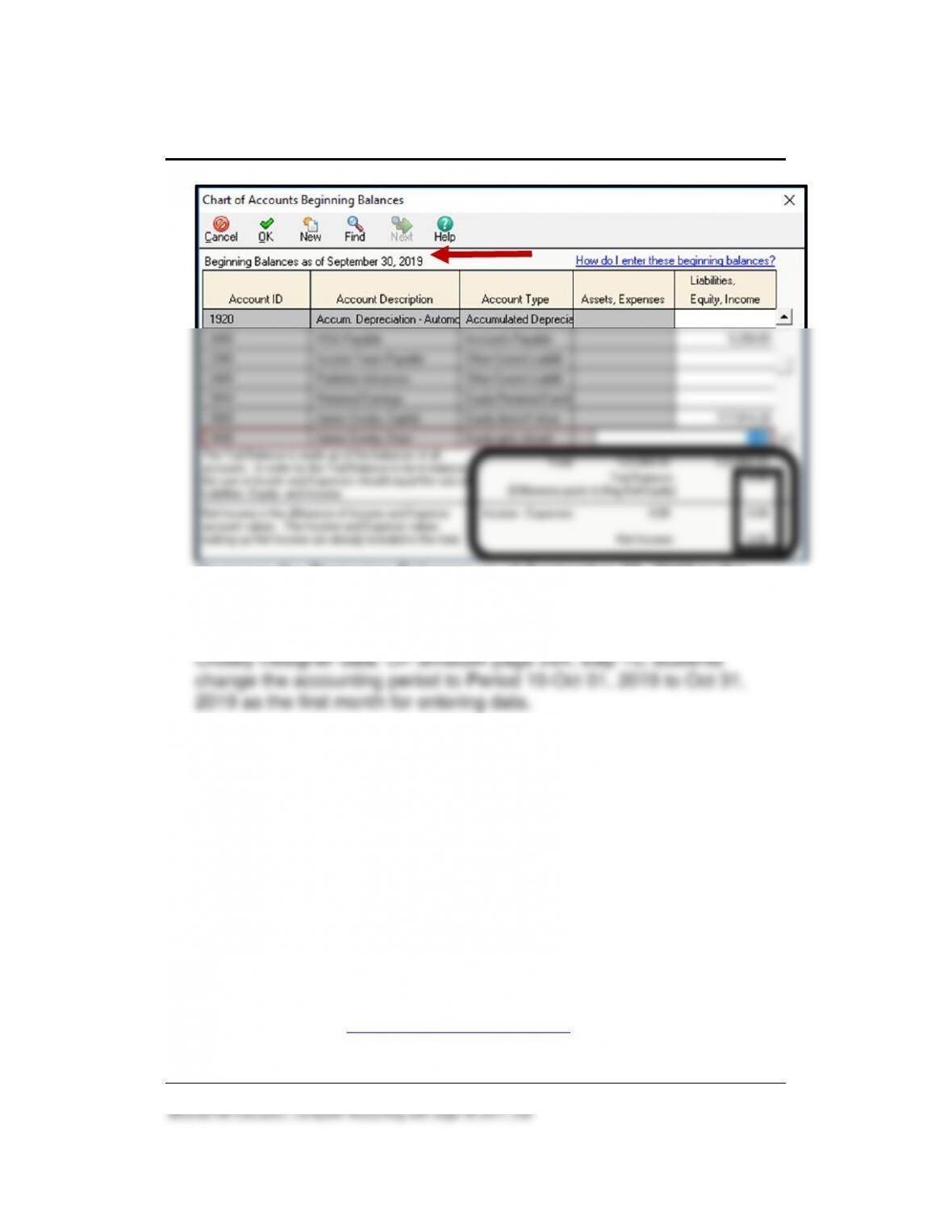
4. Select the period From 9/1/19 through 9/30/19. Click <OK>. The
Beginning Balances as of September 30, 2019 appear. The Chart of
New Company Setup and Beginning Balances 169 – IMK
McGraw-Hill Education, Computer Accounting with Sage 50 2017, 20e
Compare the Beginning Balances as of September 30, 2019 to the
balance sheet on textbook page 289. The chart of accounts balances
as of September 30, 2019 are the beginning balances for October 1,
2019. October (Period 10) is the first month for recording James
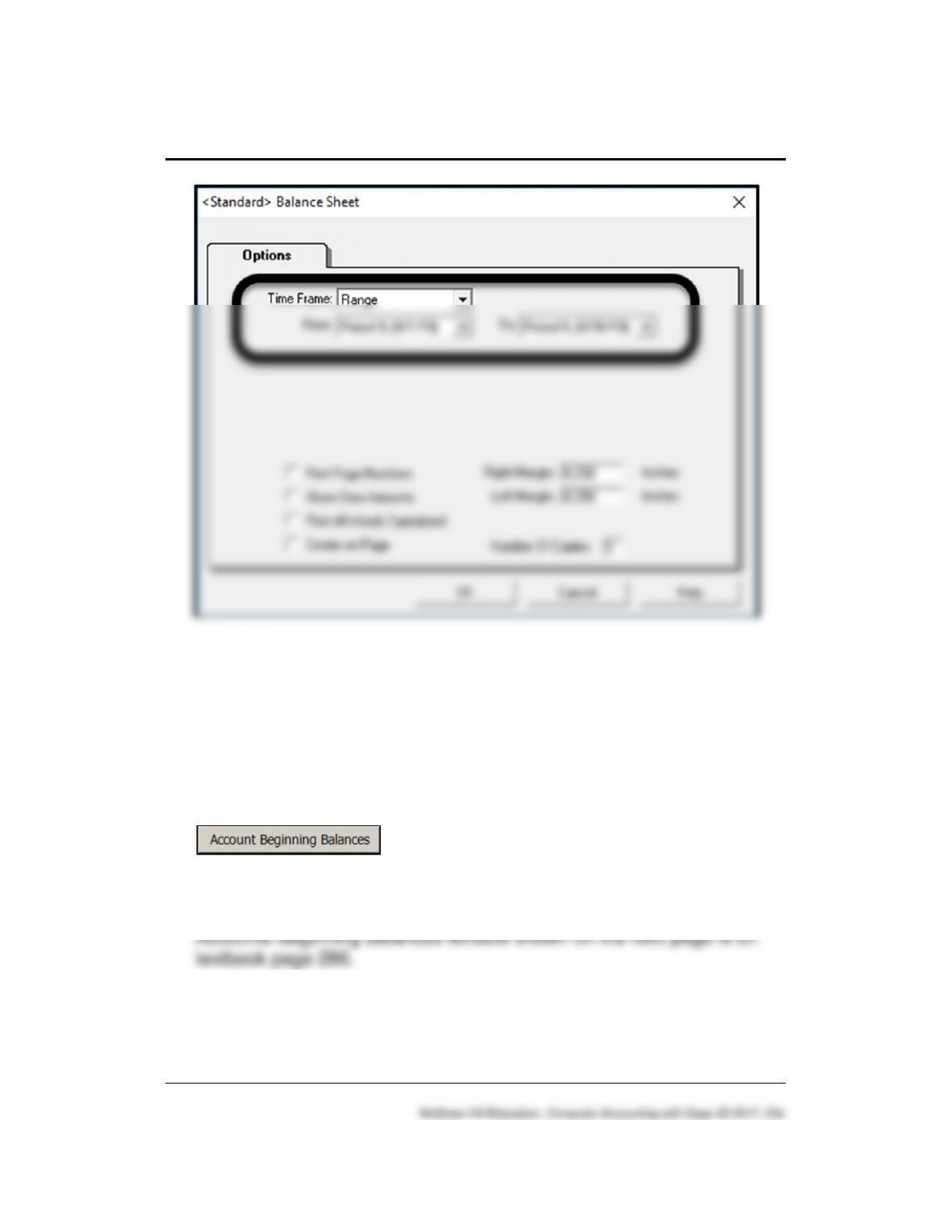
5. The screen illustration on page 285 (below step 2) shows that the
period to choose for beginning balances must be From 9/1/19 through
9/30/19. Step 2 on textbook page 285 and again on page 287,
students are reminded to recheck the period before continuing. If they
enter the beginning balances for the wrong month, the Income
Statement and Statement of Cash Flow will not show the current
month and year-to-date amounts correctly (Chapter 11). The end-of–
quarter financial statements are shown in Chapter 11, textbook pages
364-367.
➢ If your students did not select the correct beginning balance period,
they could restore the appropriate Sage 50 solution file; for example,
the Chapter 9 Beginning Balances.ptb file. The solution files are
included online at www.mhhe.com/yacht2019 > Instructor Edition site.
After restoring the Chapter 9 Beginning Balances.ptb file, students
170 – IMK Chapter 9
could resume their work on page 293, Export the Chart of Accounts
and Beginning Balances to Excel.
➢ The businesses that students begin in Chapter 9 are continued in
Chapters 10 and 11.
➢ Students can restore from their back up file even if no Sage 50
company has been set up. From Sage 50’s start up window, select
File; Restore. Select the location of the backup file. On the Restore
Wizard’s Select Company screen, select Create a new company using
the restored data. The Create a new company using the restored data
selection allows students to restore their backup data, bypassing the
process of new company setup. For detailed steps, refer to
Troubleshooting on textbook pages 279-280, steps a-k.
➢ Because of operating system security features, students may need to
backup to their desktop first. Then copy the backup file from the
desktop to their USB drive. For detailed steps, refer to Appendix A,
New Company Setup and Beginning Balances 171 – IMK
Comment: What if James Crosby Designer (or another name Designer) is not shown on
Sage 50’s Open an Existing Company screen; Company Name list?
Students can restore to an existing company—one that is previously set up and shown on Sage
50’s Company Name list—or they can use the Restore Wizard’s selection “Create a new company
using the restored data,” bypassing the process of setting up a company. The Restore Wizard
includes two options on the Select Company screen: Overwrite existing company data and Create
a new company using the restored data. If Create a new company using the restored data is
selected, then the company will be named the same as the backup file selected.
Let’s say your student, or the instructor, wants to restore a backup file for a company that was not
set up in Sage 50. Some computer labs delete directories from the hard drive; for example, a
backup file exists but the company is not shown when you or your student opens an existing
company or selects browse to check for that company. Or, the computer lab has Sage 50 2019
available but not the companies that students previously set up.
If you start Sage 50 and the appropriate company cannot be opened, use the Restore Wizard to
select Create a new company using the restored data. Using the appropriate backup file, and the
Create a new company using the restored data, you or your students can start at that point in the
data. The Part 2 introduction includes a chart showing the pages where files are backed up,
textbook pages 254-256.
PTB is the extension used by Sage 50 to identify backup files.
LECTURE OUTLINE FOR CHAPTER 9
A. Learning Objectives, page 257
B. Getting Started: New Company Setup, pages 257-265
1. Company Maintenance Information, page 266
C. Chart of Accounts, page 267
1. Delete Accounts, pages 267-268
3. Add Accounts, pages 270–272
4. Display the Chart of Accounts, pages 273-275
172 – IMK Chapter 9
McGraw-Hill Education, Computer Accounting with Sage 50 2017, 20e
G. Using File Explorer to See the File Size, pages 291-292
H. Backing Up Beginning Balances, pages 292-293
I. Export the Chart of Accounts and Beginning Balances to Excel, pages
293-296
J. Save PDF Files, pages 296-297
2. More Resources:
a. Going to the Net Exercises: Access Wikipedia’s Chart of
Accounts website.
b. QA Templates: 10 multiple-choice questions and two Analysis
Questions.
c. Assessment Rubric: Complete the rubric to review Sage 50’s
journals, navigation centers, modules, task windows, and
reports.
d. Listen to narrated PowerPoints.
e. Videos: In Chapter 9, the video is New Company Set Up. Watch
the videos using an Internet browser.
• Appendix D, Glossary (OLC Student Edition)
L. Exercise 9-1, pages 297-301

New Company Setup and Beginning Balances 173 – IMK
M. Exercise 9-2, pages 301-303
N. Chapter 9 Index, page 304
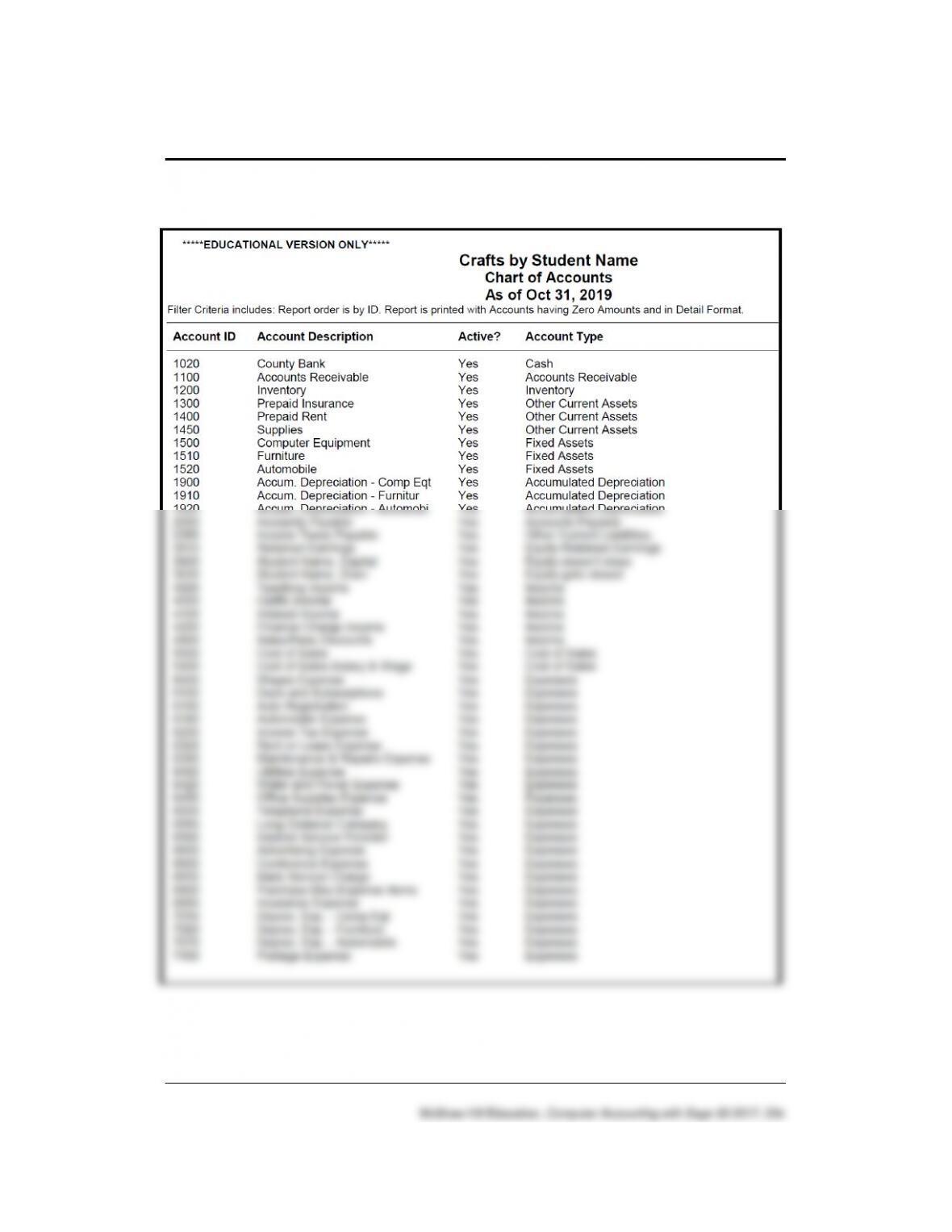
174 – IMK Chapter 9
Solution to Exercise 9-1 (13)
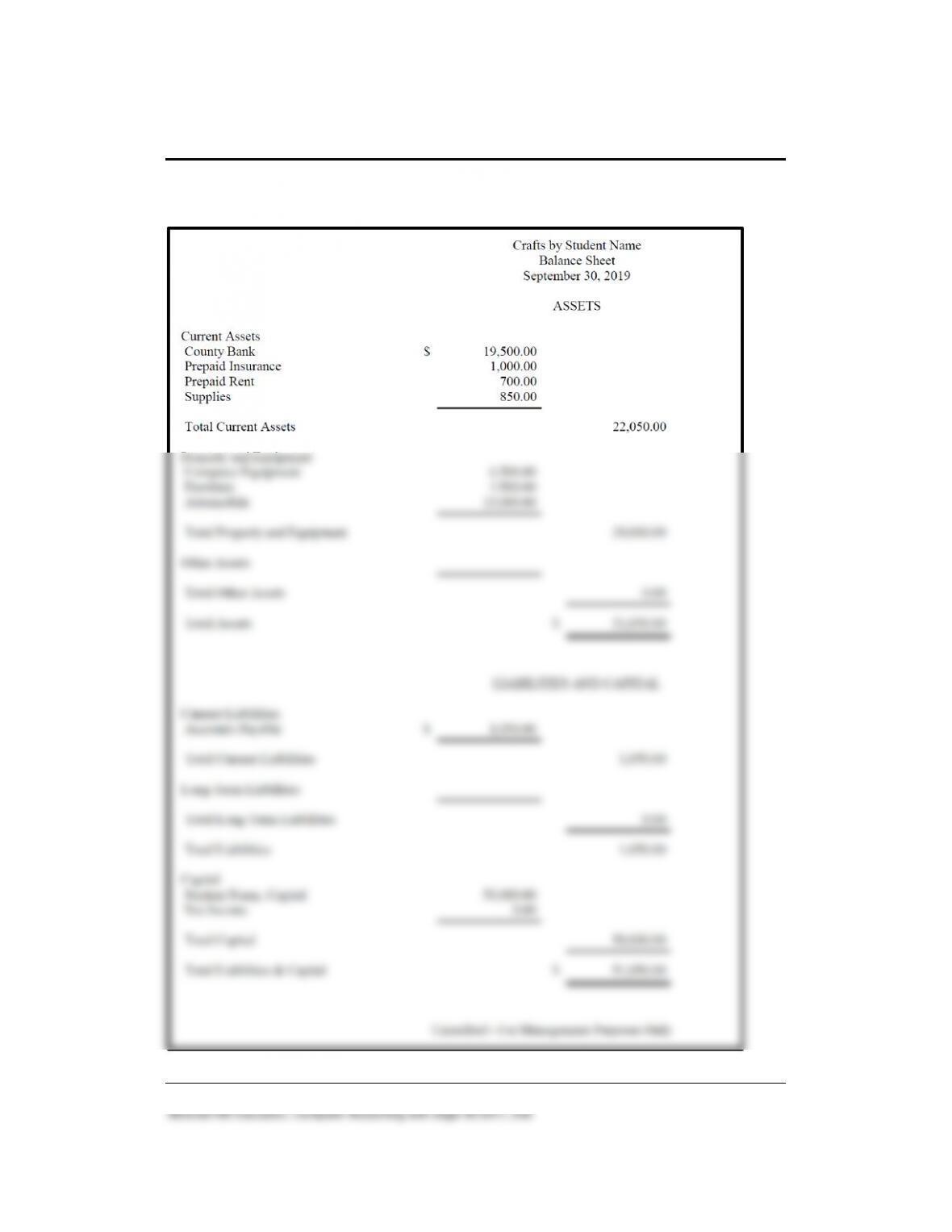
New Company Setup and Beginning Balances 175 – IMK
Solution to Exercise 9-2 (3)
176 – IMK Chapter 9
To make sure beginning balances were set up as of September 30, 2019
(steps 2-7, pages 285-287), students print the September 30, 2019
balance sheet. For setting chart of accounts beginning balances, refer to
textbook pages 283-287. For printing the September 30, 2019 balance
sheet, refer to textbook pages 287-289. September 30 ending balances
are October 1, 2019 beginning balances.
ANSWERS TO GOING TO THE NET
2
Students access information about the chart of accounts. The website is
http://en.wikipedia.org/wiki/Chart_of_accounts. Read the information on
1. What is the chart of accounts?
A chart of accounts is a created list of the accounts used by an
organization to define each class of items for which money or the
equivalent is spent or received. It is used to organize the finances of
the entity and to segregate expenditures, revenue, assets and
liabilities in order to give interested parties a better understanding of
the financial health of the entity.
2
The textbook website at www.mhhe.com/yacht2019 has a link to Textbook Updates.
Check this link for updated Going to the Net exercises.

New Company Setup and Beginning Balances 177 – IMK
2. List four asset accounts, two liability accounts, two equity accounts,
one revenue account, and three expense accounts.
Asset accounts: Cash, Accounts Receivable, Prepaid Expenses,
Supplies, Inventory, Land, Buildings, Vehicles & Equipment,
Accumulated Depreciation and Other Assets
Liability accounts: VISA Payable, Income Taxes Payable
3. What is the Trial Balance?
The trial balance is a list of the active general ledger accounts. A
balanced trial balance does not guarantee that there is no error.
ANSWERS TO MULTIPLE-CHOICE QUESTIONS, QA TEMPLATES
_____ 1. In Part 2 of the book, you complete monthly accounting for
which type of business?
a. Corporate form of business.
178 – IMK Chapter 9
_____ 2. Which type of accounting method does James Crosby Designer
use?
_____ 3. James Crosby’s business type is a:
a. Corporation.
_____ 4. What chart of accounts did you select for Mr. Crosby’s chart of
accounts?
_____ 5. Mr. Crosby uses which type of posting method?
a. Batch posting.
_____ 6. You can restore data by making which menu bar selection?
New Company Setup and Beginning Balances 179 – IMK
_____ 7. The correct file name for backing up James Crosby Designer,
the chart of accounts, and the October 1, 2019 beginning
balances is:
_____ 8. Sage 50 assigns the following shortened company name to
James Crosby Designer:
a. Company.
_____ 9. The account type of Account No. 3920, James Crosby, Capital
(or your name, Capital) is:
_____10. When saving an Excel 2007 or 2010 file, the file extension is:
a. docx
ANALYSIS QUESTIONS
1. What chart of accounts beginning balance date is used for entering
October 1, 2019 account balances in Sage 50?
180 – IMK Chapter 9
ANSWER:
Beginning balances must be set for the preceding month; for example,
September 1 through 30, 2019. The September 30 ending balance is
the October 1 beginning balance.
2. How does the account beginning balance date affect the current month
and year-to-date amounts on the financial statements?
ANSWER
In order for the financial statements to show the correct current month
and year-to-date amounts, beginning balances must be set for the
previous month. In Chapter 9 that means chart of accounts beginning
ASSESSMENT RUBRIC
Task
Date
Selections
Window(s)
Shortened
Company
Name
October 1,
2019
Beginning
Balances
September
30, 2019
From the menu
bar, File > New
Company. Or from
Sage 50’s startup
window > Create a
New Company.
Create a New
Company, then click
Next to make
selections to
complete setting up a
new company.
Eight characters:
first three letters
from the first word,
first three letters of
the second word,
two letters from
third word.
Eight characters
for a Sage 50
shortened name;
for example, for
James Crosby
Designer:
New Company Setup and Beginning Balances 181 – IMK
SOLUTION FILES
The solution files, in .ptb, .pdf, and .xlsx formats, are included on the
Online Learning Center at www.mhhe.com/yacht2019 > Instructor Edition.
For access to the password-protected Instruction Edition website, contact
your McGraw-Hill sales representative at
https://shop.mheducation.com/store/paris/user/findltr.html.
If you prefer to start students with company data, you could use one of the
Sage 50’s backup files. For example, to start students with the Chapter 9
The chart below and on the next page shows the size of the Chapter 9
solution files (Sage 50 backups, .ptb files; Excel Reports, .xslx files; and
PDF Reports).
Chapter
Sage 50 Backup (.ptb)
Excel (.xlsx) and Adobe (.pdf)
Kilobytes
Page Nos.
9
Chapter 9 Chart of Accounts.ptb
918 KB
276-277
Chapter 9 Beginning Balances.ptb
922 KB
292-293
Chapter 9_Chart of Accounts and Beginning
Balances.xlsx
17 KB
293-295
Chapter 9_Balance Sheet.pdf
5 KB
296
Chapter 9_Chart of Accounts.pdf
8 KB
296
Exercise 9-1.ptb
914 KB
300
Exercise 9-2.ptb
917 KB
303
Exercise 9-2_Chart of Accounts and Beginning
Balances.xlsx
17 KB
303
Exercise 9-2_Chart of Accounts.pdf
8 KB
303
Exercise 9-2_Balance Sheet.pdf
4 KB
303