
Chapter 2 – Developing Marketing Strategies and a Marketing Plan M: Marketing 6th
Copyright © 2019 McGraw-Hill Education. All rights reserved. No reproduction or distribution without the prior written consent of
McGraw-Hill Education.
1
Instructor’s Manual: Implementation
Guide
This improved Instructor’s Manual (IM) contains more than just summaries of key concepts and features from the
sixth edition of M: Marketing that can be used as springboards for class discussion; it also provides best practices for
how to utilize the full product suite (from the textbook to SmartBook® to Connect®). In addition, this manual
includes a variety of supplemental teaching resources to enhance your ability to create an engaging learning
experience for your students. Regardless of whether you teach in face–to–face traditional classrooms, blended
(flipped) classrooms, online environments, or hybrid formats, you’ll find everything you need in this improved
resource.
The IM follows the order of the textbook outline for each chapter and is divided into sections for each learning
objective. To ease your class preparation time, we’ve included references to relevant PowerPoint slides that can be
shown during class. Note that you can adjust slides as needed to ensure your students stay actively engaged
throughout each session.
AVAILABLE INSTRUCTOR RESOURCES
Within the Instructor Resources Tab, located in the Connect® Library, you will find the following Instructor
Resources:
▪ Instructor’s Manual
▪ PowerPoint Presentations (Accessible)
▪ Test Bank
▪ Author Newsletter Blog
▪ Video Library
▪ Connect Content Matrix
Instructor’s Manual
This Instructor’s Manual is posted by chapter. Within each section of the IM you will find an assortment of feature
summaries, examples, exercises, and Connect® Integration assignments intended to enhance your students’ learning
and engagement.
PowerPoint Presentations
A set of ADA-accessible PowerPoints is available with each chapter and covers:
Chapter 2 – Developing Marketing Strategies and a Marketing Plan M: Marketing 6th
Copyright © 2019 McGraw-Hill Education. All rights reserved. No reproduction or distribution without the prior written consent of
McGraw-Hill Education.
2
▪ Chapter Learning Objectives
▪ Key examples
▪ Key exhibits
▪ Key concepts and frameworks
▪ Progress checks
▪ Glossary terms
Some slides include teaching notes to guide your discussion of the content that appears on each slide.
Test Bank
Test Bank questions are posted by chapter. You will find a variety of question types within the test bank such as
Matching, Ranking, Multiple Choice, Select-All-That-Apply, True/False, Short Answer, and Essay to test student
mastery across Bloom’s Taxonomy (i.e., Understand, Apply, and Analyze). Due to the evolving needs around
Video Library
The Video Library provides links to all the assignable videos in Connect®, as well as legacy videos that are no
longer available as assignments, but that remain available as an additional resource. These videos can be directly
streamed from within the library that is located in the Instructor’s Resource tab. Accompanying each video is a brief
video guide that summarizes the key concepts of the video.
Connect Content Matrix
The Connect Content Matrix provides a brief overview of all the application exercises available in the course. It
lists the Learning Objectives, topic tags, Bloom’s levels, and difficulty levels associated with each exercise.
Copyright © 2019 McGraw-Hill Education. All rights reserved. No reproduction or distribution without the prior written consent of
McGraw-Hill Education.
3
USING SMARTBOOK® TO ENHANCE STUDENTS’
PERFORMANCE
The LearnSmart®-powered SmartBook® is assignable through Connect. One of the first fully adaptive and
individualized study tools designed for students, it creates for them a personalized learning experience, giving them
the opportunity to practice and challenge their understanding of core marketing concepts. The reporting tools within
SmartBook® show where students are struggling to understand specific concepts.
Typically, SmartBook® is assigned by module (chapter), and you can set which learning objectives to cover as well
as the number of probes the student will see for each assignment. You can also set the number of points a
SmartBook® module is worth in the course. Usually, applying a minimal number of points for completion of each
module is enough to encourage students to read the chapter. Many instructors assign these modules to be completed
before the class or online session.
SmartBook® provides several diagnostic tools for you to gauge which concepts your students struggle to understand.
Below is the set of adaptive assignment reports available in SmartBook®:
The Module Details report shows you the results for the students in the class overall. These details reveal where in
the chapters students might be struggling. The module gives the chapter section, average time spent, average
questions per student correct/total, and the percentage of correctness (based in number of assigned items).
Information about the most challenging sections for students can help you refine the focus of the next face-to-face,
hybrid, or online session.
The Metacognitive Skills report captures students’ confidence in their competency of the materials. Below you will
find a recreation of the Metacognitive Skills report. In it, you can see that the second student is confident and mostly
correct (see the 91% in the Correct and Aware column) while the first student “doesn’t know what she doesn’t
know” (see the 39% in the Incorrect and Unaware column).
STUDENT
CORRECT
and
AWARE
CORRECT and
UNAWARE
INCORRECT
and
AWARE
INCORRECT and
UNAWARE
Student 1
61%
0%
0%
39%
Student 2
91%
0%
3%
5%
Student 3
81%
0%
0%
19%
Student 4
83%
0%
0%
17%
Student 5
76%
0%
3%
21%
Student 6
66%
0%
9%
25%
Student 7
77%
0%
3%
12%
Chapter 2 – Developing Marketing Strategies and a Marketing Plan M: Marketing 6th
Copyright © 2019 McGraw-Hill Education. All rights reserved. No reproduction or distribution without the prior written consent of
McGraw-Hill Education.
4
Student 8
91%
0%
2%
7%
Student 9
93%
0%
2%
5%
Student 10
70%
0%
6%%
25%
APPLICATION EXERCISES, QUIZZES, AND TEST BANK
Book-level Resources
Application Exercises require students to apply key concepts to close the knowing and doing gap; they provide
instant feedback for the student and progress tracking for the instructor. Before getting into chapter-level
assignments, let’s first look at the book-level assignments available.
Three exercise types are available for instructors to assign beyond the chapter materials. These are 1) Marketing
Plan Prep Exercises, 2) Marketing Analytics Exercises, and 3) Marketing Mini Simulation.
2) Marketing Analytics exercises are data analytics activities that challenge students to make decisions using
3) Marketing Mini Simulation helps students apply and understand the interconnections of elements in the
marketing mix by having them take on the role of Marketing Manager for a backpack manufacturing
company. The simulation can be assigned by topic or in its entirety.
Chapter-level Resources
Chapter-level Application Exercises are built around chapter learning objectives, so you can choose which ones to
assign based on your focus for each specific chapter. Several types of Application Exercises are available in each
chapter. These are 1) iSeeit! Animated Video Cases, 2) Case Analyses, 3) Video Cases, and 4) Click-and-Drag
exercises.
1) The iSeeit! Video series comprises short, contemporary animated videos that provide engaging
2) Case Analyses and Video Cases each feature real-world firms and industries different than those discussed
3) Click-and-Drag exercises help students actively demonstrate their understanding of the associated learning
objectives. Some require students to match examples to concepts, to place series of steps in the correct
sequence, or to group examples together under their correct categories.
Chapter 2 – Developing Marketing Strategies and a Marketing Plan M: Marketing 6th
Copyright © 2019 McGraw-Hill Education. All rights reserved. No reproduction or distribution without the prior written consent of
McGraw-Hill Education.
5
Application Exercises can be assigned as preparatory exercises due before class (this is especially good for flipped
classrooms), or after class as concept comprehension checks. Consider assigning two or three Application Exercises
per chapter.
Applications Exercises will generally be assigned as homework or practice as part of the overall class grade. A
general rule of thumb would be to make application exercises worth 5 to 10 points each, since these require more
time and thought than a test bank question might.
To find the Applications in Connect®, go to “Add Assignment” and select “Question Bank.” Within this question
bank will find a drop-down menu of all the book–level assignments and chapter-level assignments. You can then
select the ones you wish to assign.
Chapter-level quizzes and full chapter test banks are also found in the Question Bank’s drop-down menu. Apply a
relatively low value to each question—for example, 1 or 2 points each—since numerous questions are typically
assigned for each chapter. You can decide when to surface the feedback to students. Selecting to display feedback
after the assignment due date helps to prevent cheating; that is, it keeps students from sharing the correct answers
with other students while the questions are still open and available. For this reason, it is suggested that no feedback
to quizzes and test bank exams be made available until after the assignment is due.
ASSIGNING EXERCISES AND GRADING POLICIES: BEST
PRACTICES
To fully utilize the power of the digital components, it is recommended that you assign the SmartBook® reading and
adaptive learning probes before class meets. Application Exercises can be completed either before or after class; if
they are completed before class, they can sometimes serve as good springboards for class discussions. The chapter
quiz makes a good check on comprehension of the material and may work best if assigned after each class period.
The test bank serves as a good resource for building mid-term or final exams.

Chapter 2 – Developing Marketing Strategies and a Marketing Plan M: Marketing 6th
Copyright © 2019 McGraw-Hill Education. All rights reserved. No reproduction or distribution without the prior written consent of
McGraw-Hill Education.
6
sense of the learning goal behind each exercise. We hope this integration of resources will help you to convey core
principles of marketing topics holistically, effectively, and efficiently to your students.

Chapter 2 – Developing Marketing Strategies and a Marketing Plan M: Marketing 6th
Copyright © 2019 McGraw-Hill Education. All rights reserved. No reproduction or distribution without the prior written consent of
McGraw-Hill Education.
7
Chapter 2
Developing Marketing Strategies and a Marketing Plan
Tools for Instructors
• Chapter Overview
• Brief Chapter Outline
• Learning Objectives
• Extended Chapter Outline
• PowerPoint Slides
• Additional Resources
• Connect Application Exercises
Chapter Overview
In this chapter, the goal is to introduce students to an overview of the marketing plan, the concept of
customer value, and the utility of the SWOT matrix. It is important to teach students that the importance of
the marketing plan is to communicate the value proposition to consumers and to provide direction on how
that will be achieved.
Brief Chapter Outline
What Is a Marketing Strategy?
The Marketing Plan
Growth Strategies
Learning Objectives
LO2-1 Define a marketing strategy.
A marketing strategy identifies (1) a firm’s target markets(s), (2) a related marketing mix (its four Ps), and
(3) the bases on which the firm plans to build a sustainable competitive advantage. Firms use four macro
strategies to build their sustainable competitive advantage. Customer excellence focuses on retaining
LO2-2 Describe the elements of a marketing plan.
A marketing plan is composed of an analysis of the current marketing situation, opportunities and threats
for the firm, marketing objectives and strategy specified in terms of the four Ps, action programs, and
appropriate financial statements. A marketing plan represents the output of a three-phase process:
Chapter 2 – Developing Marketing Strategies and a Marketing Plan M: Marketing 6th
Copyright © 2019 McGraw-Hill Education. All rights reserved. No reproduction or distribution without the prior written consent of
McGraw-Hill Education.
8
LO2-3 Analyze a marketing situation using SWOT analyses.
SWOT stands for strengths, weaknesses, opportunities, and threats. A SWOT analysis occurs during the
LO2-4 Describe how a firm chooses which consumer group(s) to pursue with its marketing efforts.
Once a firm identifies different marketing opportunities, it must determine which to pursue. To accomplish
this task, marketers go through a segmentation, targeting, and positioning (STP) process. Firms segment
LO2-5 Outline the implementation of the marketing mix as a means to increase customer value.
The marketing mix consists of the four Ps—product, price, promotion, and place—and each P contributes
LO2-6 Summarize portfolio analysis and its use to evaluate marketing performance.
Portfolio analysis is a management tool used to evaluate the firm’s various products and businesses—its
“portfolio”—and allocate resources according to which products are expected to be the most profitable for
LO2-7 Describe how firms grow their business.
Firms use four basic growth strategies: market penetration, market development, product development,
and diversification. A market penetration strategy directs the firm’s efforts toward existing customers and
Chapter 2 – Developing Marketing Strategies and a Marketing Plan M: Marketing 6th
Copyright © 2019 McGraw-Hill Education. All rights reserved. No reproduction or distribution without the prior written consent of
McGraw-Hill Education.
9
Extended Chapter Outline
I. What Is a Marketing Strategy? (PPT 2-4)
A. Customer Excellence (PPT 2-5)
1. Retaining Loyal Customers
2. Providing Outstanding Customer Service
Adding Value 2.1: Amazon Is about Products, Delivery, Prices, and Now Home
Services discusses how Amazon is extending its offerings from products to services. Ask
students if they would consider buying services through Amazon.
✓
Progress Check: Several questions are offered for students to check their understanding of core
concepts.
1. What are the various components of a marketing strategy?
2. List the four macro strategies that can help a firm develop a sustainable competitive advantage.
II. The Marketing Plan (PPT 2-12)
Adding Value 2.2 Small Coke Cans: Are Consumers Paying More for Less, or Are They Just
Paying to Get What They Want? describes how Coca-Cola is taking another approach to address the
external environment and provide value to its customers. Do students purchase 7.5-ounce cans of soda?
Why or why not? Why would consumers pay more for less product?

Chapter 2 – Developing Marketing Strategies and a Marketing Plan M: Marketing 6th
Copyright © 2019 McGraw-Hill Education. All rights reserved. No reproduction or distribution without the prior written consent of
McGraw-Hill Education.
11
2. What tool helps a marketer conduct a situation analysis?
3. What is STP?
4. What do the four quadrants of the portfolio analysis represent?
III. Growth Strategies (PPT 2–29)
A. Market Penetration (PPT 2-30)
B. Market Development (PPT 2-31)
C. Product Development (PPT 2-32)
D. Diversification (PPT 2-33)
✓
Progress Check: Several questions are offered for students to check their understanding of core
concepts.
1. What are the four growth strategies?
2. What type of strategy is growing the business from existing customers?
3. Which strategy is the riskiest?
Additional Resources
The utility of the marketing plan must be conveyed throughout the course. Teach students that the
marketing plan is a subset of the business plan that forms the foundational strategy of business.
Students come to realize the importance of the marketing plan when the instructor frequently makes
connections to its purpose not only on the day the concept is taught but also throughout the course.
Customer value is a difficult concept for students to grasp. Instructors may want to ask students to write
down something they find of value and what aspects lead to creating that value. The instructor can then
ask what they would trade for that value. It is important that instructors communicate that value is more

Chapter 2 – Developing Marketing Strategies and a Marketing Plan M: Marketing 6th
Copyright © 2019 McGraw-Hill Education. All rights reserved. No reproduction or distribution without the prior written consent of
McGraw-Hill Education.
12
Chapter 2 – Developing Marketing Strategies and a Marketing Plan M: Marketing 6th
Copyright © 2019 McGraw-Hill Education. All rights reserved. No reproduction or distribution without the prior written consent of
McGraw-Hill Education.
13
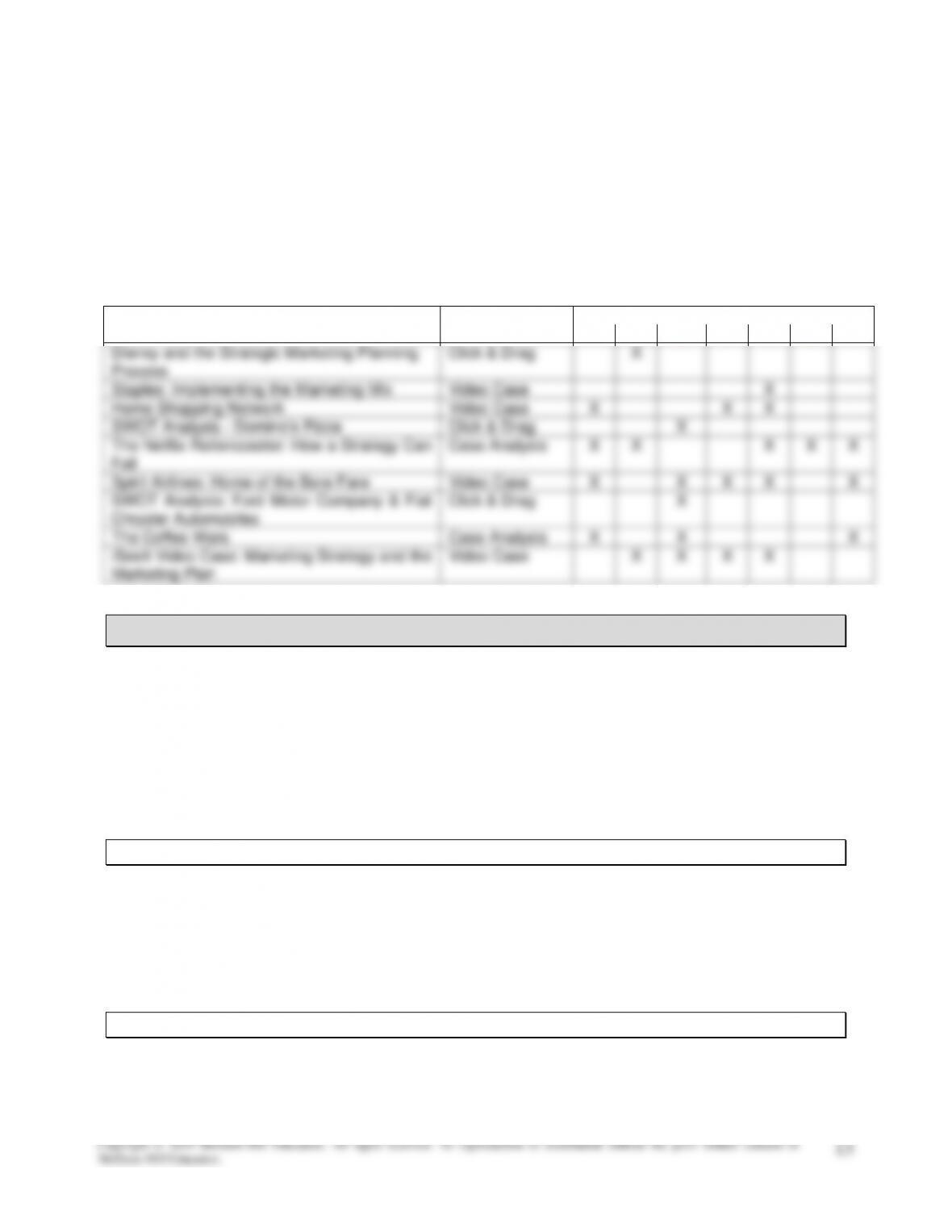
Connect Application Exercises
This section summarizes each Application Exercise available with this chapter. Each summary comprises
an introduction to the exercise, concept review, and follow-up activity. Associated details related to the
learning objectives, activity type, AASCB category, and difficulty levels are also included. These
summaries are intended to guide your course planning; perhaps you want to assign these exercises as
homework or practice, before or after class. For best practices on how and when to assign these
exercises, see the IM Implementation Guide at the beginning of this chapter.
Activity
Type
Learning Objectives 02–
01
02
03
04
05
06
07
Disney and the Strategic Marketing Planning
Process
Click & Drag
X
Staples: Implementing the Marketing Mix
Video Case
X
Home Shopping Network
Video Case
X
X
X
SWOT Analysis – Domino’s Pizza
Click & Drag
X
The Netflix Rollercoaster: How a Strategy Can
Fail
Case Analysis
X
X
X
X
X
Spirit Airlines: Home of the Bare Fare
Video Case
X
X
X
X
X
SWOT Analysis: Ford Motor Company & Fiat
Chrysler Automobiles
Click & Drag
X
The Coffee Wars
Case Analysis
X
X
X
iSeeIt Video Case: Marketing Strategy and the
Marketing Plan
Video Case
X
X
X
X
Disney and the Strategic Marketing Planning Process
▪ Activity Type: Click & Drag
▪ Learning Objectives: 02–02
▪ Difficulty: Medium
▪ Activity Summary: Students view a short case describing the Walt Disney Company’s use of
technology to improve the customer experience in their parks, and are asked to match excerpts from
the case description to the appropriate step in the strategic marketing planning process.
Activity
▪ Introduction: Firms like Disney plan their marketing strategies to adjust to changes in the
environment, the competition, and their customers. Effective marketing doesn’t just happen.
▪ Concept Review: The strategic marketing planning process represents a set of steps a marketer
goes through to develop and implement a strategic marketing plan. The three major phases of the
process are planning, implementation, and control.
Follow-Up Activity
Assign and discuss the following article: “At Disney Parks, a Bracelet Meant to Build Loyalty (and Sales),”
by Brooke Barnes, New York Times, published 1/7/2013:
Chapter 2 – Developing Marketing Strategies and a Marketing Plan M: Marketing 6th
Copyright © 2019 McGraw-Hill Education. All rights reserved. No reproduction or distribution without the prior written consent of
McGraw-Hill Education.
14
Staples: Implementing the Marketing Mix
▪ Activity Type: Video Case
▪ Learning Objectives: 02–05
▪ Difficulty: Medium
▪ Activity Summary: This video case discusses the “Easy” retail strategy adopted by Staples, with
examples of each of the four Ps in action. After the video ends, students are asked questions about
the video and related course concepts.
Follow-Up Activities
▪ Discuss how the Staples “Easy” brand promise helps the company to compete with online–only sellers
of office supplies like Amazon.com. Example: The Staples branded products help Staples to stock
lower-priced products; making products like paper and toner easily available at the front of
conveniently located stores with plenty of parking offers convenience.
▪ Choose a successful restaurant chain (Chipotle or Chick-fil-A would be good selections in the U.S. as
they tend to be popular with students) and ask for examples of each of the four Ps in the chain’s
strategy.
Home Shopping Network
▪ Activity Type: Video Case
Chapter 2 – Developing Marketing Strategies and a Marketing Plan M: Marketing 6th
Copyright © 2019 McGraw-Hill Education. All rights reserved. No reproduction or distribution without the prior written consent of
McGraw-Hill Education.
15
▪ Learning Objectives: 02-01, 02-04, 02-05
▪ Difficulty: Medium
▪ Activity Summary: This video case focuses on changes HSN made to its strategy starting in 2006 to
better understand and serve its target market. After the video ends, students are asked questions
about the video and related course concepts.
SWOT Analysis: Domino’s Pizza
▪ Activity Type: Click & Drag
▪ Learning Objectives: 02–03
▪ Difficulty: Medium
▪ Activity Summary: This activity presents information about Domino’s franchise stores possibly
staying open 24 hours. Eight factors are presented related to this proposed change, and students are
asked to classify them using the SWOT analysis framework.
Chapter 2 – Developing Marketing Strategies and a Marketing Plan M: Marketing 6th
Copyright © 2019 McGraw-Hill Education. All rights reserved. No reproduction or distribution without the prior written consent of
McGraw-Hill Education.
16
The Netflix Rollercoaster: How a Strategy Can Fail
▪ Activity Type: Case Analysis
▪ Learning Objectives: 02-01, 02-02, 02-05, 02-06, 02-07
▪ Difficulty: Medium
▪ Activity Summary: This case deals with Netflix’s 2011 decision to split its service into DVD rental
and streaming subscriptions, resulting in a significant price increase for current customers. Students
answer questions relating the case to chapter concepts.
Activity
Follow-Up Activity
Netflix recovered quickly from its misstep; it’s worth reviewing what has happened since the end of the
case write-up, and then discussing the challenges Netflix faces in the future. Students could be asked to
research this topic themselves, or you can use these articles:
Chapter 2 – Developing Marketing Strategies and a Marketing Plan M: Marketing 6th
Copyright © 2019 McGraw-Hill Education. All rights reserved. No reproduction or distribution without the prior written consent of
McGraw-Hill Education.
17
▪ “How Netflix Reinvented Itself,” by Peter Cohan, Forbes, 4/23/13.
http://www.forbes.com/sites/petercohan/2013/04/23/how-netflix-reinvented-itself/
▪ “Netflix Ends Huge Year with Price Shift and Executive Raises,” by Nick Summers, Business Week,
12/31/2013. http://www.businessweek.com/articles/2013–12-31/netflix-ends-huge-year-with-price-
shift-and-executive-raises
Spirit Airlines: Home of the Bare Fare
Follow-Up Activity
▪ Review a section of the Spirit Airlines website to learn more about their strategy and how the website
reflects it. Two suggestions based on the website as it exists when I’m writing this:
o https://www.spirit.com/OptionalServices – shows the extras they charge for
o http://marketing.spirit.com/how-to–fly-spirit-airlines/en/ – “Spirit 101,” where they explain their
approach to pricing
SWOT Analysis:
Ford Motor Company & Fiat Chrysler Automobiles
▪ Activity Type: Click & Drag
▪ Learning Objectives: 02–03
▪ Difficulty: Medium
▪ Activity Summary: This activity presents information about Ford Motor Company, focusing on F–
series trucks, and on Fiat Chrysler’s array of brands. Students are asked to classify the information
provided about each firm using the SWOT analysis framework.
Chapter 2 – Developing Marketing Strategies and a Marketing Plan M: Marketing 6th
Copyright © 2019 McGraw-Hill Education. All rights reserved. No reproduction or distribution without the prior written consent of
McGraw-Hill Education.
18
Activity
▪ Introduction: SWOT stands for strengths, weaknesses, opportunities, and threats. SWOT analysis
evaluates what a firm is good at, where it could improve, where in the marketplace it might excel, and
what events in the marketplace could potentially harm the firm. This activity is important because it
demonstrates how integral SWOT analysis is to the strategic planning process.
The Coffee Wars
Follow-Up Activity
Look at the Dunkin’ Donuts and Starbucks websites in class. Consider their active promotions; are they
consistent with the strategies discussed in the case?
iSeeIt Video Case:
Marketing Strategy and the Marketing Plan
▪ Activity Type: Video Case
▪ Learning Objectives: 02-02, 02-03, 2-04, 2-06
▪ Difficulty: Easy
▪ Activity Summary: This video case views marketing strategy from the perspective of the owner of an
independent coffee shop, as she considers working through the different phases of a marketing plan
for her shop.