33
Section 2 Using a Strategy Simulation in Your Course
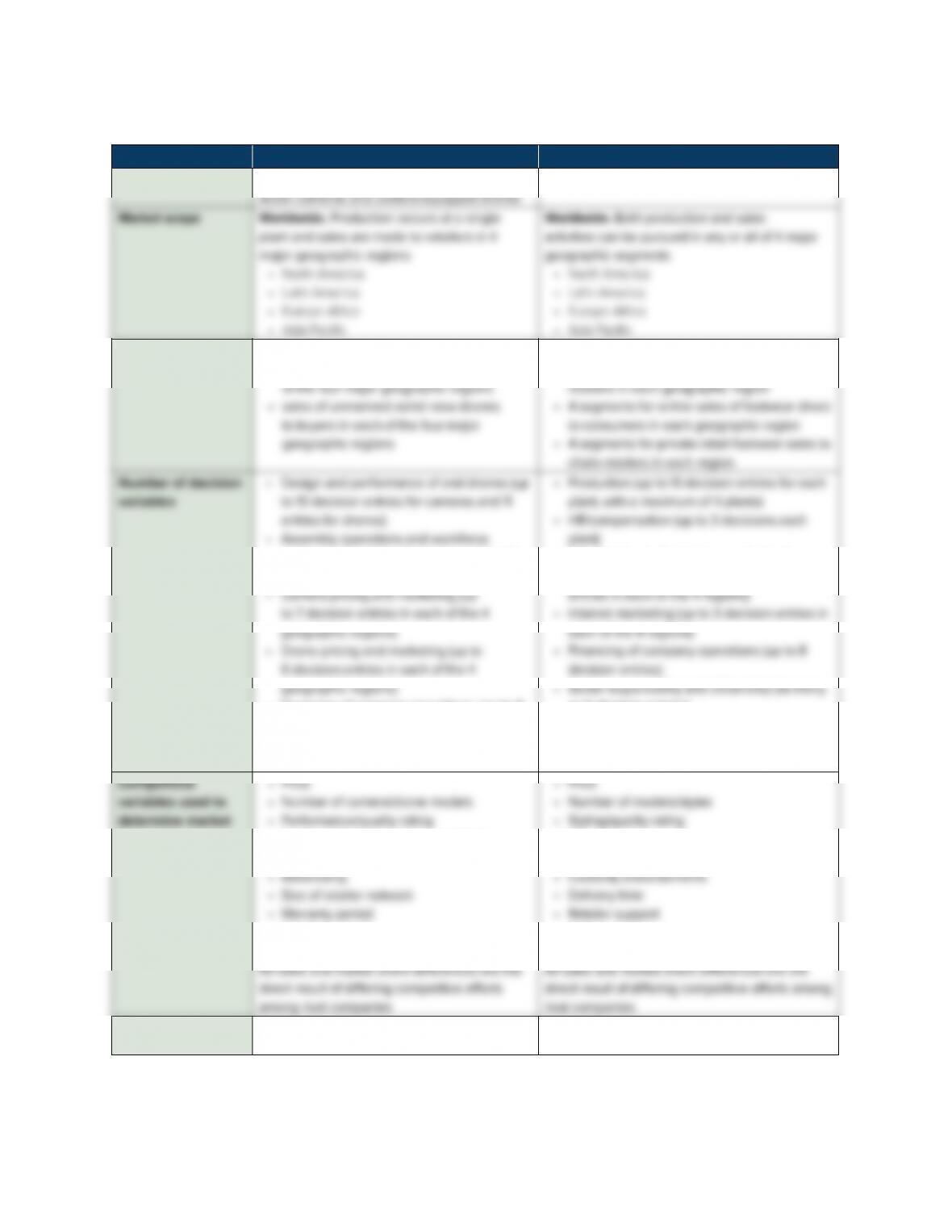
TABLE 1 A Comparison of Glo-Bus versus The Business Strategy Game
GLO-BUS The Business Strategy Game
Industry setting
Companies that design, assemble, and market
Athletic footwear industry
Number of market
segments
8
• sales of action cameras to retailers in each
12
• 4 segments for branded footwear sales to
compensation (up to 8 decision entries for
each product)
• Financing of company operations (up to 8
decision entries)
• Social responsibility and citizenship (as
many as 6 decision entries)
• Shipping (up to 8 decisions each plant)
• Pricing and marketing (up to 10 decision
as 6 decision entries)
share
• Number of weekly sales promotions
• Promotional discounts
• Retailer support
• Brand image/reputation
• Advertising
• Size of retail dealer network
• Mail-in rebates
• Shipping charges (Internet sales only)
Time frame of
decisions
One year One year
34
Section 2 Using a Strategy Simulation in Your Course
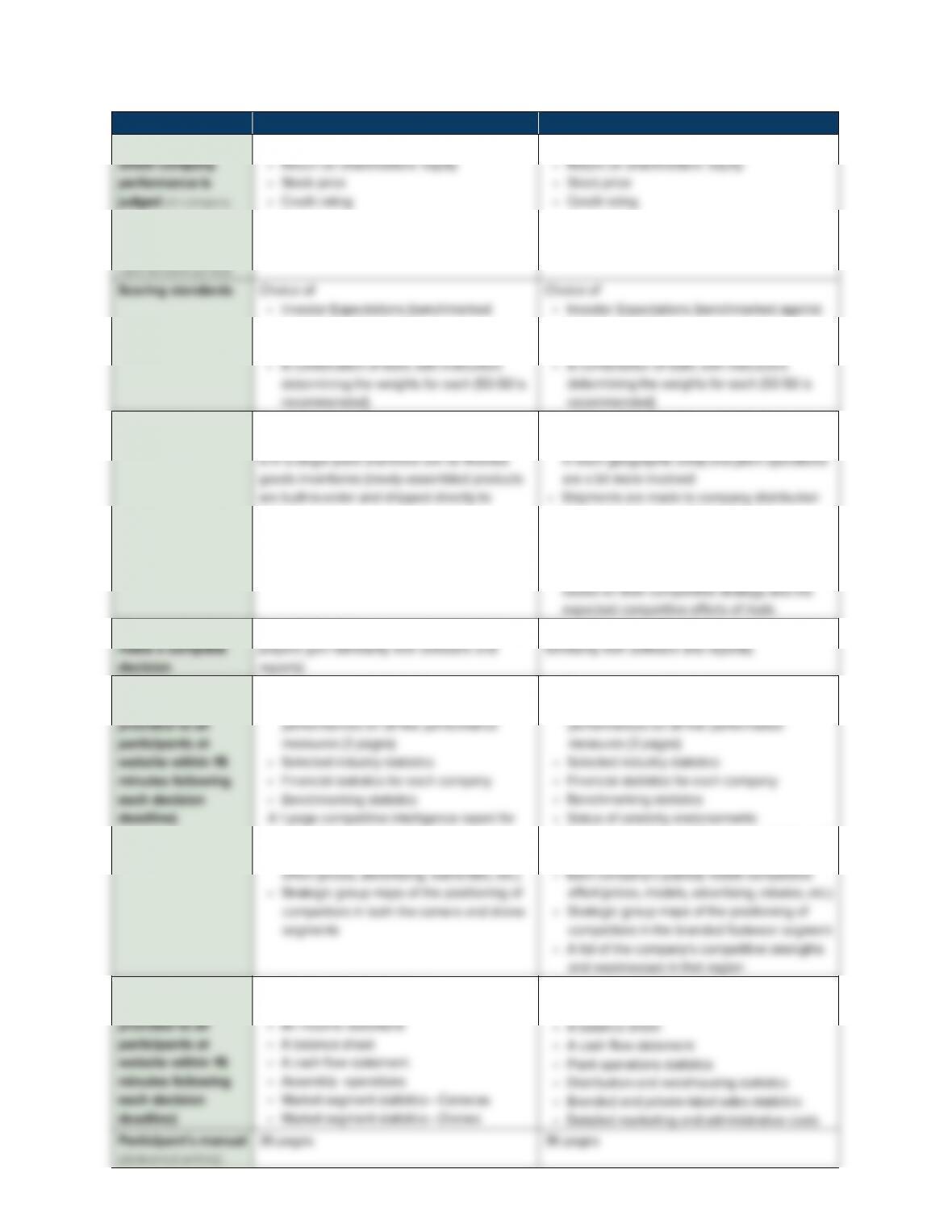
GLO-BUS The Business Strategy Game
Measures on
scores are automa tically
recorded in instructor’s
online grade book for
• Earnings per share
• Image rating
• Earnings per share
• Image rating
against industry growth)
• Best-in-Industry
industry growth)
• Best-in-Industry
Degree of
complexity
Moderate
Less complex than BSG because all production
buyers)
More robust/“complex” than GLO-BUS because
• Companies can operate up to four plants (one
centers and there are finished goods
inventories to manage
• There are 12 market segments instead of 8
• Players have to develop make a sales forecast
Time required to
About 1.75 to 2.0 hours per decision (once
2.0 to 2.5 hours per decision (once players gain
Industry reports
(automatically
A 6-page report that includes
• Complete scoreboard of company
each geographic region that shows
• Each company’s publicly visible competitive
A 7-page report that includes
• Complete scoreboard of company
A 1-page competitive intelligence report for each
geographic region that shows
Company reports
(automatically
A 6-page report that includes
• Performance highlights
A 5-page report that includes
• An income statement
(delivered online)

35
Section 2 Using a Strategy Simulation in Your Course
UsagedataconfirmsthatyoucanhaveasuccessfulexperiencewitheithersimulationinbothseniorandMBA
courses. Students are turned on by managing a company that sells action cameras and drones, and they are equally
excited about competing in global athletic footwear—a product category they are personally familiar with and
can easily understand. We have adopters who are using GLO-BUS on an ongoing basis for undergraduate courses
and for graduate courses. Likewise, we have adopters who are using BSG on an ongoing basis for undergraduate
courses and for graduate courses. Here are our thoughts about which simulation to use:
If you want the simulation to count no more than 20% of the course grade and to keep the simulation
workload down to a “minimum”, then GLO-BUS is perhaps the better choice.
GLO-BUSisdefinitelythebetterchoiceforcoursesbelowthesenior-level.
Ifyouwantthesimulationtobeatrulymajorpartofthecourse(andcount25-30%ofthecoursegrade),
then our recommendation would be to use The Business Strategy Game. But GLO-BUSwoulddefinitelybe
a solid choice.
We see little reason for you to be concerned that the slightly longer decision times for BSG mean that it is
“toomuch”foror“abovetheheads”ofsenior-levelundergraduates.Duringthepast5years,BSG has been
BSG is used for graduate-level courses far more frequently than is GLO-BUS.)
If many of your school’s undergraduate students also go on to be part of your school’s MBA program (thus
makingitdesirabletoprovidethemwithadifferentiatedstrategysimulationexperienceintheundergraduate
versusthegraduatecourses),thenwedefinitelyrecommendusingGLO-BUS for the undergraduate strategy
class and BSG for the MBA strategy class. This is especially true if it is school policy is to maintain a clear–
BUS to be as much alike as possible—moreover, the quiz features, the scoring of company performance, the
strategic plan feature and scoring, the company presentation feature, and the peer evaluation form are also
very close to identical.
Eithersimulationcanbeusedforexecutivecourses;participantswilldefinitelybeabletomakeacomplete
decision in half a day—one in the morning and one in the afternoon. But if the time available for decisions
THE 4-STEP COURSE SETUP PROCEDURE
Setting up either of the two simulations for your course entails:
1. SpecifyingaCourse/SectionIDandindicatingthewhethertheparticipantswillbeprimarilyundergraduates,
graduate students, corporate trainees, or “other.”
2. Specifying the number of companies you want to create for your class members to run—a minimum of 4
companiesandamaximumof12companiescancompetehead-to-headinasinglegroupor“industry.”You

36
Section 2 Using a Strategy Simulation in Your Course
3. Using the built-in calendar to specify deadlines for the practice and regular (scored) decision rounds—you
can have either 1 or 2 practice rounds and anywhere from 4 to 10 decision rounds that are scored and used in
calculatingindividualgradesforthesimulationexercise.Youwillalsoneedtoindicatewhetheryouwantto
4. Generating and printing the company registration codes that you will need to give each class member to use
in registering for the simulation. You must give each class member on each team/company the appropriate
company registration code prior to having them register because this code is used to (1) enroll the student
in your class, (2) designate the student as a co-manager of the assigned company, (3) restrict a co-
manager’s access to only the industry and company you assigned them, and (4) enter the student’s name
in your online grade book. When students register, they will be asked to enter the company registration
code you provide them—class members cannot register without the registration code for their particular
industry and company.
That’s all there is to it. You’llfindthatyoucancompletetheCourseSetuproutineinnomorethan30minutes
thefirsttimeyouusethesimulation.OnceyouhaveusedbeenthroughtheCourseSetuproutineandbecome
comfortablewithhowyouwanttoadministertheexercise,itshouldtakenomorethan15minutesinsucceeding
terms to have everything ready to go.
You’ll need to remember to take a printout of the company registration codes to class and make sure each
student is given the appropriate code for their assigned company. A good procedure is to give each class
member a copy of the printout of the company registration codes and have them circle the code for the
company they have been assigned to manage.Eachdifferentcompanygoesbyaletterofthealphabet(A,B,
C, etc.). Each co-manager of Company A will need the registration code ending in the letter A to complete the
registration process; each co-manager of Company B will need the code ending in B, and so on. If you have 6
companies, then the corresponding company letters appearing at the each of each code number will be A, B,
C, D, E, and F. Once co-managers register, they can create a name for their company that begins with their
corresponding company letter.
HOW DO CLASS MEMBERS REGISTER AND
GAIN FULL ACCESS TO THE SIMULATION WEB SITE?
When class members complete the registration process at either www.bsg-online.com or new.glo-bus.com, they
gaininstantaccesstotheWebsite,abilitytoview/printtheParticipant’s Guide, and full navigation privileges
to everything needed to run their company and complete the various optional assignments. For co-managers
to register, you will first have to provide them with their Company Registration Code in the manner just
discussed in the prior section. Registration is accomplished in one of three ways:
1. Credit Card Registration—When a student creates a user account, the registration fee plus applicable sales
taxes can be paid online by credit card (Visa, MasterCard, or American Express) during the registration
2. Prepaid Access—If you adopt a McGraw-Hill text or create a custom McGraw-Hill text for your course, you

37
Section 2 Using a Strategy Simulation in Your Course
shrink-wrap a Prepaid Access Code card for the simulation with the new or custom text and ship it to your
book store where class members purchase the text-simulation package in the normal manner. Class mem-
3. Direct-Billing—Ifyourcollege/universityincludesthecostoftextbooksandothercoursematerialsinthe
thenyouoranappropriateschoolocialcanobtainPrepaidAccessCodesforstudentregistration(onefor
eachclassmember)andyourdepartment/college/universitycanbedirect-billed,withpaymentbycreditcard,
check, or wire transfer as preferred. For your convenience, we can supply you or your school with the desired
number of Prepaid Access Codes within minutes of receiving a request. For more information on this direct-
billingoption,pleasecallsimulationco-authorGregStappenbeckat(205)722-9149orsendhime-mailat
greg@glo-bus.com.
If some of your students do not have a credit card or a Prepaid Access Code, the easiest way for them to
register is to arrange to use a friend’s or co-manager’s credit card and reimburse them directly with cash or
a check.
The Corporate Lobby Web Page for Company Co-Managers. Upon completing the registration process,
company co-managers are immediately transferred to their company’s “Corporate Lobby” page. Each time they
log-on at the simulation home page (by entering their email address and password), they are also sent directly
to their Corporate Lobby page. The Corporate Lobby is the gateway or hub that co-managers use to access all
needed information and work on all assigned tasks.
HOW MUCH SHOULD THE SIMULATION EXERCISE
COUNT IN THE TOTAL COURSE GRADE?
Whether class members take the simulation exercise seriously hinges in large part on whether you make their
performance count enough in the overall course grade to get their attention. As a general rule, we recommend
having performance on the simulation count at least 20% of the overall course grade and probably no more than
40%ofthetotalgrade.Ifitcountslessthan20%,thenclassmembereffortisweakenedtoanundesirableextent
(because their performance on the simulation has a “small” impact on their grade in the course) and some of the
learning potential slips through the cracks. If it counts more than 40%, then the simulation exercise may take

38
Section 2 Using a Strategy Simulation in Your Course
HOW COMPANY PERFORMANCES ARE SCORED—
A BALANCED SCORECARD APPROACH
Each company’s performance is tracked annually against 5 performance measures which, taken together,
constitute a “balanced scorecard” set of performance measures (the balanced scorecard concept is discussed in
Chapter2ofthistext).Giventhenatureofgrowingmarketdemand,boardmembersandshareholders/investors
expect the company’s new management team to meet or beat the following performance standards:
Grow earnings per share to at least X annually. (TheannualEPStargetsaredifferentforBSG versus GLO-
BUS.)
Maintain a return on equity investment (ROE) of X% or more annually.(TheannualROEtargetsaredifferent
for BSG versus GLO-BUS.)
Maintain a B+ or higher credit rating. All companies start the simulation with a B+ credit rating.
Achieve an “image rating” of 70 or higher. All companies start the simulation with an image rating of 70. A
company’simageratingisafunctionof(1)thequalityofitsproductofferings,(2)itsmarketsharesineach
of the 4 geographic regions of the world market, and (3) the degree to which it conducts its operations in a
socially responsible manner and strives to be a good corporate citizen.
Achieve stock price gains averaging about X dollars annually (theannualstockpricetargetsaredifferent
forthetwosimulations).Theexpectedstockpricegainsaredefinitelywithinreachifthecompanymeets
or beats the annual EPS targets and pays a rising dividend to shareholders. Each company’s stock price
is a function of EPS growth, ROE, credit rating, dividend per share growth, and management’s ability to
consistently deliver good results (as measured by the percentage of these 5 performance targets that each
company achieves over the course of the simulation exercise).
The default weight placed on each of the five performance targets is 20%. The five 20% weights translate into
20 points out of 100 for each of the 5 performance measures, with the sum of the points adding to a total of
100 points. There is an option on your Administrative Menu for each “industry” that allows you to alter these
weights however you see fit. The scoring weights are reported to students on their scoreboard of company
1. The Investor Expectations Standard. The investor expectations standard involves calculating an annual
“Investor Expectation Score” based on each company’s success in meeting or beating the five expected
0.5%foreach1%theannualtargetisexceeded(uptoamaximumbonusof20%).Thus,ifachievingtheEPS
target is worth 20 points, a company can earn a score of 24 points by beating the annual EPS target by 40% or

39
Section 2 Using a Strategy Simulation in Your Course
2. The Best-in-Industry Standard. The best-in-industry scoring standard is based on how each company’s
performance compares to the industry’s best performer on earnings per share, return on equity (ROE), stock
price, and image rating and to the ultimate credit rating of A+. After each decision round, each company’s
80%asgoodastheleader’s25%)getsascoreof16points(80%of20points).Likewise,ifEPSisgivena
weightof20points,anindustry-leadingEPSperformanceof$5.00getsascoreof20pointsandacompany
withanEPSof$2.00(whichis40%asgoodastheleader’s$5.00)getsascoreof8points(40%of20points).
Theprocedureforassigningbest-in-industryscoresforcreditratingisabitdifferent.Eachcreditratingfrom
A+toC−carriesacertainnumberofpointsthatscalesdownfromthemaximumnumberofpointsforanA+
After each decision round, you and all class members will be able to review every company’s performance
scores on both the investor expectations standard and the best-in-industry standard for each year completed,
along with an overall “game-to-date” (G-T-D) score for each standard. Each company will also receive annual
and game-to-date Overall Scores that are determined by combining the Investor Expectation Score and the Best-
in-IndustryScoreintoasinglescoreusingwhateverweightingyouchose(50-50isrecommended).Aftereach
CONCLUDING COMMENT ON HOW COMPANY
PERFORMANCES ARE SCORED
Company co-managers are provided an array of information that makes it easy for them to track the performance of
their company and all other companies over time. Both students and instructors always have plenty of information
to gauge exactly how well every company in the industry is performing. It is always clear which companies are
last place with a score of 85 (which clearly signals a strong performance and a deservedly good grade) or in
last place with a score of 17 (which clearly signals an abysmal performance and possibly a very disappointing
grade). The scoring method for the two simulations has the considerable advantage of not “requiring” that
some companies always receive low scores. Scores are based entirely on (1) whether companies achieve the
benchmark performances that investors expect for EPS, ROE, credit rating, stock price appreciation, and image

40
Section 2 Using a Strategy Simulation in Your Course
As a general rule, we think that companies with an overall performance score of 90 or above should get an A.
Companies with an overall performance score of 80-89 should get a B (or better if there are no companies with
scores of 90 or more). Companies with an overall performance score of 70-79 above should typically get a C (or
maybebetter,dependingonhowmanyteamshavehigherscores).Youmayfinditdesirabletoscalethescoresif
competitionturnsouttobesofierceorcutthroatthatmostallcompaniesintheindustryfailtoearngoodprofitsand
meet investors’ performance expectations. If one or more companies have truly low performance scores relative to
the other companies, we leave it up to you to decide what sort of scale to apply and thus how much to raise their
grade.You’llfindthatthere’splentyofinformationprovidedtoyouinyouronlinegradebooktodecidewhatgrades
to assign. In most of our classes, we end up scaling the performance scores of companies with scores below 70, but
there is usually at least one company (and often more) that end up with a score above 90 and thus clearly merit a
gradeofA(thusthereislittleneedforscalingthefinalcompanyscoresontheupperendofthespectrum).
WHAT TO DO IF YOU OPT TO USE EITHER
OF THE COMPANION SIMULATIONS
The preceding discussion is intended to give you some detailed information about the two companion simulations,
howtheywork,andwhatvaluetheyaddtoafirstcourseinstrategyforseniorsandMBAstudents.
If you are persuaded that using either BSG or GLO-BUS in your course would make a positive contribution,
then (if you have not already done so), you should go to www.bsg-online.com or new.glo-bus.com (or both) and
create an instructor account. This account gives you full access to the all the materials and information needed
to run the simulations in your class. Once you have created an account, we recommend that you do three things:
1. Click on the Instructor Essentials menu item on the left side of your Instructor Center screen and watch the
video tour of the Instructor site and the video tour of the student site.
2. Click on the Instructor Essentials menu item on the left side of your Instructor Center screen and read/skim
the first 23 pages of the Instructor’s Guide.
3. Sign up for one of our upcoming webinars for faculty that involve author-conducted tours of the web site,
explanations of how things work, and Q&A. These tours, which involve about an hour, are conducted by one
(sometimes two) of the simulation co-authors.
• If you are located in the U.S. or Canada, you can view the schedule of future web conferences and sign
provides a telephone number and an e-mail message system. We reply to all e-mails as quickly as we possibly
can—usually within a few hours. Alternatively, callusat205-722-9149orsendane-mailtogreg@bsg-online.
com or athompso@cba.ua.edu.
We will be most happy to answer whatever questions you have, provide advice and guidance, and otherwise be