[ 225 ]
14 % Teaching with the Tumblr
2. The humor of Wilkinson’s cartoon lies mostly in what the man says, but another critical ele ment
involves his companion— what she is doing and how she responds to his comment. How would the
message or e ectiveness of the cartoon be di er ent if one or more of the ele ments were changed? if
the woman weren’t using her own phone? if the man were talking on the phone instead of to his
The second question involves more imagination and creativity by asking stu-
dents to alter specifi c ele ments of the cartoon in order to construct dif fer ent sce-
narios. These scenarios can then be compared to the original in terms of overall
message and humor. This question is particularly suitable for groups of two or
three, in order to make sure each student is obliged to contribute ideas, but it also
works as a full– class exercise. Have students come up with their own scenarios and
then ask themselves: Are they equally plausible? equally humorous? Why or why
3. Complaining about cell phone users—in cars, on buses, in restaurants, elevators, bathrooms,
and all kinds of other public spaces— has become a new national pastime. Here’s your chance:
write an essay describing your attitude toward cell phone users in public places. Are they too loud?
The third question is a writing prompt, and, of course, it can be used in a
variety of ways. One possibility that may be particularly suitable for very inex–
perienced students is to allot fifteen or twenty minutes of class time for a
three- part exercise in small groups. For the first five or ten minutes, ask stu-
This is just one example of how you could use the Tumblr for an engaging, peda-
gogically sound, yet minimal- prep class session. Of course, it’s best to assign longer
and more substantial Tumblr items ahead of time, and at the time of assignment
[ TEACHING THE READINGS ]
[ 226 ]
Commenting on the Tumblr
Generally, instructors use the Tumblr readings just as they do the readings in the
text, and many establish comment threads or forums on their own course pages
on Blackboard, Moodle, or another LMS, using the discussion questions on the Tum–
blr as springboards. You also have the option of asking students to comment right on
You will register your Disqus account in your own name, but users can post
under a screenname of their own choice so that they can post anonymously, if
they wish, or use a coded nickname that only their friends will recognize. Follow
the screen prompts to open a new Disqus account (it’s free!) or log in to your already
existing account. Once you’re logged in to Disqus, you can post a comment or respond
We included this commenting feature in order to open the possibility of a stu-
dent dialogue across universities, across regions, maybe even across countries. We
think students can begin to feel the thrill of authordom when someone they’ve
never met responds thoughtfully to one of their comments or ideas. We hope you’ll
Additional Tips and Ideas
There are as many ways of using the Tumblr as there are conversations to be had,
so don’t hesitate to get creative and explore alongside your students. Here are a
few ideas to get you started:
• On the fi rst day of class, instructors might choose a se lection (video, image,
website, speech, podcast, blog, or something else) to show students that fi rst–
year composition isn’t just about writing with words. Texts come in many
• Have students be the ones to introduce multimodal pieces from the Tumblr in
class. Ask students to explore the site and see for themselves the range of writ–
ing authors are doing online. Assign them to pick a favorite image, ad, cartoon,
video, or other composition to show the class and to explain why they found

[ 227 ]
• The Tumblr is a good starting point for conversations about the importance
of the rhetorical situation. Choose a visual or verbal text on the site and ask
students to analyze it by considering the intended audience and purpose of
The Tumblr for Every one’s an Author exposes students to a variety of sources that they
might not other wise come into contact with, from the Atlantic and Salon to Cowbell,
This I Believe, and Slate. Our authors update the Tumblr weekly to give instructors
access to fresh, con temporary examples— and again, the site is free and open to all.
14 % Teaching with the Tumblr


[ 229 ]
WHENEVER WE TEACH, designing the course we’re about to teach pres-
ents challenges. If you’re a new teaching assistant, you’ve been given a
general outline of the writing course you’re to teach, along with some intensive
training. When you’ve never taught before, though, organ izing the weeks that
stretch ahead is daunting, even with the help you’ve been given. If you’re a newly
hired adjunct instructor, you may already have experience in the classroom, but
Thinking about Course Design
A writing course is akin to a set of boxes within boxes: the largest, outermost box
is the complete course from start to fi nish. Within that box are instructional units
that typically begin with the introduction of a writing assignment and end with
its completion. Each unit is made up of sequences of assignments that move the
class and the assigned writing along. And each class period includes vari ous activ–
The course as a whole. Determine the writing program’s goals for the course:
What does the program or department or university want students to achieve by
completing this course? Sometimes these goals are clearly spelled out, but you
fifteen
Designing a Writing Course


[ PLANNING A WRITING COURSE ]
[ 230 ]
Use the goals for your course to guide your planning. For example, if a goal is to
“develop fl exible strategies for reading, drafting, reviewing, collaborating, revising,
rewriting, rereading, and editing,” then you need to include those activities in your
course plan. If a goal is to “develop fa cil i ty in responding to a variety of situations and
contexts,” then your plan should include opportunities for students to write in vari ous
Units. Designing a writing course is akin to other complex tasks best broken down
into smaller parts that can be dealt with more easily, rather than trying to think of the
whole at once. A writing course usually consists of a number of units within which
students learn to do a certain genre of writing, such as a narrative, an argument, an
analy sis, or a researched report. As you teach each unit, you lead students through a
sequence of assignments that help students through writing pro cesses from fi nding a
topic, thinking about and researching it, and drafting and revising to polishing a fi nal
An alternative model would take a rhetorical approach designed to help stu–
dents develop an understanding of the major rhetorical considerations— genre,
audience, purpose, stance, context, and medium/design—as they develop their writ–
ing pro cesses. This approach reinforces the idea that writing (especially beyond the
Sample Unit– Based Schedules
14– Week Semester 10– Week Quarter
Weeks 1–2: Introduce princi ples of rhe toric
and argument
Weeks 1–2: Introduce princi ples of rhe toric
and argument

15 % Designing a Writing Course [ 231 ]
The length of a unit is highly fl exible. Some instructors may teach fi ve- or six–
week units to allow students to delve deeply into a subject and write lengthy, exten–
sively researched essays; others may design two– week– long units to give students
beginning to end. This sequencing involves several variables: how many days
your class meets each week, which days you meet, how long your class sessions
are, and what you can expect students to do in class and between classes. Let’s
deal with each one separately:
How many days each week does your course meet, and on which days? Your course
schedule— Mondays, Wednesdays, and Fridays for fi fty minutes each day; Tuesdays
and Thursdays for seventy- fi ve minutes; Monday nights for three hours— determines
the rhythm of your assignments: what you ask students to do, how much you ask
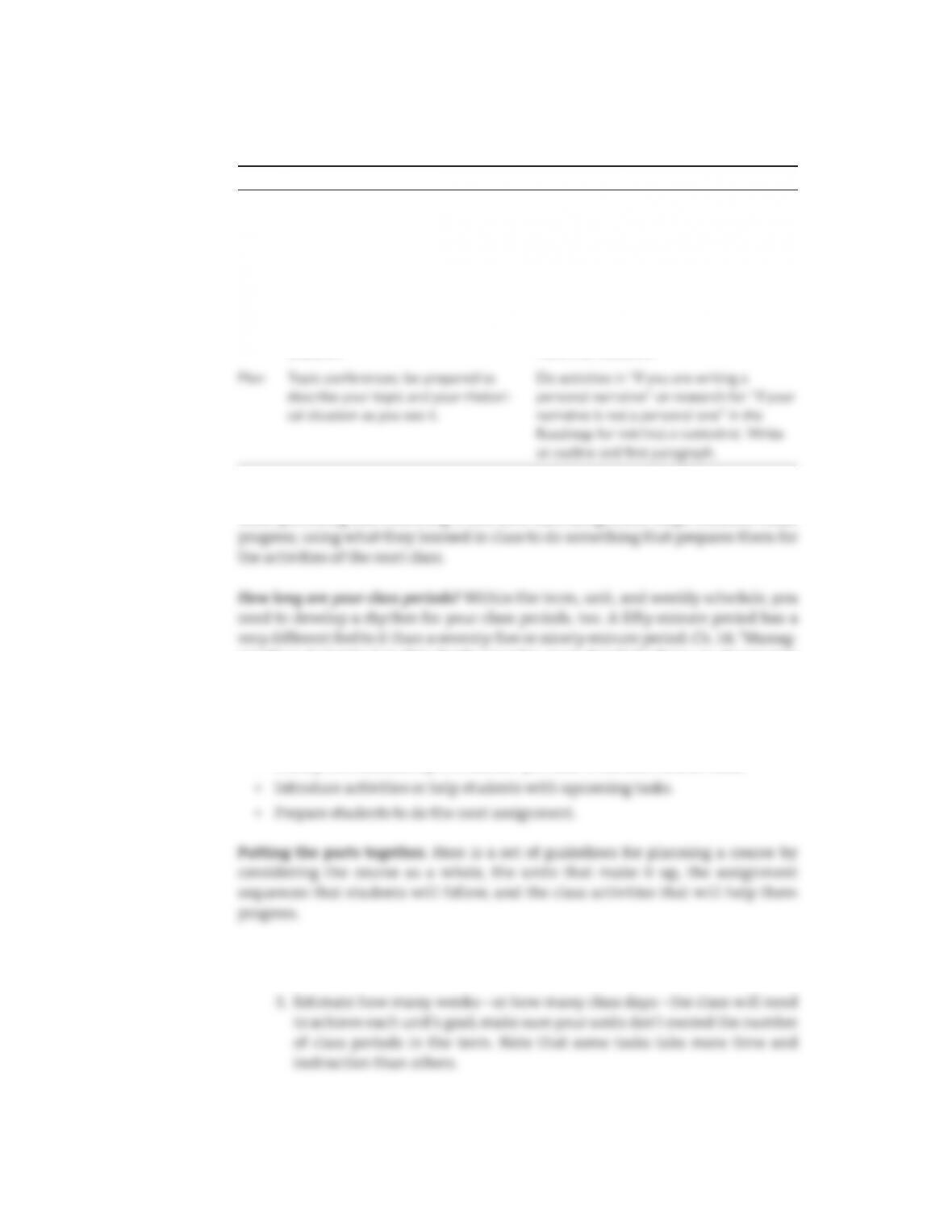
Sample Assignment Sequence: Tuesday- Thursday Schedule
Day In- Class Activities Assignment for the Next Class
Tue Introduce narrative assignment; begin
generating activities.
Read essays in Ch.12; write 1– page
responses to each.
Thu Workshop on choosing vivid,
descriptive details; mini– lesson on
organ izing a narrative.
Read “Or ga nize and start writing” in the
Roadmap for WRITING A NARRATIVE. Write a
complete draft, 3–5 pp. long.

[ PLANNING A WRITING COURSE ]
[ 232 ]
Charting your assignment sequences can help you see how each class relates to
those preceding and following it and how each assignment helps students make
ing Class Activities,” in this Guide provides more detailed advice on structuring
your class meetings, but in general, in an effective class period you will accom–
plish the following:
• Review what the class has done so far.
• Clarify the relationship of students’ previous work and current tasks.
1. Determine the goals of your course and what you must do to achieve them.
2. Decide on the number of units and what each will achieve.
Sample Assignment Sequence: Monday- Wednesday– Friday Schedule
Day In- Class Activities Assignment for the Next Class
Mon Introduce assignment; begin generat-
ing activities.
Read Brideau and Lewis essays in Ch.12;
write 1– page responses to each.
Wed Share responses and discuss essays;
go over characteristic features.
Read Luken essay in Ch.12; write 1– page
response.
Fri Discuss Luken essay; start developing
pos si ble topics through freewriting,
looping; introduce the rhetorical
situation.
Read “Choose a topic” in the Roadmap for
WRITING A NARRATIVE; choose a topic; read
and answer questions in “Consider your
rhetorical situation.”

15 % Designing a Writing Course [ 233 ]
4. Consider how much preparation students will need in order to write a
draft. For example, students might draft a narrative after a day or two of
generating ideas and material, but they might need several weeks to write
a report. Consider also what they will need to do— what assignments you
5. Plot out the unit on a calendar or chart, playing with the placement of the
due dates for each student assignment. Think about how much time each
Ch. 21, “Using Writing Activities in Class”; and Ch. 22, “Using Readings to
Teach Writing,” can help you create appropriate tasks for students to com-
plete on their own. For each unit, consider creating a plan in the form of a
table that provides you and your students with that information.
Below is an example for the fi rst two weeks of a course using Every one’s an Author.
Goals for the Day Class Activities Assignment
WEEK 1: Introduce students to FYC, to each other, to rhe toric, and to daily writing
3. Examine writing
pro cesses and
preferences.
the class.
2. We’ll go over the syllabus
and how this class will
work. Ask any questions
that come to you.
3. Discussion: What is
writing? How have you
used it?
2. A short list of ques-
tions about the book
and how we’ll use it
3. Fill out the Writing
Inventory and the
Writing Groups
Inventory.
(continued )

[ PLANNING A WRITING COURSE ]
[ 234 ]
Goals for the Day Class Activities Assignment
Thu Examine our ideas of
what it means to be an
author, a researcher, a
student— especially in
1. “What is an author?”
• Read aloud your response
to Tuesday’s assigned
Read: Chs.1–2
Writer’s Notebook:
Write out your de nition
WEEK 2: Discuss rhe toric and argument
Tue Mea sure your under-
standing of the reading
and assess the
collaboration in your
group.
• Quiz on readings
• Re ect on Ch.1, in- class
writing
• Share responses
Read: Ch.8
Writer’s Notebook:
Write a page re ecting on
your group meeting
today: What did or didn’t
Thu Establish individual
guidelines and
benchmarks for writing
In– class diagnostic essay and
re ective statement
Read: Ch.12, “Narratives
across Academic Disci-
plines, Media, Cultures
Being Prepared and Flexible
Creating a plan for your course can relieve much of the stress of teaching, espe-
cially the fi rst time you teach a course. Just don’t let it become a straitjacket that
confi nes, rather than enables. Students may need more or less time on a task than
15 % Designing a Writing Course [ 235 ]
your plans. Maintaining fl exibility to meet students’ needs and to anticipate the
unforeseeable is just as impor tant as knowing what you’ll do each day. You can
incorporate fl exibility into your plan in several ways. You can build a couple of
open class periods into your schedule at the end of a unit, so if you need more time
you can use those periods without squeezing the next unit’s schedule. Or you can
Useful Readings
Coxwell- Teague, Deborah, and Ronald F. Lunsford, editors. First- Year Composition:
From Theory to Practice. Parlor Press, 2014.
Deen, Rosemary. “Notes to Stella.” College En glish, vol. 54, no. 5, Sept. 1992,
pp. 573–85.
Yancey, Kathleen, et al., editors. Writing across Contexts: Transfer, Composition, and
Sites of Writing. Utah State UP, 2014.

[ 236 ]
IN MOST CLASSES YOU TOOK IN COLLEGE, the instructor gave you a syllabus
that provided an outline of the course. As an instructor, you may be required
to provide a copy of the syllabus for your own course to your department offi ce to
Contents of a Good Syllabus
A good syllabus anticipates and answers students’ questions:
• How does this course fit into the curriculum? Why am I taking it?
• What is the content or subject matter of the course?
• What books and materials must I have? What must I purchase? What will be
available through the library, online, in class, or as handouts?
• What are the rules for the course, for attendance, submitting work, and par–
ticipating in class?
sixteen
Creating a Syllabus
16 % Creating a Syllabus [ 237 ]
Building a Course Syllabus
A typical syllabus for a writing course contains much of the following informa-
tion but is unlikely to include all of it. Even if you don’t want to put an item in your
Basic Course Information
• Course title, section number, call number, and number of credits
• Room where the class meets and class time(s)
Your Personal Information
• Your name and title
• Your offi ce location, with directions if it’s hard to fi nd
• Your offi ce hours, email address, offi ce phone number, and website URL, if
you have one
Textbooks and Other Materials
• Each textbook’s title, edition, author, publisher, and date of publication; ISBN
number; clear identifi cation of required and recommended texts; URL of text–
book website
• Other required materials or fees (such as lab, printing, or photocopying fees,
fl ash drive, two- pocket folders)
Course Description
• Can repeat your school’s cata log description, or you may write one (or both)
• Typically includes the major themes, topics, knowledge, and skills to be
addressed in the course
[ PLANNING A WRITING COURSE ]
[ 238 ]
Course Objectives
• Cognitive: what students should understand
Course Requirements
• Summary of assignments and due dates
• Reading assignments
Course Calendar
• Reading assignments with due dates
• Deadlines for drafts and other proj ects
Grading Policies and Procedures
• The course grading system (A– F, pluses and minuses, points, percentages,
etc.)
• Penalties for late work (for example, “All assignments must be submitted
at the beginning of the class on their due date in order to receive credit”)
• Extra- credit policy, if any
• Policy on incomplete grades (for example, “No incomplete grades will
be given except in extreme circumstances”)
• Policy on incomplete portfolios (for example, “Incomplete portfolios will
receive an F”)
16 % Creating a Syllabus [ 239 ]
Academic Honesty Policy
• Your academic honesty policy must correspond with your department’s or
university’s policy. Check with your chair to see if there’s a prescribed ver–
sion to include.
Other Useful Information
• Campus resources such as a writing center, study skills center, technology
help desk, or counseling center
Some Tips to Help Students Do Well
• Most learning takes place out of class. The time students are expected to
work outside class is usually two hours for every class hour.
• Read each reading assignment several times. Once is seldom enough.
Course Rules
• Recording class discussions
• Eating food in classrooms
As you can see, a course syllabus may be quite elaborate—or it may be fairly brief.
Look at syllabuses for other courses like the one you’re teaching to see what instruc-
Useful Reading
Afros, Elena, and Catharine F. Schryer. “The Genre of Syllabus in Higher Education.”


[ 240 ]
WHEN YOU HEAR FACULTY complain that the writing their students sub-
mit to them is horrible, the fault often lies not so much with the ability
of the students but with the quality of the assignment. Vague, incomplete, poorly
Developing Assignment Sequences
When you plan assignments, think in terms of sequences that move students
through a series of activities toward the goal of a fi nished piece of writing. Reading,
working in groups, generating ideas and text, drafting, getting response, revising,
editing and proofreading, and evaluating— each of these activities helps students
Using Every one’s an Author
Every one’s an Author is designed to help you develop clear and effective assign–
ments. Each of the genre chapters (Ch. 11, ARGUING A POSITION; Ch. 12, WRITING A NARRA-
TIVE; Ch. 13, WRITING ANALYTICALLY; Ch. 14, REPORTING INFORMATION; Ch. 15, WRITING A
ples of each, including an annotated reading, so students can see how these fea–
tures function within a piece of writing. The next section is a Roadmap that guides
them from choosing (and researching, if necessary) a topic to forming a thesis,
seventeen
Designing Writing Assignments
17 % Designing Writing Assignments [ 241 ]
drafting, self– evaluating their work, getting feedback from readers, and revising. If
you’re new to teaching, you may fi nd those chapters to be useful models of success–
ful assignment sequences. If you’d like to design your own sequences, the activities
1. Introduce the assignment using representative examples and readings.
2. Identify the characteristic features of the genre (as defi ned in the genre
chapters 11–16 and the Research section, Ch. 23).
5. Ask students to generate ideas and text (with activities in each genre
chapter) and do appropriate research (Chs. 19–22).
6. Have students or ga nize their material, plan their text, and use appropri–
ate writing strategies following the Roadmaps.
7. Ask students to assess their drafts, get a response and revise, and edit and
proofread using the Roadmaps.
Of course, each of these steps may be expanded or contracted to suit the assign-
ment and the needs of your students. For example, you may give students only a
few days to generate ideas and text and or ga nize a memoir, on the assumption that
Making Your Expectations Clear
A good writing assignment gives students all the information they need to com-
lowing (adapted from Lindemann 212):
• Students’ interest in the topic and what they understand about it
• Purpose of the text— what it should try to accomplish
• Intended audience for the text
[ PLANNING A WRITING COURSE ]
[ 242 ]
All of the genre chapters provide questions for each ele ment in the rhetorical
situation as well as a list of each genre’s characteristic features. Here’s an exam–
ple of a good writing assignment:
Take a stand on an issue that a ects your life as a student, a worker, or a citizen.
Your argument should include a thesis declaring your explicit position, a response
to what others have said, appropriate background information, a clear indication
audience, so your stance should be thoughtful, balanced, and reasonable. Your
essay should be 4–6 pages long. You must submit a topic proposal on 5Febru–
ary, have a draft for peer review on 12February, and submit a complete draft by
19February.
This assignment provides students with considerable freedom to choose a topic
of interest to them while giving them a clear indication of the rhetorical situa–
Assigning Topics or Giving Choices
Whether you assign specifi c topics or let students choose their own depends on
numerous factors. If you want students to work together as a class on a proj ect,
you may assign a topic or a cluster of related topics on which individual students
or groups of students might work. When asking students to evaluate a fi lm, for
example, you might provide a list of suitable movies and ask groups of students
risk that your students may not find the topic as engaging or as in ter est ing as
you do. Even if your writing program offers courses identifi ed by their theme,
students more often sign up for courses by time of day and availability than
by course topic. Also you lose variety in your student drafts, something to con-
sider when it comes time to read and respond to twenty or twenty- fi ve drafts—or
17 % Designing Writing Assignments [ 243 ]
encountered. More importantly, you offer students the opportunity to explore
topics in which they have an interest, resulting in more engagement in the work
of your class and better writing. In general, don’t leave assignments completely
open. Stipulate a genre within which students must write, help students narrow
Helping Students Interpret Your Assignments
No matter how elaborately instructors defi ne assignments, students need to
interpret them in order to begin. Part of that interpretation involves making a
judgment about the ease or diffi culty of accomplishing the tasks. One student
may understand an assignment as requiring several hours of library research, the
creation of a detailed outline, and a schedule that will permit the writing of sev–
eral drafts. Another student in the same class, interpreting the same assignment,
examples of the amount and quality of work you expect. You don’t want your con–
scientious students spending hours on an assignment you consider a brief learn-
ing tool, and you want to prod your less conscientious students to adopt suitable
work habits.
Doing the Assignment Yourself
Whenever pos si ble, do assignments yourself before you give them to your stu–
dents. You will accomplish two impor tant things: (1) you can fi nd out whether the
assignment works—if it’s doable or leads to unanticipated diffi culties— before stu–
dents are led into a swamp; and (2) you develop an example that you can show

[ PLANNING A WRITING COURSE ]
[ 244 ]
Useful Readings
Gardner, Traci. Designing Writing Assignments. NCTE, 2008.
Lindemann, Erika. A Rhe toric for Writing Teachers. 3rd ed., Oxford UP, 1995.
Rankin, Elizabeth. “From Simple to Complex: Ideas of Order in Assignment Sequences.”