INSTRUCTOR’S MANUAL
to accompany
HOW ENGLISH WORKS
A Linguistic Introduction
Third Edition
Anne Curzan
University of Michigan, Ann Arbor
Michael Adams
Indiana University
Boston Columbus Indianapolis New York San Francisco Upper Saddle River
Amsterdam Cape Town Dubai London Madrid Milan Munich Paris Montreal Toronto
Delhi Mexico City São Paulo Sydney Hong Kong Seoul Singapore Taipei Tokyo

Instructor’s Manual to accompany Curzan/Adams, How English Works: A Linguistic
Introduction, Third Edition

iii
CONTENTS
Instructor Resource Center v
MyCompLab vii
Chapter 1 A Language Like English 1
Chapter 2 Language and Authority 9
Chapter 3 English Phonology 17
Chapter 4 English Morphology 29
Chapter 5 English Syntax: The Grammar of Words 37
Chapter 6 English Syntax: Phrases, Clauses, and
Sentences 45
Chapter 7 Semantics 53
Chapter 8 Spoken Discourse 61
Chapter 9 Stylistics 69
Chapter 10 Language Acquisition 77
Chapter 11 Language Variation 83
Chapter 12 American Dialects 89
Chapter 13 History of English: Old to Early
Modern English 97
Chapter 14 History of English: Modern and
Future English 103
Answer Key 109
Instructor Resource Center
GETTING REGISTERED
To register for the Instructor Resource Center, go to www.pearsonhighered.com
and click “Educators.”
1. Click “Download teaching resources for your text” in the blue welcome
box.
2. Request access to download digital supplements by clicking the “Request
Access” link.
Follow the provided instructions. Once you have been verified as a valid Pearson
instructor, an instructor code will be e–mailed to you. Please use this code to set
up your Pearson log–in name and password. After you have set up your user
name and password, proceed to the directions below.
DOWNLOADING RESOURCES
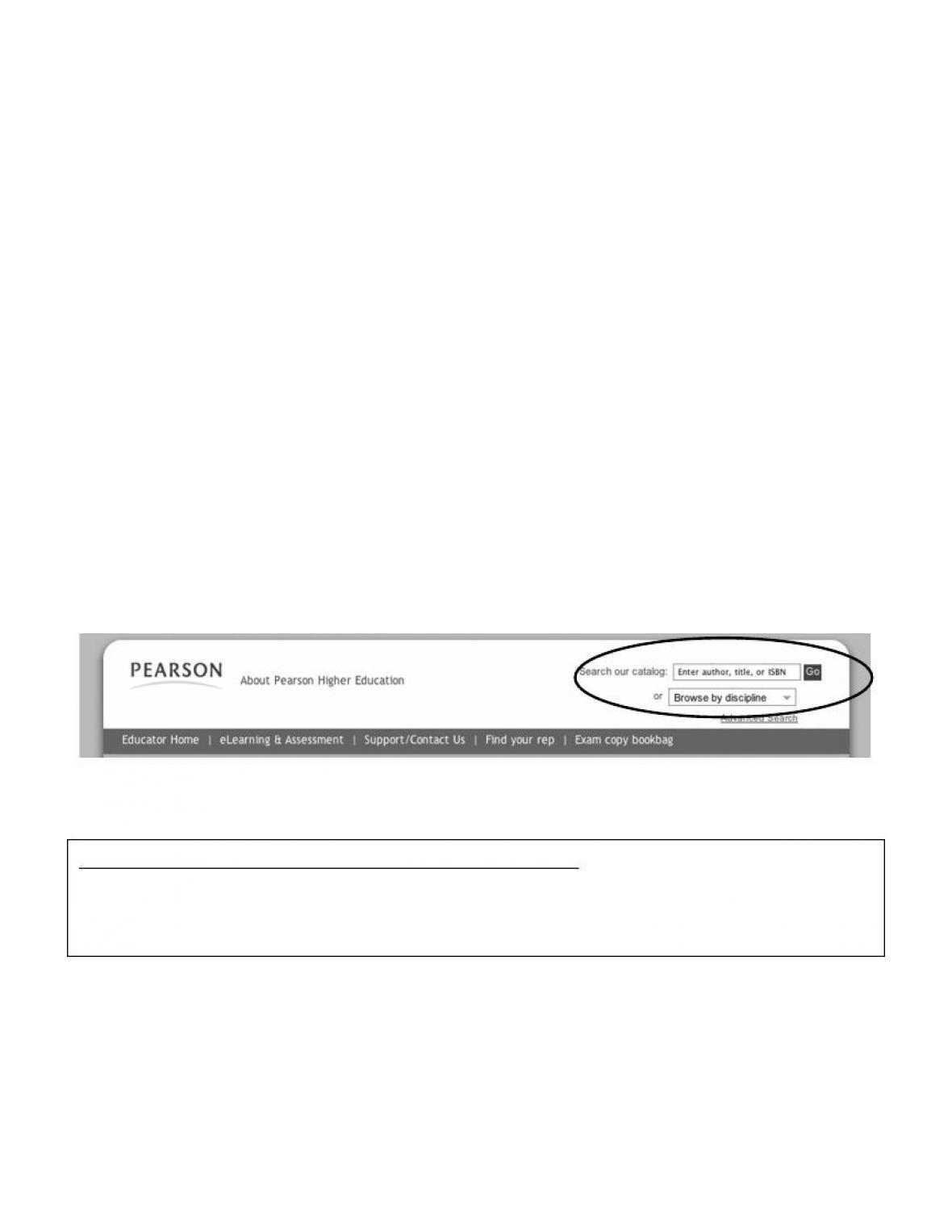
1. Go to http://www.pearsonhighered.com/educator and use the “Search our
catalog” option to find your text. You may search by Author, Title, or ISBN.
2. Select your text from the provided results.
How English Works: A Linguistic Introduction, 3/e
Curzan & Adams
©2012 / Longman / Paper, 576 pp / Instock
ISBN–10: 0205032281 / ISBN–13: 9780205032280
vi
3. After being directed to the catalog page for your text, click the Instructor
Resources link located under the Resources tab.
Clicking the Instructor Resources link will provide a list of all of the book–
specific print and digital resources for your text below the main title. Items
available for download will have a icon.
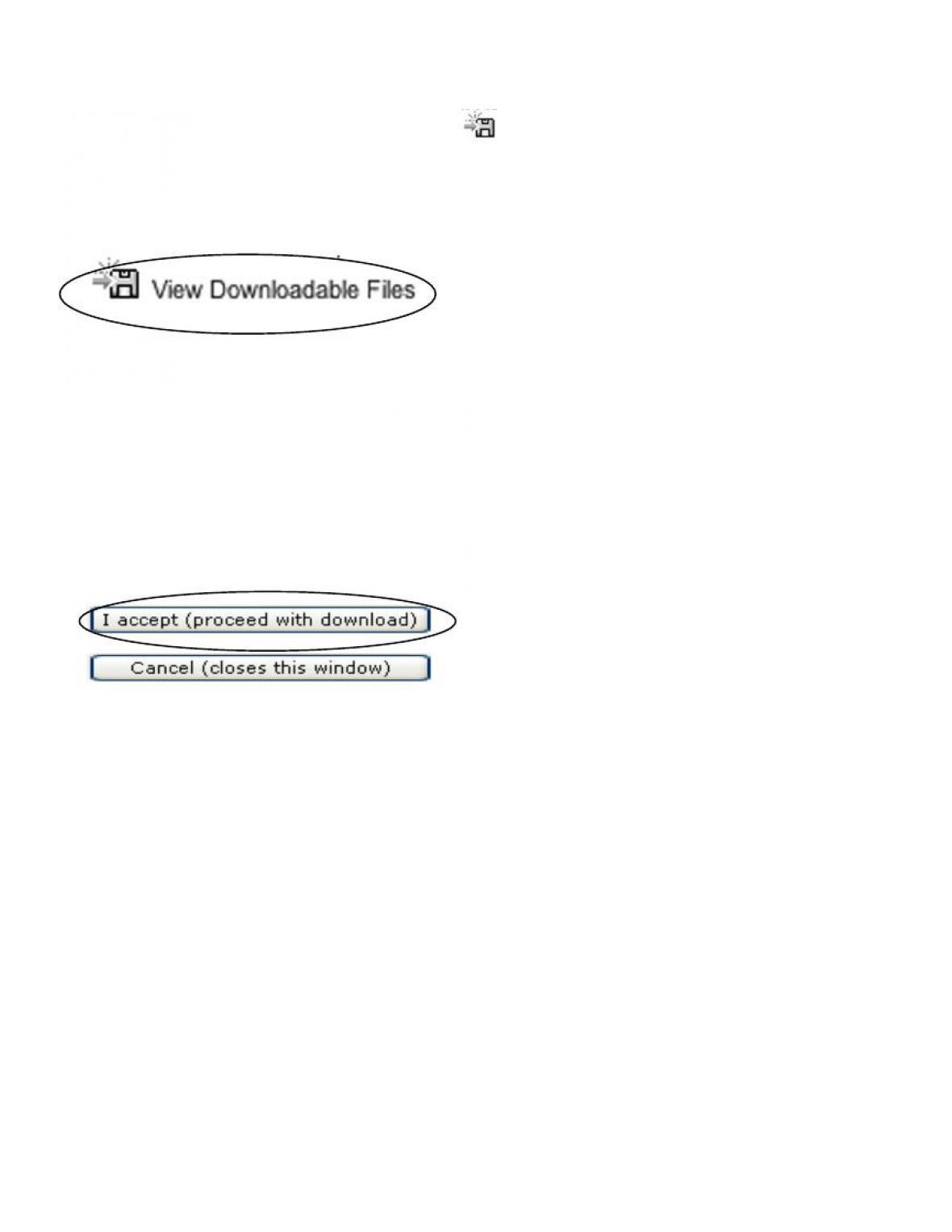
4. Click on the View Downloadable Files link next to the resource you want to
download.
A pop–up box will appear showing which files you have selected to
download. Once you select the files, you will be prompted to log in with an
Instructor Resource Center log–in.
5. Enter your log–in name and password, and click the “Submit” button.
6. Read the terms and conditions and then click the “I accept” button to begin
the download process.
7. “Save” the supplement file to a folder you can easily find again.
Once you are signed into the IRC, you may continue to download additional
resources from our online catalog.
Please “Sign Out” when you are finished.
vii
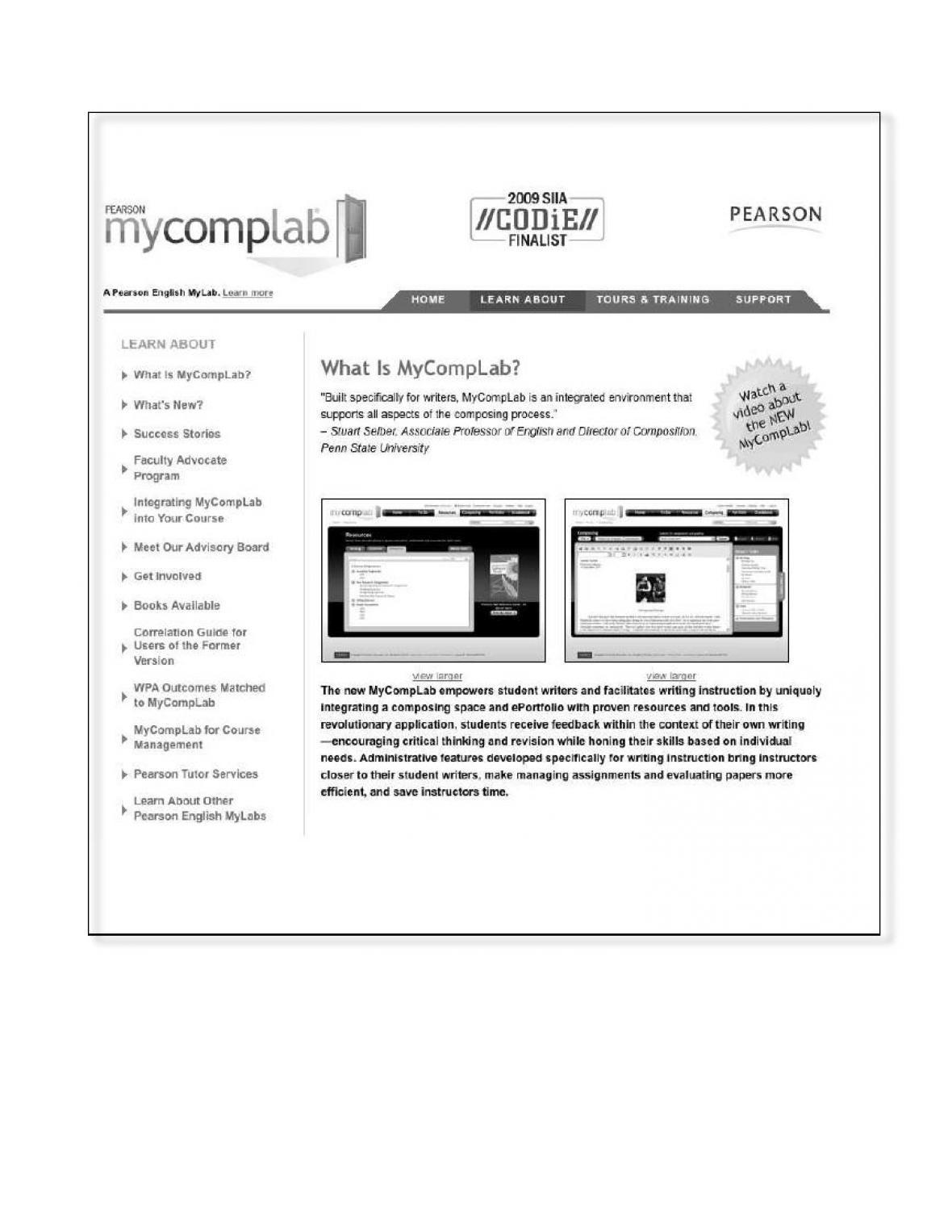
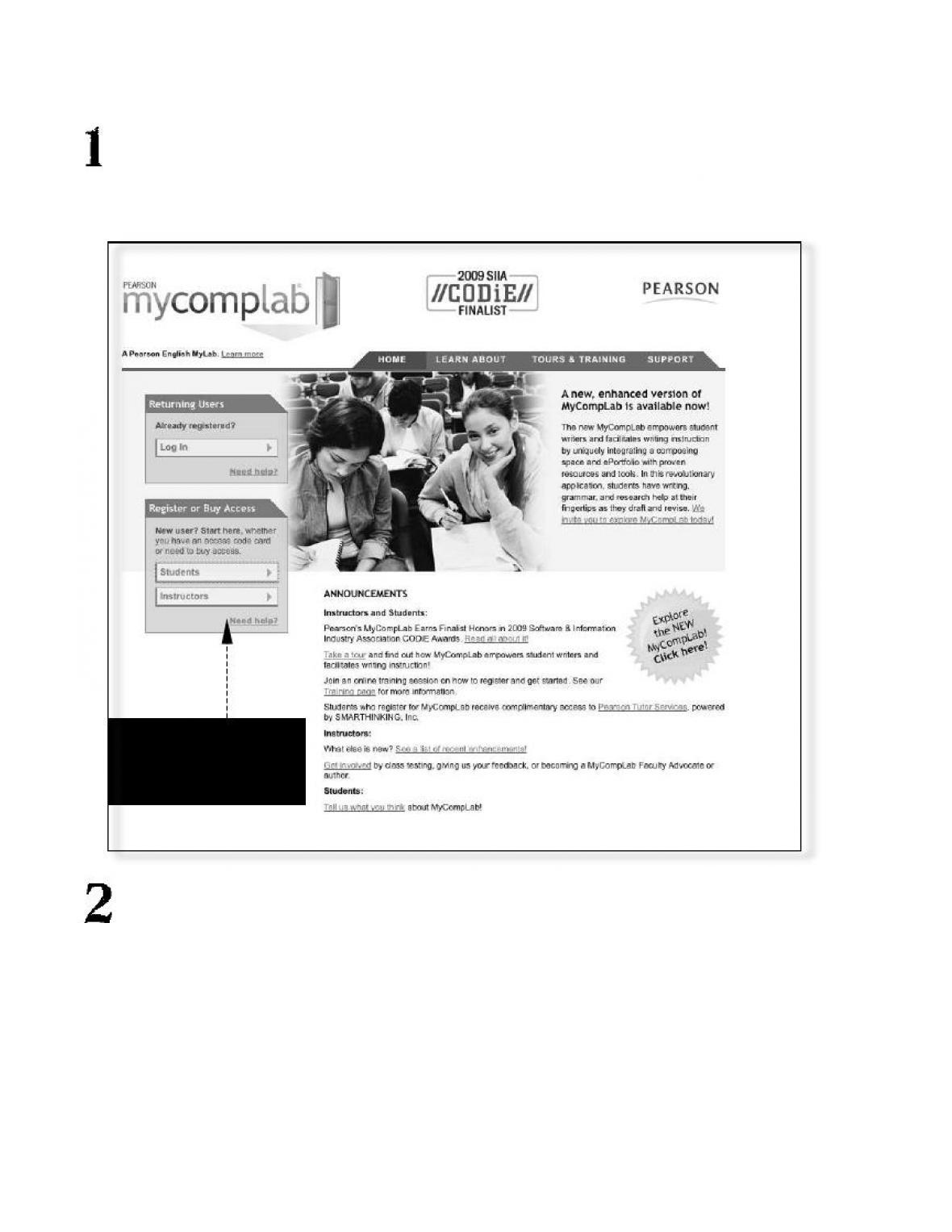
What Is MyCompLab™?
viii
How Do Students Register?
It is easy to get started! Simply follow these easy steps to get into your
MyCompLab™ course.
Find Your Access Code (it is either packaged with your textbook, or you
purchased it separately). You will need this access code and your CLASS ID
to log into your MyCompLab™ course. Your instructor has your CLASS ID
number, so make sure you have that before logging in.
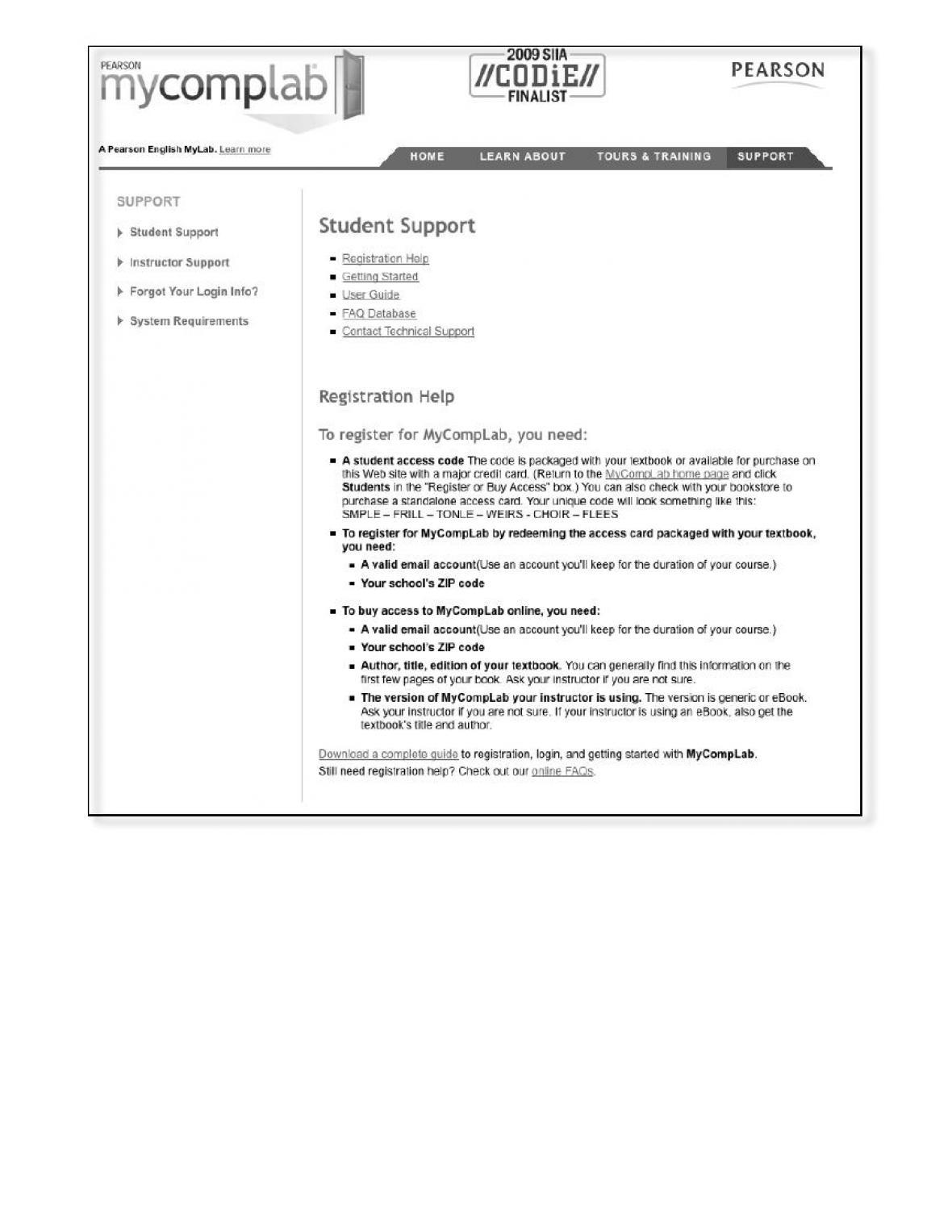
Click on “Students” under “First–Time Users.” Here you will be prompted to
enter your access code, enter your e–mail address, and choose your own
Login Name and Password. Once you register, you can click on
“Returning Users” and use your new login name and password every
time you go back into your course in MyCompLab™.
When you are ready to
log in, click on First–
time user
ix
More on Registering

x
Resources
MyCompLab™ provides Resources topics in writing, grammar, and research. These
Resources are available to all users of MyCompLab™, whether you are working on your
own or in an instructor’s course.
Each topic includes instructional, multimedia, and/or exercise resources.
• Instructional resources define concepts and provide examples of the concept.
For some instructional resources, a QuickCheck appears at the end of an
instruction. A QuickCheck is one or two questions or examples, and you select
the correct answer or example. MyCompLab™ then displays a pop–up
identifying whether your answer is correct or incorrect and why.
For eBook courses, the instructional resource list also has a link to the relevant
section in the eBook.
• Multimedia resources, when available, are typically audio clips or videos that
reinforce a concept. The multimedia resources include animated and narrated
tutorials that range from grammar topics, strategies for developing a draft,
guidelines on peer reviews, and tutorials on avoiding plagiarism to deciding on
the topic for a paper.
• Exercises provide you with the opportunity to practice and apply what you have
learned. MyCompLab™ provides immediate feedback to your answers, letting
you know whether your answer is correct or incorrect, which answer is correct,
and why that answer is correct. MyCompLab™ also provides refresher
resources to further reinforce the concept. The results of these exercises are
logged in your Gradebook’s Practice Results.
Most topics have multiple sets of exercises to provide extensive practice.
However, once you complete all the exercises for a topic, MyCompLab™
displays a Take Again link so you have the option of reworking a topic’s
exercises. The score you get when you retake the exercises replaces the original
score.
TIP: A topic’s exercises can be recommended by MyCompLab™ based on the results of
a diagnostic assignment or by your instructor when commenting on your writing
submissions.
MyCompLab™ organizes instruction, multimedia, and exercise content by topic.
However, you also have access to a Media Index that organizes the content by type (for
example, all videos in one list).

1
CHAPTER 1
A Language Like English
CHAPTER OVERVIEW
This opening chapter of How English Works has three primary goals: 1) to
engage students in the study of the English language and show them how
material in the book may challenge some of their assumptions about the
English language; 2) to provide foundational material on the nature of
language; and 3) to highlight how all living languages change over time.
From the very beginning, the book connects the systematic study of the
English language with students’ everyday experience with language, from
new words to speakers’ judgments about usage to subtle language changes
students can see and hear around them—once they know what to look and
listen for.
We recommend assigning the Introductory Letter to students along with
Chapter 1: it frames the goals of the book for students and introduces the
idea that students bring prior understandings to the study of the English
language that the book may challenge. If instructors want to further
discuss the prior understandings about language that students bring to the
course, some of the material in the Introductory Letter will prove a useful
starting point, as will the story of aks in Chapter 1.
In keeping with these goals, Exercise 1.1 aims to show students how much
they already know intuitively about the structure of English; Exercise 1.3
asks students to apply the introductory information in this chapter about
language variation and change and about language attitudes to a real-world
dilemma involving aks; and Exercise 1.4 is designed to spark students’
curiosity and exercise their linguistic muscles by thinking through these
interesting language changes.

2
LEARNING OBJECTIVES
By the end of this chapter, students should be able to:
• Explain the different components of the following basic definition of
language: “Human language is a conventional system of signs that
allows for the creative communication of meaning.”
• Define linguistics.
• Explain what linguists mean that language is “rule-governed.”
• Counter the myth that words cannot hurt.
• Explain the arbitrary relationship of the signifier and signified, as well
as the relationship of the signifier and signified to the linguistic sign.
• Differentiate between langue and parole, linguistic competence and
linguistic performance.
• Describe how the terms grammar and grammatical are used in
linguistics, as opposed to in everyday conversation.
• Describe the communication systems used by birds and bees and
explain how human language is fundamentally different.
• Describe the attempts to teach chimps and bonobos human language
and explain what bonobos have and have not been able to achieve in
the acquisition of human-like language.
• Explain the motivation for constructing language family trees and the
evidence by which historical linguists construct them.
• Identify how German, French, English, and other languages are related
within the Proto-Indo-European family tree.
• Explain why linguists argue that language change, which happens in
all living languages, is best thought of as neither progress nor decay,
no matter how speakers may feel about particular changes.
NEW VOCABULARY TERMS
cognate
diachronic
dialectology
discourse analysis
displacement
etymon

3
grammar
grammatical
historical linguistics
langue
lexicography
linguistic competence
linguistic performance
linguistic sign
linguistics
metathesis
morphology
parole
phonetics
phonology
pragmatics
proto-language
psycholinguistics
recursion
reflex
semantics
signified
signifier
sociolinguistics
stylistics
synchronic
syntax
WHERE STUDENTS ARE
• Students may not be expecting a course on the structure of the English
language or on introductory English linguistics to engage the language
that they know and use everyday, so it can be useful to set that tone on
the very first day of class.
• Students, like all other speakers of the English language, will enter the
course with strong preconceived ideas about right and wrong, about
slang, etc. It can be useful to acknowledge this fact from the beginning
and perhaps even try to generate together as a class what some of these
ideas are.
• Given the ways that they have heard grammar and grammatical used
in school before, many students will benefit from extra review and
emphasis on how these terms, as well as the term rule-governed, are
used in linguistics.
• Students often have much to contribute to a discussion about attitudes
toward language change and the “degenerating” language of “young
people.”
• Students often find additional examples of cognates helpful for
understanding how language reconstruction works.

4
IN-CLASS ACTIVITIES
Introduction to the Study of the English Language
On the first day or two of the course, the key is to find hooks for students
that show them how the systematic study of the English language relates
to their own use of, and experience with, language. We have tried to
provide many of these in the book, and it helps to complement these with
additional examples in class. Teasers, if you will. Here are a few ideas:
Words of the Year: On the American Dialect Society homepage
(http://www.americandialect.org), you can find the winners, as well as all
the other contestants in the various categories (e.g., Word of the Year,
Most Creative Word of the Year, Most Useful Word of the Year) for the
past few years. You can pick highlights for your students or give them a
mock ballot and ask them to choose their own winners. This exercise
emphasizes the fact that language is changing all the time.
Slang: Find a pop or hip hop song that uses a current slang word in the
lyrics (for example, “My Boo,” a duet by Usher and Alicia Keys, or one of
the many hip hop songs that use the verb bounce). In small groups, ask
students to provide a dictionary definition of the word. Share these
definitions and then read them a definition from a published dictionary
(which will probably not have this meaning). Should this meaning be
recorded in the dictionary or not? This exercise emphasizes language
change and questions of language authority.
Nicknames: Learning students’ names on the first day or two of class can
be a good opportunity to talk about nicknames. For those with nicknames,
who is allowed to use particular ones? How do students respond when
others get their name wrong, mispronouncing it or shortening it without
permission or creating a new nickname for them? This discussion usefully
touches on issues at the heart of the relationship between language and
power.

5
A Puzzle: Give students a language puzzle or two. For example, what do
pizza, mind, and gossip all have in common? The answer: We have or give
a piece of each. Or why can’t or don’t we say “I and my friend…”? Or
how many different ways can they use like? Or how can unpacked mean
both ‘with the contents removed’ and ‘with the contents still inside, yet to
be removed’?
Definitions of Grammar
On the first or second day of class, you can give students a sheet or half-
sheet of paper with the title “What Grammar Means to Me.” Have them
write for ten minutes or so, being completely honest about their
connotations of the word and their previous experiences with grammar.
You can then collect these and, in the next class, read some of the
highlights, or compile a handout with excerpts from their responses. This
exercise can be an engaging way for students to talk about the different
meanings of the word grammar and for you to learn about the prior
understanding of grammar that students are bringing to class with them.
Linguistic Autobiography or Self-Reflection
As a way to get to know your students and to encourage them to reflect on
the role of language in their own lives, you can ask them to write a brief
linguistic self-reflection or autobiography. We recommend requiring that
the final piece have an overarching argument, so that it is not just a collage
of memories and reflections, not yet coherently organized or connected.
But for students to get started, it can help to provide them with a few
questions that can serve as jumping-off points, such as: Do you speak
more than one language or dialect, and if so, how do you negotiate
between them? Has anyone ever commented on the way you talk? Do you
remember when you first noticed that other people spoke differently from
you? Are you more comfortable with the written or spoken language? In
what ways do you see your language as part of your identity? If students
are willing, you can share excerpts from these with the class as a whole.
You can also ask students to revisit these self-reflections at the end of the

6
term to see if they are thinking differently about any of the issues they
discussed.
Animal Communication
It is one thing for us to talk or write about chimps and bonobos using and
understanding language and another for students to see it. There are
several good videos available, including:
Signs of the Apes, Songs of the Whales. New York: Ambrose Video, 1984.
Washoe: The Monkey Who Communicates through Sign Language.
Princeton, NY: Films for the Humanities, 1997.
It is also possible to see video clips of Kanzi and other bonobos at:
http://www.greatapetrust.org/great-apes/bonobos/.
Attitudes about Accents
The box “What Makes Us Hear an Accent?” can generate very productive
discussions with students. Many of them will have had experiences with
instructors who speak English with an accent, often because the instructors
are speakers of English as a second or foreign language. Does this study
make them reflect on that experience any differently?
Arbitrariness of the Linguistic Sign
Most students easily grasp the idea that the connection between the
signifier and signified is arbitrary. It can be fun to spend a little more time
on linguistic signs that are not arbitrary: onomatopoeia and sound
symbolism more generally. You can provide students with a few spellings
of sounds (e.g., <sh, sl, fl>), ask them to brainstorm words beginning with
these sounds, and then ask them to describe what these sounds often refer
to. Or, if you have speakers of various languages in your class, you can

7
review the differences among languages for various onomatopoetic words
(e.g., meow, woof).
Cognates
Create a list of Latin borrowings in English that have native English
cognates and ask students to guess the cognate. They can start to find
patterns in the sound changes if you give them enough examples (e.g.,
Latin /k/ and English /h/, described in the book). So, for example, Latin-
based fraternal/English brother; Latin-based pedestrian/English foot;
Latin-based paternal/English father.
Attitudes about Language Change
Ask students to monitor the newspaper for a week and clip language
columns. Do these columns lament changes in English or celebrate them?
Why is everyone so interested in language?
In the third edition, we have added a “A Question to Discuss” box about
language peeves (p. 24), which should help students start to rethink some
of their prior understandings about what is “right” and “wrong” in
language usage.
INTEGRATING THE HOMEWORK
Homework Progression
The exercises can be used in any order and in any combination. Exercises
1.1 and 1.4 are designed to engage students with their own intuitive
knowledge of the English language and with evidence of language change
all around them. Using Exercise 1.4, emphasize for students that they are
not expected to know the answer, but they should do their best to figure
out a plausible answer. Exercise 1.2 aims to assess students’ understanding
of what it means to say that language is infinitely creative. In Exercise 1.3,
students must grapple with the realities of linguistic prejudice against the

8
form aks by answering the letter as if they were the Ethicist. Near the end
of the term, you could revisit these responses to see if students would
answer the question differently than they did at the beginning of the term.
In-Class Activities Based on Homework
Exercise 1.1 is designed for a follow-up in-class activity in which students
exchange stanzas and try to translate each other’s made-up words.
Exercise 1.4 works very well for an in-class review of the answers, as
students typically very much want to know the “real answers” after they
have tried to work out plausible explanations on their own.
EXTRA RESOURCES
Many history of English textbooks, such as C. M. Millward’s Biography
of the English Language, provide additional examples of English/Latin
cognates as part of the discussion of the Germanic sound changes
(Grimm’s and Verner’s Laws).