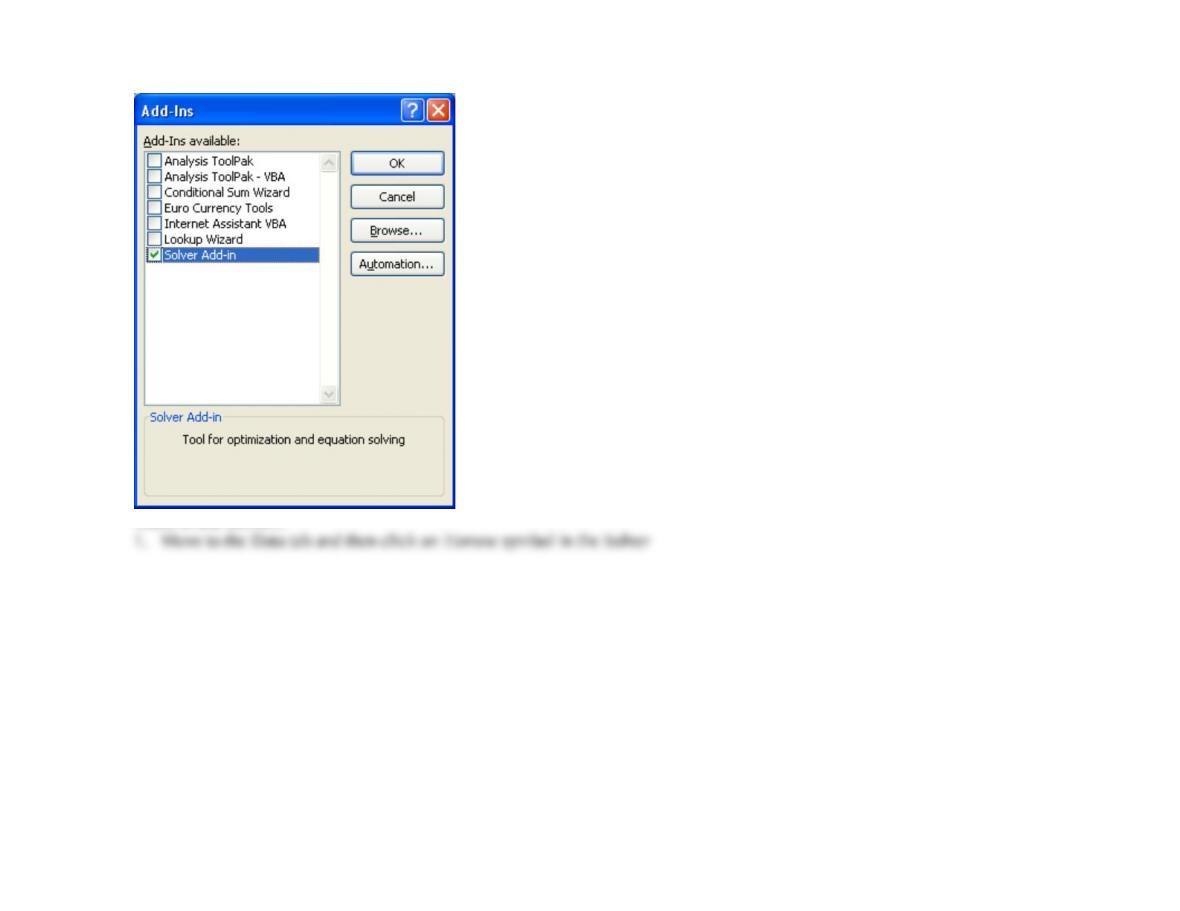
Then, to use Solver:..
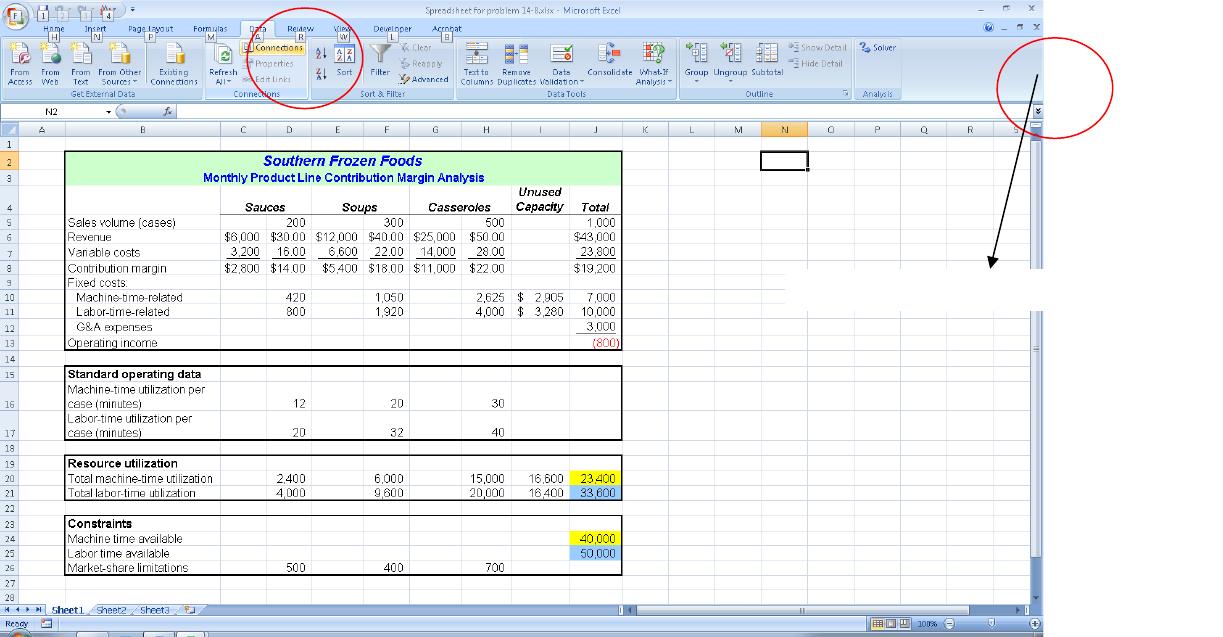
…
….
2. Then enter the values in the cells in the Solver pop-up window as instructed in the article :
Click on the ?/arrow symbol
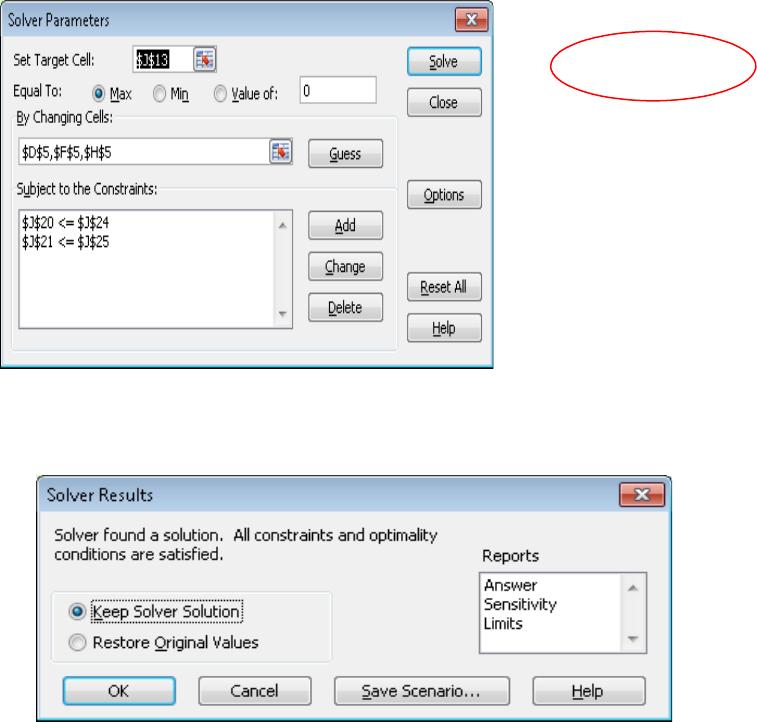
3. Choose “Keep Solver Solution” and click OK
4. The result is the following spreadsheet as shown in the
article:
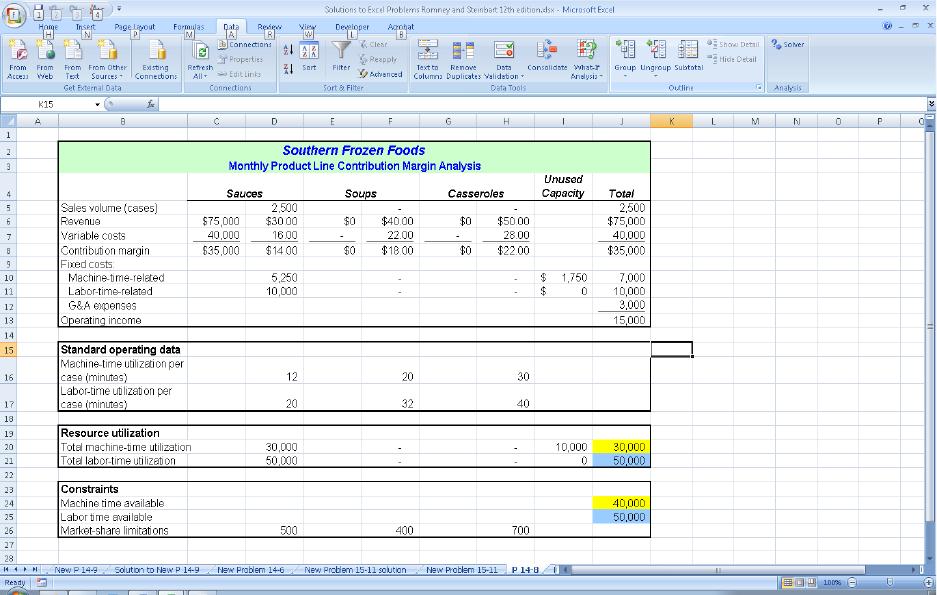
5. Students should save screen shots to show that they have followed the remaining steps in the article.
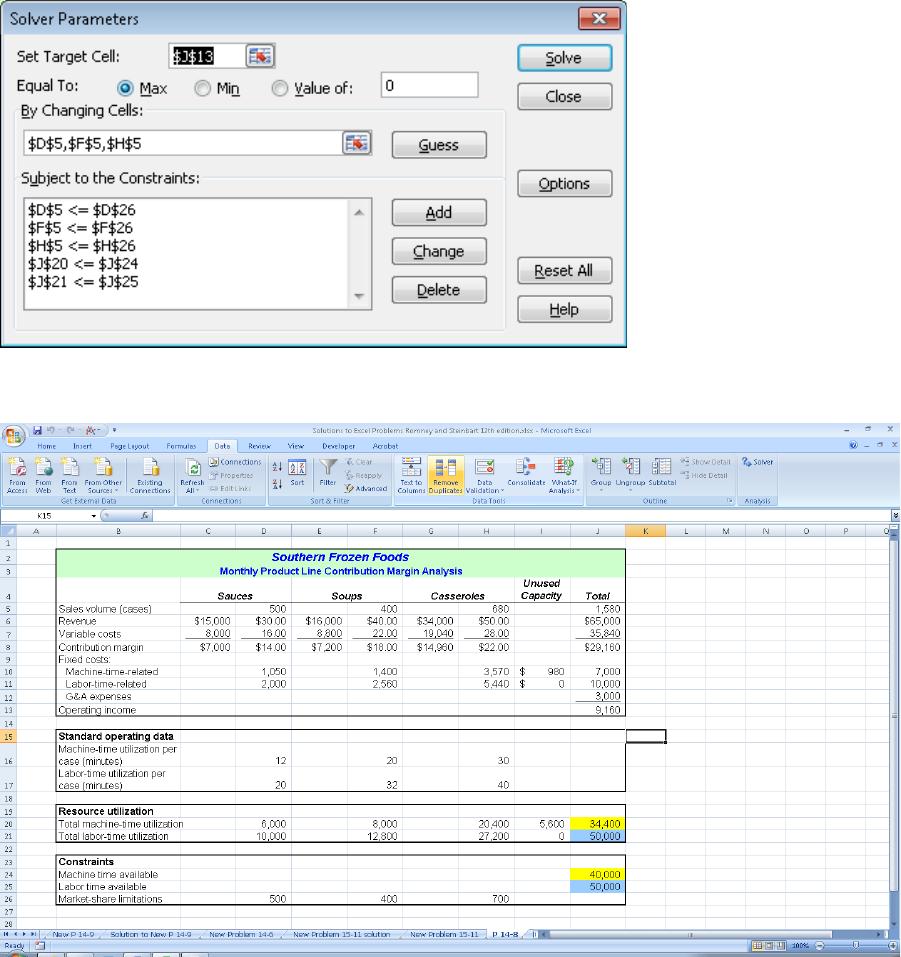
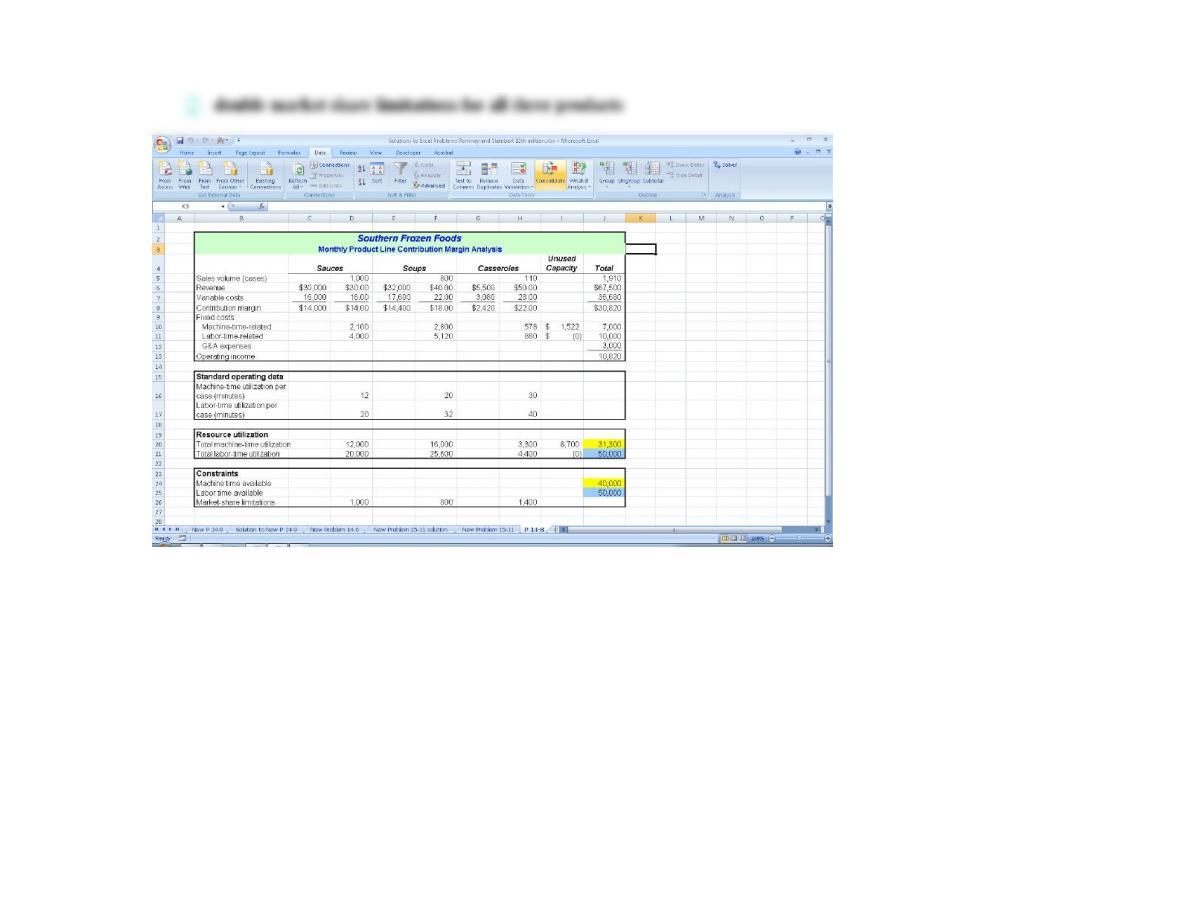
Clicking “Solve” and then “Keep the Solver Solution” yields the following spreadsheet, as shown in the article:
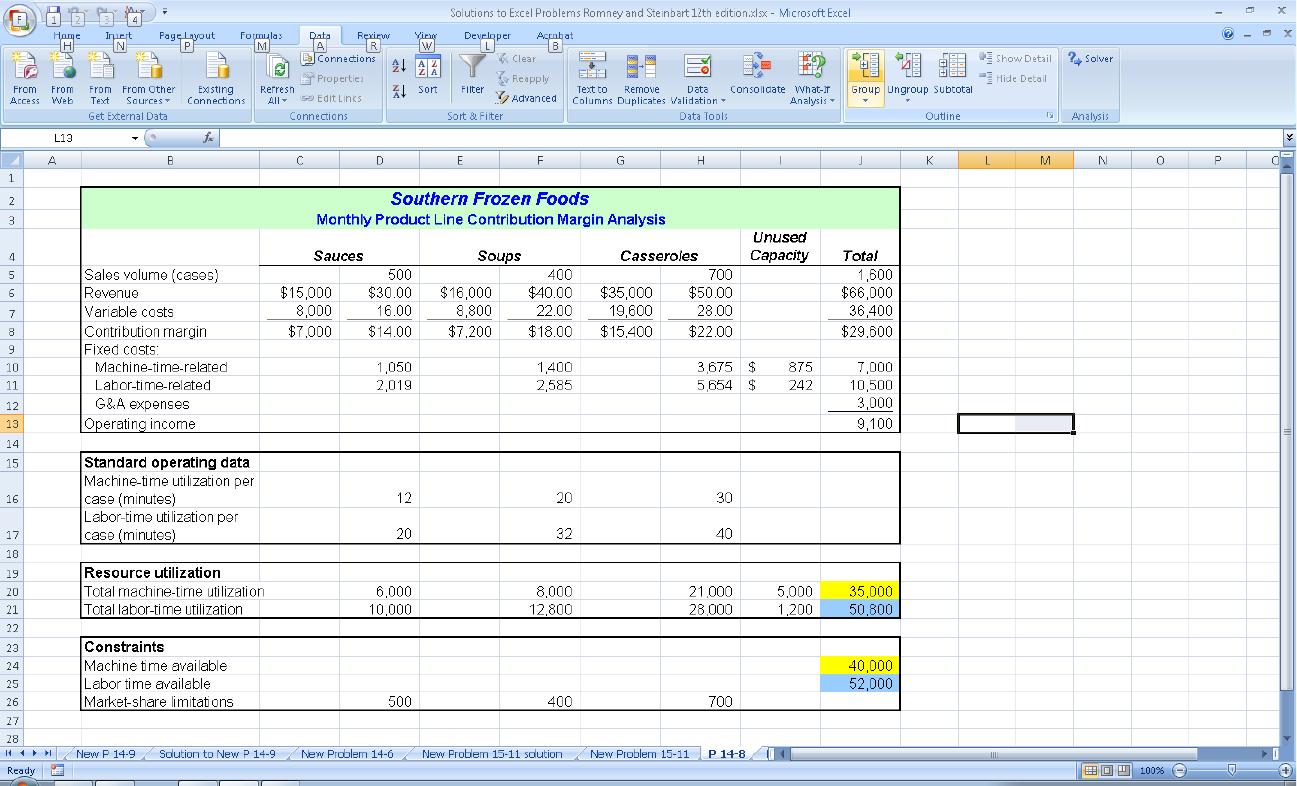
Finally, adjusting the total amount of labor hours and dollars and re-running the Solver yields the final spreadsheet depicted in the
article:
c. Rerun the Solver program to determine the effect of the following actions on income (print out
the results of each option):