0
Module 20 – Making Oral Presentations
Module 20
Making Oral Presentations
LO 20-1 Apply strategies for good presentation plans.
LO 20-2 Apply strategies for strong openers and closes.
LO 20-3 Apply strategies for best vocal delivery.
LO 20-4 Apply strategies for good presentation organization.
LO 20-5 Apply strategies for effective presentation delivery.
LO 20-6 Explain techniques for audience question responses.
LO 20-7 List guidelines for group presentations.
Module Overview
As Module 20 explains, oral presentations are common in the workplace, and learning to
comfortably speak in front of an audience is a valuable skill—whether at a sales meeting, while
giving a speech, or when leading a group of visitors on a tour. Yet, many people will admit that
they feel uncomfortable speaking in front of people, especially strangers. Some will let their fear
of speaking in public keep them from succeeding as speakers or advancing in their careers.
Teaching Tip: Use the techniques in this module in your own classroom
presentations. Where possible, bring working professionals who are good public
speakers into your class and have them present to your students on relevant business
topics. Alternatively, use video presentations (provided you have permission, of
course).
Tell your students the good news is that public speaking is a learned skill. Even accomplished
speakers had to begin somewhere. The key is to know and practice the skills that make a person
an effective speaker. While some people may seem to have a natural talent while giving an oral
presentation, anyone can learn to give oral presentations.
Teaching Tip: Share with students some of your own challenges and successes while
learning to be an effective public speaker.
© 2014 by McGraw-Hill Education. This is proprietary material solely for authorized instructor use. Not authorized for sale or distribution in any
manner. This document may not be copied, scanned, duplicated, forwarded, distributed, or posted on a website, in whole or part.
20-1
0
Module 20 – Making Oral Presentations
In-Class Exercise: Some cultures may seem to negatively reinforce public speaking
in young people. For instance, American high schoolers sometimes ridicule
assembly speakers or shun the student who frequently answers teacher questions in
class. Ask students to share for 10-15 minutes experiences they may have had or
witnessed where public speaking was negatively reinforced. What were these
experiences? When did they occur? What specifically did people do? After
students have shared negative experiences, ask them to think about positive ones.
When were they rewarded for public speaking? What did they learn about
themselves afterward? Did their positive experiences lead to others? Many students
may be surprised to learn that despite their negative perception of public speaking,
they’ve actually had many—perhaps significantly more—positive experiences, too.
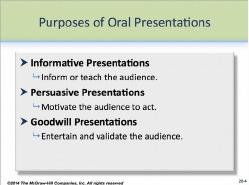
Oral presentations have the same three basic purposes as written messages: to inform, to
persuade, and to build goodwill. Like written messages, most oral presentations serve more than
one purpose.
As PP 20-4 shows, oral presentations can:
Inform
Persuade
Build goodwill
Teaching Tip: Unit 2 covers strategies for building goodwill. For more information
on informative messages, students should read or review Module 10. For
information on persuasion, students should review Module 12.
What’s in This Supplement
This supplement is organized around the major questions posed in Module 20. It covers
Part 1: Key Lecture Points, Teaching Tips, and In–Class Exercises Page 325
Part 2: Answers to Textbook Assignments Page 338
Part 3: Appendix of Handout/Transparency Master Page 339
© 2014 by McGraw-Hill Education. This is proprietary material solely for authorized instructor use. Not authorized for sale or distribution in any
manner. This document may not be copied, scanned, duplicated, forwarded, distributed, or posted on a website, in whole or part.
20-2

0
Module 20 – Making Oral Presentations
PowerPoint presentations can be found at our Web page at www.mhhe.com/bcs6e.
Questions (with answers) suitable for quizzes are in the Instructor’s Test Bank. For student
practice quizzes with answers, see our Web page.
Part 1: Key Lecture Points, Teaching Tips, and In-Class Exercises
What decisions do I need to make as I plan a presentation? LO 20-1
Choose your main point, the kind of presentation, and ways to involve the audience.
Oral presentations must be simpler than written messages because audiences for oral
presentations are unlikely to be able to absorb as much information as audiences for a written
document. And unless the presentation is recorded, they have no way of reviewing it later if they
have questions.
Therefore, the key to planning a presentation is to simplify. Keep the supporting details simple,
the language simple, and the visuals simple. Beyond simplifying, though, speakers must
carefully plan the presentation they intend to give.
Teaching Tip: Ask students if it’s OK to use jargon with audiences that understand
it. Does jargon simplify things for audiences that understand it? When would using
jargon be a bad idea? What might be strategies to use jargon if audiences include a
mix of people familiar and unfamiliar with it?
Planning a presentation involves several steps, as indicated on PP 20-6:
Your main point.
The kind of presentation.
Ways to involve the audience.
Speakers obviously must understand what overall point they wish to
make prior to making it. They must make that point clear to the audience—as simply as
possible.
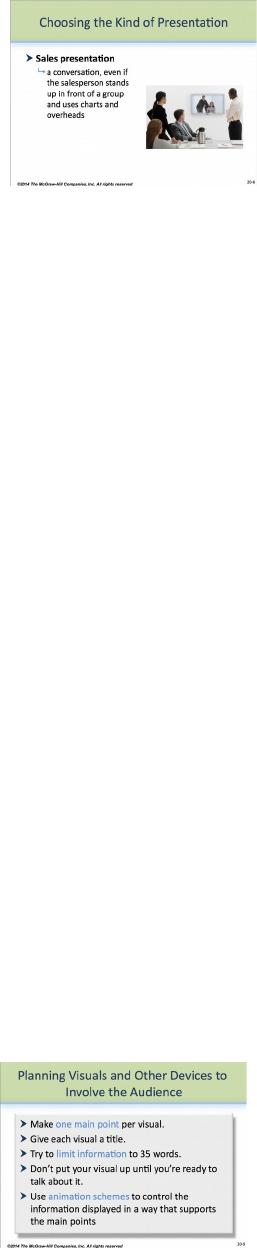
As PP 20-7 and PP 20–8 also show, there are three basic kinds of
presentations:
© 2014 by McGraw-Hill Education. This is proprietary material solely for authorized instructor use. Not authorized for sale or distribution in any
manner. This document may not be copied, scanned, duplicated, forwarded, distributed, or posted on a website, in whole or part.
20-3
0
Module 20 – Making Oral Presentations
Monologue Presentations
Guided Discussions
Sales Presentations
Monologue presentations are what students typically learn in high school
and some college public speaking courses. As the name suggests, the
speaker speaks without interruption to an audience, who may ask
questions after the presentation is over. Guided discussions are similar to classroom discussions,
in that the speaker acts as a facilitator, interacting with the audience. Sales presentations are
what many people envision when they think of business presentations—opportunities to discuss
an idea or proposal before a group of people, usually in a formal but still conversational format.
In-Class Exercise: Ask students to share for 10-15 minutes what they believe are the
strengths and weaknesses of each type of presentation. Which would be appropriate
for which business situations, such as introducing a new product, teaching staff a
new skill, appealing to local government leaders for a change in zoning, or
presenting awards to employees? Which would work better for large audiences?
Smaller audiences? Which give the speaker the best opportunity to inform?
Persuade? Build goodwill?
In-Class Exercise: Have students write a 1- to 2-page memo describing the most
effective public speaker they’ve seen. What made that person’s approach effective?
Use of visuals? What was it about the person’s behavior—use of eye contact, tone
of voice, use of gestures, and so forth—that worked? What can the student learn
from that individual about making an oral presentation?
Ways to involve the audience include using visual aids, such as transparencies, PowerPoint
slides, and video or multimedia.
Teaching Tip: Have students read or review the principles on designing slides and
screens in Module 5. If you are in a computer-equipped classroom, build time into
your class for students to learn PowerPoint or similar presentation programs. Have
students test their slides out on each other.
As PP 20-9 also shows, speakers should follow these guidelines when using visuals:
Make only one point per visual.
Give each visual a title.
Limit the amount of information on each visual—35 words or
less.
Don’t put your visual up until you’re ready to talk about it.
Use animation schemes to control how the information is
displayed.
© 2014 by McGraw-Hill Education. This is proprietary material solely for authorized instructor use. Not authorized for sale or distribution in any
manner. This document may not be copied, scanned, duplicated, forwarded, distributed, or posted on a website, in whole or part.
20-4

0
Module 20 – Making Oral Presentations
Where possible, speakers should try to involve their audience in the presentation. Keeping
strong eye contact, speaking clearly, and using appropriate props, such as product samples or
models, when speaking can help.
Teaching Tip: Use the videotape on making oral presentations that came with your
text to help students experience some of the techniques in practice. If you did not
receive a video, contact your local Irwin McGraw-Hill representative or go to the
web site at w ww.mhhe.com/bcs6e.
In-Class Exercise: Have students review and practice the principles in this module’s
Building a Critical Skill box (p. 333). If possible, have students practice using
your college’s video facilities or speech lab.
How can I create a strong opener and close? LO 20-2
Brainstorm several possibilities.
The following four modes can help.
The beginning and end of presentations are positions of emphasis;
therefore, speakers should plan on creating strong openers and closes.
Like written documents, there are many ways to create strong openers
and closes. Kitty and Steve have chosen four that seem to work well, as
illustrated on PP 20-11:
Startling Statement
Teaching Tip: What qualifies as a startling statement for one group of people may
not for another. Ask students how they believe audience affects a person’s choice of
what are and what aren’t appropriate startling statements. How can speakers know
ahead of time? Are some statements that are startling nonetheless inappropriate for
any audience?
Narration or Anecdote
© 2014 by McGraw-Hill Education. This is proprietary material solely for authorized instructor use. Not authorized for sale or distribution in any
manner. This document may not be copied, scanned, duplicated, forwarded, distributed, or posted on a website, in whole or part.
20-5
0
Module 20 – Making Oral Presentations
In-Class Exercise: Good stories rely on such factors as detail, description,
characters, action, and plot. Help your students to understand what works by
reminding them of these storytelling elements (most of which they likely would have
learned in their composition courses). Go around the room and let students share for
10-15 minutes what they believe are good anecdotes. Ask students which they
believe could be appropriate for a speech to businesspeople.
Question
Teaching Tip: Ask students if there are any questions the speaker should not ask the
audience. Why? What about asking more than one question?
Quotation
Teaching Tip: Ask students what the ethics are of using a quote out of context. For
instance, the famous line “To be or not to be . . .” begins Hamlet’s soliloquy on
suicide. Yet, taken out of context, the quote could be used to mean any number of
things—e.g., what will happen will happen. When using quotes, what responsibility
do speakers have to stay true to the meaning of the original text? Should they? Can
speakers use the quote to mean something different if they tell their audience?
Teaching Tip: Ask students what they believe are the potential pitfalls of using
humor in a presentation. Why must speakers have a good sense of audience before
using humor? What kinds of jokes are inappropriate for most, if not all, audiences?
In-Class Exercise: Give students 10-15 minutes to write strong openers for one of the
problems in Exercise 20.8 (p. 338). Afterward, have students share their openers
with the rest of the class. Which ones work best?
Speakers can use an overview of the main points immediately after the opener to further
strengthen their presentations.
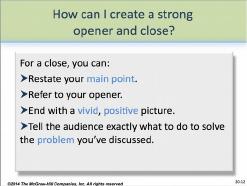
PP 20-12 also shows four methods for a strong close:
Restate your main point.
Refer to your opener to create a frame for your presentation.
End with a vivid, positive picture.
Tell the audience exactly what to do to solve the problem you’ve
discussed.
© 2014 by McGraw-Hill Education. This is proprietary material solely for authorized instructor use. Not authorized for sale or distribution in any
manner. This document may not be copied, scanned, duplicated, forwarded, distributed, or posted on a website, in whole or part.
20-6
0
Module 20 – Making Oral Presentations
Finding your best voice LO 20-3
While some people are fortunate to be born with a good voice, many others can learn to make
their voice sound as good as possible. A good voice supports and enhances good content, and the
best voice will manipulate pitch, intonation, tempo, and volume.
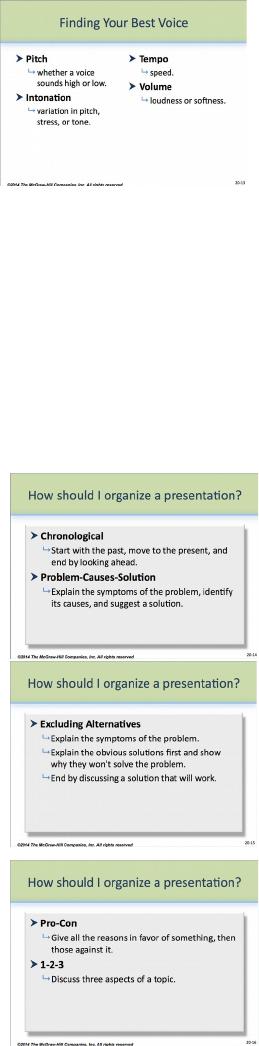
As PP 20-13 shows, to find your best voice:
Sound energetic and enthusiastic.
Focus on
Pitch: whether a voice sounds high or low.
Intonation: variation in pitch, stress, or tone.
Tempo: speed.
Volume: loudness or softness.
Teaching Tip: Students need not take voice lessons to find their best speaking voice.
Instead, they can learn by imitation. Who do they believe has a good speaking
voice? What are its characteristics? Students might try mimicking that voice and
recording themselves using computer web cams (bearing in mind that a recording
does not always faithfully reproduce a person’s voice).
How should I organize a presentation? LO 20-4
Start with the main point. Often, one of five standard patterns will
work.
PP 20-14 through PP 20-16 show five basic patterns for organizing a
presentation:
Chronological
Problem-Causes-Solution
Excluding Alternatives
Pro-Con
1-2-3
Teaching Tip: Some, if not all, of these patterns will be
familiar to students from their composition courses. To
review, have students get into five groups and have each one
explain a pattern, using an example they’ve created (not the
one in the text). Have them spend 10 minutes brainstorming
what business situations their group’s pattern would work
best in.
© 2014 by McGraw-Hill Education. This is proprietary material solely for authorized instructor use. Not authorized for sale or distribution in any
manner. This document may not be copied, scanned, duplicated, forwarded, distributed, or posted on a website, in whole or part.
20-7
0
Module 20 – Making Oral Presentations
In-Class Exercise: Have students in groups of 3-5 do a short presentation based on
Exercise 20.9 (p. 338) in class. In particular, make sure they organize the
presentation to best use time and address the needs of their audience.
What are the keys to delivering an effective presentation? LO 20-5
Turn your fear into energy, look at the audiences, and use natural gestures.
Sometimes students are taught in public speaking classes to behave unnaturally in front of
audiences. They may be told to stand stiffly behind a lectern, rely heavily on note cards, and
minimize natural gestures or movements. While speakers must maintain professionalism in front
of their audiences, a more comfortable and natural approach to speaking usually is better in
business situations.
Teaching Tip: Ask students what kinds of behaviors feel unnatural when they’re
giving oral presentations. What behaviors might they replace them with? Are any of
these replacement behaviors acceptable in a business environment? Would doing so
make giving a presentation more comfortable for students?
What is professionalism in business speaking? Professionalism means being prepared,
communicating effectively, using time well, and making audience members feel that the speaker
is talking to them. Speakers can still use note cards but should rely on them minimally, if at all.
Gestures are OK if they’re part of the speaker’s natural style and not distracting.
The more unnatural the presentation, the less effective speakers are likely to be with business
audiences. But being natural in front of an audience, particularly one composed of strangers, is
no easy task. To do so means to learn behaviors that make a speaker effective, while capitalizing
on one’s own natural strengths.
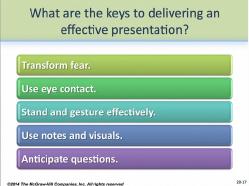
As PP 20-17 shows, effective speakers learn to successfully
Transform fear.
© 2014 by McGraw-Hill Education. This is proprietary material solely for authorized instructor use. Not authorized for sale or distribution in any
manner. This document may not be copied, scanned, duplicated, forwarded, distributed, or posted on a website, in whole or part.
20-8
0
Module 20 – Making Oral Presentations
Teaching Tip: The “adrenaline rush” that comes from fear can also come from
excitement. Share with your students that many people learn to turn fear into
excitement, whether it is through such “extreme sports” as snowboarding or
skydiving, acting on the stage, or even giving a speech to room full of strangers.
Use eye contact.
Stand and gesture.
Teaching Tip: Gestures and eye contact are not universal. Have your students read
or review the principles in Module 3 for more information on how different cultures
may interpret gestures and eye contact.
Use notes and visuals.
Anticipate questions.
In-Class Exercise: Encourage your students to visit your college’s video facility or
speech lab, if you have one. Have them write a short presentation and perform it
before cameras. Afterward, have them write a 1- to 2-page memo critiquing their
performance. What did they do well? What could they do better? How might they
enhance their abilities?
Teaching Tip: Have students read or review the information on culture in Module 3.
Are there some cultures where maintaining strong eye contact would be considered
negative? Talking too loud? Gesturing? What can speakers do to better understand
what forms of behavior might be inappropriate for cultures different than their own?
How should I handle questions from the audience? LO 20-6
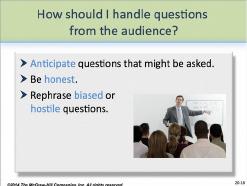
Anticipate questions that might be asked. Be honest.
Rephrase biased or hostile questions.
As PP 20-18 suggests, speakers should always anticipate questions from
their audiences and build time into their presentations to answer
questions. Before a presentation, the speaker should brainstorm as many
questions as possible—as well as the requisite answers.
© 2014 by McGraw-Hill Education. This is proprietary material solely for authorized instructor use. Not authorized for sale or distribution in any
manner. This document may not be copied, scanned, duplicated, forwarded, distributed, or posted on a website, in whole or part.
20-9
0
Module 20 – Making Oral Presentations
Sometimes speakers believe they should have an answer for every question, even if the answer’s
not accurate or even truthful. Remind students they should never “make up” the answer to a
question; not only is it unethical, but there’s a good chance someone in the audience will know
they’re being untruthful. A good response when a speaker doesn’t know the answer to a question
is “I don’t know the answer to your question, but I’d be glad to find out and let you know.”
Teaching Tip: Have your students review the tips on paraphrasing questions in
Module 18.
After the question session is over, speakers should briefly summarize their main point before
concluding their presentation. They can also thank the audience for attending.
What are the guidelines for group presentations? LO 20-7
In the best presentations, voices take turns within each point.
As with individual oral presentations, planning is the key to giving successful group
presentations. Group members should decide on how to organize their presentation, as well as
how it will open and close.
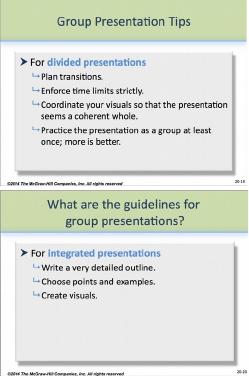
Speakers can take turns or integrate their individual efforts into a more
holistic approach. Use PP 20-19 and PP 20-20 to show them methods.
Teaching Tip: The choice for group members to take turns
or integrate their individual efforts depends on the group.
Ask you students to brainstorm the pros and cons of each
approach. Is one better than the other in some situations?
Which? How do groups decide? (Hint: Have them think
“audience.”)
Teaching Tip: Have students read or review the principles on
working in groups in Module 18.
Last Word: While speaking in public may not be the most pleasurable experience
for some people, learning to do it effectively is possible, even for people who at the
beginning don’t enjoy public speaking. In time, many people learn to be quite
comfortable giving oral presentations, and some even learn to enjoy it! Help your
students to understand that whatever trepidation they feel now may be overcome with
time and practice.
© 2014 by McGraw-Hill Education. This is proprietary material solely for authorized instructor use. Not authorized for sale or distribution in any
manner. This document may not be copied, scanned, duplicated, forwarded, distributed, or posted on a website, in whole or part.
20-10