Name:
Class:
Date:
DC Chapter 01: Digital Literacy
26
VERR.DICO.15.8 – 8
100. Most computers and many mobile devices, such as smartphones and portable media players, can connect to which
kind of network?
a.
Wi–Fi
b.
cellular radio
c.
Bluetooth
d.
all of the above
a
30
VERR.DICO.15.9 – 9
101. Most examples of the kind of computer shown in the accompanying figure can operate solely on batteries.
a.
True
b.
False
False
VERR.DICO.15.1 – 1
102. Batteries in the kind of computer shown in the accompanying figure typically last longer than those in tablets.
a.
True
b.
False
False
VERR.DICO.15.1 – 1
103. On a typical notebook computer, the monitor is on top of the system unit, and the keyboard attaches to the system
unit with hinges.
a.
True
b.
False
False
Name:
Class:
Date:
DC Chapter 01: Digital Literacy
104. Servers like the one in the accompanying figure typically support only one computer at a time.
a.
True
b.
False
False
105. Larger corporate, government, and Internet applications may use powerful, expensive servers (an example of which
is shown in the accompanying figure) to support their daily operation.
a.
True
b.
False
True
106. The major differences between server computers like the one in the accompanying figure and client computers are
that the client typically has more power, more storage space, and expanded communications capabilities.
a.
True
b.
False
False
30
Name:
Class:
Date:
DC Chapter 01: Digital Literacy
107. Providers of wireless communications services may charge additional fees for sending text, picture, or video
messages, depending on the service plan.
a.
True
b.
False
True
108. Research indicates that the more text messages students send, the more easily they find formal writing.
a.
True
b.
False
False
109. Digital cameras often can connect to or communicate wirelessly with a computer, a printer, or the Internet.
a.
True
b.
False
True
110. Most e-book readers are usually smaller than smartphones.
a.
True
b.
False
False
111. A game console is small enough to fit in one hand, making it more portable than the handheld game device.
a.
True
b.
False
False
Name:
Class:
Date:
DC Chapter 01: Digital Literacy
112. Storage devices like the hard disk shown in the accompanying figure often function as a source of input because they
transfer items from storage to memory.
a.
True
b.
False
True
15
113. USB flash drives and memory cards usually hold more than hard disks like the kind shown in the accompanying
figure.
a.
True
b.
False
False
15
114. Most memory keeps data and instructions permanently.
a.
True
b.
False
False
15
115. The terms web and Internet can be used interchangeably.
a.
True
b.
False
False
18
Name:
Class:
Date:
DC Chapter 01: Digital Literacy
116. The Internet is a service of the web.
a.
True
b.
False
18
117. A webpage is a collection of related websites.
a.
True
b.
False
False
20
118. All social networking sites have a specialized audience.
a.
True
b.
False
False
21
119. Nearly every life event is stored in a computer somewhere.
a.
True
b.
False
True
24
120. A password is a unique combination of characters, such as letters of the alphabet or numbers, that identifies one
specific user.
a.
True
b.
False
False
24
121. One effective strategy for creating strong passwords includes changing common words to symbols.
a.
True
b.
False
Name:
Class:
Date:
DC Chapter 01: Digital Literacy
False
24
122. With contemporary antivirus protection it is now possible to ensure a virus or malware never will attack your
computer.
a.
True
b.
False
False
23
123. You should delete or quarantine flagged attachments immediately.
a.
True
b.
False
True
23
124. Never start a computer with removable media inserted in the computer unless you are certain the media are
uninfected.
a.
True
b.
False
False
23
125. The application system provides a means for users to communicate with the computer or mobile device and other
software.
a.
True
b.
False
False
25
126. The term drive app is used to describe applications stored on a computer.
a.
True
b.
False
False
Name:
Class:
Date:
DC Chapter 01: Digital Literacy
127. The term web app is an application stored on a web server.
a.
True
b.
False
True
26
128. Examples of operating systems include those that allow you to send and receive e-mail messages, prepare your taxes,
organize digital photos, and play games.
a.
True
b.
False
False
26
129. You usually need to install web apps before you can run them.
a.
True
b.
False
False
27
130. Wireless Internet access points enable users with computers and mobile devices to connect to the Internet wirelessly.
a.
True
b.
False
True
29
131. Wi–Fi uses short-range radio signals to enable specially enabled computers and devices to communicate with each
other.
a.
True
b.
False
False
30
26
Name:
Class:
Date:
DC Chapter 01: Digital Literacy
132. Cellular radio uses the cellular network to enable high-speed Internet connections to devices with built-in compatible
technology, such as smartphones.
a.
True
b.
False
True
30
133. A hot spot is a wireless network that provides Internet connections to mobile computers and devices.
a.
True
b.
False
True
30
134. In many networks, one or more computers act as a server.
a.
True
b.
False
30
135. You need extensive knowledge of networks to set up a home network.
a.
True
b.
False
False
31
136. In a networked environment, each computer on the network can access the hardware on the network.
a.
True
b.
False
True
31
137. With a one-way sync, also called mirroring, you add, change, or delete files in a destination location, called the
Name:
Class:
Date:
DC Chapter 01: Digital Literacy
target, without altering the same files in the original location.
a.
True
b.
False
32
138. While distance learning classes are popular, you cannot obtain a degree from them.
a.
True
b.
False
False
33
139. To promote education by computer, vendors often offer substantial student discounts on hardware and software.
a.
True
b.
False
True
33
140. With online investing, the transaction fee for each trade usually is much more than when trading through a broker.
a.
True
b.
False
False
34
141. Some websites support streaming, where you access the media content while it downloads.
a.
True
b.
False
True
35
a.
True
b.
False
Name:
Class:
Date:
DC Chapter 01: Digital Literacy
False
36
143. Nearly every area of health care uses computers.
a.
True
b.
False
True
36
144. Breakthroughs in surgery, medicine, and treatments seldom result from scientists’ use of computers.
a.
True
b.
False
False
37
145. The capability of the computer to recognize spoken words is a direct result of scientific experimentation with
cochlear implants.
a.
True
b.
False
False
37
146. A blog is an informal website consisting of time-stamped articles in a diary or journal format, usually listed in
reverse chronological order.
a.
True
b.
False
True
37
147. As wikis have grown in number, size, and popularity, many educators and librarians have shunned the sites as valid
sources of research.
a.
True
b.
False
True
Name:
Class:
Date:
DC Chapter 01: Digital Literacy
148. CAM is used by a variety of industries, including oil drilling, power generating, food production, and automobile
manufacturing.
a.
True
b.
False
True
38
149. Examples of mobile users include engineers, scientists, architects, desktop publishers, and graphic artists.
a.
True
b.
False
False
39
150. Enterprise users use spreadsheet, database, and accounting software.
a.
True
b.
False
True
39
151. Because technology changes, you must keep up with the changes to remain digitally ____________________.
literate
38
Name:
Class:
Date:
DC Chapter 01: Digital Literacy
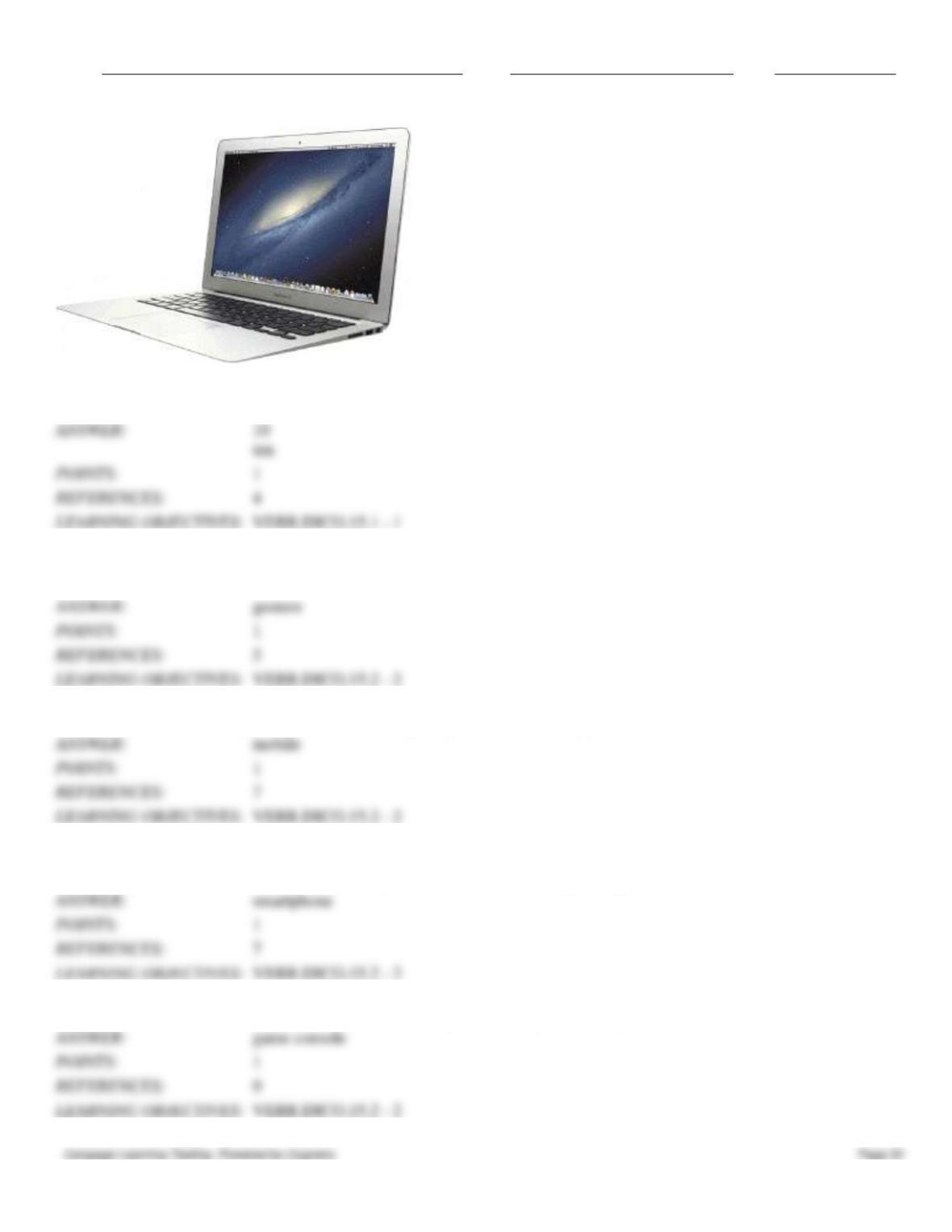
152. A computer like the one in the accompanying figure weighs up to ____________________ pounds (depending on
the configuration).
153. A(n) ____________________ is a motion you make on a touch screen with the tip of one or more fingers or your
hand.
154. A(n) ____________________ device is a computing device small enough to hold in your hand.
155. A(n) ____________________ is an Internet-capable phone that usually also includes a calendar, an appointment
book, an address book, a calculator, a notepad, games, and several other apps (programs).
156. A(n) ____________________ is a mobile computing device designed for single-player or multiplayer video games.