
107. ______________________________ regulate transaction processing by calculating control totals at
various points in a processing run and subsequently comparing those totals.
108. ______________________________ are simple counts of the number of documents entered.
109. A count of the number of invoices being paid by all of the customer remittances is a type of batch control
total called ______________________________.
110. A summation of the dollar value of all invoice totals in a batch are called
______________________________.
111. A(n) ______________________________ is the general term to describe the summation of data that
would not normally be totaled except for control purposes.
112. A(n) ______________________________ is a document that is printed as an output of one computer
process and is used to capture and input a subsequent transaction.
113. For the control plan ______________________________ a workflow facility is used to route business
events to authorizing individuals.
114. “Confirm input acceptance” addresses the information process control of
______________________________.

115. In a(n) ______________________________ a computer program sorts the transactions into numerical
order; checks the documents against the sequence number range; and reports missing, duplicate, and out-of-
range event data.
116. The ______________________________ provides input control in those situations in which the serial
numbers are assigned within the organization but are not entered in perfect serial number sequence.
117. A conventional ______________________________ procedure involves a single key that is used both by
the sender to encrypt the message and by the receiver to decrypt it.
118. ______________________________ is the control that uses a computer system’s workflow facility to
route business events to persons authorized to approve those events.
119. To reduce the number of keystrokes required, making data entry quicker and more efficient, we can
______________________________ in response to the entry of identification codes, such as customer
numbers, and have the computer retrieve stored data corresponding to those identification codes.
120. When there are programmed edits to control data entry, we would expect to also find
______________________________ to ensure that erroneous items are corrected and resubmitted for
processing.
121. We prefer to ______________________________ to ensure that business event data is entered in a timely
manner and that personnel who enter the data can confirm its legitimacy and easily correct errors.
122. With ______________________________ the data entry clerk compares input batch totals to those
prepared and output by the computer.

123. The manager of shipping reviews a file of open sales orders¾items to be shipped today¾to determine that
all shipments are made in a timely manner. The file of open sales orders is called a(n)
______________________________.
124. The shipping clerk compares each line on the shipping document to the items to be shipped, called
______________________________, to ensure that the shipment is accurate.
125. When a clerk enters the identification code for an entity, such as a customer, and the system retrieves data
about that entity from the master data, we have the control plan called ______________________________.
126. For the control plan ______________________________ a data entry clerk enters an identification
number, such as a customer number, and then examines the master data record displayed by the computer to
determine that the correct identification number has been entered.
127. ______________________________ is a strategy for the capture and entry of event-related data using
technology such as OCR, bar codes, RFID, and EDI.
128. A(n) ______________________________ can be applied to prenumbered documents to determine that all
documents have been processed and that no extra documents have been processed.
129. A(n) ______________________________ reflects a summarization of any numeric data field within the
input document or record, such as item numbers or quantities on a customer order.

130. We ______________________________ by reconciling totals prepared before a computer process has
begun to totals prepared at the completion of the computer process. The totals may be prepared and reconciled
either manually or by the computer.
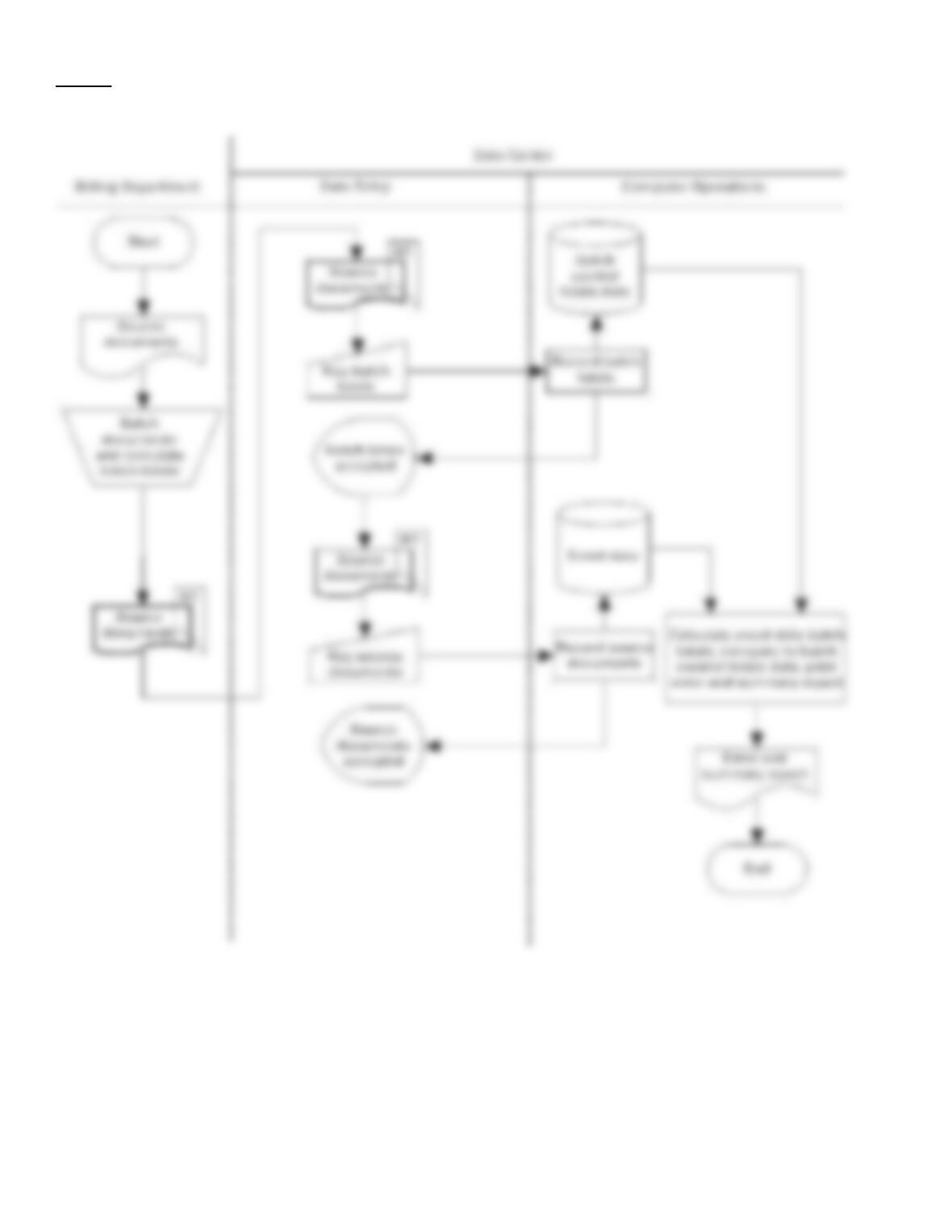
131. The control plan computer agreement of batch totals is described in Chapter 9. Below is a description of a
particular example of that plan:
·
Billing clerks batch sources documents and calculate batch totals.
·
The batch of source documents and batch totals are forwarded to the data entry unit of the data center where the batch totals are entered
into the computer and written to a batch control totals file (a disk file).
·
As individual source documents are entered, they are recorded in an event data store (disk file).
·
After the batch has been entered the computer prepares batch totals for the records on the event data store and compares these totals with
those on the batch control totals file.
·
The computer prepares an Error and Summary Report, which contains details of each batch, together with an indication of whether the
totals agreed or disagreed.
Required:
Prepare a system flowchart to diagram the above process.
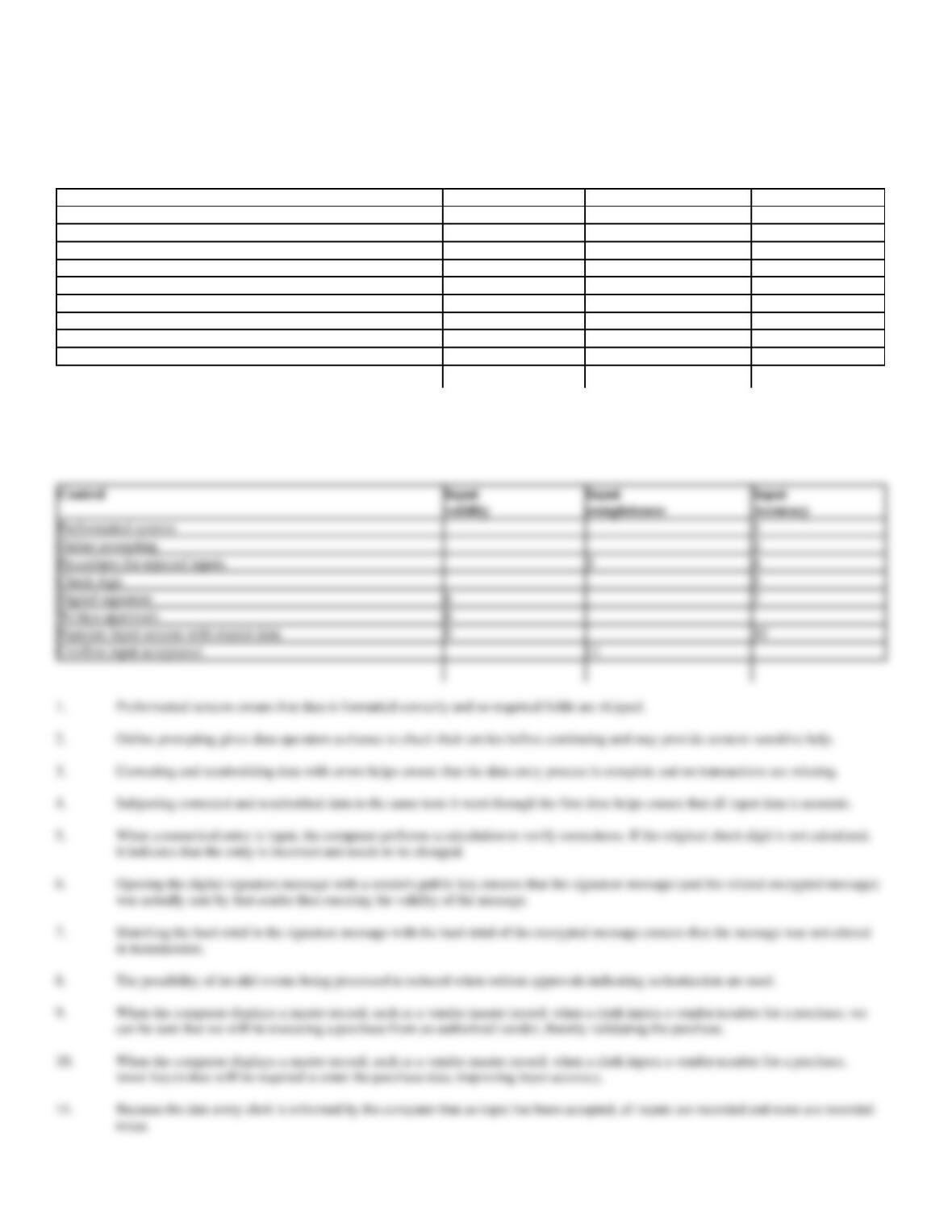
132. The table below lists 8 control plans from Chapter 9 and 3 control goals for the information process. Fill in
the table cells, as appropriate to indicate which control plans can accomplish which control goals. Number your
entries and describe the reason for your entry (i.e. why the control can accomplish the goal). Some rows
(controls) will have more than one entry. The first item has been completed for you as an example.
Control
Input
Input
Input
validity
completeness
Accuracy
Preformatted screens
1
Online prompting
Procedures for rejected inputs
Check digit
Digital signature
Written approvals
Populate input screens with master data
Confirm input acceptance
1.
Preformatted screens ensure that all data is formatted correctly and that no required fields are skipped.
Preformatted screens
1
Online prompting
2
Procedures for rejected inputs
3
4
Check digit
5
Digital signature
6
7
Written approvals
8
Populate input screens with master data
9
10
Confirm input acceptance
11
Preformatted screens ensure that data is formatted correctly and no required fields are skipped.
2.
Online prompting gives data operators a chance to check their entries before continuing and may provide context-sensitive help.
Correcting and resubmitting data with errors helps ensure that the data entry process is complete and no transactions are missing.
4.
Subjecting corrected and resubmitted data to the same tests it went through the first time helps ensure that all input data is accurate.
8.
The possibility of invalid events being processed is reduced when written approvals indicating authorization are used.
fewer keystrokes will be required to enter the purchase data, improving input accuracy.
twice.

133. The following is a list of 10 control plans.
Control
Plans
A.
Enter data close to the originating source
B.
Preformatted screens
C.
Confirm input acceptance
D.
Check digit
E.
Document design
F.
Key verification
G.
Written approvals
H.
Digital signatures
I.
Procedures for rejected inputs
J.
Compare input data with master data
Required:
Listed below are ten system failures that have control implications. On the blank line to the left of each number, insert the capital letter from the list
above of the best control plan to prevent the system failure from occurring. If you can’t find a control that will prevent the failure, choose a detective
or corrective control plan. A letter should be used only once.
1.
Clerks at Ludlow Company enter cash receipts in batches using offline networked PCs. The customer number is often
miskeyed. As a result, some cash receipts are posted to the wrong account.
2.
At Washington Company shipping notices are entered in batches. Upon entry, the computer performs certain edits to
eliminate those notices that have errors. But, many actual shipments never get recorded.
3.
At Janet’s Fine Fashions, several sales clerks prepare sales slips during the day. The sales slips are then keyed into the
computer at the end of the day. Numerous errors occur because the layout of the sales slips is difficult for the data entry
clerk to follow.
4.
Winsted Company recently converted to an online order entry system. Clerks key in customer order data at one of
several PCs. In the first week of operations, every sales order produced by the system was missing the data for the
customer’s “ship to” address.
5.
The computer system at South County Bank received and processed a bogus transaction to transfer funds to a fraudster’s
bank account in the British West Indies.
6.
Data entry clerks at the Windsor Inc. use offline networked PCs to prepare a variety of inputs for entry into the
computer and the computer performs an agreement of batch totals. Recently, a number of errors have been found in key
numeric fields. The supervisor would like to implement a control to reduce the transcription errors being made by the
clerks.
7.
At Kramer Company, field salespersons call on customers and take customer orders by recording them on sales order
forms. The forms are mailed by each salesperson each night to Kramer’s central data center for processing. The
company has been besieged by customer complaints about how long it takes to receive their orders and about being
shipped incorrect goods.
8.
Comet, Inc. recently installed a new cash receipts system. A clerk keys in remittance data through a terminal located in
the accounts receivable department. On the first day of operations, several remittances were not accepted for processing.
The clerk had no idea that these remittances were not processed.
9.
At Southfield Inc., data entry clerks receive a variety of inputs from many departments throughout the company. In
some cases, unauthorized inputs are keyed and entered into the computer.
10.
Clerks in the cash applications section of Charlton Company enter customer payments. The amount being paid is often
input incorrectly; it does not agree with the amount due as indicated on the accounts receivable master data.
Answers

134. The following is a list of 10 control plans:
Control
Plans
A.
Populate input screens with master data
B.
Cumulative sequence check
C.
Turnaround documents
D.
Document/record counts
E.
Document design
F.
Preformatted screens
G.
Compare input data with master data
H.
Hash total
I.
Tickler file
J.
Automated data entry
System
D
I
E
B
H
F
A
C
G
J

Required:
Listed below are ten statements describing a control. On the blank line to the left of each number, insert the capital letter from the list above of the
name of the control plan that corresponds to the control description. A letter should be used only once.
1.
Helps to achieve the information systems control goal of input accuracy by ensuring that dates are properly entered as
MM/DD/YY.
2.
By using a pre-recorded bar code to trigger an event, this control plan ensures effectiveness of operations and improves
efficiency by reducing the amount of data that must be input and by improving the speed and productivity of data entry.
In addition, this control plan improves input validity, and improves input accuracy.
3.
This control plan could help prevent the entry of inconsistent data elements, such as entering a tax code for a customer
to whom sales should be nontaxable.
4.
When the order entry clerk types in the customer number, the system automatically retrieves the customer’s name,
address, and other standing data from the customer master data. In this way, resources are used more efficiently.
5.
This control plan should prevent a field salesperson from omitting data elements when filling in the sales order form.
6.
In entering a batch of remittance advices into the computer, an operator made several errors in keying the customer
identification numbers. However, the errors were detected when the total of the customer ID numbers that were input
did not agree with the corresponding total calculated from the source documents.
7.
This control plan helps to identify duplicate, missing, and out-of-range document numbers by comparing input numbers
with a previously stored number range.
8.
This batch control total does not help to ensure input accuracy, nor would it detect the fact that one record in a batch
was removed and substituted with another.
9.
Bar codes on the items to be shipped are scanned to enter and record the shipment data details. This is quicker and more
accurate than typing in each item number.
10.
The manager of the shipping department periodically reviews a file of open sales orders due to be shipped to ensure that
all orders are shipped in a timely manner.
1.
F
2.
C
G
4.
A
5.
E
6.
H
B
8.
D
9.
J
10.
I
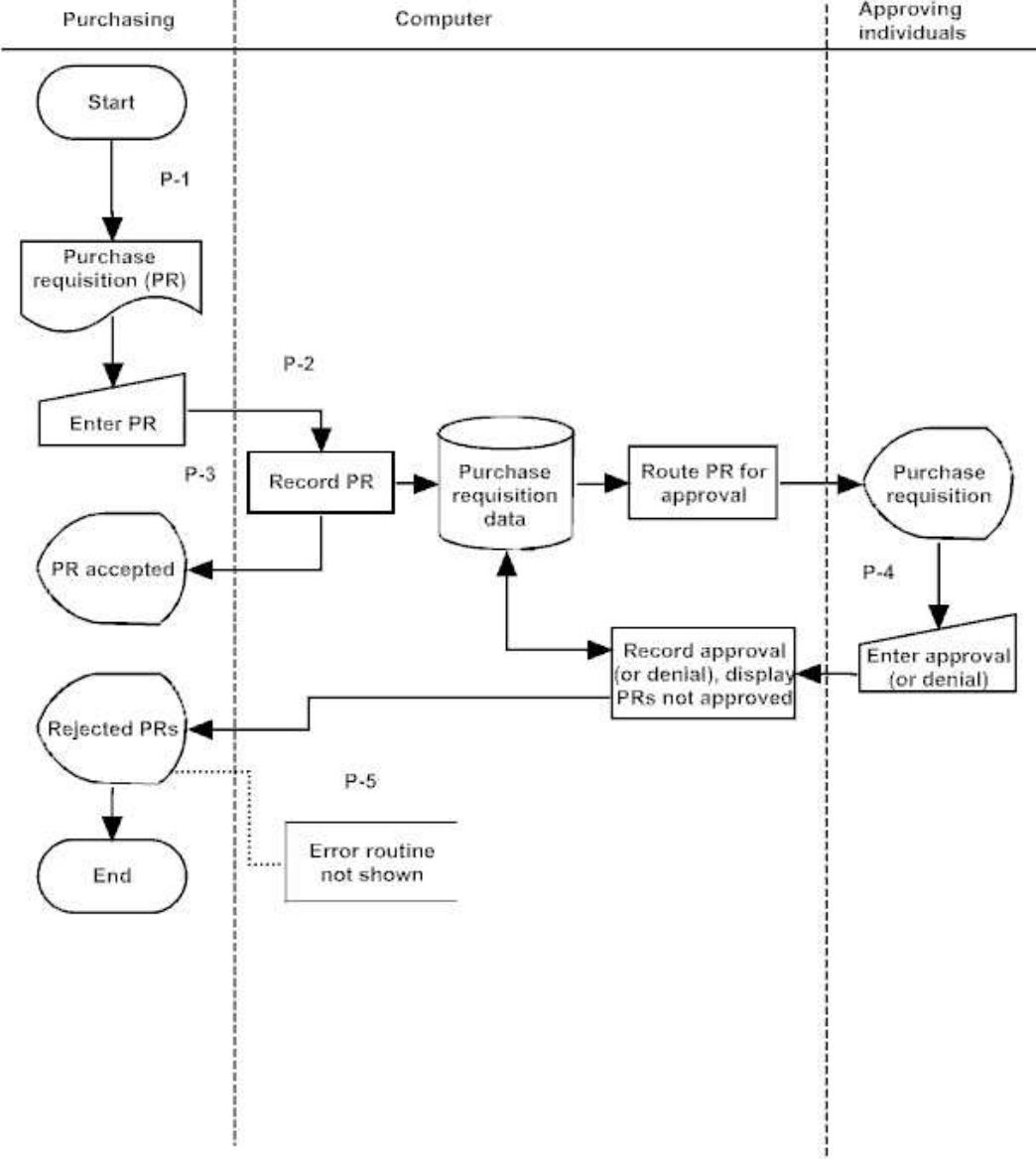
135. At Winsted Company the following procedures are used to enter purchase requisitions (PRs).
Clerks in the purchasing department receive purchase requisitions (PRs) from departments throughout
Winsted’s home office. The PRs are handwritten on forms specially designed for this purpose. The clerks enter
these into preformatted screens on PCs that are connected to the central computer. After each PR is recorded on
the purchase requisition event data store the computer informs the clerk that the PR has been recorded. Once
recorded the computer forwards the PRs to appropriate managers who can approve the PRs online. Approving
individuals enter their approvals (or denials). PRs that are not approved are sent back to the purchasing clerks
for corrective action.
Below is the annotated systems flowchart and partially completed control matrix for this process.

Control Goals of
the Winsted
Purchase
Requisition Data
Entry Process
Control Goals of
the Operations
Process
Control Goals of
the Information
Process
Ensure
effectiveness
of operations:
Ensure
efficient
employment
of resources
(people,
computers)
Ensure
security of
resources
(inventory,
purchase
order
master
data)
For the
purchase
order
(i.e.,
purchase
requisitio
ns)
inputs,
ensure:
For the
purchase
order master
data, ensure:
Recommended control plans
A
IV
IC
IA
UC
UA
Present Controls
P-1: Document design.
P-2: Preformatted screens.
P-3: Confirm input acceptance.
P-4: Electronic approvals.
P-5: Procedures for rejected inputs.
Possible effectiveness goals include the
following:
A – Ensure timely input of purchase
requisition data.
See below for a complete explanation of
control plans and cell entries.
IV = input validity
IC = input
completeness
IA = input accuracy
UC = update
completeness
UA = update
accuracy
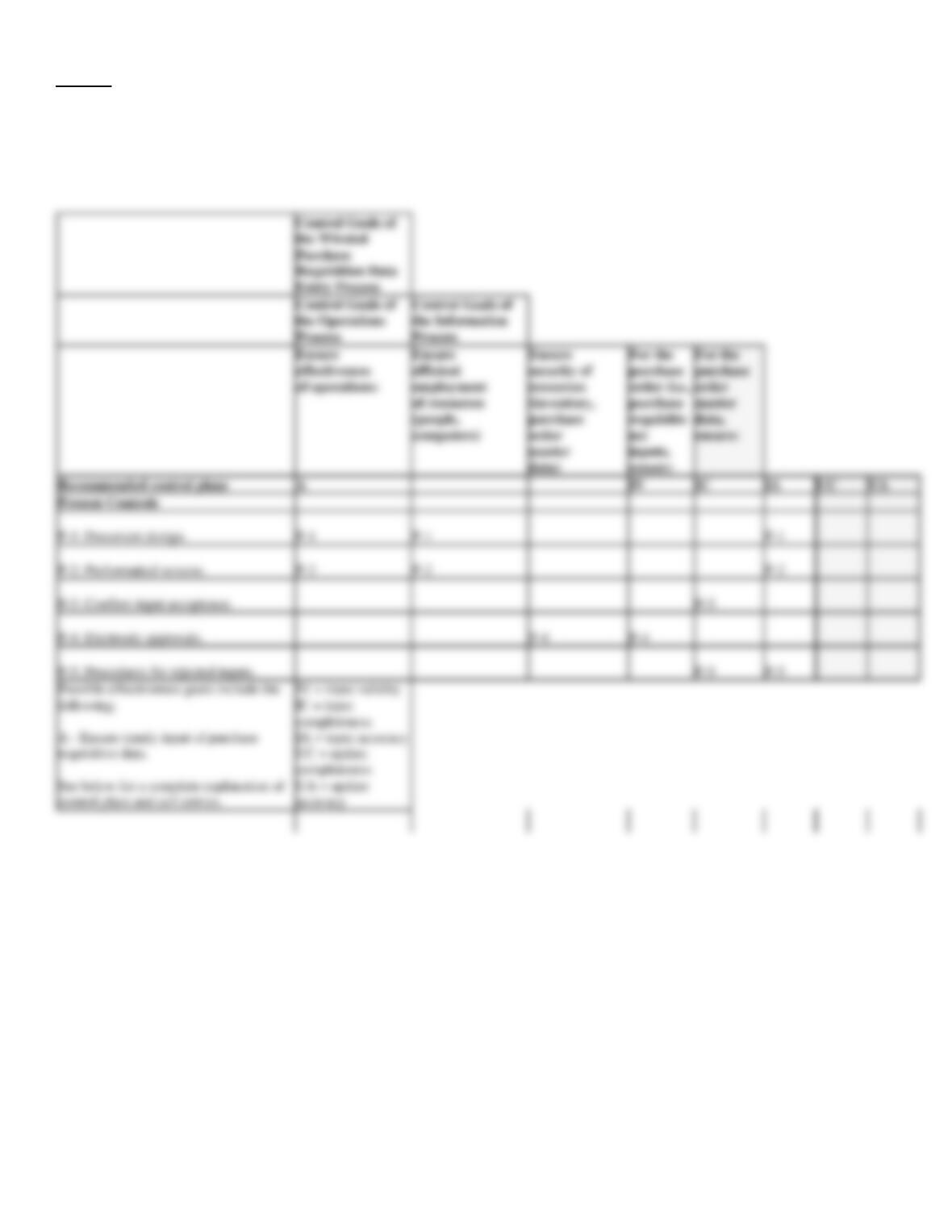
Required:
Complete the control matrix by entering the control plan numbers (P-1, P-2, etc.) in the appropriate cells in the control matrix to indicate to which
control goal(s) each control plan is directed. Below the matrix describe how each control plan achieves each control goal that you have indicated on
the matrix.
Discussion and Explanation of Recommended Control Plans for Winsted Purchase Requisition Data Entry Process
P-1:
Document design.
Effectiveness goal A, efficient employment of resources: A well-designed document can be completed more quickly (effectiveness
goal A) and can be prepared and entered into the computer with less effort (efficiency).
Purchase requisition input accuracy: We tend to fill in a well-designed document completely and legibly. If a document is legible,
data entry errors will occur less frequently.
P-2:
Preformatted screens.
Effectiveness goal A, efficient employment of resources: By structuring the data entry process, automatically populating fields, and
preventing errors, preformatted screens simplify data input and save time (Effectiveness goal A), allowing a user to input more data
over a period of time (efficiency).
Purchase requisition input accuracy: As each data field is completed on a preformatted screen, the cursor moves to the next field
on the screen, thus preventing the user from omitting any required data set. The data for fields that are automatically populated need
not be manually entered, thus reducing input errors. Incorrectly formatted fields are rejected.
P-3:
Confirm input acceptance.
Purchase requisition input completeness: By advising the user that input has been accepted, interactive feedback checks help
ensure input completeness.
P-4:
Electronic approvals.
Security of resources, purchase requisition input validity: By checking to see that approvals are present on all purchase
requisitions, we reduce the possibility that invalid (unauthorized) purchase requisitions will be input and that inventory purchased
and funds expended without approval.
P-5:
Procedures for rejected inputs.
Purchase requisition input completeness and purchase requisition input accuracy: The rejection procedures (i.e., “Error routine not
shown” annotations) are designed to ensure that erroneous data not accepted for processing are corrected (accuracy) and
resubmitted for processing (completeness).