IFS2230 Management Information Systems Tutorial 7
KIMEP 1
BCB/OMIS
Tutorial 7
Managing and Analyzing Large Data Sets
• Reports with Totals
• Database Functions
• Subtotals
• Consolidation
Reports with Totals.
We often want to count the number of cells in a range that meet a given criteria. For example, if a
worksheet contains information about different media, we might want to count the number of
particular media transaction.
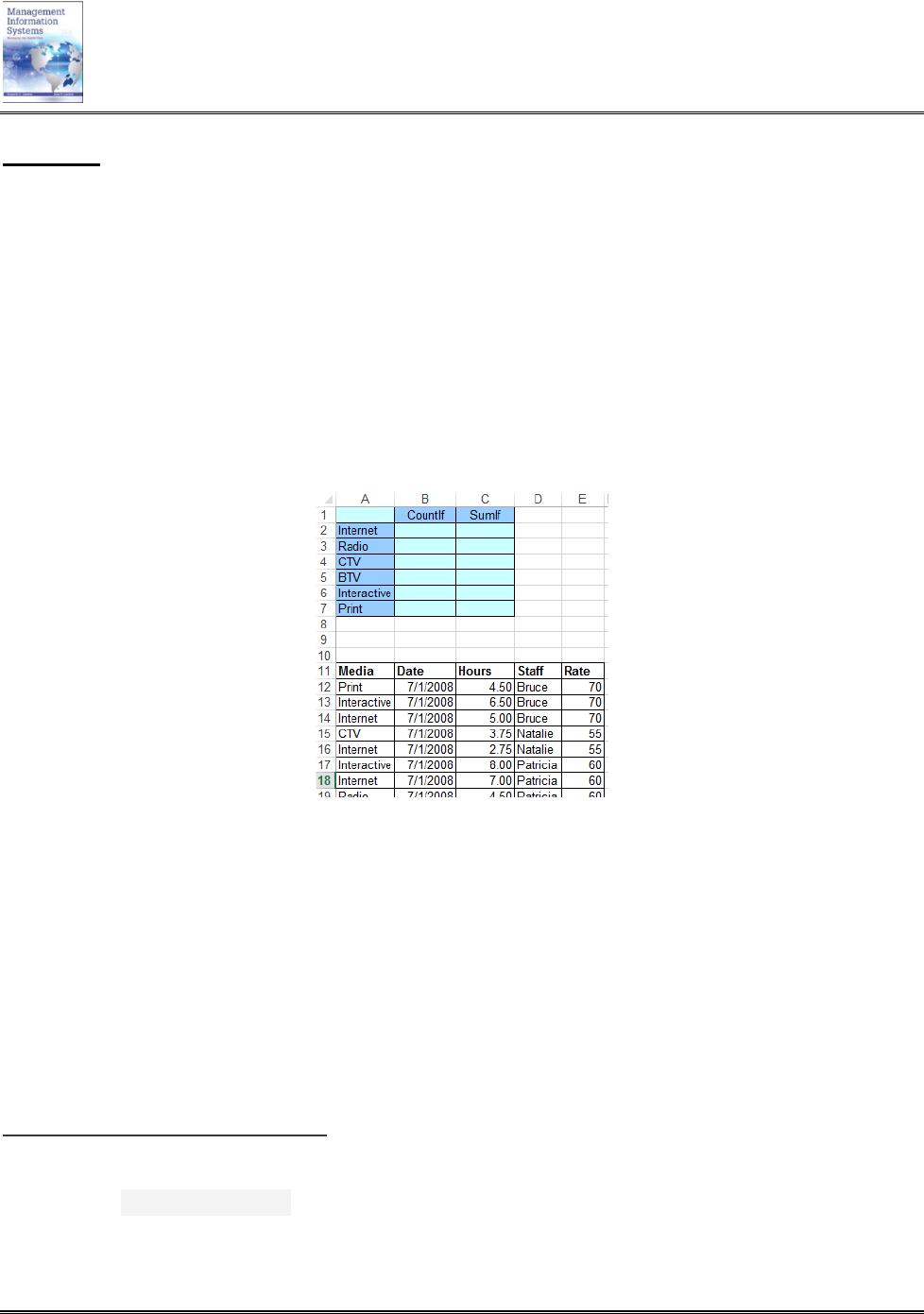
Suppose, you have a list of tasks that are made in a variety of media. For each task you know the
media, the date the task was made, and the number of hours spent for the task.
How can you answer such questions about the tasks in the list?
• How many records of each media are in the list?
• How much time spent on the use of each media?
In a more general context, how do you perform operations such as the following?
• Count the number of cells in a range that meet a given criteria.
• Sum the values in a range that meet criteria that you specify.
You can use COUNTIF() function to count the number of cells in a range that meet criteria and use
SUMIF() function to Sum the values in a range that meet criteria that you specify.
The syntax of the COUNTIF function is COUNTIF(range,criterion)
The syntax of the SUMTIF function is SUMIF(range, criteria, [sum_range]).
Examples: (open file Tutorial 7.xls)
=COUNTIF(A12:A33, “Internet”) – Counts the number of cells with Internet in cells A12 through
A33.
=COUNTIF(C12:C33,”>6”) – Counts the number of cells with a value greater than 6 in cells C12
through C33.
IFS2230 Management Information Systems Tutorial 7
=SUMIF(A12:A33,”Internet”,C12:C33) – Sum of the number of hours of all media in the “Internet”
category.
=SUMIF(E12:E33,”<=70″,C12:C33) – Sum of the hours for rate values less than 70
You must enclose math operators such as =, >=, and <= in quote marks (“”) in COUNTIF() and
SUMIF() functions.
If you need two criteria arguments a single COUNTIF and SUMIF function does not allow for this.
SUMIF and COUNTIF function supports only a single filtering criteria.
Database Functions.
The Excel Database Functions are designed to help you to work within a database (i.e. a large number
of organized data records), stored in Excel.
The database functions perform basic operations, such as sum, average, count, etc., but they also use
criteria arguments, that allow you to only perform the calculation for a specified subset of the records
in your database.
The database functions all take the same three arguments, as illustrated by the DCOUNTfunction: