1
Chapter 4 – Time value of money (TVM)
Section I – Concepts
1. Warning – some notations are different from popular textbooks.
a. They’re the same in nature but can appear quite different.
b. You can quickly derive one from the other.
c. The ones used here are the results of comparing many textbooks.
2. Brain teaser: your auto insurance premium of $1,000 is due today. Your insurance company is
offering you an easy financing plan. Instead of paying $1,000 today, you make 4 quarterly
payments of $275 each, starting from today. What’s the actual interest rate (APR) on this
financing plan?
3. Why do we want to study time value of money?
a. A significant portion of your tasks as the financial manager is to understand how to
correctly value a product, a project, or even a whole business.
b. The key thing to learn is the timing of when cash is spent vs when it is generated, which
we call cash flows.
c. Time value of money (TVM) will help us understand the significance of the timing of
cash flows, and the process of valuation.
4. The timeline: a visual way to describe the timing and magnitude of cash flows.
a. T0 represents today
1
.
b. T1 represents 1 time unit (usually 1 year) from today.
c. Tn represent n time units (usually n years) from today.
d. Some examples.
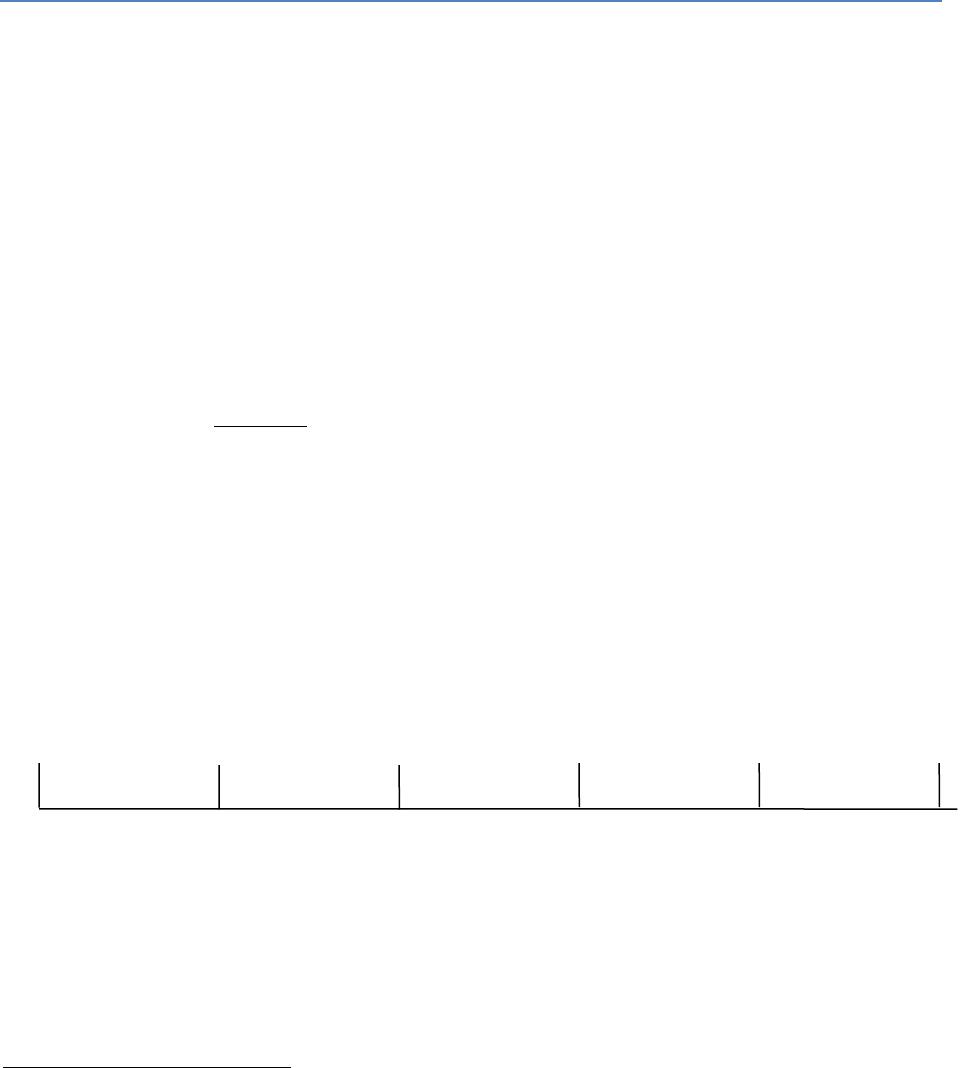
• Timeline of cash flows from a business project.
1
Many times, T0 is not really “today” per se; it can simply be a designated time point which you consider as
“today”. For example, in a study on earnings announcement, you can consider the day the company makes an
announcement as T0, and then proceed to study the impact of the announcement on the company’s stock price on
T7, T10, T100, etc.
0
1
3
2
4
5
$-800
$300
$300
$200
$200
$100
2
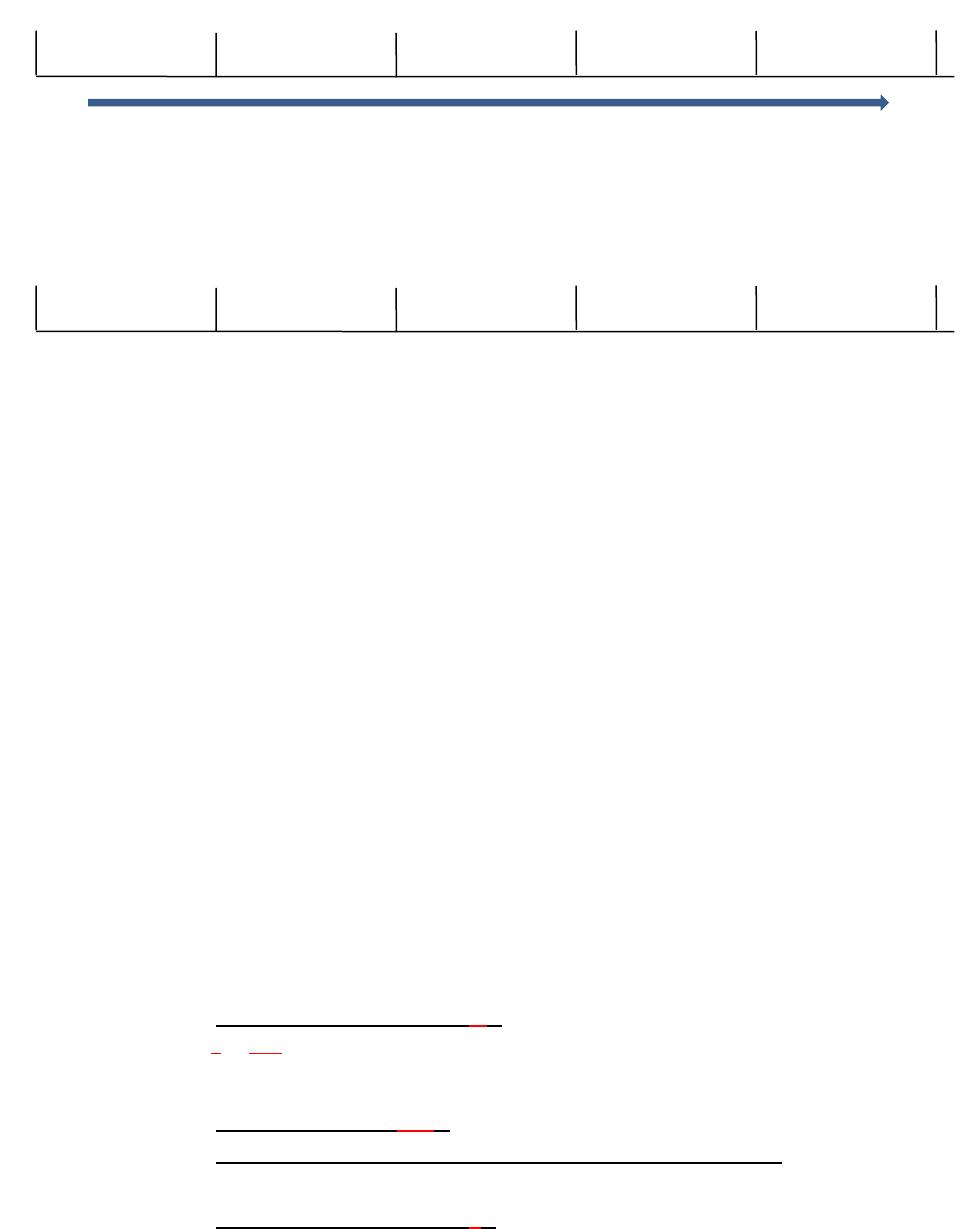
• Timeline of a bank deposit.
• Timeline of choosing two equal amounts.
5. Why time has (negative) value?
a. Inflation: $1 today is worth more than $1 in the future
b. Uncertainty: bad things could happen (natural disaster, war, human tragedy) and your
wealth could depreciate
c. Required investment return: reward for saving today and consume in the future
d. Other reasons?
6. Notation – important! (this section is also included in Appendix 1)
a. PV: present value, or the current value.
• Also expressed as 𝑷𝟎 or 𝑽𝟎.
• The process of calculating the PV is called discounting, and the interest rate is
called the discount rate.
b. FV: future value, the value at a future time, t.
• Also expressed as 𝑷𝒕 or 𝑽𝒕.
• The process of calculating the FV is called compounding, and interest rate is still
called the interest rate.
c. r: annual, NOMINAL interest rate.
• Also expressed as APR (annual percentage rate) or 𝑰𝒏𝒐𝒎 (nominal rate).
d. n: how many times interests are compounded per year (when interests are calculated
and added to the principal.)
• Note: some textbooks use “m”.
e. 𝑰𝒑𝒆𝒓 =𝒓
𝒏=𝑨𝑷𝑹
𝒏: effective interest rate per compounding period. For example, effective
monthly rate.
• In Excel, it’s called “rate”.
• When n=1, that is, there’s only 1 compounding per year, then 𝑰𝒑𝒆𝒓 =𝒓.
f. T: number of years involved.
• Note: some textbooks use “n”.
0
1
3
2
4
5
$1,000
$1,611
0
1
3
2
4
5
$5,000?
$5,000?

3
g. N = n*T: total number of interest compounding over T years.
• In Excel, it’s called “nper”.
h. EFF% = EAR = APY: effective interest rate per year. This is the actual interest rate, as
compared to the nominal interest rate, r.
• EAR: effective annual rate.
• APY: annual percentage yield.
7. Types of cash flows:
a. Single cash flow
• Pure discount loan: receive a smaller amount today as the loan amount and pay
a higher amount in the future. No additional interest payments are involved.
• Zero coupon bond, such as the T-bill: pay a discounted price, and then receive
the face value at maturity. No separate coupons (i.e. interests
b. Multiple cash flow
• Annuity (a.k.a. ordinary annuity):
o Limited number of cash flows;
o Each cash flow is the same amount;
o Equally spaced time intervals between cash flows;
o All cash flows happen at the END of each period, with the 1st cash flow
happens 1 time-period from today.
• Annuity due
o Limited number of cash flows;
o Each cash flow has the same amount;
o Equally spaced time intervals between cash flows;
o All cash flows happen at the BEGINNING of each period, with the 1st
cash flow happens today.
• Relationship between annuity and annuity due: every single dollar of an
annuity due makes one more period of interest compared to an annuity:
0
1
2
3
4
annuity
$500
$500
$500
$500
annuity due
$500
$500
$500
$500
𝑭𝑽𝒂𝒏𝒏𝒖𝒊𝒕𝒚 𝒅𝒖𝒆 =𝑭𝑽𝒂𝒏𝒏𝒖𝒊𝒕𝒚∗(𝟏+𝑰𝒑𝒆𝒓) (3.01)
𝑷𝑽𝒂𝒏𝒏𝒖𝒊𝒕𝒚 𝒅𝒖𝒆 =𝑷𝑽𝒂𝒏𝒏𝒖𝒊𝒕𝒚∗(𝟏+𝑰𝒑𝒆𝒓) (3.02)
• Perpetuity
o Unlimited number of cash flows;
o Each cash flow has the same amount;
o Equally spaced time intervals between cash flows;
o The 1st cash flow happens one time-period from today.

4
• Uneven cash flows
o Uneven amount, but regular interval;
o Uneven amount, uneven interval. This is more difficult to deal with.
8. Calculating the proper interest rate (click here to go the examples)
𝑰𝒑𝒆𝒓 =𝑨𝑷𝑹
𝒏 (3.03)
𝑬𝑭𝑭%=(𝟏+𝑰𝒑𝒆𝒓)𝒏−𝟏=(𝟏+𝑨𝑷𝑹
𝒏)𝒏−𝟏 (3.04)
9. Single-cash-flow valuation: formula is the best approach
2
(click here to go to the examples)
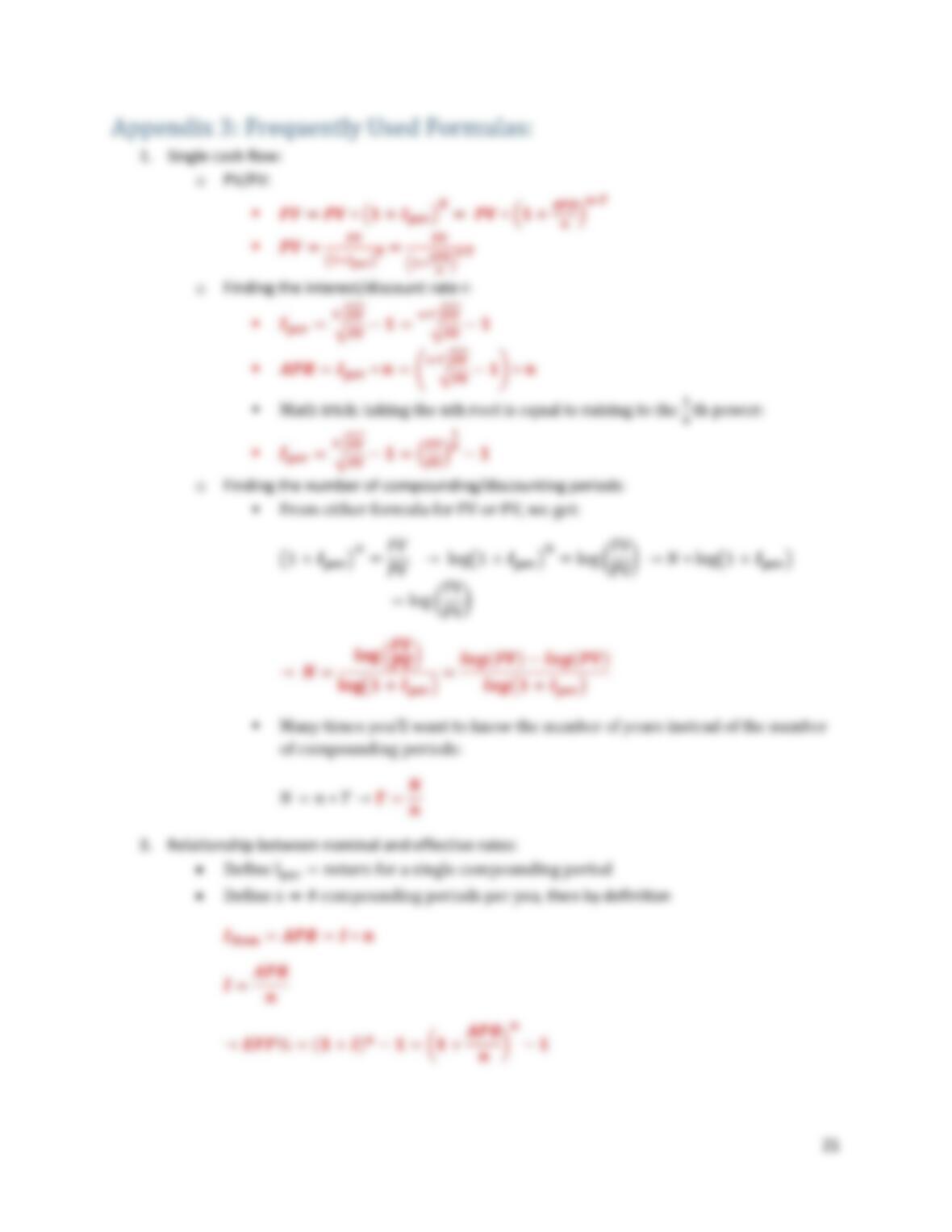
a. You do NOT have to remember all the formula below. Simply remember either the FV or
the PV formula and you can quickly derive the others.
𝑭𝑽=𝑷𝑽∗(𝟏+𝑰𝒑𝒆𝒓)𝑵=𝑷𝑽∗(𝟏+𝑰𝒑𝒆𝒓)𝒏∗𝑻 (3.05)
𝑷𝑽=𝑭𝑽
(𝟏+𝑰𝒑𝒆𝒓)𝑵=𝑭𝑽
(𝟏+𝑰𝒑𝒆𝒓)𝒏∗𝑻 (3.06)
𝑰𝒑𝒆𝒓 =√𝑭𝑽
𝑷𝑽
𝑵−𝟏= √𝑭𝑽
𝑷𝑽
𝒏∗𝑻 −𝟏 → 𝑨𝑷𝑹=(√𝑭𝑽
𝑷𝑽
𝑵−𝟏)∗𝒏 (3.07)
𝑵= 𝐥𝐨𝐠(𝑭𝑽
𝑷𝑽)
𝐥𝐨𝐠(𝟏+𝑰𝒑𝒆𝒓)→ 𝑛∗ 𝑇= log(𝐹𝑉
𝑃𝑉)
log(1+𝐼𝑝𝑒𝑟)→ 𝑻= 𝐥𝐨𝐠(𝑭𝑽
𝑷𝑽)
𝐧∗𝐥𝐨𝐠(𝟏+𝑰𝒑𝒆𝒓) (3.08)
10. Multiple-cash-flow valuation (click here to go to the examples)
a. Notation change:
• n: number of cash flows per year.
• T: number of years involved.
• N = n*T: total number of cash flows over T years.
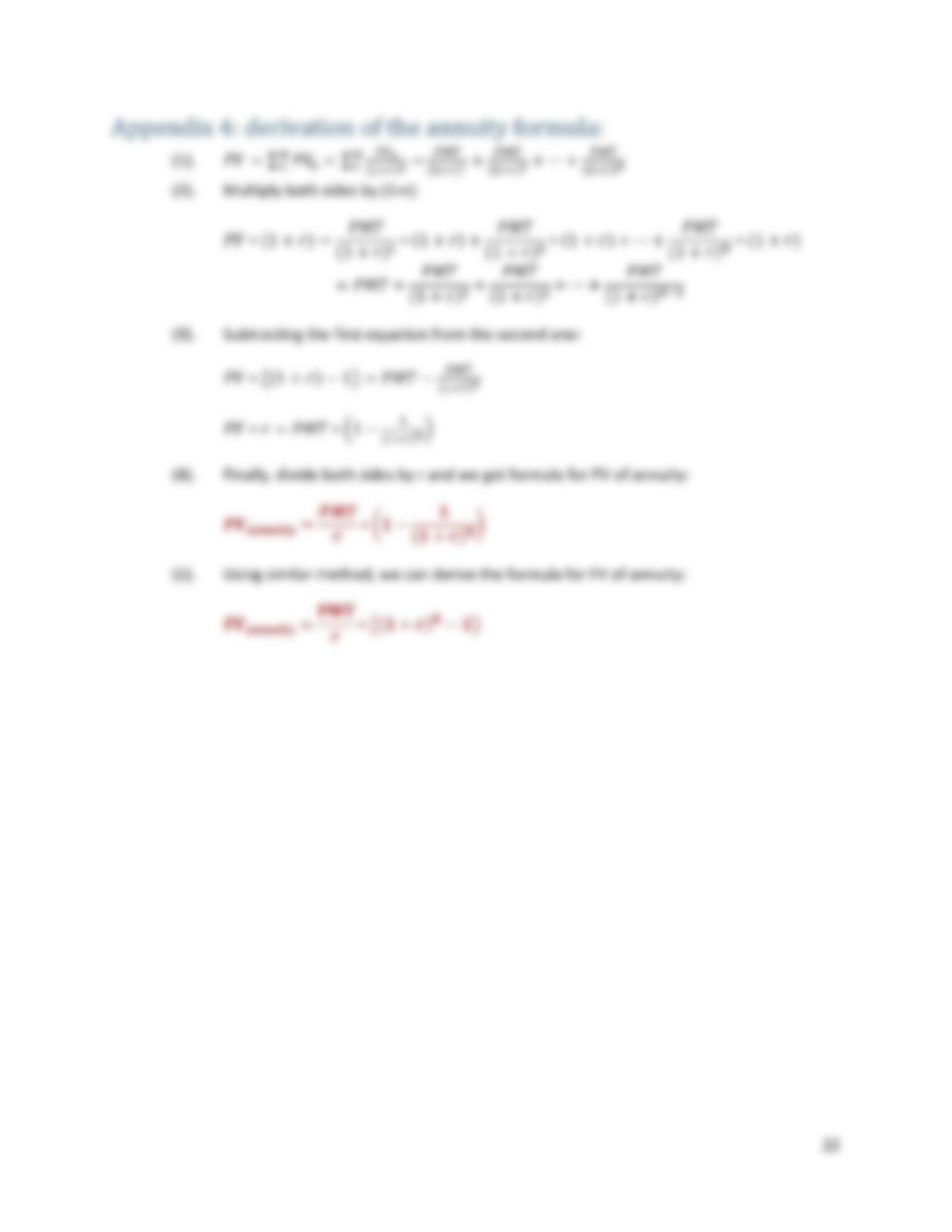
b. For ordinary annuity and annuity due, you may use the following formulas, but I highly
recommend that you use Excel’s built-in functions for the task:
𝑷𝑽𝒂𝒏𝒏𝒖𝒊𝒕𝒚 =𝑷𝑴𝑻
𝑰𝒑𝒆𝒓 ∗(𝟏− 𝟏
(𝟏+𝑰𝒑𝒆𝒓)𝑵)=𝑷𝑴𝑻
𝑰𝒑𝒆𝒓 ∗(𝟏− 𝟏
(𝟏+𝑰𝒑𝒆𝒓)𝒏∗𝑻) (3.09)
𝑭𝑽𝒂𝒏𝒏𝒖𝒊𝒕𝒚 =𝐏𝐌𝐓
𝑰𝒑𝒆𝒓 ∗((𝟏+𝑰𝒑𝒆𝒓)𝐍−𝟏)=𝐏𝐌𝐓
𝑰𝒑𝒆𝒓 ∗((𝟏+𝑰𝒑𝒆𝒓)𝐧∗𝐓−𝟏) (3.10)
𝑭𝑽𝒂𝒏𝒏𝒖𝒊𝒕𝒚 𝒅𝒖𝒆 =𝑭𝑽𝒂𝒏𝒏𝒖𝒊𝒕𝒚∗(𝟏+𝑰𝒑𝒆𝒓) (3.11)
𝑷𝑽𝒂𝒏𝒏𝒖𝒊𝒕𝒚 𝒅𝒖𝒆 =𝑷𝑽𝒂𝒏𝒏𝒖𝒊𝒕𝒚∗(𝟏+𝑰𝒑𝒆𝒓) (3.12)
2
See Appendices at the end of the chapter notes on term notations and how these formulas are derived.
5
c. Timeline method is a general method that can be applied to just about any situation.
It’s basically using formula above on timeline.
• Find the smallest time interval between two cash flows:
o If some cash flows happen on a monthly basis, some quarterly, and
some on annual, then the smallest time interval is one month.
• Find the corresponding interest rate per comp 𝑰𝒑𝒆𝒓:
o For the above example, the 𝑰𝒑𝒆𝒓 is the effective monthly rate.
• Calculate the FV or PV for each individual cash flow using the single-cash-flow
PV or FV formula discussed above
• Sum up all PVs or FVs.
• In Excel this can be done with just a few clicks after you correctly input the first
formula.
d. Excel’s built-in TVM functions: only solves for typical annuity and annuity due
problems
• Commonly used functions: rate, nper, pmt, pv, fv.
o Rate = 𝑰𝒑𝒆𝒓: discount rate between two adjacent cash flows
o Nper = N = n*T: total number of cash flows
o PMT: the amount of each cash flows
o PV: present value of the whole cash flow series
o FV: future value of the whole cash flow series
o Type: 0 for (ordinary) annuity and 1 for annuity due
• As with TI BA II Plus, cash flows must carry correct signs.
o Cash inflows carry a positive sign (profits, withdrawal from a bank
account, selling old equipment, etc.)
o Cash outflows carry a negative sign (losses, deposits into a bank
account, investing in new equipment, etc.)
• Make sure that the Rate corresponds to the time unit of the Cash Flows, e.g.:
o If cash flows are on monthly interval:
▪ Nper = total # of months;
▪ Rate = 𝑰𝒑𝒆𝒓 𝒎𝒐𝒏𝒕𝒉: monthly effective rate.
o If cash flows are on quarterly interval:
▪ Nper = total # of quarters;
▪ Rate = 𝑰𝒑𝒆𝒓 𝒒𝒖𝒂𝒓𝒕𝒆𝒓: quarterly effective rate.
e. Financial calculator (Texas Instrument BA II Plus)
• Below is an Excel financial calculator that you may find useful for both this class
and for some real-world scenarios. You’ll need to enable macro when asked.
Financial
Calculator.xlsm

6
• Below is a brief introduction on how to use the Texas Instrument BA II Plus
financial calculator. In our class, we use Excel only.
• The advantage of using a financial calculator over Excel is that you don’t have to
first find the corresponding periodical interest rate I; two simple settings will
take care that. Instead, always use APR, the nominal annual rate.
• First, specify the cash flow frequency P/Y and compounding frequency C/Y
(hidden):
o P/Y = 1, 2, 4, 12 for annual, semi-annual, quarterly and monthly cash
flows;
o C/Y = 1, 2, 4, 12 for annual, semi-annual, quarterly and monthly
compounding. If C/Y is the same as P/Y, don’t do anything. By default,
C/Y = P/Y.
o P/Y and C/Y do NOT have to be the same. By correctly setting up P/Y
and C/Y, your financial calculating will greatly reduce the complexity of
a TVM problem where P/Y do not equal C/Y.
• Second, specify whether the periodic cash flows are annuity or annuity due:
o Annuity = END;
o Annuity due = BGN.
• Lastly, key in 4 of the five variables on the third row to calculate the 5th variable.
o N = n * T, where n is the number of cash flows per year, and T is the
number of years;
o I/Y = APR, the nominal annual rate. Use the annual percentage point.
▪ If APR=5.52%, input 5.52.
o PV = today’s cash flow.
▪ If it’s cash inflow, it’s positive;
▪ If it’s cash outflow, it’s negative.
▪ PV is normally set as 0 because N and PMT have already
accounted for all the cash flows. The exception is when 𝑃𝑉≠
𝑃𝑀𝑇.
o PMT = the amount of a single annuity/annuity due cash flows.
▪ If you receive the payment, it’s positive;
▪ If you make the payment, it’s negative.
o FV = future cash flows.
▪ If it’s cash inflow, it’s positive;
▪ If it’s cash outflow, it’s negative.
▪ FV is normally set as 0 because N and PMT have already
accounted for all the cash flows. The exception is when 𝐹𝑉≠
𝑃𝑀𝑇
o Attention: keep your perspective consistent when considering the signs
of cash flows.
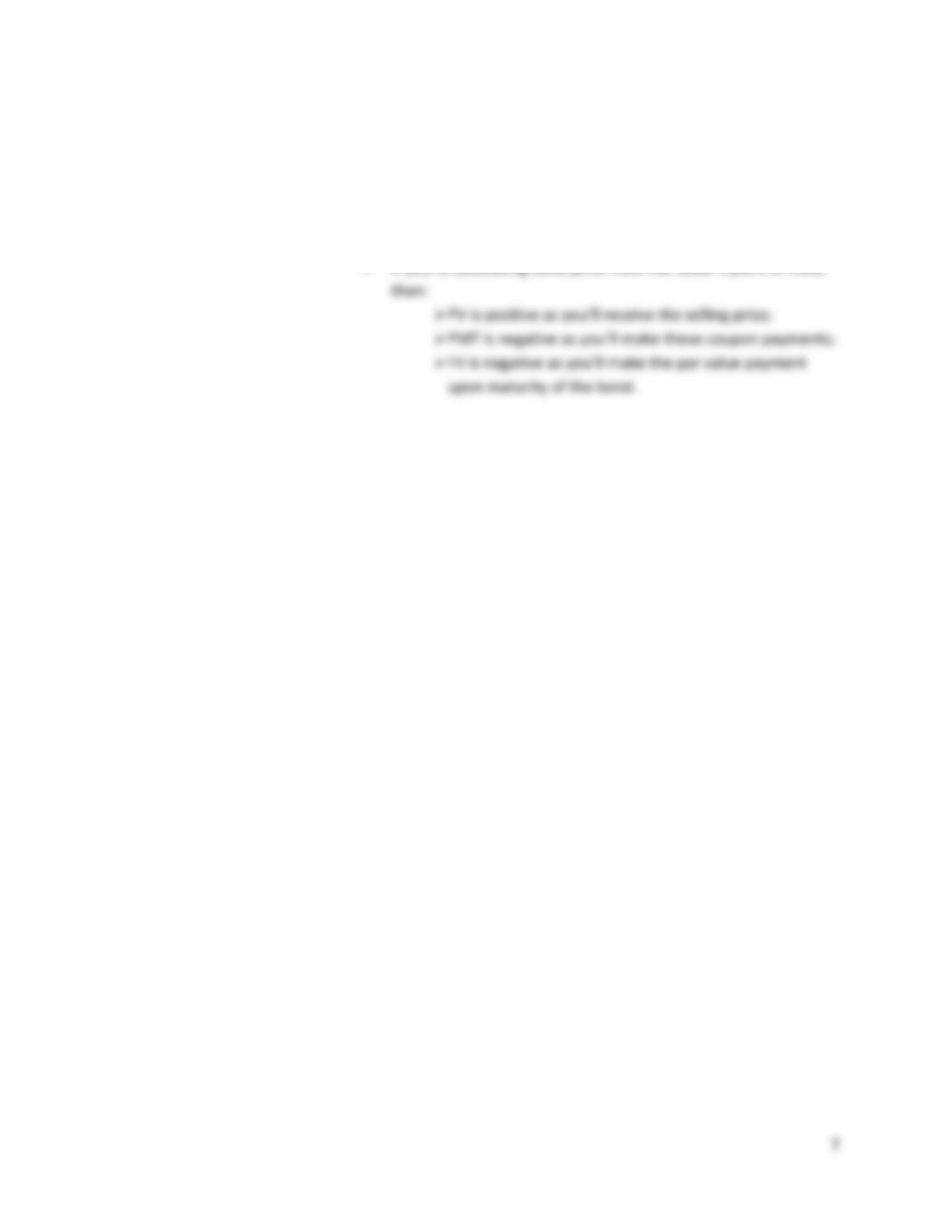
▪ If you’re calculating bond price from the buyer’s point of view,
then:
➢ PV is negative as you’ll pay for the bond;
➢ PMT is positive as you’ll receive these coupon
payments;
➢ FV is positive as you’ll receive the par value back.