SQL Server configuration settings
•CLOSE X
•Deutsch (German)If you install Symantec Endpoint Protection Manager with a
Microsoft SQL Server database, there are specific configuration requirements for
SQL Server.
See Installing the management server and the console.
Before you create the database, Symantec recommends that you install a new instance of
SQL Server that conforms to Symantec installation and configuration requirements. You
can install a database in an existing instance, but the instance must be configured properly
or your database installation fails. For example, if you select a case-sensitive SQL
collation, your installation fails.
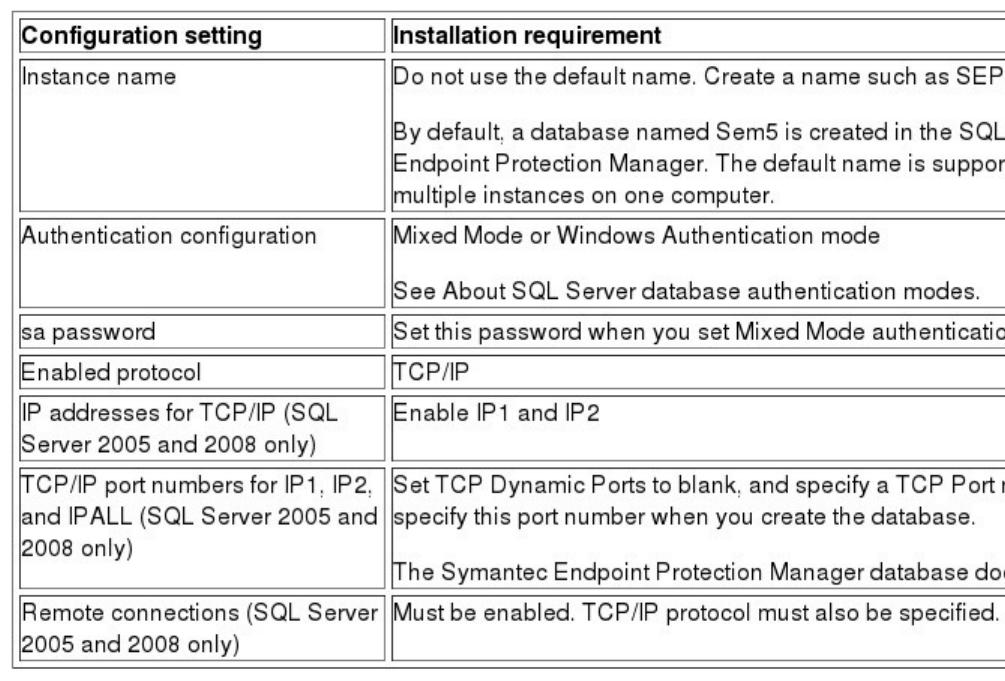
Table: Required SQL Server configuration settings
If your database is located on a remote server, you must also install SQL Server client
components, including BCP.EXE, on the computer that runs Symantec Endpoint Protection
Manager. Refer to Microsoft SQL Server documentation for installation instructions.
During the Symantec Endpoint Protection Manager database configuration phase of the
installation, you select and enter various database values. Understand the decisions you
must make to correctly configure the database.
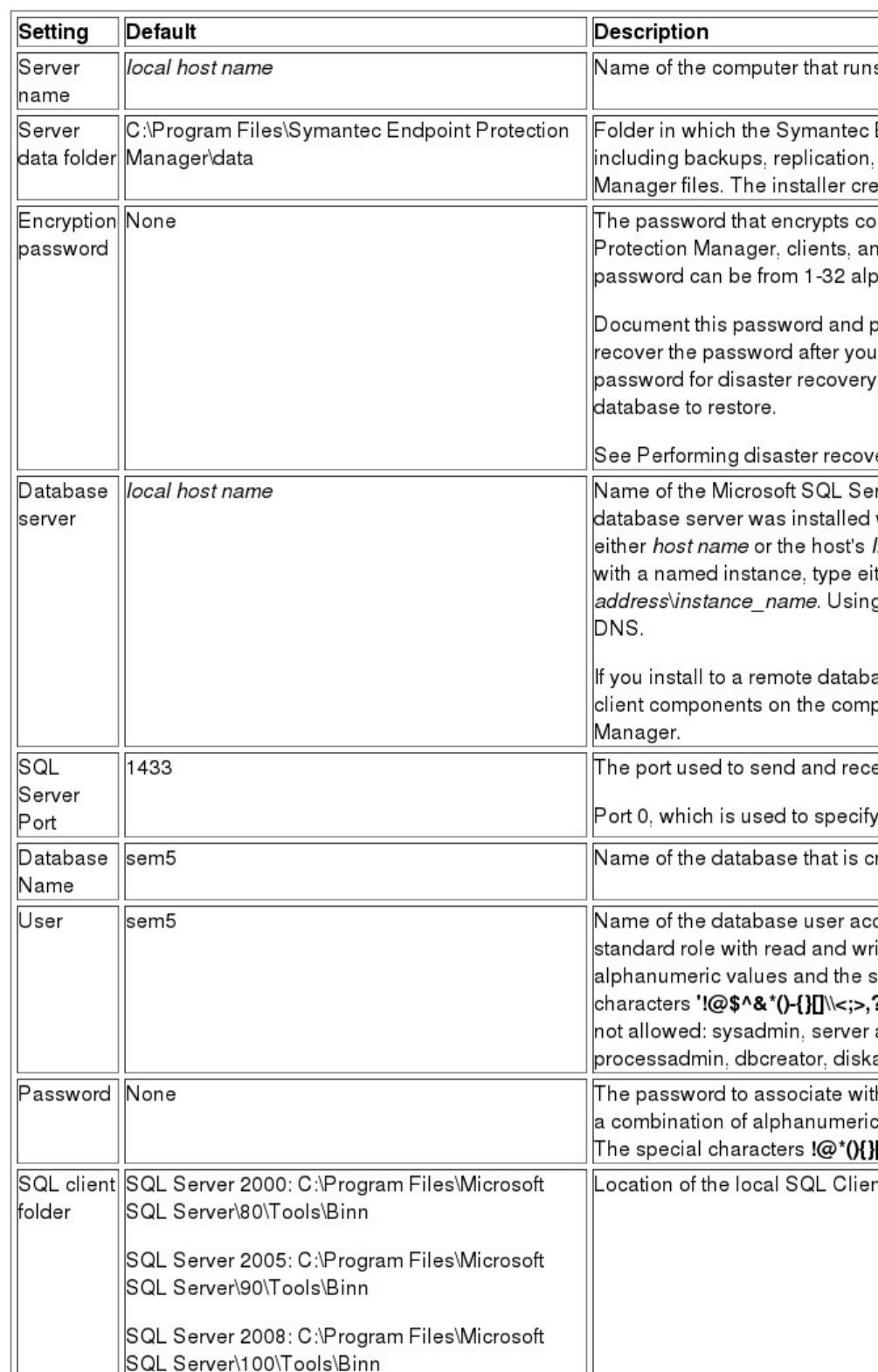
Table: SQL Server database settings displays the settings you might need to know before
you begin the installation process.
Table: SQL Server database settings
v52562650_v59371754
Article URL http://www.symantec.com/docs/HOWTO55330