Polk County Clerk of Courts & Comptroller
Official Records (Search NG)
Reinstall Guide
Reinstall Instructions
Before you delete any files on your computer please contact your IT Department. If you or unsure or
uncomfortable deleting files on your computer please contact a repair technician. After following the
steps below open Internet Explorer and run the app to re-download & install the application onto your
computer. If your antivirus is blocking the application from running please contact your antivirus for
support. Windows Vista, 7, 8, 8.1 & 10
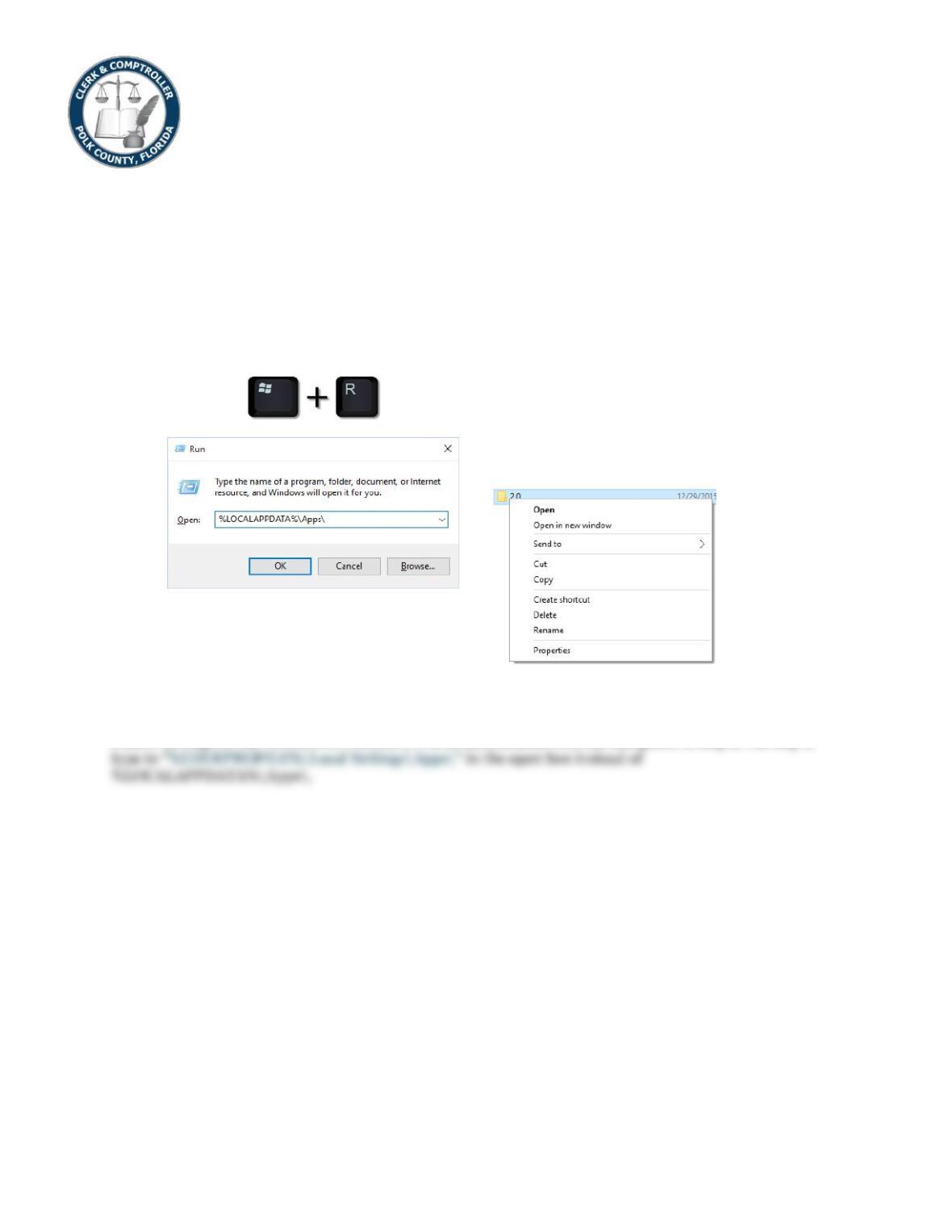
1. On the keyboard hold down the windows key and then press the R key and then release both keys.
2. In the open box type in %LOCALAPPDATA%\Apps\
3. Click OK
4. Right click on the 2.0 folder
5. Click Delete
6. Click yes to confirm.
7. Open Internet Explorer and try again.
Windows XP
Follow all steps in the WINDOWS VISTA, 7, 8 & 10 instructions with the exception of step 2. On step 2