DISC 112: Assignment 11
(40 Marks)
1. Open a new Excel Workbook.
2. Save this workbook as Excel-Macro Enabled workbook and name it after, Assignment
number and your roll number (e.g. A1-2011001)
3. Add your group details on the first worksheet.
4. Open your VBA Editor, so you can start writing down the macros in your tasks.
Task 1:
Write a Macro named “Calculate” which:
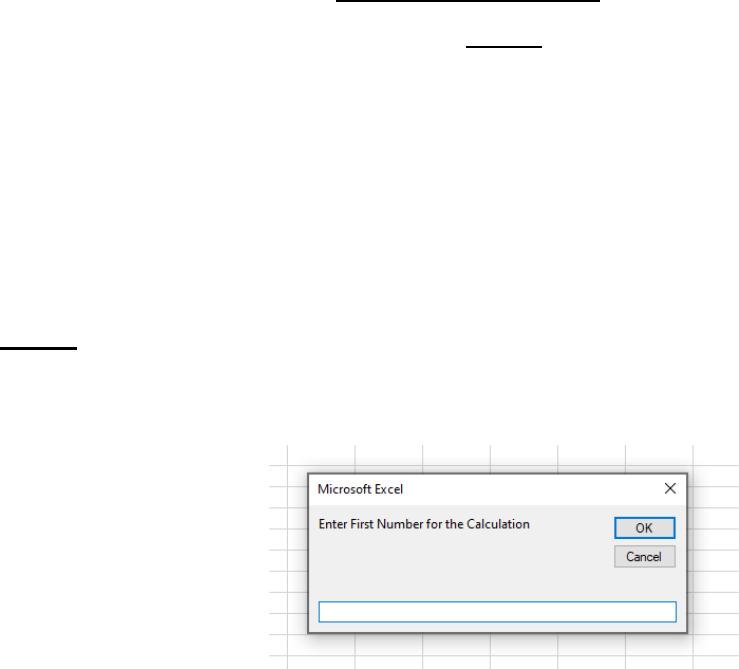
• Takes two numbers (double data type) from the user using Input Boxes: (2 Marks)
• Performs the following Mathematical calculations with the two provided numbers: (2
Marks)
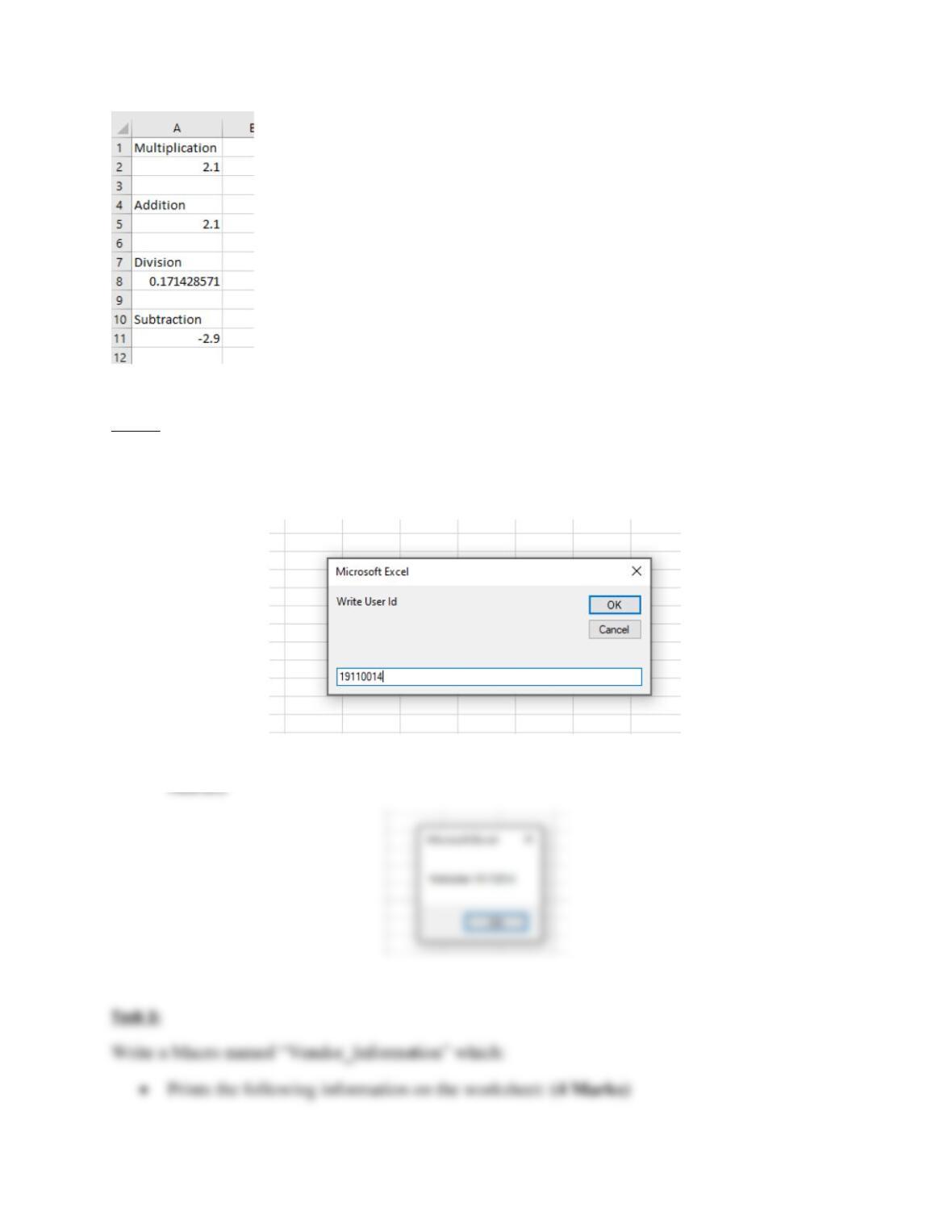
o Multiplication in cell A2
o Addition in cell A5
o Division in Cell A8 (First Number divided by Second Number)
o Subtraction in cell A11 (First Number subtracted by Second Number)
• Write code to label the respective calculations in Cells A1, A4, A7 and A10 as
Multiplication, Addition, Division and Subtraction. (1 Mark)
• Add a short description in your code explaining what the function does. (1 Mark)
Test Run your Macro by inputting number 0.6 and 3.5. The resulting view from the running the
macro should be the following: (2 Marks)
Task 2:
Write a Macro named “Welcome_User” which:
• Takes the Roll-Number from the user using Input Box: (1 Mark)
• Displays the message “Welcome RollNumber” on the screen as shown bellow: (3